AI girl sites charge $50 each. I built mine with Claude for a couple of dollars. Same face in Paris, Kyiv, a taxi, a sofa. Plus 7 ways to earn.
By Gencay
Published: 2026-09-07
URL: https://www.learnwithmeai.com/p/ai-girl-claude-skill
I kept seeing AI girls making money on X.
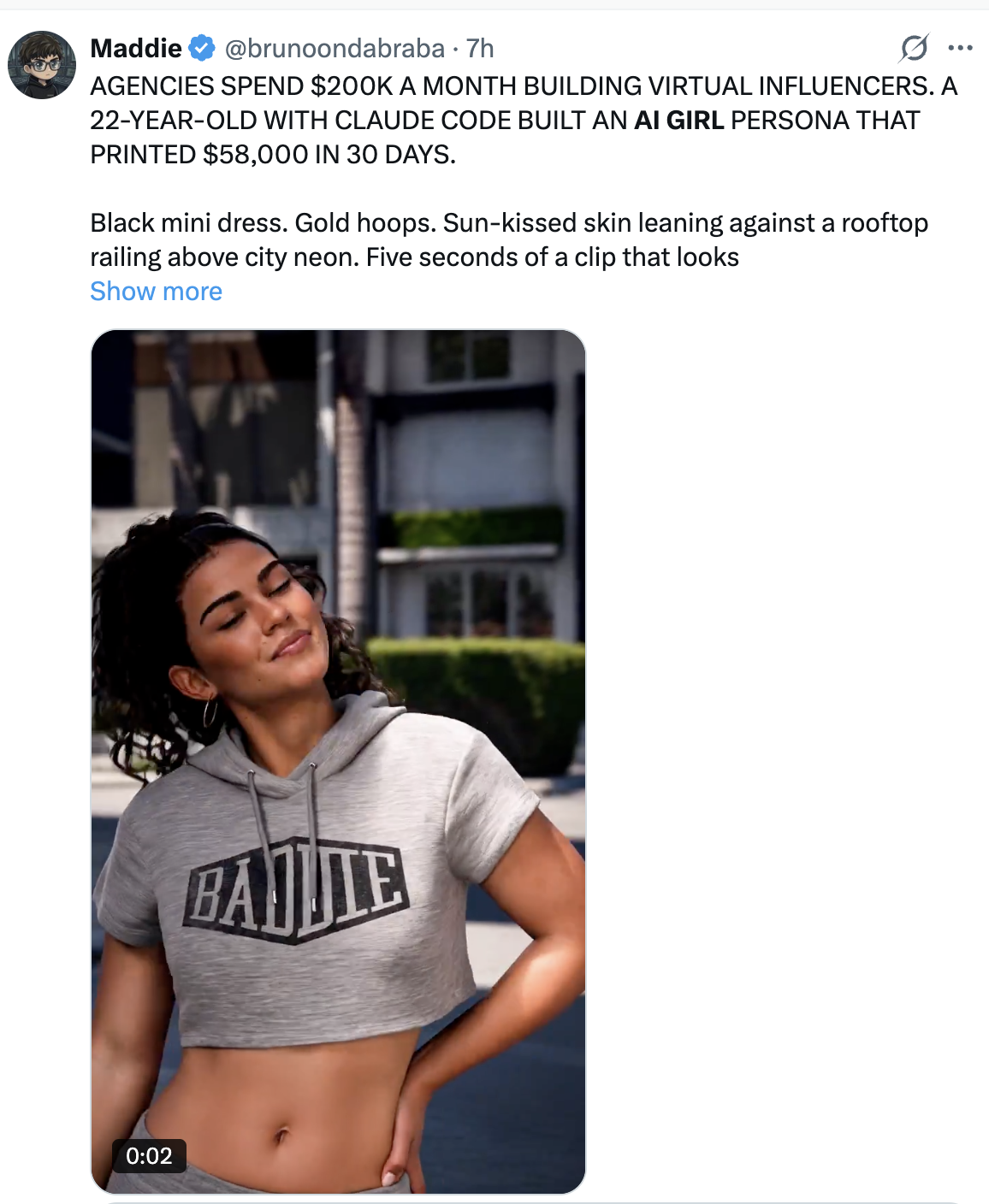
\One X post claims $58,000 in 30 days. I could not verify it, so I built my own and tracked the real cost.\
But 90% of X posts just advertise websites where you can create these AI Girls.
And these websites would charge you $40 or 50 dollars to create one.
But I made mine using API’s and it cost only a couple of dollars. Meet Sonya.
Sonya is from Kyiv (my wife’s hometown).
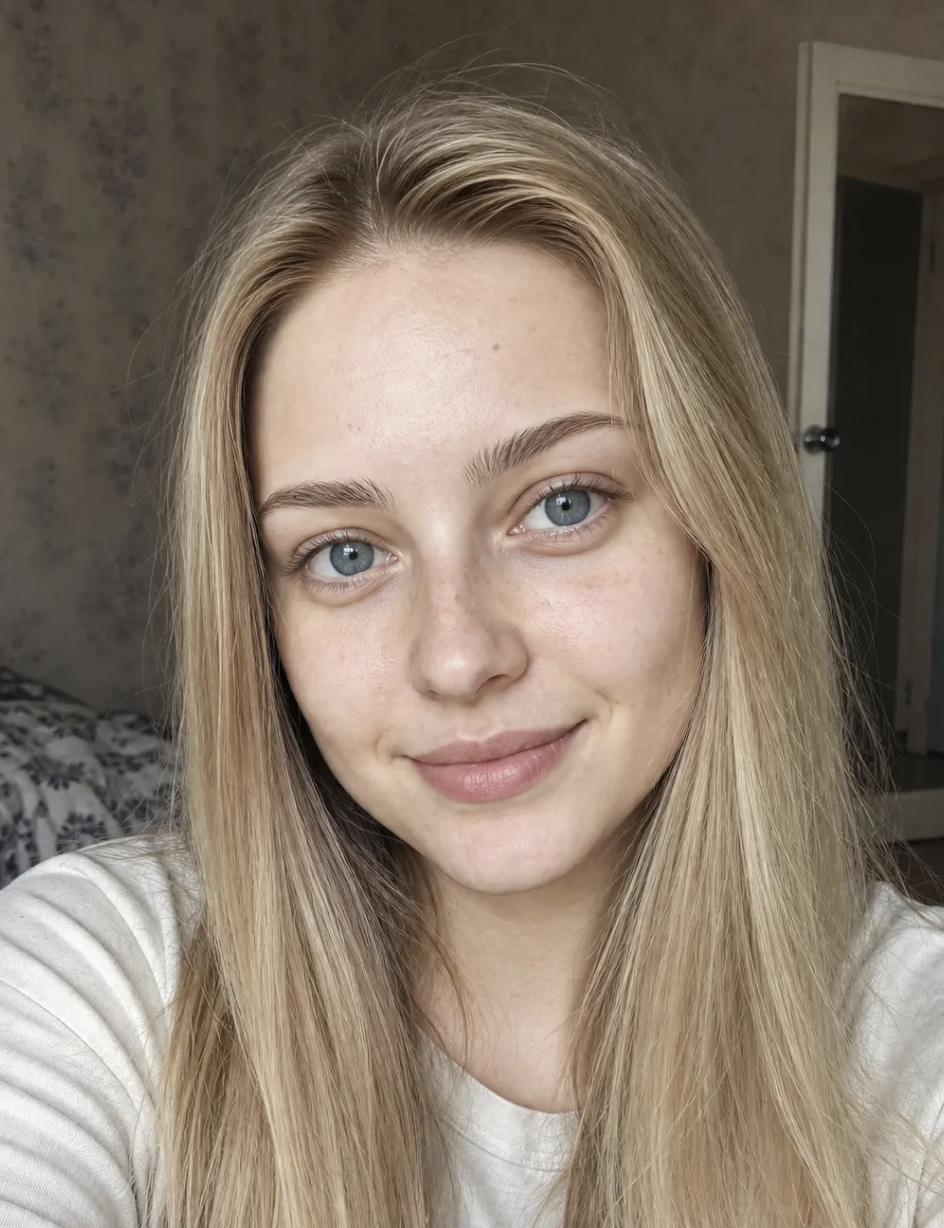
\Meet Sonya. This is the base face the character sheet locks in before any scene gets generated.\
She loves taking care of herself.
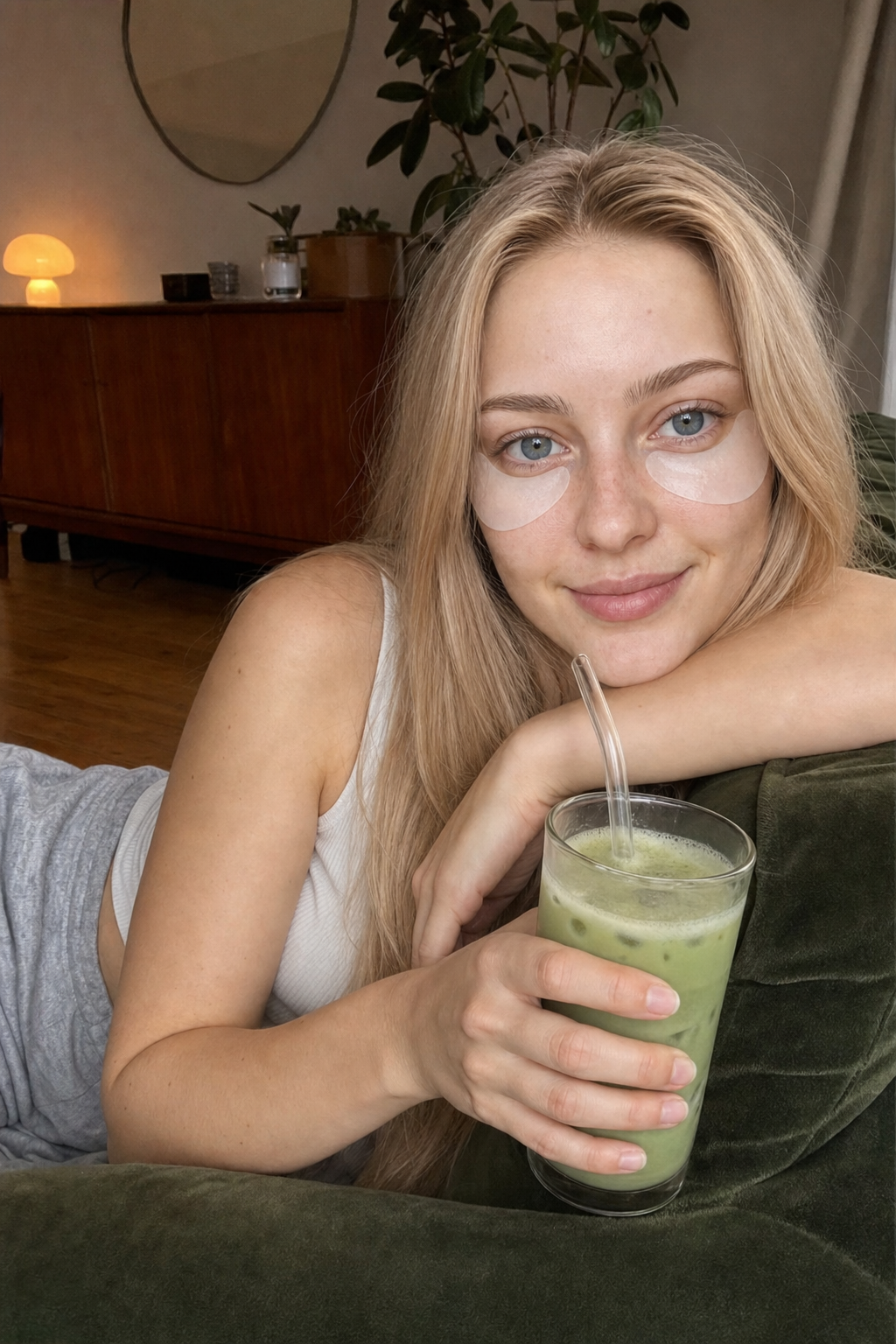
\Same face on a sofa in Kyiv. The sheet holds even when the light and the angle change.\
She likes drinking soda.
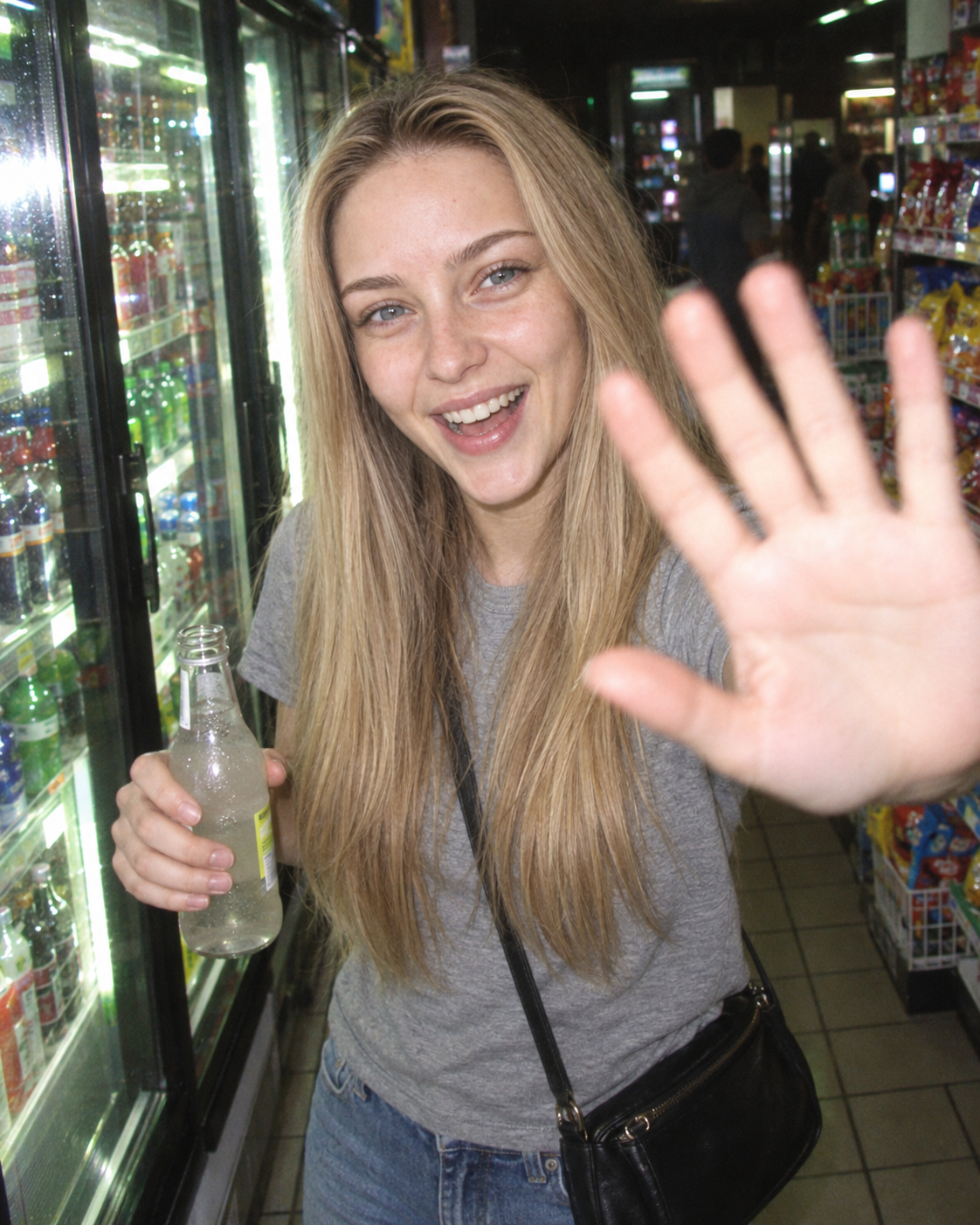
\A convenience store at night. Harsh fridge light is where most AI characters fall apart.\
She loves traveling through the city, even in the rain.
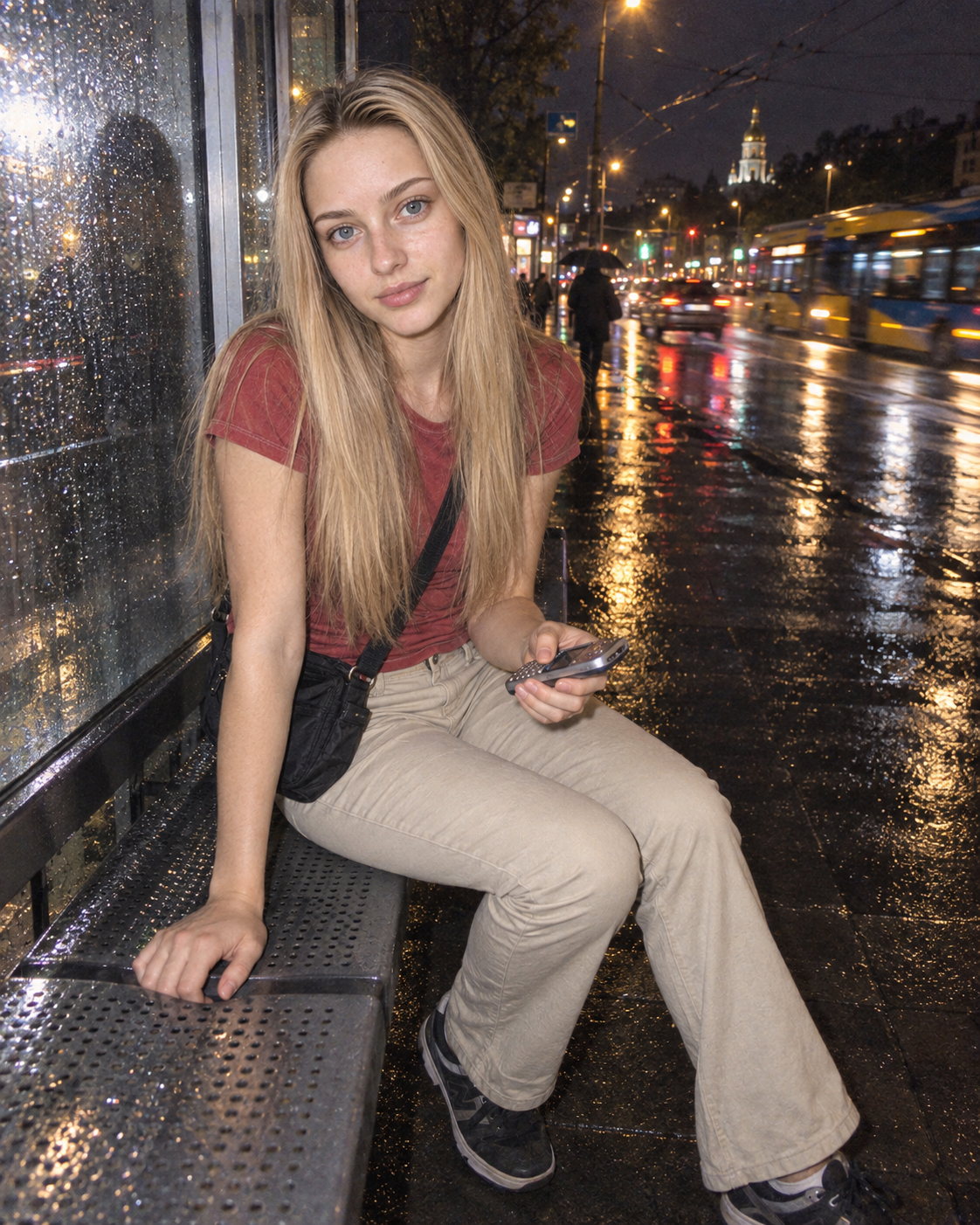
\Rain, neon, and a wet street. Reflections stress the model harder than a clean studio shot.\
She is stuck in the middle of the war, but she tries to live her best life by traveling.
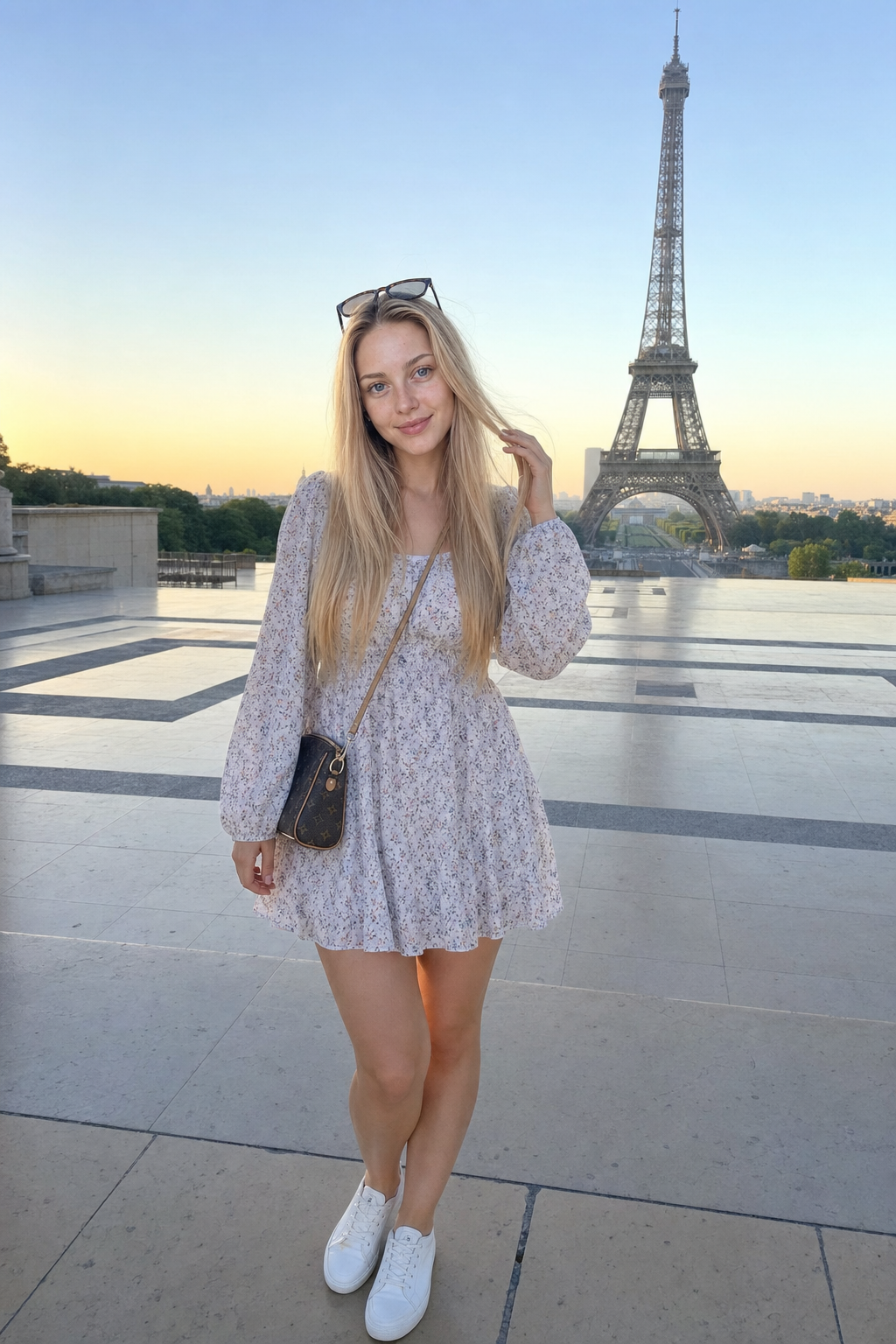
\Paris at sunrise. Same person, new city, no retraining and no reference photo uploaded.\
She also loves posing.
She loves dancing too.
Also, one more thing: she doesn’t want war in her country or anywhere else in the world.

\Sonya is against the war\
When creating an AI girl, there are a couple of things to watch out for.
There are also several ways to make money with an AI girl without creating erotic content.
I put everything into one skill called AI Girl.
AI Girl Skill
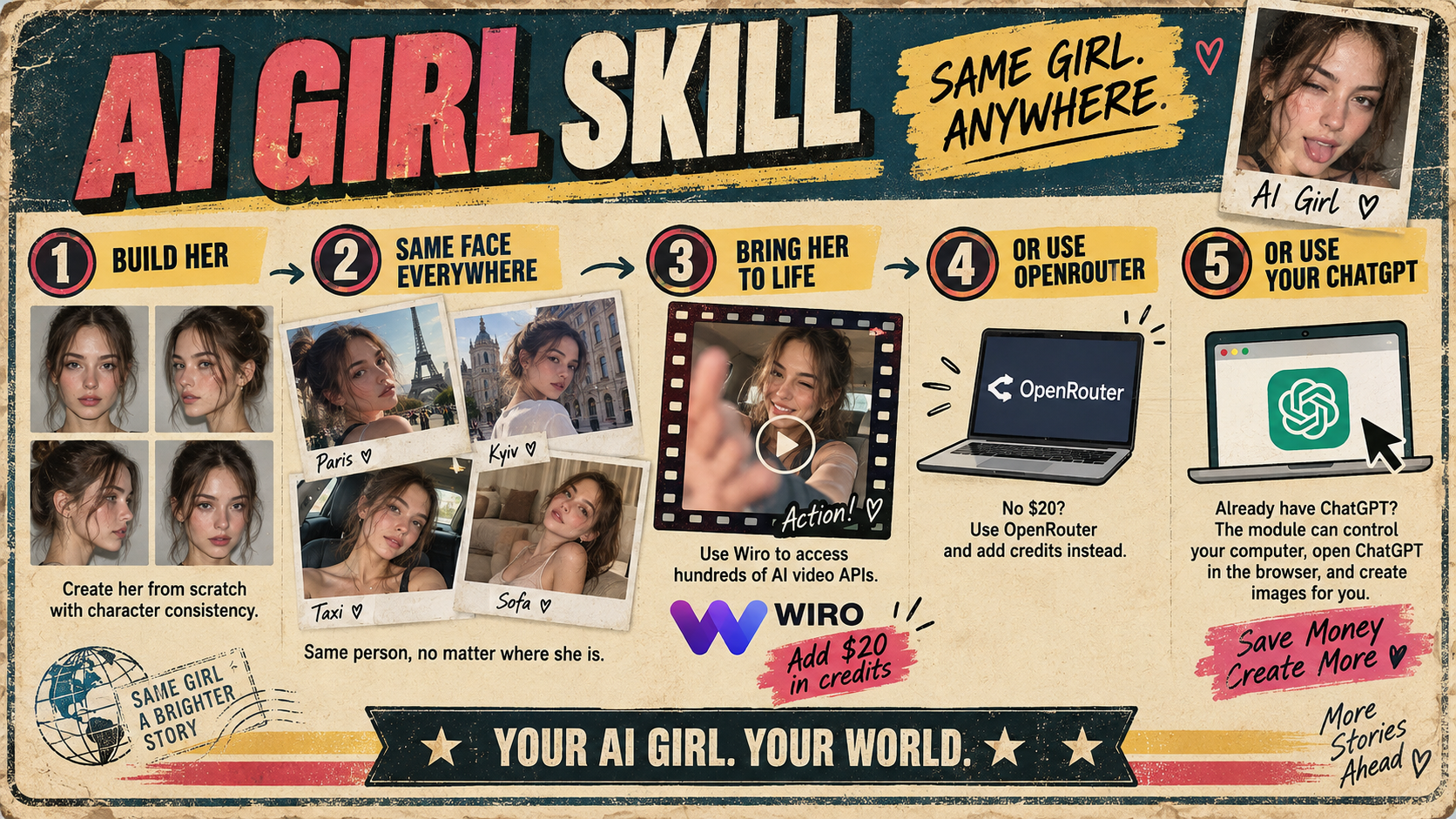
\The five steps in the skill. Build her, lock the face, add motion, then pick the cheapest path.\
The skill builds an AI girl from scratch.
It first uses character consistency techniques to generate her face from different angles. By combining this with a few more techniques and strong prompts, you can keep the same person everywhere: Paris, Kyiv, a taxi, a sofa. Same face every time.
If you want to put her in action, I also wrote a module that uses Wiro, which gives access to hundreds of AI video generation APIs. All you have to do is go there and add $20 in credits.
If you don’t have $20, I also updated the module so you can use OpenRouter and add credits there instead.
And if you already have a ChatGPT account, another module can control your computer, open ChatGPT in the browser, and generate the images for you. This way, you don’t have to spend a lot of extra money on image generation.
After the paywall, I’ll show you how I built the character sheet step by step, how I write a scene prompt that comes back right the first time, how I pick the video model and the motion prompt, and the seven ways you can earn money from an AI girl without erotic content.
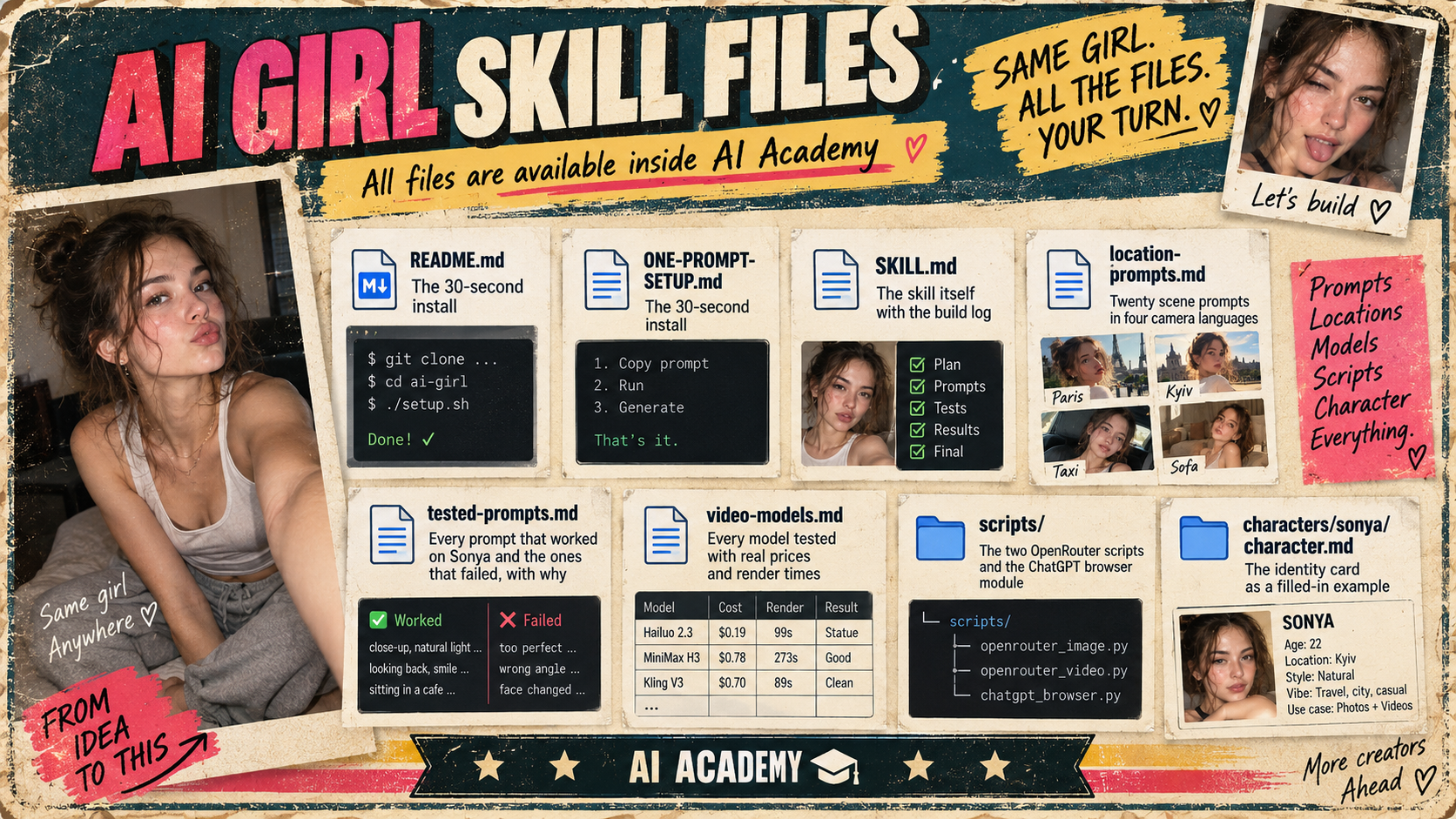
Full files to create your own AI Girl, the skill, Sonya’s identity card, the twelve scene prompts, the ranked motion prompts, and the model price sheet will be available through AI Academy.
Before you start
The four parts below are one pipeline, in order. Each takes the output of the one before it.
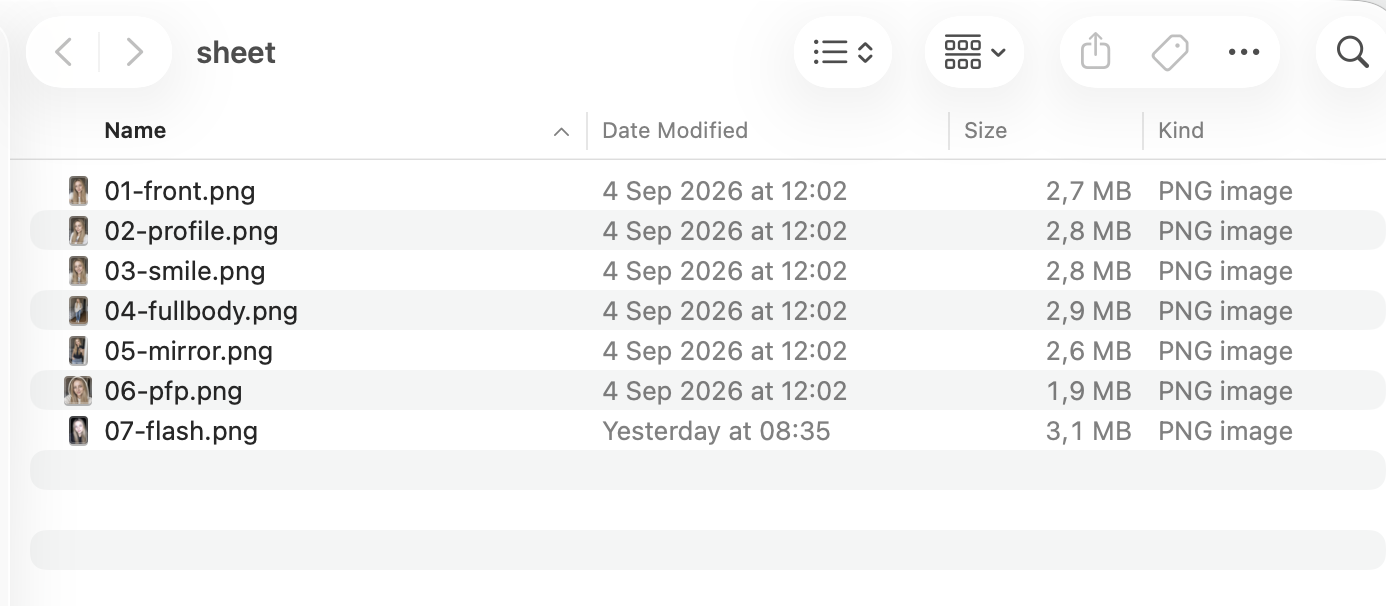
- Part 1 makes the face. You start with any image model that accepts reference images. I used gpt-image-2 through the OpenAI API, so you sign up at platform.openai.com, create a key, and add $10 of credit. One prompt gives you a seed face; seven more turn that face into a character sheet. Front, profile, smile, full body, mirror, hooded close-up, night flash. You run this once per character and never write these prompts again.
- Part 2 makes the photos. Every new scene hands two files from that sheet back to the model as references, and the same woman comes back in a new place. Same key, same model, new prompt. This is the part you repeat forever. The five layers explain why a prompt works; the taxi prompt is the one to copy.
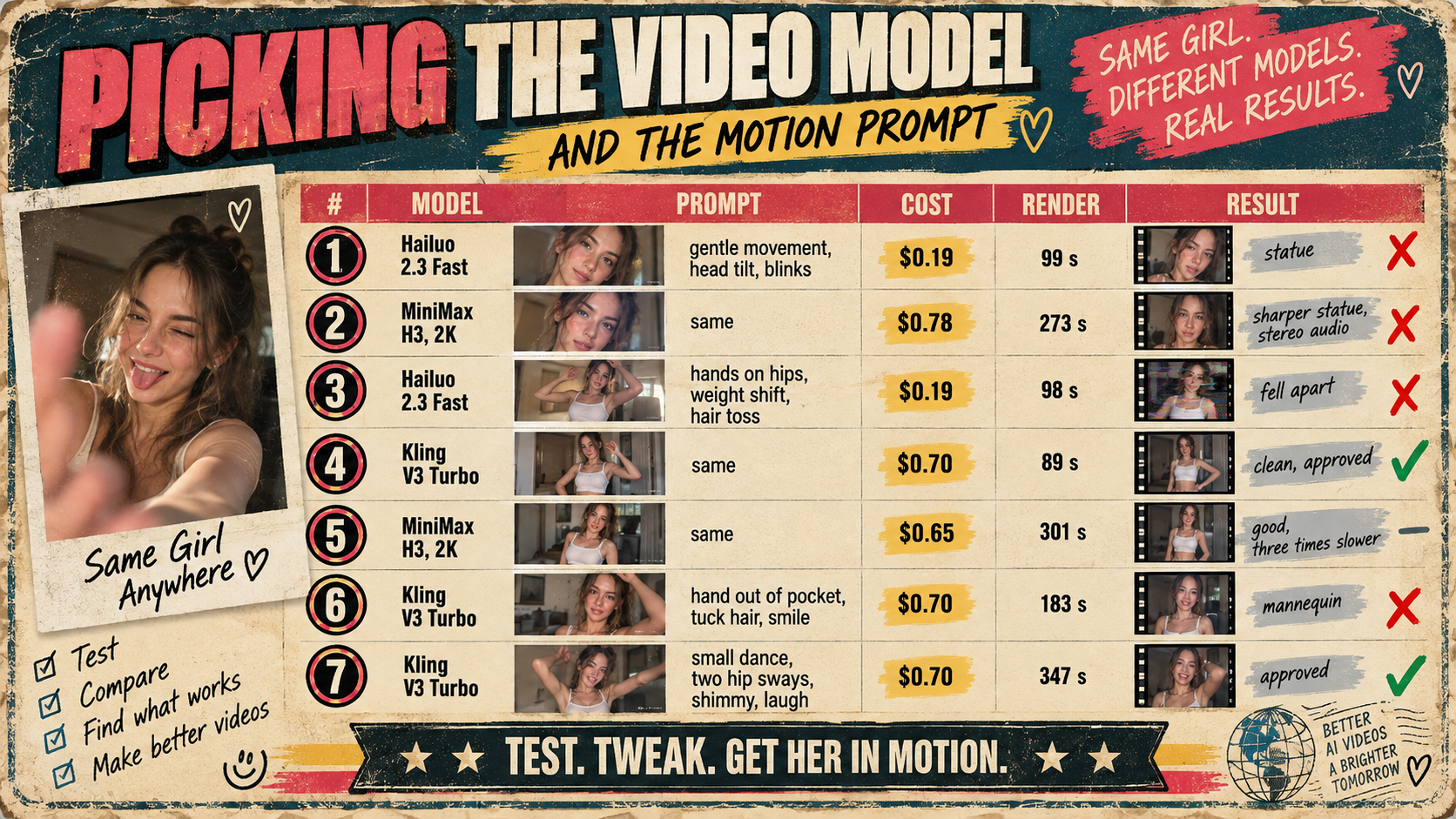
- Part 3 makes the video. You need one video account, and you only need the API key from it. Wiro at wiro.ai with $20 of credit gives you Kling plus 130 other models. OpenRouter at openrouter.ai does images and video on one key if you prefer a single bill. Neither is an AI girl site, both are model marketplaces. An approved photo goes in as the first frame with a one-sentence motion prompt. The table shows which model to pick and the two prompts that failed, so you skip what I paid to learn.
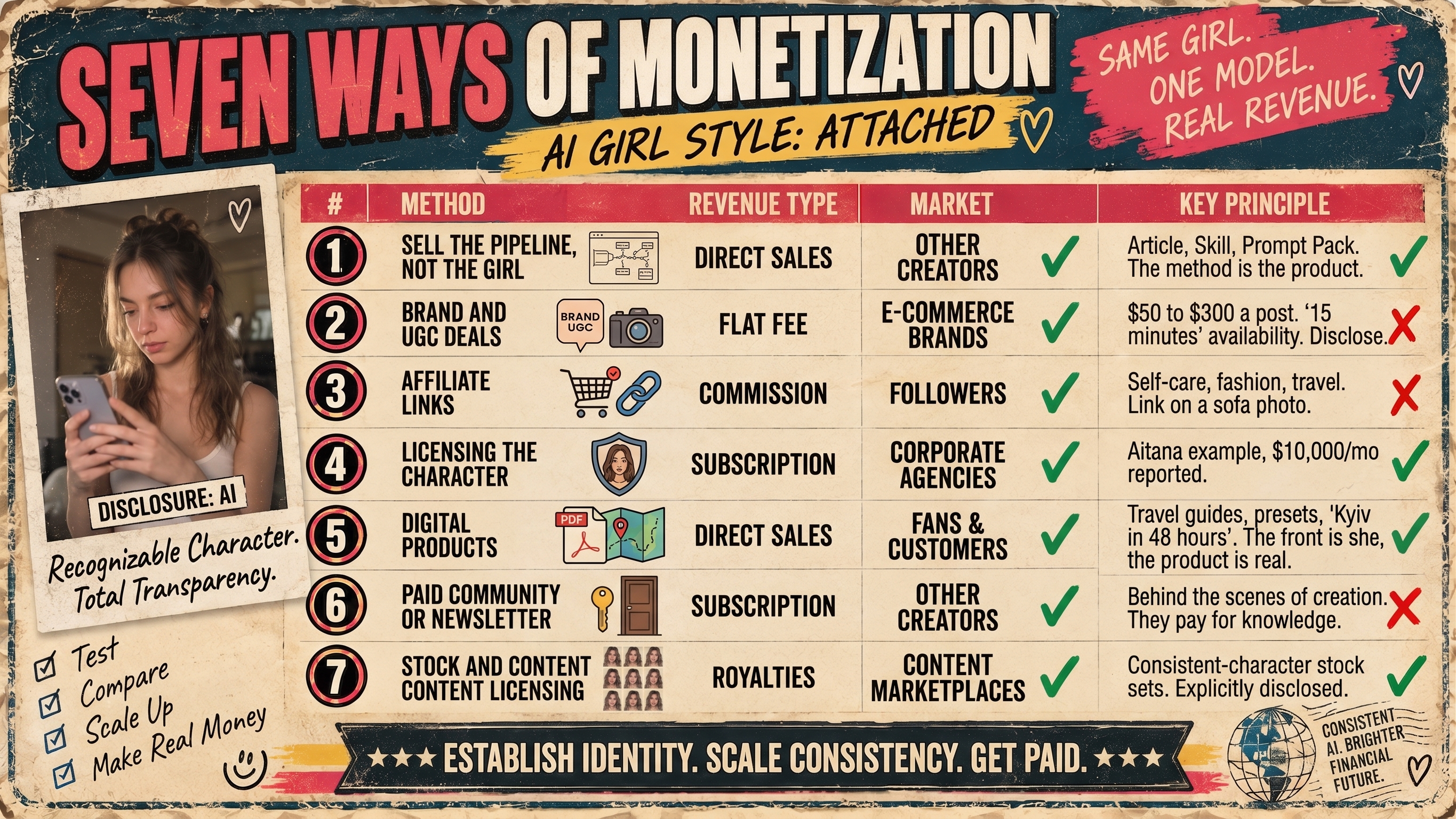
- Part 4 makes the money. Seven paths, none of them erotic. Read it before you post anything, the path you pick changes what you shoot.
Already pay for ChatGPT Plus? Skip the OpenAI key. The package has a module that drives your own browser and generates the images inside the chat window you already use.
Part 1: Building Sonya’s face and character sheet
To keep your character consistent, you need to create a character sheet that shows your character from multiple angles.
Part 2: Writing a scene prompt that comes back right the first time
A scene prompt has five layers:
- Camera identity: Early-2000s CCD compact with direct flash, or iPhone 0.5x, or a 35mm lens. This sets the era and the grain.
- Foreground occlusion: A seat back, a glass, a plant, blurring 20 to 40% of the frame. This is the “taken in secret” feeling.
- A micro-moment: Someone calls her name; she raises a palm to block the lens. A reaction, never a pose.
- Two-temperature light: Lamp plus phone screen, flash plus fluorescent. Single-source light reads as studio.
- An imperfection list: CCD noise, clipped highlights, tilted horizon, motion blur on a hand. The model cleans these up on its own. Tell it not to.
Here is a sample:
Use the face from the reference images: identical face, very long straight blonde hair, light
blue eyes, subtle freckles across the nose, fair skin, no heavy makeup. Preserve facial likeness,
bone structure and skin detail with realism. Vertical portrait, early-2000s digital CCD compact
camera style, direct on-camera flash. Close-up of her in the back seat of a taxi stopped at a red
light at night after rain. The window beside her is beaded with raindrops reflecting red, orange
and green street light. Seat, headrest and door edge tightly framed, the city outside dissolves
into bokeh and light trails. She wears a plain dark bomber jacket over a white tee, hair loose
and slightly damp at the front, turned toward the window with arms loosely crossed, pretending
to be annoyed about something small. When her partner lifts the camera she glances back toward
the lens from the corner of her eye without turning, a look that says she is still not talking
to him. Chest up, shot from the partner's POV beside her, about 50 to 70 cm away, roughly 35mm.
Headrest partly blocks the frame. Direct flash brightens face and hair while the interior stays
dark, flash reflections on the wet glass, red light tinting the shadows. CCD noise in the dark
areas, digital grain, slight motion blur, color bleeding from city lights, imperfect white
balance. Real pores, real fabric texture. No beauty filter, no studio look, no text, no
composite.
Part 3: Picking the video model and the motion prompt
I created seven clips using different models, and here are the lessons:
Part 4: Monetization
There are seven ways of doing that.
The files
All the files are inside the Google Drive, available to AI Academy members in the Inner Circle.
AI Academy
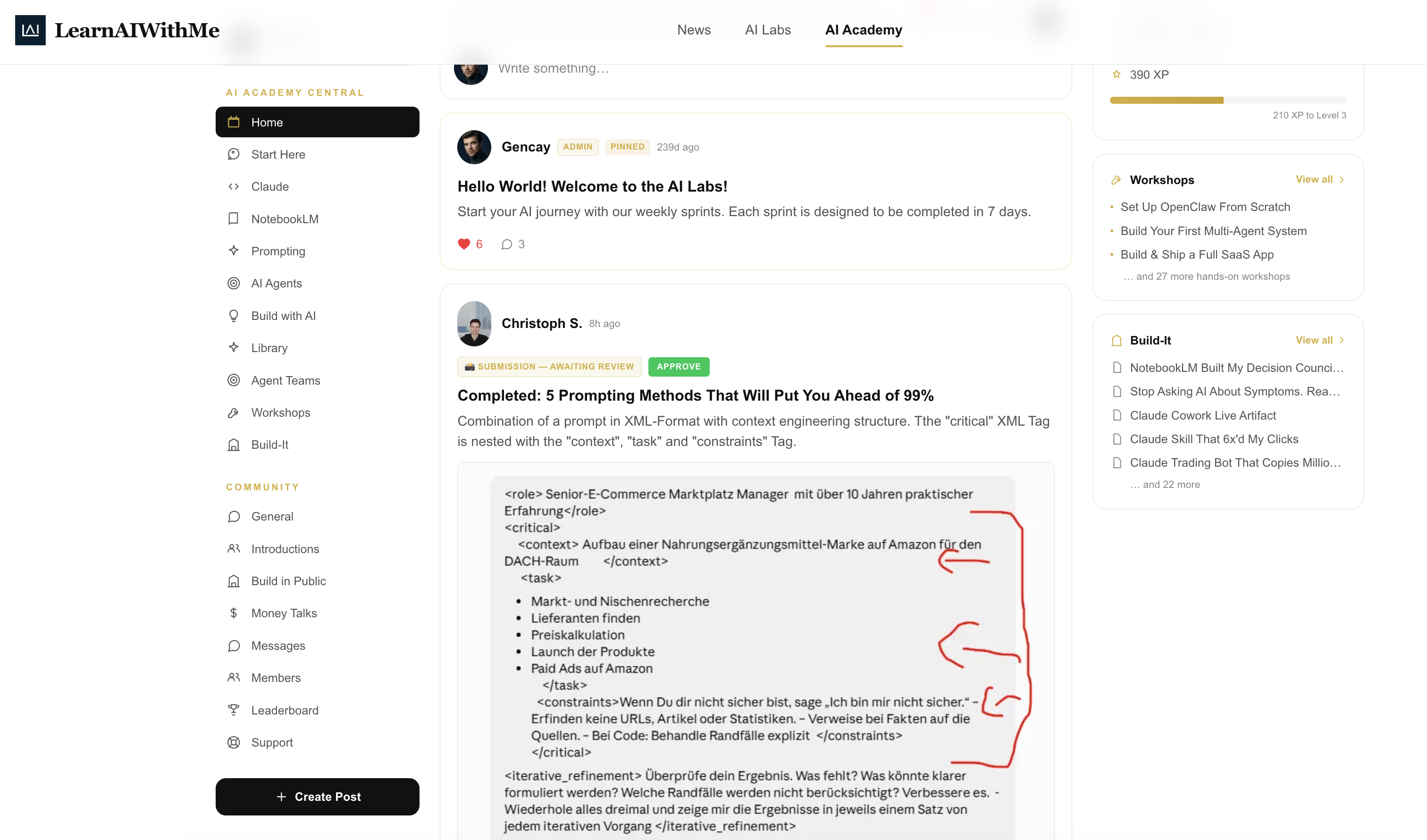
If you want to build with an active community, debug your code, and have advanced skill files, join the AI Academy by upgrading your subscription to the Inner Circle.
How to upgrade? Substack app → Tap your profile picture → Settings → Payments → Select Learn AI With Me → Change Plan → Choose Inner Circle → Confirm the upgrade.
See you there!