Prompt engineering is out. Loop engineering is in. I built a Claude loop on local models that reads my logs and reports what I dropped, every morning. Free.
By Gencay
Published: 2026-07-13
URL: https://www.learnwithmeai.com/p/build-claude-loop-local-models
Believe it or not.
This is the new trend.
Loop Engineering.
5 years ago, nobody knew what prompt engineering was.
Now, we don’t need it anymore.
Everything started after Boris Cherny’s words.
(Boris Cherny, the creator of Claude Code.)
If you are not writing the loops, you are not ahead of the curve.
But there is one more thing.
After Claude Fable 5 was pulled by goverment, it’ll released again on Jul 1.
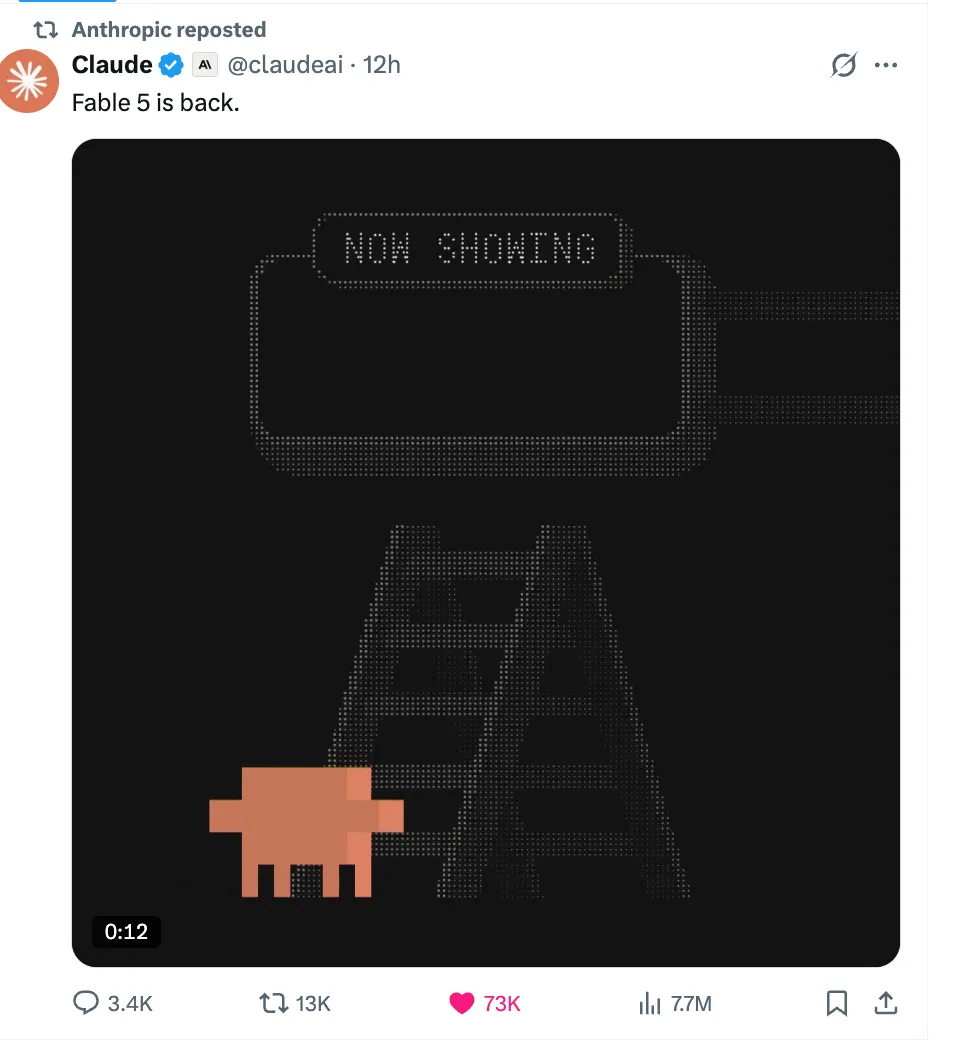
\Fable 5 was gone, then back on July 1.\
But it’ll be available until July 19.
Then you can only use it with pay as you go model, so you need to pay expensive bills.

\After 19, it will be pay-as-you-go. The bills add up fast.\
That’s why everyone was searching for a new path.
A new path that does not require frontier models.
Satya Nadella, the CEO of microsoft even suggests this by writing a new article on X.
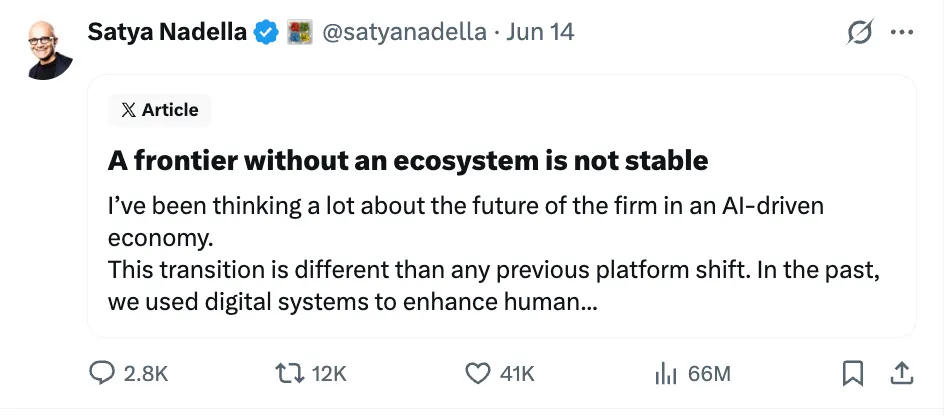
\Even Nadella pointed at this path. 66M views.\
This has been viewed 66 M.
Your frontier models can go instantly.
Like Claude, Fable 5 has gone.
So I merged two things.
Loops on local models.
The result is an AI Chief of Staff, and it costs $0 to run.
Let me show you what I built.
What We'll Build: A Local-Model Chief of Staff
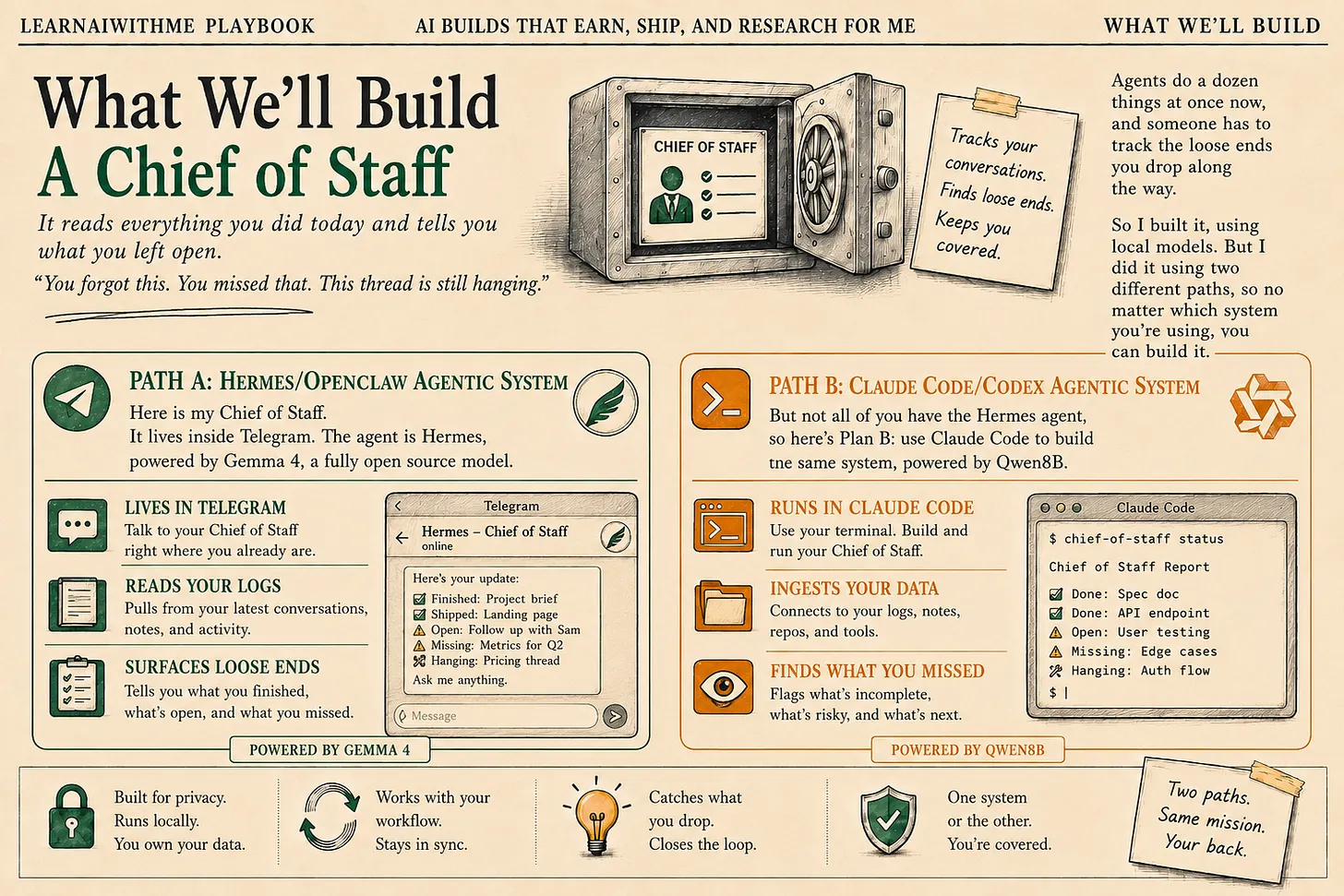
\The Chief of Staff. It reads everything you did today.\
A Chief of Staff.
A Chief of Staff covers your back. It reads everything you did today, using your conversation with AI. ( We’ll make it read Claude Code & Hermes.)
Why? Because agents do a dozen things at once now, and someone has to track the loose ends you drop along the way.
So I built it, using local models. But I did it using two different paths, so no matter which system you’re using, you can build it.
Path A: Hermes/OpenClaw Agentic System
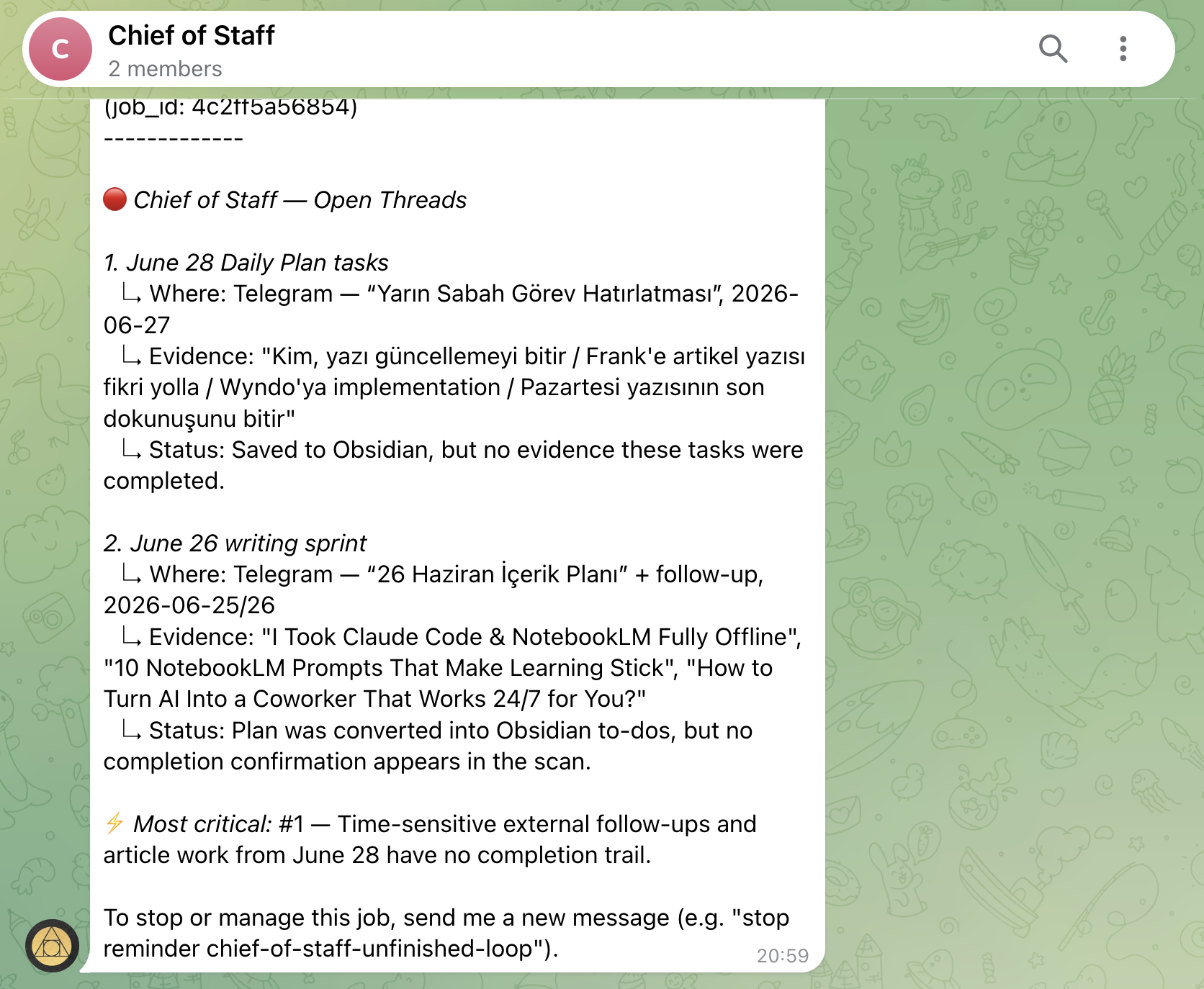
Here is my Chief of Staff. It lives inside Telegram. The agent is Hermes, powered by Gemma 4, a fully open source model.
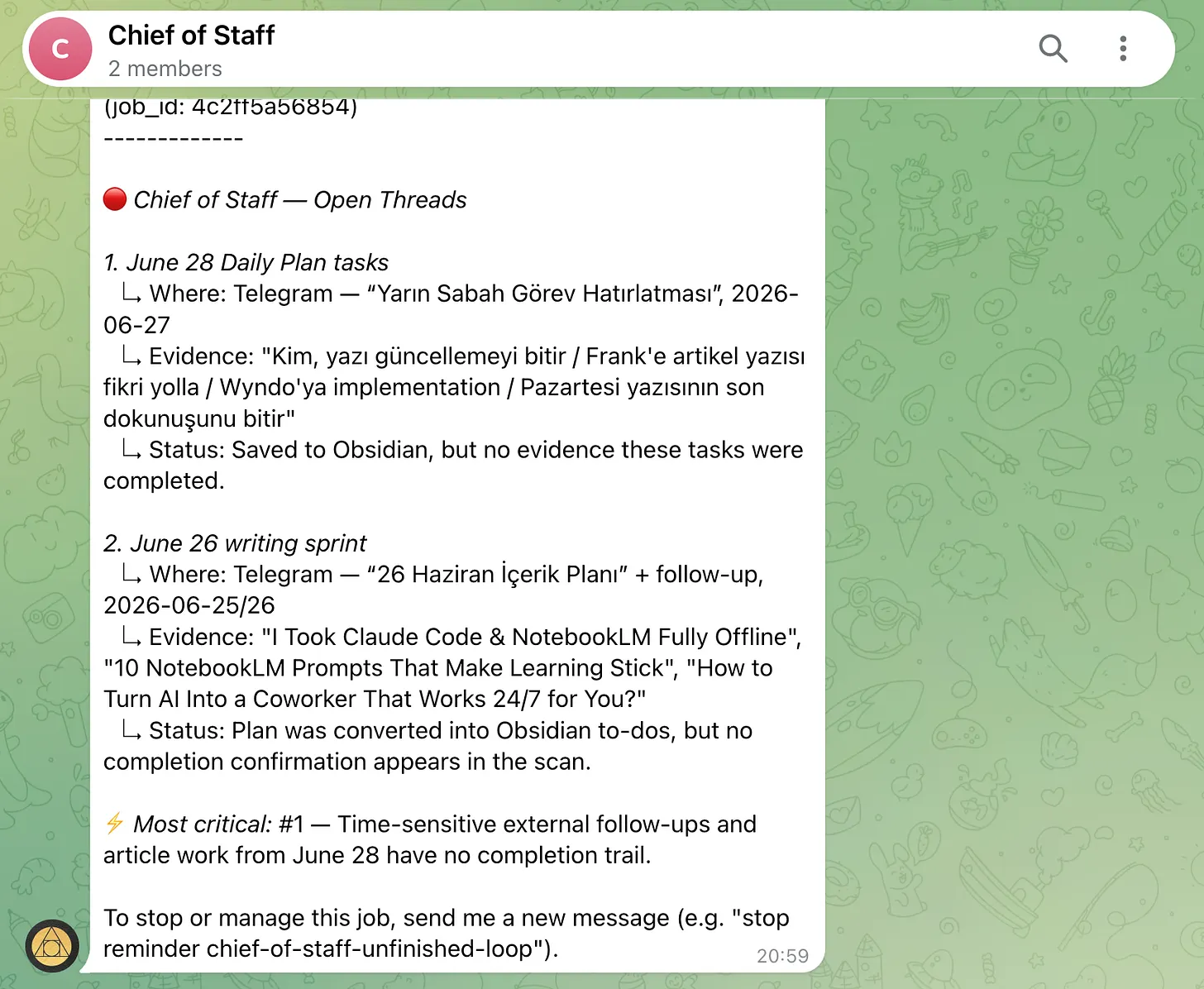
\Path A: Hermes in Telegram, powered by Gemma. Fully open source.\
It tracks all of my latest conversations from logs, and tells me what I did/finished or what’s left uncovered.
Path B: Claude Code Agentic System
But not all of you have the Hermes agent, so here’s Plan B: use Claude Code to build the same system, powered by Qwen8B.
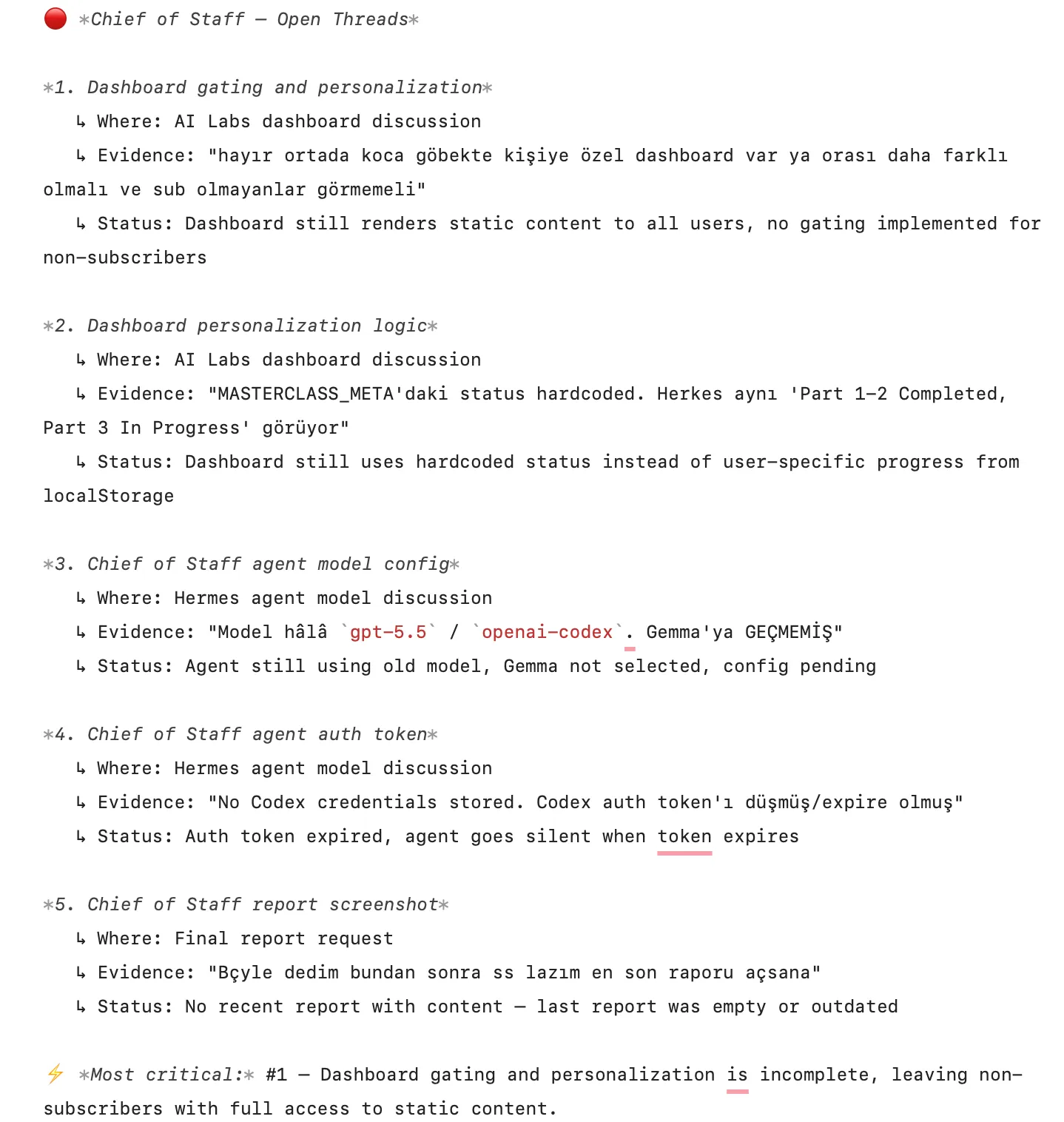
\Path B: same system in Claude Code, powered by Qwen8B.\
I have to be honest. After reading these reports, I went back and finished some of the tasks I had left unfinished.
Tech Stack: Qwen8B(Opensource, for path B), Claude Code(to build the system at the beginning), Hermes(Agentic System for Path-A)
How the Claude Loop Works
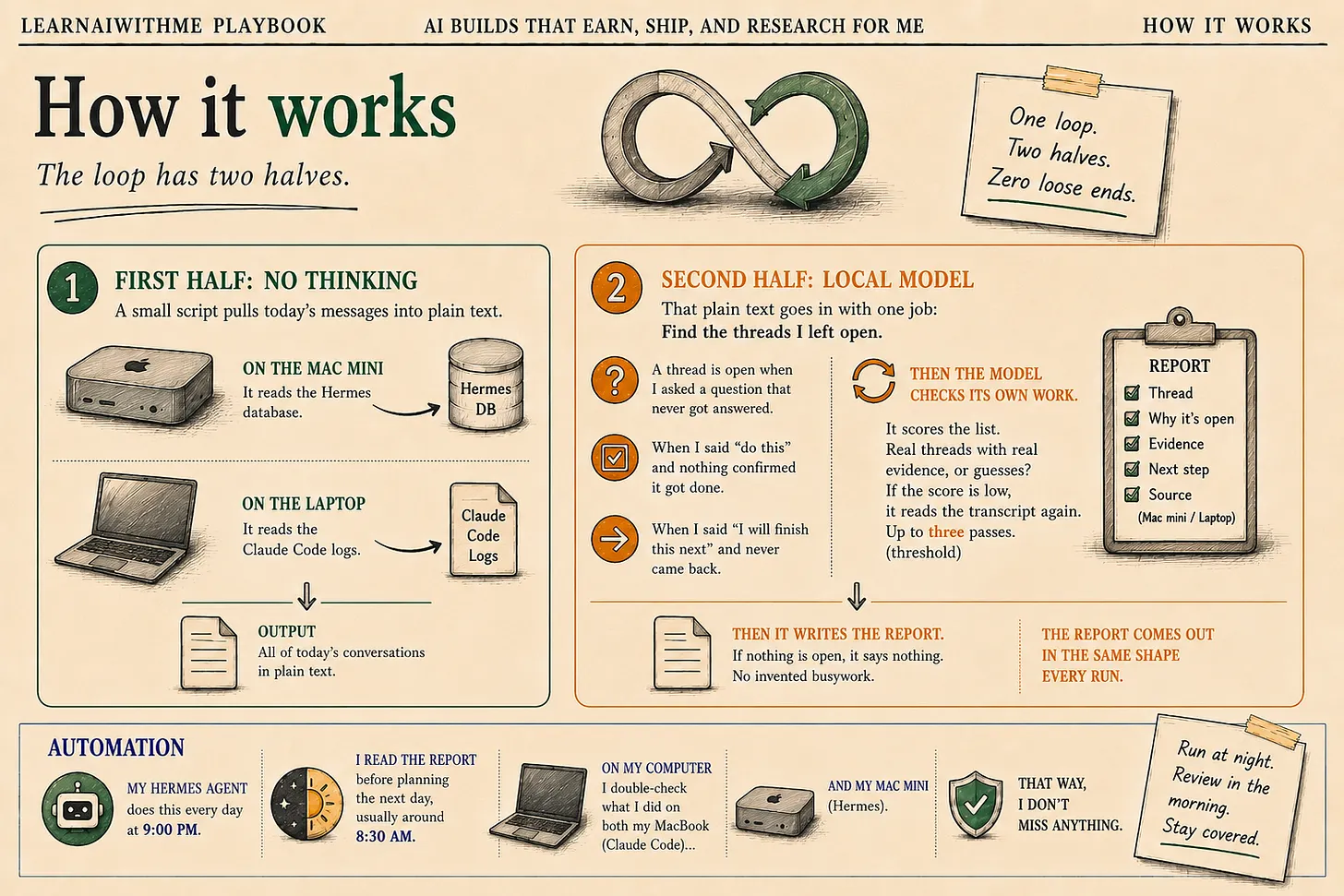
\Two halves. One does not think. One is the local model.\
The loop has two halves.
The first half does not think.
A small script opens the conversation logs and pulls today’s messages into plain text.
- On the Mac mini, it reads the Hermes database.
- On the laptop, it reads the Claude Code logs.
The second half is the local model.
That plain text goes in with one job. Find the threads I left open.
A thread is open when I asked a question that never got answered. When I said “do this” and nothing confirmed it got done.
When I said “I will finish this next” and never came back.
Then the model checks its own work.(loop)
It scores the list. Real threads with real evidence, or guesses?
If the score is low, it reads the transcript again.
Up to three passes. (threshold)
Then it writes the report. If nothing is open, it says nothing. No invented busywork.
The report comes out in the same shape every run.
In the automation part, my Hermes agent does this every day at 9:00 PM. I read the report before planning the next day, usually around 8:30 AM on my computer, so I can double-check what I did on both my MacBook (Claude Code) and my Mac mini (Hermes). That way, I don’t miss anything.
Set Up Your Own Claude Loop in 10 Minutes
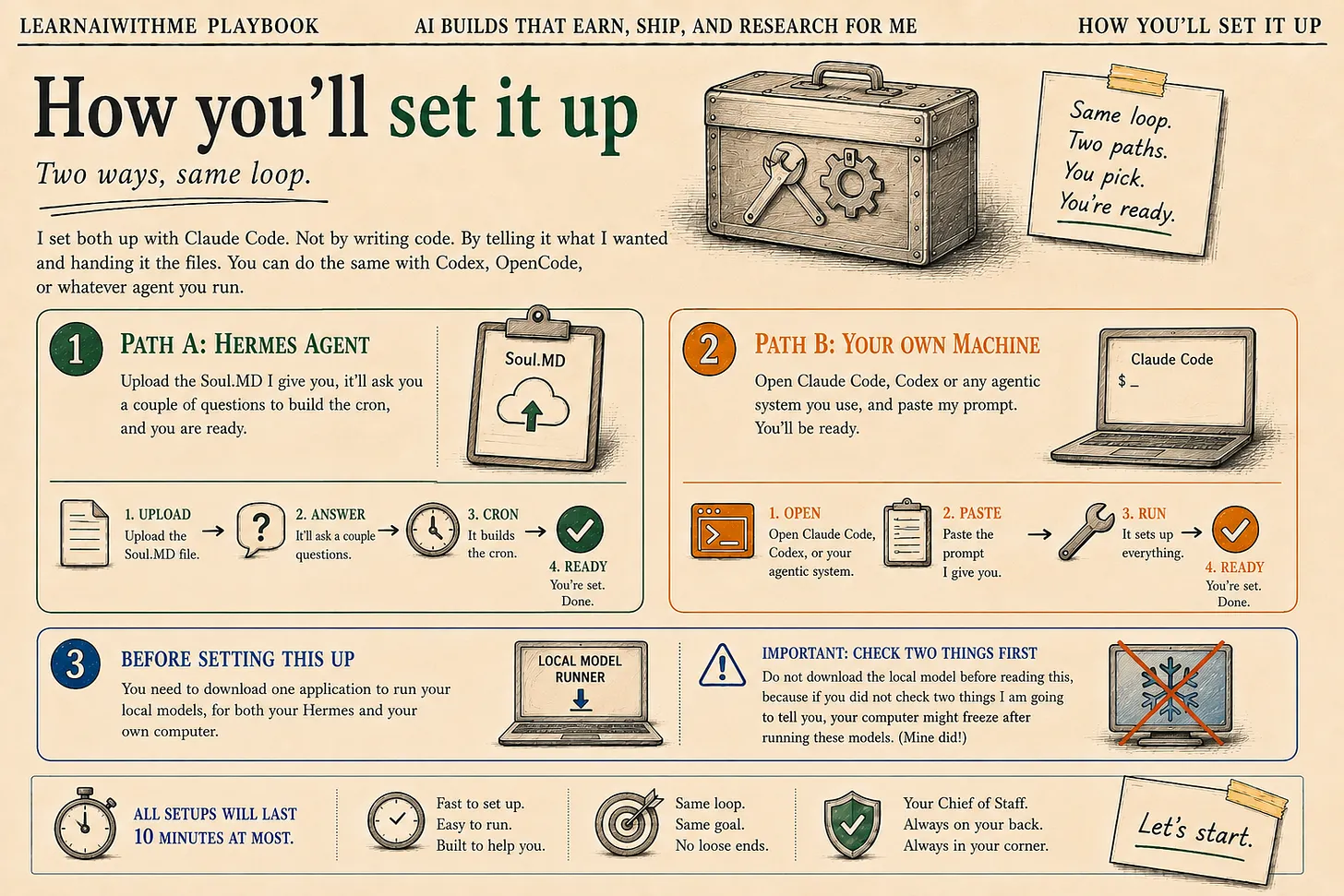
\Two ways, same loop.\
Two ways, same loop.
I set both up with Claude Code. Not by writing code. By telling it what I wanted and handing it the files. You can do the same with Codex, OpenCode, or whatever agent you run.
- Path A is the Hermes agent.
- Upload the Soul.MD, I give you, it’ll ask you a couple of questions to build the cron, and you are ready.
- Path B is your own machine.
- Open Claude Code, Codex or any agentic system you use, and paste my prompt.
You’ll be ready.
But before setting this up, you need to download one application to run your local models, for both your Hermes and your own computer.
And do not download the local model before reading this, because if you did not check two things I am going to tell you, your computer might freeze after running these models.(Mine did!)
All setups will last 10 minutes at most. Let’s start.
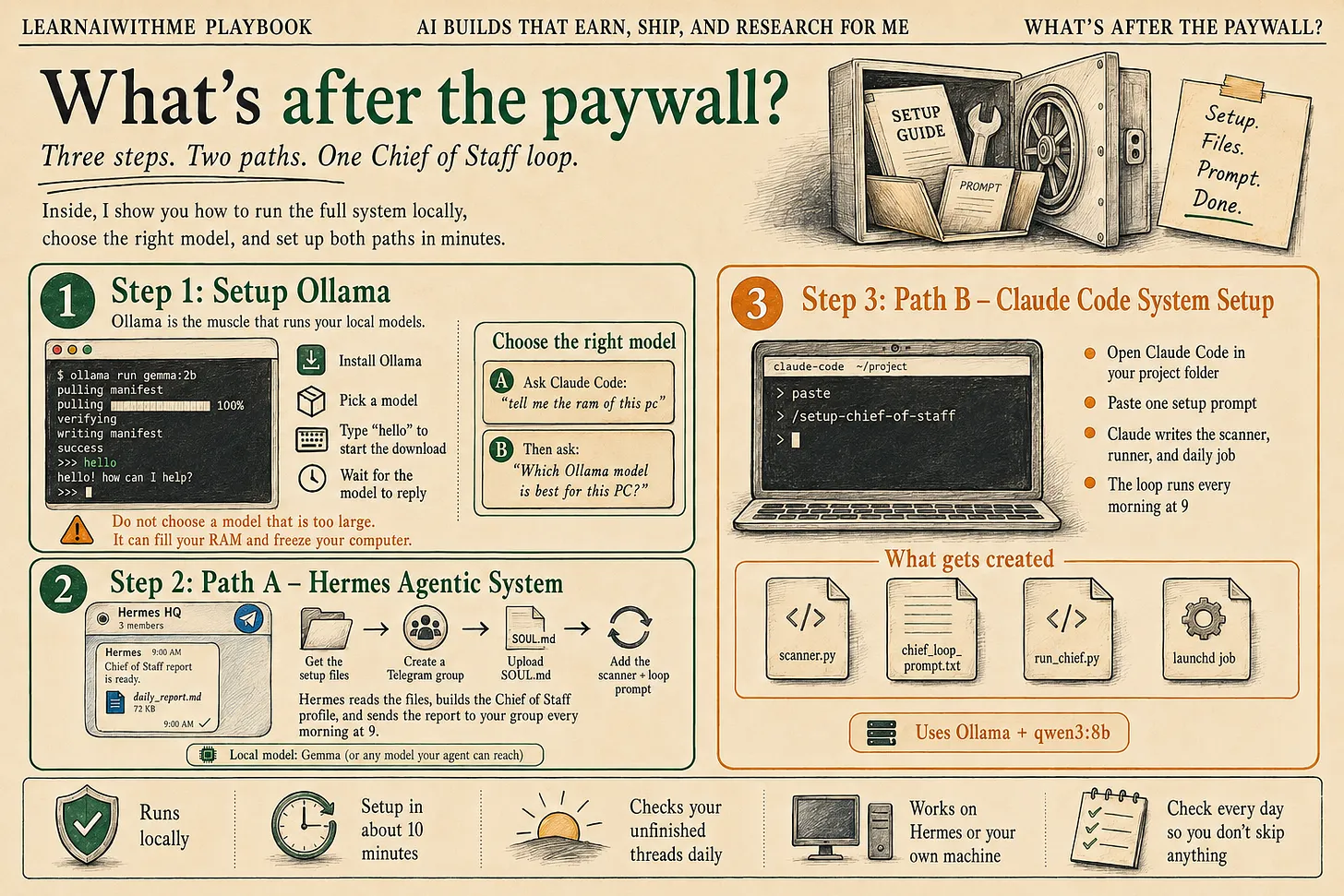
\Everything in 3 steps. 10 minutes, tops.\
We will finish everything in 3 steps.
Step 1: Set up Ollama
First, we need Ollama.
It is the muscle that runs these brains(local models)
You can download it here.
After downloading, select the model you want to use and type: hello.
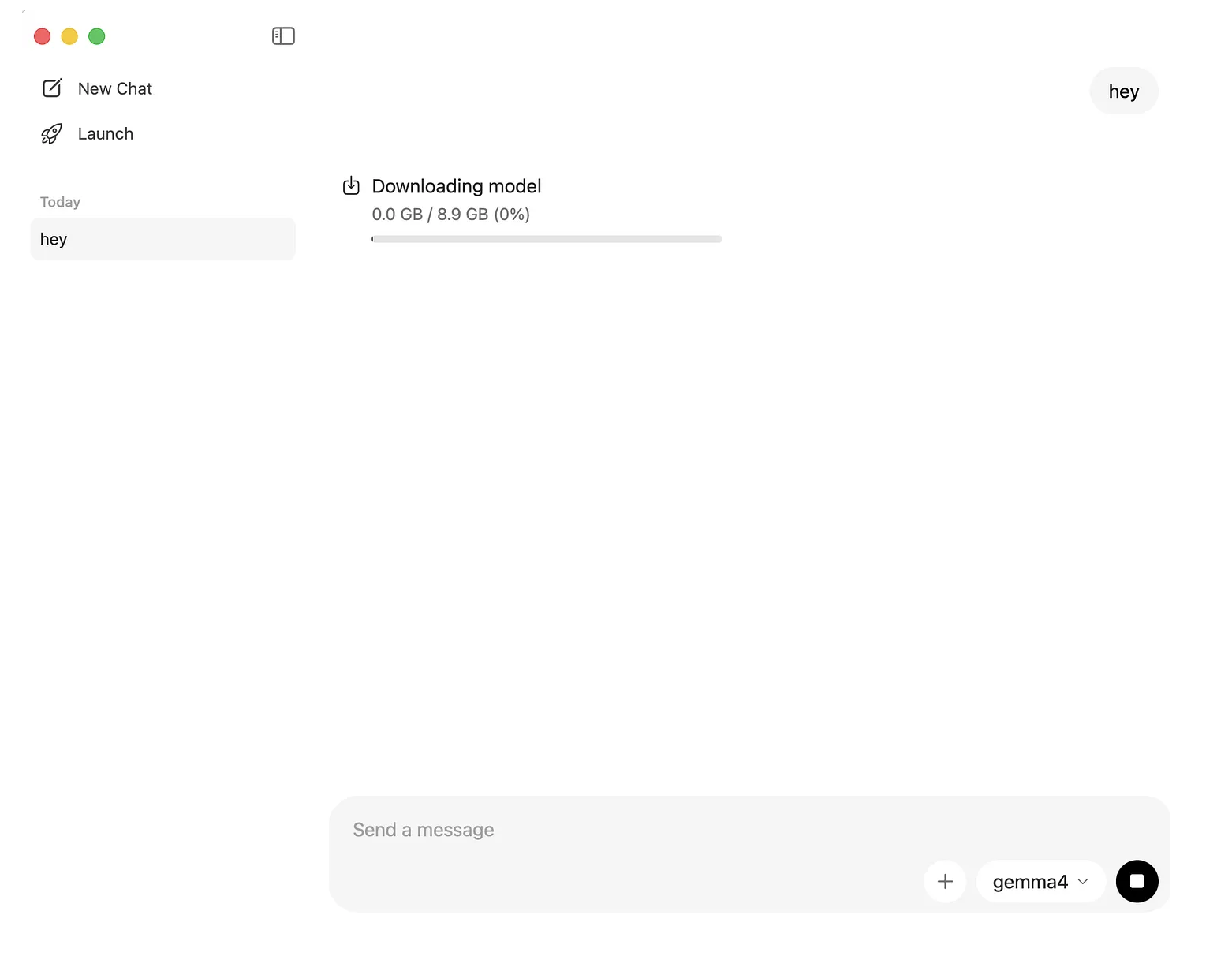
It’ll start downloading the model
And it will answer you back once the model is downloaded.
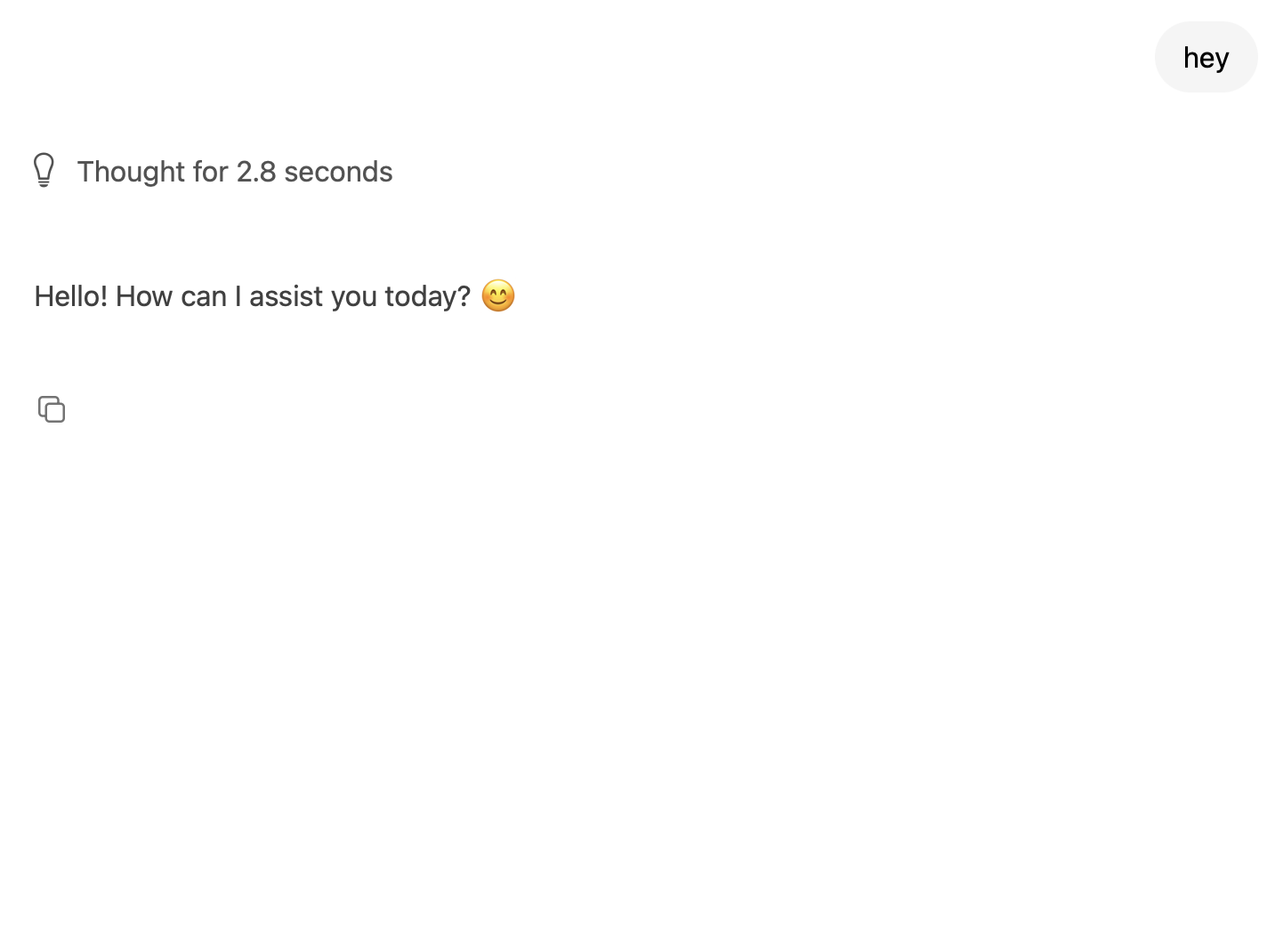
How should you choose the model?
Well, this part is important.
First, you need to know the RAM of your computer.
If you don’t, open Claude's code and paste this prompt:
tell me the ram of this pc
Here is my answer.
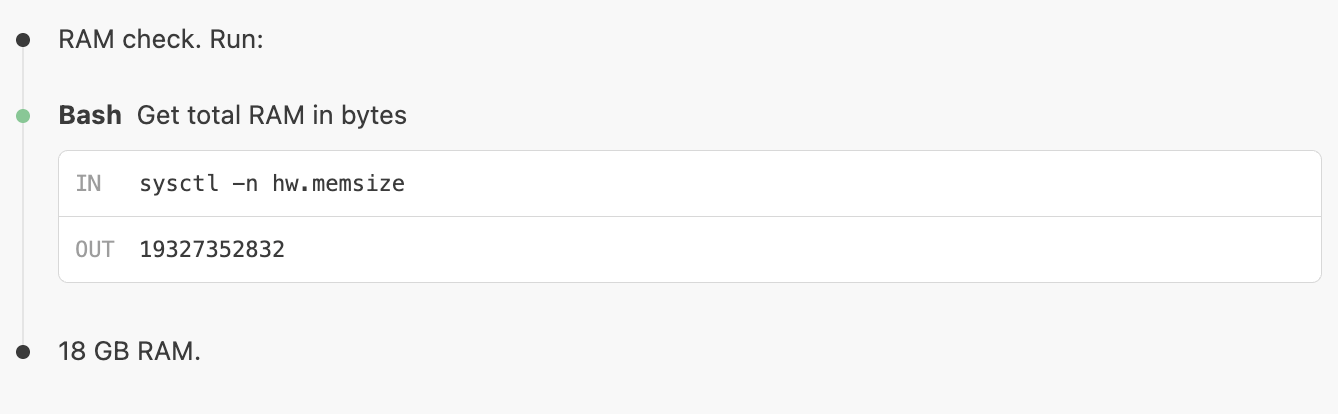
This number is important because if you choose a model that’s too large, it will fill up your RAM, and your computer may stop responding.
To make sure you’ll select the right model, let's Claude decide for us, paste this prompt;
Among the models available in Ollama, which is the best one I can run locally on this PC?
Here is the output.
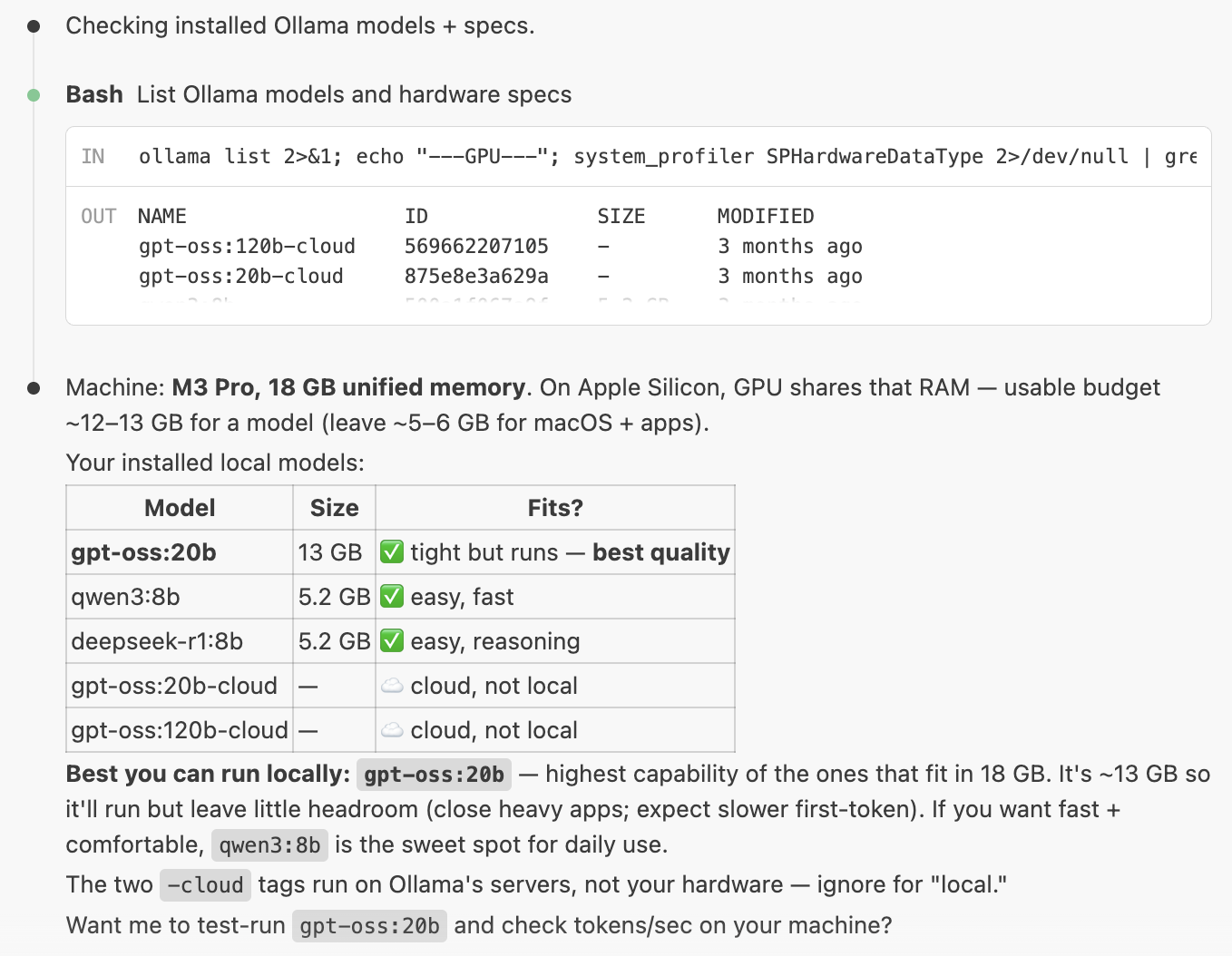
If I were you, I would not choose the tightest, just for advice.
Step 2: Path A - Hermes Agentic System Setup
This one is for the Hermes agent. If you run Hermes or OpenClaw, it takes two files and a sentence.
Grab the files from the folder below.
https://drive.google.com/drive/u/0/folders/1PnE5-DfZgM8sflktqr-PlpHdnxevHaRr
Open a Telegram group for your Chief of Staff and add your Hermes bot to it.
Then hand the agent its SOUL.
This is your Chief of Staff profile. Load this SOUL.md, run it under a new
profile called chief-of-staff, and wire it to this Telegram group.
Upload SOUL.md in the same message. Hermes reads it, sets up the profile, and connects the group.
Now the loop. Give it the scanner and the prompt.
Add a daily job to this profile. Use chief_unfinished_scan.py to read my Hermes
conversations, feed the output to the chief_loop_prompt, and run it on my local
Gemma model. Deliver the report to this group every morning at 9.
Upload chief\unfinished\scan.py and chief\loop\prompt.txt with that message.
Hermes builds the cron job, runs it once, and drops the first report in the group. You watch it happen.
That is Path A. Two files, two messages, and your agent reads its own logs every morning.
The model is Gemma here, running local on the machine that hosts Hermes. Swap it for any model your agent can reach. The loop does not change.
Step 3: Path B - Claude Code System Setup
Open Claude Code inside a folder where you want this to live. Then paste this.
Build me a "Chief of Staff" that reads my Claude Code conversations and reports
what I left unfinished.
The logs are JSONL files in ~/.claude/projects/. Each line is one message with a
timestamp and a role (user or assistant).
Build three things:
1. A Python scanner that reads today's messages from those logs and prints them as
plain text, grouped by project. Cap it so it stays small.
2. A prompt that sends that text to a local Ollama model and asks it to find every
unfinished thread. A thread is unfinished if I asked a question that never got
answered, assigned a task with no confirmation, said "I'll do this next" and
never came back, or hit an error nobody fixed. If nothing is open, output [SILENT].
3. A runner script that pipes the scanner output into the model via the Ollama HTTP
API and saves the report to a file with a timestamp.
Use qwen3:8b as the local model. Keep everything under ~/.chief-of-staff/.
Then set up a launchd job that runs it every morning at 9.
That is the whole prompt. I did not write a line of it myself.
Claude Code reads your logs, writes the scanner, writes the runner, wires the Ollama call, and installs the cron job. It runs the loop once to prove it works. You watch.
When it finishes, you have four files under ~/.chief-of-staff/., like this.
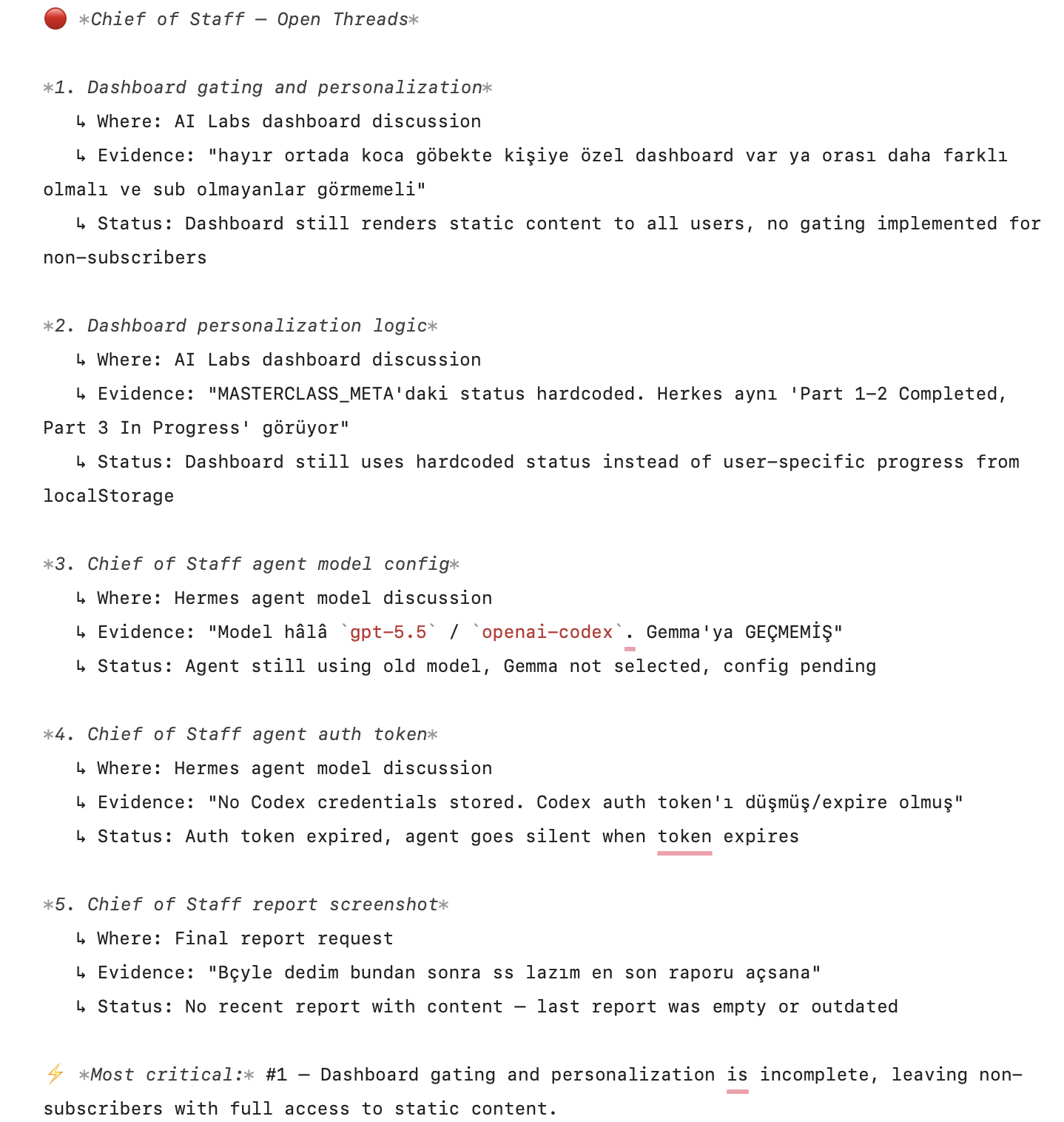
Check every day, so you don’t skip anything.
Next Steps
The loop runs now. Give it three days before you judge it. The first report is always thin, because it only sees one day of logs.
After that, tune one thing. The prompt decides what counts as unfinished. If it flags noise, tighten the rules. If it misses threads, loosen them.
Then leave it alone. Read the report every morning with your coffee, close the threads it finds, and let the machine remember what you forgot.
Need this in your business?
You just read how I built a Chief of Staff that reads its own logs and reports what I dropped, every morning, on a model I own.
I build these for clients, too, except you never touch the files, the keys, or the cron. It just runs.
I built a production interview agent for a data platform used by 500K+ people.
I built 20+ AI agents for companies across finance, construction, marketing, even liquor brands.
I’m Top 1% on Upwork, Expert-Vetted, 7,000+ hours logged with international clients.
DM me, and we’ll talk.