Claude Fable 5 vanished three days after launch. I rebuilt my stock analyst on OpenRouter Fusion, at half the price, with one prompt in Claude Code.
By Gencay
Published: 2026-06-22
URL: https://www.learnwithmeai.com/p/claude-fable-5-fusion-stock-analyst
Last Saturday, I opened the model picker, and Claude Fable 5 was gone.
I refreshed, and the slot was dead.
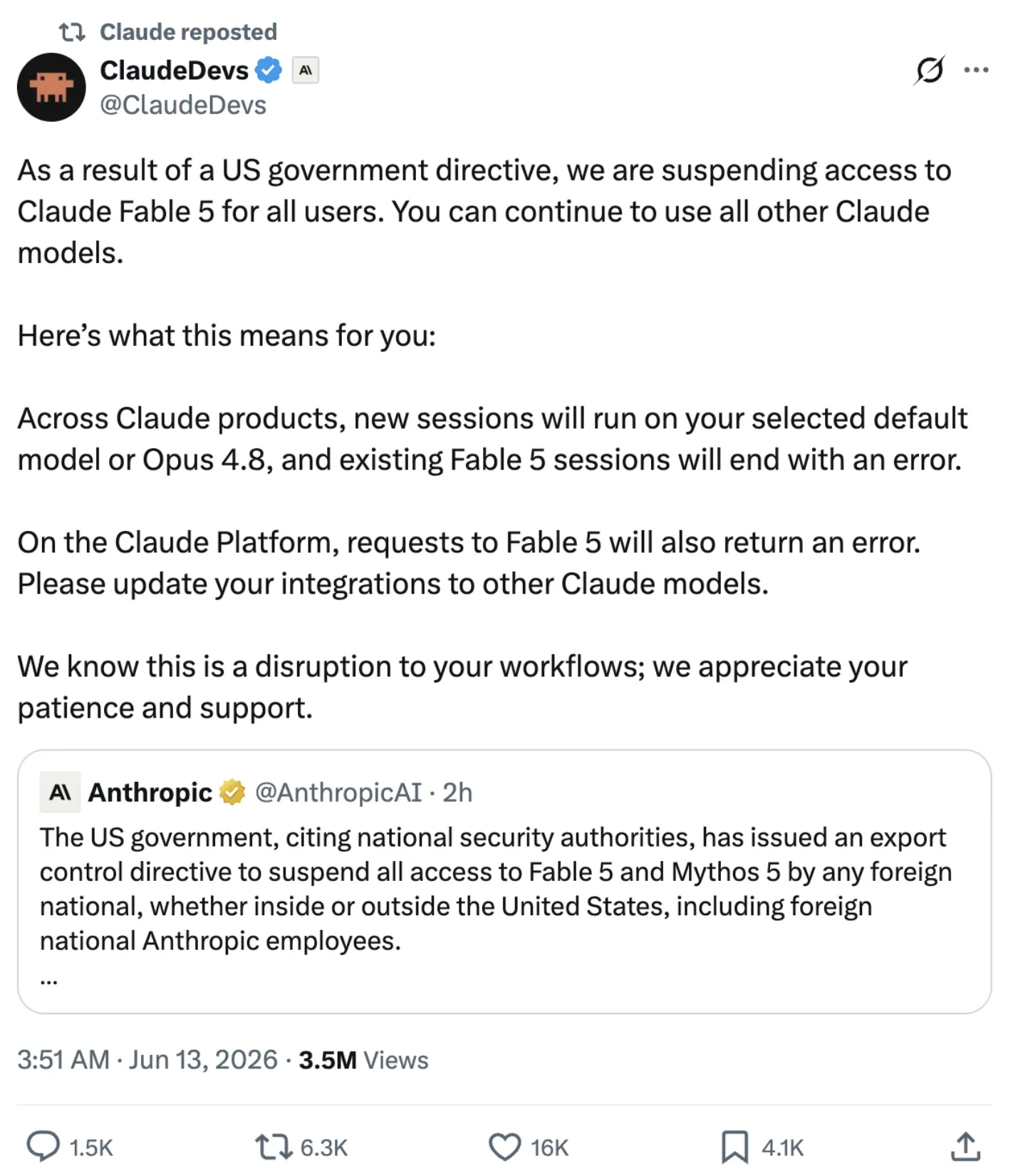
\Claude Fable 5 access suspended in the model picker\
I had built my whole Wall Street analyst on that model, and now the analyst had no brain.
A couple of my projects were left unfinished.
I thought there was nothing I could do about them.
Then I saw Fusion API, released by OpenRouter, outranking Fable 5.
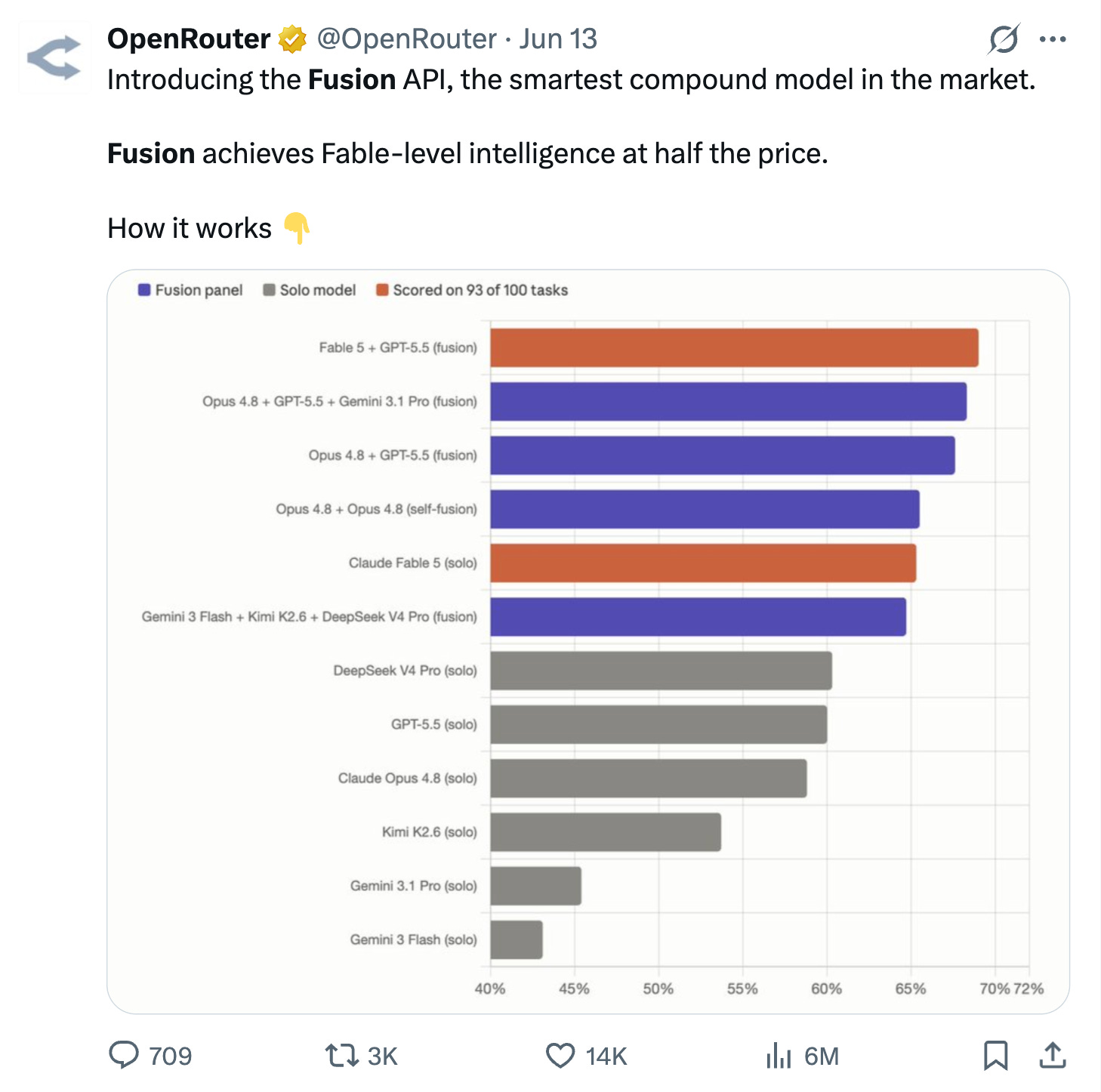
\Fusion outranks solo Claude Fable 5 on OpenRouter's own benchmark\
At half the price.
I was shocked, so I decided to give it a try. I already had at least ten articles sitting in my drafts, so I thought, why not?
The results genuinely surprised me.
I built an SMC analyst using a single prompt, and it looks like this:
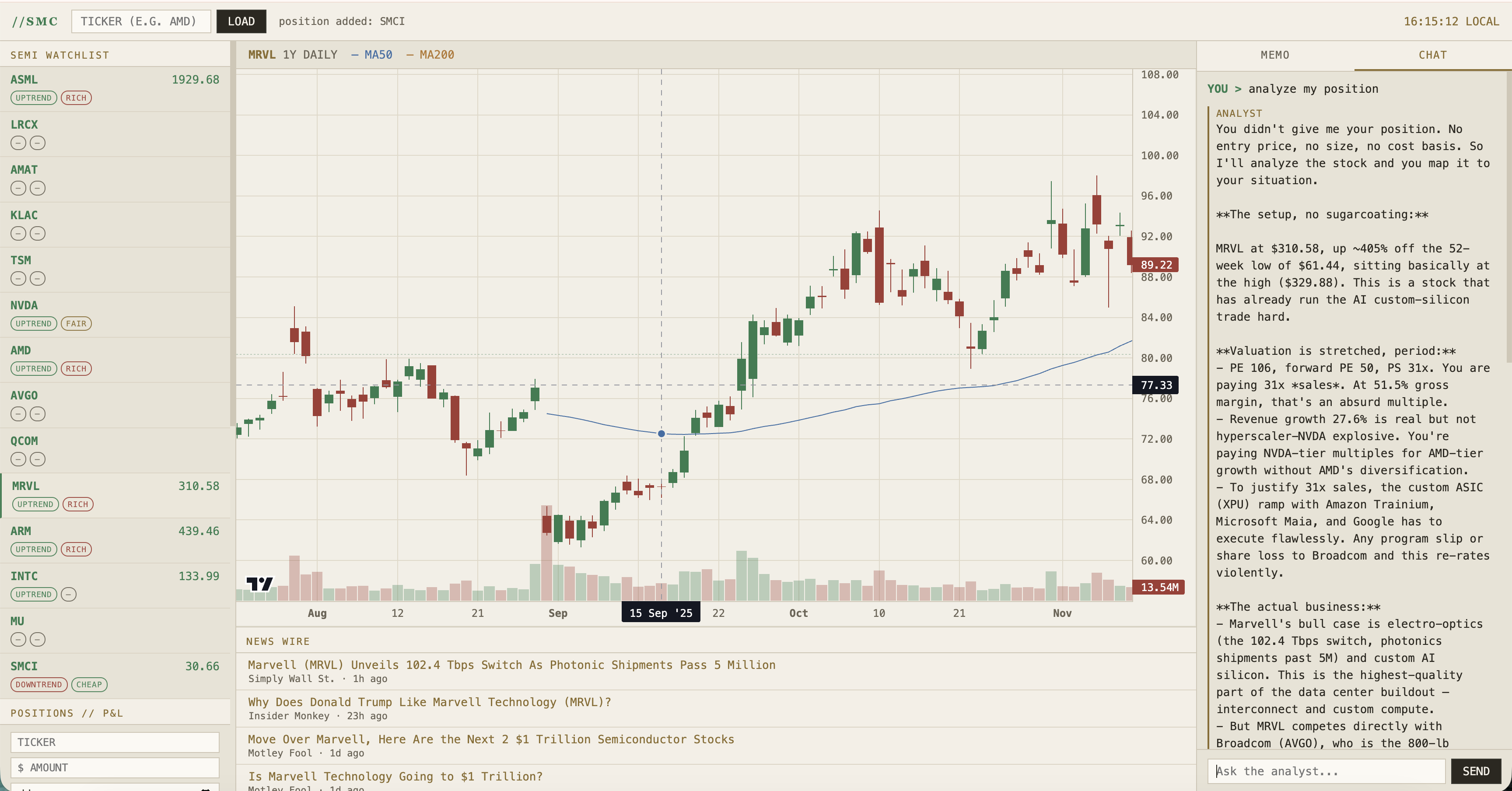
\The SMC analyst I built in one prompt, running on Fusion\
I’ll explain how it works, but first, let me explain what OpenRouter and Fusion API are.
What is OpenRouter Fusion, the API that replaced Claude Fable 5?
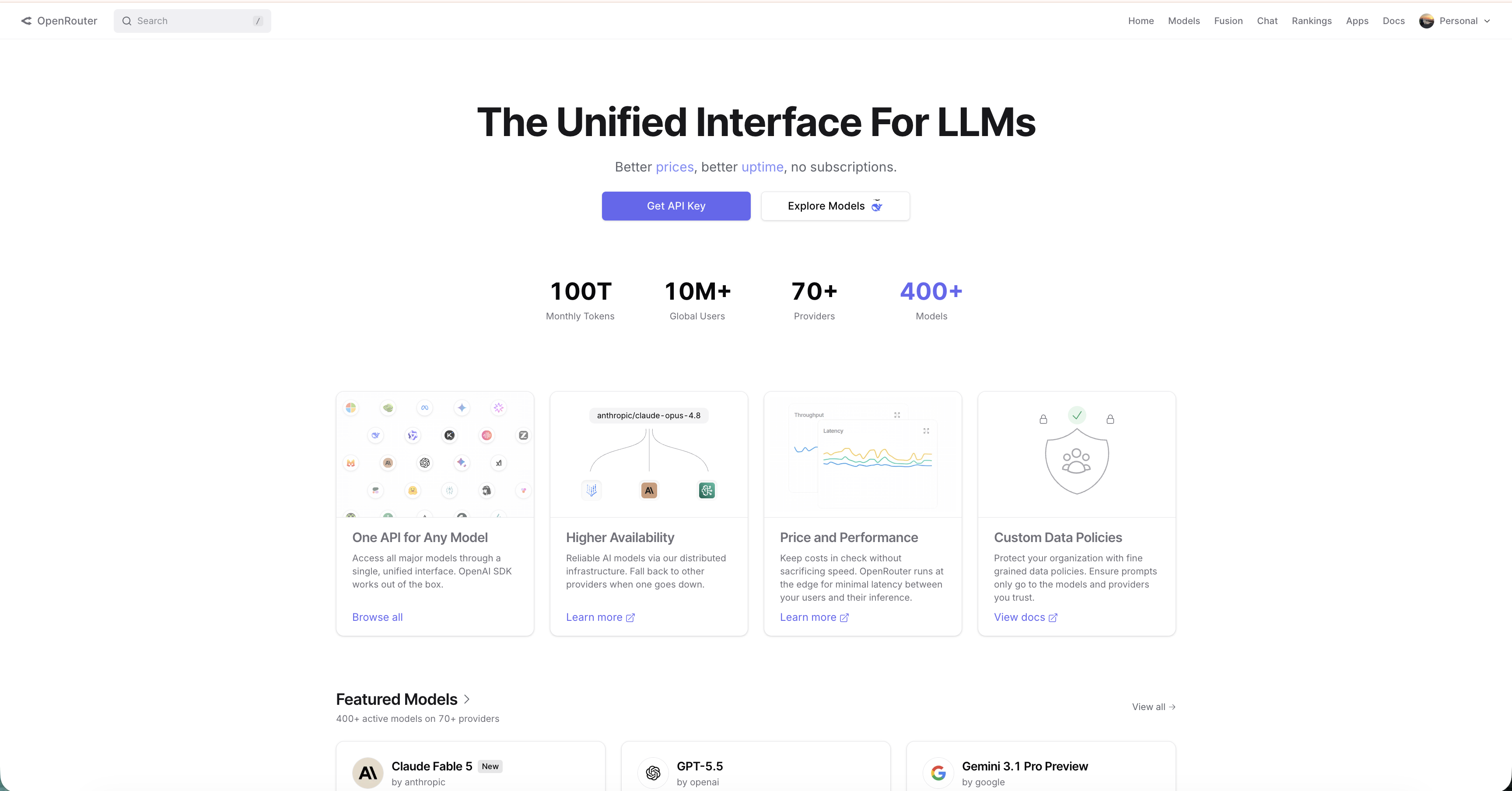
\OpenRouter routes one API key to every model\
OpenRouter is one API key for every model.
You call one endpoint, and it routes you to OpenAI, Anthropic, Google, DeepSeek, whoever you name.
Fusion is the part that pulled me in. Fusion is not a single model. You send one prompt, and OpenRouter fans it across a panel of models at once. A judge reads every answer and marks where they agree, where they fight, and what all of them missed. Your model writes the final answer from that. A panel instead of an opinion.
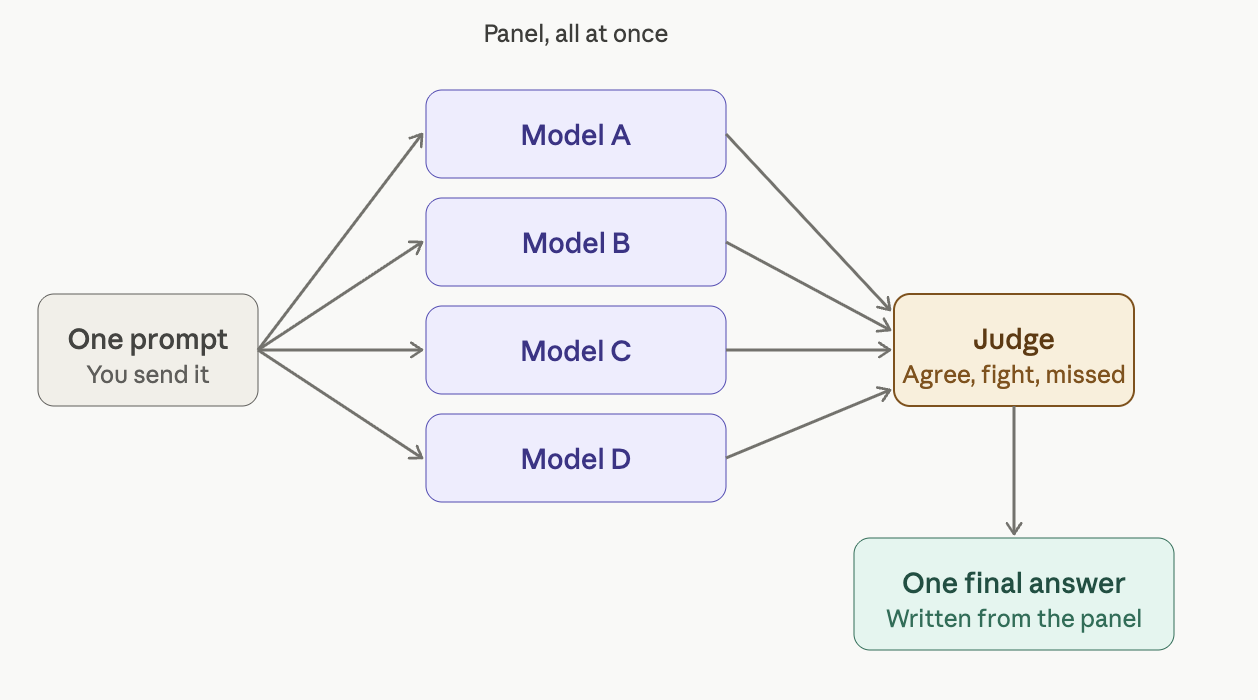
\One prompt, a panel of models, one judged answer\
Look at the API usage from my build.
It was mostly using Opus, but Gemini 3.1 Pro and GPT-5.5 were also involved.
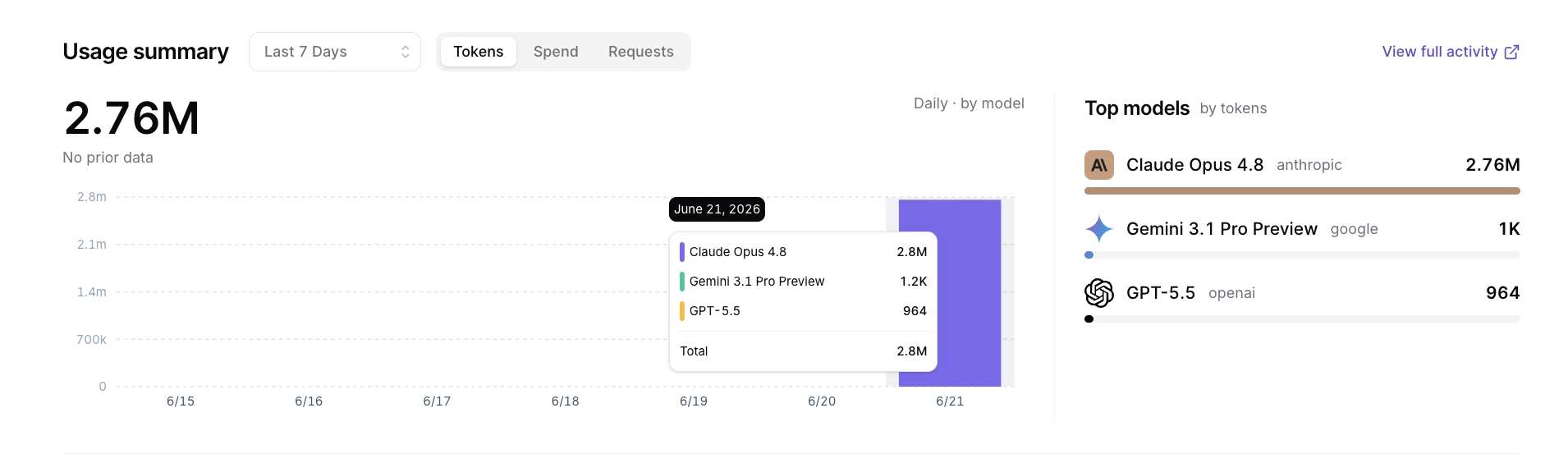
\Fusion's token usage during the build, spread across Opus, Gemini, and GPT-5.5\
How to run Claude Code on Fusion after Claude Fable 5 was suspended?
Claude Code speaks the Anthropic Messages format, and OpenRouter speaks it too. So you point Claude Code at OpenRouter, name Fusion as the model, and skip the proxy.
Grab a key from openrouter.ai, then run this block once.
echo '
export ANTHROPIC_BASE_URL="https://openrouter.ai/api"
export ANTHROPIC_AUTH_TOKEN="sk-or-YOUR-OPENROUTER-KEY"
export ANTHROPIC_API_KEY=""
export ANTHROPIC_MODEL="openrouter/fusion"
' >> ~/.zshrc
source ~/.zshrc
claude
The only thing you need to do is add your OpenRouter API key, paste it into your terminal, and watch it work.
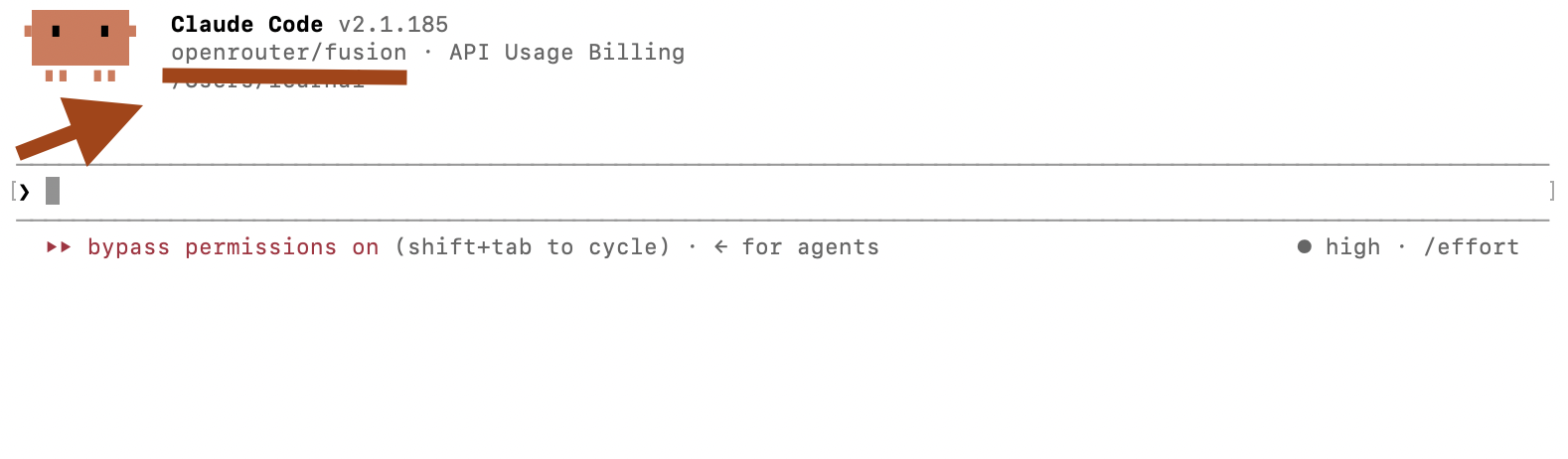
\Claude Code running on openrouter/fusion\
Now you get the idea. Let me show you what I built.
What did I build with Fusion?
One screen, built for the chip trade. I named it the SMC Analyst, short for semiconductor, the only corner of the market that lets you trade the AI build-out at the source instead of chasing it through NVIDIA alone.
The left panel is the semiconductor watchlist.
The equipment makers like ASML and LRCX sit next to the foundry in TSM, the designers like NVDA, AMD, AVGO and MRVL, and the old guard in INTC and MU.
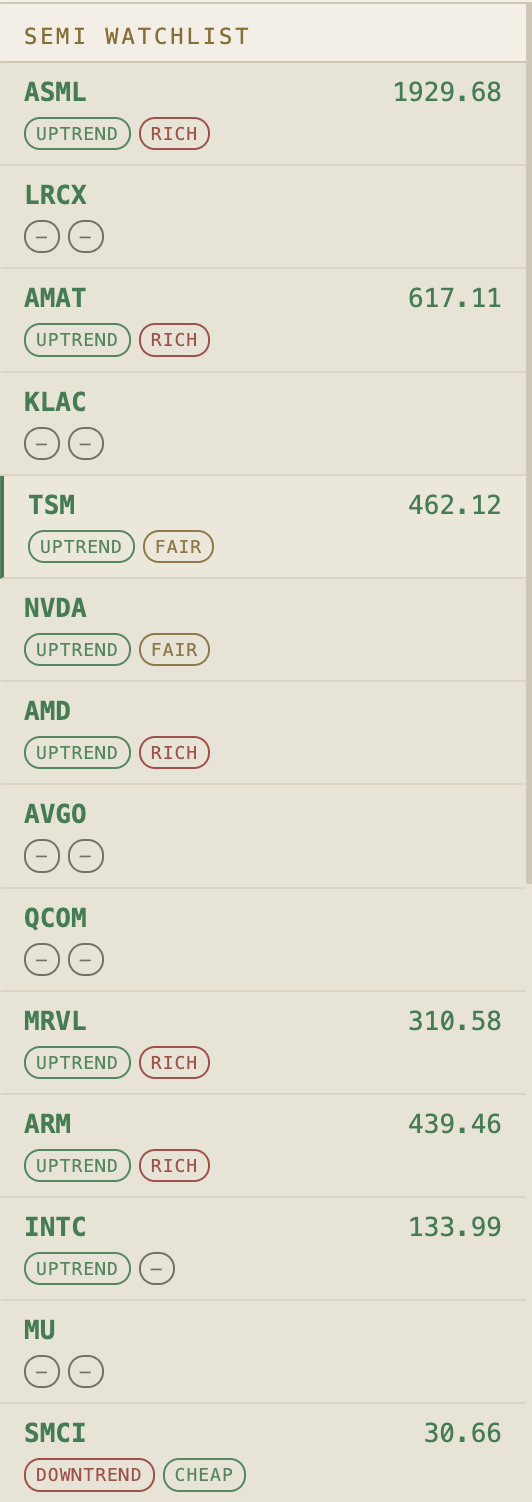
\The watchlist\
Each row carries two pills that the app computes on its own, so the trend pill reads price against the 50 and 200-day averages and the value pill reads the P/E and calls it cheap, fair, or rich.
You see the whole chain rated before you click anything.
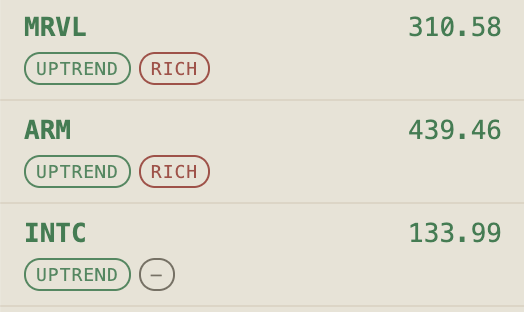
\Agent rates positions\
Under it sits a positions tracker with live profit and loss, then the key metrics for whatever ticker you load, from P/E and price to sales down to margins, revenue growth, debt, and short interest.
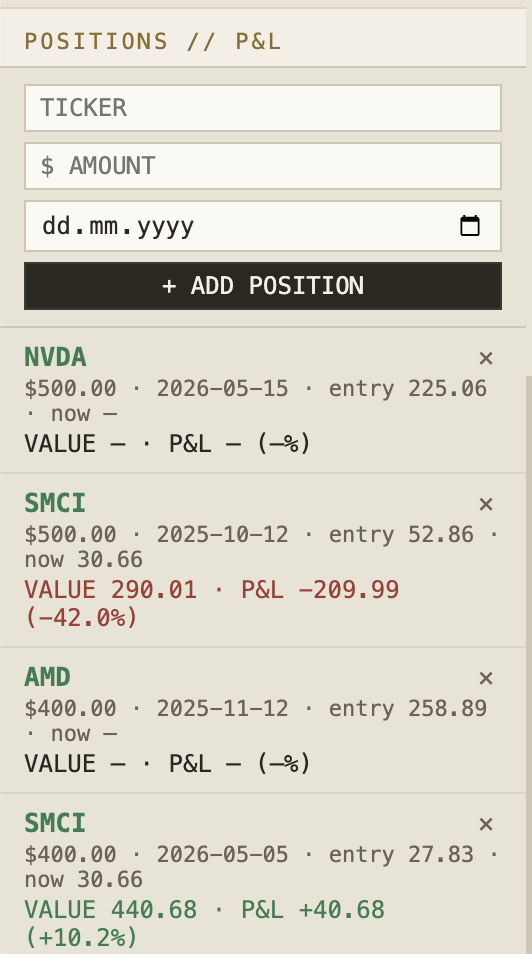
\My positions\
Under that, the macro picture comes straight from the Fed, with the funds rate, the 10-year yield, CPI, and unemployment. It is the same data a terminal charges for, pulled from the source that publishes it for free.
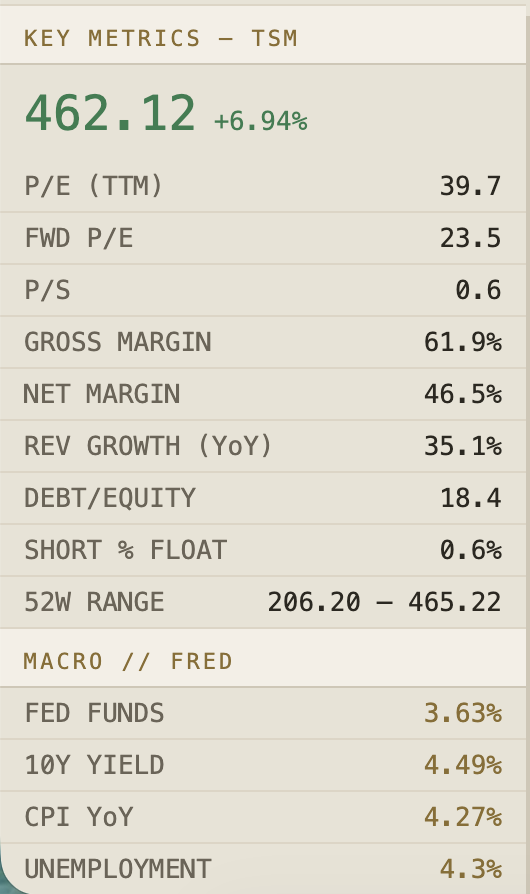
\Key metrics and live Fed macro for the loaded ticker\
The center is the chart, a year of candles with volume and the 50 and 200-day lines, recolored to the cream theme instead of the usual black box. Under it a news wire feeds the latest eight headlines into the analyst before it speaks.
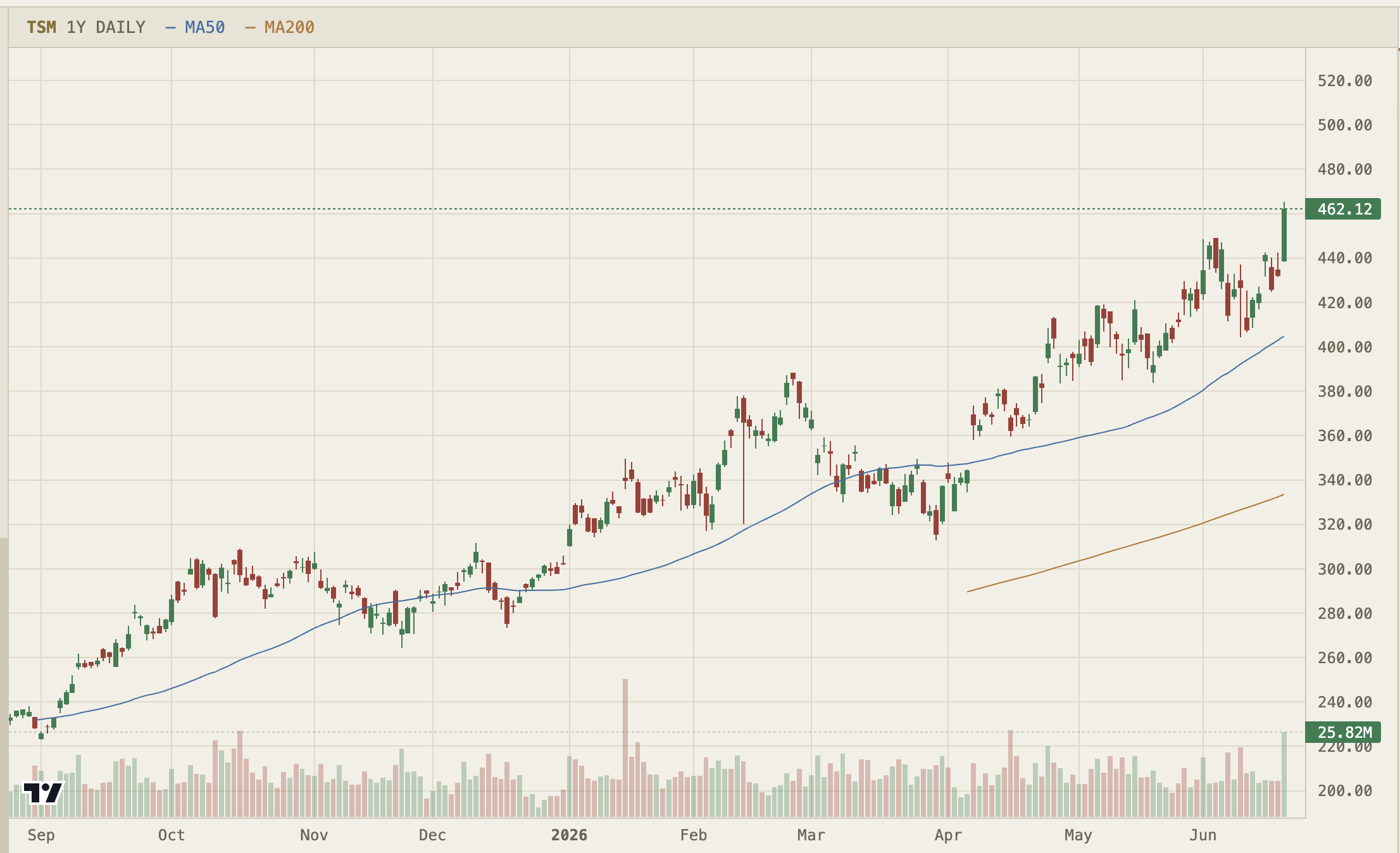
\One year of candles with a live news wire feeding the analyst\
The right panel is the analyst, and this is where Fusion earns its bill.
It does not cover the whole market, only chips, and it reads them like a desk analyst who thinks in cycles, capex, node transitions, and who depends on whom.
Ask it to read a name, and it answers from the numbers on your screen instead of from memory.
I loaded MRVL and asked it to look at my position.
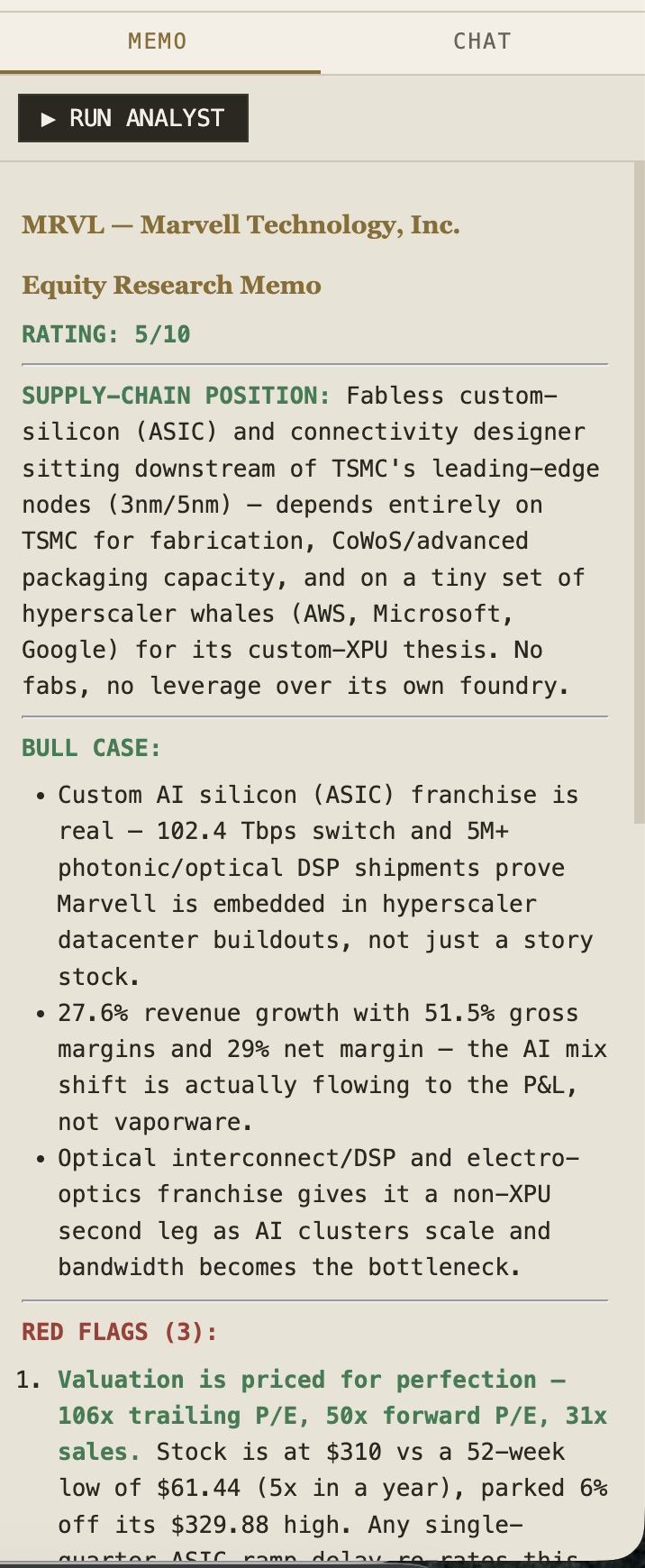
\The analyst rates MRVL and names the Broadcom risk\
The memo is one side of the analyst. The other is the chat tab, where you argue with it.
The same context sits behind both, so the chat answers from the price, the macro, and the news on your screen rather than from training data.
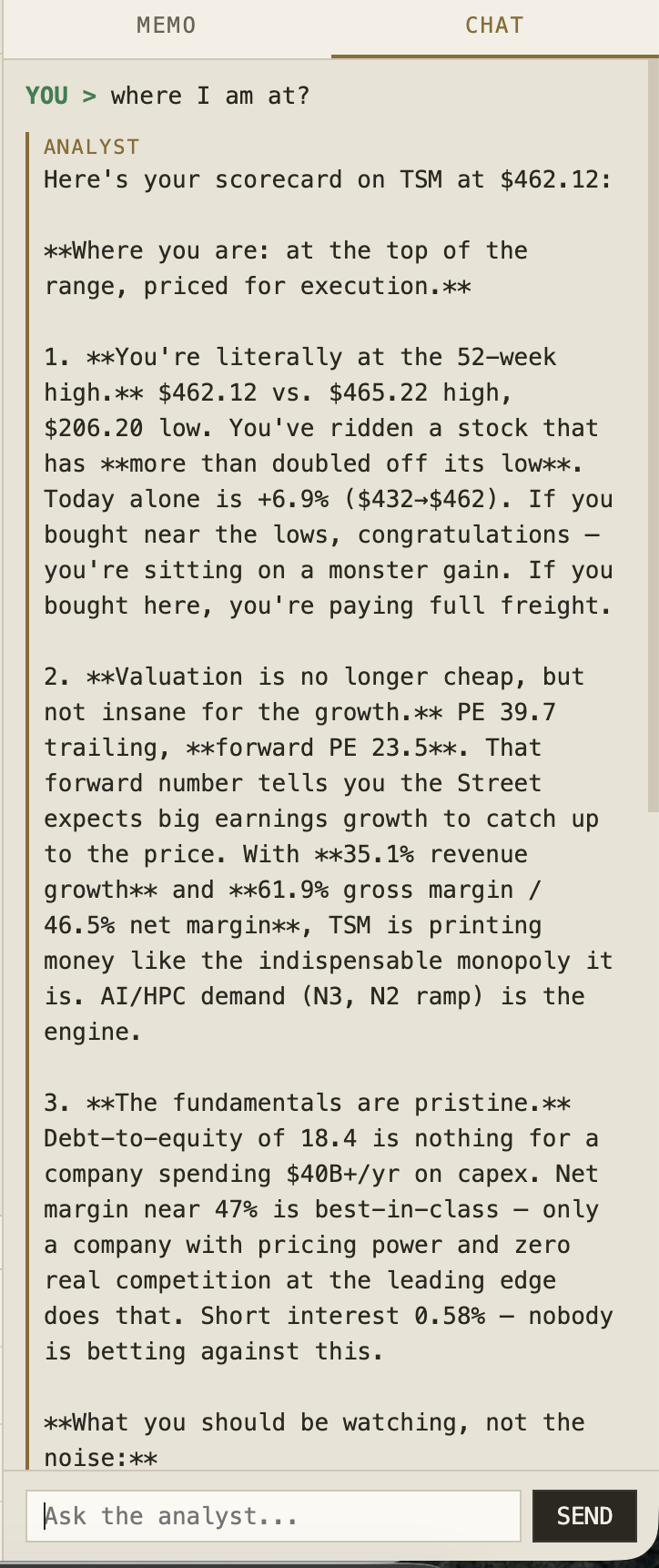
\The chat tab argues from the data on screen, not memory\
How the SMC analyst works on Fusion
The stack is five pieces.
- yfinance for price, fundamentals, and news
- fredapi for the Fed’s macro data
- lightweight-charts for the chart, TradingView’s own open-source library
- FastAPI as the backend, one file
- Fusion as the brain, through Claude Code on the OpenRouter API
The flow is simple.
The backend pulls fundamentals, macro, and the latest eight headlines into one context, and that context goes to the analyst with a semiconductor prompt.
The analyst returns a rating out of ten, the supply-chain position, three bull points, exactly three red flags, the macro read, and a verdict. The same context feeds the chat tab, so the analyst answers from the numbers on your screen.
I pasted a single prompt into Claude Code and watched it run on Fusion.
Also, if you don’t want to build the entire thing, I also uploaded the files to GDrive, so you can download them and run on your environment.
I’ll give them both.
First, here are the files.
https://drive.google.com/drive/u/0/folders/1d8Ci0E8\_HzHsCmU66yz8VNh315DdThU8
One Prompt
Paste this prompt to your Claude and let it build for you.
Build a complete single-machine web app called "Semiconductor (SMC) Analyst" — a
cream-colored "private M&A dossier" style stock terminal for the chip supply chain,
running a Claude model as a ruthless senior semiconductor analyst. Create everything
from scratch in the current directory. No build step, no framework, no database.
=== STACK / FILES (create exactly these) ===

- main.py — Python + FastAPI backend, ONE file

- index.html — ONE self-contained frontend (vanilla JS, no build, no React)

- requirements.txt — fastapi, uvicorn, yfinance, fredapi, anthropic, python-dotenv, pandas

- .env.example — ANTHROPIC_API_KEY=sk-ant-... and FRED_API_KEY=...
Data: yfinance (prices/fundamentals/news), fredapi (FRED macro). Charts: TradingView
lightweight-charts v4.2.0 from CDN. Markdown: marked v12 from CDN. LLM: Anthropic API,
MODEL = "claude-opus-4-8". Keys read once at startup from .env (python-dotenv); never
hardcode keys.
=== BACKEND (main.py) endpoints ===

- GET / → serves index.html

- GET /api/stock/{ticker} → 1y daily OHLCV candles + volume + MA50 + MA200 +
fundamentals. Raises 404 for unknown tickers (canonical
"does ticker exist" check).

- GET /api/news/{ticker} → latest 8 headlines (title, publisher, time, link)

- GET /api/macro → FRED snapshot: FEDFUNDS, DGS10, CPI YoY (computed from
CPIAUCSL, needs >=13 months), UNRATE. In-memory cache, 1h TTL.

- POST /api/analyze {ticker} → Claude analyst MEMO (markdown), max_tokens 2048

- POST /api/chat {ticker, messages[]} → chat reply, max_tokens 1500, ticker context
injected as system prompt
Backend rules:

- _num() helper: null/NaN/bool-safe number coercion — use on EVERY yfinance field so
missing data renders "—", never a 500.

- get_fundamentals: yf.Ticker(t).info in try/except (it's flaky), fall back to fast_info
for price. Return: ticker, name, price, previous_close, pe, forward_pe, ps,
gross_margin, net_margin, revenue_growth, debt_to_equity, short_percent_of_float,
week52_low, week52_high, market_cap.

- get_news: support BOTH yfinance schemas (new "content"-nested and old flat).

- Graceful degradation: no ANTHROPIC_API_KEY → /api/analyze and /api/chat return 503,
rest works; no FRED_API_KEY → /api/macro errors, charts/news/metrics work. Clients are
None when a key is absent; guard with require_anthropic().
=== LLM PERSONA ===
"Ruthless senior SEMICONDUCTOR equity analyst" covering the whole chip supply chain:
equipment (ASML, AMAT, LRCX, KLAC), foundries (TSM, SMIC, GFS), fabless design (NVDA,
AMD, AVGO, QCOM, MRVL, ARM), IDMs (INTC, TXN), memory (MU). Thinks in cycles, capex,
node transitions, dependencies. MEMO format: Rating X/10 · Supply-Chain Position (1 line:
where this name sits + who it depends on) · Bull Case (3 bullets) · RED FLAGS (exactly 3,
specific numbers, bias to cycle risk, capex, customer/foundry concentration, export
controls, inventory) · Macro Context (2 sentences) · Verdict Buy/Hold/Sell + one-line
reason. No hedging; factor recent headlines into red flags. CHAT uses the same framing
with the ticker's fundamentals/macro/news injected.
=== FRONTEND (index.html) ===
Three-column terminal grid (270px left · 1fr center · 360px right) + fixed topbar.

- TOPBAR: serif logo reading "//SMC", a ticker search form, a status line, a live clock.

- LEFT PANEL:
"SEMI WATCHLIST" — default (localStorage key "smc_watchlist"):
["ASML","LRCX","AMAT","KLAC","TSM","NVDA","AMD","AVGO","QCOM","MRVL","ARM","INTC","MU","SMCI"]
(use TSM, not TSMC — TSMC 404s on yfinance). Each row: symbol, last price, and TWO
signal pills computed client-side from /api/stock data:
TREND: price vs last MA50 & MA200 → above both green "UPTREND", below both red
"DOWNTREND", mixed amber "MIXED".
VALUE: trailing pe → <25 green "CHEAP", 25–45 amber "FAIR", >45 red "RICH", null
gray "—".
Cache {price, ma50Last, ma200Last, pe} per ticker so badges persist.
"POSITIONS // P&L" — form (TICKER, $ AMOUNT, ENTRY DATE). On submit fetch /api/stock,
find the close on/just before the entry date from candles = entryPrice, store
{sym, amount, entryDate, entryPrice} in localStorage key "smc_positions". Render
each: SYM · $amount · entryDate · current value · P&L $ and % (green/red) + a ✕ to
delete. current value = amount \* (currentPrice / entryPrice). Reload on boot.
Null-safe → "—".
"KEY METRICS" — P/E, FWD P/E, P/S, gross/net margin, rev growth, debt/equity,
short % float, 52w range for the selected ticker.
"MACRO // FRED" — the 4 macro numbers.

- CENTER: 1Y daily candlestick chart with volume histogram + MA50 + MA200 overlays and a
legend; below it a "NEWS WIRE" with 8 clickable headlines and "Xm/h/d ago" timestamps.

- RIGHT: two tabs — MEMO ("▶ RUN ANALYST" button → renders the markdown memo; highlight
the RED FLAGS section in red) and CHAT (per-ticker history kept client-side, posts the
message array to /api/chat).
=== CREAM "M&A DOSSIER" THEME (CSS + chart colors) ===
:root vars: --bg:#e8e3d6 --panel:#f3efe6 --border:#cfc7b5 --green:#2f7d4f
--green-dim:#3a3a32 --amber:#8a6d2f --red:#a23b34 --gray:#6b6456 --text:#2b2820.
Monospace (IBM Plex Mono/Menlo) for labels/data; serif (Georgia) for #logo and memo
headings. Buttons charcoal #2b2820 bg / cream #f3efe6 text / hover #3a362c. Inputs
# fbf9f3. Row borders #ddd5c4, hover #ece7da. Signal pills: border:1px solid currentColor
with the green/amber/red/gray vars.
CRITICAL — recolor the TradingView chart or it's a black box on cream: chart background
# f3efe6, textColor #6b6456, grid #e0d9c8, scale borders #cfc7b5, candles up #2f7d4f /
down #a23b34, MA50 line #3b6ea5, MA200 line #b5772e, volume up rgba(47,125,79,0.30) /
down rgba(162,59,52,0.30).
=== RULES ===
Strictly main.py + index.html + requirements.txt + .env.example, no extra files. Null-safe
end to end. Frontend talks only to the JSON endpoints above. Not investment advice; the
persona is intentionally blunt.
When done: create a .venv, pip install -r requirements.txt, start uvicorn main:app --port
8000, then verify /api/macro returns 4 numbers, /api/stock/TSM returns candles+fundamentals,
and the page renders the cream UI with the 14-name watchlist. Report what works and note
that .env must be filled with real ANTHROPIC_API_KEY and FRED_API_KEY for memo/chat/macro
to run live.
Requirements
Three API keys. Five minutes.

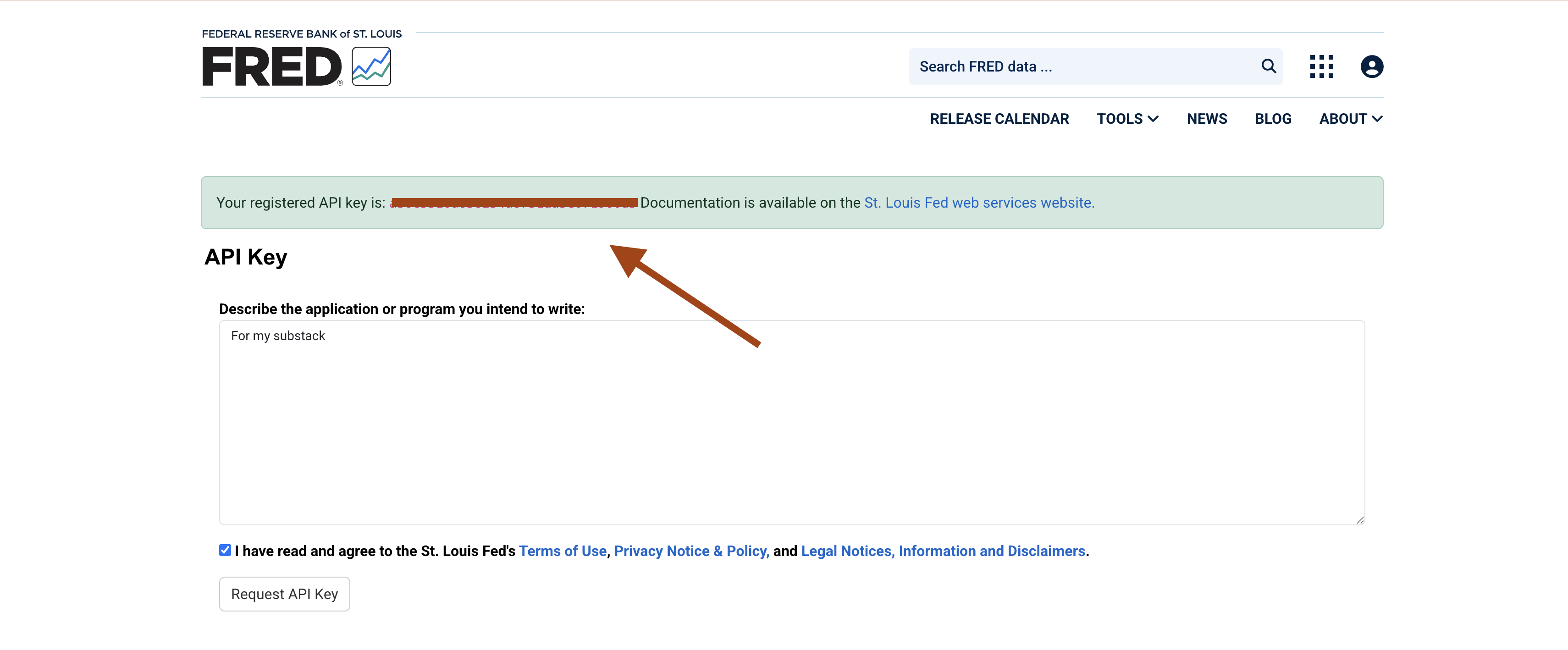
Fred API KEY from here: https://fredaccount.stlouisfed.org/apikey
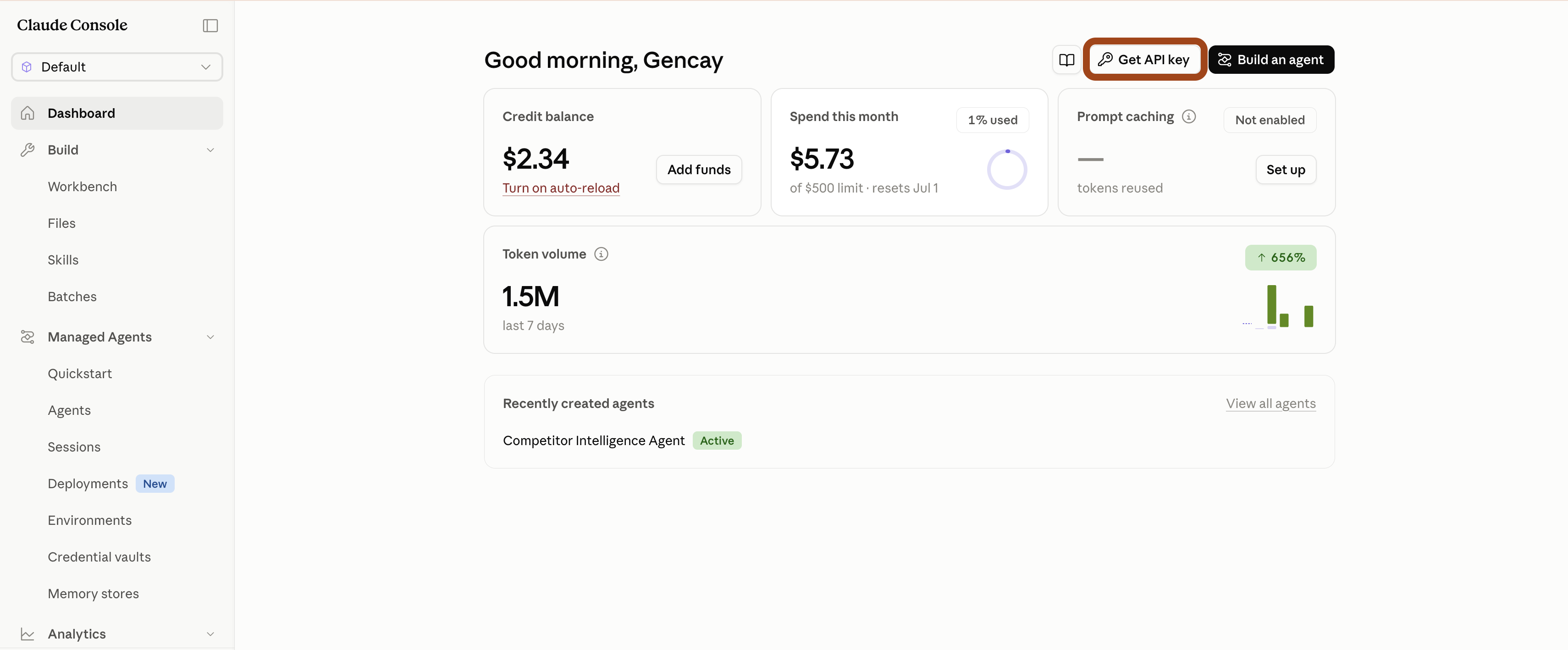
Anthropic Apı Key from here: https://platform.claude.com/dashboard
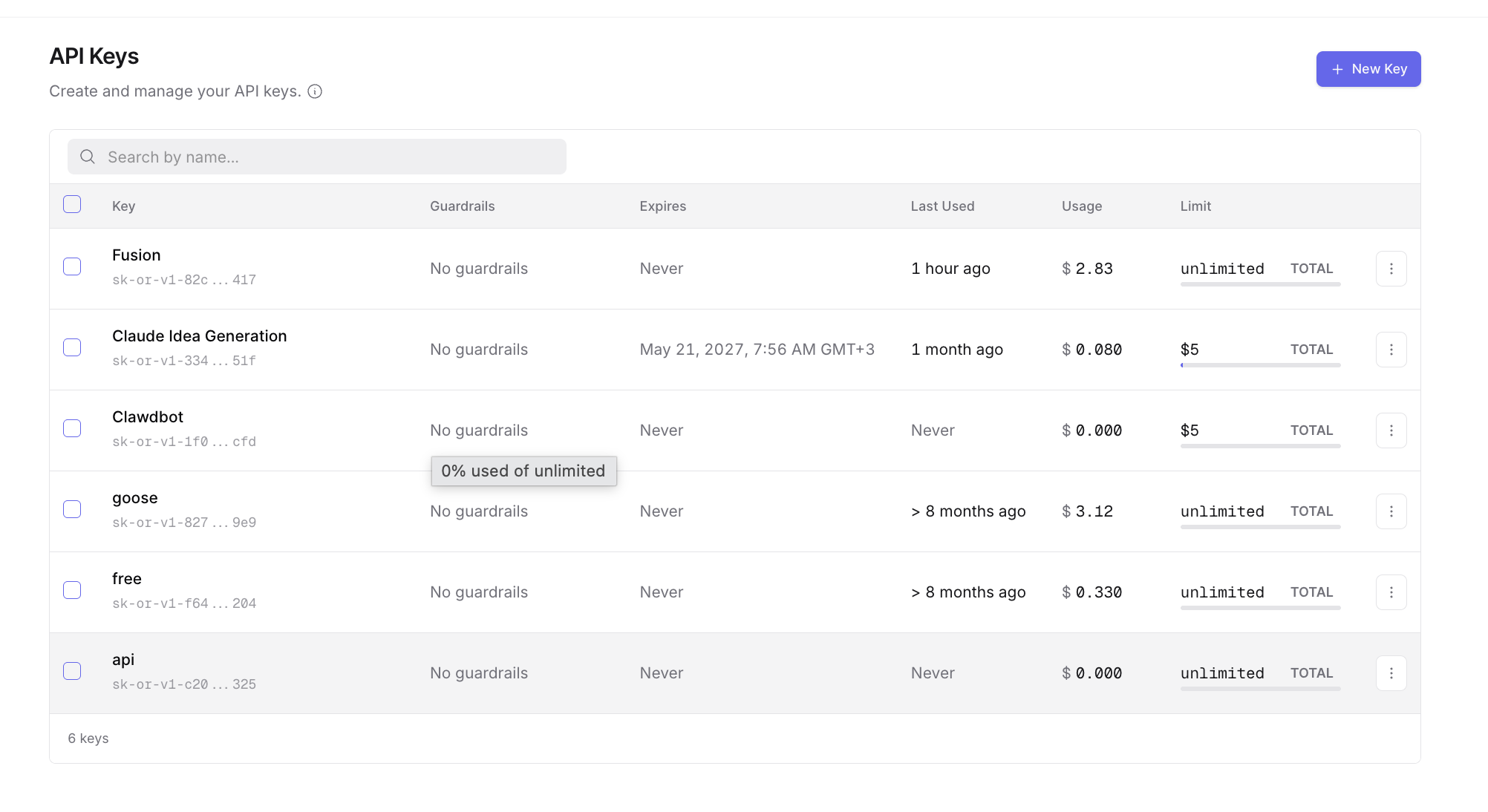
OpenRouter API key from here: https://openrouter.ai/workspaces/default/keys
Disclaimer: This app is for educational and research purposes only and does not constitute financial, investment, or trading advice. Always do your own research before making investment decisions.
Need this in your business?
You just read how I moved a whole product to a new model in one prompt when the old one got pulled.
I build client systems that aren’t married to a single model, so a suspension or a price hike doesn’t kill the pipeline.
I built a production interview agent for a data platform used by 500K+ people.
I built 20+ AI agents for companies across finance, construction, marketing, even liquor brands.
I’m Top 1% on Upwork, Expert-Vetted, 7,000+ hours logged with international clients.
DM me, and we’ll talk.