A Claude loop with five NotebookLM notebooks and five agents, auditing AI chip stocks from verified sources only.
By Gencay
Published: 2026-06-19
URL: https://www.learnwithmeai.com/p/claude-loops-notebooklm-chip-audit
Boris Cherny, the creator of Claude Code, said he no longer writes prompts.
Then everyone talked about loops.
New terms showed up overnight.
Loop Engineering. Harness Engineering.
That is how this field moves. Before 2022, we did not know what prompting was. Prompt engineering came later.
A trend is forming. We dig deeper.
I explained what a Claude loop is in this one, and I turned 3 of my own automation skills into loops.
Then this morning, on a walk, I asked a different question.
How do I put NotebookLM inside one?
I went back through my old articles.
I had been building loops for a year using NotebookLM and Claude Code.
Nobody called them loops back then.
So let’s build a new loop using NotebookLM and Claude Agents.
A loop that audits my AI investment.
Those companies have been racing for years.
What will we build with Claude loops?
We will have a system where Claude agents ask NotebookLM questions about AI chips.
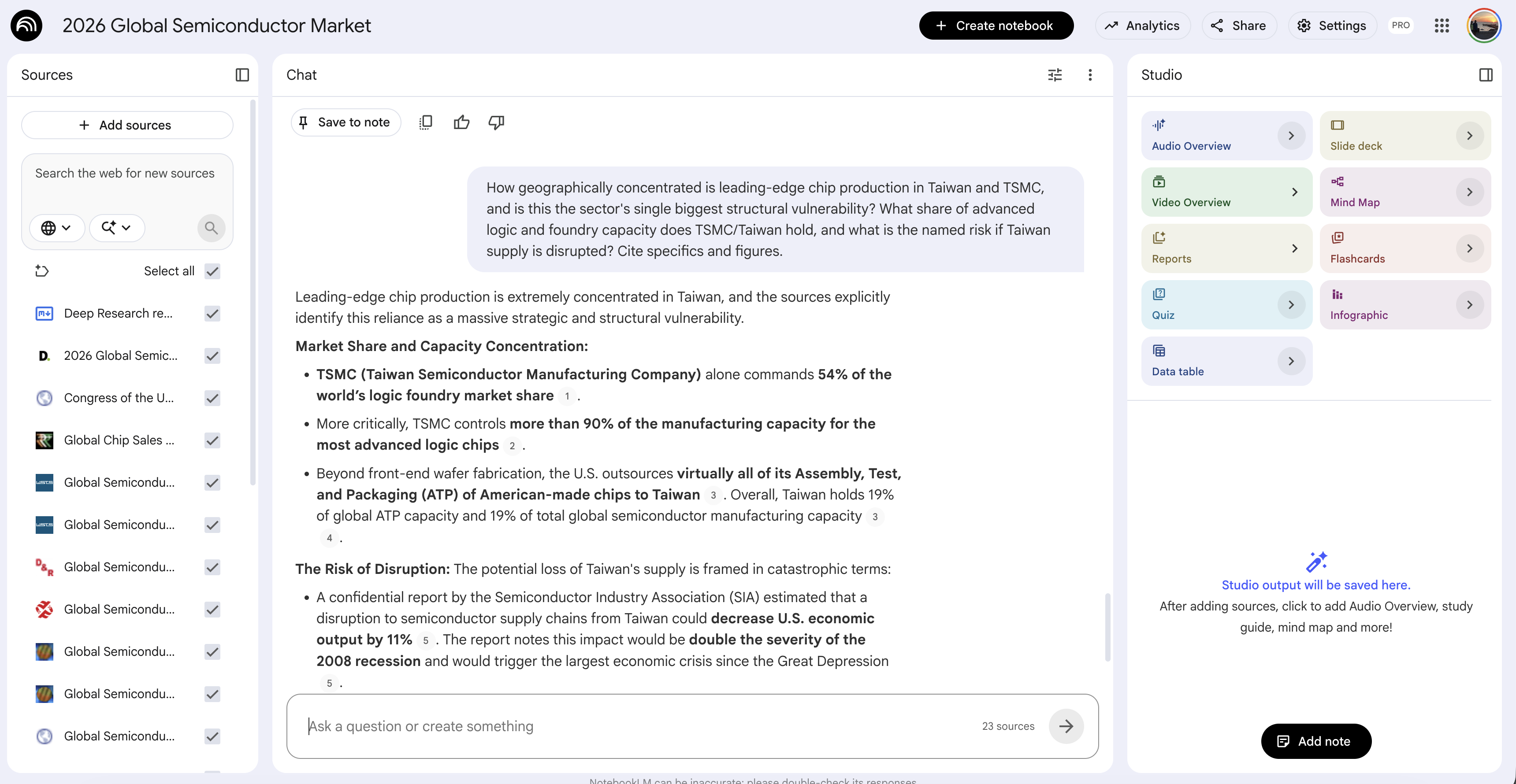
\The sector notebook answering a Taiwan concentration question. Every number carries a citation back to the source.\
Here we’ll set the Claude agents, which will be the goal of this automation, making the entire system a loop.
Those notebooks are trained on verified sources only, mostly government filings.

\The source list is behind one notebook. Government filings and market reports.\
After the agents query them, they move to the second layer, one notebook for the industry, and a third for the global economy.
Why NotebookLM?
We cannot afford hallucination. NotebookLM hallucinates far less.
We also customize each notebook to stay silent when the answer is not in its source.
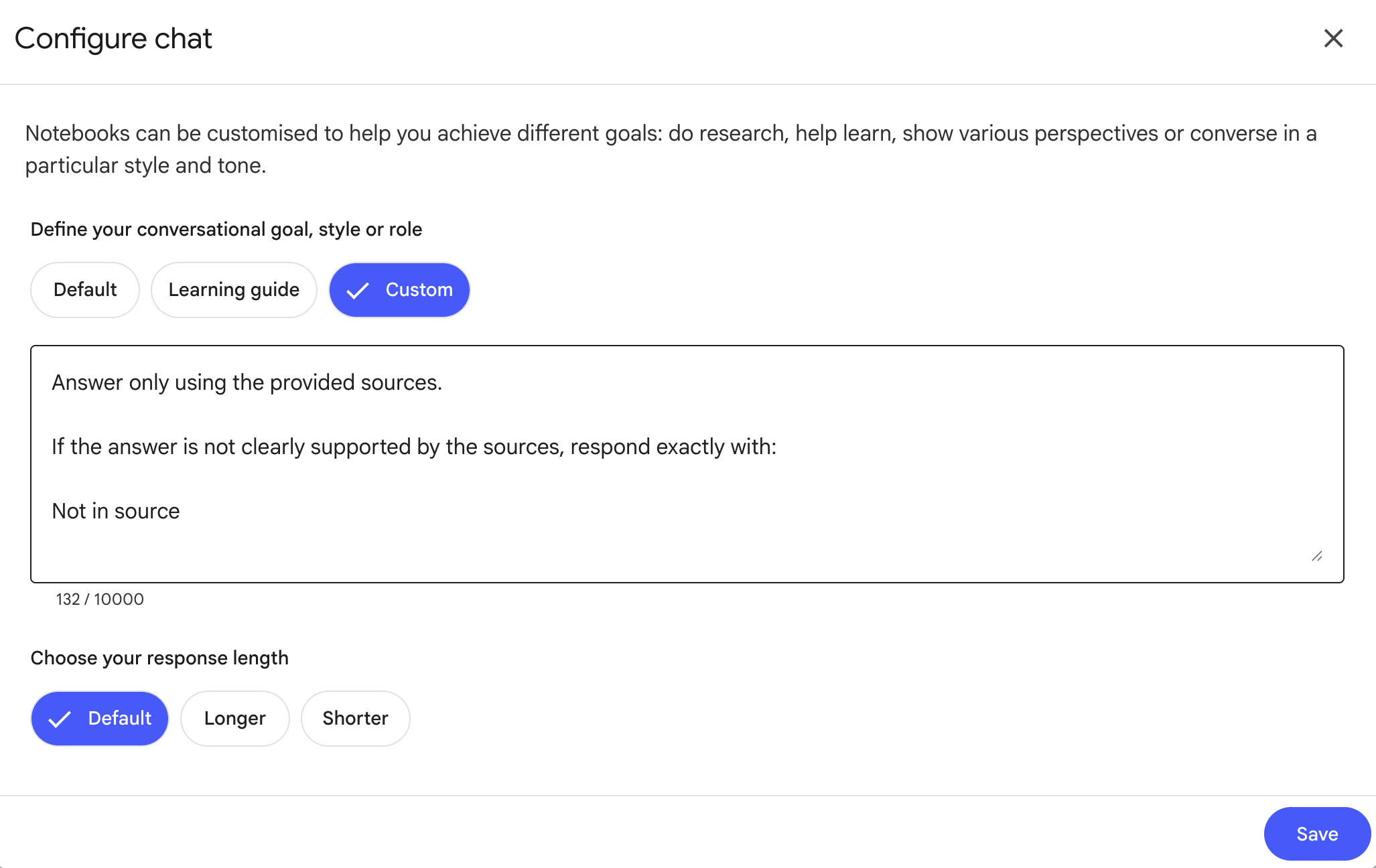
\The custom instruction is on every notebook. No source, no answer. It replies Not in source and stops.\
Two layers of protection against a made-up number.
The end result is one website.
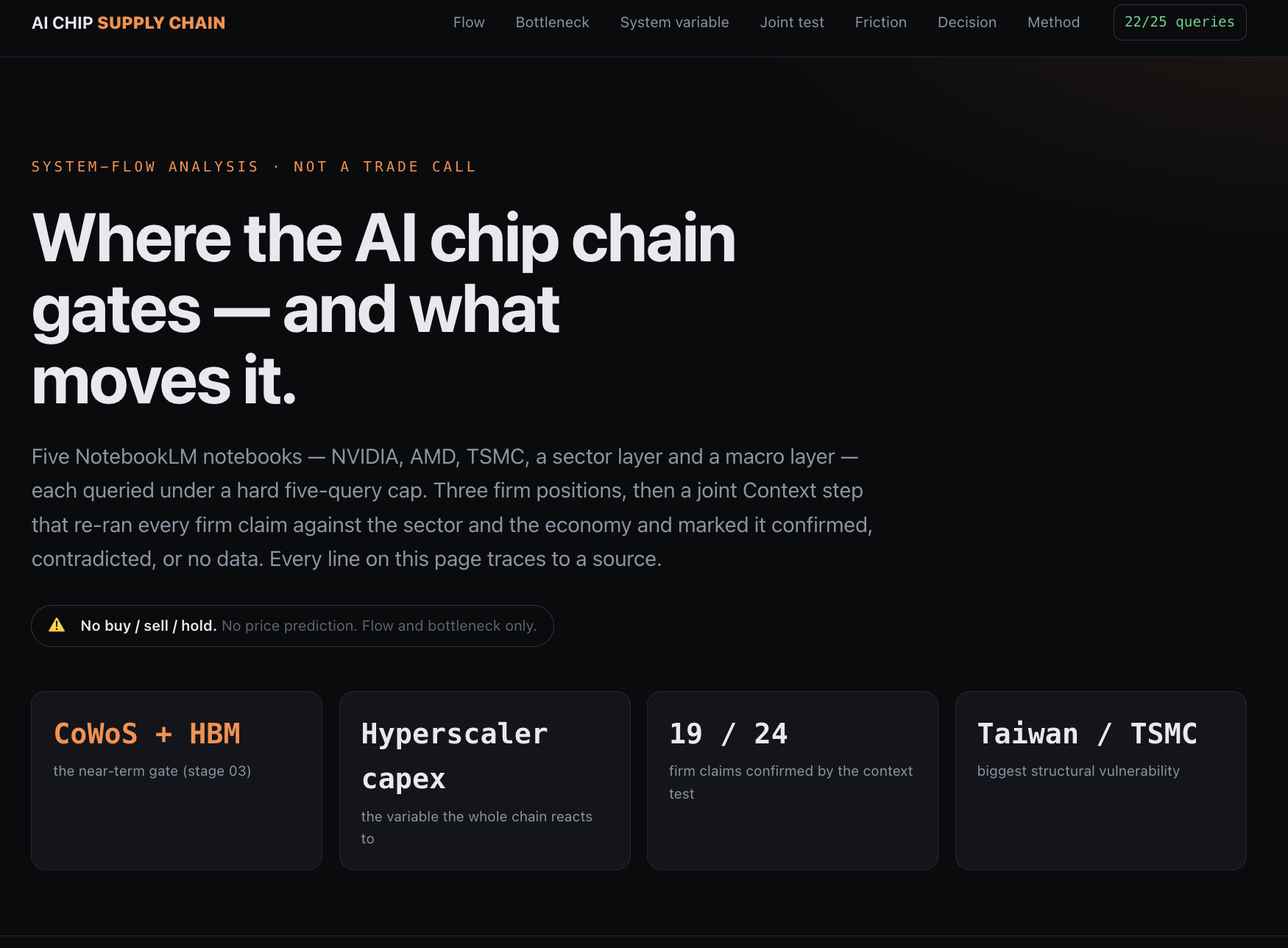
\The output. One page that names the bottleneck and the structural risk, not a buy or sell call.\
Everything in one place, sourced.
Let me explain the technical structure.
How is the Claude loop structured?
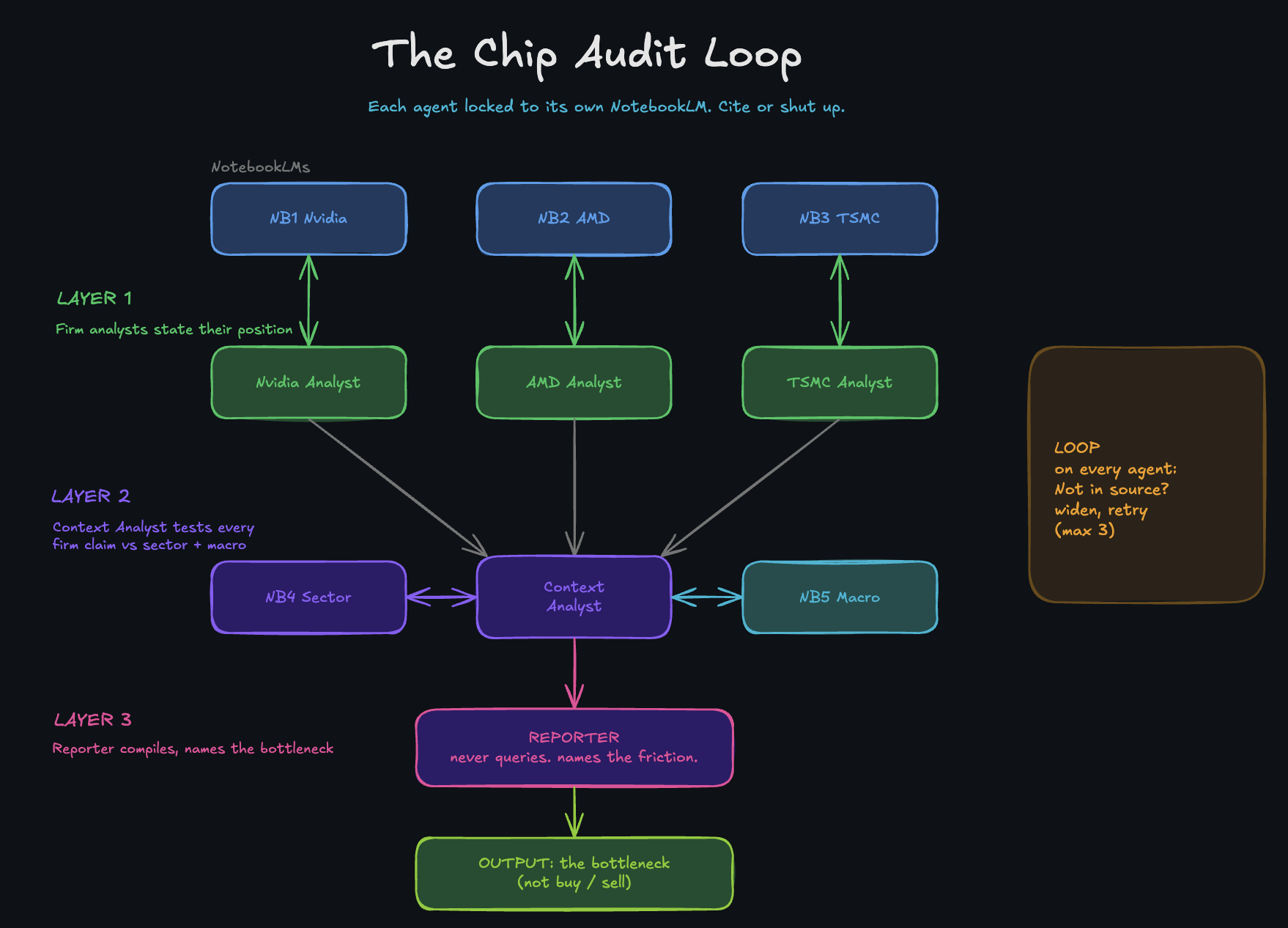
\The loop in one picture. Three layers, five notebooks, five agents, and a retry cap of three.\
I did this for AI chips. You can do it for any industry you want to invest in.
Three layers.
- Layer 1, the companies. One NotebookLM per company, built from verified sources only. Mine: Nvidia, AMD, TSMC.
- Layer 2, the industry. One NotebookLM for the sector those companies sit in. Mine: the 2026 global semiconductor market.
- Layer 3, the global economy. One NotebookLM for the macro backdrop. Rates, inflation, demand.
Each layer gets its own agents.
Every company has a sub-agent that questions only its own notebook.
The Context Analyst takes those answers and tests them against Layer 2 and Layer 3.
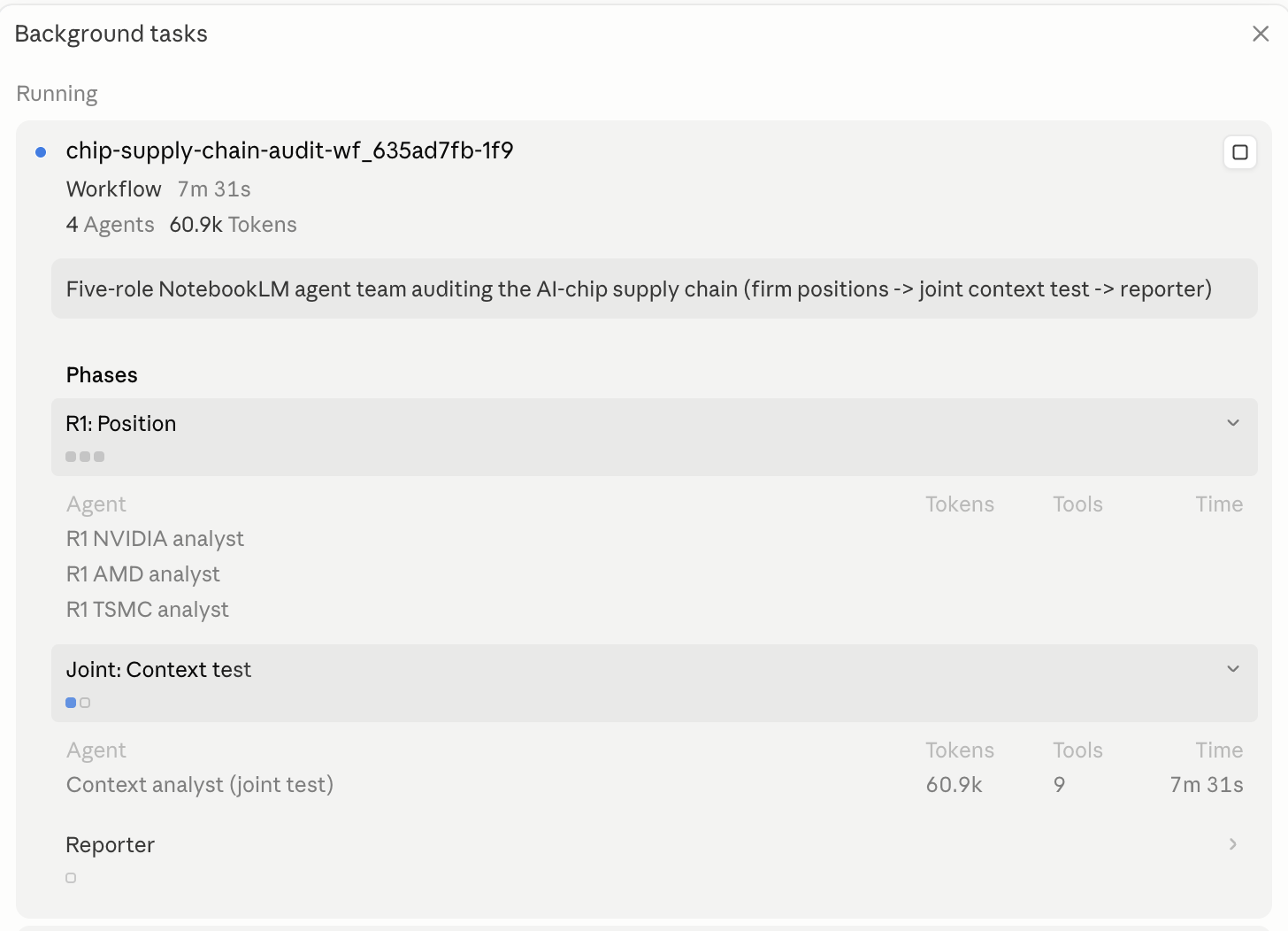
\The Claude loop running inside Claude Code. Four agents, the context test in progress, every token logged.\
They question everything. Nothing passes without a source.
The output comes back as a website.
I wrapped the whole thing in a skill. It asks which industry you want to invest in, builds the system, and installs the NotebookLM CLI if your environment does not have it.
Here is how it works.
How do you set up the Claude loop?
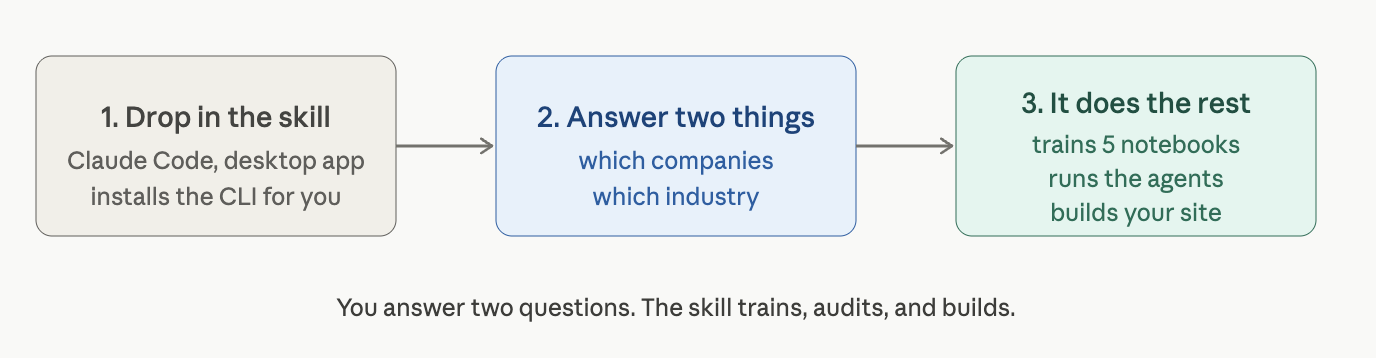
\The setup is two questions. Drop the skill in, name the companies and the industry, and it builds the rest.\
Drop the skill into Claude Code, a desktop app. Agent orchestration does not run in VS Code yet.
It asks two things. Which companies, which industry?
The rest is the skill’s job. It trains a notebook per layer from verified sources, wires the agents, and runs the three steps.
The last step hands you a site.
You answer two questions. It builds the analysis.
Next Step: A Claude skill that ships the loop for you
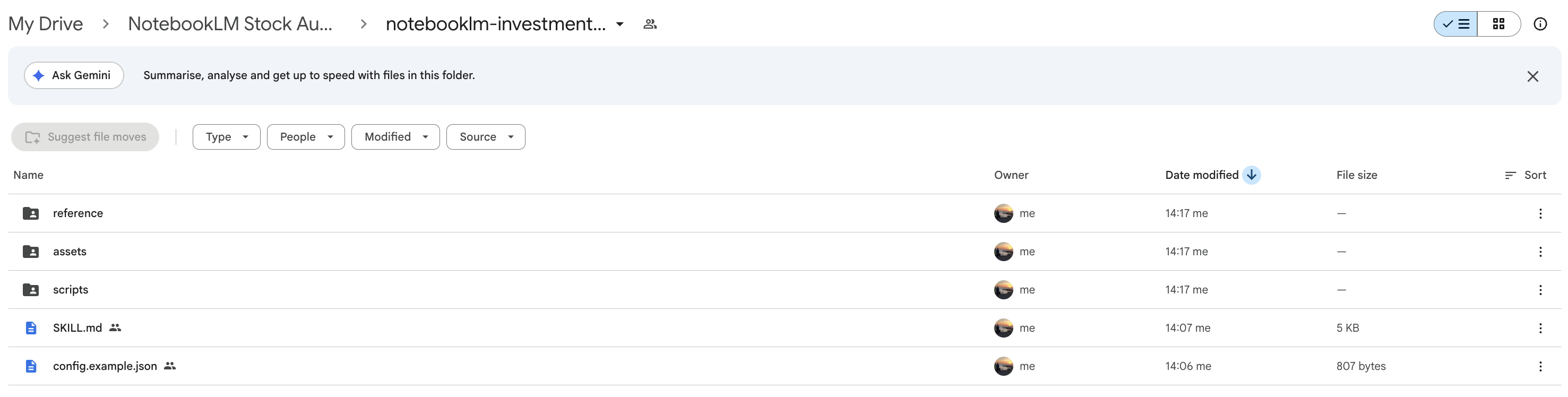
\The skill folder you download. SKILL.md, the config, and the prompts that wire the loop.\
I wrapped this whole Claude agent loop into one skill so you do not rebuild it by hand.
Download the folder. Drop it into Claude Code.
Then paste one prompt, and it installs itself.
It sets up the NotebookLM CLI, trains a notebook for each layer, wires the agents, and ships the analysis as a site.
You point it at an industry and answer two questions. The same skill works for any sector you want to audit, not just AI chips.
Everything below the line is yours. The skill files, the five notebook prompts, the orchestration prompt, and the layer-by-layer setup.
Here are the links.
https://drive.google.com/drive/folders/1z2ogMmGL7T7V3Vqh463IbwxRry4r4zbi?usp=sharing
Paste this prompt after downloading the files.
You're going to install and run a Claude Code skill for me.
I just downloaded it from the link in this article — it's in my Downloads folder,
either as `notebooklm-investment-audit`,
containing a `SKILL.md`.
Do everything step by step, and stop only when you actually need me:
1. INSTALL — If it's a zip, unzip it. Move the `notebooklm-investment-audit`
folder into `~/.claude/skills/`. Confirm
`~/.claude/skills/notebooklm-investment-audit/SKILL.md` exists, then read it
plus `reference/method.md` and `reference/notebook-prompts.md`.
2. SET UP — Run `scripts/setup.sh` to install the NotebookLM CLI and check auth.
If NotebookLM login is needed, give me the exact command to run.
3. WORKSPACE — Create a fresh folder for this audit
(e.g. `~/Desktop/audit-<industry>`) and do all the work there.
4. ASK ME TWO THINGS — (a) which companies to audit (one notebook each), and
(b) which industry they sit in.
5. BUILD + RUN — From verified sources, build the five notebooks (one per
company, one SECTOR, one MACRO), set each to answer only from its sources,
write `config.json`, then run the agent team in `assets/audit-workflow.js`:
one analyst per company, a Context Analyst that tests every company claim
against the sector then the macro layer (confirmed / contradicted / no_data),
and a Reporter that names the bottleneck.
6. SHIP — Build `audit-transcript.md`, `flow-analysis.md`, `friction.md`, and the
website, then open the site for me.
Hard rules, never break them: max 5 queries per notebook (the locked tool
enforces it), every claim cited, no outside knowledge, no price prediction,
no buy / sell / hold. This is a system-flow analysis, not a trade call.
Start now.
And you’re good to go!
This is not financial advice. The system gives you sourced research, but the final investment decision and all financial risk are yours.
Next Steps
That is the whole system.
Five notebooks. Five agents. Three layers. One site.
The agents do the asking. The notebooks do the sourcing. The loop keeps them honest. Not in the source, not in the report.
I built it for chips because that is where my money is going. You build it for whatever you are about to buy.
The hard part used to be the research. Now the research runs itself, and every line carries a citation.
Your job is the last one. You read the friction. You make the call.
Build it.
Need this in your business?
You just read how I built a multi-agent loop that only answers from verified sources and refuses to guess.
I build these audited agent systems for clients, the kind where every claim carries a citation and nothing ships unchecked.
I built a production interview agent for a data platform used by 500K+ people.
I built 20+ AI agents for companies across finance, construction, marketing, even liquor brands.
I’m Top 1% on Upwork, Expert-Vetted, 7,000+ hours logged with international clients.
DM me, and we’ll talk.