I built a competitor intelligence agent with Claude Managed Agents. It scrapes Reddit, X, YouTube, analyzes content strategy, and reports to Slack. Zero code.
By Gencay
Published: 2026-04-10
URL: https://www.learnwithmeai.com/p/claude-managed-agents-competitor-spy

\Building a competitor intelligence agent with Claude Managed Agents using Apify actors to scrape Reddit X and YouTube and report to Slack - (Midjourney)\
Anthropic did it again. They dropped Claude Managed Agents.
After the Claude Code leak, I thought they would slow down. Take a breath. Maybe ship a minor update. But they did not.
And this might be the biggest Claude announcement in months.
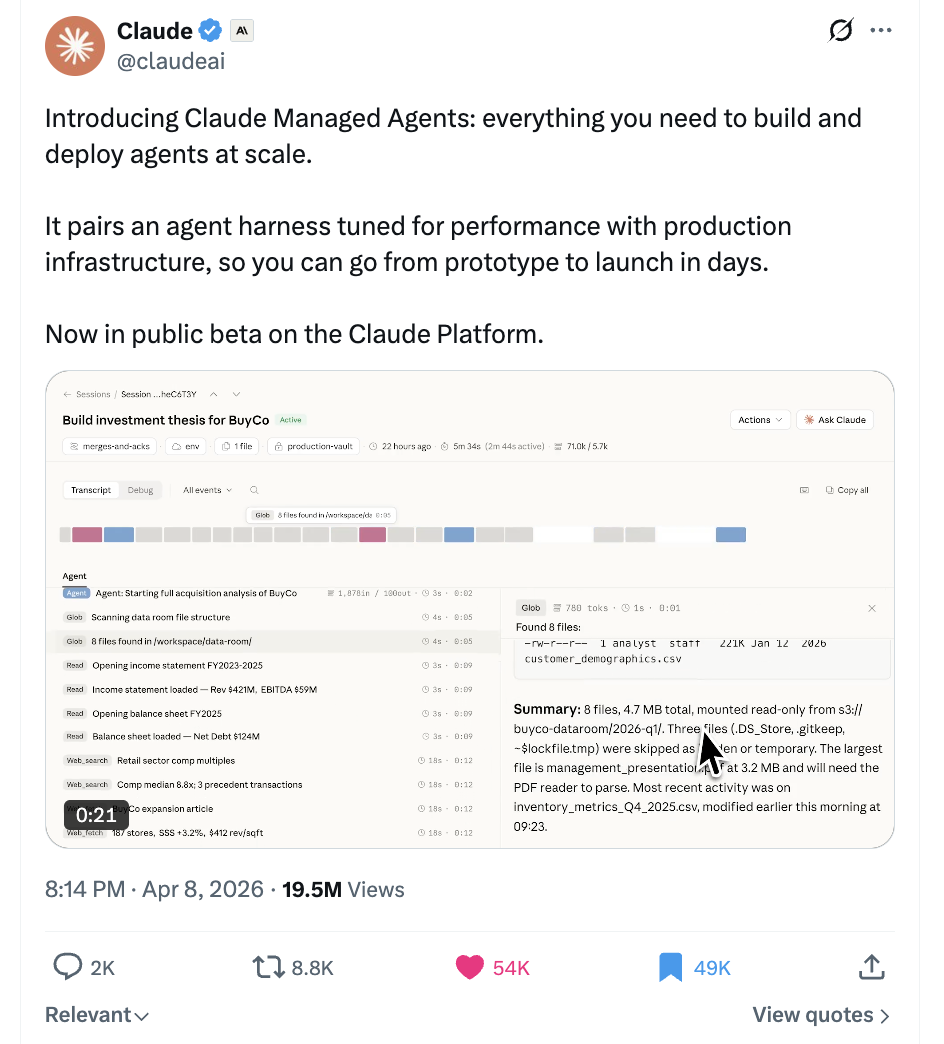
\Claude Managed Agents -Reference\
Here is what it does in plain English: you describe an agent, Claude builds it, runs it in the cloud, and gives you results.
You don’t need to code or run a server; everything is handled by Claude.
Notion, Asana, and Sentry are already using it in production.
So I did what I always do.
I built something with it.
I created a competitor intelligence agent that scrapes Reddit, X, and YouTube, analyzes content strategy, and sends me a full report on Slack.
Three minutes. Started with one prompt.
But first, let me explain what Claude Managed Agents are.
What are Claude Managed Agents?
Claude Managed Agents is Anthropic’s new way to build and run AI agents in the cloud.
Instead of building your own server, you describe what you want, and Claude handles the rest.
The whole system lives in one place: your agent, its environment, its tools, its logs.
You can connect it to different apps like Apify, Slack, and Notion through simple configuration. I will show you how.
If you have been following my work, you know I built something similar with OpenClaw: AI agents running on my own EC2 server, connected to different tools, doing real work autonomously. I have been doing this for months.
What Anthropic just did is make that accessible to everyone.
Now let me show you what I built.
What We’re Building: Competitor Agent
I love watching Nate Herk. Great content creator. Explains complex topics clearly on YouTube.
So I turned him into my test subject.
I built a competitor intelligence agent that goes through his YouTube, X, and Reddit using Apify actors, scrapes his recent content, analyzes his strategy, and sends me a full report on Slack.
One prompt. Zero code. 2-4 Minutes.
And I’ll do it in 5 steps.
Step 1: Creating The Agent
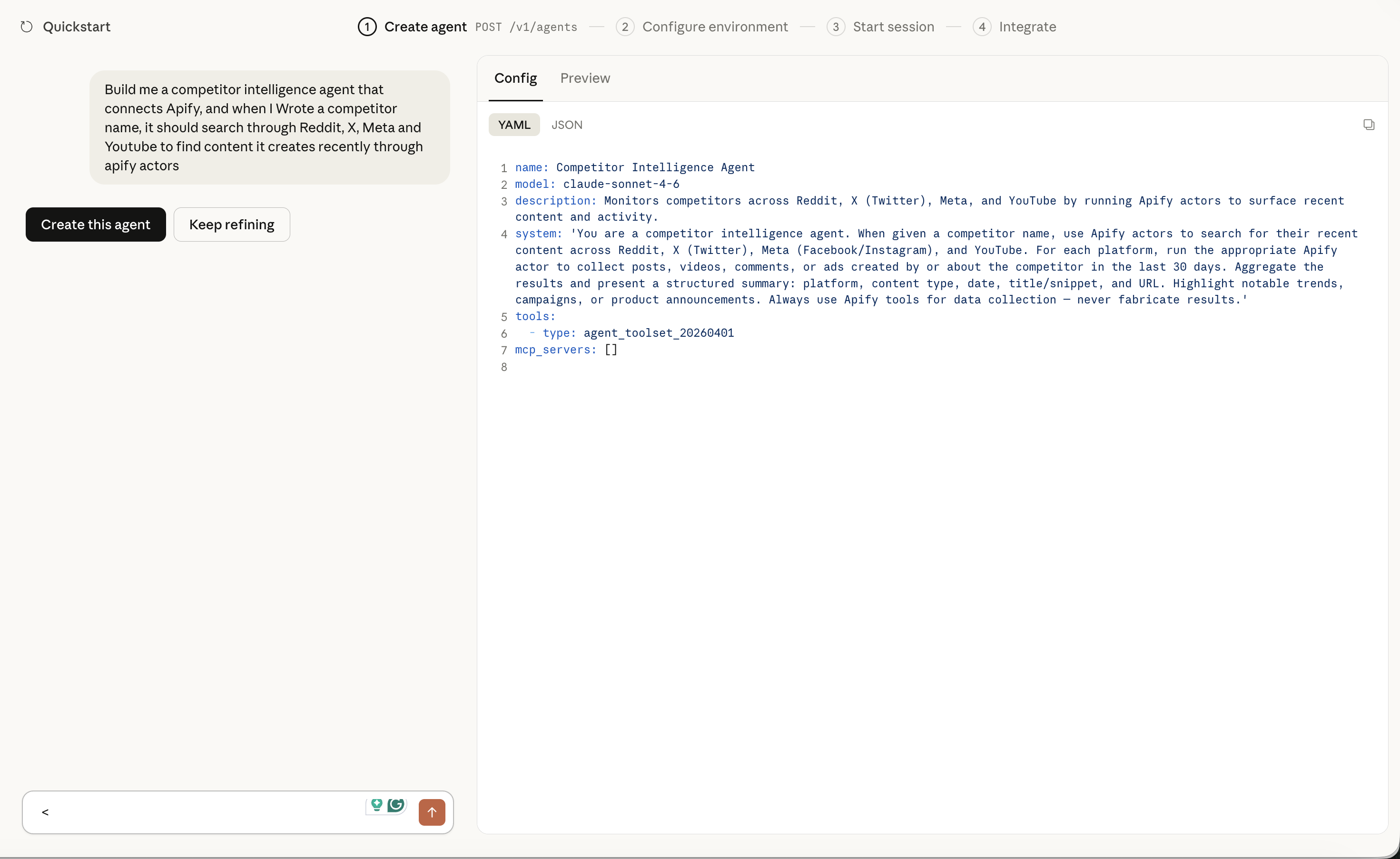
I typed one prompt into the Claude console:
“Build me a competitor intelligence agent that connects Apify, and when I wrote a competitor name, it should search through Reddit, X, Meta and YouTube to find content it creates recently through Apify actors.”
That was it. One sentence.
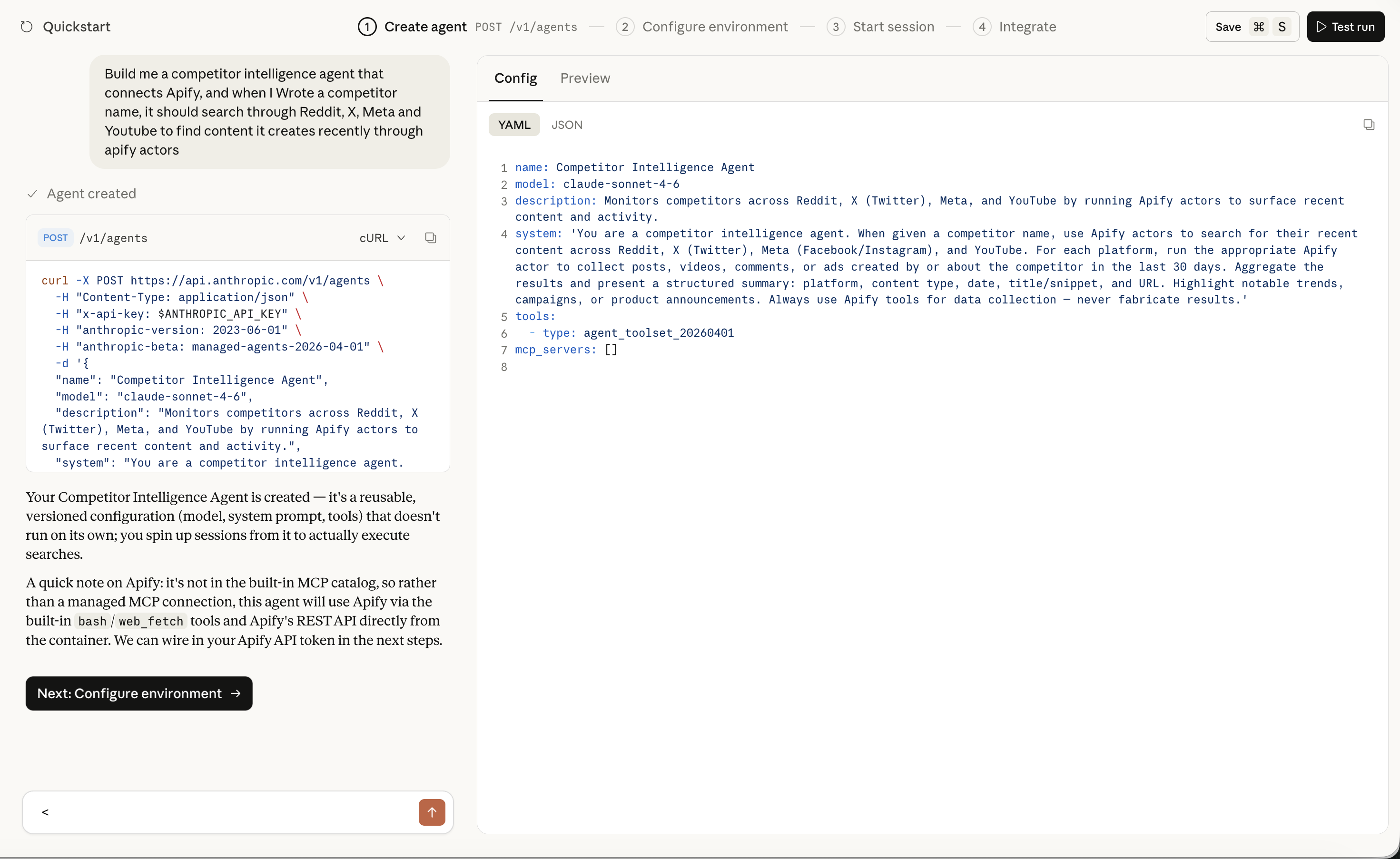
Claude read my prompt and generated the entire agent configuration.
Two buttons appeared: “Create this agent” and “Keep refining.”
I clicked “Create this agent.”
Done. Agent created.
But the agent does not run on its own.
They still need an office.
That office is the environment. Step 2.
Step 2: Configure Environment
The agent exists. Now it needs a place to run.

Claude asked me one question: what network access should this environment have?
Three options: “Limited (Apify only)”, “Unrestricted”, or “Something else.”
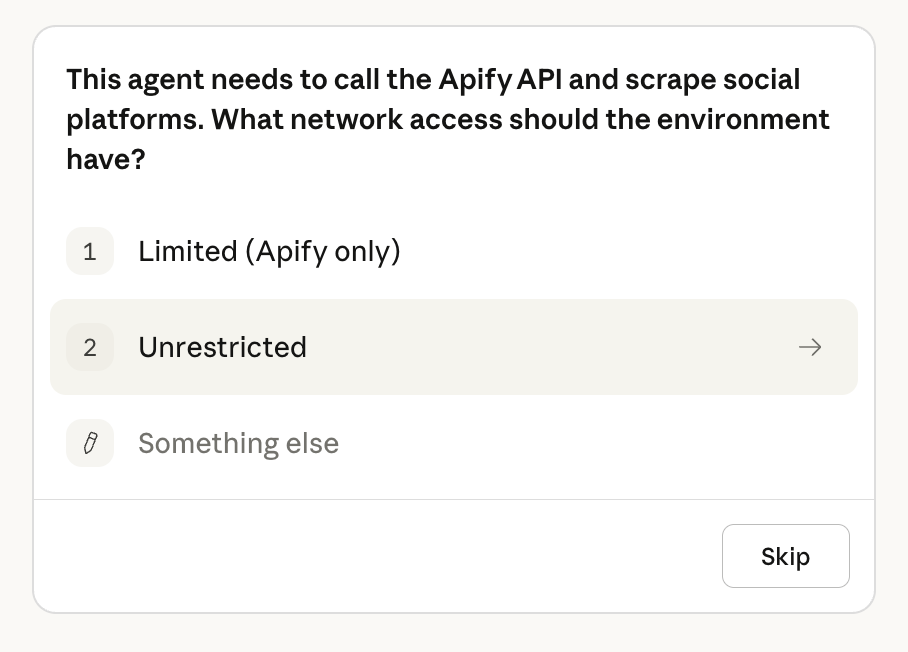
I initially selected “Limited (Apify only)” because I wanted the agent to collect data from Apify only. And Apify alone gives you access to 23K+ different actors across Reddit, X, YouTube, and more.
But here is what I learned the hard way: select “Unrestricted.”
I will explain why later when we add Slack integration.
For now, just know that limited networking blocked my Slack webhook.
Save yourself the debugging.
Claude created the environment, locked it to api.apify.com, and gave me the confirmation: “Environment created.”
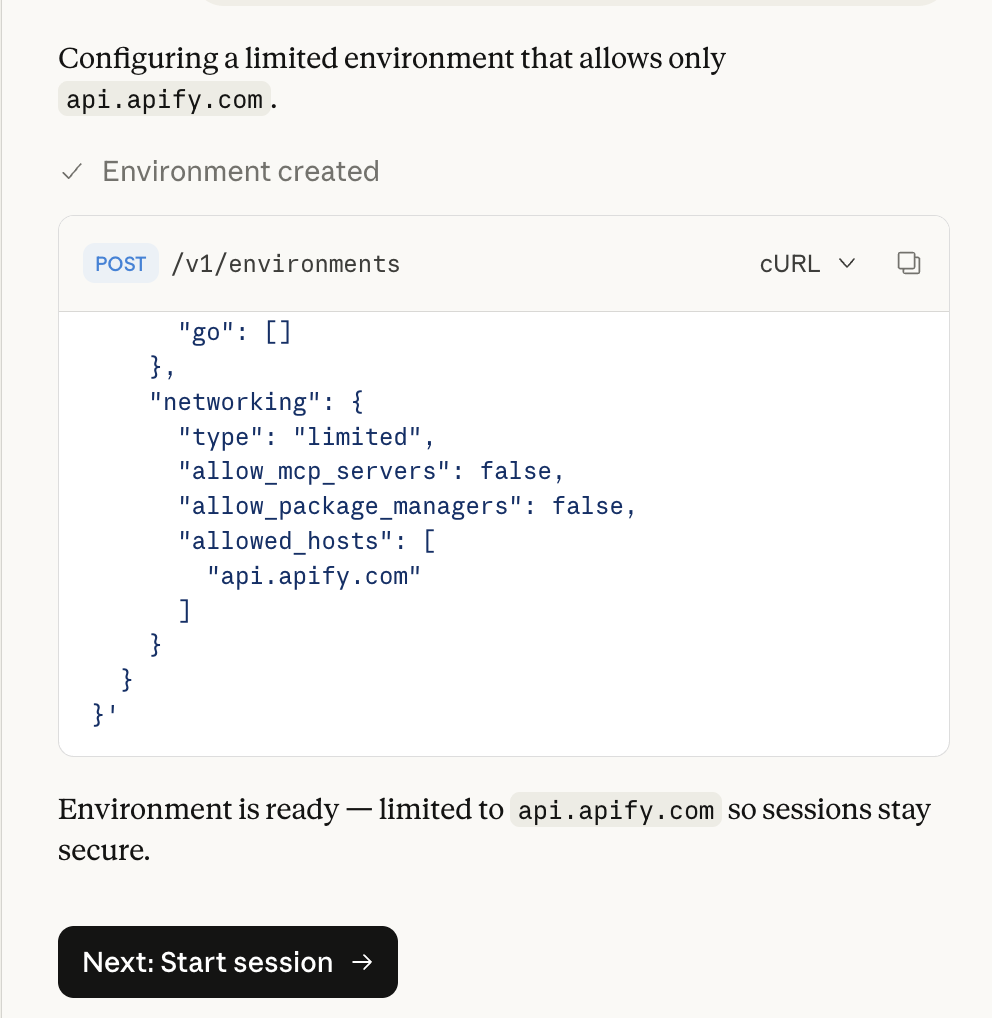
Two steps done. Agent configured. Environment ready. Now we run it.
Step 3: Start Session
Agent created. Environment configured. Now we press play.
But first, what is a session?
The blueprint has an office. Now it needs a task.
And it asked me this.
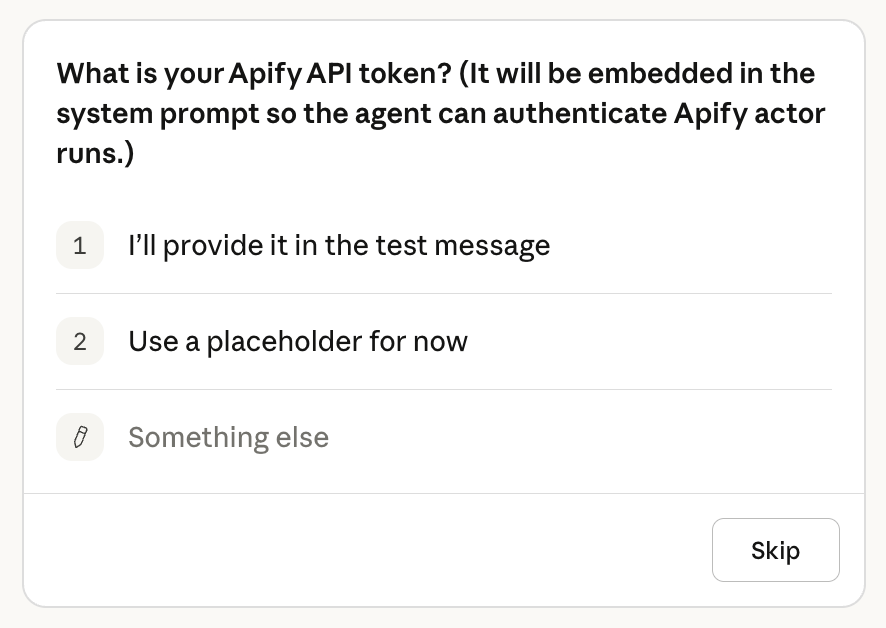
I’ll be fast and straight.
Visit here and get your token for free.
So I did and pasted mine.
Two buttons: “Test run” and “Keep refining.”
I hit “Test run.”
Step 4: Test Run
Time to see if this thing actually works.
I am testing this for the first time while writing to you.
What you see is what I got.
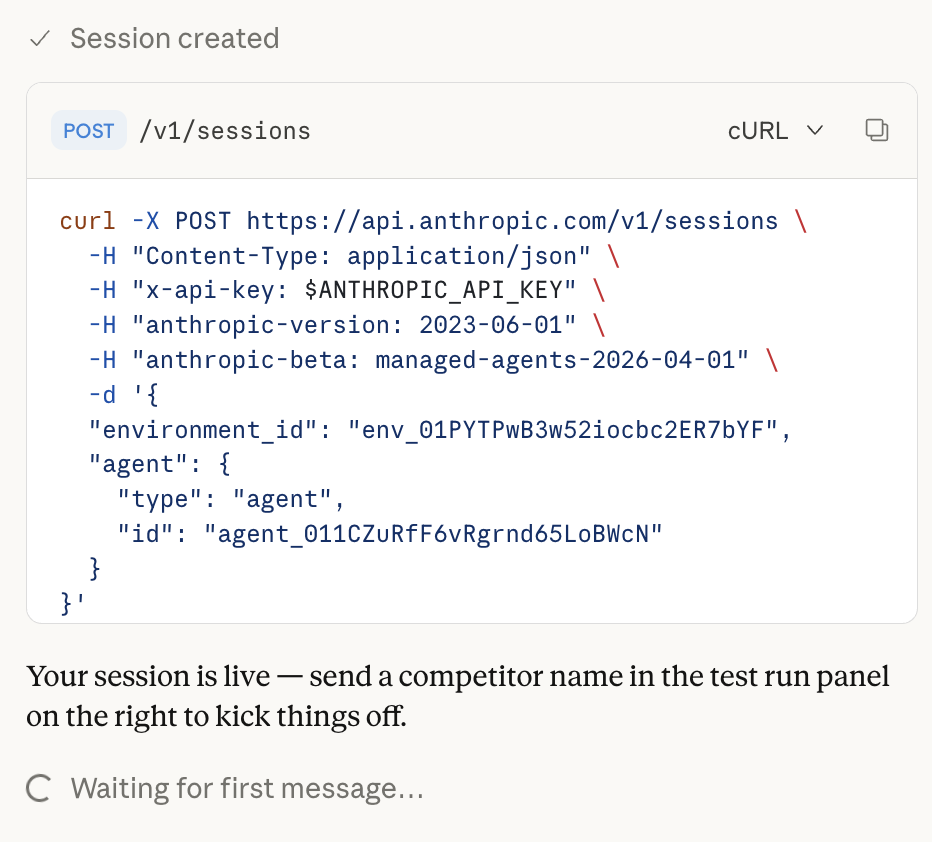
Session created. Claude gave me the API endpoint and waited for input. One text field. One question: who do you want to spy on?
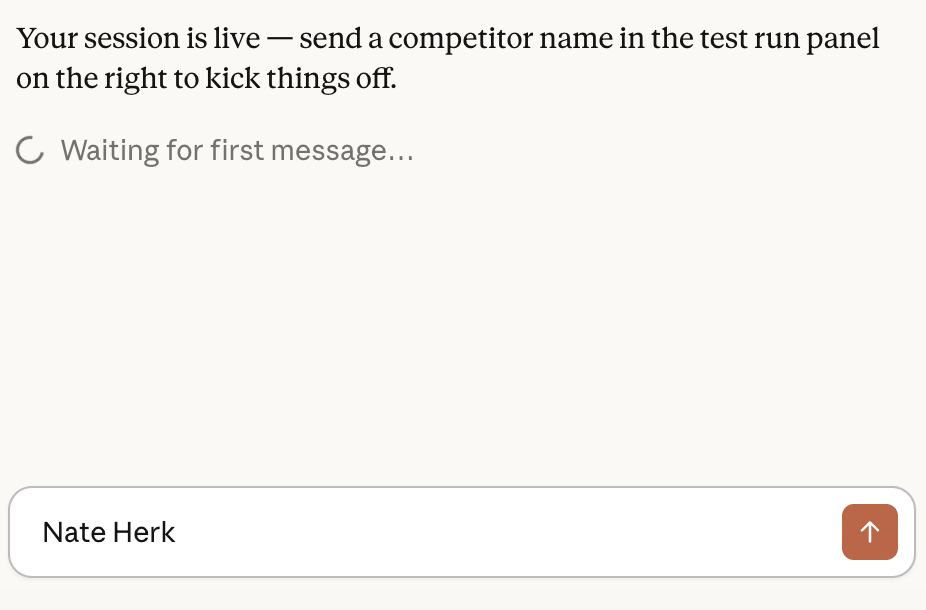
I typed: “Nate Herk.”
Great creator. Explains concepts clearly on YouTube. Perfect test subject because he publishes across multiple platforms.
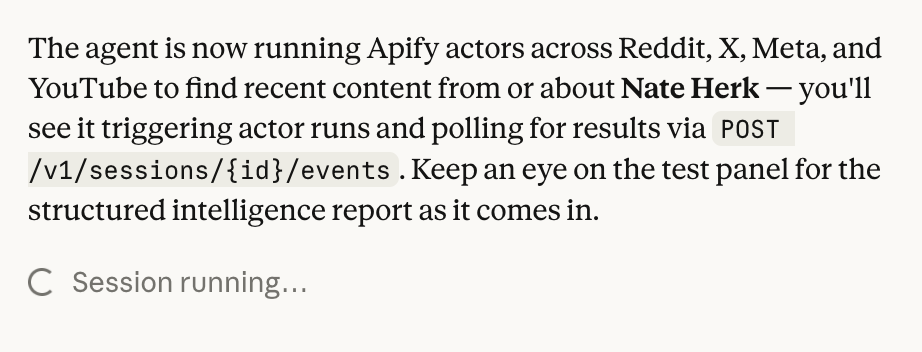
The agent started running. Apify actors fired across Reddit, X, Meta, and YouTube simultaneously. You could see it in the transcript: Web Fetch, Bash, tool calls stacking up one after another.
Then I made a mistake. I accidentally exited the session.
Here is what I learned: this is not a disaster.
Go to “Sessions” in the left sidebar.
Find your session.
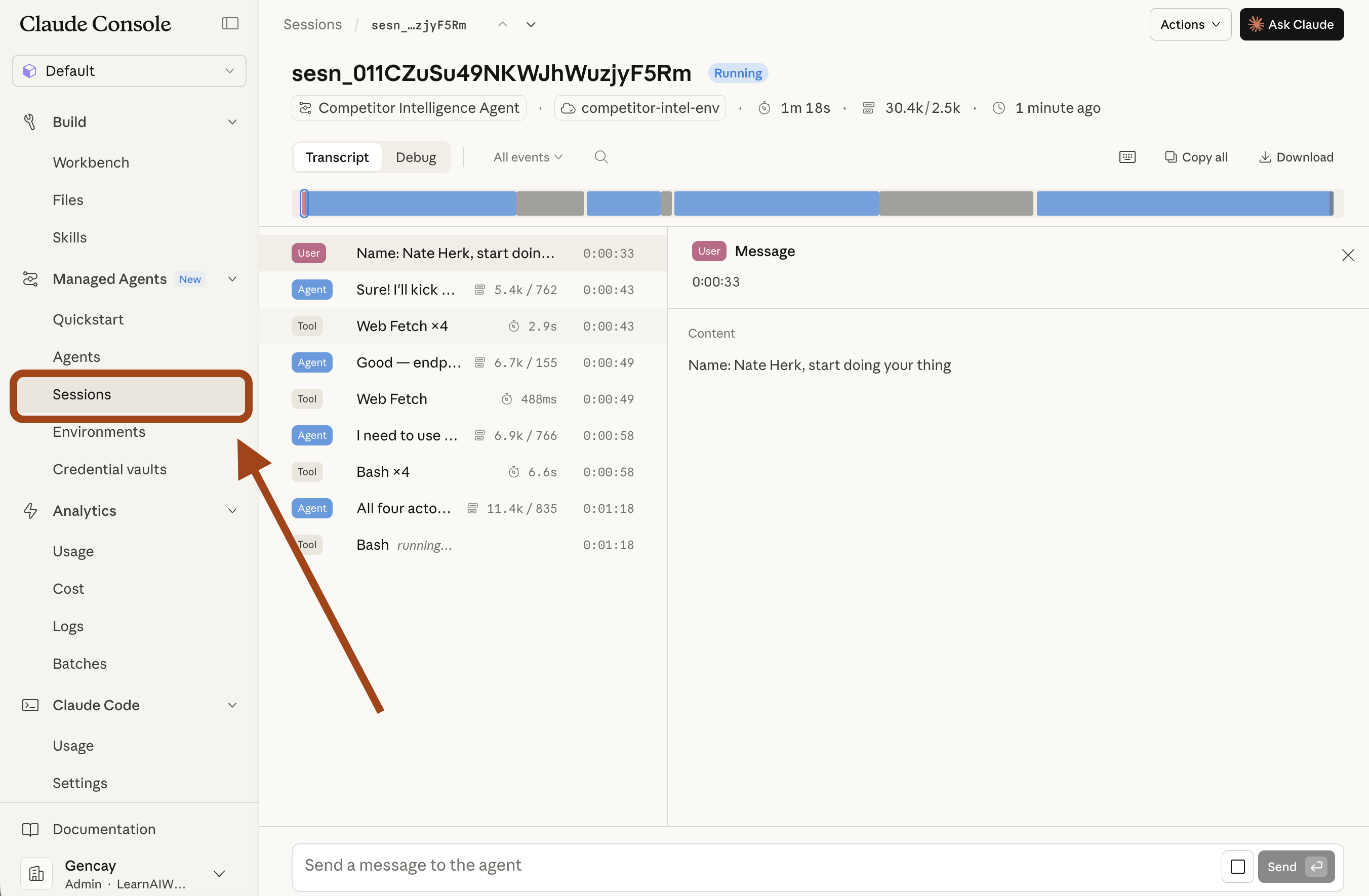
Click “Actions” and hit “Send event.”
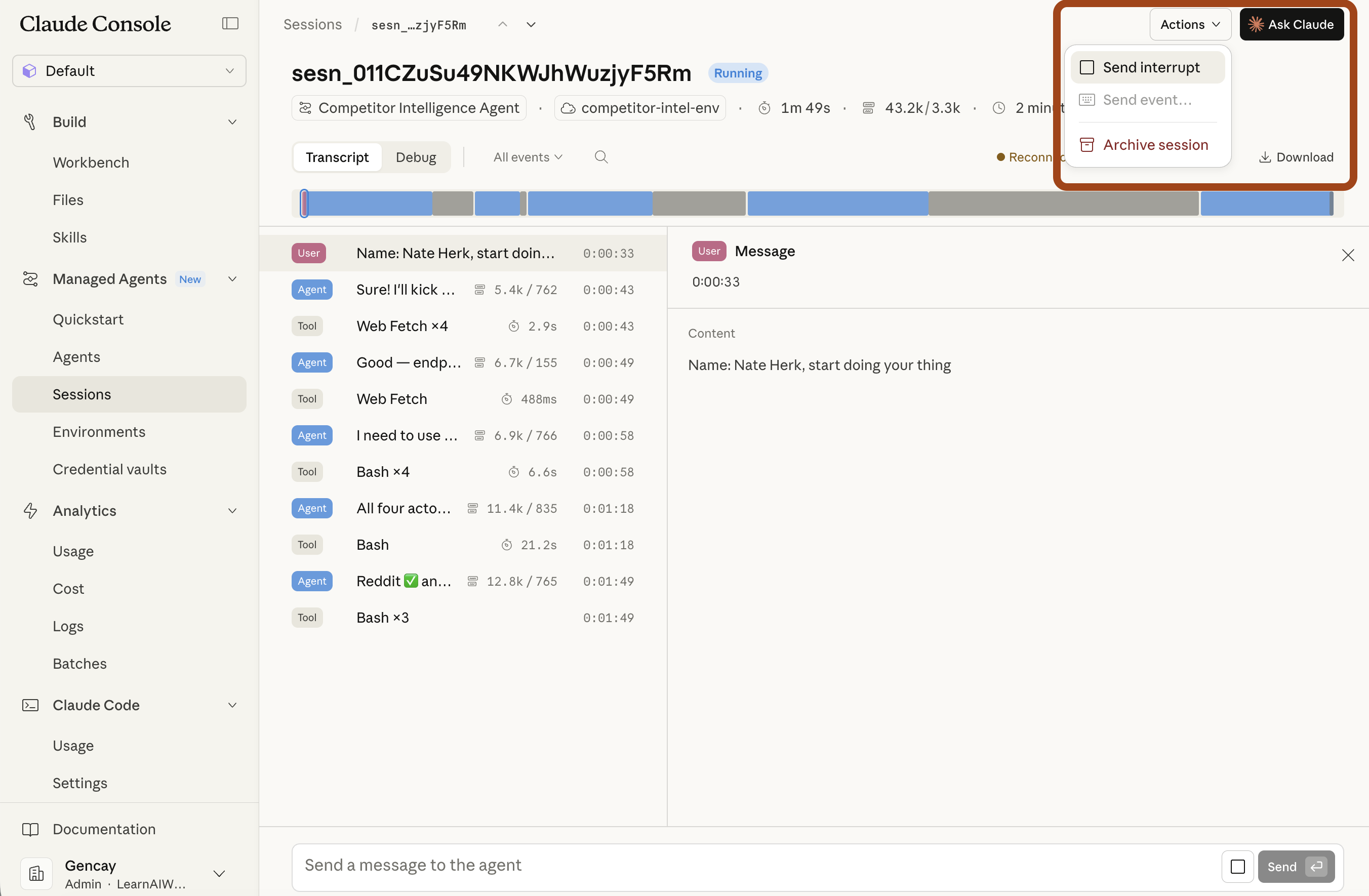
Your agent picks up where it left off.
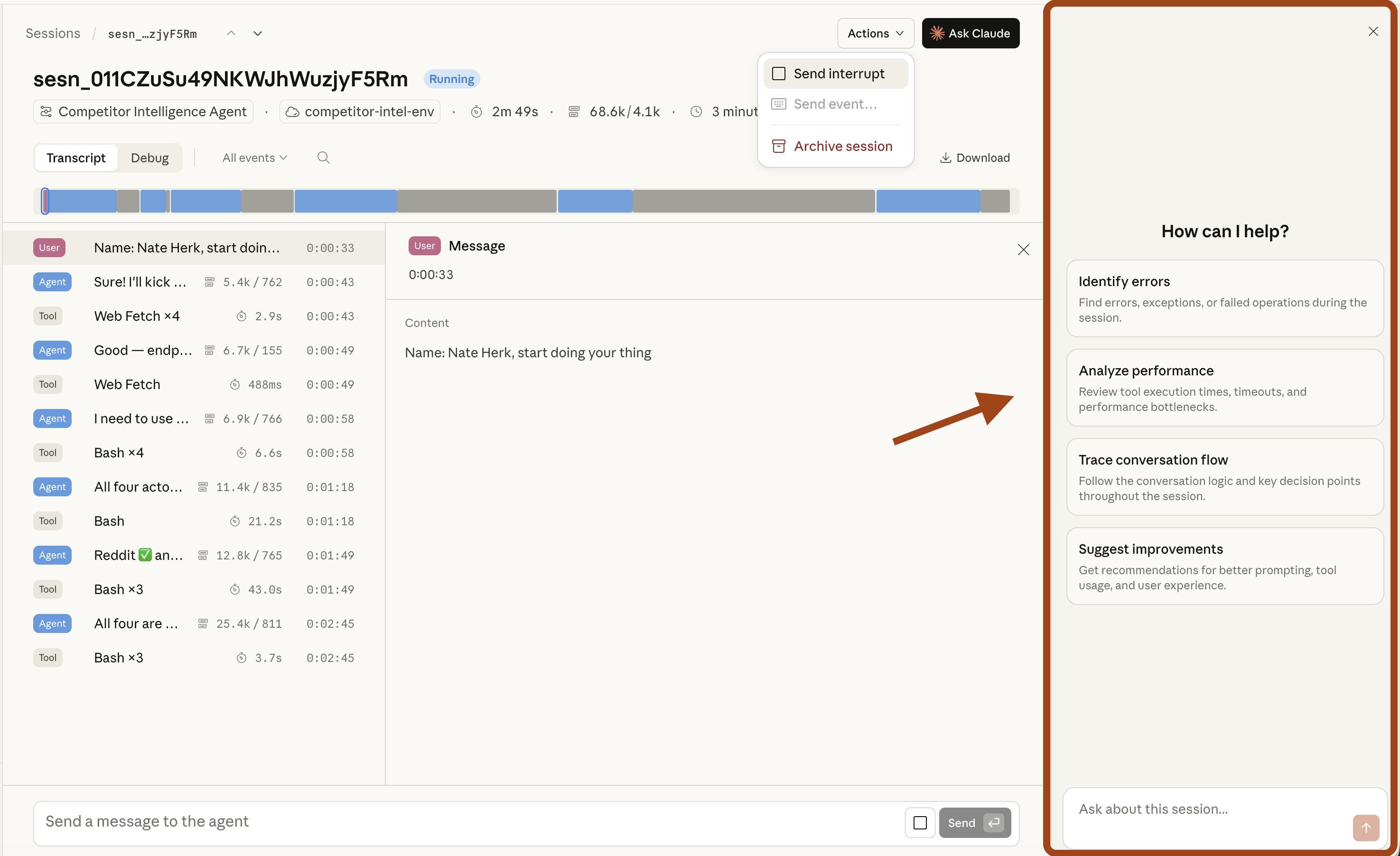
You can also click “Ask Claude” to debug.
It opens a side panel with four options: identify errors, analyze performance, trace conversation flow, and suggest improvements. Built-in diagnostics. No guessing.
The progress bar at the top shows you exactly where the agent is.
- How many tools it called?
- How long has it been running?
- How much does it cost?
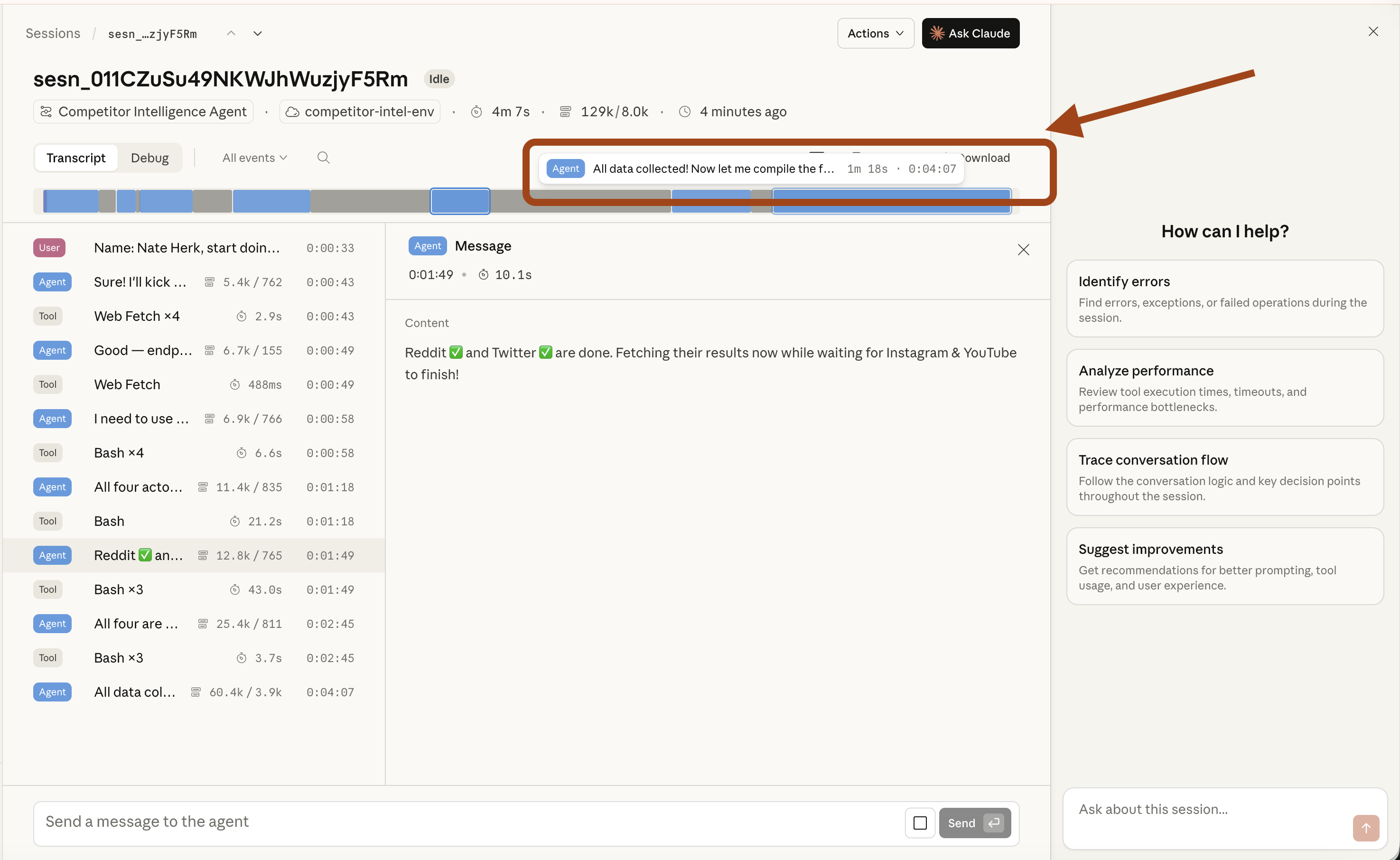
Four minutes later: done.
The agent went through Reddit, X, and YouTube. It found recent posts, analyzed content strategy, identified posting frequency, and compiled everything into a structured intelligence report.
Let me show you the full report as a screencast.
Competitor analysis. From scratch. One prompt. No code.
Step 5: Slack Integration
The agent scraped Reddit, X, and YouTube. It analyzed content strategy. It compiled a full report.
But I had to open the console to read it. What if it could come to me?
I asked Claude inside the session:
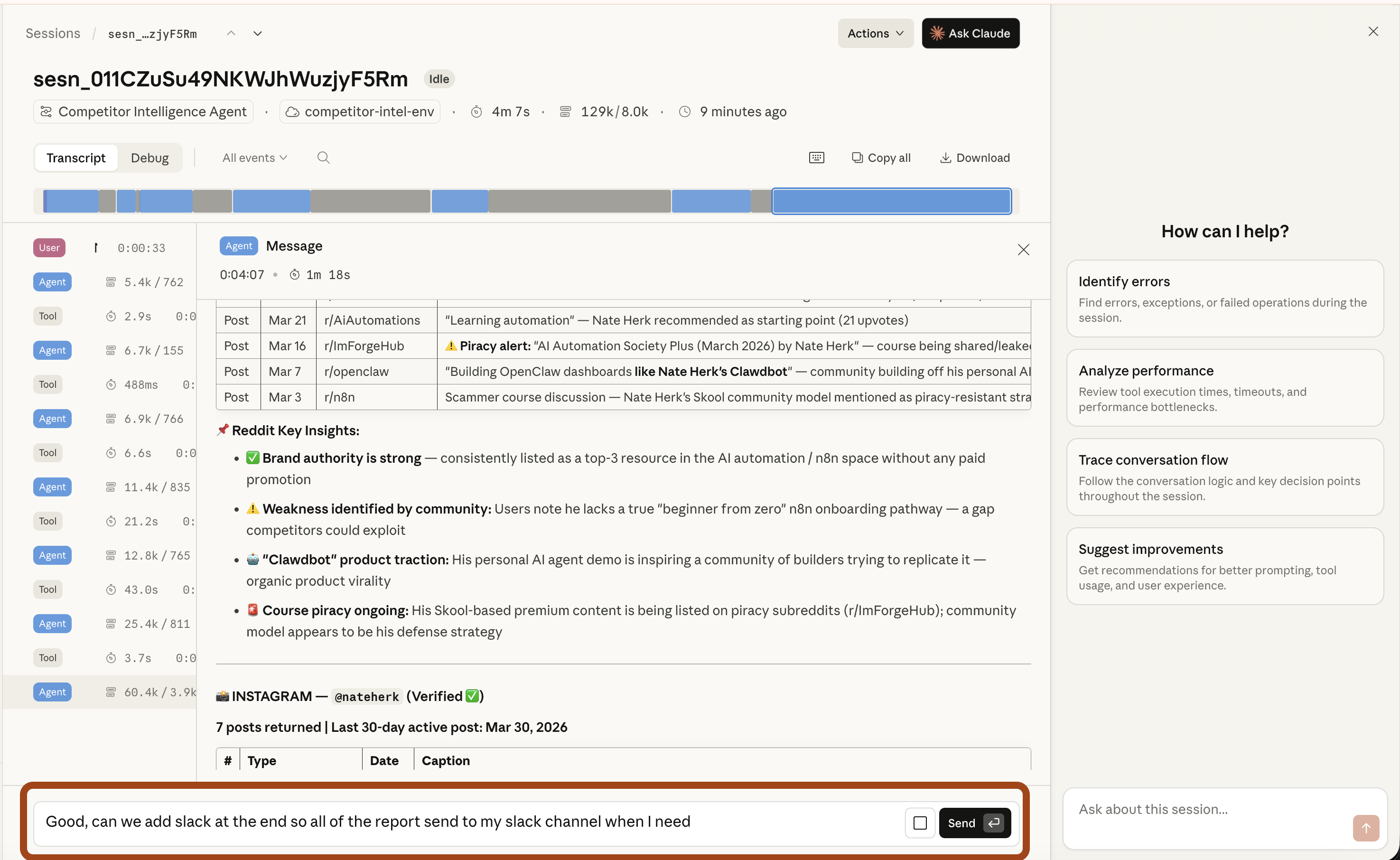
Claude gave me three things I needed: a Slack Webhook URL, a channel name, and a Slack character name. Simple checklist.
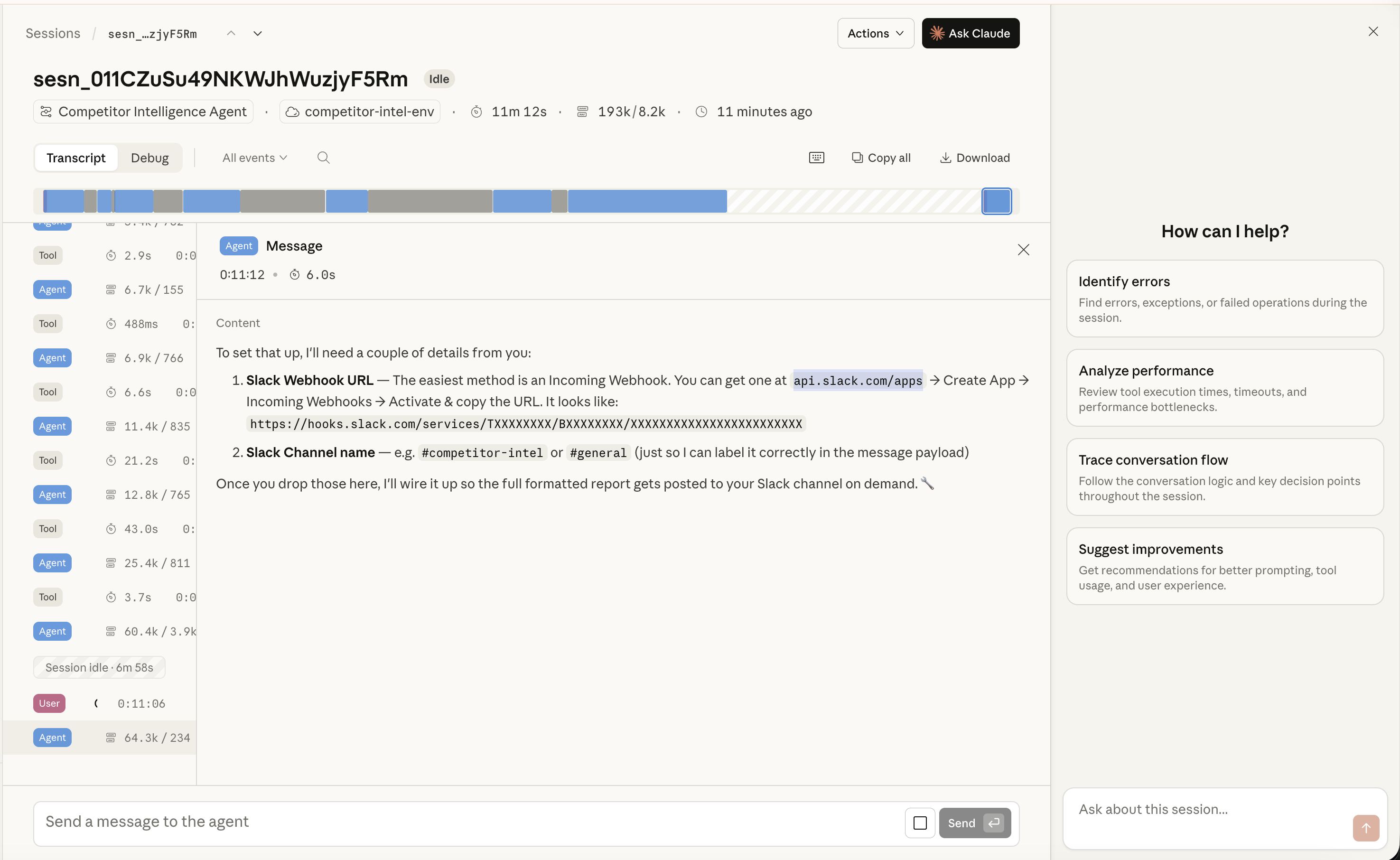
Here is how to set it up.
Go to api.slack.com/apps
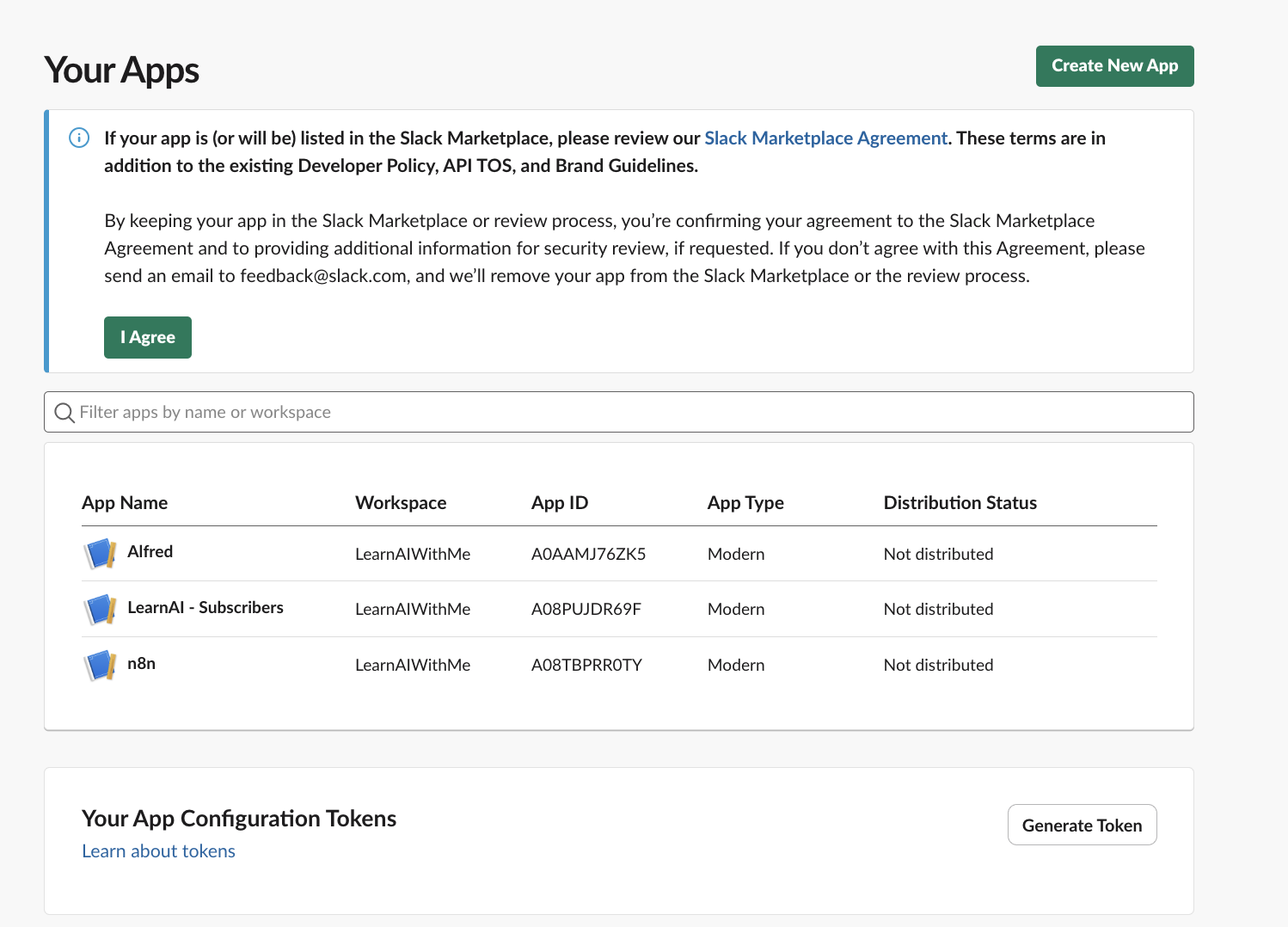
I already had 3 apps there. Click "Create New App."
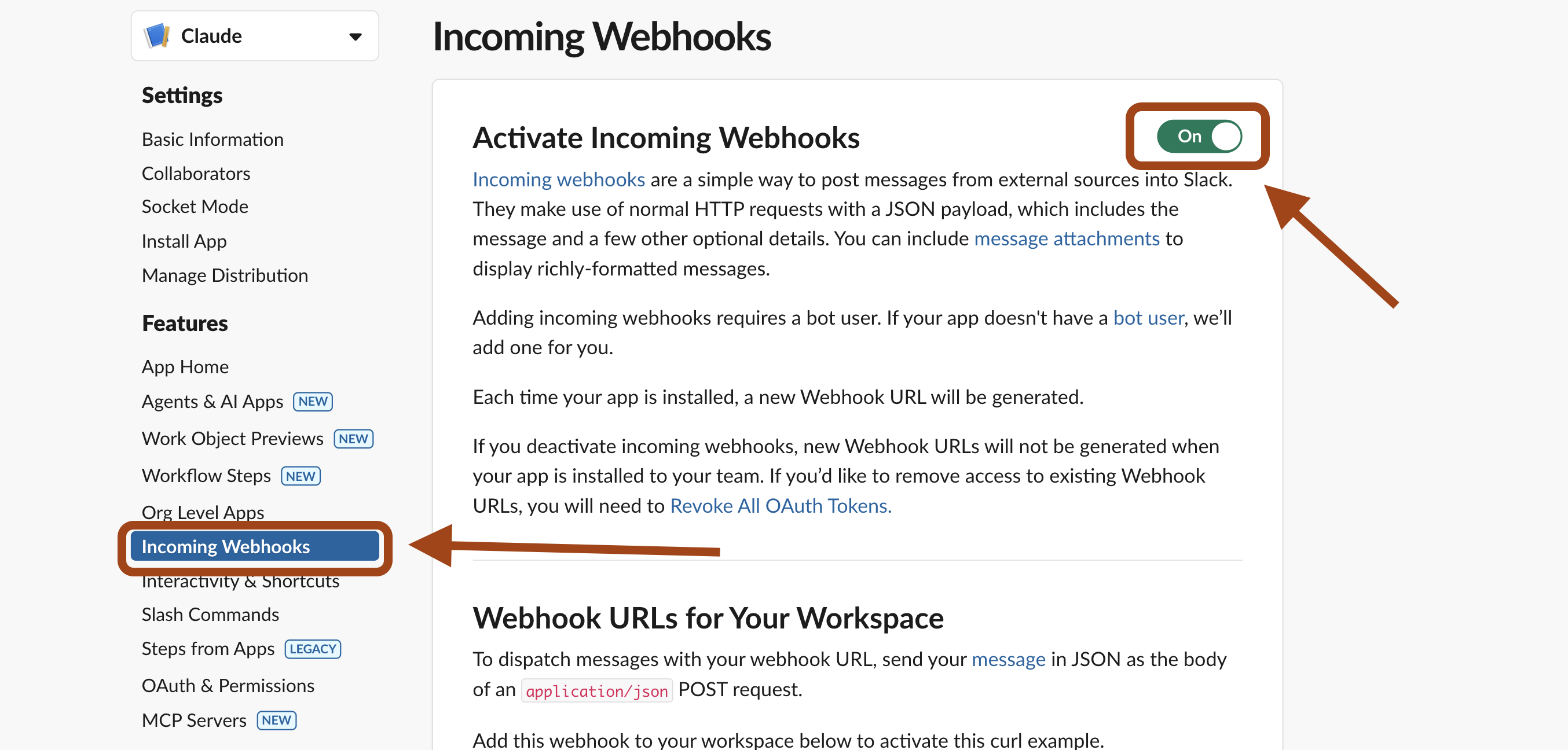
Then navigate to "Incoming Webhooks" under Features. Activate it.
Slack generates a Webhook URL for your workspace. Copy it.
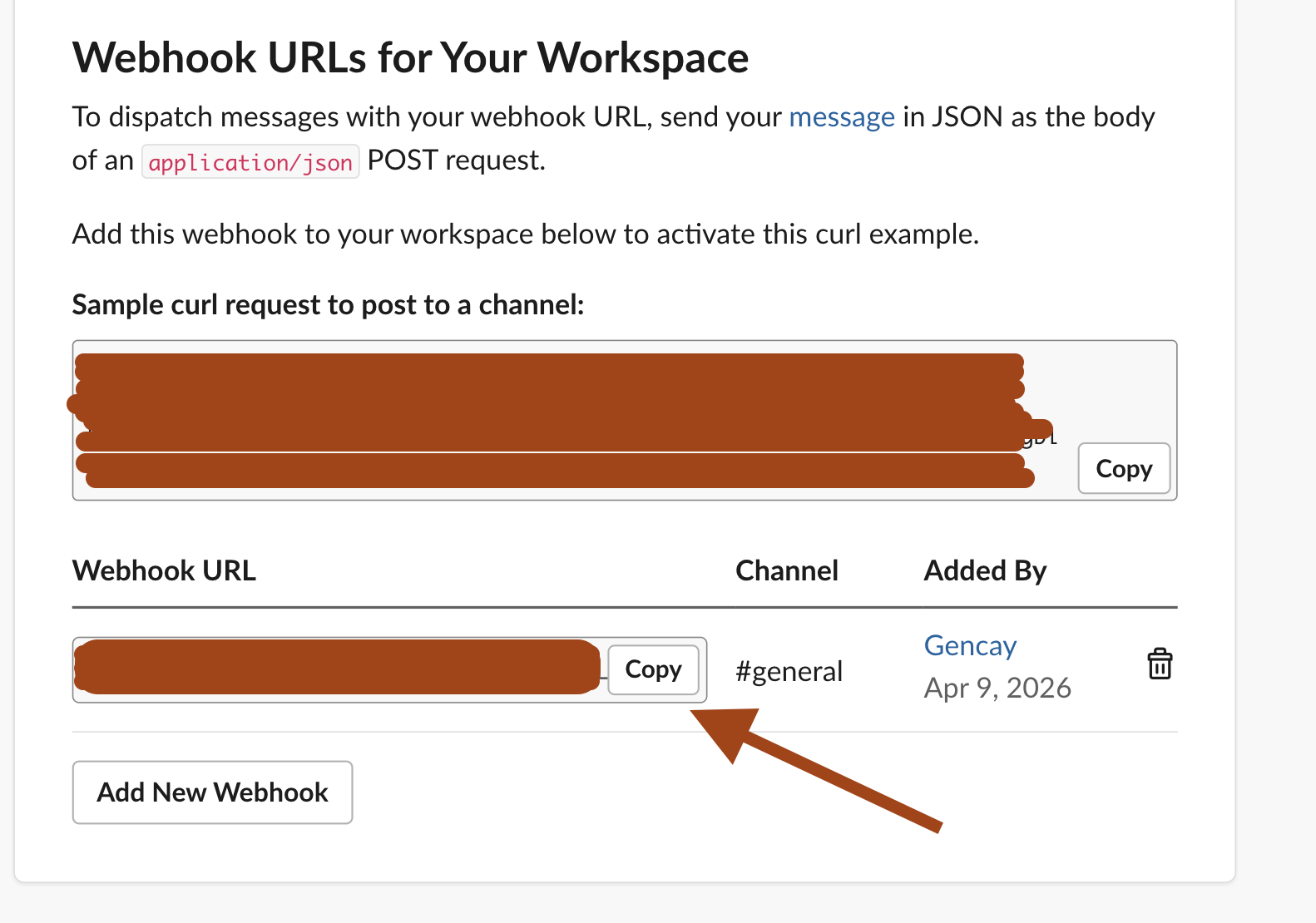
Now here is the mistake I promised to explain.
Remember in Step 2 when I selected “Limited (Apify only)”?
That blocked my Slack webhook.
The agent could talk to Apify but not to Slack. The networking wall I built was too tight.
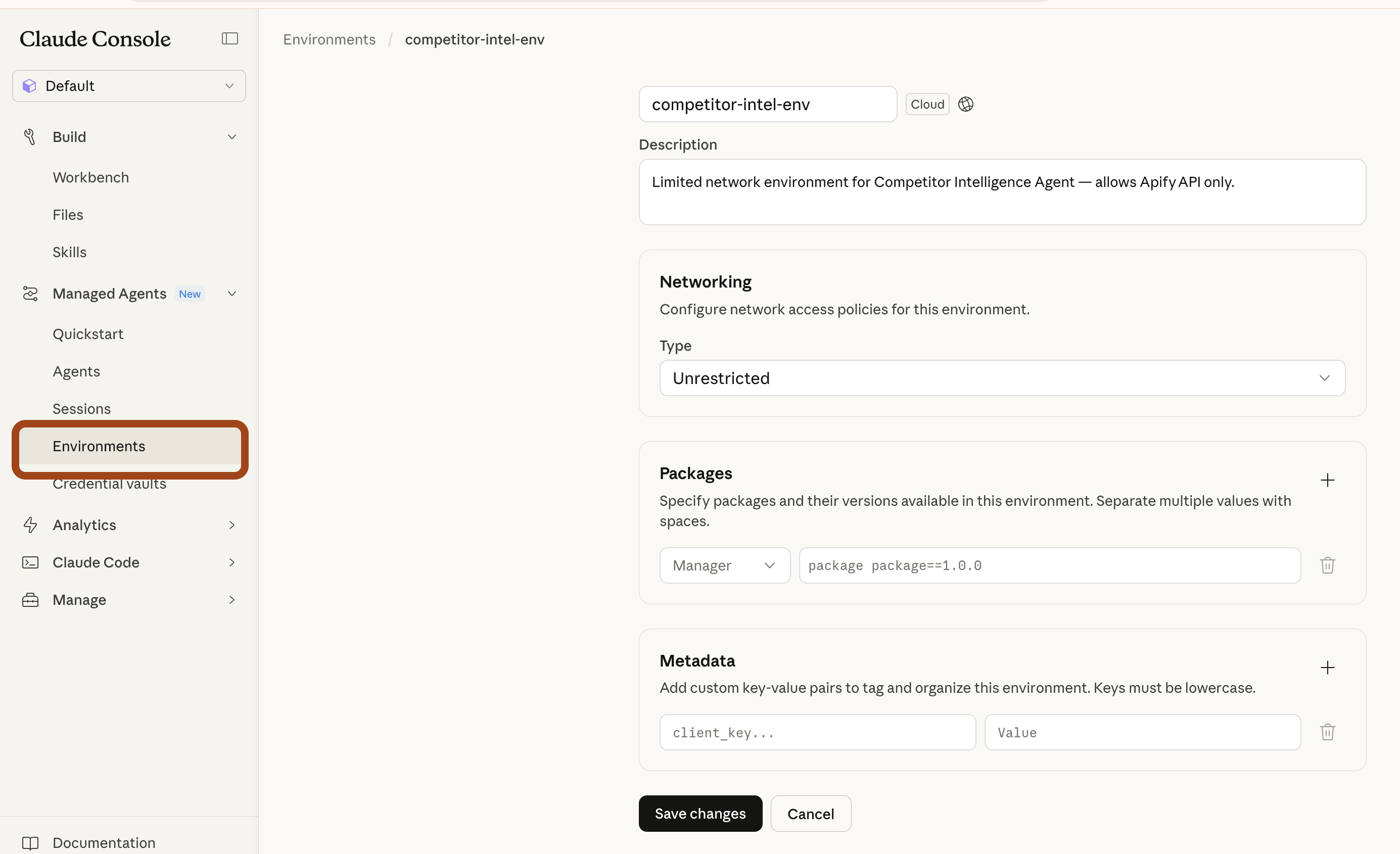
The fix: go to “Environments” in the left sidebar. Find your environment. Change networking from “Limited” to “Unrestricted.” Save.
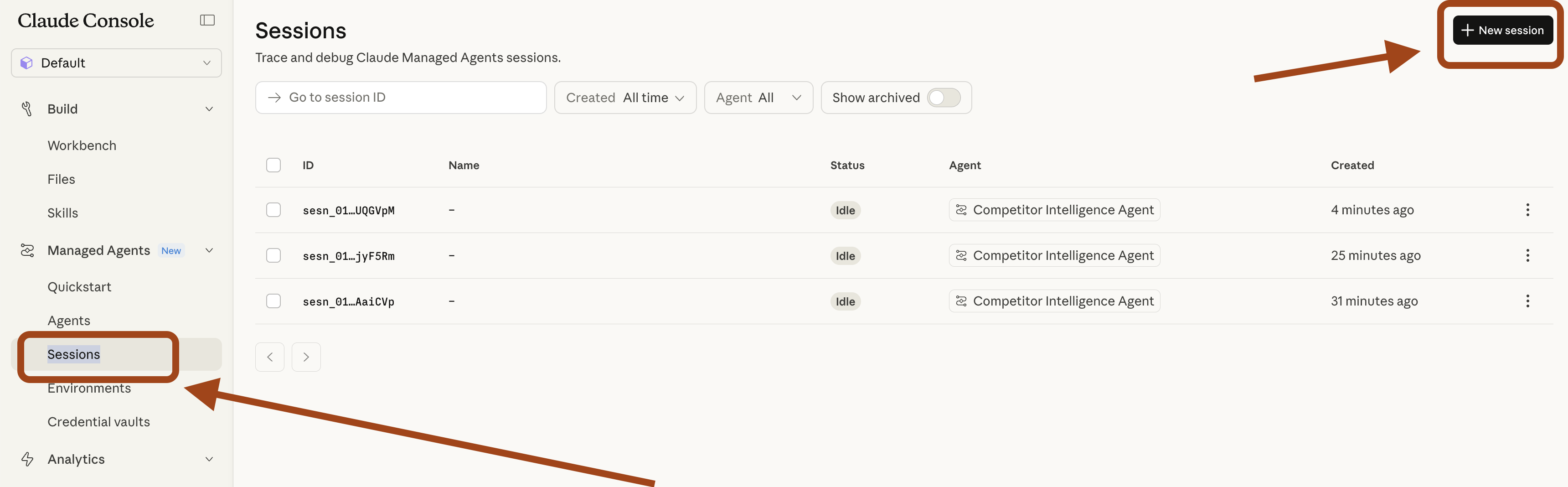
Now create a new session. Go to “Sessions”, click “New session” in the top right.
After creating a new session, here is my prompt;
Send the Nate Herk competitor intelligence report to my Slack channel #general at "webhook url"
And set this Slack settings
Three minutes later, a message appeared at the bottom of the transcript:
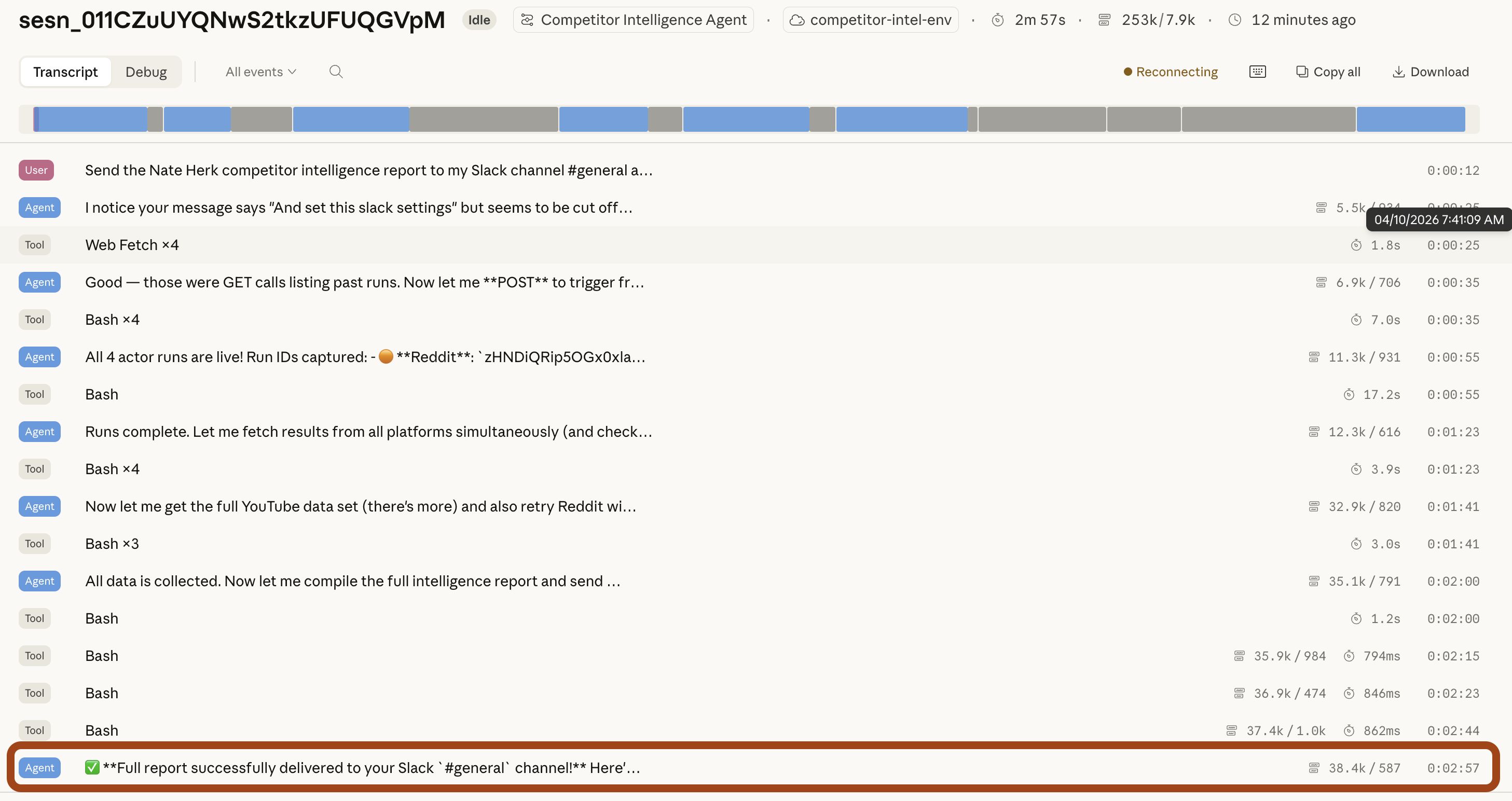
The competitor report landed in my Slack. Automatically.
Here is the full report.
Final Thoughts
You just built a competitor intelligence agent. From scratch without using any code.
It scrapes Reddit, X, and YouTube.
It analyzes content strategy. It sends you a full report on Slack.
Three minutes. One prompt.
Most people spend hours manually stalking competitors. Opening 15 tabs. Copy-pasting into spreadsheets. Forgetting half of what they found.
You just automated all of that.
And here’s the thing: this is just one agent. Claude’s Managed Agents can do this for any workflow.
Lead generation. Content monitoring. Market research.
The architecture is the same: prompt → environment → session → done.
I will be building more agents with this.
If you want to see what I build next, you know where to find me.