My trading bot analyzes its own trades, researches better strategies via NotebookLM, and updates itself every week. Zero manual work. Here's the full loop.
By Gencay
Published: 2026-04-07
URL: https://www.learnwithmeai.com/p/self-learning-trading-bot-claude-notebooklm

\Karpathy's AutoResearch method. Same logic, different scale - Created with Midjourney\
After OpenClaw’s first release, I was shocked and amazed. The same feeling I had with Claude Code and ChatGPT.
I tried everything. Set up two OpenClaw instances: one optimized for speed, one for cost.
I always wanted to run a self-learning trading bot, but my plate was full. With OpenClaw, I can finally automate that too.
It started well. Hit a 77% win rate. Then it dropped to the 30s because I couldn’t find time to maintain it.
But what if I could update the system on a loop, automatically? Like what Karpathy did with AutoResearch.
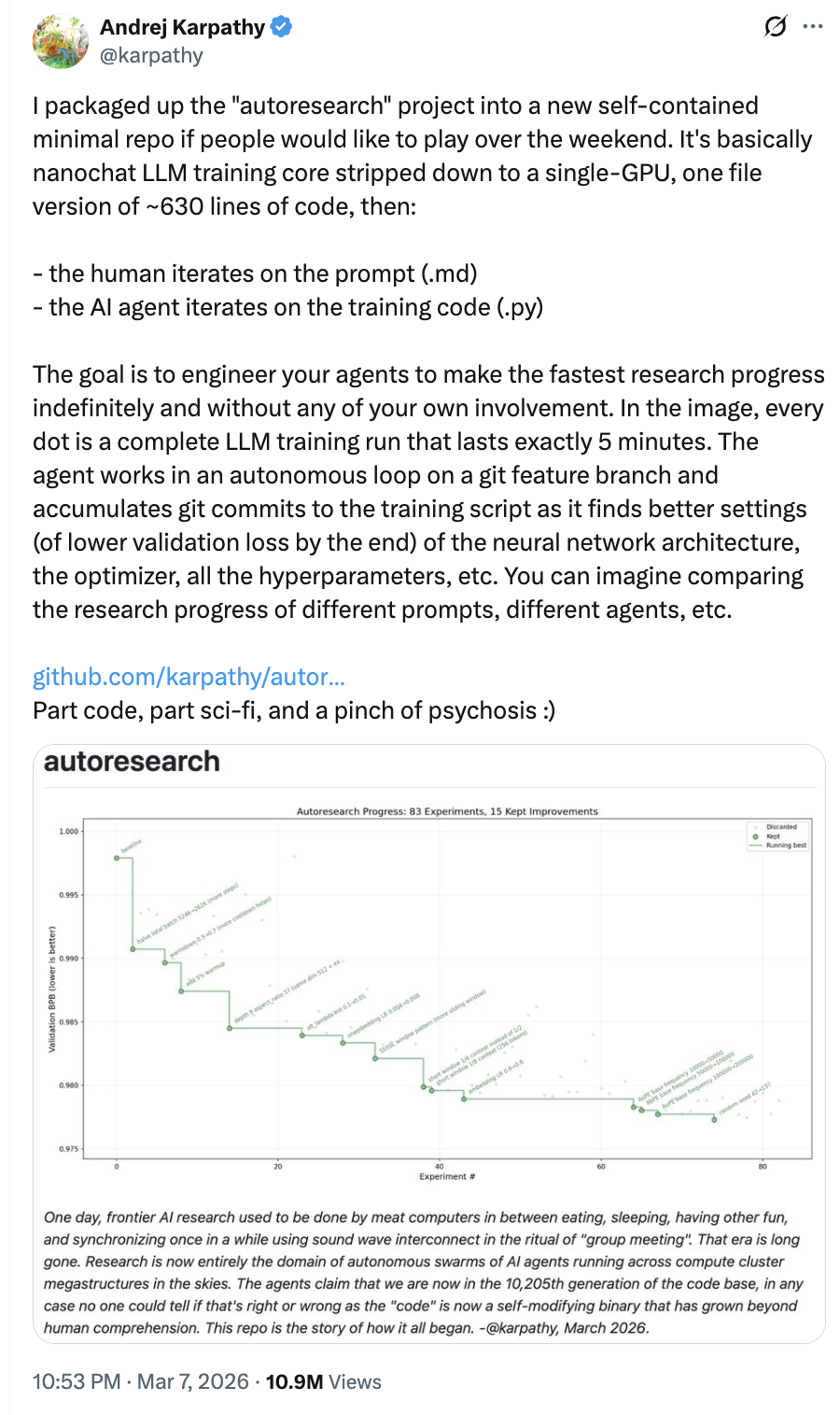
\Karpathy’s AutoResearch Method,reference.\
MyStack
Three tools. One loop. Zero manual work after setup.
Here’s what each one does:
- OpenClaw: where the bot lives. It trades 24/7 on AWS, logs every decision to trades.jsonl, and reports via Telegram. This is the racecar.
- Claude: Where the bot pit stops. It pulls the trade journal, runs a full autopsy, finds exactly what’s broken, and generates specific fixes with exact parameter values. This is the mechanic.
- NotebookLM: Where the bot goes to school. It takes the autopsy, cross-references it with current trading research from the internet, and answers questions like “Is my FLOKI win streak luck or momentum?” This is the research lab.
And connecting them all?
Claude’s schedule feature.
Every Sunday at 9:00 AM, the full loop runs automatically.
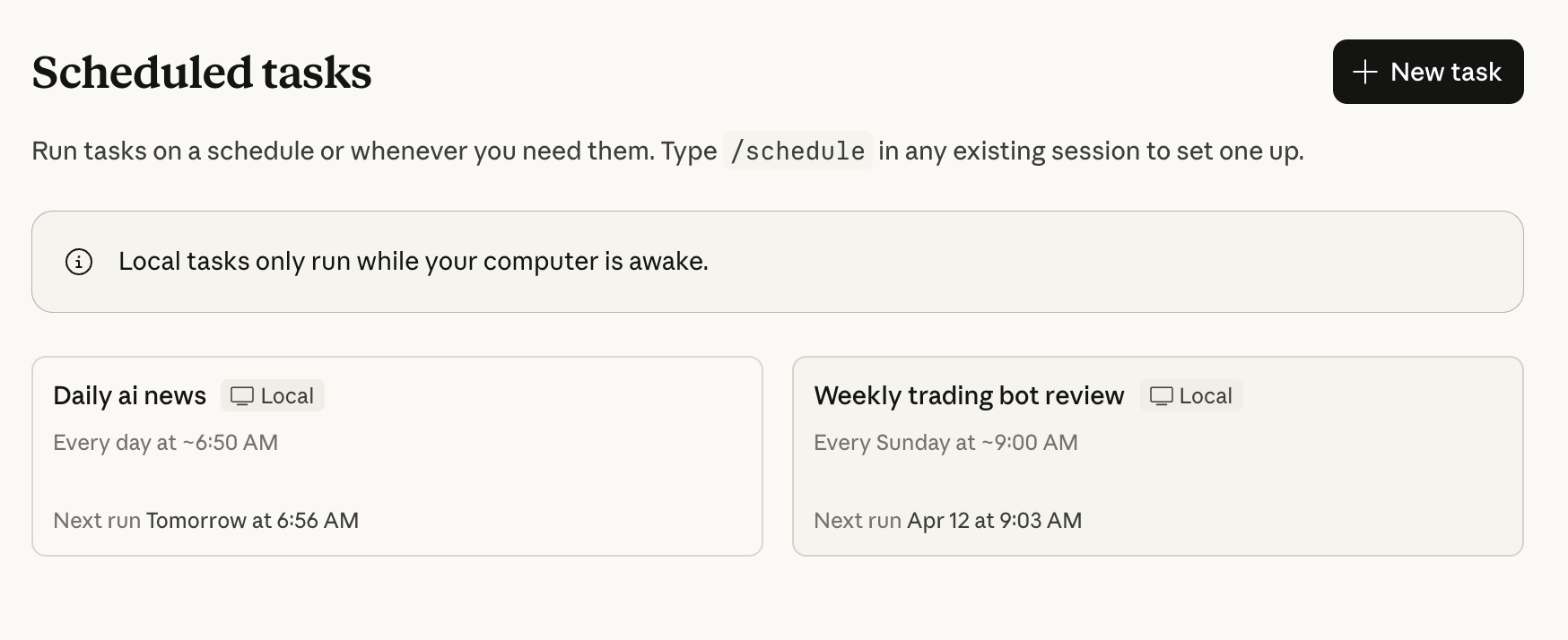
\Scheduled Task - Claude Desktop App\
Here’s how the data flows:
- Claude SSHs into AWS using openclaw\connection skill → pulls trades.jsonl and multi\coin\_bot.py
- Claude analyzes 638+ trades → produces a full autopsy (win rates, bleeding symbols, entry quality, weekly collapse)
- Claude sends the autopsy to NotebookLM via notebooklm skills→
- NotebookLM researches current trading strategies and cross-references them with my failures
- Claude packages the findings and sends them to OpenClaw via the openclaw\_communication skill→ OpenClaw updates the trading skill
- Next Sunday? The loop runs again. New data. New autopsy. New research. Smarter bot.
Karpathy’s AutoResearch runs 100 ML experiments overnight on GPUs.
My loop runs 1 strategy update per week on a laptop.
Same principle. Different scale. Both produce a system that improves while you sleep.
Let me show you each step.
OpenClaw: The Place Where My Trading Bot Lives
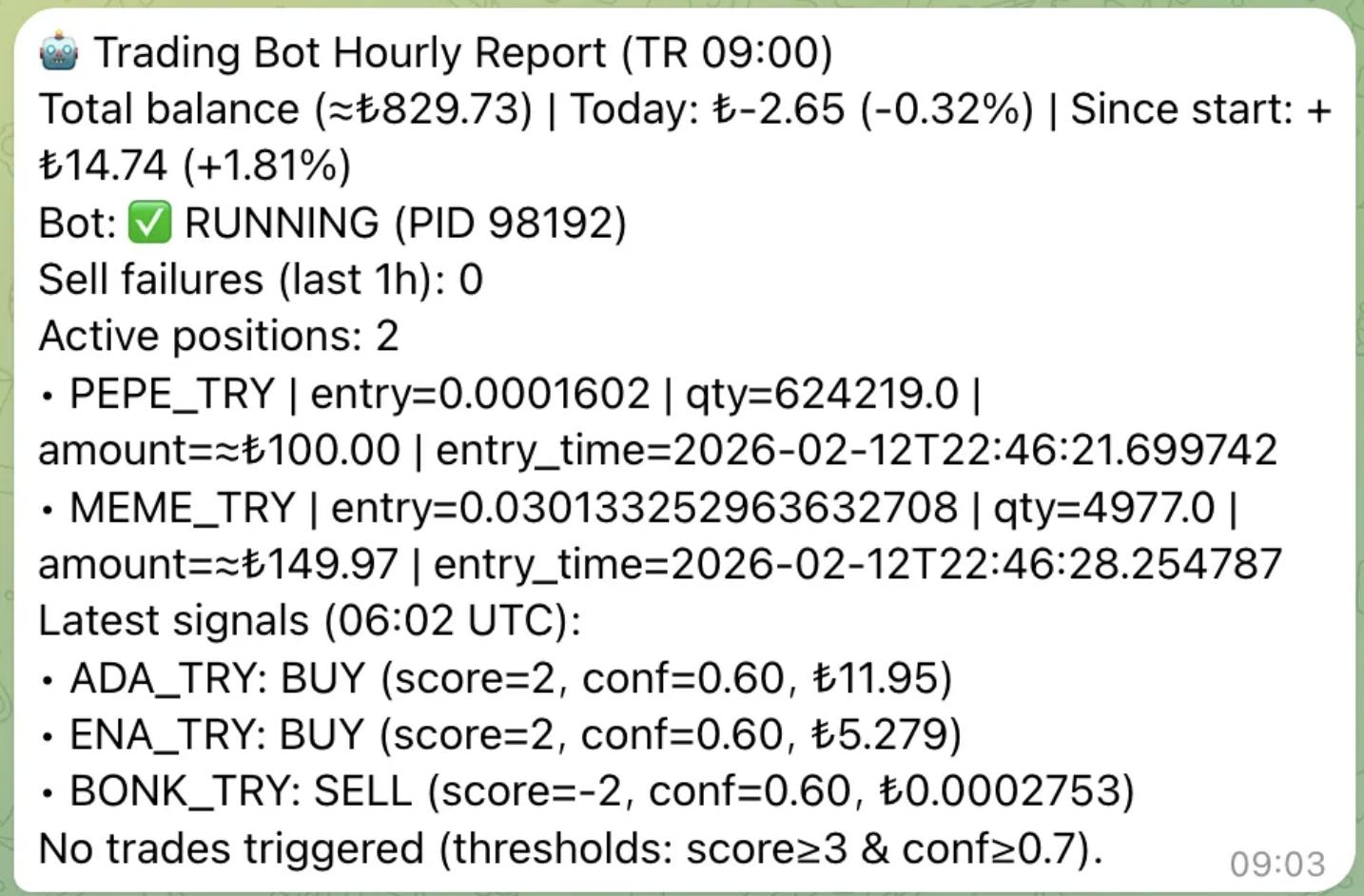
\My Trading Bot is running via OpenClaw\
Two months ago, I built a crypto trading bot with OpenClaw.
With one prompt. Zero code.
It monitors 30+ coins, analyzes RSI, MACD, Bollinger Bands, and EMA, and only trades when 3+ indicators align.
(If you missed it, here’s the full build story: 77.8% Win Rate Crypto Trading Bot)
It started great. 77.8% win rate in the first 9 days.
The bot ran 24/7 on AWS. Hourly Telegram reports. Stop losses on everything. Trade journal logging every single entry and exit.
But here’s what nobody tells you about trading bots: they decay.
I got busy. Didn’t touch it for weeks. The market shifted. The bot didn’t.
77% became 55%. Then 30%.
The bot was still running. Still disciplined.
Still executing the same strategy that used to work.
But the market moved on.
The bot didn’t learn.
That’s the problem this article solves.
Not “how to build a trading bot”, I already showed you that.
This is about how to make it learn from its own mistakes.
Automatically. Every week. Without touching a single line of code yourself.
Karpathy does this with ML models. I do it with NotebookLM and Claude.
Claude: The Place Where My Bot Pit Stops
My trading bot lives on AWS. It runs 24/7. It doesn’t sleep.
But it also doesn’t think.
It executes. RSI, MACD, Bollinger Bands, EMA — when 3+ align, it buys. When the stop-loss hits, it sells.
The problem? It keeps making the same mistakes. Over and over.
- DOGS\_TRY: bought 5 times, lost 5 times. Zero wins.
- LTC\_TRY: 4 trades, 4 losses. All stop-losses.
- ETH\_TRY: 3 trades, 3 losses.
Week 5? 100% win rate. Week 12? 0% win rate. Eight straight losses.
The bot is disciplined. But discipline without learning is just repeating mistakes faster.
That’s where Claude comes in.
Step 1: Pull the Data
I built a openclaw\_connection skill.
It SSHs into my AWS instance and pulls two files:
- trades.jsonl — every buy, every sell, every P&L, every indicator snapshot
- multi\coin\bot.py — the brain of the bot
One prompt. Two files. The pit stop begins.
Use openclaw_connection skill and pull multi_coin_bot.py
and trades.jsonl to my local environment.
Here is the output.
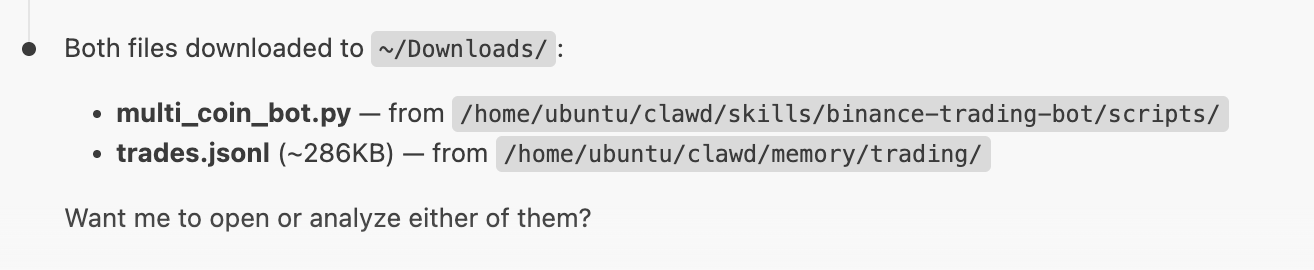
The data is on my machine. Now let’s find out what went wrong.
Openclaw Connection skill: To create this skill, use the /skill-creator command with your SSH host, username, key path, and remote directory, it generates the skill automatically. After that, just say "pull my files" and Claude connects to your server.
Step 2: The Diagnosis
Claude doesn’t guess. It reads 638 trade records and dissects every single one.
Here’s the prompt:
Analyze my trading bot's journal (trades.jsonl).
I need a full diagnosis:
1. SYMBOL PERFORMANCE

- Win rate per symbol

- Total P&L per symbol

- Which symbols should be blacklisted (0% win rate, 3+ trades)
2. EXIT ANALYSIS

- Stop-loss vs take-profit ratio

- Average loss size vs average win size

- Which exit reason dominates and why
3. ENTRY QUALITY

- How many buys happened during DOWNTREND?

- What was the score/confidence at entry for losing trades vs winning trades?

- Are there patterns in the snapshot data (RSI, MACD, BB position) that predict losses?
4. WEEKLY TREND

- Win rate per week

- Identify the exact week performance collapsed

- Was it market conditions or bot logic?
5. TOP 3 PROBLEMS (ranked by money lost)
6. TOP 3 ACTIONS (specific parameter changes with exact values)
Be brutal. No hedging. Show me exactly what's broken.
It gave me a full trading autopsy.
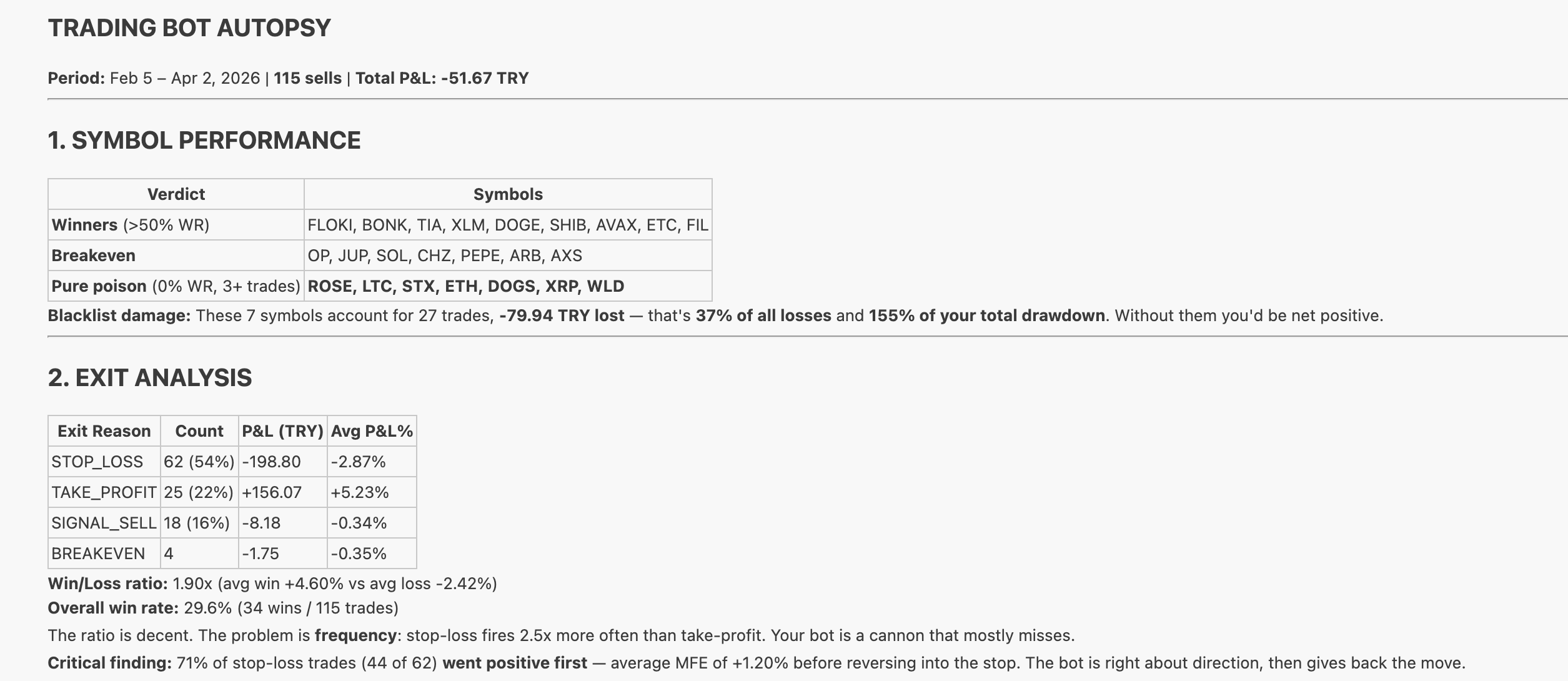
115 closed trades. 29.6% win rate. 7 symbols with 0% win rate bleeding -79.94 TRY. 71% of stop-loss trades actually went positive first before reversing into a loss.
The bot had the right direction.
It just couldn’t hold on long enough.
Three problems. Three actions.
All backed by data, not opinions.
Now Claude knows what’s broken.
But fixing it requires more than raw numbers; it needs research. Current strategies. Best practices. What other bots are doing differently.
That’s NotebookLM’s job.
NotebookLM: The Research Engine of My System
Claude gave us the autopsy. Raw data. Cold facts.
But data alone doesn’t fix a broken strategy.
You need context.
- What are other trading bots doing differently?
- What does current research say about RSI false signals?
- What trailing stop strategies actually work for my MFE profile?
That’s NotebookLM’s job. It doesn’t just read my data, it cross-references it with the entire internet.
Here’s the prompt I used:
Create a NotebookLM notebook for my trading bot's continuous learning system.
Sources to add:
1. The trading bot autopsy report (I'll paste it below)
2. Web research: "crypto trading bot strategy optimization 2026"
3. Web research: "RSI MACD false signals how to filter"
4. Web research: "algorithmic trading stop-loss trailing strategies"
"Based on my bot's autopsy report:

- 29.6% win rate across 115 trades

- 7 symbols with 0% win rate bleeding -79.94 TRY

- 71% of stop-loss trades went positive first (avg +1.20% MFE) before reversing

- Bot enters during downtrends because trend filter only adds +1 to score (useless)

- Performance collapsed to 0% win rate for 4 straight weeks (Mar 9-Apr 2)
Cross-reference my bot's failures with current best practices:
1. What specific RSI/MACD/BB combination filters would have avoided my losing entries?
2. What trailing stop or breakeven strategy fits my MFE profile (avg +1.20% before reversal)?
3. Should I switch from fixed take-profit (5%) to ATR-based dynamic targets?
4. My winning symbols are meme coins (FLOKI, BONK, DOGE) — is this momentum, or luck?
5. Give me exact parameter values I should test next week."
Here is the autopsy report:
[paste the autopsy from previous step]
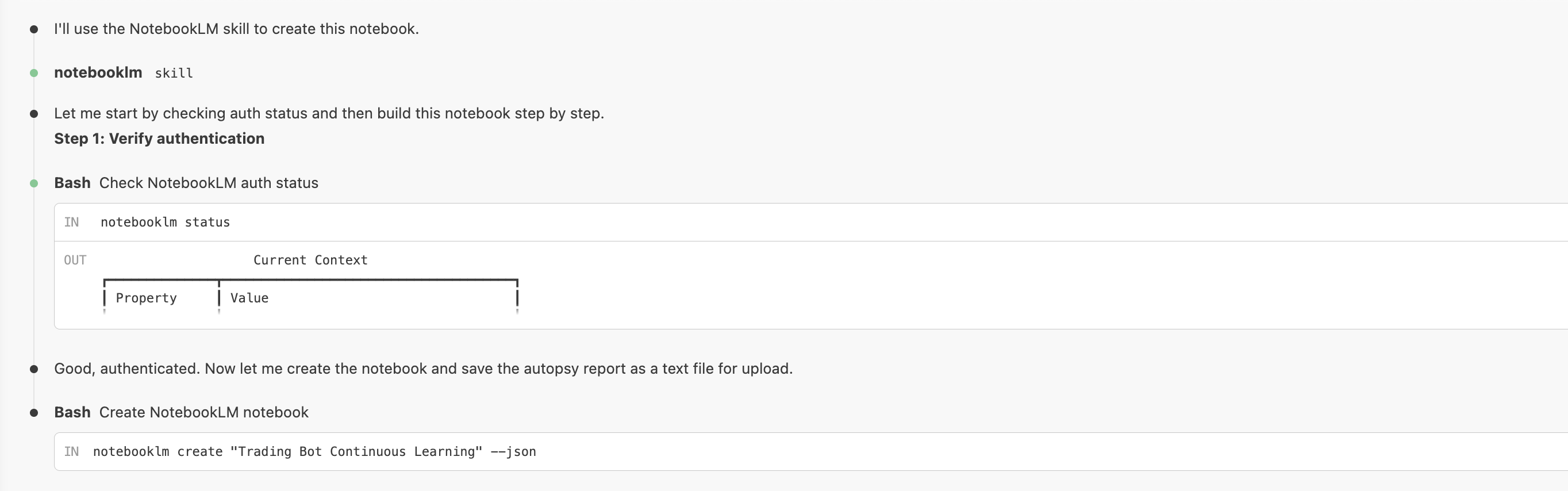
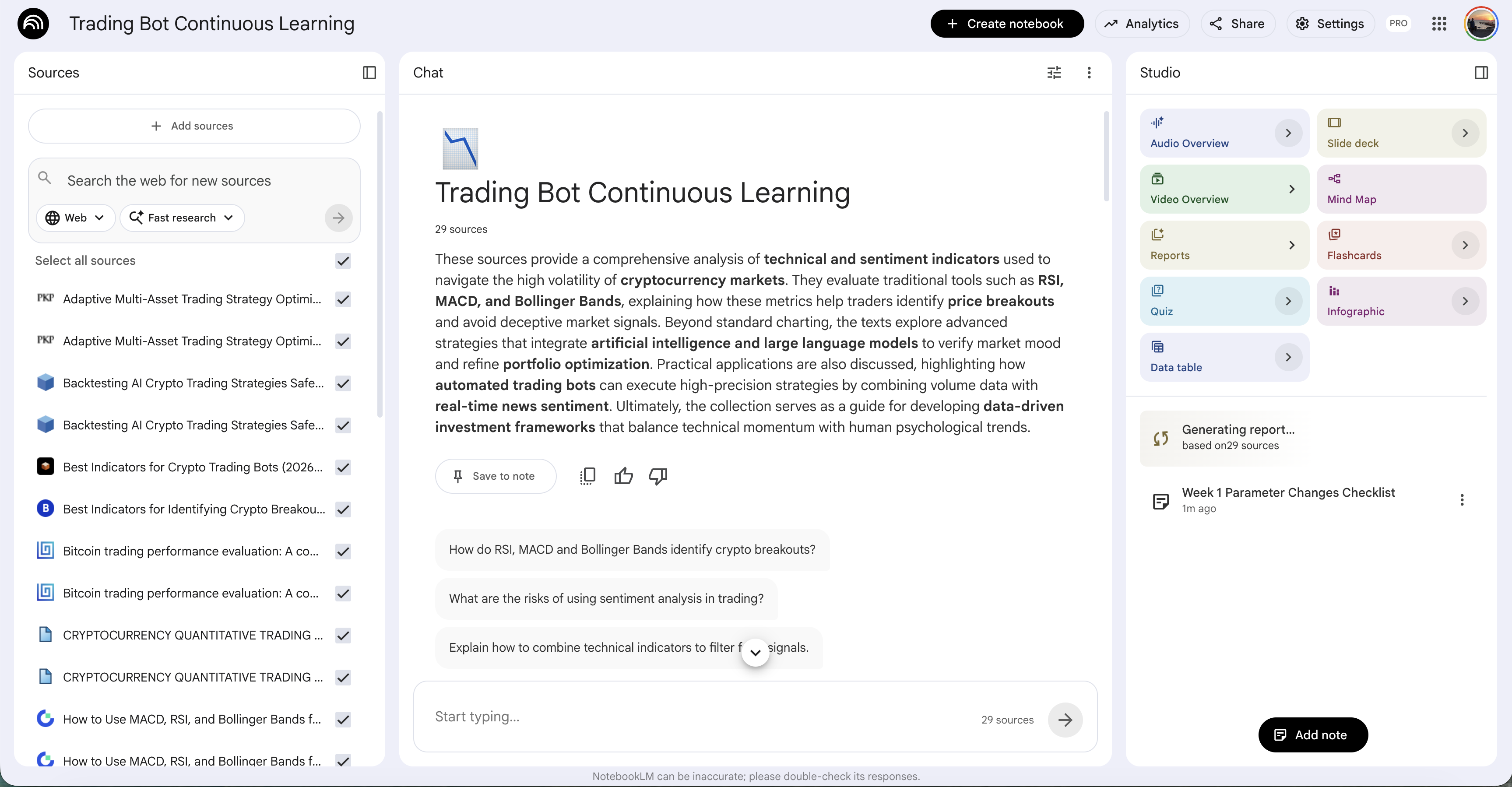
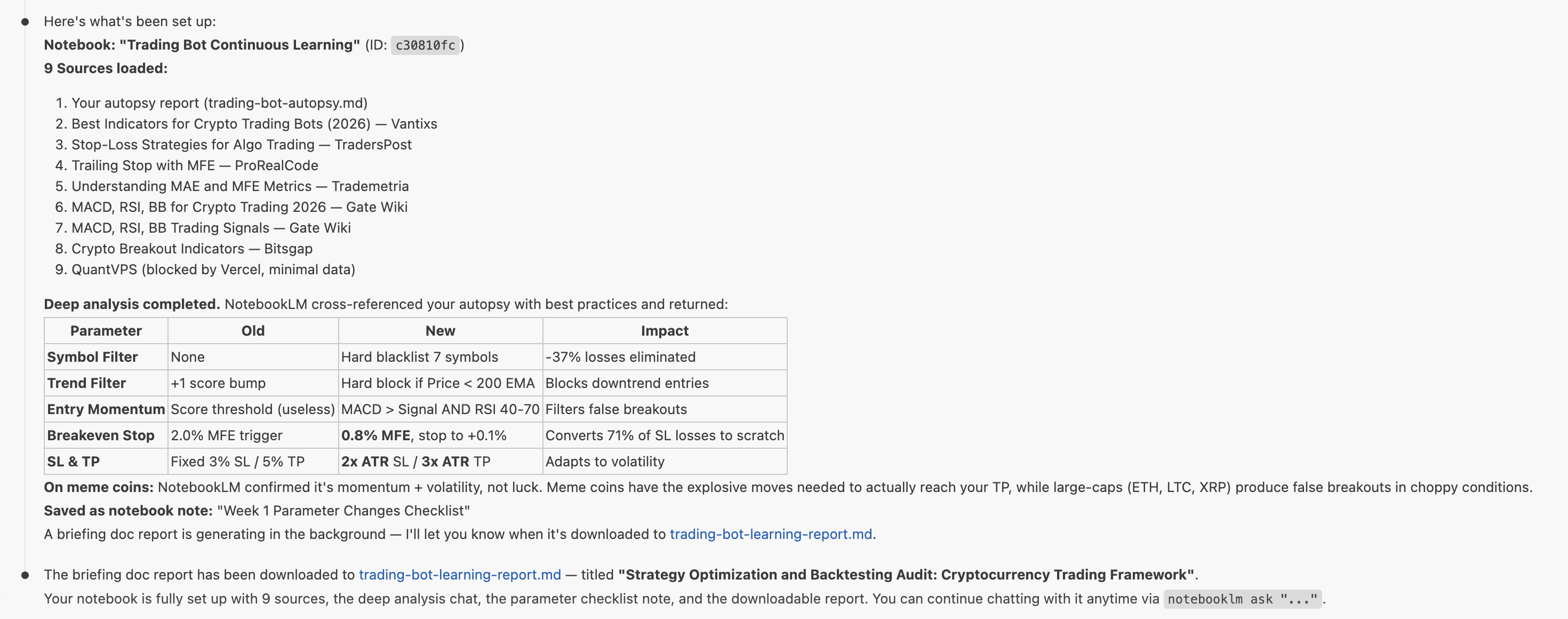
Claude takes this prompt, fires up NotebookLM via the notebooklm skill, and builds a notebook from scratch.
When I opened the notebook, it had already generated a full research report. My autopsy data on the left, internet-sourced trading research on the right.
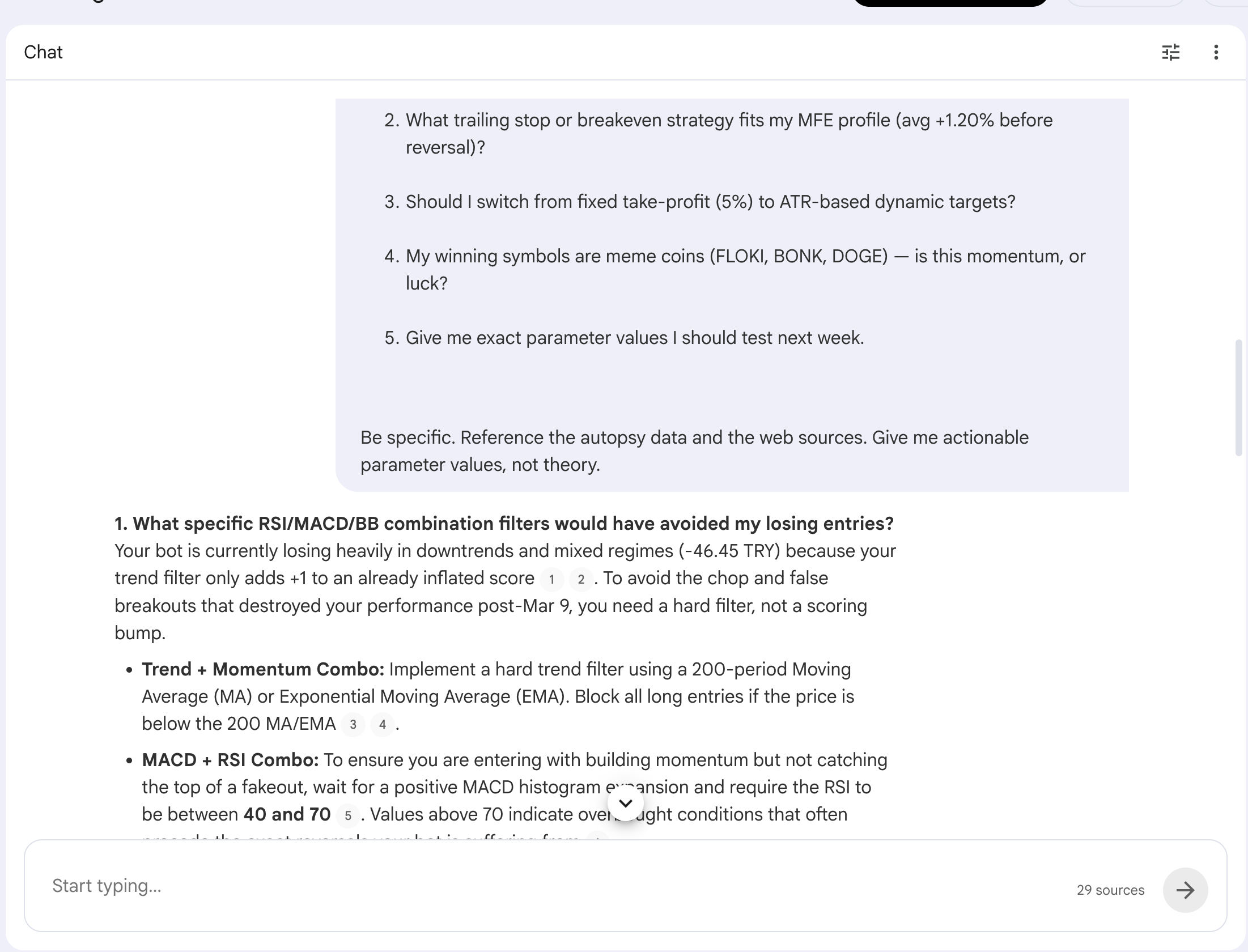
It answered every question. Not with generic advice, with answers grounded in my actual trade data.
Everything saved to a local markdown file. Permanent record. Week 1 baseline.
Now it’s time to pass this knowledge to OpenClaw. The research means nothing if the bot doesn’t learn from it.
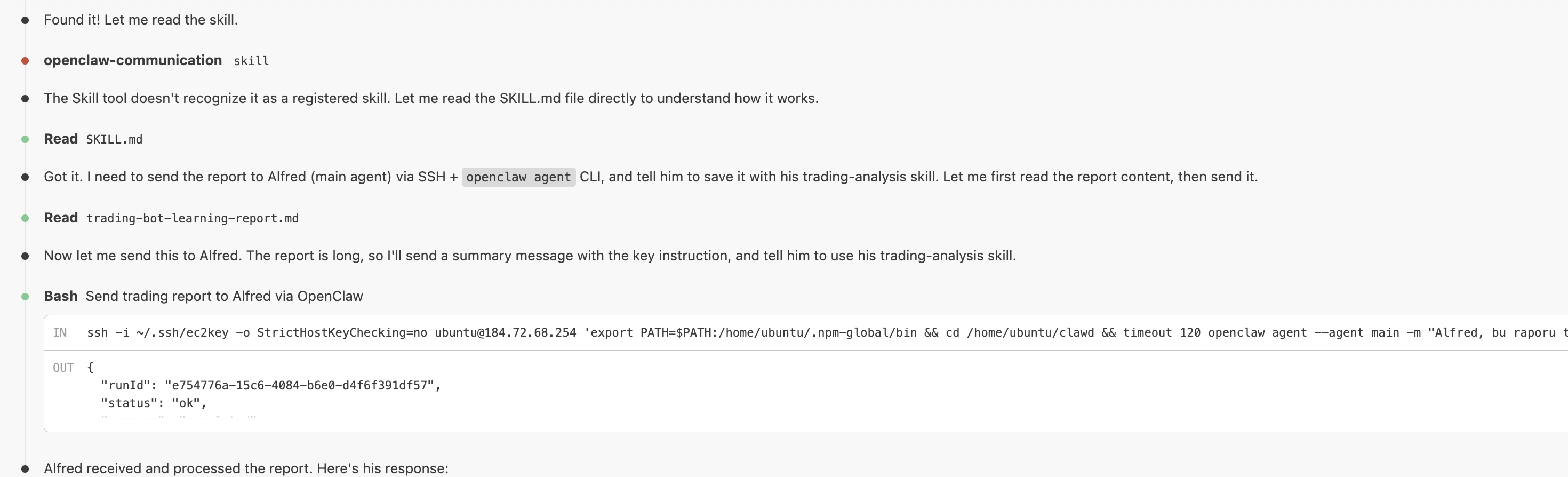
Can you send this report to OpenClaw using the openclaw-communication skill?
Tell it to save this report using the trading-analysis skill.
You will write it to Alfred Altintop.
Claude packages the NotebookLM findings and sends them directly to my OpenClaw agent.
Let’s verify. I opened Telegram and talked to Alfred directly.
Here is the output.
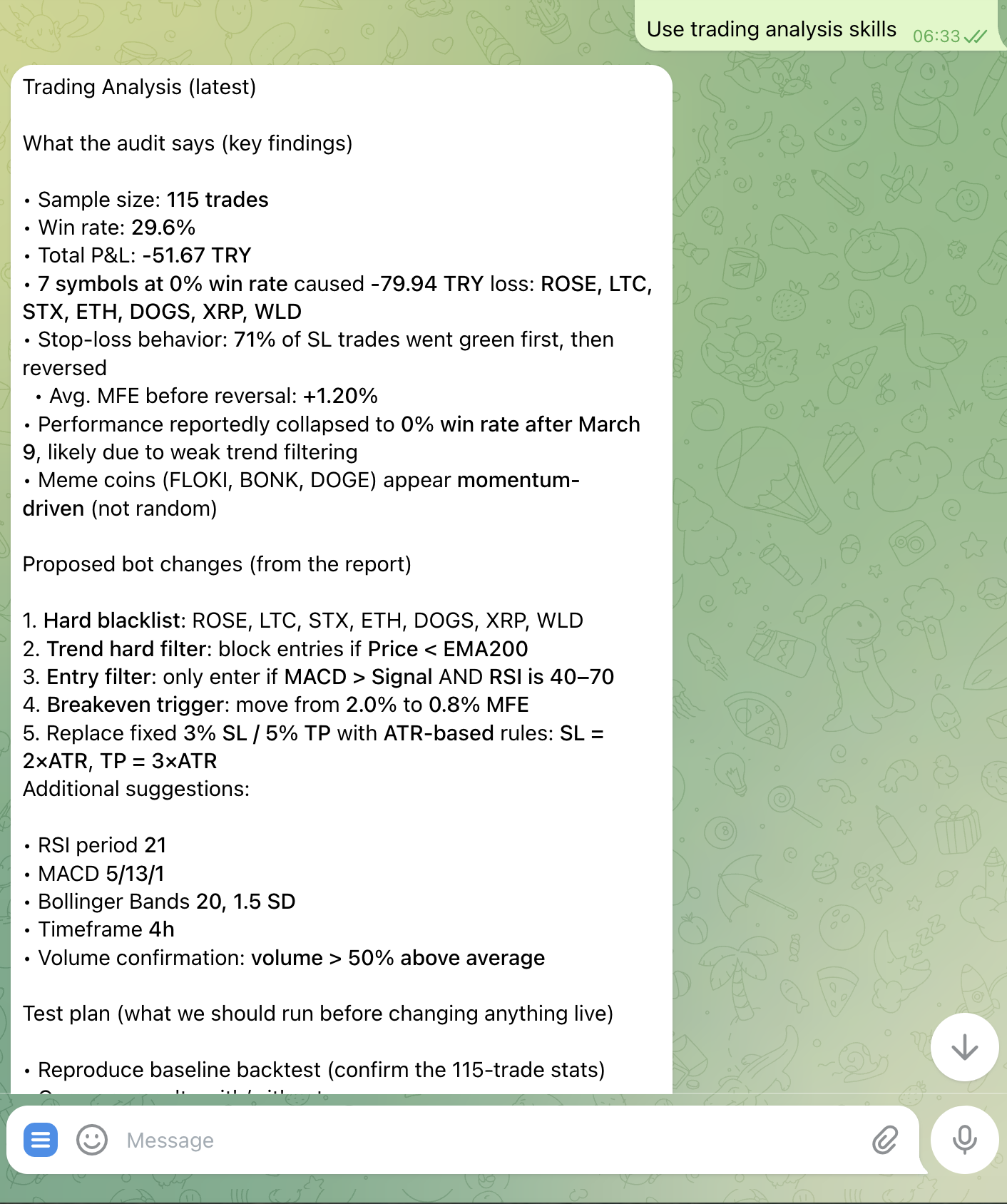
He got it. The report is saved. The knowledge is transferred.
The loop is built. Data flows from the bot → Claude → NotebookLM → back to OpenClaw.
Now let’s automate it.
Openclaw Communication Skill: To create this skill, use /skill-creator with your OpenClaw agent's name, Telegram chat ID, and message format, it builds the skill that lets Claude send reports and instructions directly to your OpenClaw agent via Telegram.
NotebookLM Skill: To create this skill, use /skill-creator with this link : https://github.com/teng-lin/notebooklm-py, then Claude can create notebooks, add sources, run deep research, and download reports, all from the terminal.
AutoResearch Loop: My Engineering Team(Schedule)
Everything we did was manual, pulling data, running the autopsy, training NotebookLM, and sending results to OpenClaw.
We’re now putting on autopilot.
Claude’s scheduled feature turns this entire workflow into a Sunday morning cron job.
Here’s the prompt I pasted:
Set up a scheduled task that runs every Sunday at 9:00 AM Istanbul time (UTC+3).
The task should do this loop automatically:
1. Pull data from OpenClaw: Use openclaw-connection skill to SSH into AWS and pull trades.jsonl and multi_coin_bot.py to local
2. Run autopsy: Analyze trades.jsonl with the full diagnosis prompt (symbol performance, exit analysis, entry quality, weekly trend, top 3 problems, top 3 actions with exact parameter values)
3. Create NotebookLM notebook: Use /notebooklm to create a notebook titled "Trading Bot Weekly Review - [DATE]" with:

- The autopsy report as text source

- Web research: "crypto trading bot strategy optimization [YEAR]"

- Web research: "RSI MACD false signals how to filter"

- Web research: "algorithmic trading stop-loss trailing strategies"

- Ask the cross-reference question with all 5 points from the autopsy

- Generate a briefing doc report

- Download to /Users/learnai/Desktop/My Projects/LearnAIWithMe/trading-bot-weekly-[DATE].md
4. Send to Alfred: Use openclaw-communication skill to send the report to Alfred Altintop (main agent). Tell him to save it using trading-analysis skill and update the test plan with new parameter recommendations.
5. Telegram notification: After Alfred confirms, send me a Telegram message: "Weekly trading bot review complete. Report: [key findings]. Alfred updated the test plan."
Run this
Claude asks for approval to set the schedule.
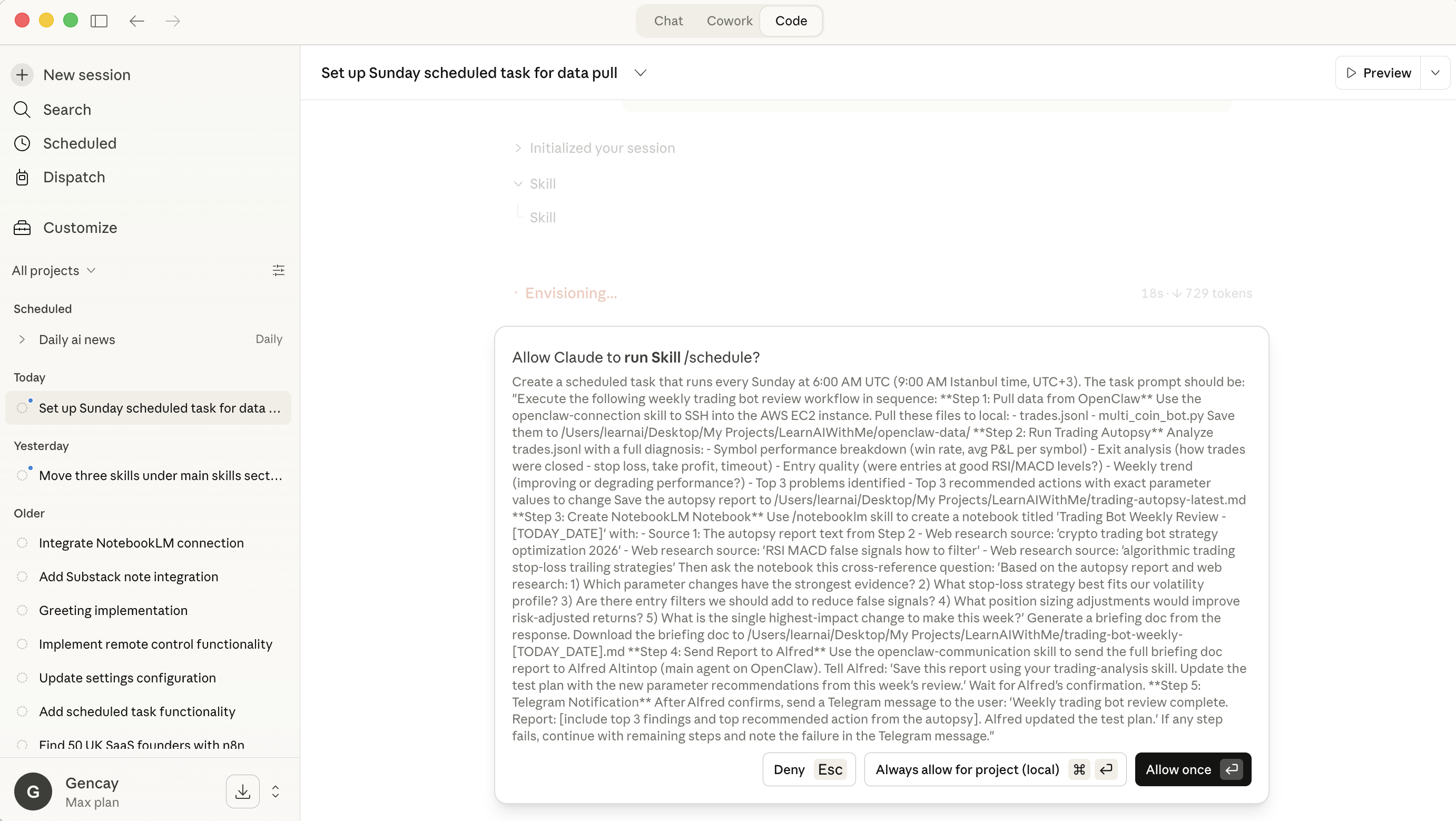
Done. The loop is locked in.
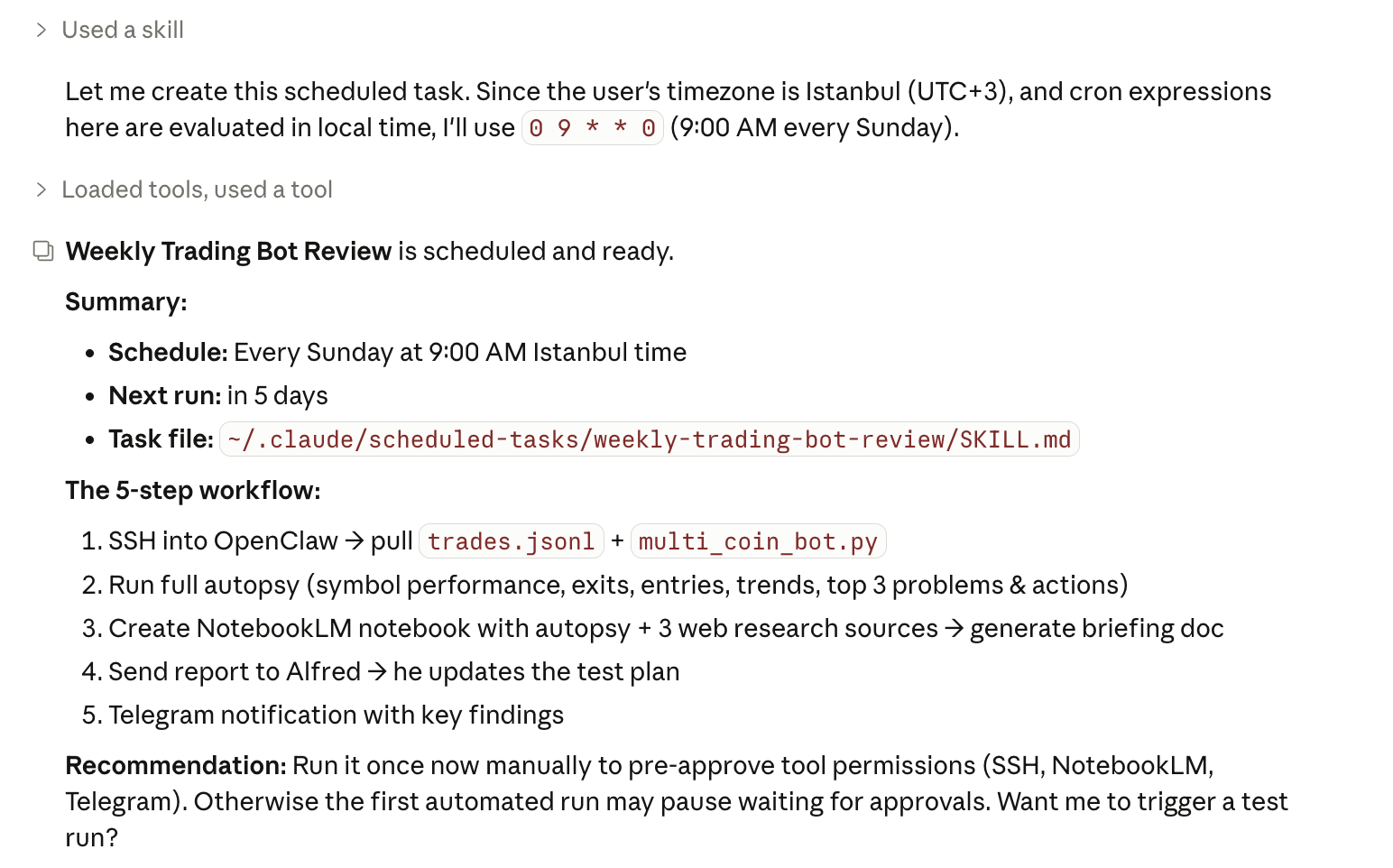
Now let’s test it. I opened the Scheduled tab to see my tasks.
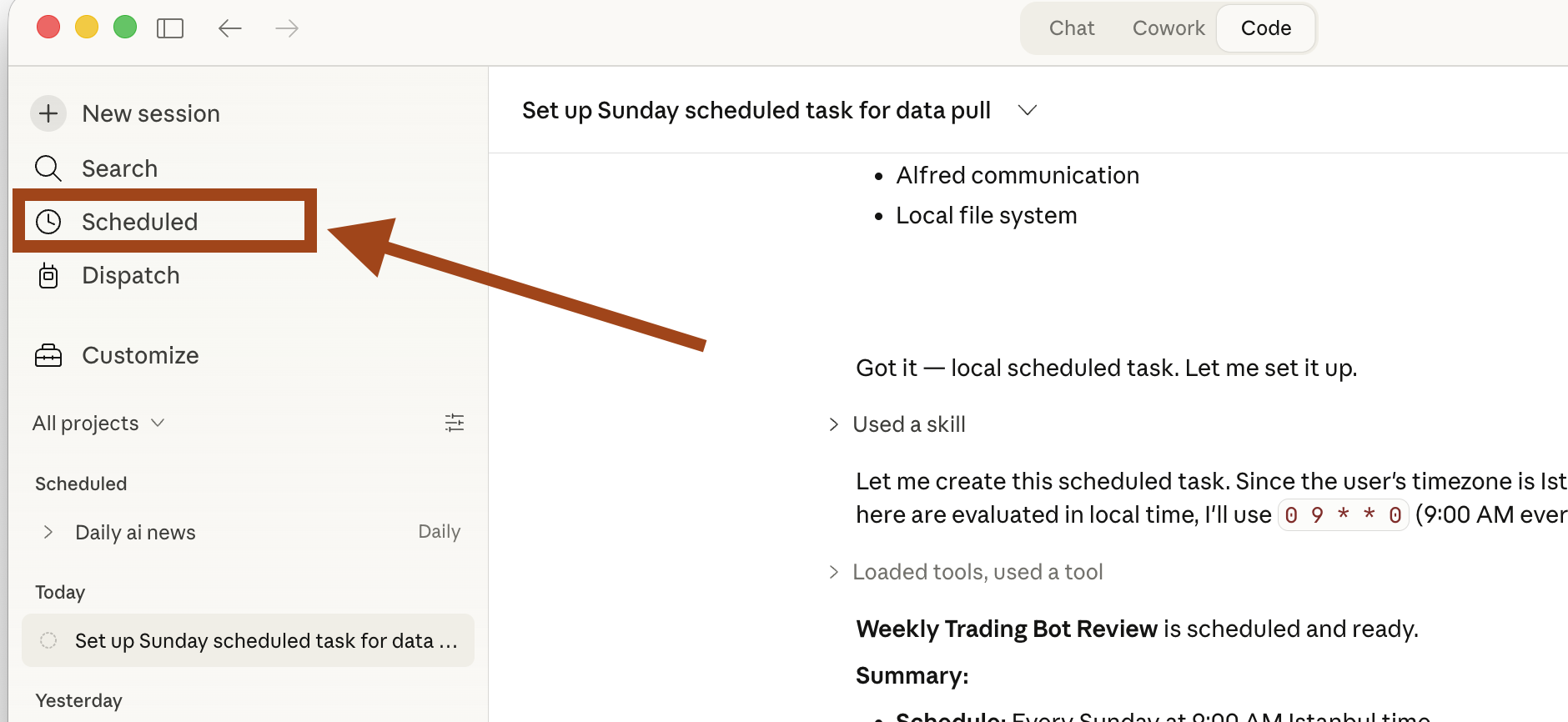
There it is.
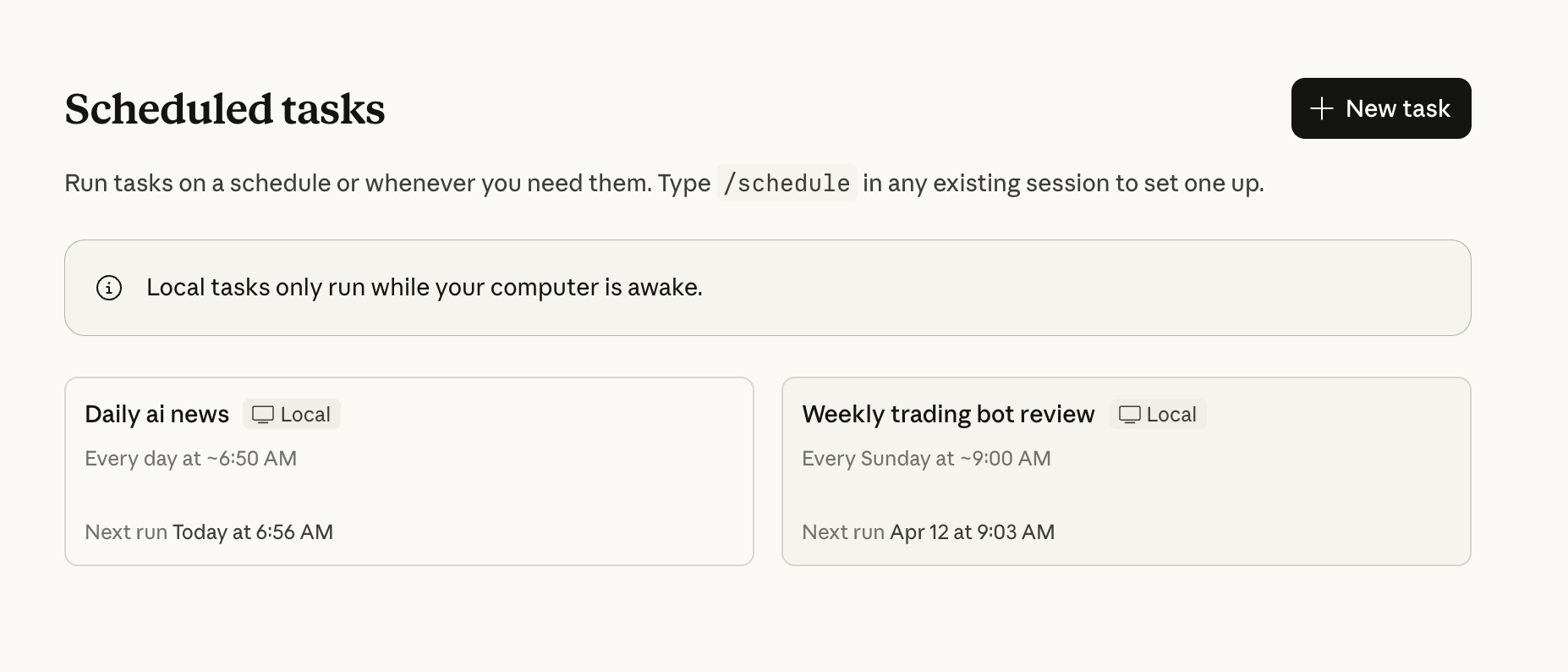
Weekly Trading Bot Review. Every Sunday, 9:00 AM.
I clicked “Run now” to test.
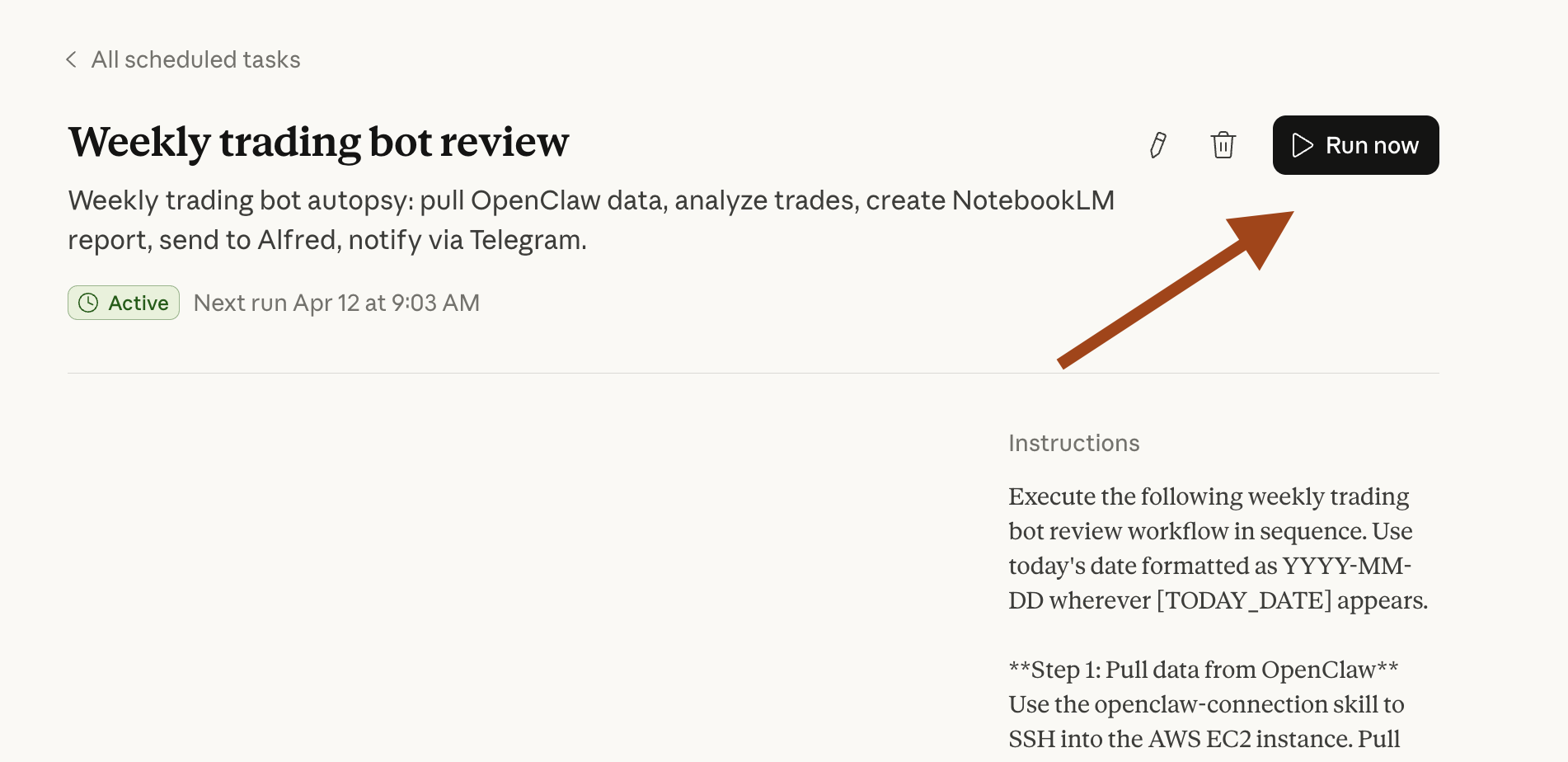
Claude kicked off the full workflow.
It pulled the trades, ran the autopsy, created a fresh NotebookLM notebook, and started the deep research.
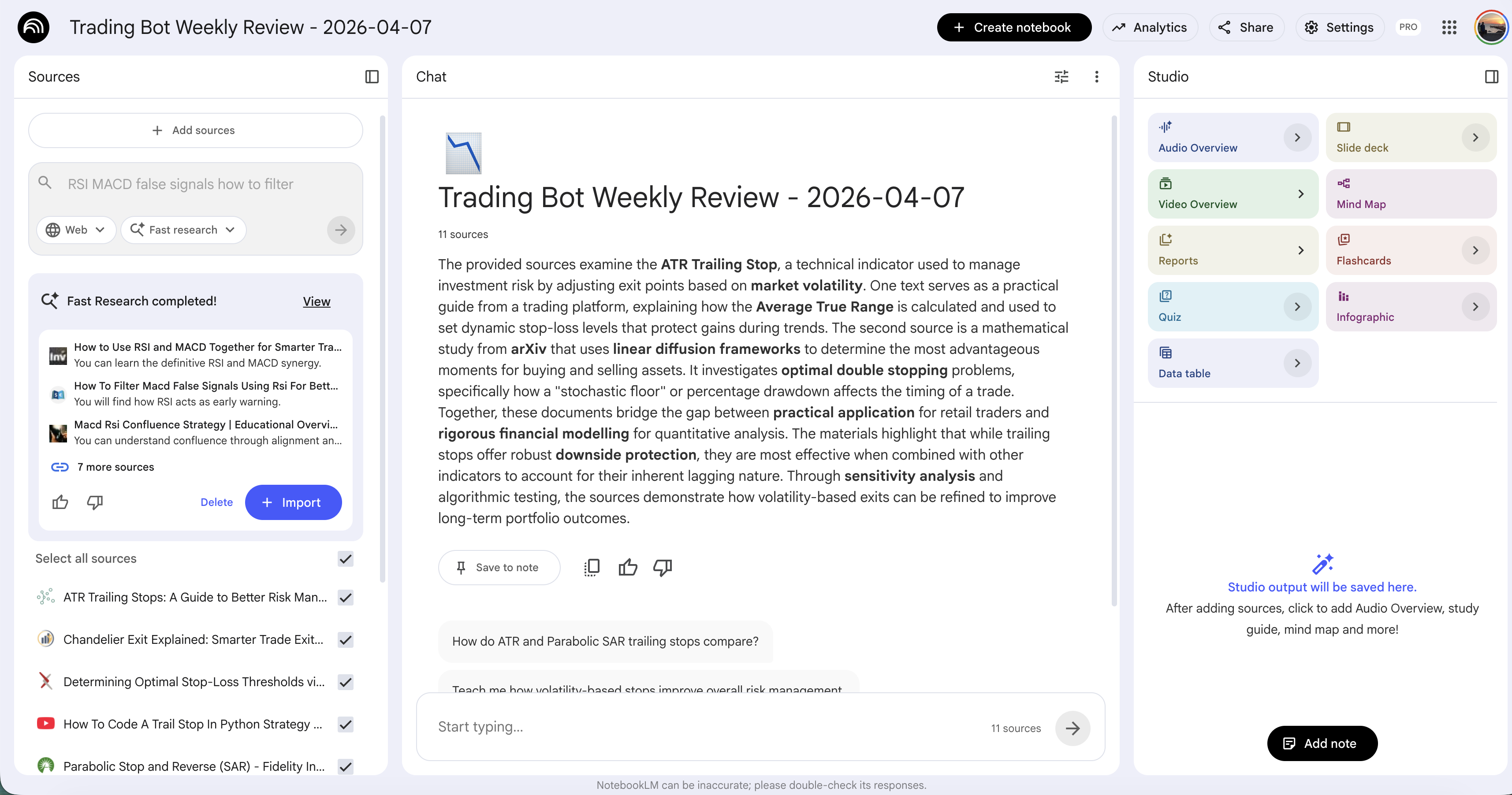
In the meantime? I’m watching Avrupa Yakası.
(That’s the whole point. The system works while you don’t.)
Claude scraped my bot’s latest trades, trained NotebookLM, cross-referenced my failures with current market research, and built the report.
Here’s what Claude sent me.
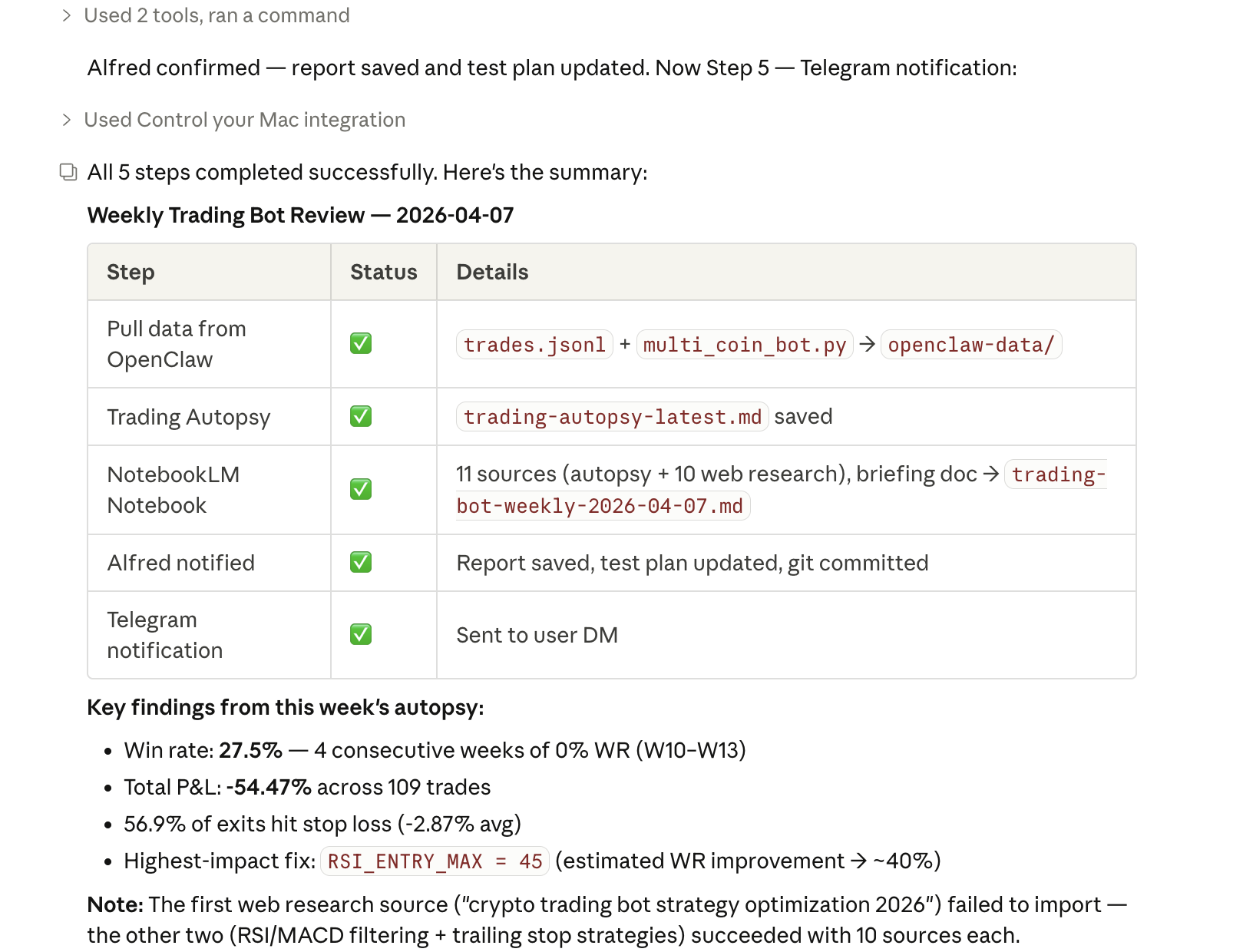
And right after, Alfred confirmed he received it.
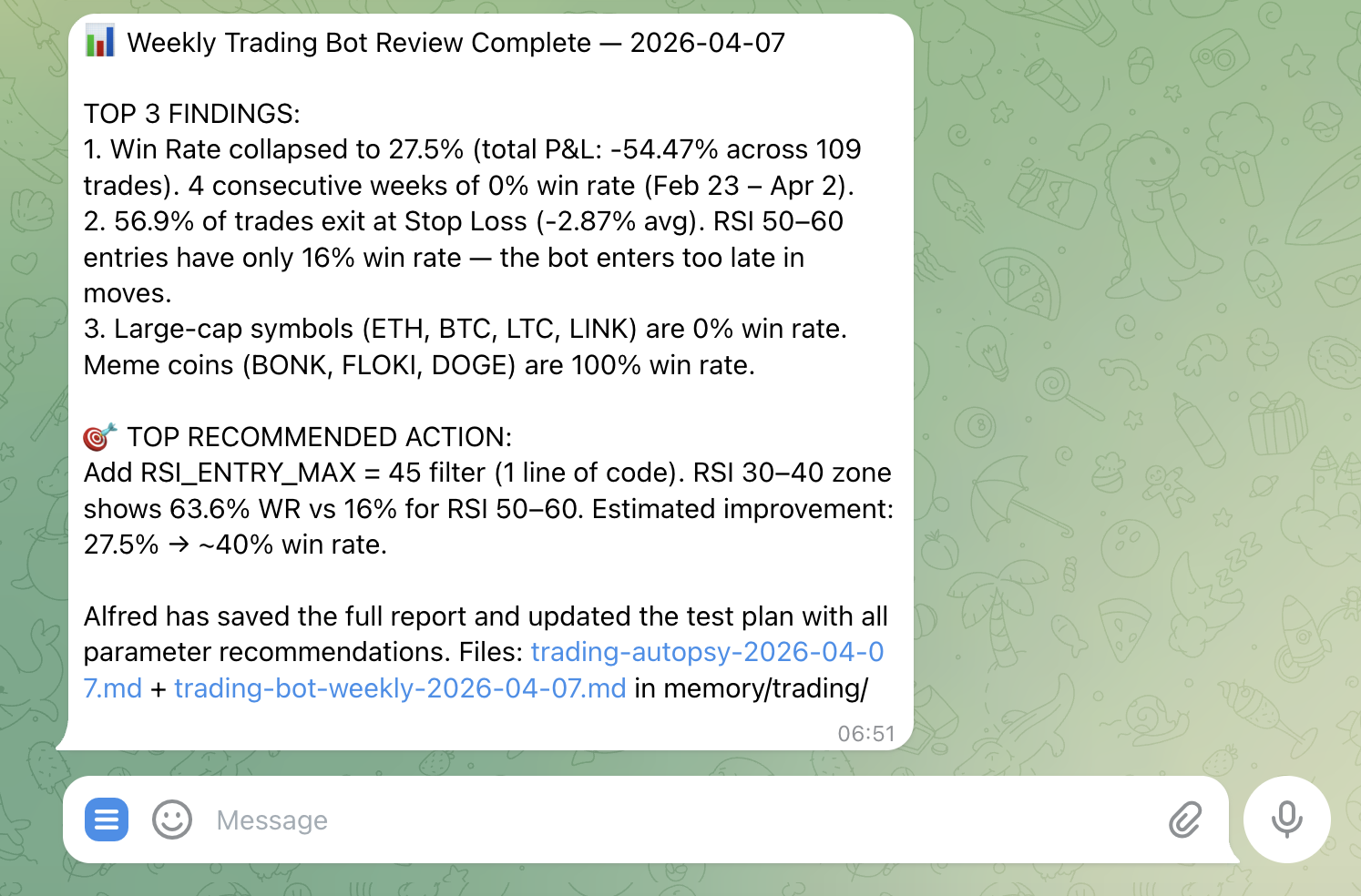
The loop is closed. Data flows in. Analysis flows out. The bot gets updated. Every Sunday. No manual work.
Educational only. Not financial advice.
Next Steps
You just watched Claude pull data, diagnose it, train NotebookLM, and send the results back to OpenClaw. Automatically. Every Sunday.
But this is Week 1.
Next Sunday, the loop fires again. New trades. New autopsy. New research. The bot that lost 4 straight weeks?
It won’t make those mistakes again.
And the week after that, it gets smarter. Again.
Karpathy runs 100 ML experiments overnight.
I run 1 strategy update per week. Same logic. A system that gets smarter while you sleep.