3 AI agents read your notes, research topics, and write action items while you make coffee.
By Gencay
Published: 2026-03-10
URL: https://www.learnwithmeai.com/p/notebooklm-and-claude-code-agents

\Created with Midjourney- Automation with NotebookLM & Claude Agents\
I had a client call yesterday. Took 15 pages of notes.
Then I threw it to my 3-agent team and went to make coffee.
Most people spend 20 minutes after meetings writing ‘who does what by when.’
I’ll give you the agent setup, the prompts, and the 8-minute workflow.
(It works for Zoom transcripts, Google Docs notes, even voice memos.)
What are we building?
We all have meetings. And after those meetings, we spend hours analyzing notes, figuring out what we discussed, what we need to research, going into research rabbit holes, and then writing follow-up reports for clients or management.
What if I told you there’s a simpler way?
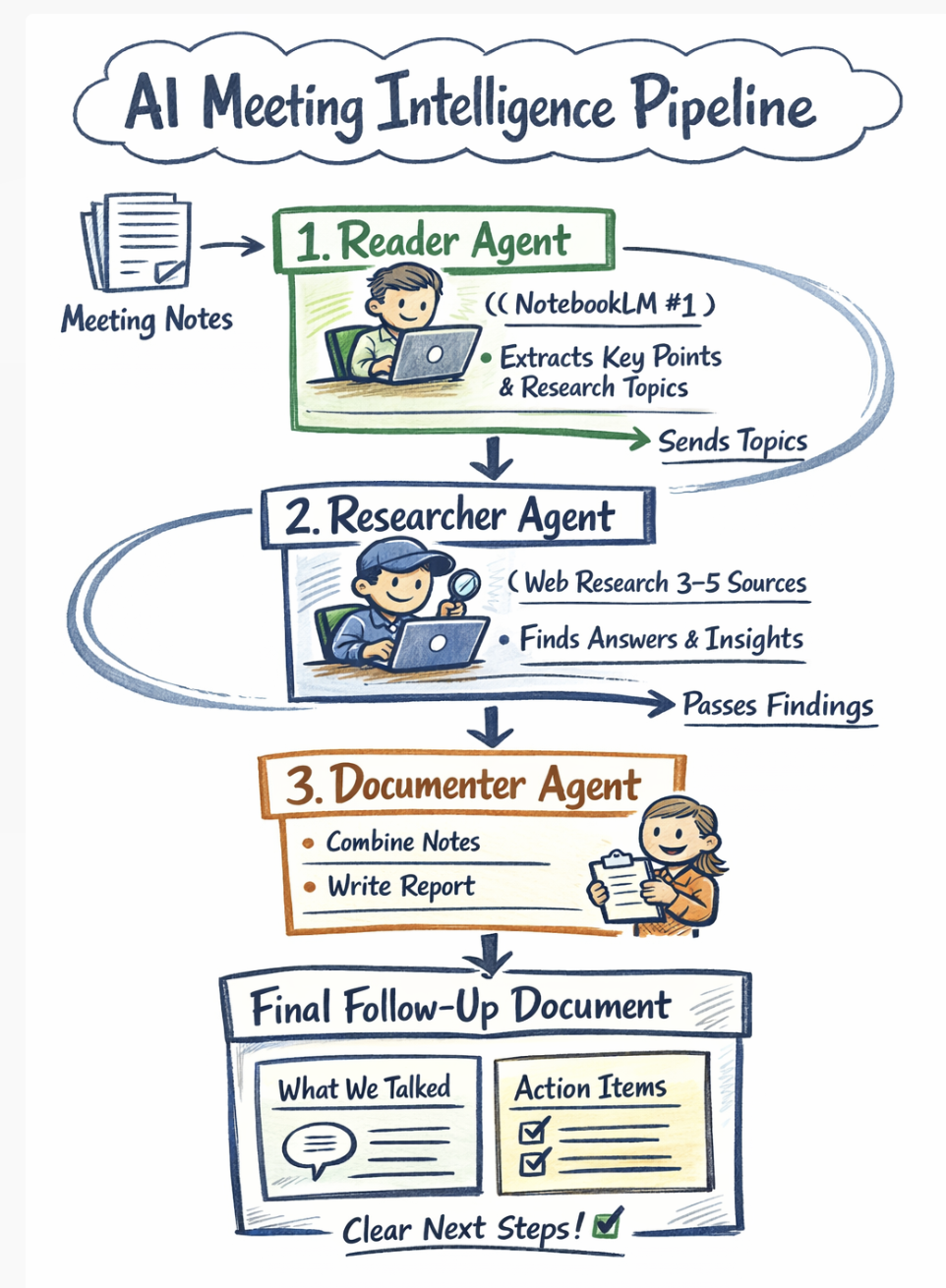
In this use case, we’re training 3 agents.
Agent 1 and Agent 2 each train separate NotebookLMs, and Agent 3 writes the final note using both trained NotebookLMs.
Agent 1: Trains a NotebookLM from meeting notes
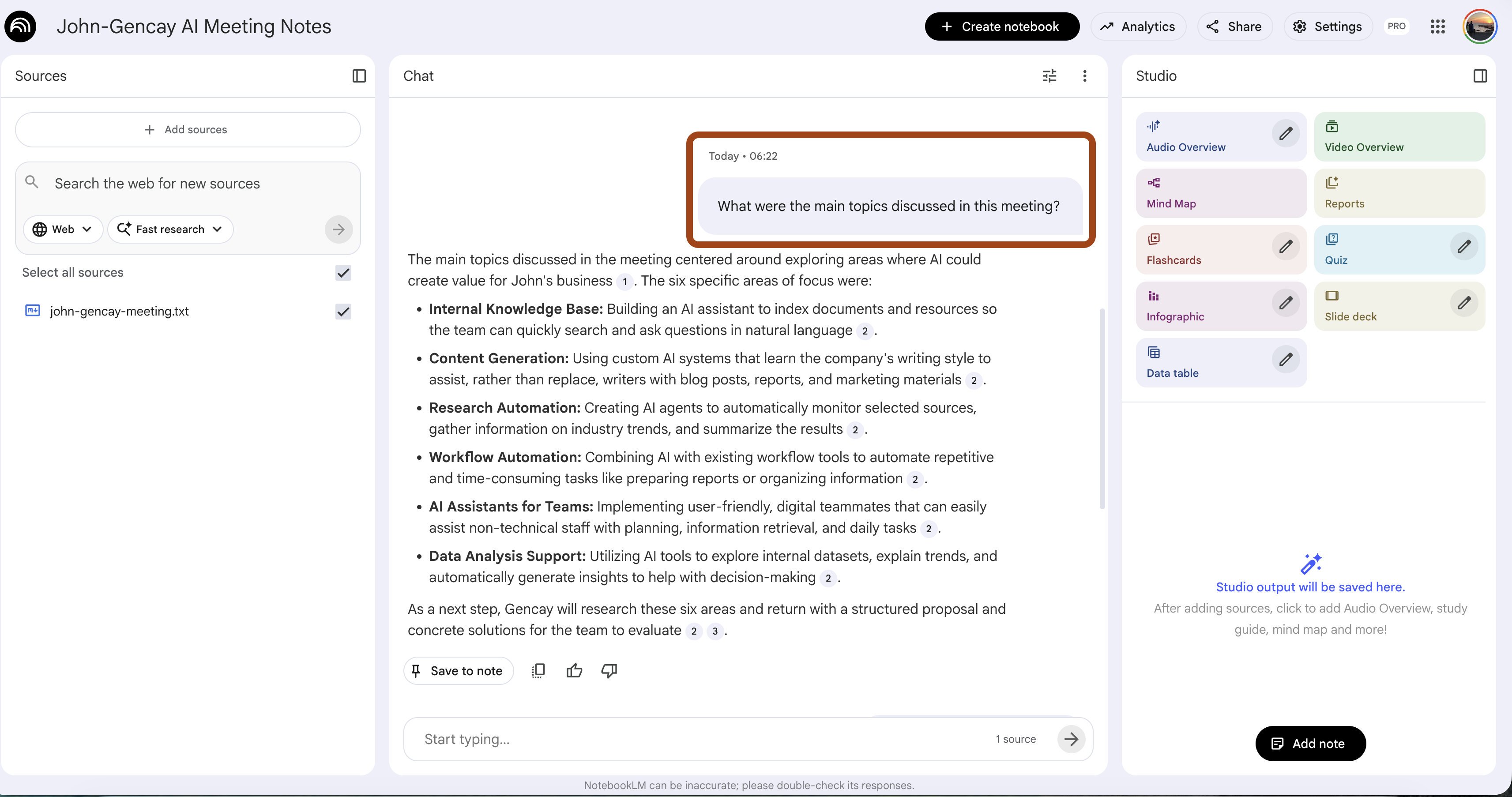
\NotebookLM was trained by Agent 1\
Agent 2: Identifies research topics and creates a research NotebookLM
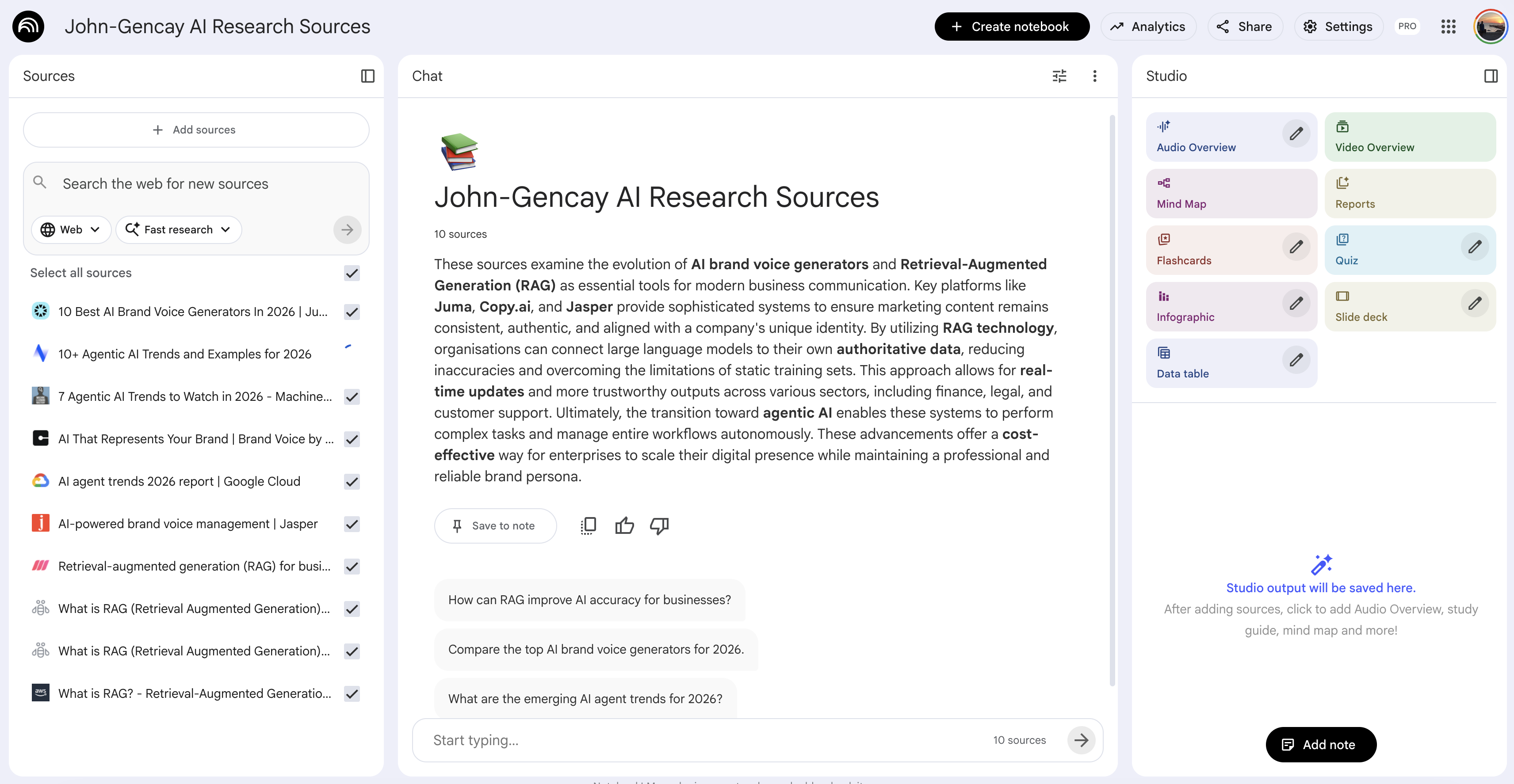
\Second NotebookLM was trained by Agent 2\
Agent 3: Generates the final follow-up document using both NotebookLMs
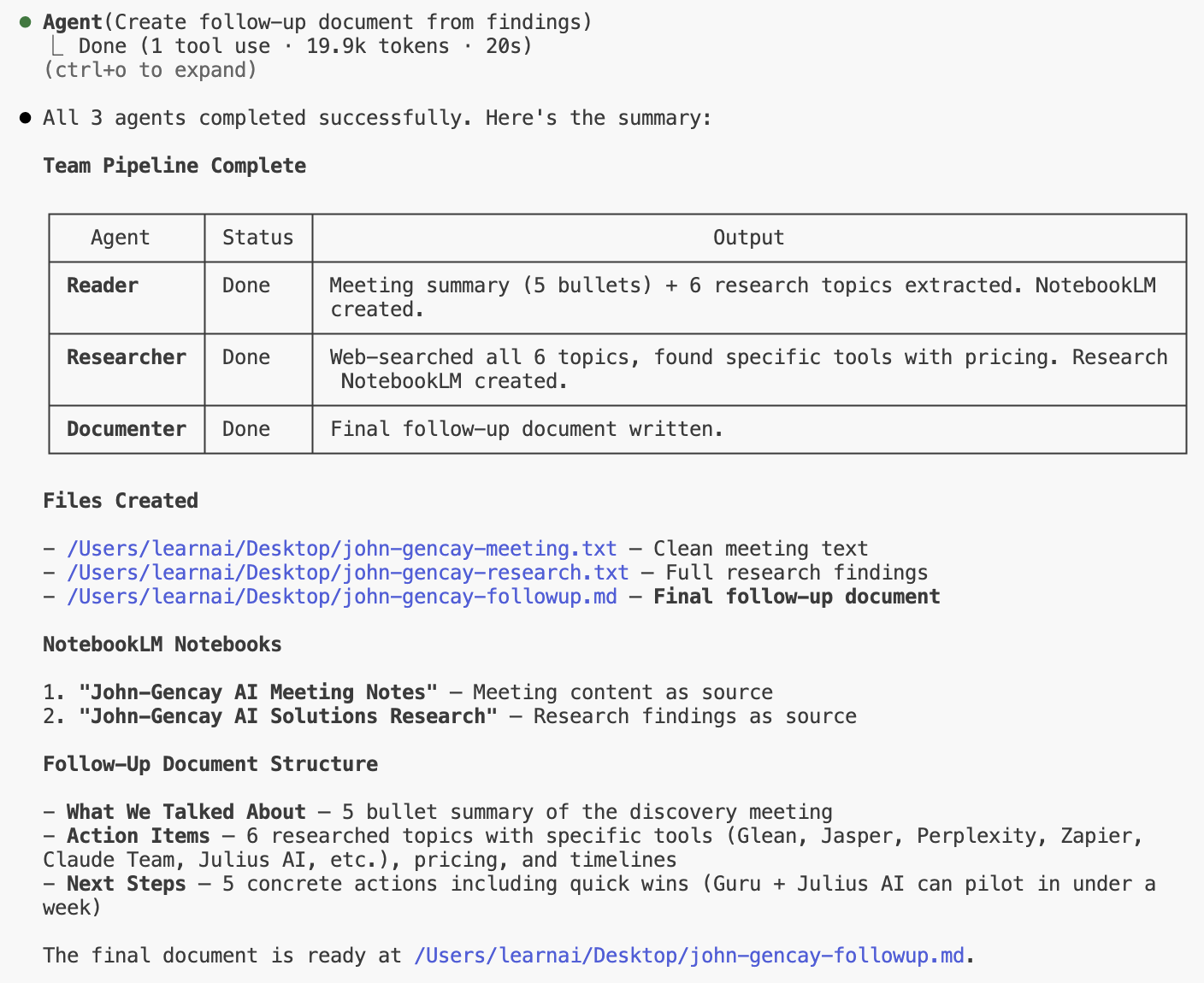
\The final report\
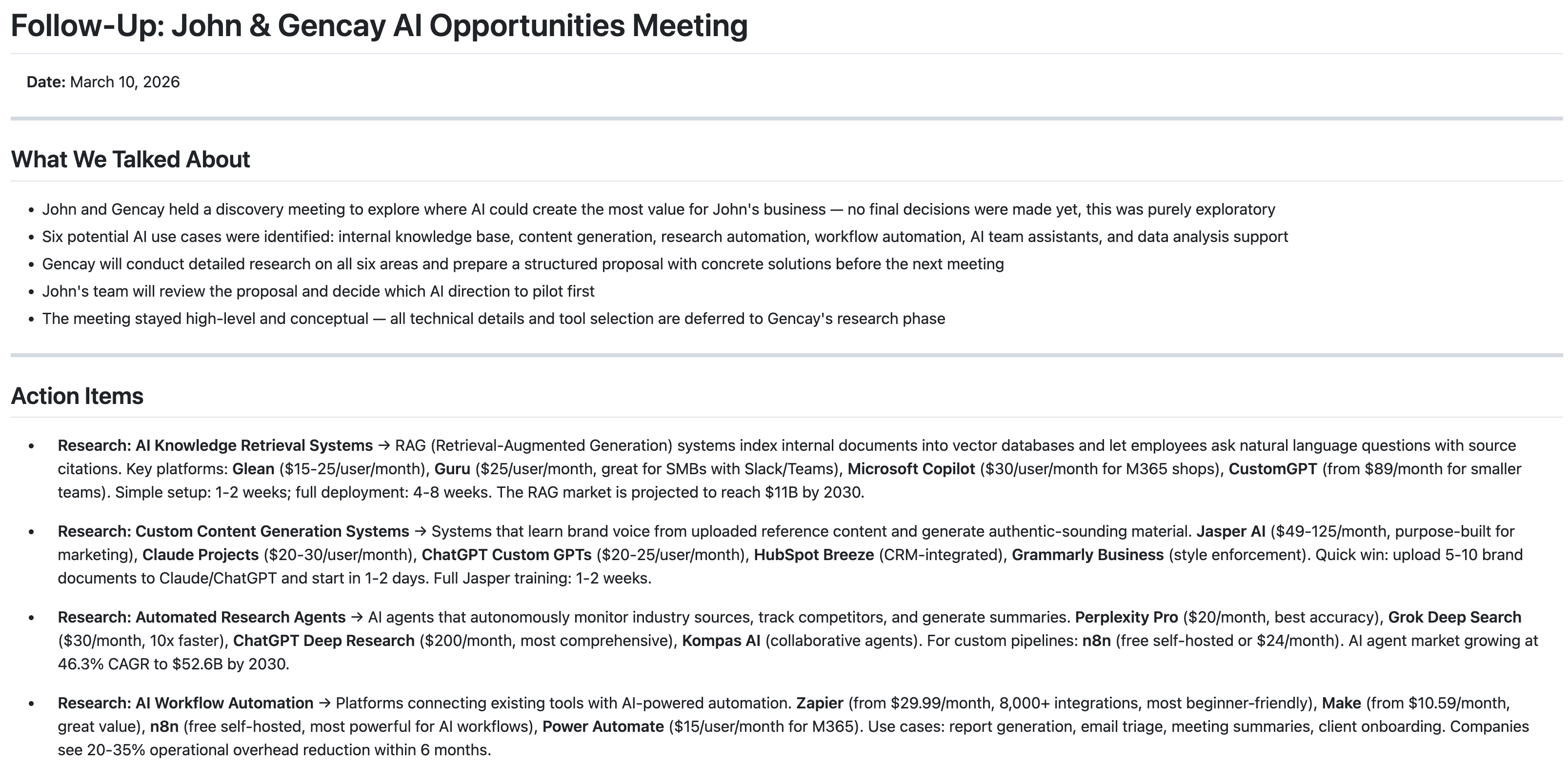
Here is the final document.
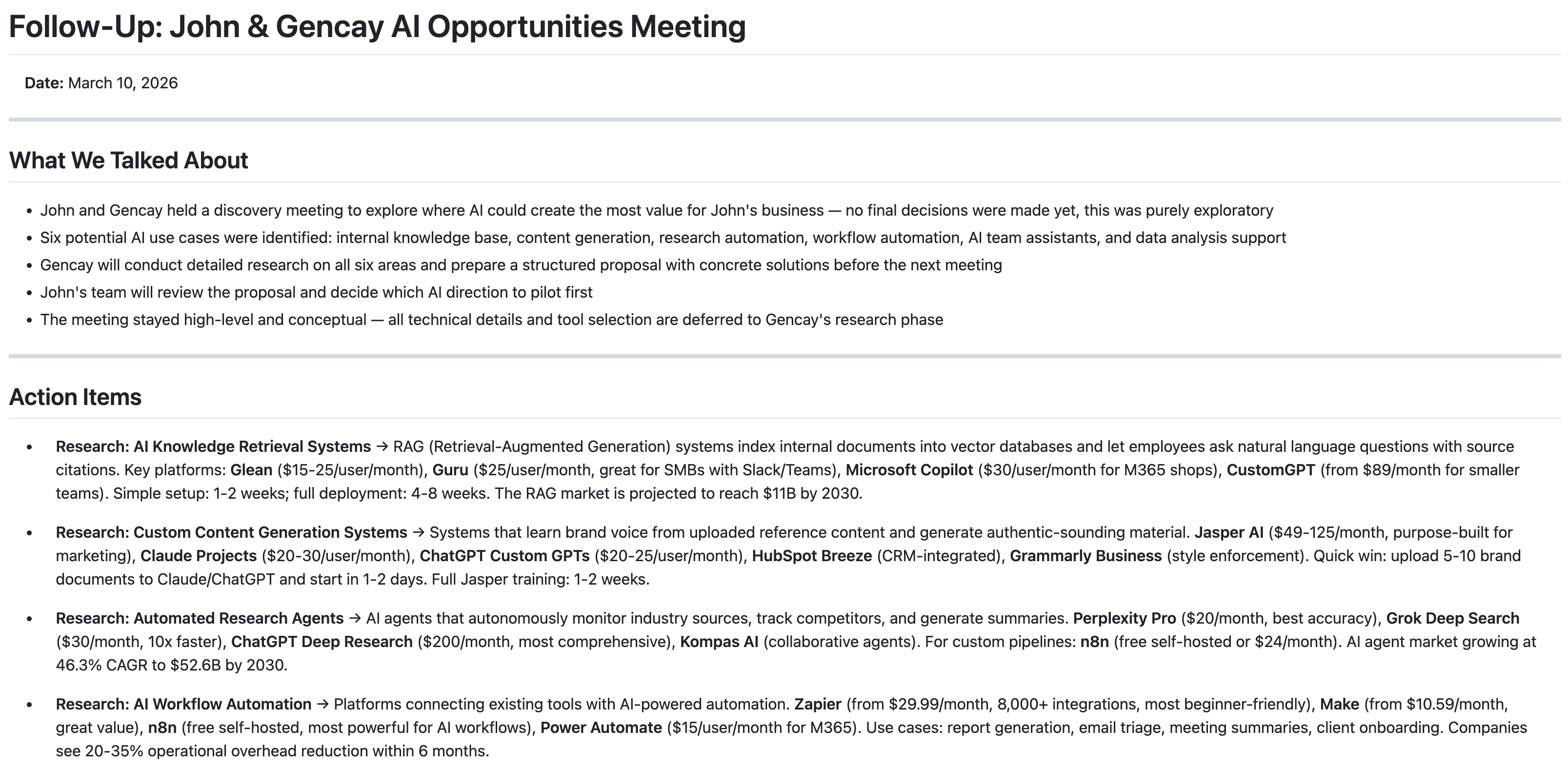
\Follow-up from meeting notes\
And all of this happens in 8 minutes, with just one prompt.
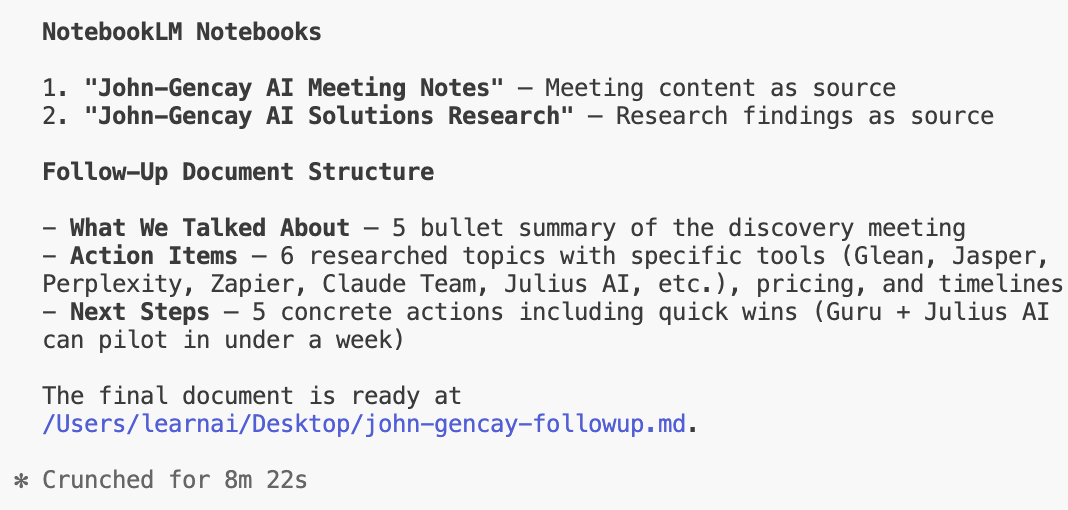
Go make your coffee.
By the time you’re back, your meeting notes are a clean markdown file.
Research findings included. Action items listed. Next steps ready.
What is NotebookLM?
\Reference\
NotebookLM is an AI tool developed by Google.
It was first released as a research tool, but then it transformed into something bigger at the end of 2025.
Let me show you how to train NotebookLM.
How to train NotebookLM?
- Visit notebooklm.google.com.
- Click “Try”
- Next, click on “Create New.”
- Add your sources. (website, pdf, deepsearch results)
- Name your notebook
That is enough. It has a pretty solid free quota.
For NotebookLM tips and tricks, read this one.
But with Claude Code Agent Orchestration, it will be so powerful that you can build smart things. First, let’s discover what Claude Code Agent Orchestration is.
What is Claude Code Agent Orchestration?
\Reference\
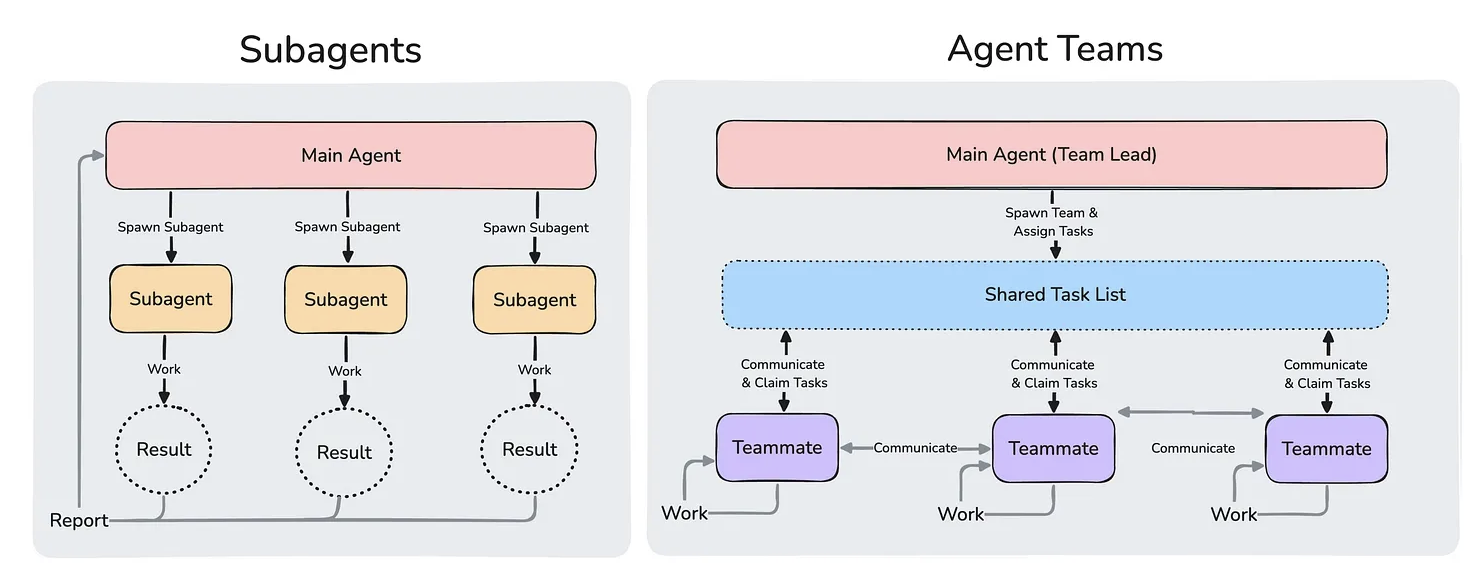
Using Claude Code Agent Orchestration, you can run multiple agents together.
They don’t need your attention.
They work together, talk to each other, and handle everything on their own.
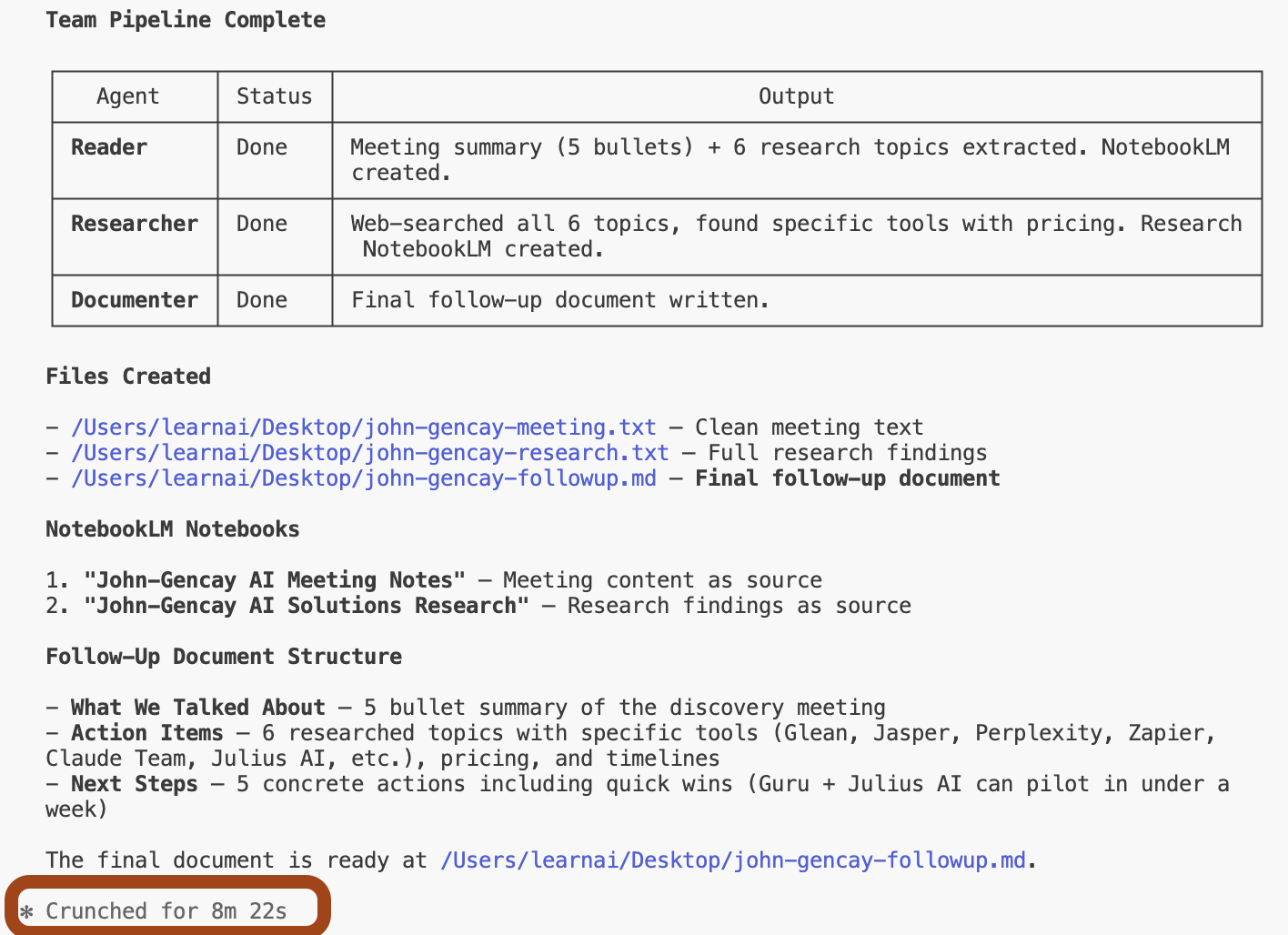
\3 Agent system\
Claude Code Agents& NotebookLM Orchestration
We’ll build everything with one prompt.
But first, let’s set up the NotebookLM skill.
This connects Claude Code to NotebookLM so your agents can create and query notebooks automatically.
Just paste this:
Set up this: https://github.com/teng-lin/notebooklm-py
Use its instructions and turn it to NotebookLM skill.
Once you’ve set up the NotebookLM skill, we’re ready to launch the 3-agent orchestration.
Agents will train NotebookLMs, research topics, and write your follow-up document. Just paste this prompt:
The prompt
Create an agent team with 3 teammates to process meeting notes and create a follow-up document.
Meeting notes file: [meeting note path]
Team configuration:
1. Reader (Meeting Analyzer)

- Role: Read meeting notes, create NotebookLM, extract summary and research topics

- Task:
\* Read [meeting note path]
\* Create a NotebookLM using /notebooklm skill with this file content
\* Query the notebook:

- "What were the main topics discussed in this meeting?"

- "What decisions were made?"

- "Are there any technical terms, tools, or concepts mentioned that need further research?"

- Output:
\* Meeting summary (3-5 bullet points)
\* Research topics list (dynamically extracted from the meeting content)

- Pass research topics to Researcher
2. Researcher (Web + NotebookLM Research)

- Role: Research topics found by Reader, create new research NotebookLM

- Task:
\* Take Reader's research topics list
\* Use WebSearch to find 3-5 quality sources per topic
\* Create a NEW NotebookLM using /notebooklm skill with these web sources
\* Query the research notebook: "What is [topic]? How does it work? Key use cases?"

- Output: Research findings for each topic (from research notebook)

- Pass findings to Documenter
3. Documenter (Final Document Writer)

- Role: Create follow-up document with 2 sections

- Task:
\* Section 1 "What We Talked": Use meeting summary from Reader's notebook
\* Section 2 "Action Items": Use research findings from Researcher's notebook

- Format:
What We Talked
- [Bullet points from meeting]
Action Items
- Research: [Topic 1]
→ Finding: [Summary from research notebook]
- Research: [Topic 2]
→ Finding: [Summary from research notebook]
- Keep professional but friendly tone

- Add next steps at end
Workflow:

- Reader → reads file → creates NotebookLM → extracts summary + research topics

- Researcher → WebSearch topics → creates NotebookLM → queries it → gets findings

- Documenter → uses Reader's notebook summary + Researcher's notebook findings → final doc
IMPORTANT: Use /notebooklm skill for all NotebookLM operations.
Spawn the team and coordinate the work!
Now let’s see what each agent is doing:
Important Note: Use CLI, meaning use Claude inside your terminal to be able to use Claude Code orchestration.
After pasting the prompt, your Agents start working like this.
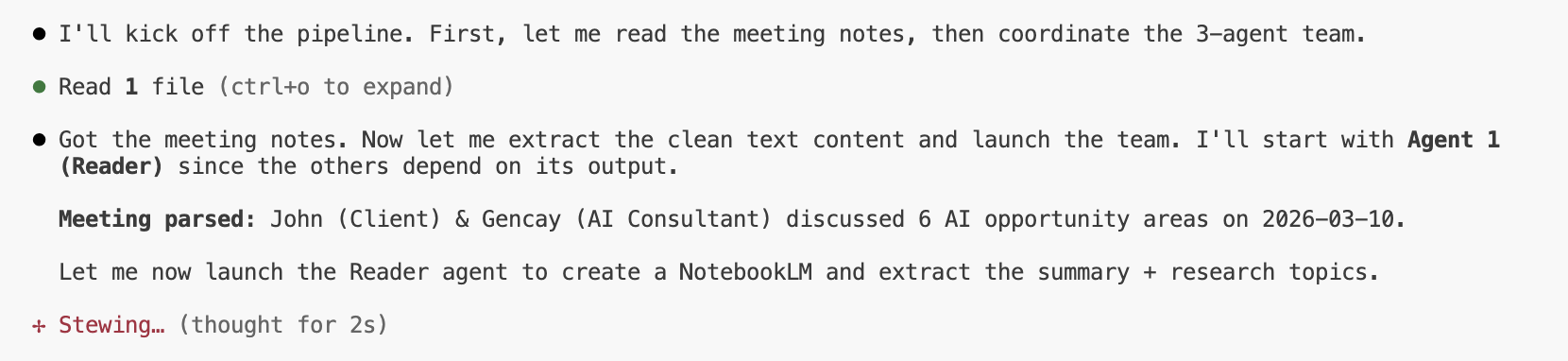
You don’t have to do anything.
Fill your coffee.
Wait behind the screen.
It will train NotebookLM for your task.

Here it is.
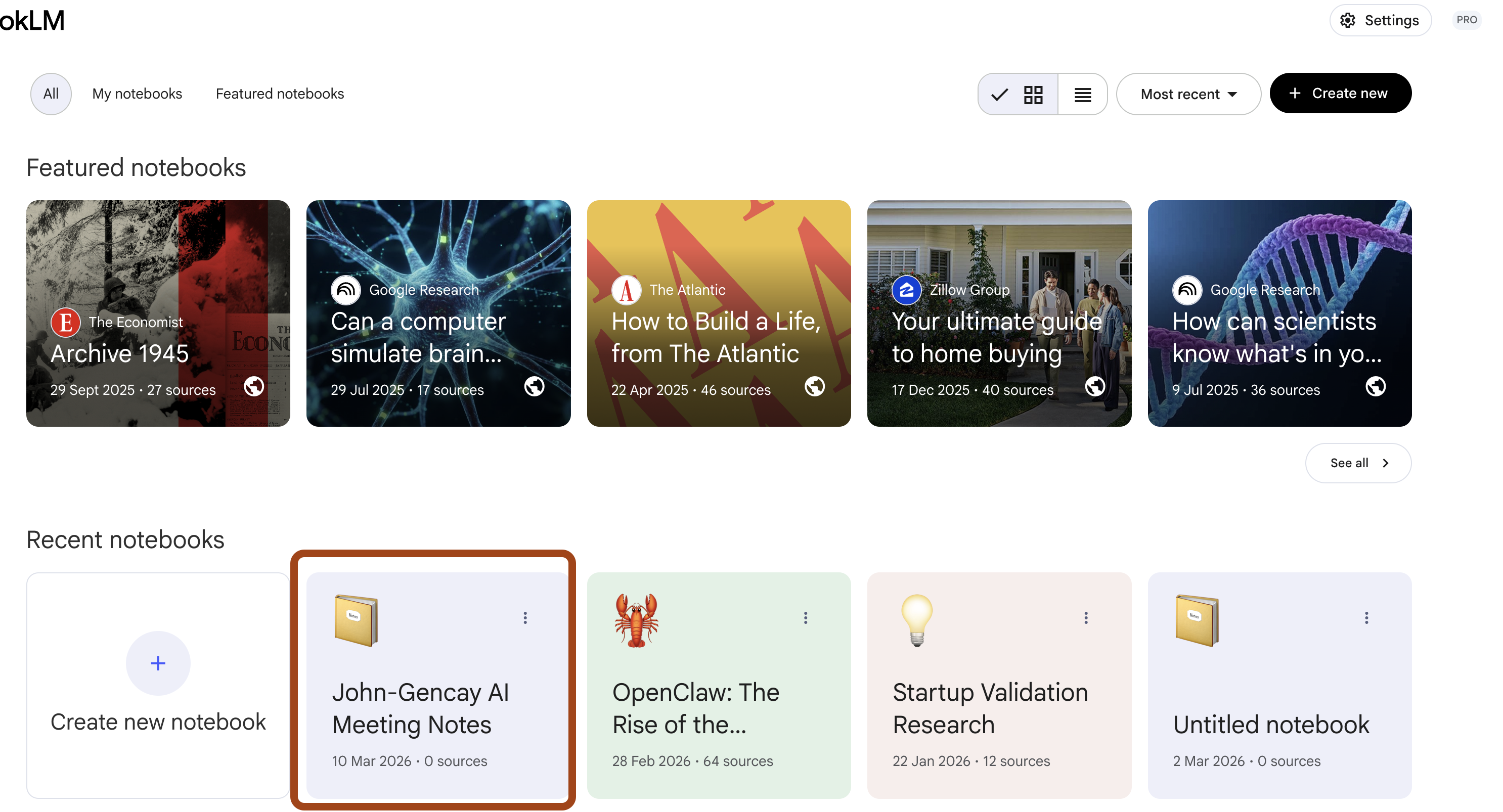
And talk with them whenever needed.
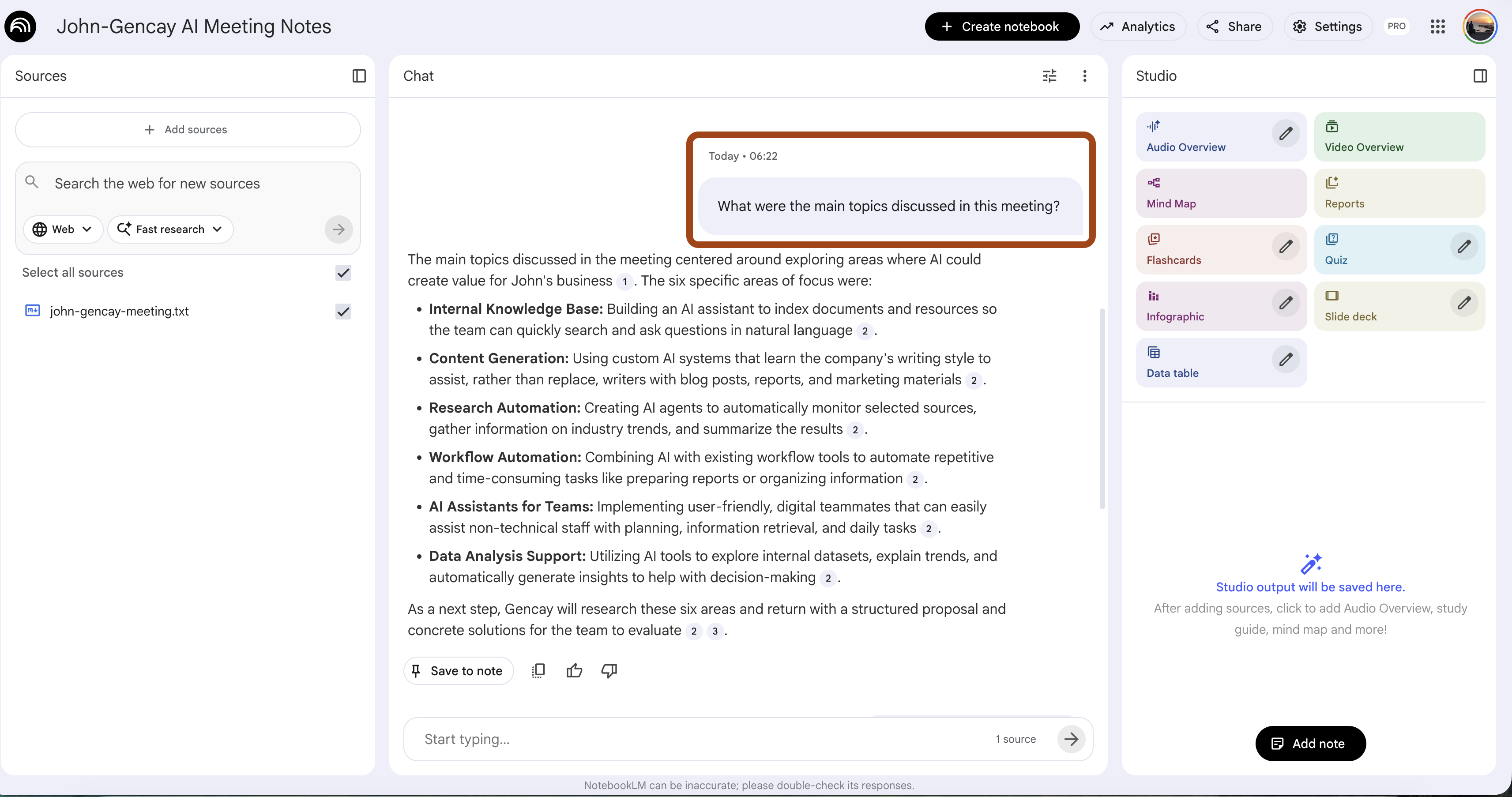
You won’t burn Claude Code tokens either.
It just queries NotebookLM.
NotebookLM does the heavy lifting.
Task finished in 8 minutes.
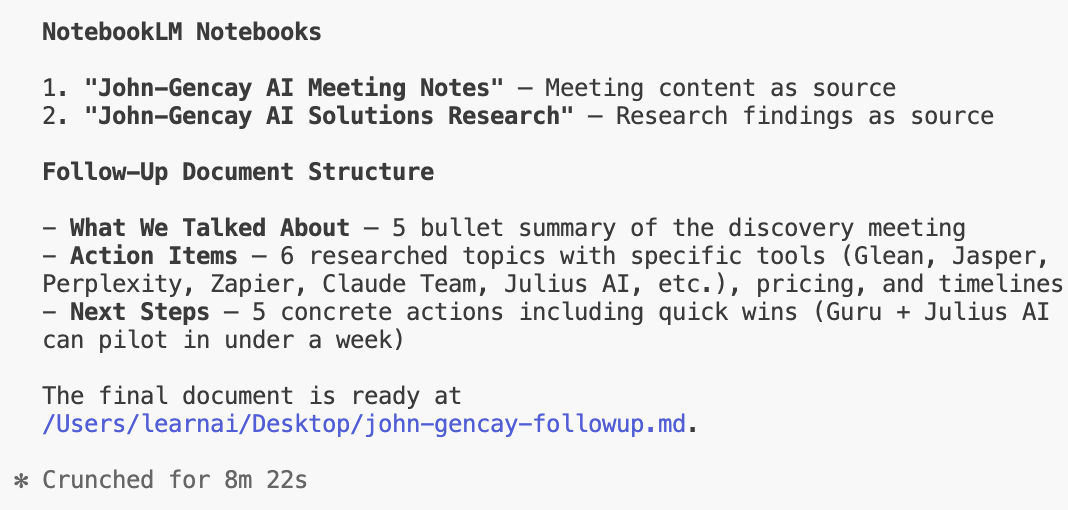
And here how the final report is looking like.
Final Thoughts
You just built a 3-agent meeting assistant that does 30+ minutes of work in 8 minutes.
This workflow avoids hallucination (NotebookLM handles facts).
Reduces token usage (NotebookLM does the heavy lifting).
Researches your action items automatically from meeting notes.
Thanks for reading!