From a single prompt to a team of AI agents: the real architecture, the code, and what actually happens when you let Claude run the system.
By Gencay
Published: 2026-03-04
URL: https://www.learnwithmeai.com/p/claude-code-masterclass-for-everyone-945

A client asked me to build agent orchestration yesterday. I said yes.
Then I opened Claude Code and actually did it.
Most AI newsletters will give you '10 tips for better agents.'
I'll give you the architecture, the code, and the mistakes I made at 2 AM.
Here's what agent orchestration actually looks like when you build it, not just tweet about it.
What does “Agent orchestration” really mean?
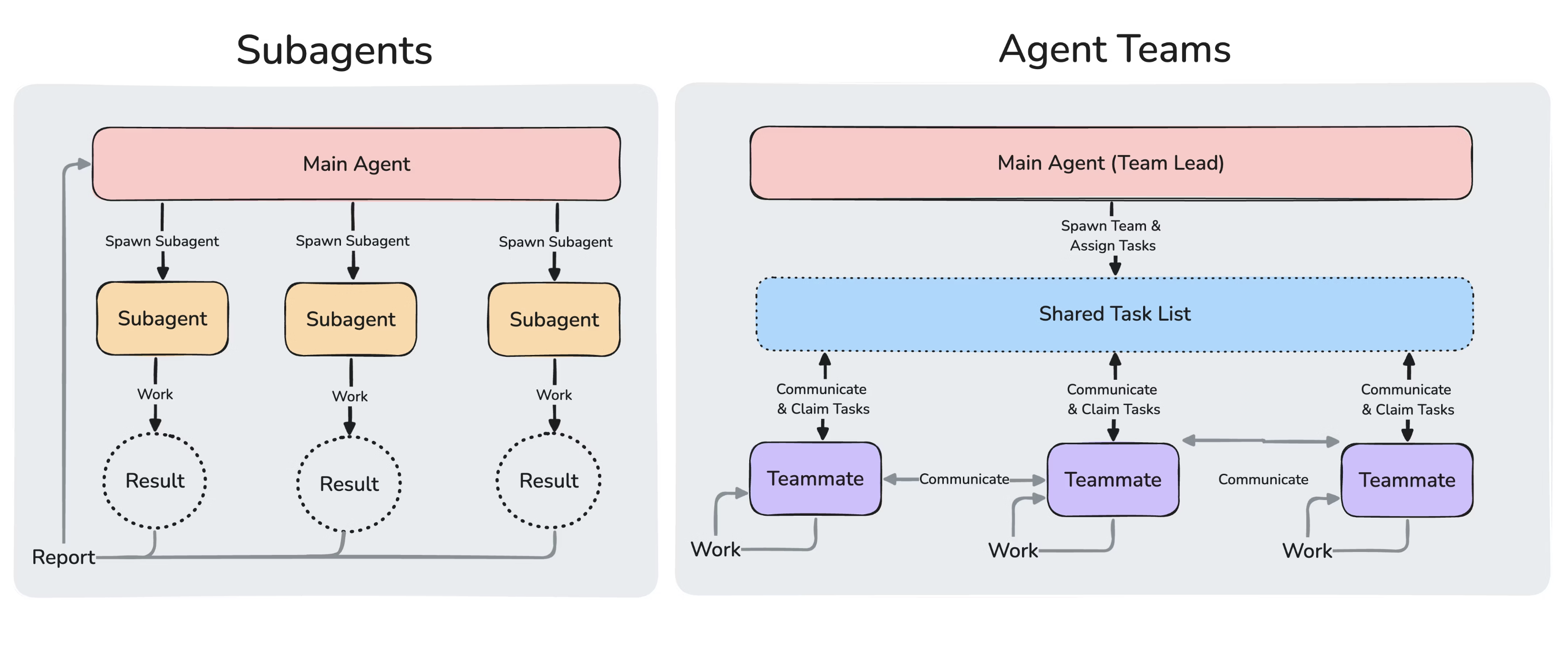
\Reference\
Agent teams are different from sub-agents.
They communicate. They pass work. One agent finishes, drops notes, and hands them off to the next.
You give them a task. They figure out the rest.
Previously in Claude Code MasterClass For Everyone
- Part 1: Install Claude Code (just paste commands) and build your first agent, zero coding.
- Part 2: Stop repeating yourself with Skills (what to do) and CLAUDE.md (who you are).
- Part 3: Master 3 plugins that code better than most AI tools.
- Part 4: We explored Boris’s way of using Claude Code(Boris, the creator of Claude Code)
How to install Agent Orchestration?
You should enable them in the settings.json
Here is the setting;
{
"env": {
"CLAUDE_CODE_EXPERIMENTAL_AGENT_TEAMS": "1"
}
}
But don’t worry.
Just tell this to your Claude, it can do it for you with this prompt.
Hey Claude,
I just learned from Gencay that we can initiate the Agent orchestration,
by adding following code to the settings.json
Code:
{
"env": {
"CLAUDE_CODE_EXPERIMENTAL_AGENT_TEAMS": "1"
}
}
For more details, can you please visit here: https://code.claude.com/docs/en/agent-teams
It handles the setup for you.
Most people see a new Claude feature and freeze. Don’t.
Install Claude Code. Then just tell it what you want.
That’s it. No manual steps. No fiddling.
It just works.
The simplest architecture that works (1 orchestrator + 3 workers)
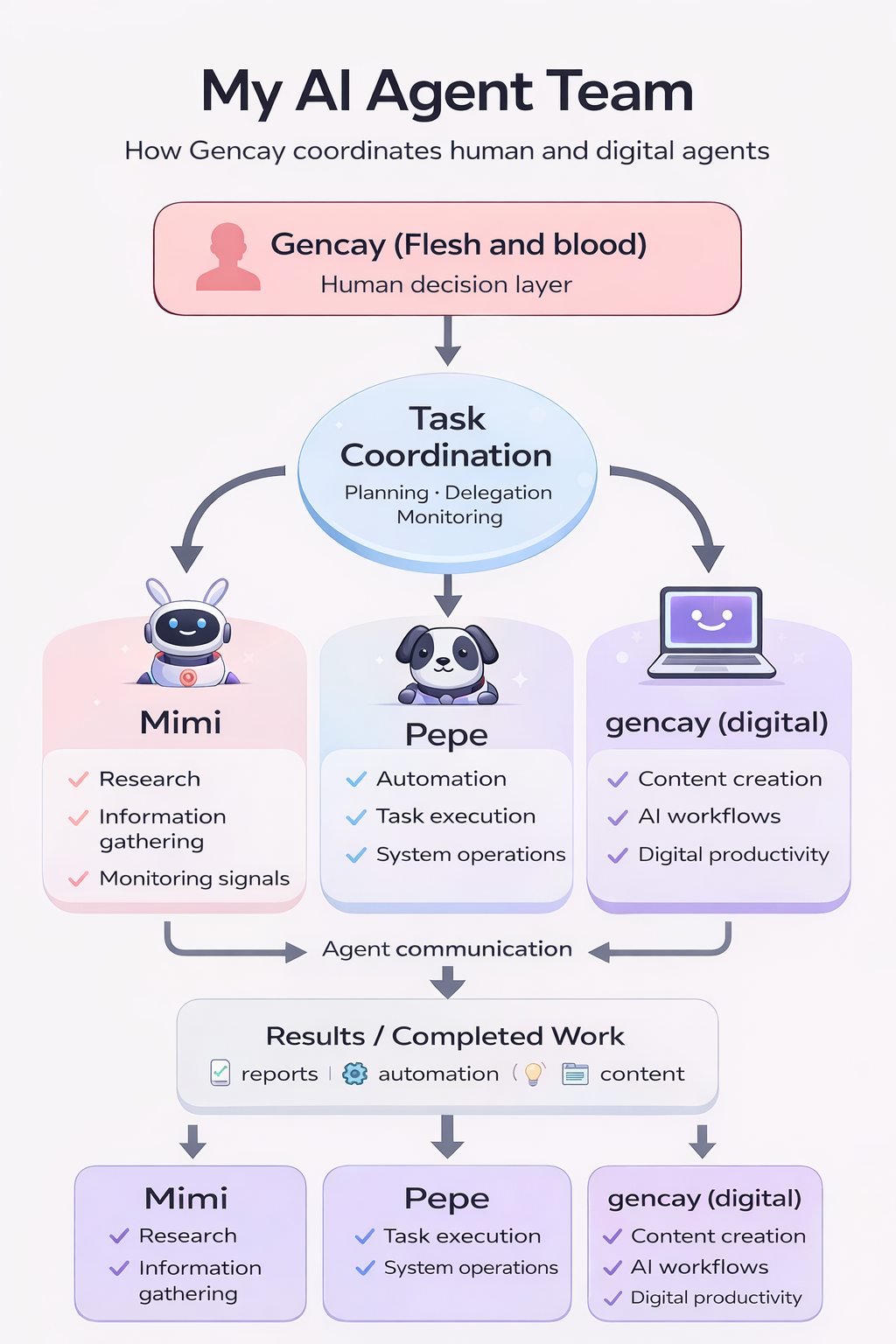
\My Claude Code Agent orchestration\
It is like a start-up.
One orchestrator at the top, that’s me, sending the first prompt
Three workers below.(Mimi, Pepe, Gencay(digital me)
Each one is a separate Claude Code instance, with its own memory, its own context.
Best thing? They can communicate with each other without asking you anything.
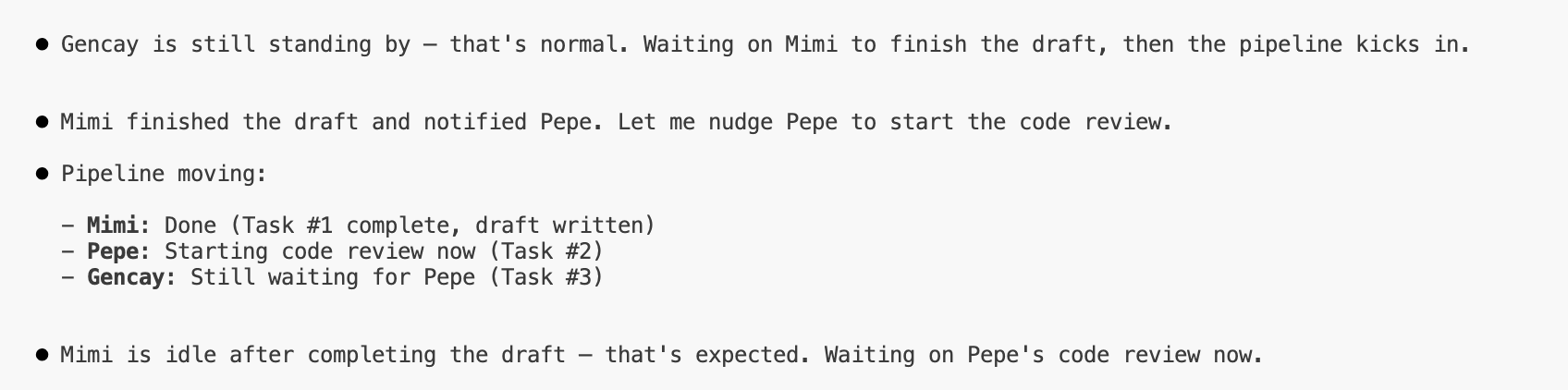
It’s like watching Sims. Except they’re actually doing things.
Look, Mimi is talking with NotebookLM while actually doing her business.
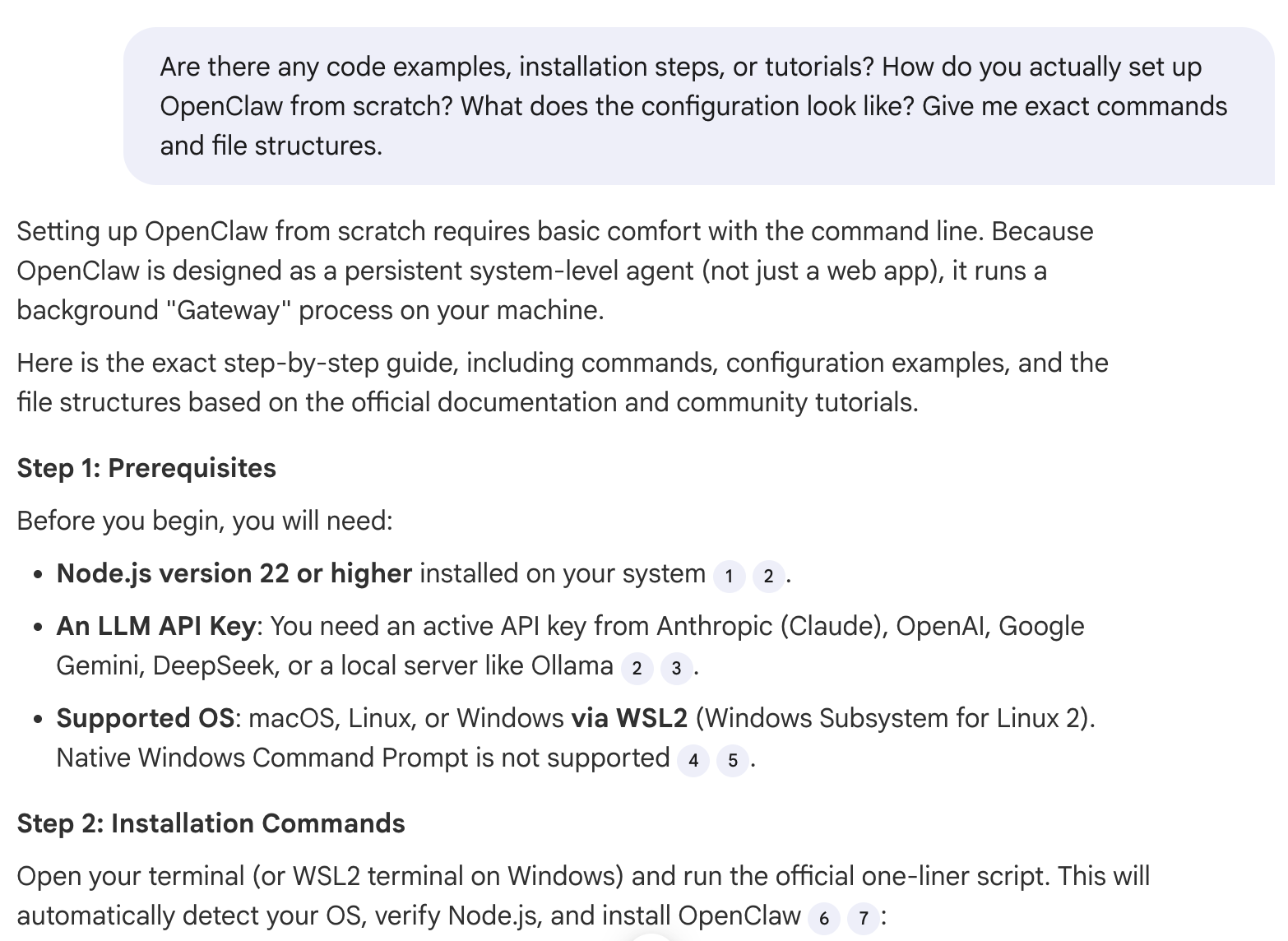
\My Claude Code Agent, talking with NotebookLM\
So, if I control the NotebookLM’s sources very carefully, it will be less prone to hallucinating.
Less hallucinations = Better Results
Better results = Happy Subscribers & Clients :)
LearnAIWithMe Paid Perks
The Vault is now live, with 800+ prompts you can adjust, test (with Claude API, no extra cost), and customize.
- Annual ($100/yr) → Vault access (only Prompt Hub)
- Founding Member ($200/yr) → Vault + AI labs + all AI tools
- Monthly ($12/mo) → Full Substack content, no extras
Pick your tier. 👇
My setup to build with NotebookLM & Claude Code & Agent Orchestration
You’re probably curious how I integrate NotebookLM, and why, right?
NotebookLM & Claude Code & Agent Orchestration is the most efficient AI combo I’ve ever tested.
Here’s why it’s magical:
Claude Code pulls facts from NotebookLM, where you’ve already limited its knowledge to specific sources.
Agent orchestration lets these agents work without you.
Less attention needed.
Less hallucination potential.
Better results.
From guessing → knowing.
Potential Mistake to Avoid: You have to work on the CLI, not on the extension.
- Meaning, open your terminal, paste “Claude”, and start working here.
My Writing Team
Let me introduce you to my secret writing team.
We have 3 of us.
Agent 1: Mimi
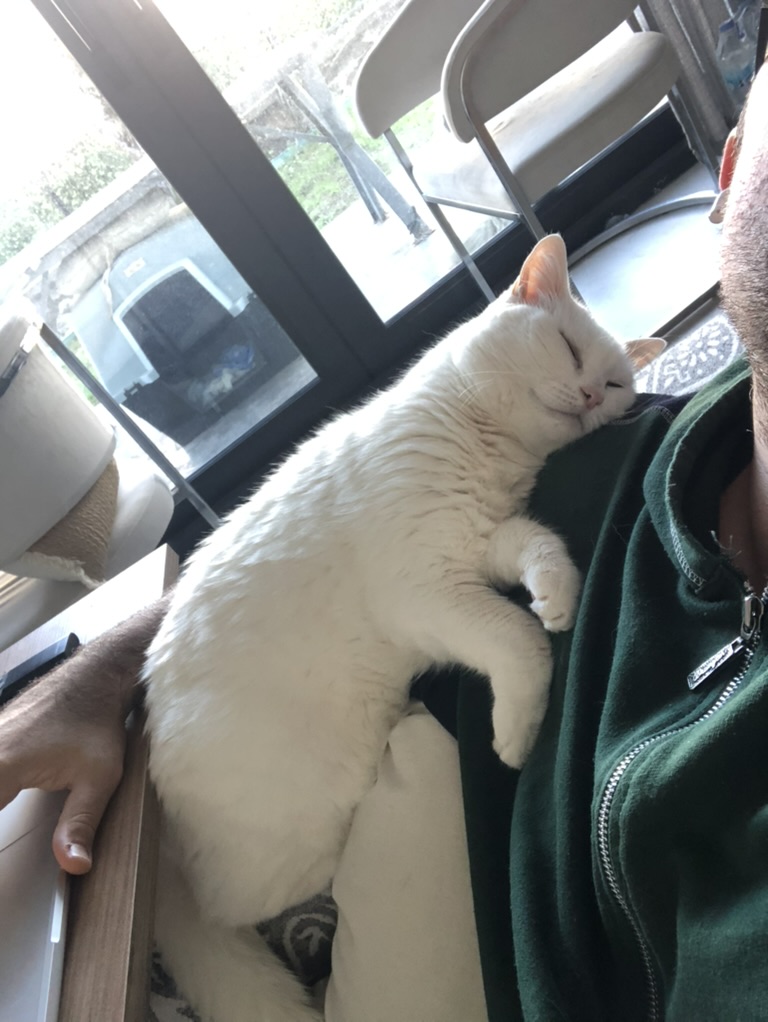
\Mimi, the crazy white cat, is collecting energy.\
My sweet girl, Mimi, loves cuddles.
So I turned it into an agent so she can live forever.
Let’s see how she describes herself:
I’m Mimi, the writer who turns research into ready-to-publish articles. (That’s the 80% you don’t see.) I take NotebookLM insights, build the structure in 10 minutes, and ship copy-paste prompts readers can use today—not theory they bookmark and forget. From idea → published article, I handle the execution.
Agent 2: Pepe

\Funny boy Pepe is being cute to get more food.\
My second agent is named after my funny boy, Pepe.
You have to keep him under control because he loves scaring people by barking.
Let’s listen to him and see how he’s working.
I’m Pepe, the code reviewer who makes sure Mimi’s tutorials actually work. (Because “95% accurate” means someone’s debugging at 2 AM.) I test every prompt, catch every bug, and verify every screenshot before anything ships. From broken code → production-ready tutorials.
Agent 3 - Gencay
And me. I am the third member of the family, sorry, team.
I’m Gencay. I make sure every article converts readers into subscribers (not just “engages” them).
I cut the fluff. I sharpen the voice. I move CTAs from line 352 to the end.
No hedging. No bloat. Every word earns its place or dies.
Your article gets 25 likes? Great. It gets zero paid subs? That’s a problem I fix.
The Prompt to Kick Off the Agent Team
Now let’s test the team.
Don’t forget to use the CLI.
In VS Code, open the Claude Code extension and the terminal.
Type ‘claude’ in the terminal.
That’s it.
You should paste this code into the CLI( meaning Claude in terminal).
Here is the prompt that will get them started.
❯ Create an agent team with 3 teammates to write an article about OpenClaw.
Team configuration:
1. Mimi (Primary Writer)

- Role: Research and write the article

- Task: Use NotebookLM MCP to query this notebook: https://notebooklm.google.com/notebook/988a8fca-fb62-409f-927c-fd595ddbac87

- Questions to ask NotebookLM:
\* "What is OpenClaw and what problem does it solve?"
\* "What are the key features and use cases?"
\* "Are there any code examples or tutorials?"
\* "What makes OpenClaw different from alternatives?"

- After getting answers: Write article sections (What is OpenClaw? + How to use it + Example)

- Voice: Gencay's style (bold claims, parentheticals, specific numbers, "From X → Y")

- Keep under 300 lines total
2. Pepe (Code Reviewer)

- Role: Review Mimi's code examples

- Task: After Mimi finishes, check:
\* Code examples actually work
\* Prompts are copy-paste ready
\* No broken commands or wrong syntax

- If bugs found: Message Mimi to fix them

- Voice: Same Gencay style
3. Gencay (Brand Enforcer)

- Role: Final review and CTA placement

- Task: After Pepe approves:
\* Check voice (parentheticals, bold claims, no "might"/"could")
\* Ensure specific numbers (not vague claims)
\* Move CTA to end if needed
\* Add Vault CTA: "$100/year for 800+ prompts"
\* Kill fluff, sharpen sentences

- Voice: Pure Gencay (brutal clarity)
Workflow:

- Mimi starts → queries NotebookLM → writes draft

- Pepe reviews → checks code → sends fixes to Mimi

- Gencay reviews → brand voice + CTA → final approval
Article structure:

- Hook (6 sentences: Story → Action → Contrast → Promise → Detail → Punch)

- What is OpenClaw? (3-4 sentences)

- How to use it (copy-paste prompts)

- Example (real use case)

- Final Thoughts

- CTA (Vault $200/year)
Spawn the team and coordinate the work!
After pasting this prompt, it will initiate all three agents.
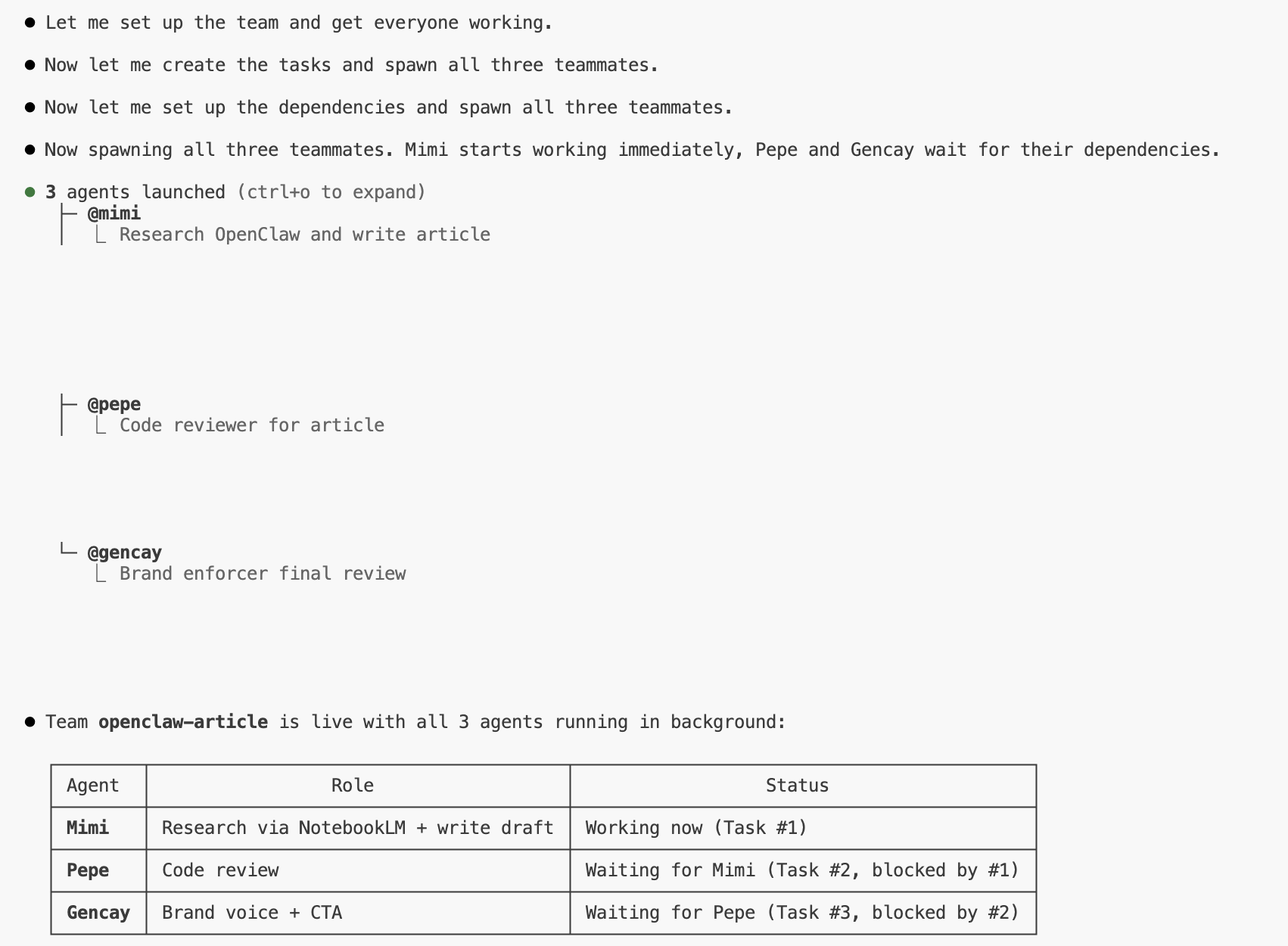
They’ve worked for almost 12 minutes without stopping.
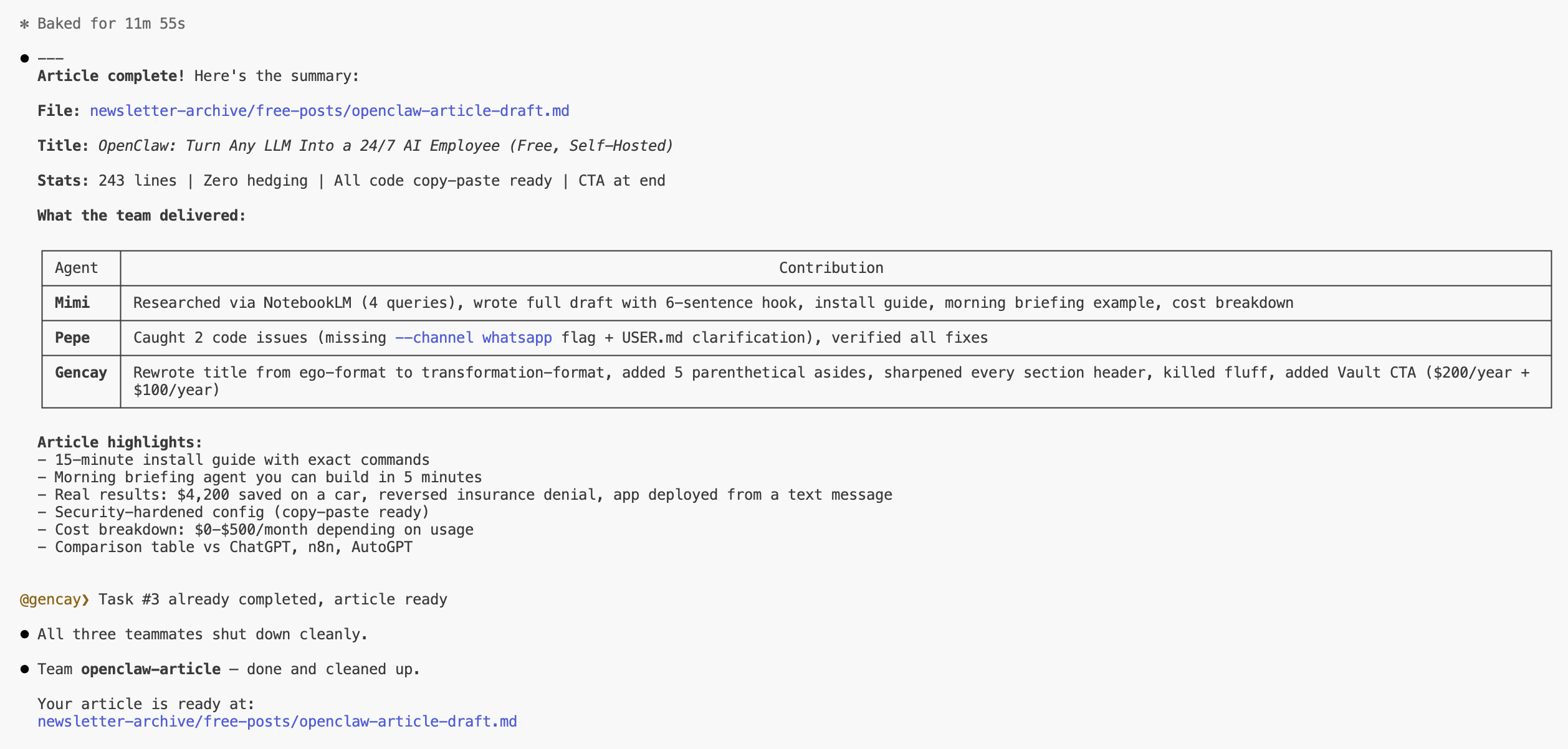
Here is the screencast of this 12-minute video. (speed up version)
The best part is this: The first agent actually sends queries to the NotebookLM through MCP.
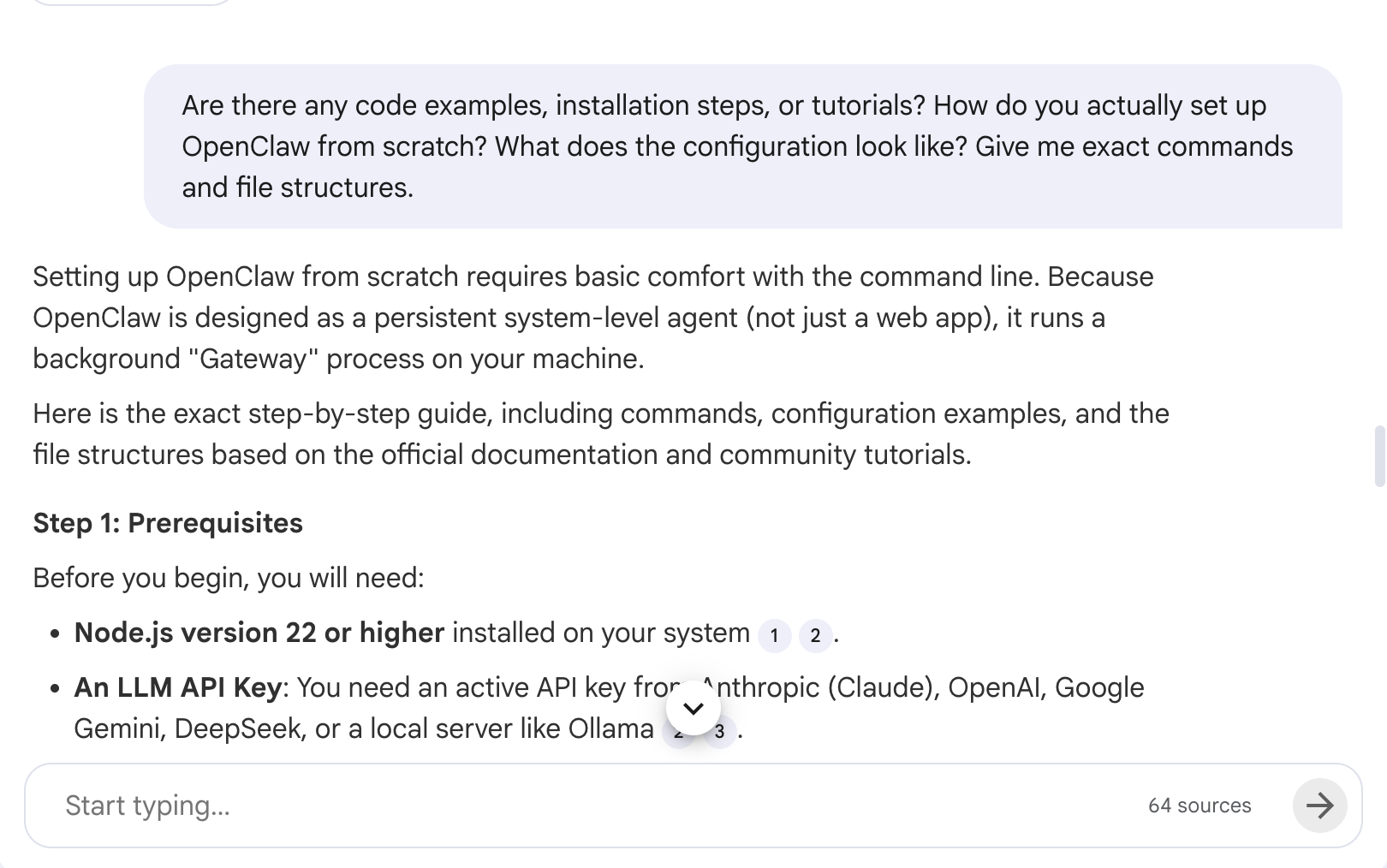
And this notebookLM was trained on documents and tutorials about OpenClaw.
(More details about this notebookLM in this one.)
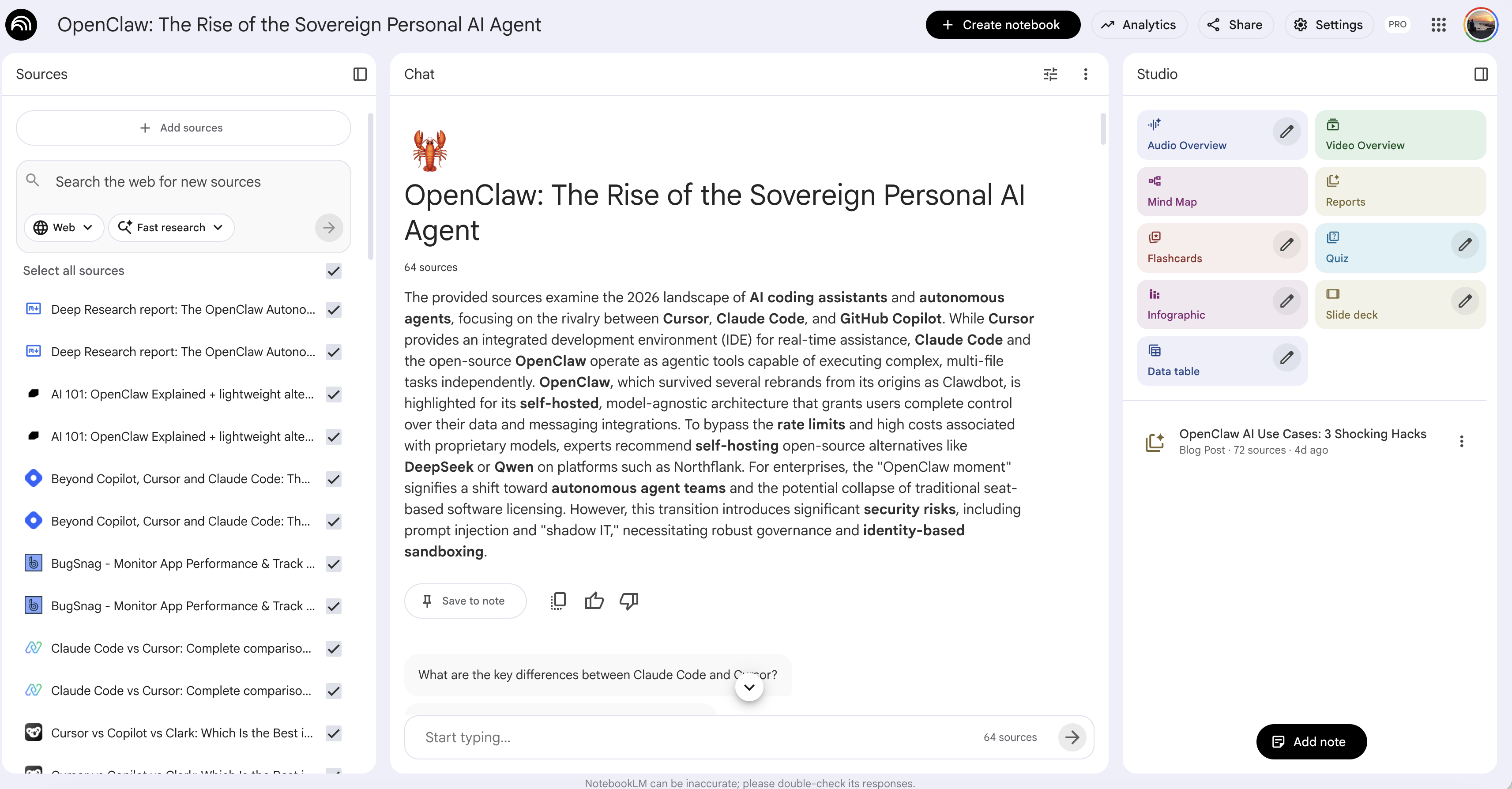
NotebookLM MCP : Here is the link to the NotebookLM MCP. Send it over to your Claude Code and tell this MCP.
Can you see the potential here?
Absolutely amazing feature.
More use cases will come about this, but I have to write the Claude MasterClass version as fast as I can.
Final Thoughts
You’ve just seen 3 agents write an article while I watched. Now imagine what you can build: a website in 20 minutes. An automation that never breaks. A content system that ships daily.
This isn’t the future. It’s today.
Thanks for reading.
I read and reply to all comments, so feel free to reach out and leave one.