Turn Anthropic's Prompt Course into a Prompt Advisor. Turn Stanford's ML Playlist into an AI Teacher. Under 10 minutes each.
By Gencay
Published: 2025-12-20
URL: https://www.learnwithmeai.com/p/notebooklm-and-gemini-i-built-2-ai

NotebookLM just connected to Gemini. I turned a YouTube video into a working AI app in 2 minutes, no code, no setup.
Now I'm building AI teachers, prompt perfectors, and research assistants from any source I want. Here's how.
1. What Is the NotebookLM Gemini Integration?
NotebookLM now connects directly to Gemini, allowing you to turn any notebook into a working AI app with one click. Upload a YouTube video, PDF, or document to NotebookLM.
How can you connect your NotebookLM with Gemini?
Let me show you in 4 steps.
- Go to the Gemini: https://gemini.google.com/
- Click on “+” and add your NotebookLM as a source.
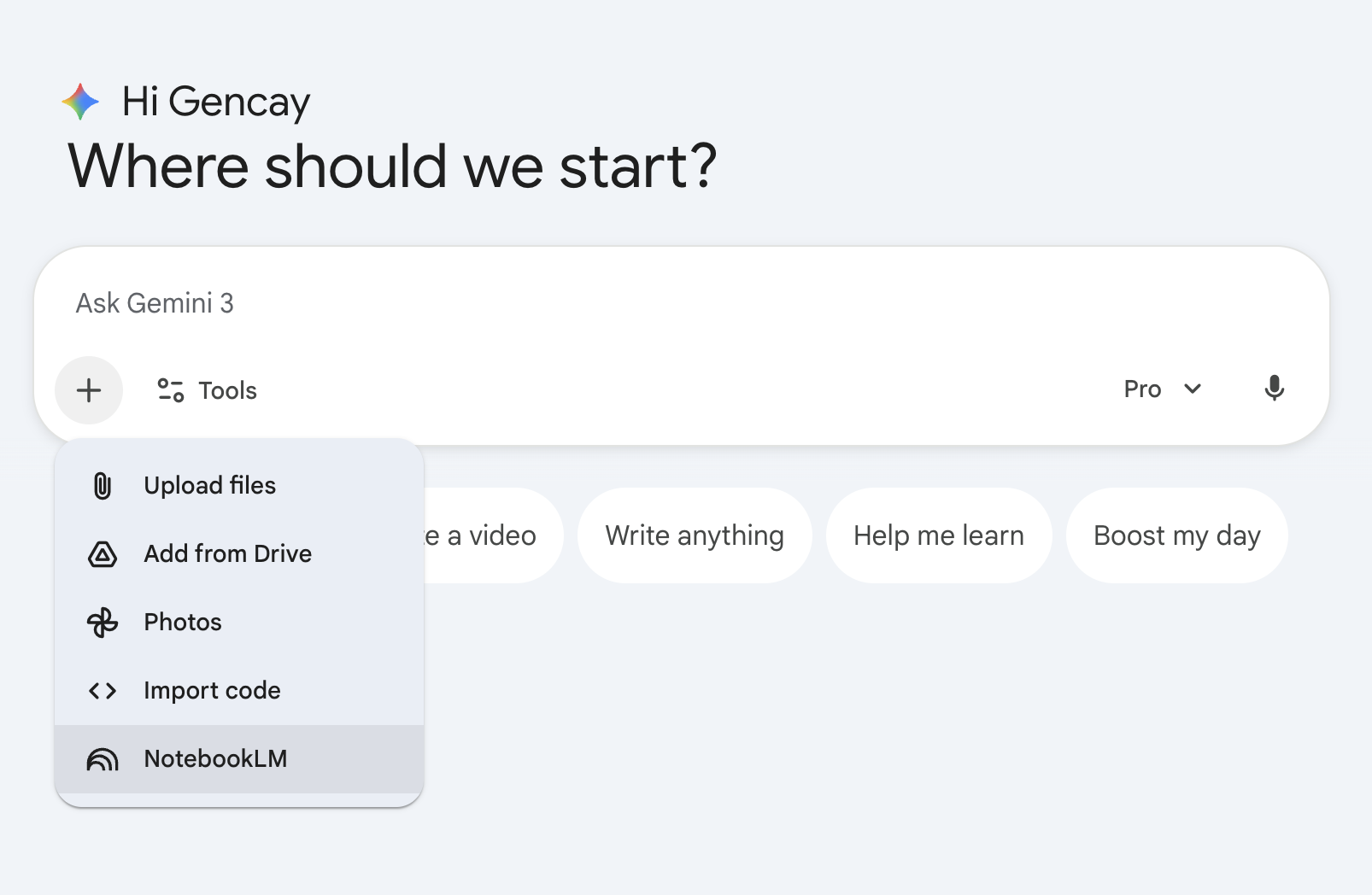
- Use this prompt.
“Develop app from attached Notebook.”
- Select Canvas as a tool.
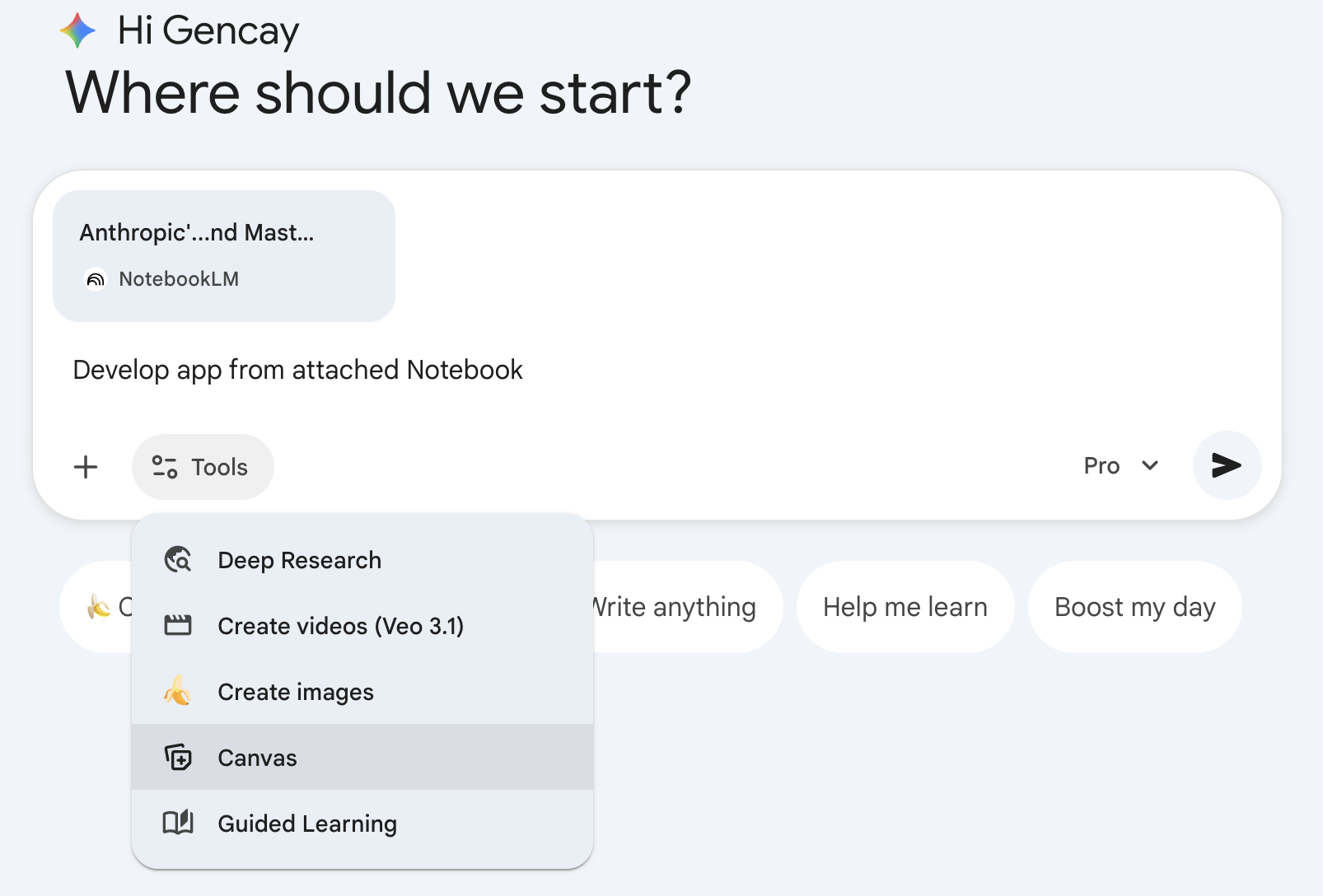
Your sources become the app’s brain. Gemini becomes the interface. No code required, in a couple of minutes, you’ll have your app.
Any feedback? Fill out this form, and each month, I’ll send a free subscription to those who contribute the most.
What We’ll Build Together?
But let’s make things a bit more real. Let’s build two apps in 10 minutes each, step-by-step.
Prompt Advisor: An AI app trained on Anthropic’s official Prompt Engineering course. It builds, fixes, and improves your prompts using techniques from the engineers who created Claude.
AI Teacher: A personalized learning app built from Stanford’s Machine Learning course. It teaches concepts, uses flashcards for memorization, runs interactive quizzes, and generates infographics, all from a YouTube playlist you don’t have time to watch.
Both apps. Zero code. Under 10 minutes each.
LearnAIWithMe Paid Perks
The standard subscription ($15/mo or $150/year) gives you full access to all my articles and posts on Substack
The Founding Member tier ($200/year) includes everything above PLUS access to The Vault, 700+ prompts, projects, AI tools, and AI labs.
After becoming a paid subscriber, sign up for Vault with the same email, and voilà! You’ll have access to everything.
2. Building Prompt Advisor Using Anthropics Prompt Engineering Course ( Step-by-Step Explanation Video and Text)
Here is the link of YT video from Anthropic. Let’s use this as a source and create a notebook, how? Let me show you. (Read below, watch above!)
- Visit here.
- Click on” Try NotebookLM”
- Click on “Create New” on the top right.
- Paste the “YT” link as the source.
- Name the NotebookLM
- Open Gemini, click on “+”.
- Select NotebookLM as a source.
- Use this simple prompt:
- “Develop Prompt adviser from attached Notebook.”
And your prompt advisor is ready! But I need one more feature, to build it I’ll use this prompt:
Also, can you add a Play button next to Copy so I can test the output of this prompt using the Gemini API?
Now it looks like this.
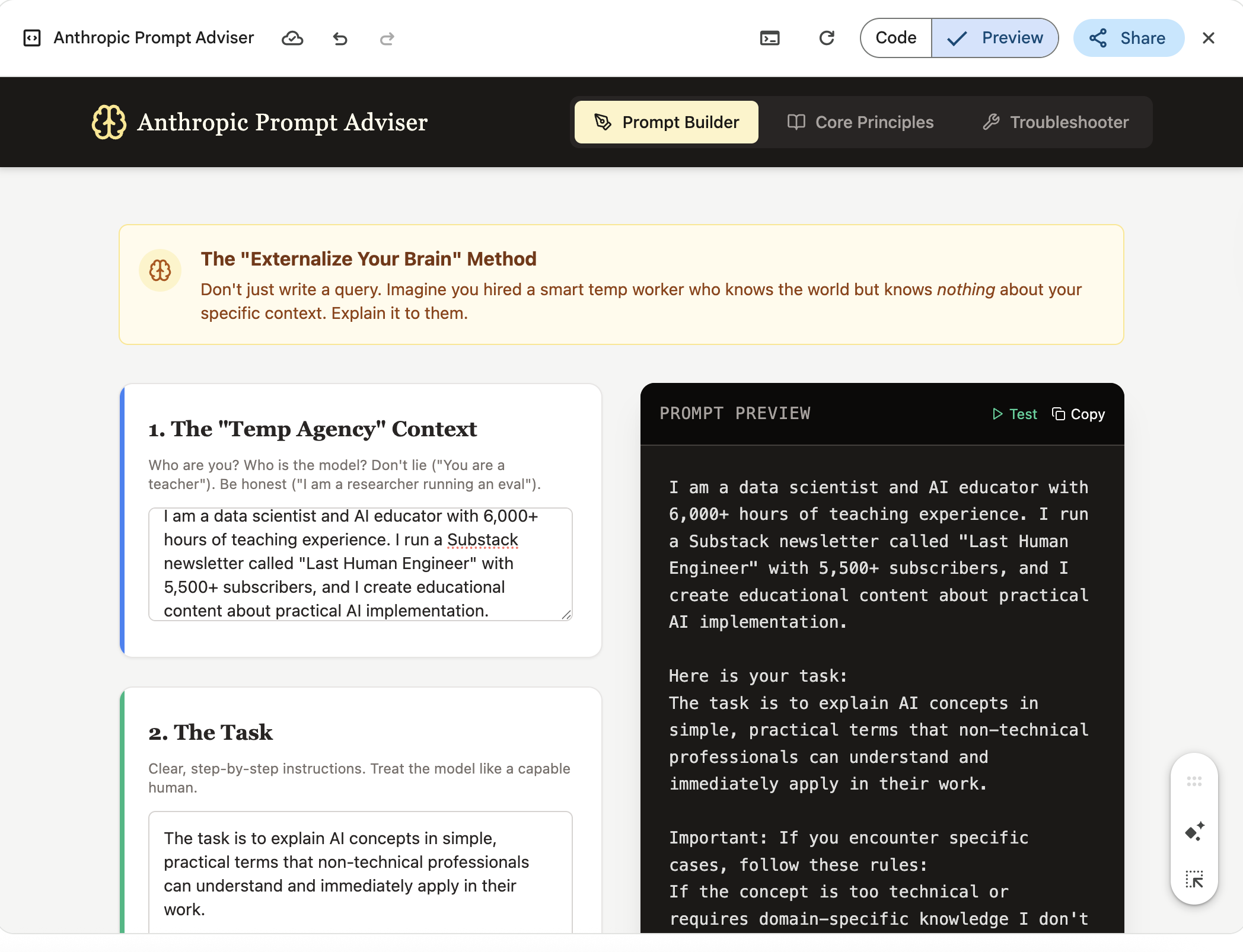
Do you see the “Test” button? Now we can test this. Let’s see the output.
Next step, click on "Add Gemini features” at the bottom right. I did it, and as you can see, it adds “Refine” and “Brainstorm” buttons.
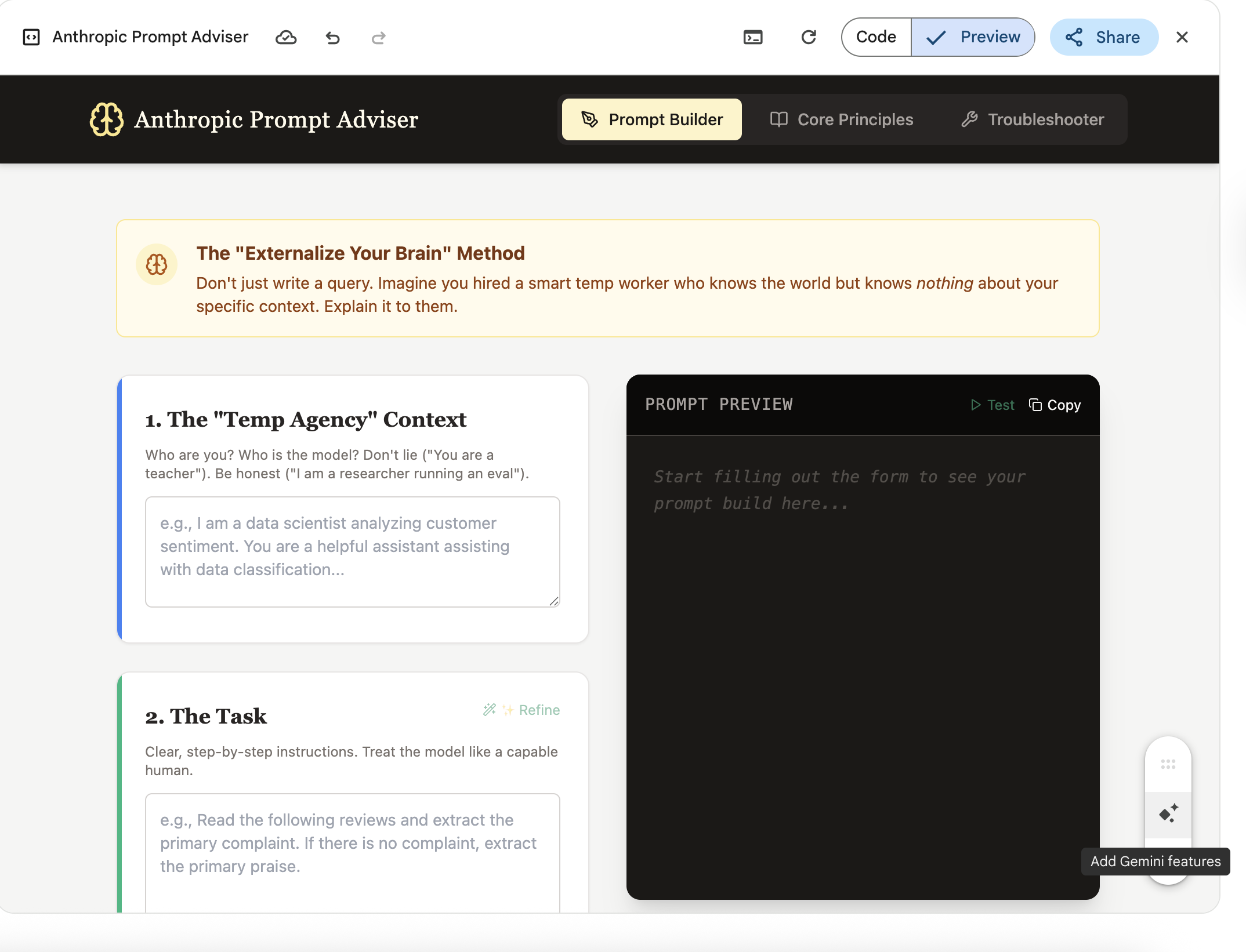
How does it work? Let’s see.
3. Building an AI Teacher using Stanford Course Materials
Let’s build an AI teacher for free using sources from Stanford on YouTube.
a) Building NotebookLM
First, we’ll build Notebook.
- Visit here
- Click on “Try NotebookLM.”
- Click on “Create new.”
- Add the first link from the following playlist as a source
- PS: I added all 20 links as the source after creating the notebookLM.
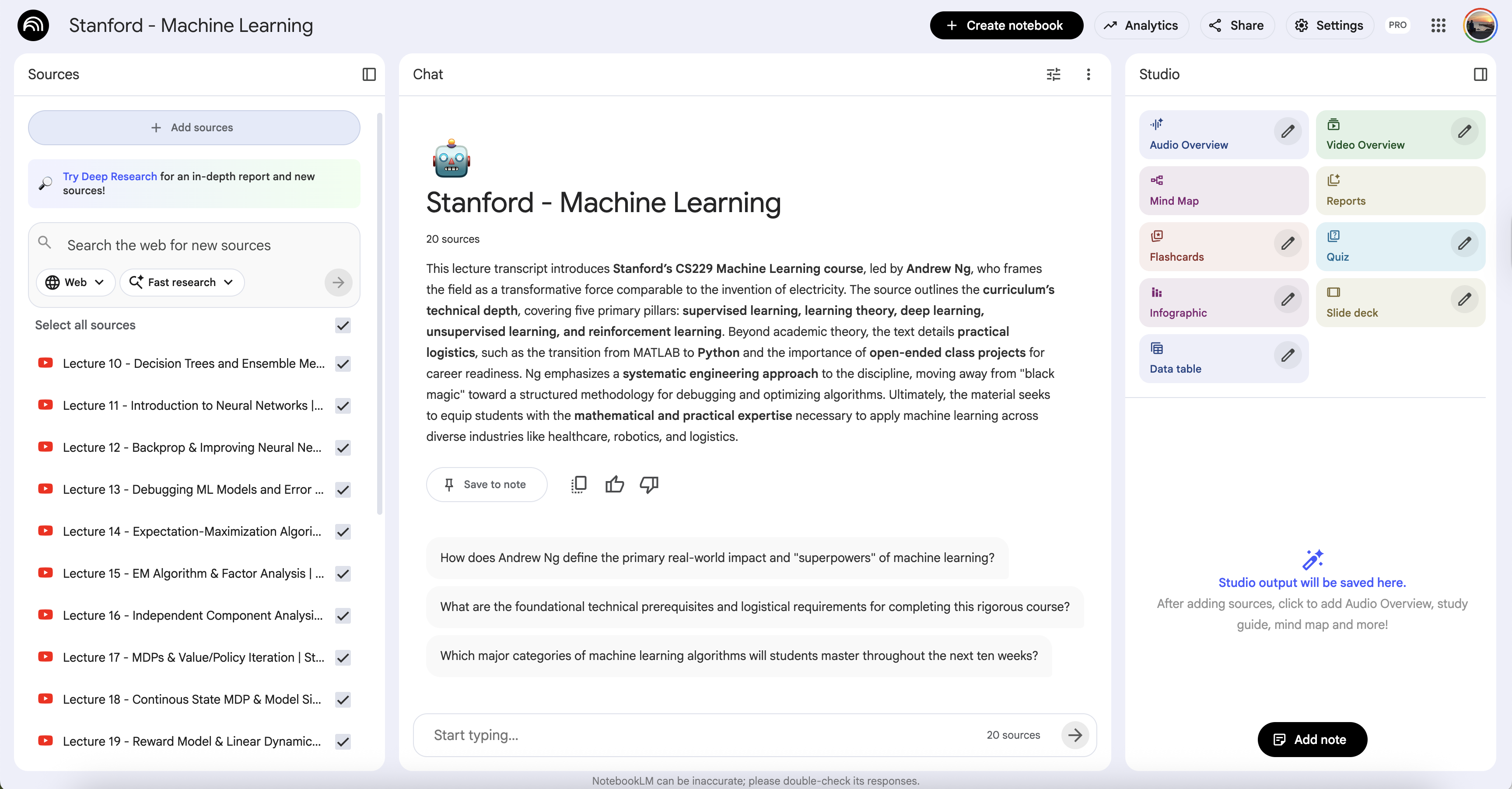
Here is what it looks like. I named it Stanford- Machine Learning.
b) Building App
Next, visit here.
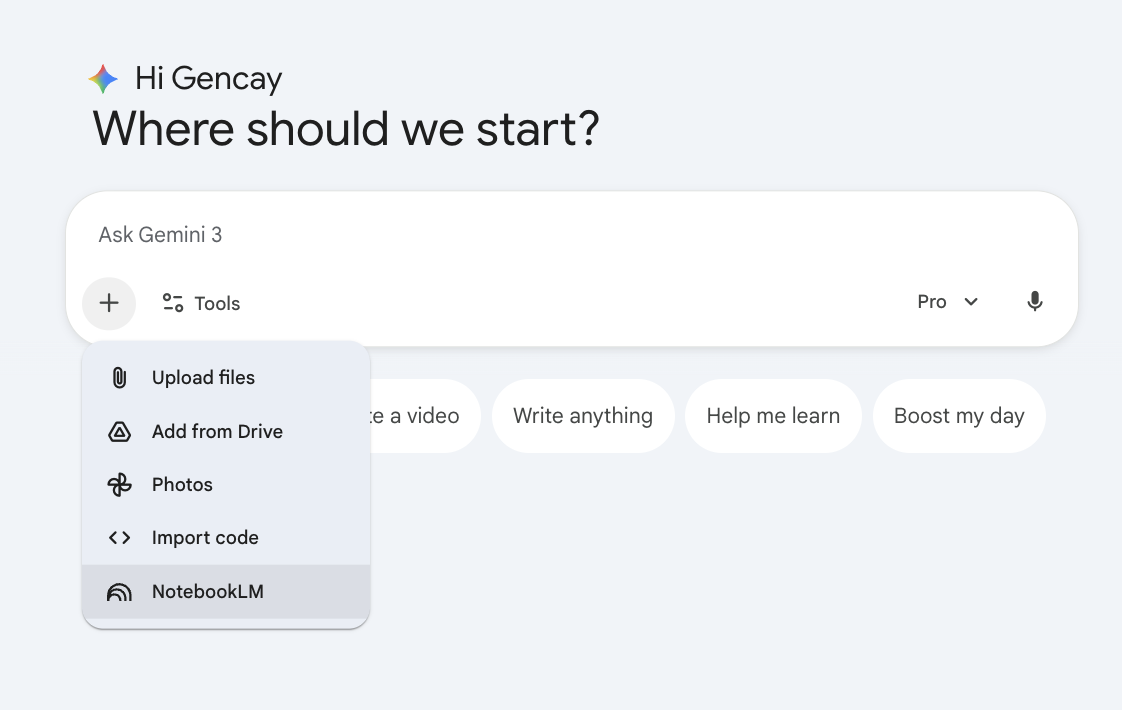
Click on the “+” button, and you’ll see NotebookLM; select it.
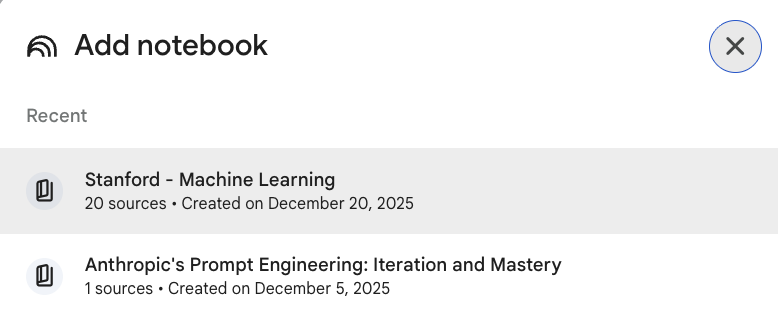
Next, select the NotebookLM we’ve created at step A.
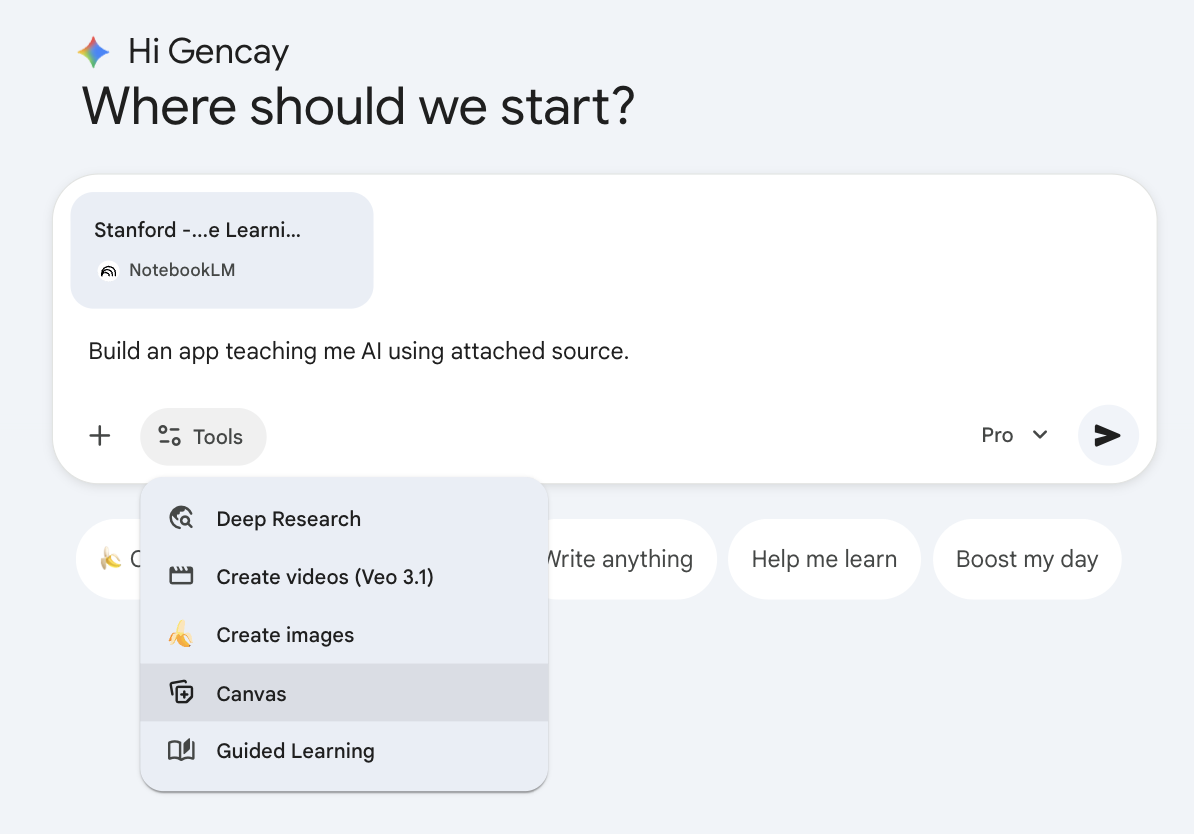
Next, write your prompt and select canvas. Prompt;
Build an app teaching me AI using attached source.
Let’s wait a couple of minutes. Here is the first app that it produced.
It is good but not the best, so let’s improve it a little bit with this prompt.
Good, but it needs to teach key concepts at the beginning, right? Just giving a few key concepts is not enough. How will you teach them? Maybe first introduce the concepts, then before the interactive quiz, use flashcards to help with memorization. You could also add a few infographics for each section using Nano Banana Pro.
And this is crazy good!
Next Steps
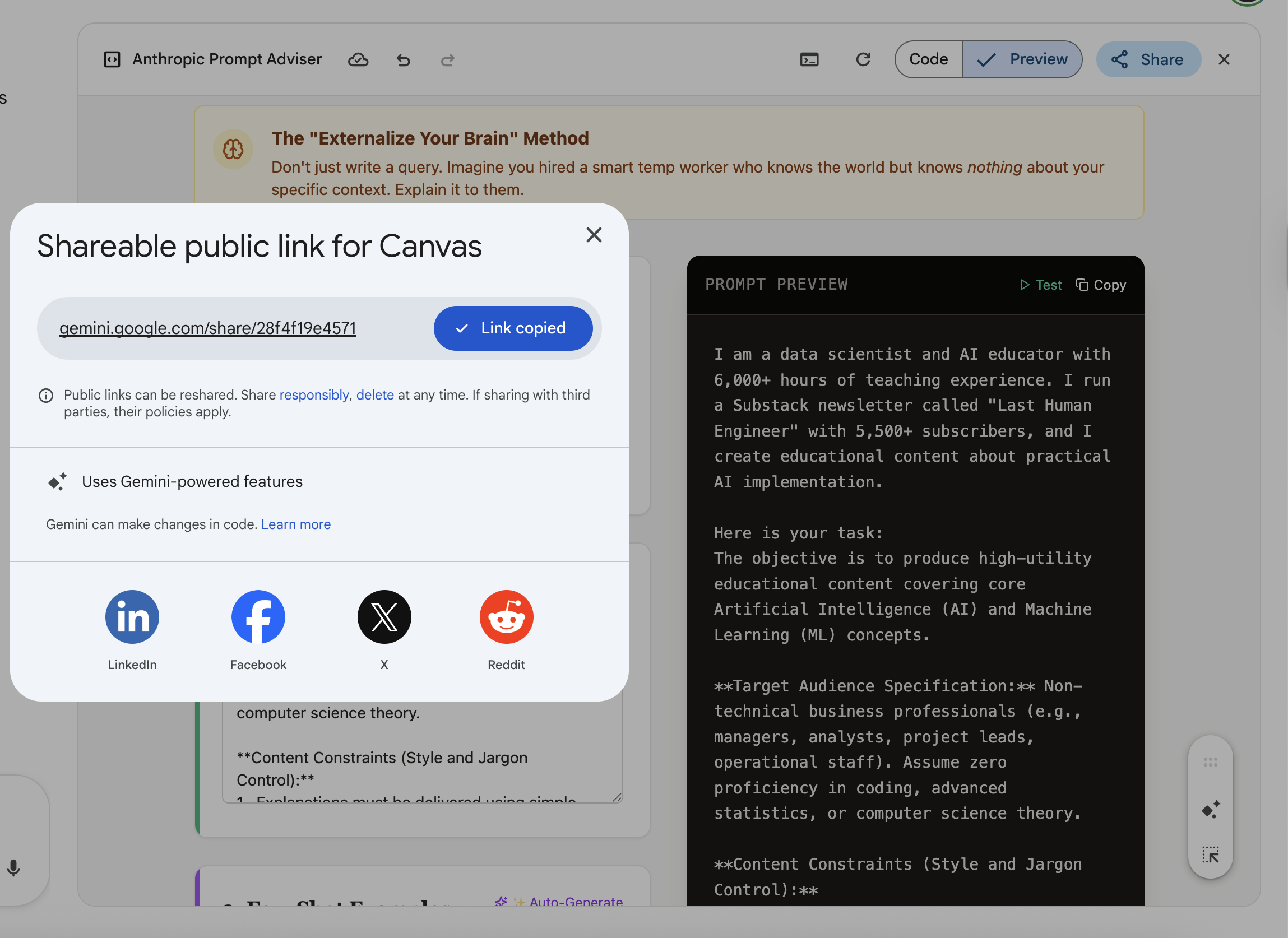
You can share those apps by clicking share on the top right, and it will produce a link so you can share with your friends.
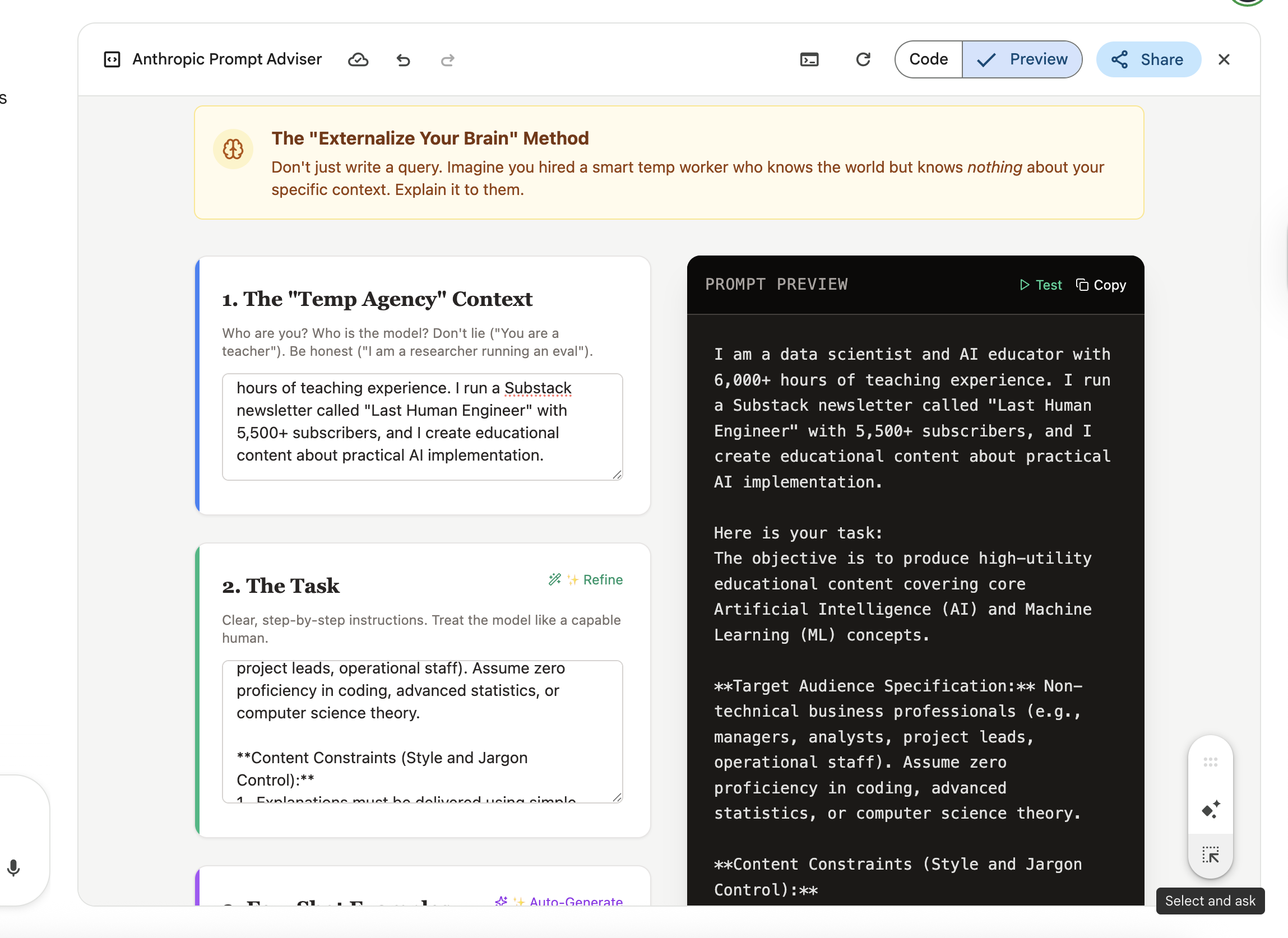
If you want to enhance the app, click on the “Select and ask” button at the bottom right.
Next, select the part you want to change, like this.
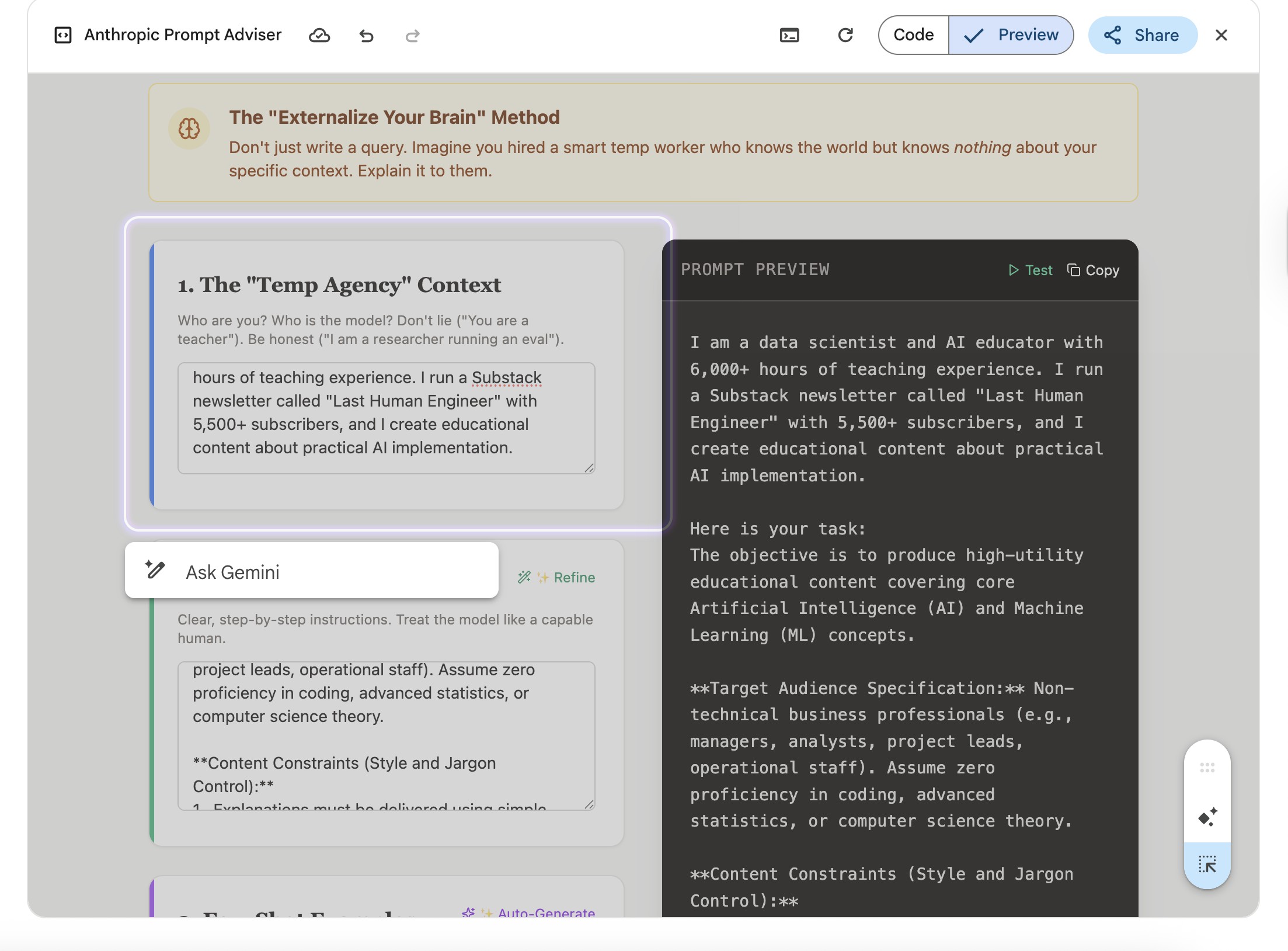
And prompt your way out!
Final Thoughts
NotebookLM + Gemini is the simplest way to turn any content into a working app.
No code. No APIs. Just your sources and a prompt.
I built a Prompt Advisor from Anthropic’s course. I built an AI Teacher from Stanford’s playlist. You can build whatever you need, from any video, PDF, or document you have.
The only limit is what you feed it. Now go build something.