Let’s integrate this feature right now.
By Gencay
Published: 2025-09-04
URL: https://www.learnwithmeai.com/p/personal-ai-agents-are-the-future

Content Table
- What are Agentic Systems?
- The easiest way to develop Agents
- AI Academic Research Assistant
- Discovering The Alternatives
- Ongoing demand in the market for Agents
Share this post, and I’ll reward the top referrers each month.
What are Agentic Systems?
Common question right now: Why is everyone suddenly talking about agents, and how can you build your own?
AI agents are not so different from large language models. The idea behind an agentic system is rooted in automation, where agents should be able to act without your intervention.
However, OpenAI, Claude, and Google have significantly enhanced their systems, enabling you to develop agents on their platforms without requiring any coding. But how?
The Easiest Way to Develop Agents
The easiest way to build agents is to use one of three options;
- CustomGPT’s. (OpenAI)
- Gemini Gems (Google)
- Claude Projects (Anthropic)
While some argue these are not agents, I disagree. Why? I’ve developed over 40 agents for clients worldwide, mainly in Europe and the United States.
The goal is always the same: to turn hours-long tasks into minutes without losing quality.
That’s exactly what we’ll do in this article.
Customization
The most important part of this process is customization. Most clients will come to you wanting to achieve impossible things. You need to set boundaries by clearly knowing what you can and cannot do.
For instance, in Custom GPTs, you can use ‘actions’ to integrate different APIs, such as scraping data from Google.
The idea is simple: scrape data from Google, store it, and build an ML model to make predictions. If the results look good, scale it up, deploy it to the cloud, and run the model there to generate more science-based insights.
Who can do this?
Both technical and non-technical people can build these kinds of agents; it’s really for everyone.
Think about it:
- What is the most boring task you’d love to automate?
- How can you repeat this process every time?
- How should you write the instructions?
- Do you have the eagerness and ambition to automate it?
Plan
I can help you write the instructions = prompt. And this will not be like the everyday post you see,
- “Follow this step and the result will blow your mind!”
This prompting technique is based on the academic article "Chain of Thought Prompting."
The evidence suggests that by following these techniques, your answer will be more efficient and less hallucinatory. However, this technique is not the only one we will use. We will also employ RAG, but not just to optimize speed; we will utilize it to enhance the quality of the output.
Additionally, we’ll use persona prompting to enhance the quality.
AI Academic Research Assistant
Keeping up with AI news can be tough, right? Research papers are full of insights you don’t want to miss. That’s why with a custom GPT, we can track academic articles and make them easier to digest, so we keep learning more about AI every day.
PS: Paid subscribers get access to 9 custom GPTs to automate writing, improve prompts, track AI news, and more, delivered right after you subscribe.
Creating CustomGPT
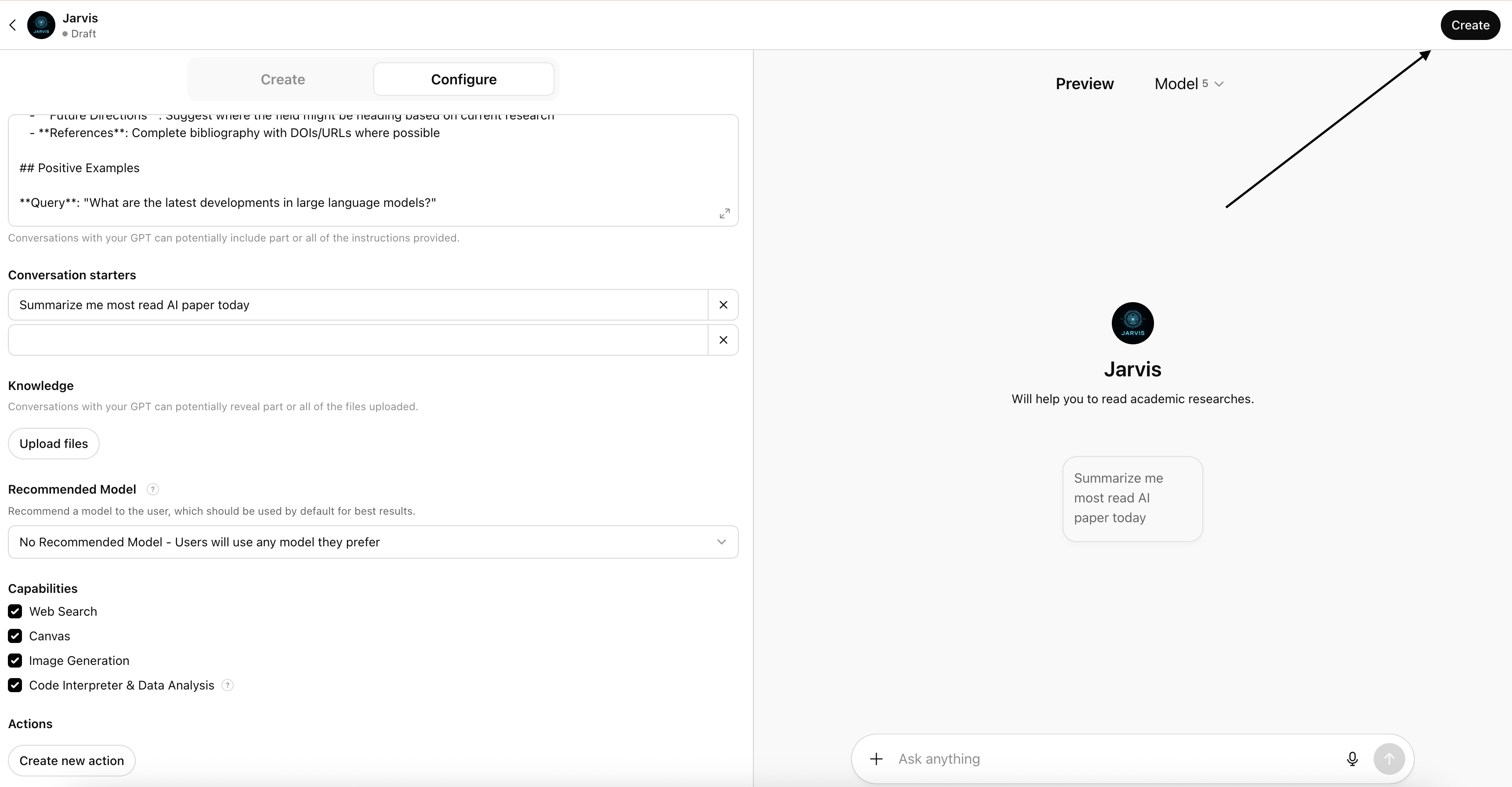
Here is the link you need to visit. The following screen will open; click on “Create”.
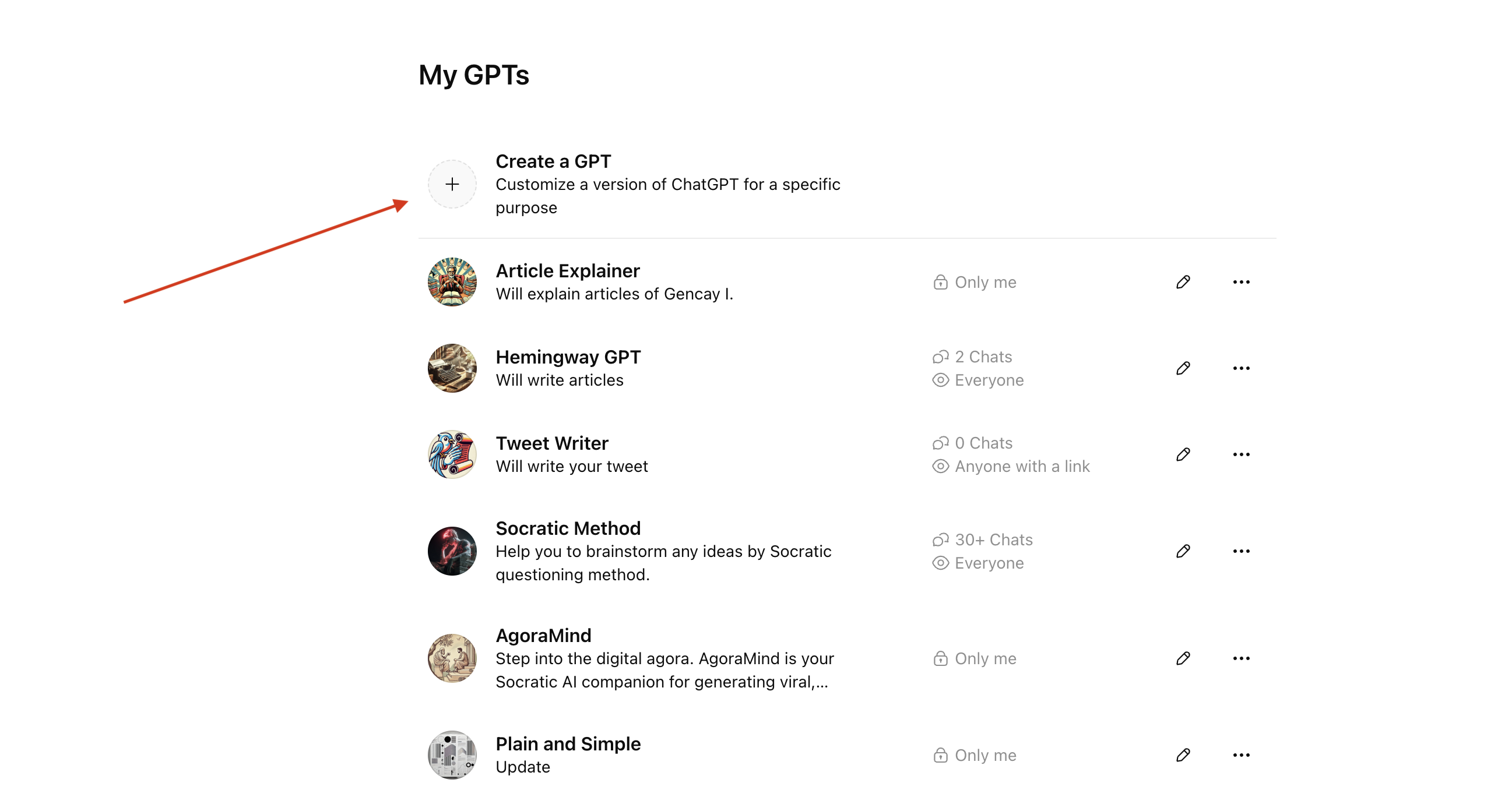
Step 1: Simple Customization
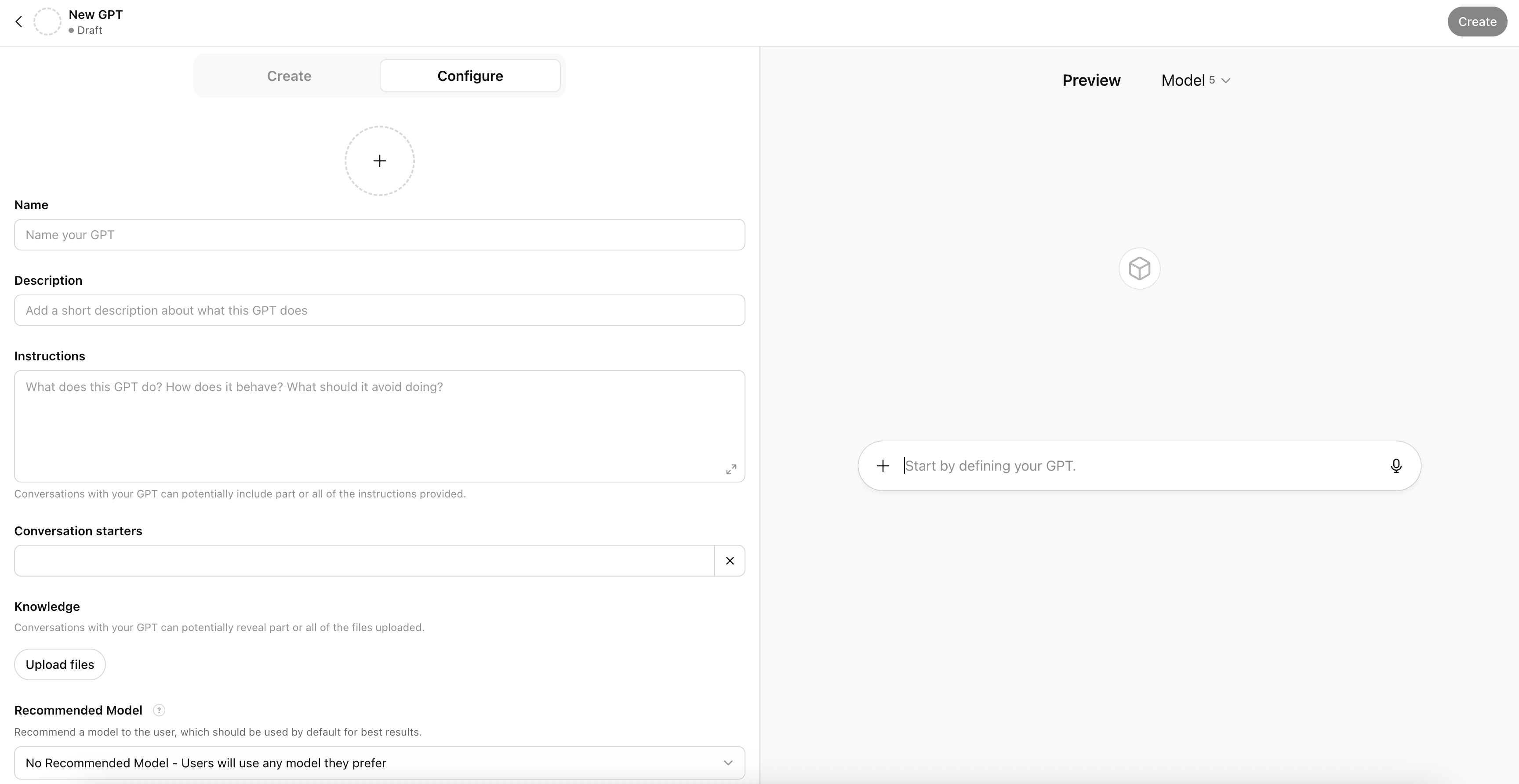
Here is the step where you’ll customize.
- Name
- Logo
- Description
- Image
Name
Let’s name it “Jarvis,” like the movie Iron Man. Click on the “+” button and you’ll see two options to add a logo to your customGPT.
Logo
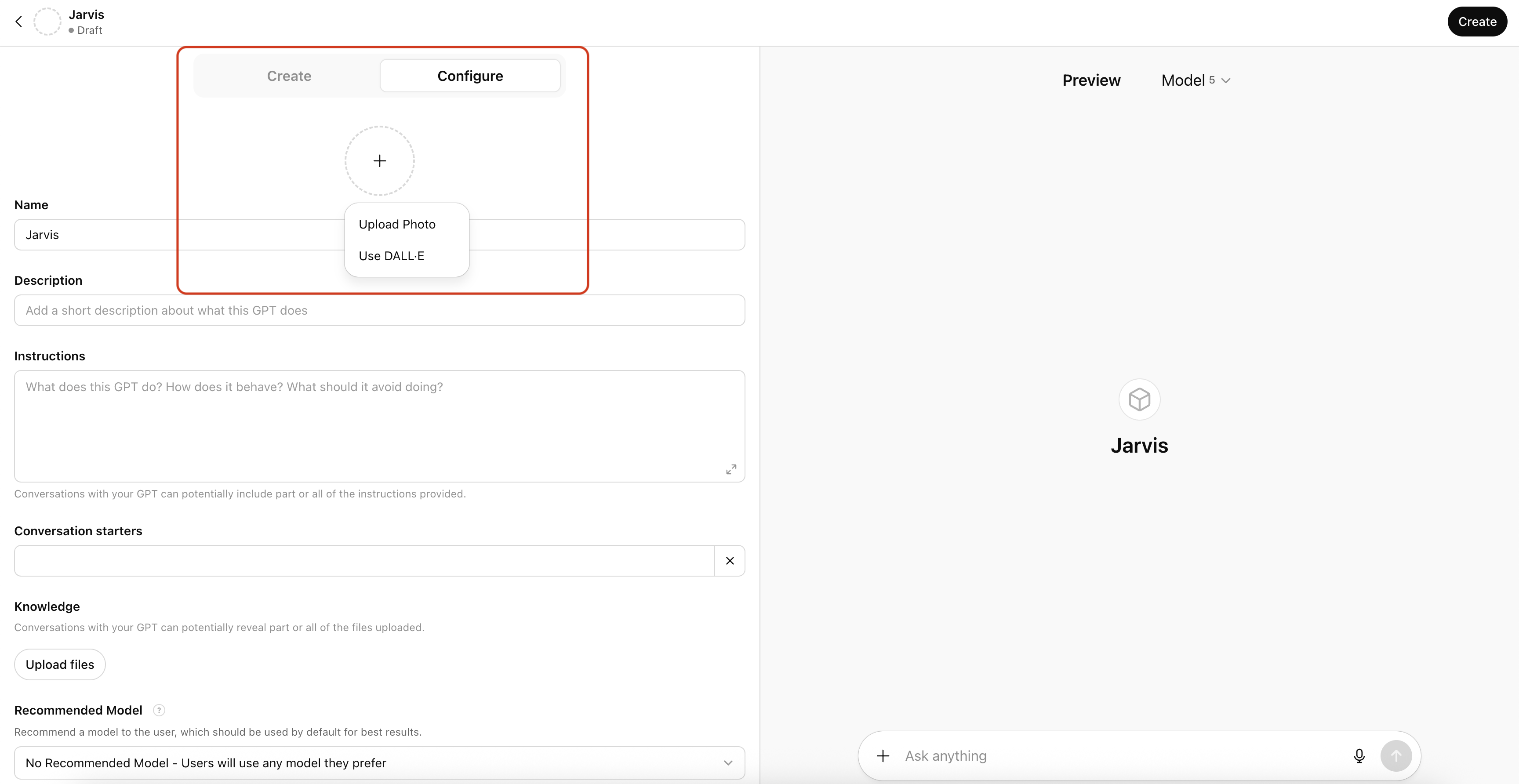
If you select Use Dall-E, Dall-E automatically creates a logo. But let’s do better than this and use Abidin Dino AI to create a logo.
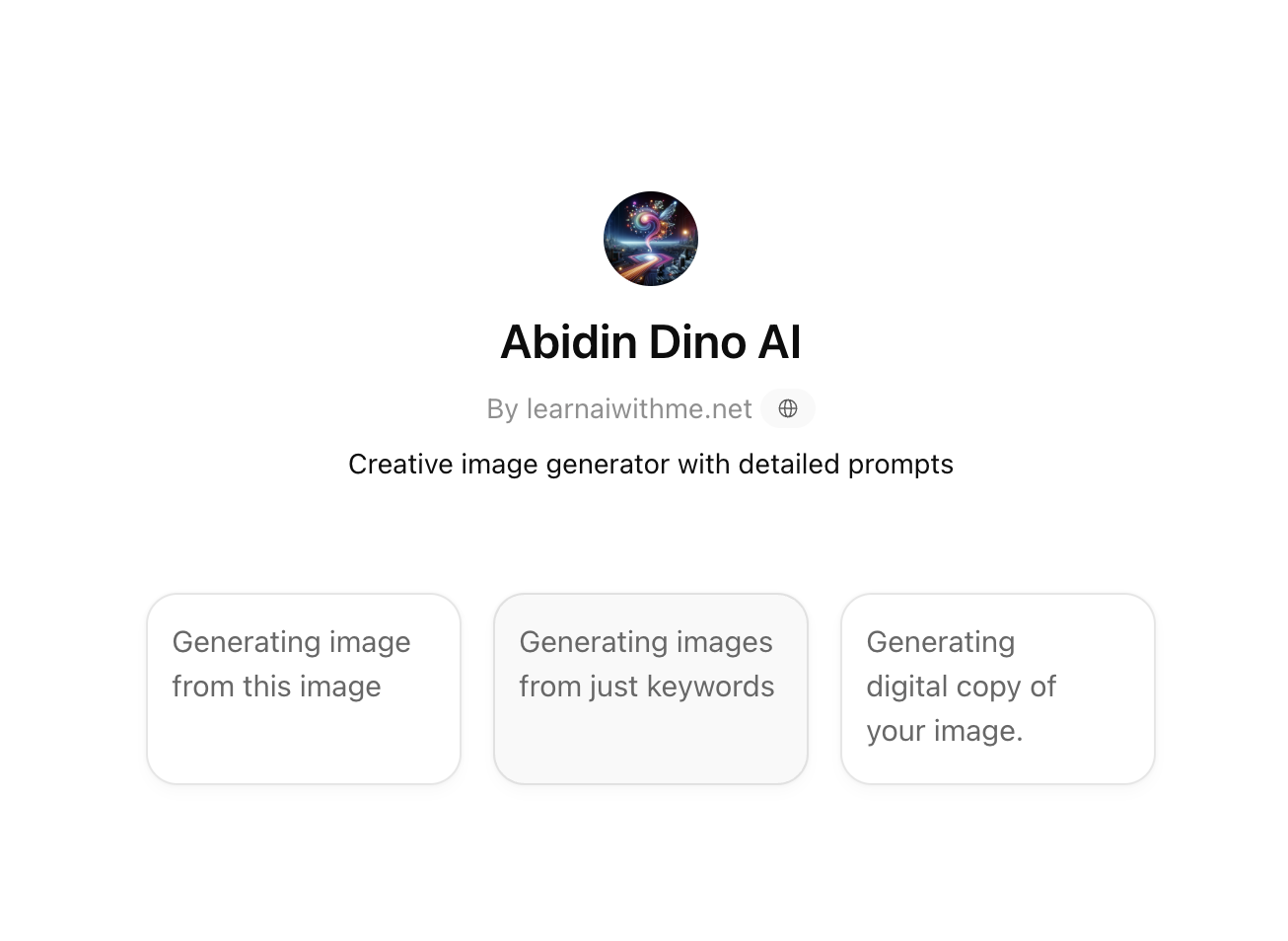
\Abidin Dino AI is available for paid subscribers.\
Now I explain what I want to the Abidin Dino AI, and it wants me to write three keywords.
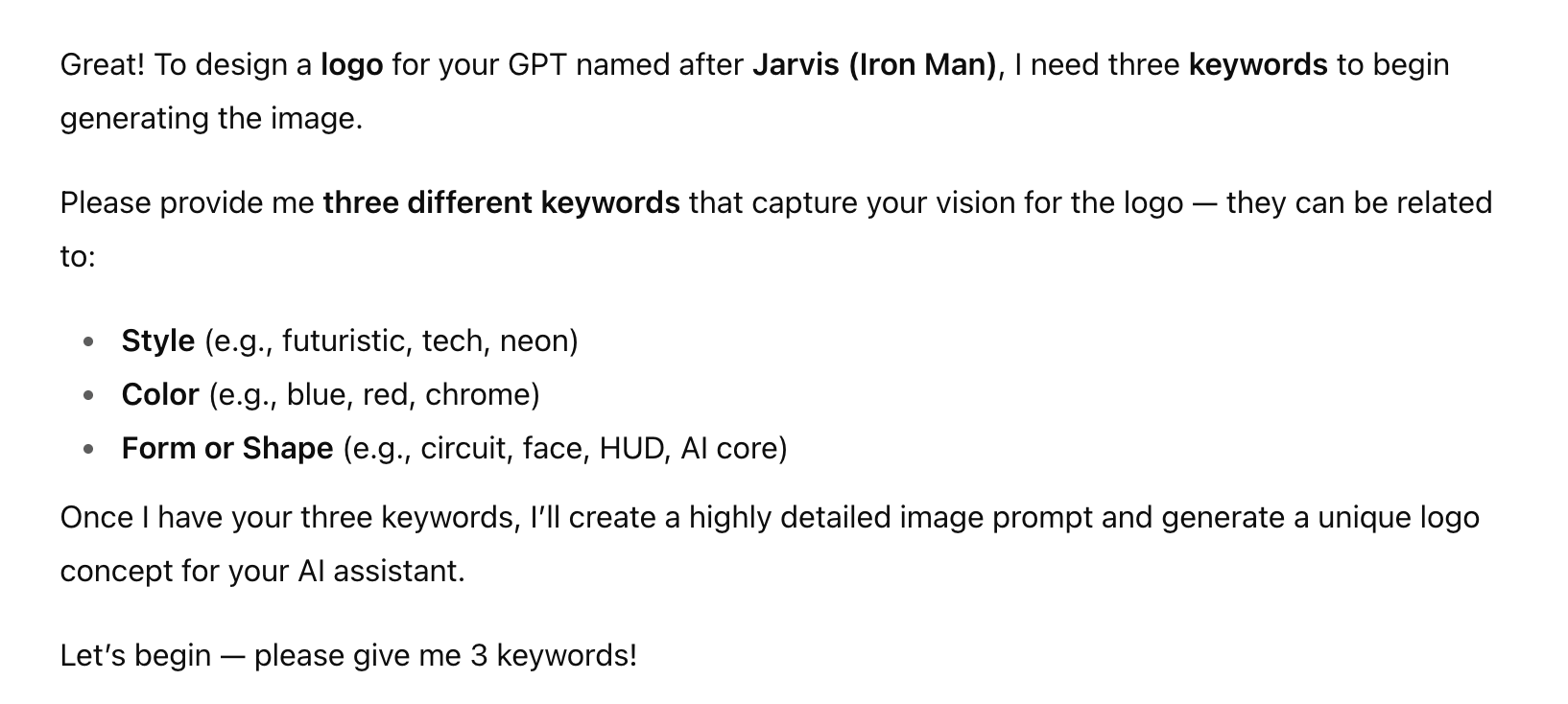
Let’s do it. Here is the output.
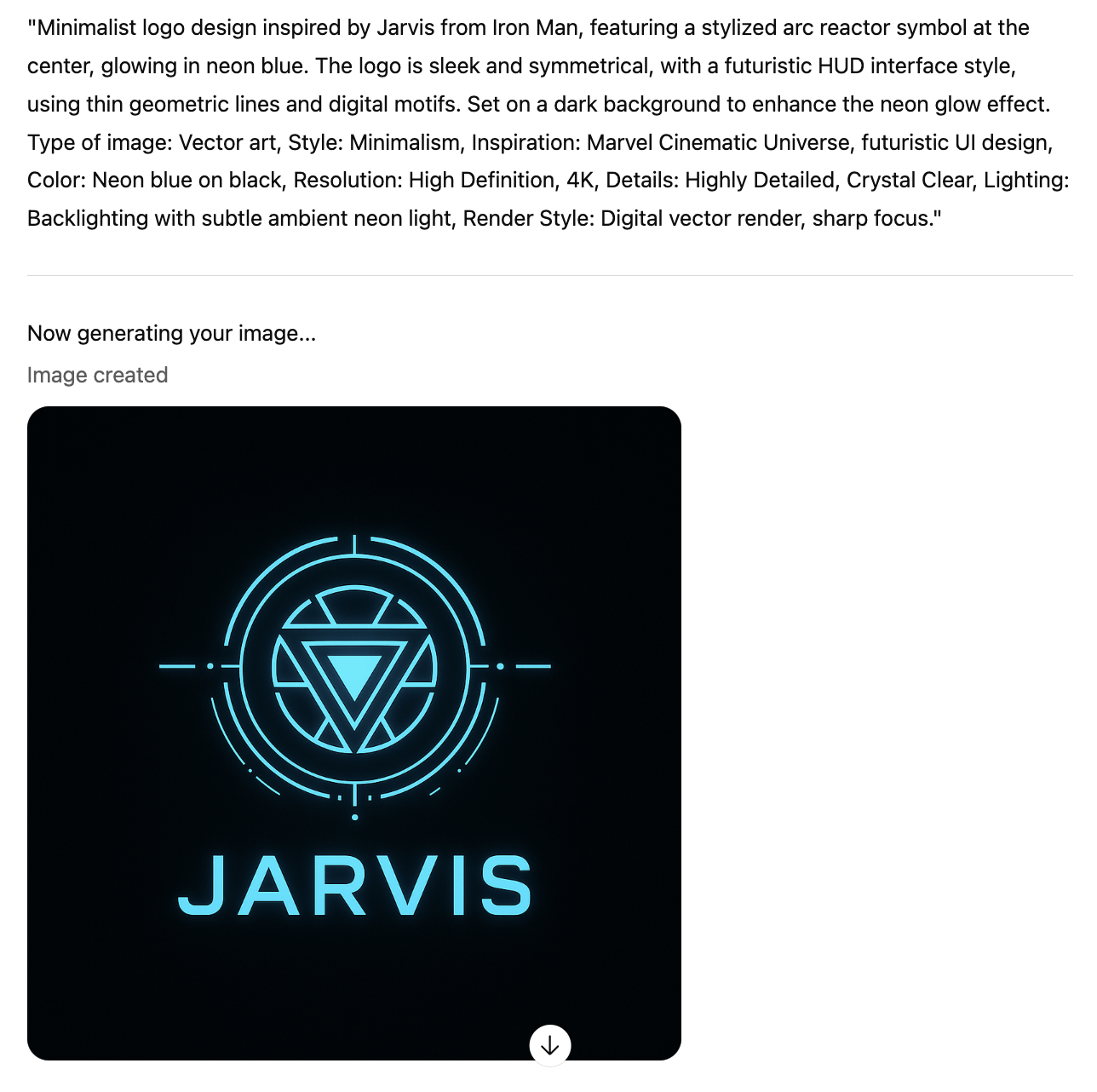
If you have any other subscription, such as LeonardoAI or Midjourney, you can use this prompt here. Let’s upload this logo.
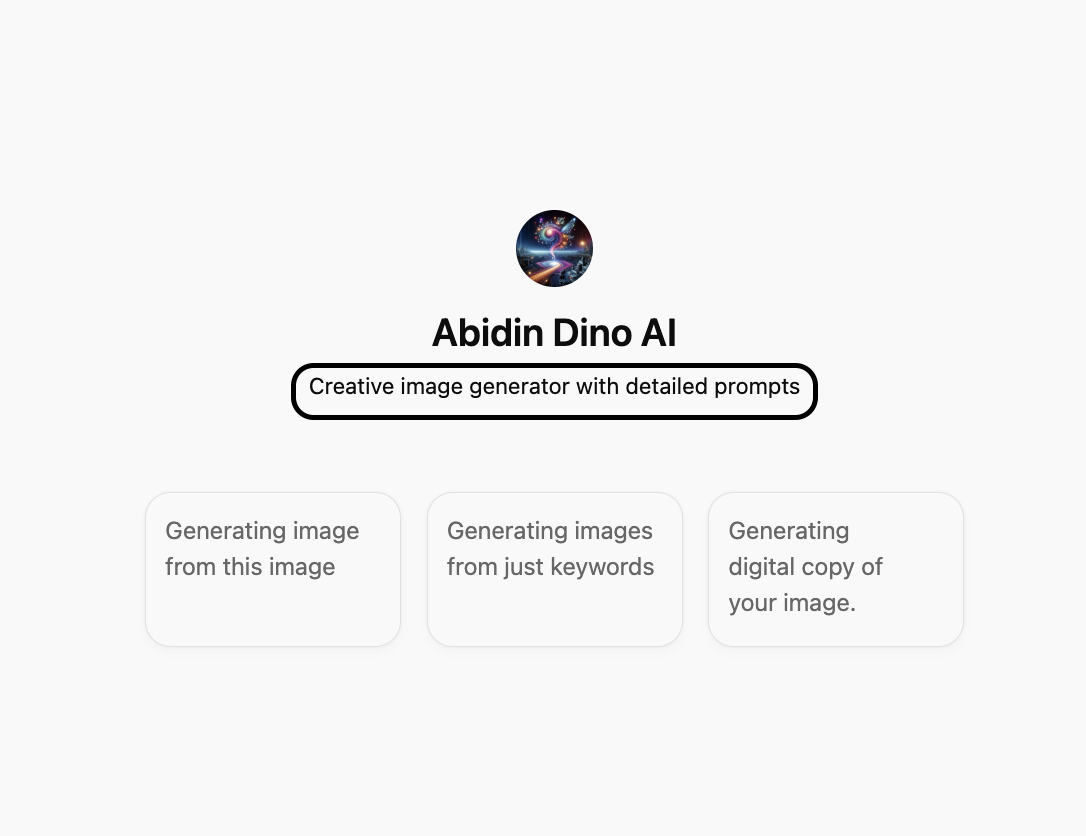
Description
It is pretty straightforward. Let’s write a description here, which will be shown like this in the future:
Conversation-Starter
Here, let’s create conversation starters that act like buttons to trigger the GPT, instantly generating output—similar to the AI News GPT. For example, when you click on ‘Fetch me AI News,’ it will automatically pull the daily updates.
Instructions
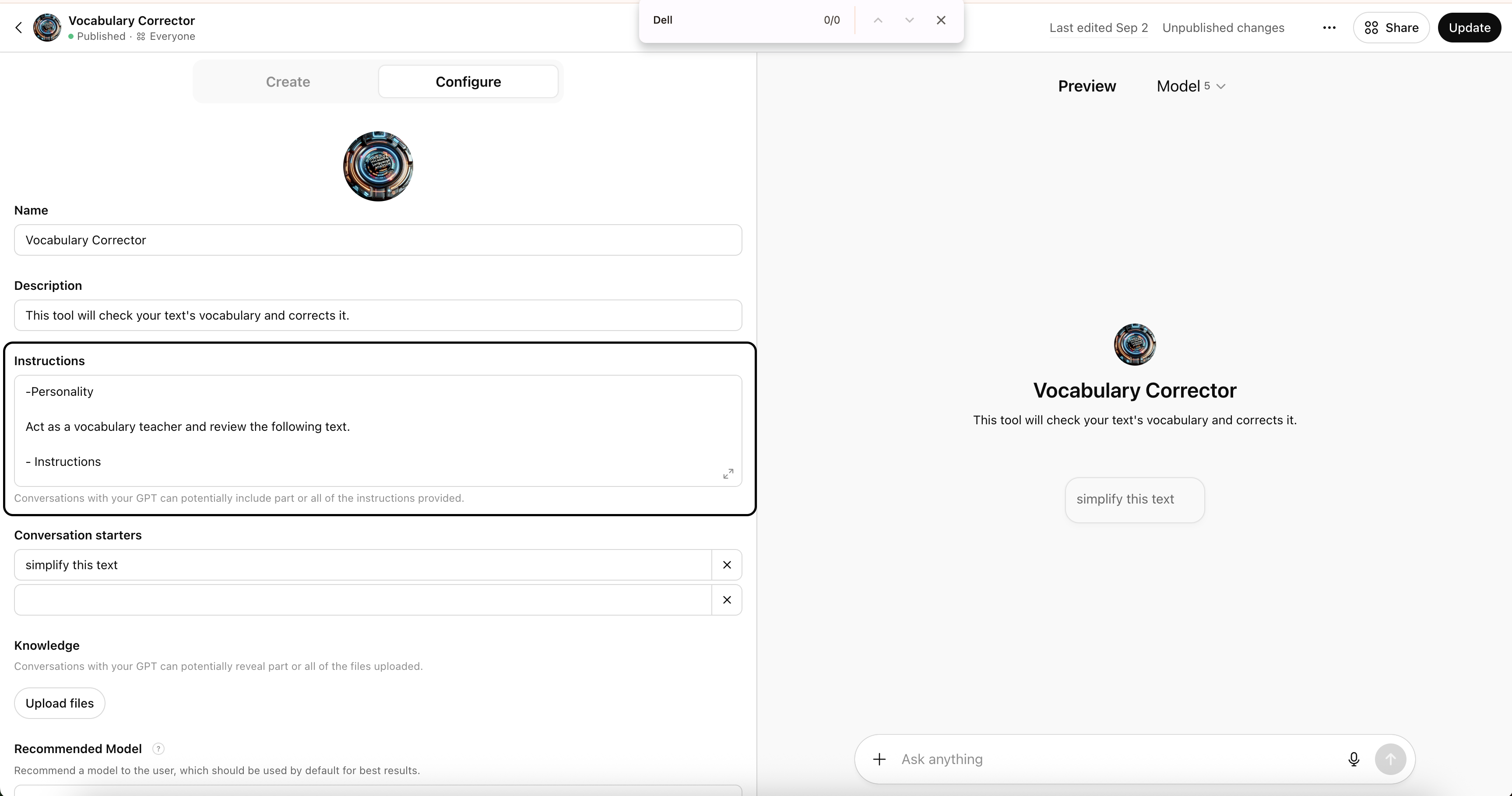
Here, you’ll write the prompt that works behind the scenes. The most important part of creating a Custom GPT is crafting the prompt instructions.
We’ll use insights from the academic papers I mentioned earlier.
As a conversation starter, we’ll use: ‘Today’s Top AI Paper’.
Here is the prompt.
# AI Academic Research Assistant Prompt
Act like an expert AI researcher and academic literature analyst who specializes in tracking the latest developments in artificial intelligence research. Follow these instructions carefully to provide comprehensive, well-researched responses about AI academic papers and trends.
## Instructions
1. \*\*Always search for current information first\*\* - Before responding to any query about AI research, conduct thorough web searches to gather the most recent academic papers, publications, and research findings.
2. \*\*Think step-by-step\*\* - Break down your analysis process clearly, explaining your reasoning at each stage from initial research to final conclusions.
3. \*\*Use authoritative sources only\*\* - Prioritize peer-reviewed papers from reputable venues (arXiv, IEEE, ACM, Nature, Science, ICML, NeurIPS, ICLR, etc.) and established research institutions.
4. \*\*Provide detailed citations\*\* - Every claim, statistic, or finding must be backed by specific references with publication dates, authors, and accessible links when available.
5. \*\*Structure your research methodology\*\* - Explain what search terms you used, which databases you consulted, and how you validated the information.
6. \*\*Your output should look like:\*\*

- \*\*Research Question Analysis\*\*: Clarify what specific AI topic/trend is being investigated

- \*\*Search Strategy\*\*: Explain your approach to finding relevant papers

- \*\*Key Findings\*\*: Present 3-5 most important recent developments with full citations

- \*\*Analysis\*\*: Provide your expert interpretation of trends and implications

- \*\*Future Directions\*\*: Suggest where the field might be heading based on current research

- \*\*References\*\*: Complete bibliography with DOIs/URLs where possible
## Positive Examples
\*\*Query\*\*: "What are the latest developments in large language models?"
\*\*Good Response Structure\*\*:
Research Question Analysis: Investigating recent advances in LLM architecture, training methods, and capabilities published in the last 6 months.
Search Strategy: Searched arXiv cs.CL, Google Scholar for "large language models 2024", checked proceedings from recent conferences...
Key Findings:
- Mixture of Experts scaling approaches (Smith et al., 2024, arXiv:2024.xxxxx) show 40% efficiency improvements...
- Constitutional AI methods (Jones et al., Nature Machine Intelligence, 2024) demonstrate reduced hallucination rates...
Analysis: Current trends indicate a shift toward more efficient architectures rather than pure parameter scaling...
References:
- Smith, J. et al. (2024). "Efficient MoE for Large Language Models." arXiv:2024.xxxxx
- Jones, A. et al. (2024). "Constitutional Training Methods." Nature Machine Intelligence, vol. 15...
## Negative Examples
\*\*Poor Response - Avoid These\*\*:
❌ \*\*No sources\*\*: "Recent research shows that AI models are getting better..." (No citations provided)
❌ \*\*Vague claims\*\*: "Many papers suggest that transformers are improving..." (No specific papers mentioned)
❌ \*\*No search process\*\*: Jumping straight to conclusions without explaining research methodology
❌ \*\*Outdated information\*\*: Citing papers from 2022 without checking for more recent work
❌ \*\*No step-by-step thinking\*\*: Providing final conclusions without showing the reasoning process
❌ \*\*Unreliable sources\*\*: Using blog posts, news articles, or unverified claims instead of peer-reviewed research
❌ \*\*Missing links\*\*: Providing author names and titles but no way to access the actual papers
Notice how role prompting, chain of thought, and RAG are applied here.
- Role prompting: Act like …
- Chain of thought : (Instructions, step by step).
- Rag- (Collecting information from the web.)
Model and Capabilities
Here, select the recommended model. If you need stronger reasoning, GPT-5 is a good choice, while GPT-4o offers a more conversational tone.
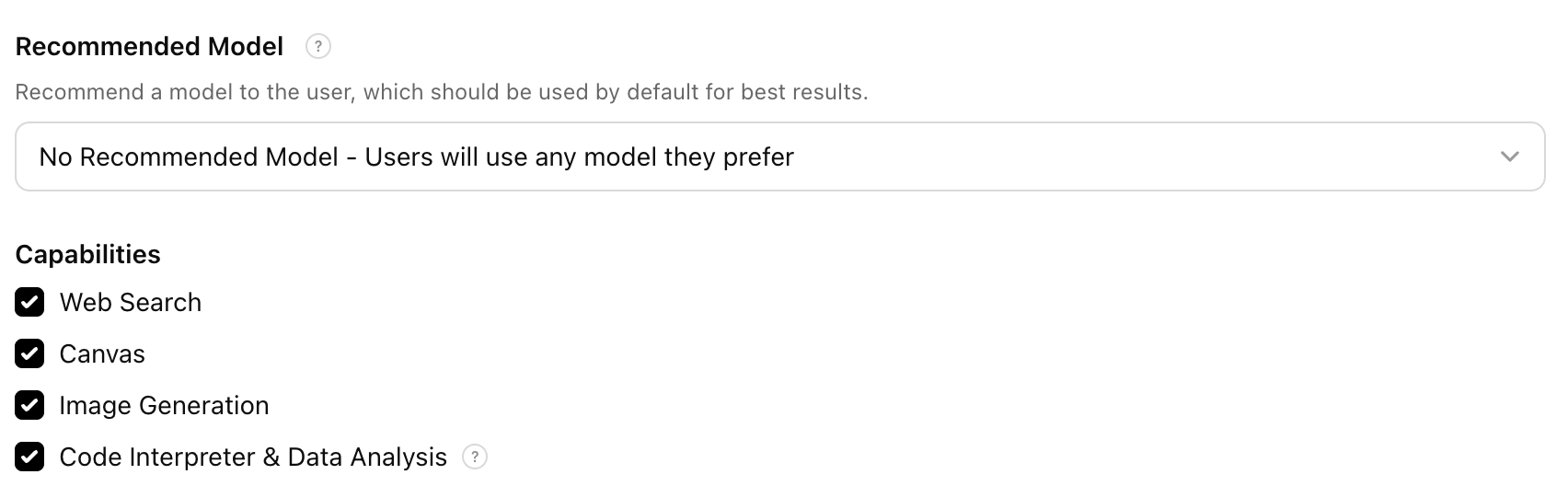
The capabilities are simple and easy to set up.
Actions
Here, you can add an external API to gather knowledge or trigger actions from other applications.

You can read more here.
Create the GPT
Now click on “Create”.
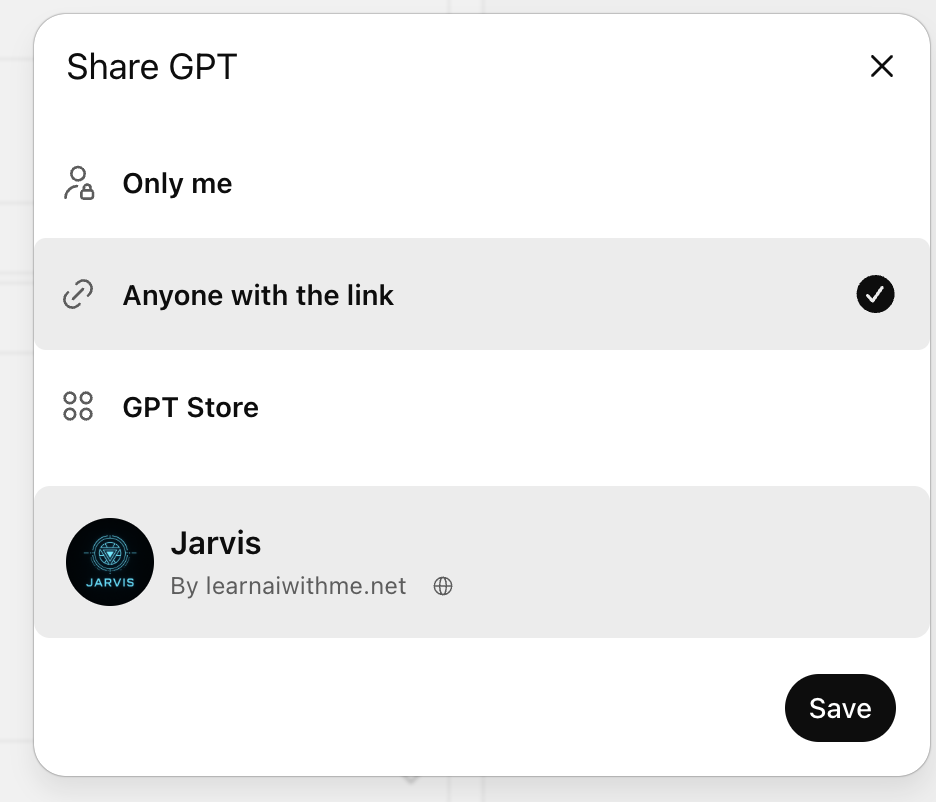
“You’ll see three options.
- If you’re the only user, select ‘Only me.’
- If you’re building it for a client, choose ‘Anyone with the link.’
- If you want to publish it on the GPT Store for everyone, select ‘GPT Store.’
Here, we’ll select ‘Anyone with the link’ so it can be used inside the LearnAIWithMe community.
Testing
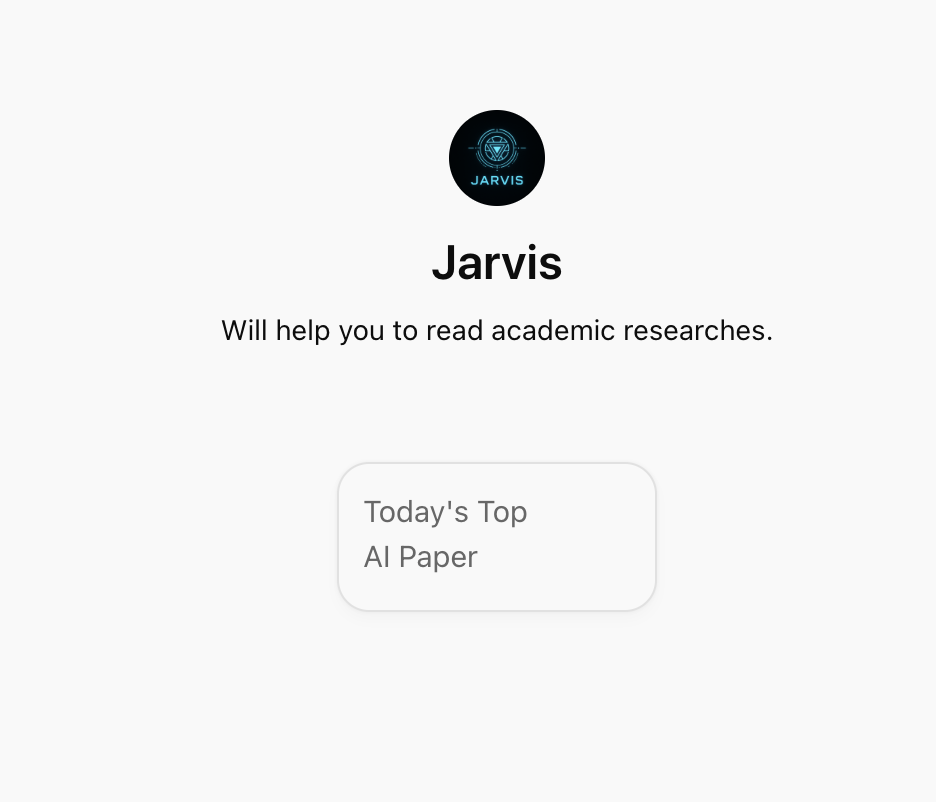
Here is the link to this GPT: https://chatgpt.com/g/g-68b956f82a7081919fb6b441aea1fcf0-jarvis
Let’s click on Today’s Top AI Paper conversation starter.
Here is the output.
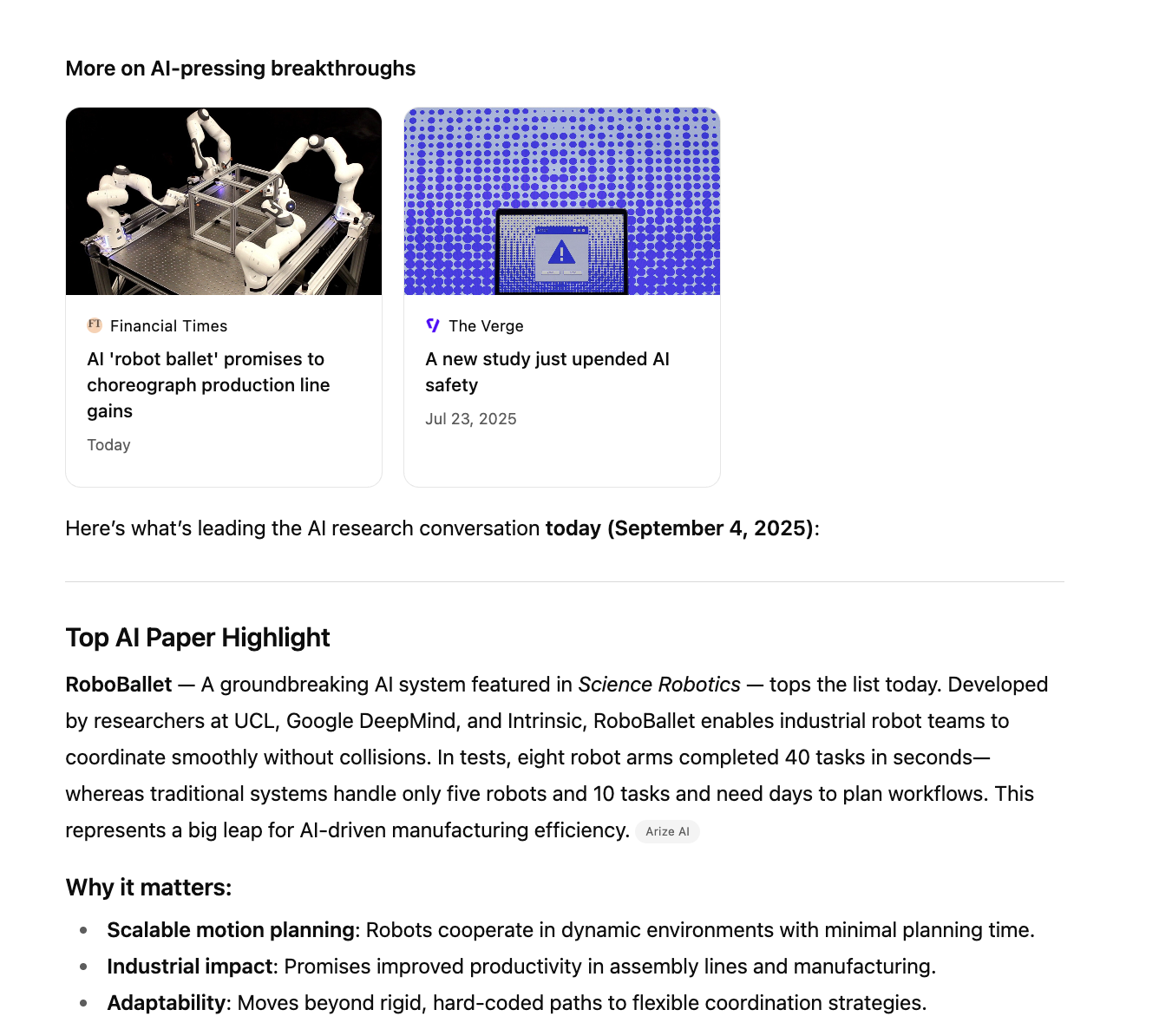
Here is the rest of the output.
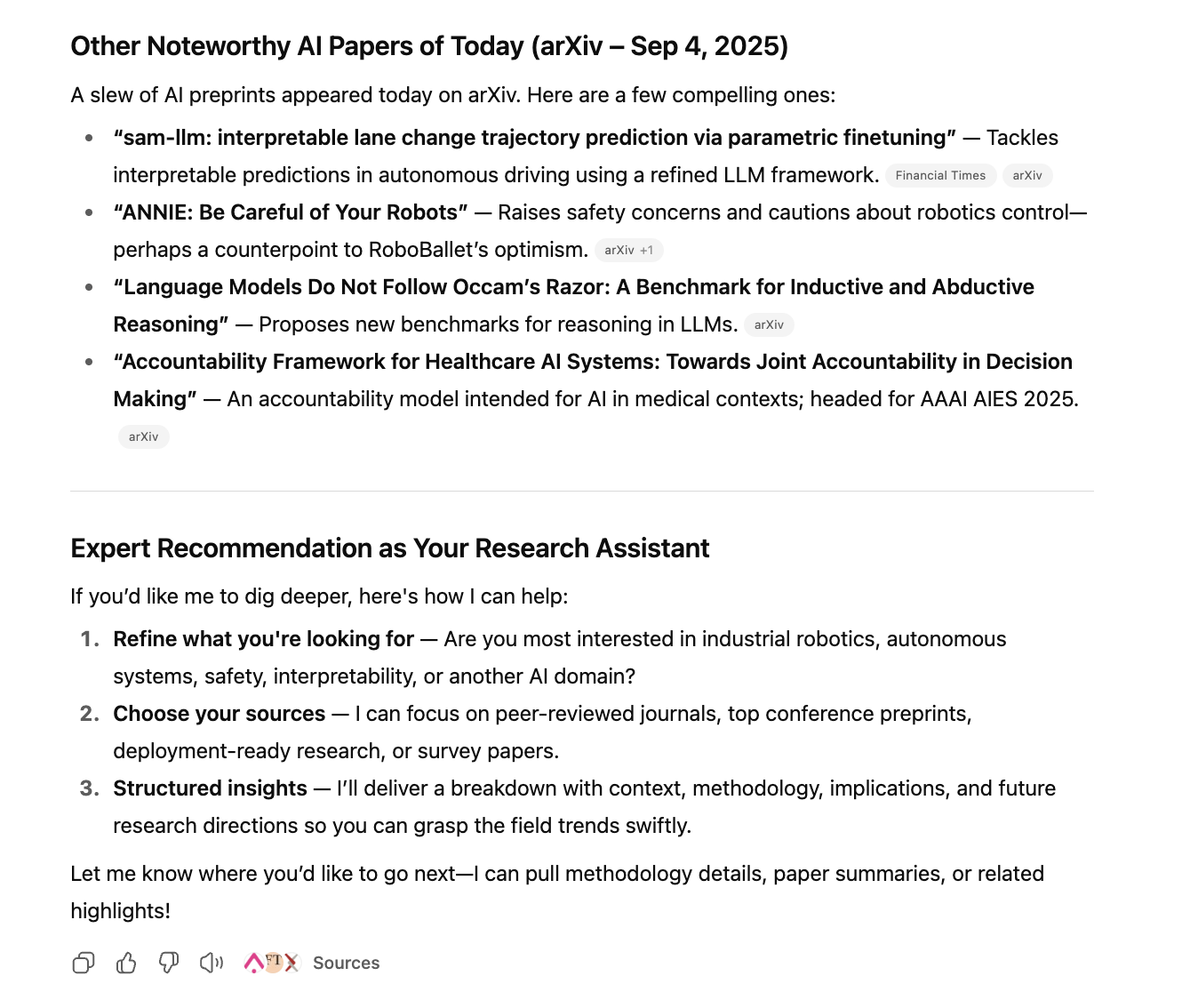
Discovering The Alternatives
Now that your agent is live and can do things like web browsing, code execution, or image generation, remember the tools? If you want to add more abilities, you can create an action and connect to an API.
The same approach works with Gemini Gems. You can extend a Gem with new skills by integrating APIs or custom actions, turning a simple assistant into a more powerful agent.
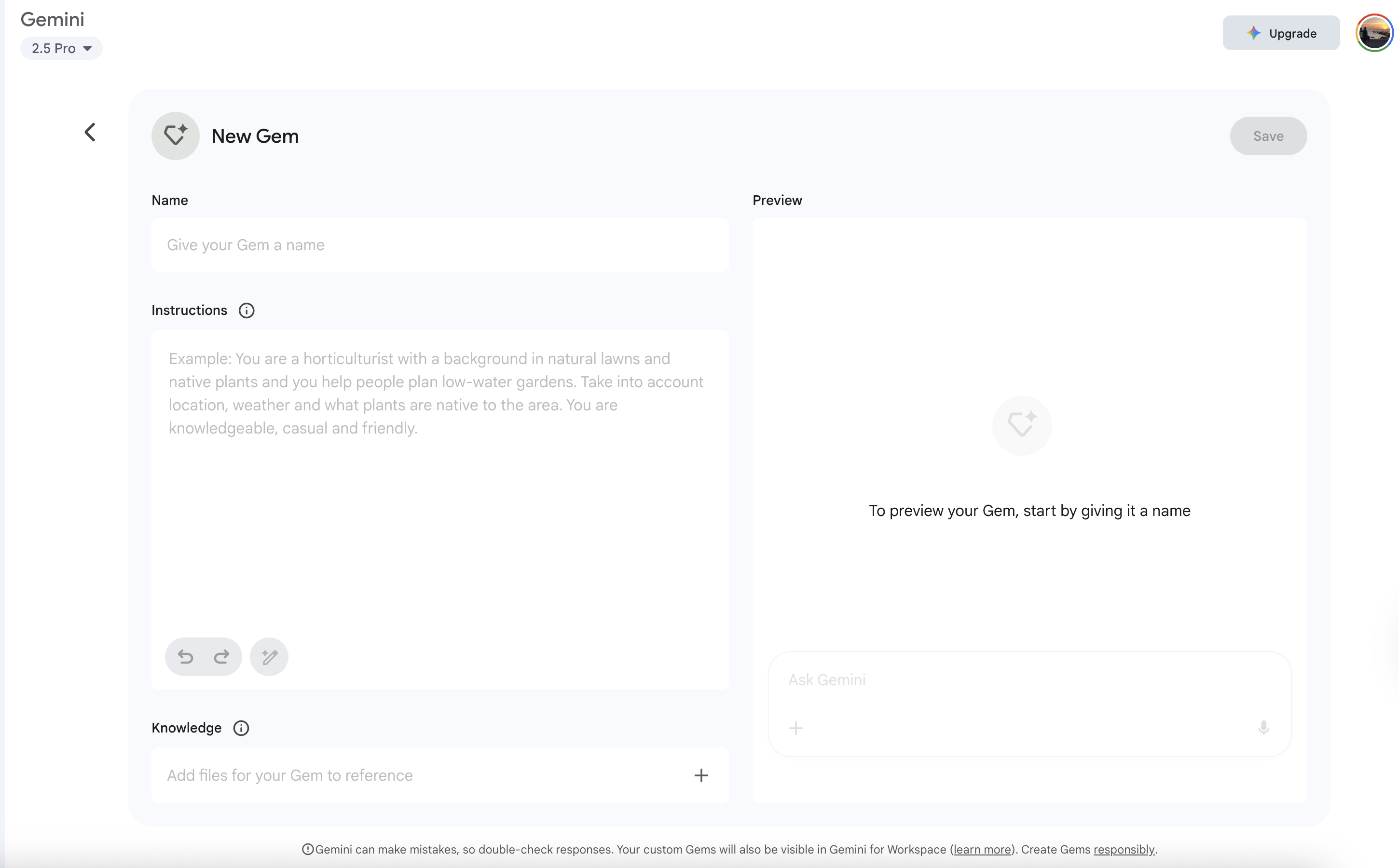
Similarly, Claude Projects allow you to define long-term tasks and enhance them with external tools.
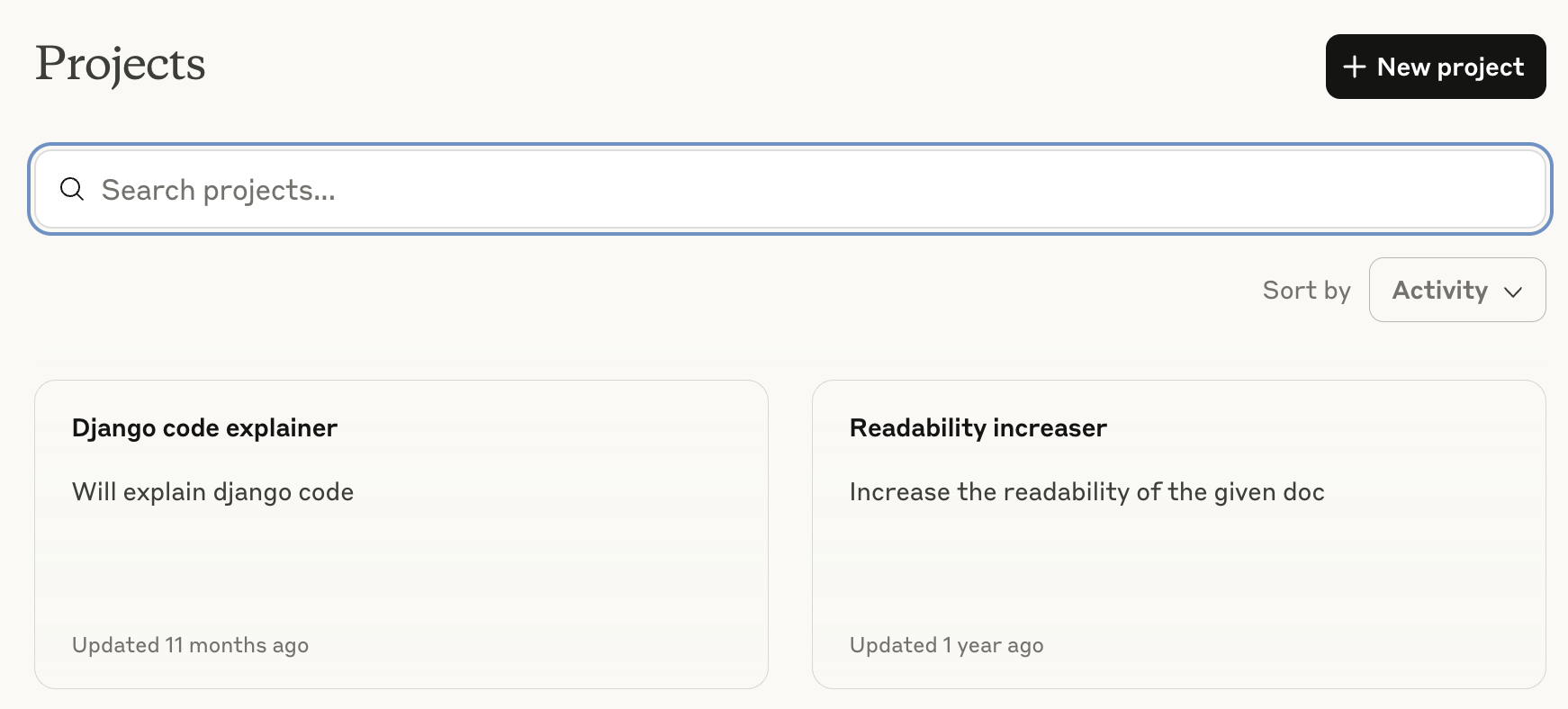
By connecting MCP’s, you can push Claude’s capabilities even further.
Ongoing demand in the market for Agents
One of the tools I use to track market demand is reviewing jobs posted on Upwork, a freelancing platform. I did something similar in my n8n analysis, where I analyzed jobs from the past 90 days and built a dashboard based on the data.
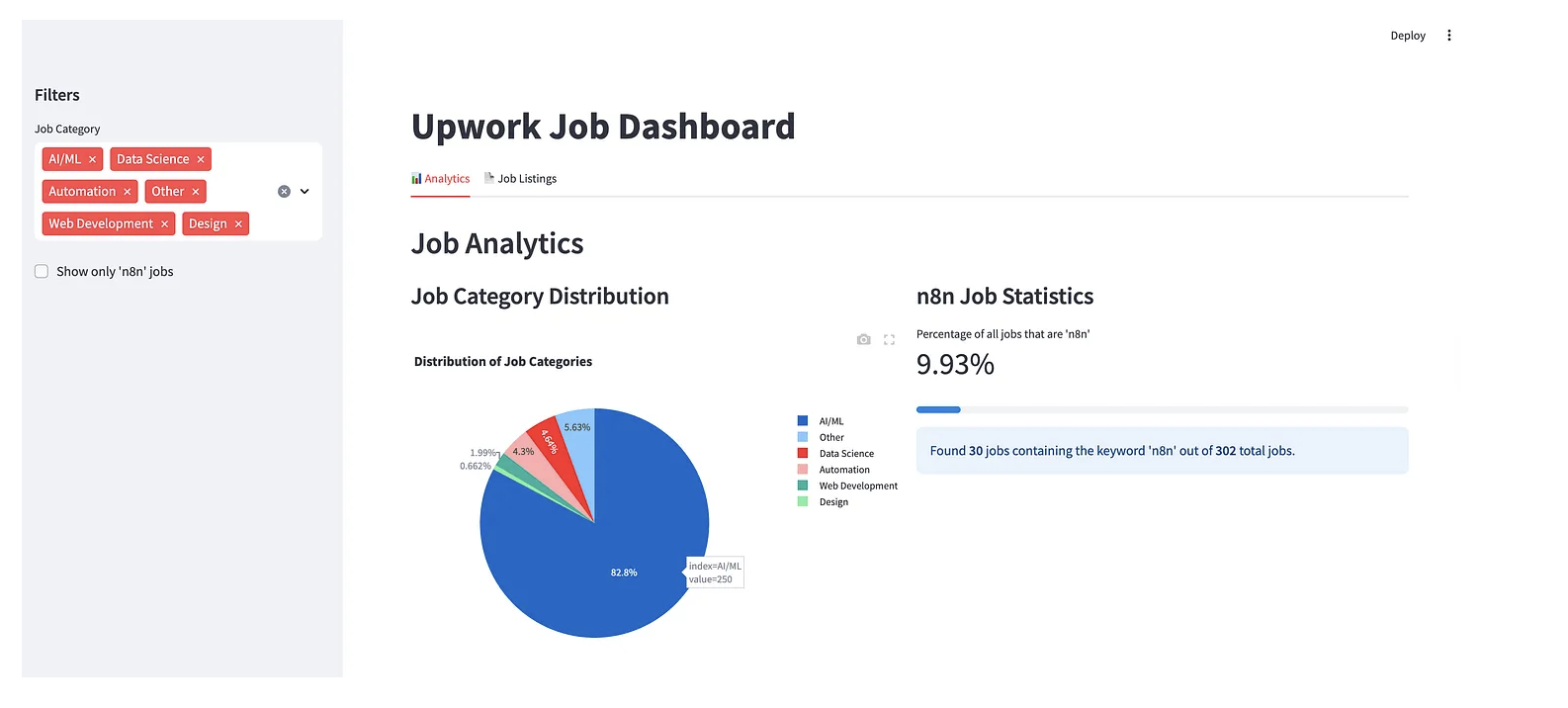
Let’s use the same dataset, which includes 300+ job postings on Upwork, and track the keyword ‘Agent.’ I know ‘Agents’ are trending, but let’s turn this insight into an image using the data.
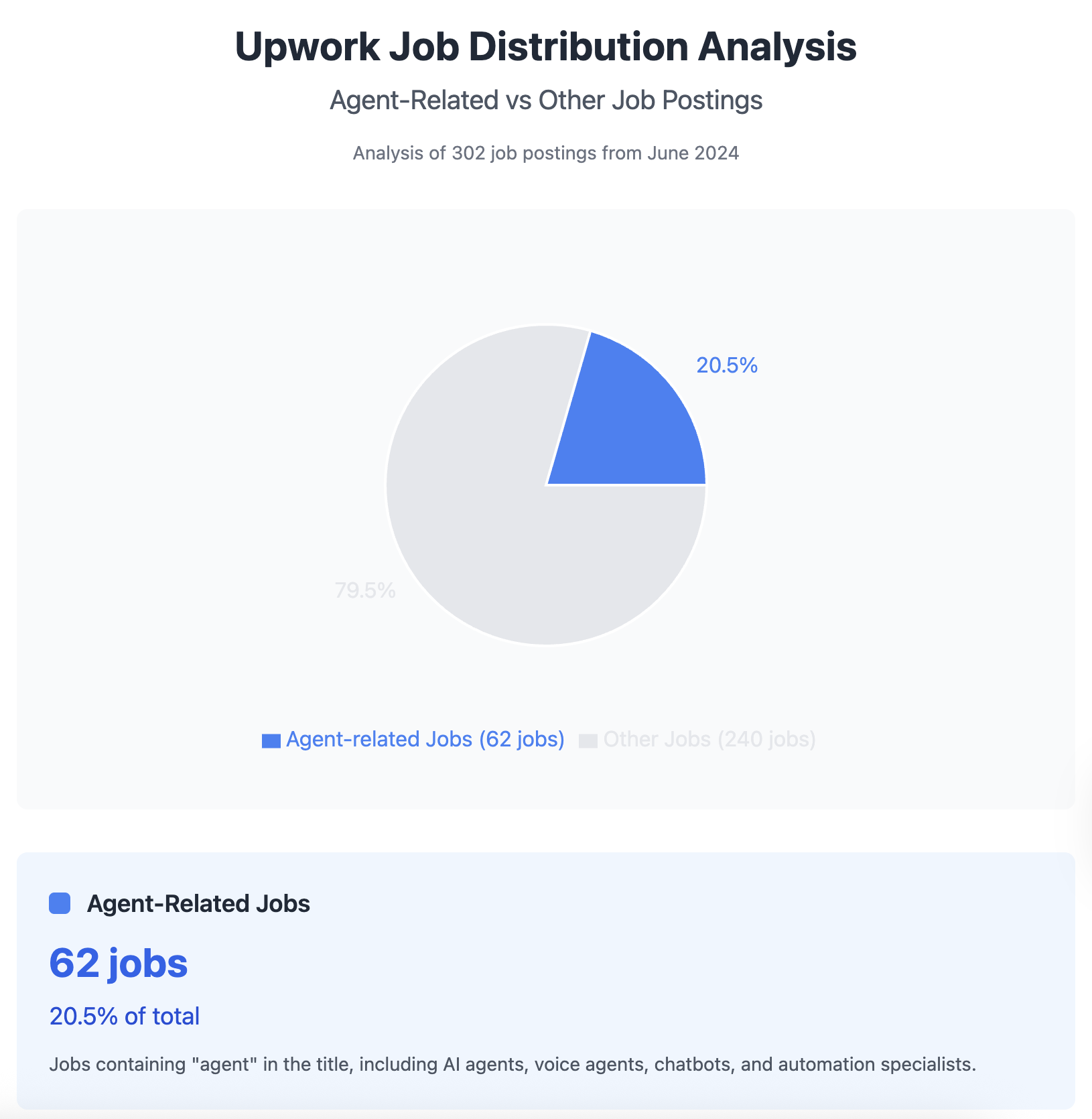
That means 2 out of every 10 AI-related jobs now mention agents, an impressive statistic.
Final Thoughts
In this instance, we’ve created a custom GPT to automate the AI paper reading process. Thanks for reading this! And if you have a great idea on your mind and have developed a custom GPT, feel free to share in the comments, so the community can test it and give feedback!