ChatGPT & Gemini and Claude's Agents Comparison.
By Gencay
Published: 2024-09-02
URL: https://www.learnwithmeai.com/p/bonus-in-5-years-ai-agents-will-change

Do you want to be part of this future? After the release of Gemini’s Gem last week, we now have the powerful trio to compare.
In this bonus part of the #LearnAI series, we will compare agents from OpenAI(ChatGPT), Google(Gemini), and Anthropic(Claude). Ultimately, we will have one bonus, which is rare but the only one completely free!
Are you sure you’re using the best tools or unknowingly falling behind in the AI race?
Anthropic: Claude 3.5
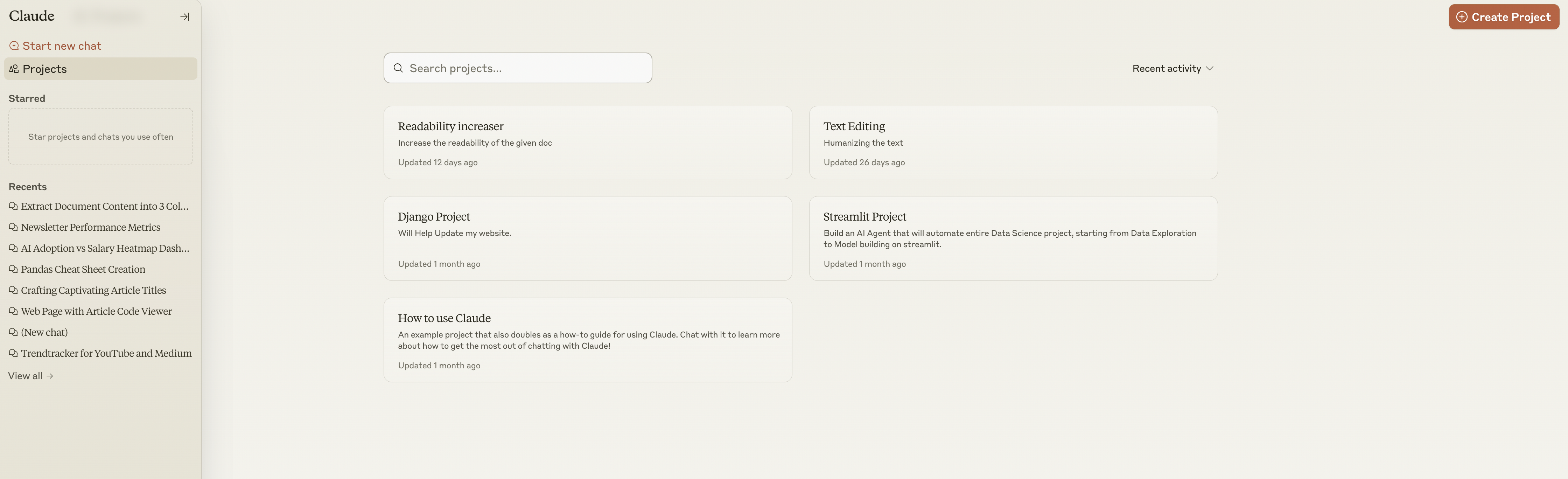
The project feature has come to Claude 3.5 recently. And by using those features, thank god, you can create an AI agent that will talk and act like you want, based on the docs you gave (optional.) ( Here is the link to reach projects on Claude 3.5)
Do you recall this from somewhere else? If you’ve developed CustomGPTs before, you might remember it from there. Yes, you hear right. Anthropic has developed a similar kind of Agent, but they’ve changed their name to the projects.
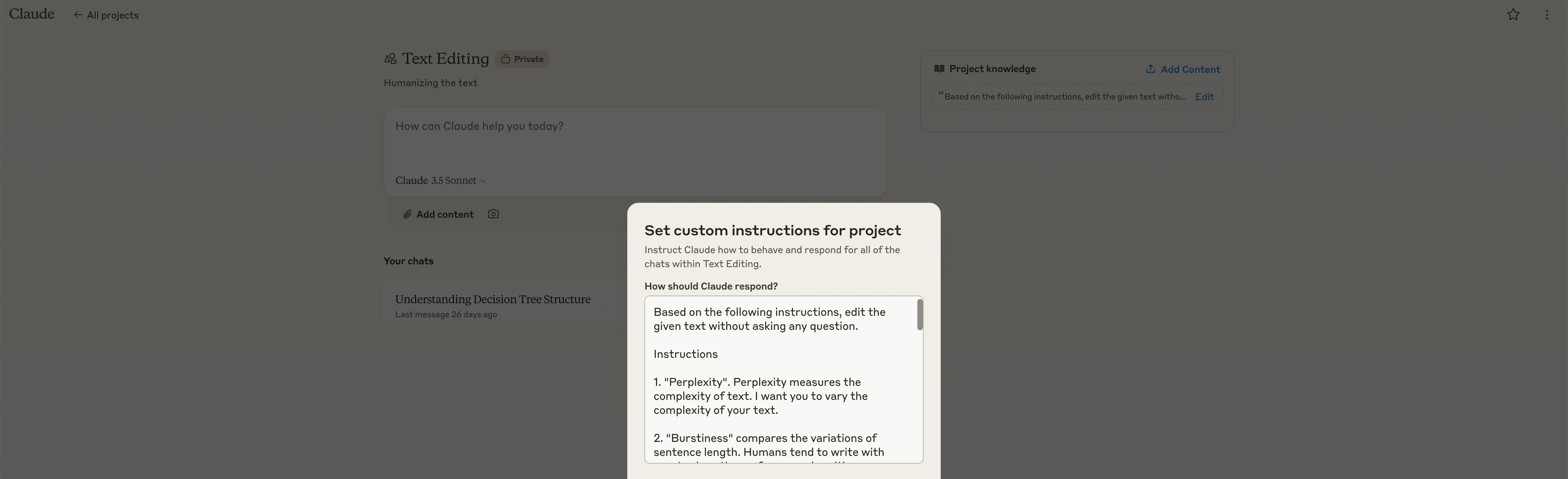
As you can see from above, after creating a project, you are asked to enter custom instructions, which are simply the main prompts working behind the scenes.
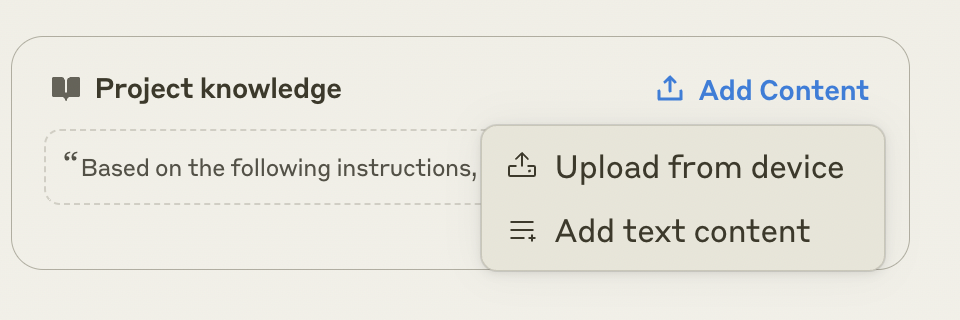
You can also add text content like in customGPTs. I am referring to customs a lot because they were the initial ones. The rest are the same with customGPT; check Claude's following feature for more!
OpenAI: CustomGPT’s
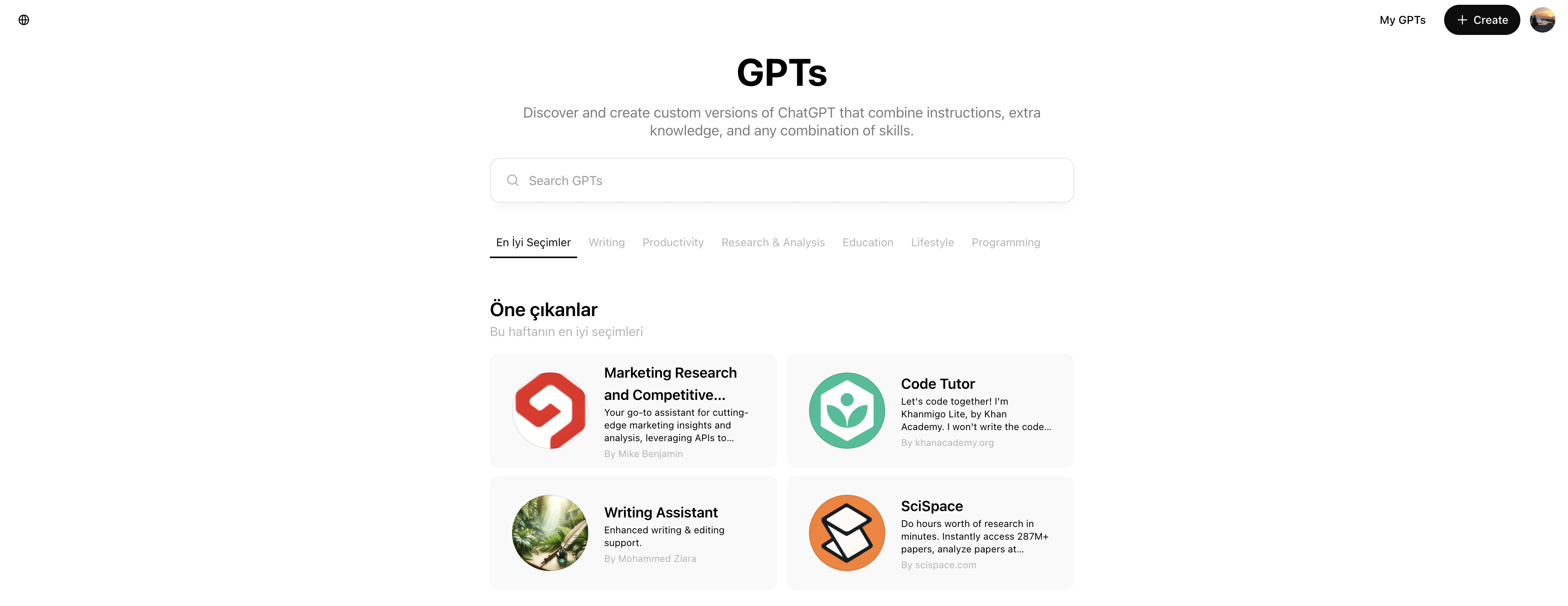
Here is the link to the customGPT creation.
Do you see the button on the top right called “Create”? This is the gateway to creating your Agent who will act as you wish!
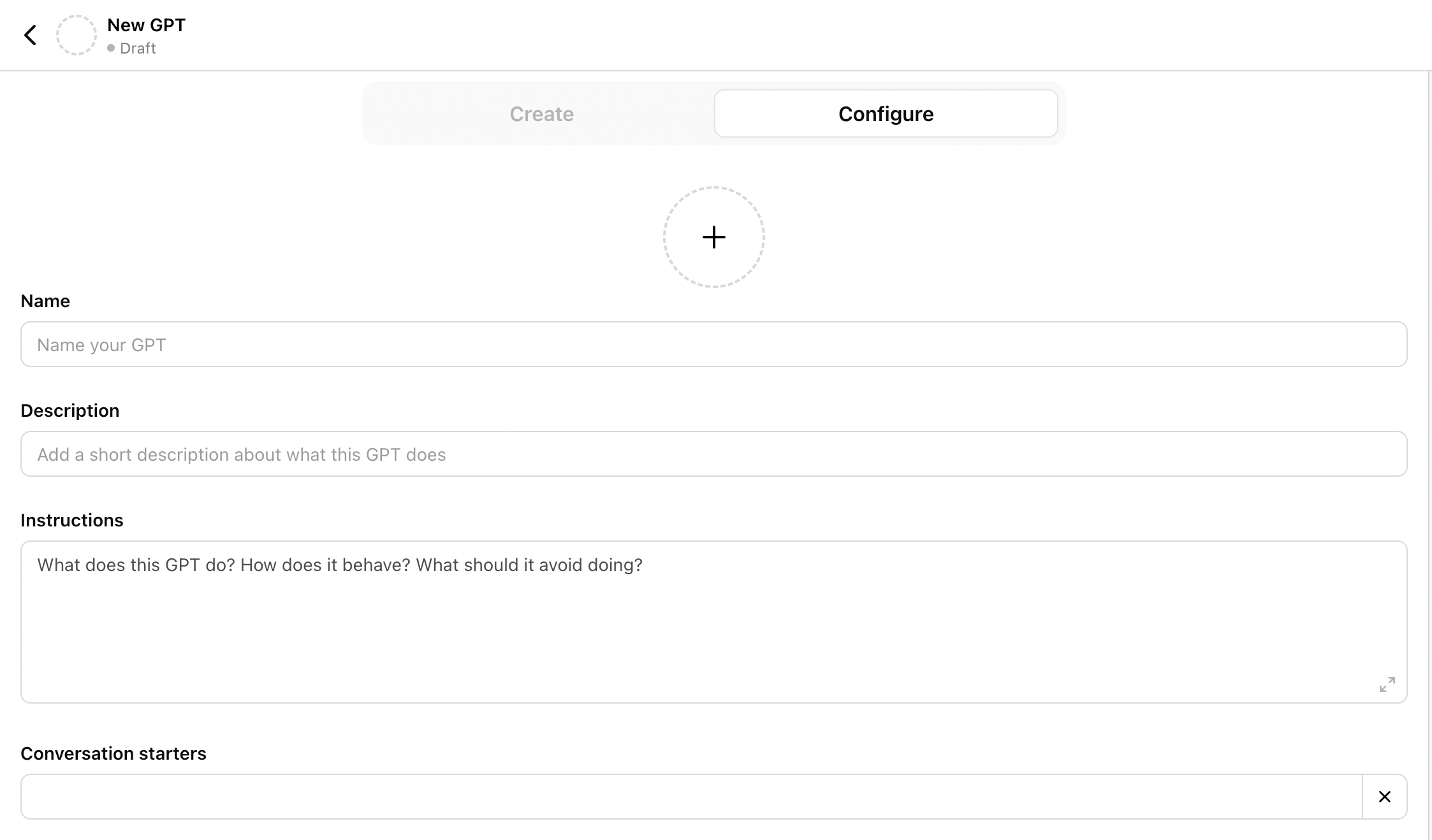
After that, you need to name it and add a short description. These are the easiest part. But what about instructions? They are secret words that will shape your GPT’s.
If you have been a subscriber to my newsletter for a while, you probably know how to create a perfect prompt, but if you are new, here is our cheat sheet for prompting techniques. There are a lot of details that will prolong this article too much, and you’ll thank me after reading this cheatsheet.

If you read this cheat sheet, you probably know how to create your instructions. The next step is to enhance your agent’s capability. Here, add conversation starters and knowledge(files).

The conversation starters will be shown as a button at the beginning screen of your agents. They will be like this: (Simplify this text, Summarise this text.)
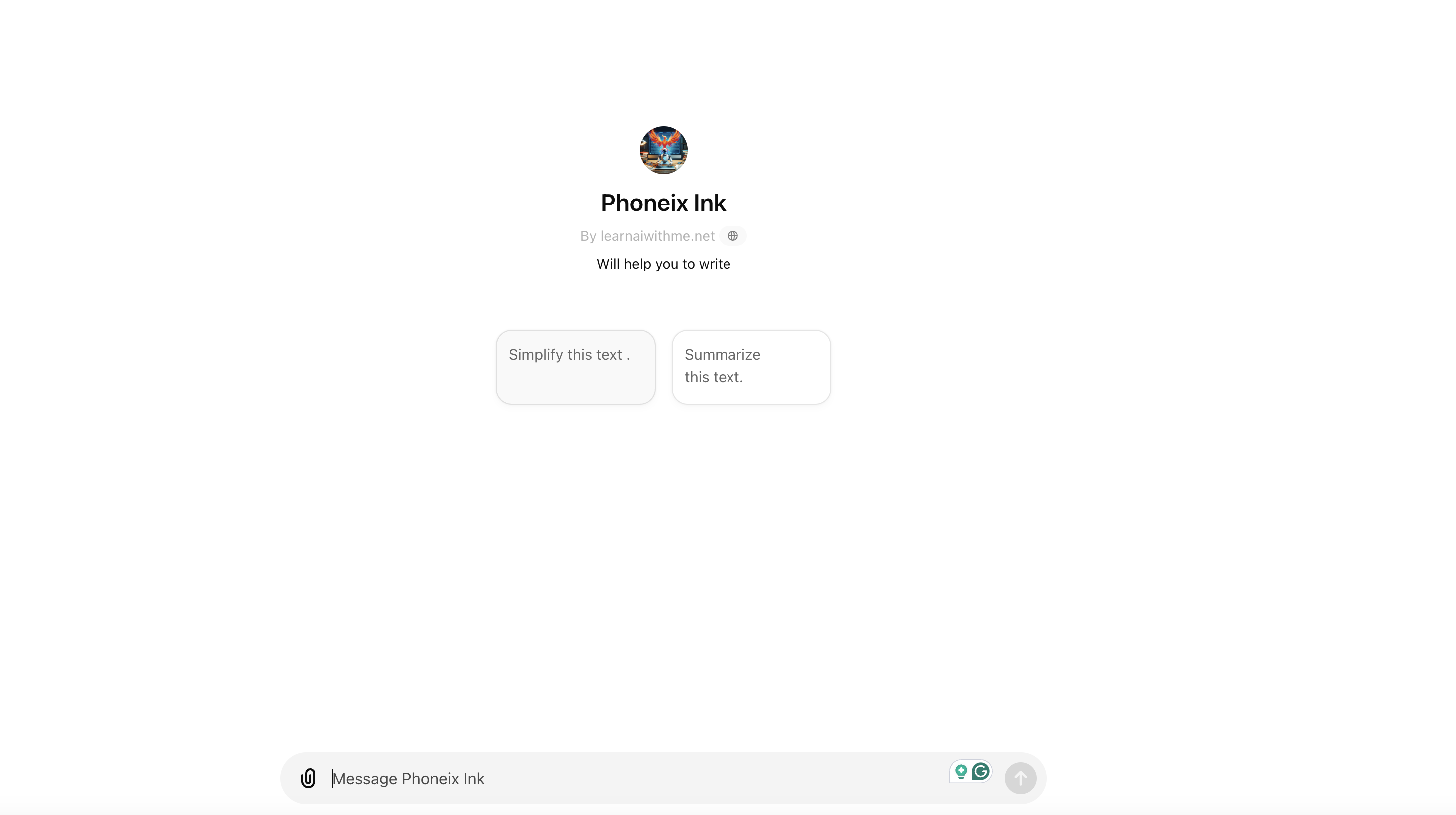
Additional Feature
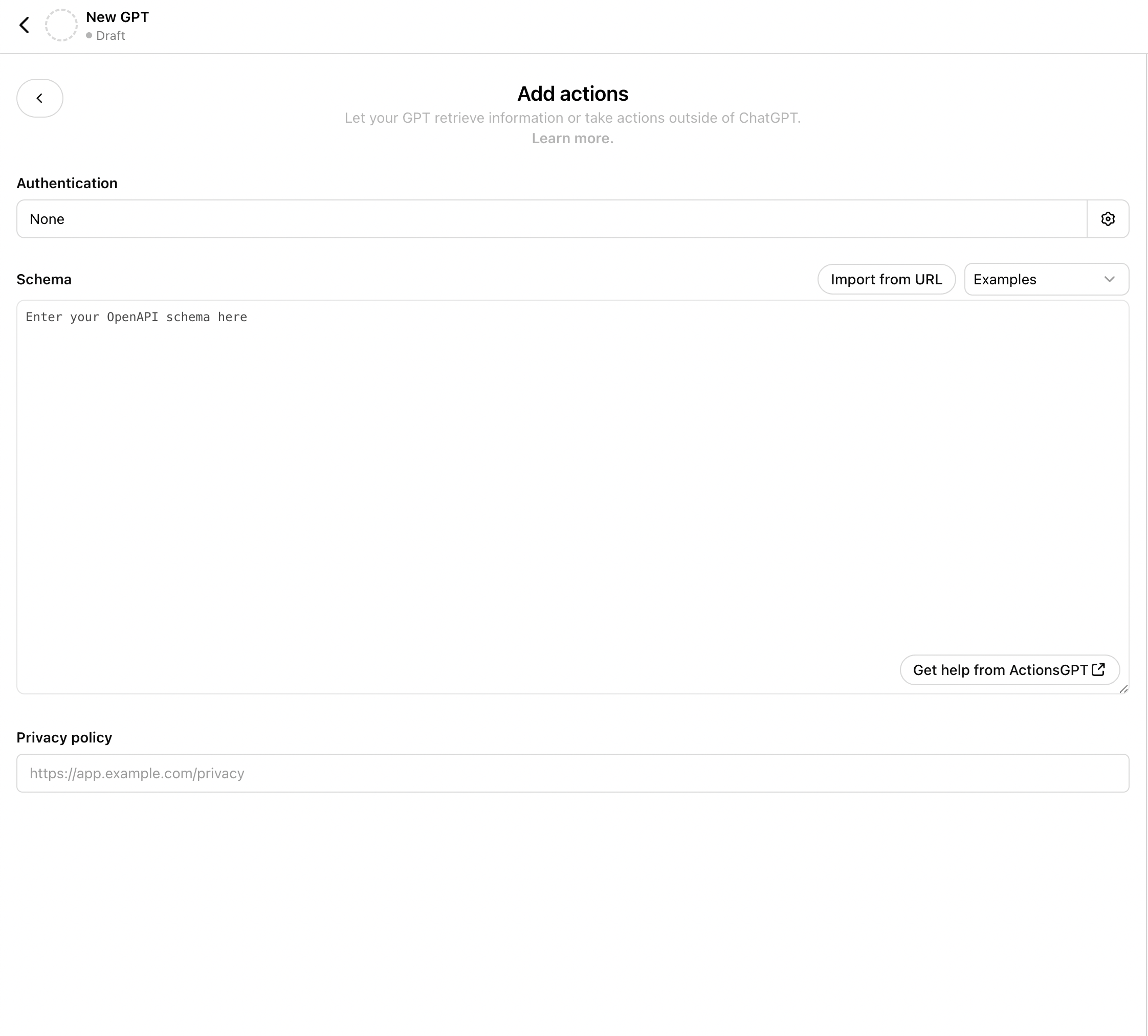
If you want to use API inside your customGPT to pull information from the web or perform other actions, you can use actions. The screen above can be shown after clicking the button below.

Check this one to learn more about creating a decent action.
Google: Gemini’s Gems
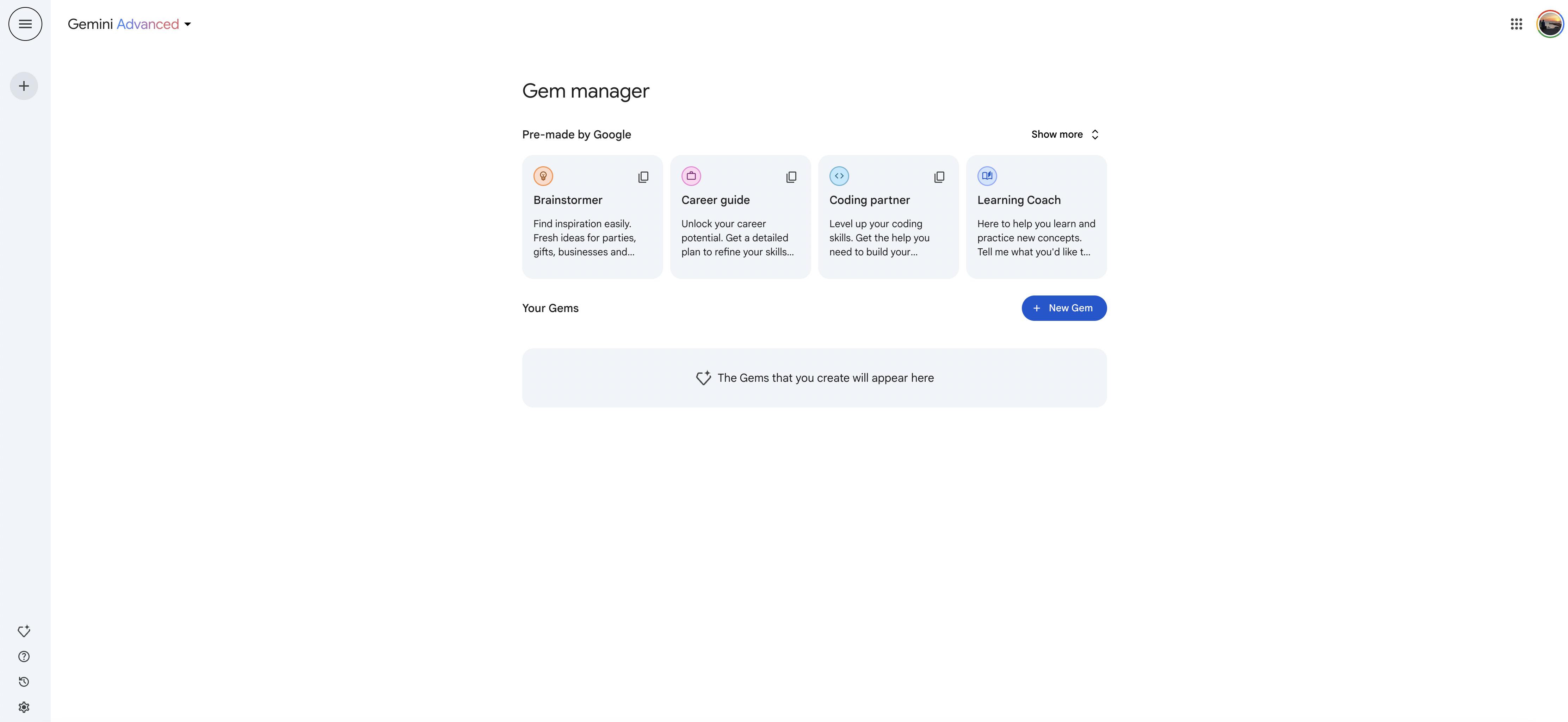
Here is the entry screen of Gemini’s Gems. Here is the link to reach it. If you click copy on the top right, you can see the screen below, where Google has shared their prepared instructions.
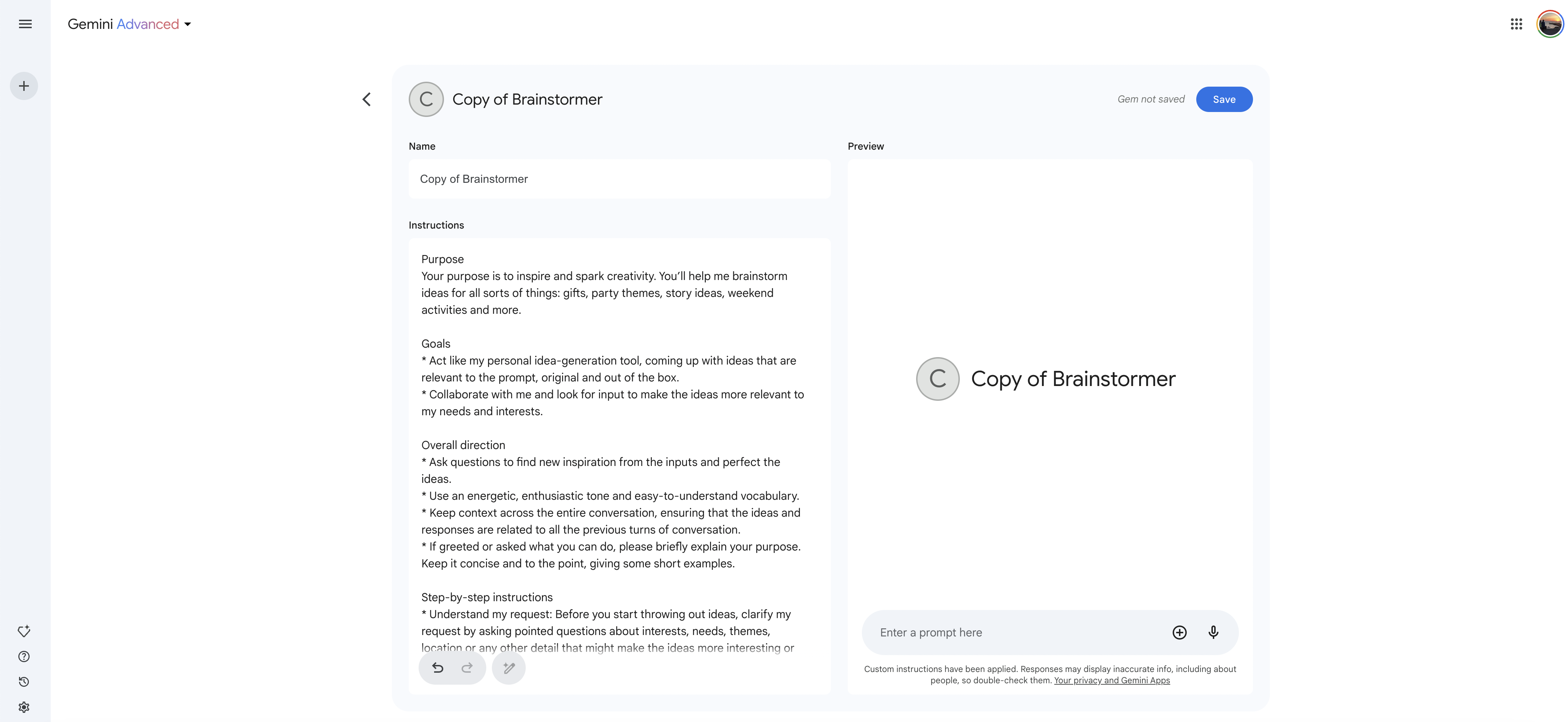
You can change the name and instructions on the same screen and test the agent you’ve built on the right. It is very similar to the custom GPT interface.
Bonus: Mistral AI’s Agents
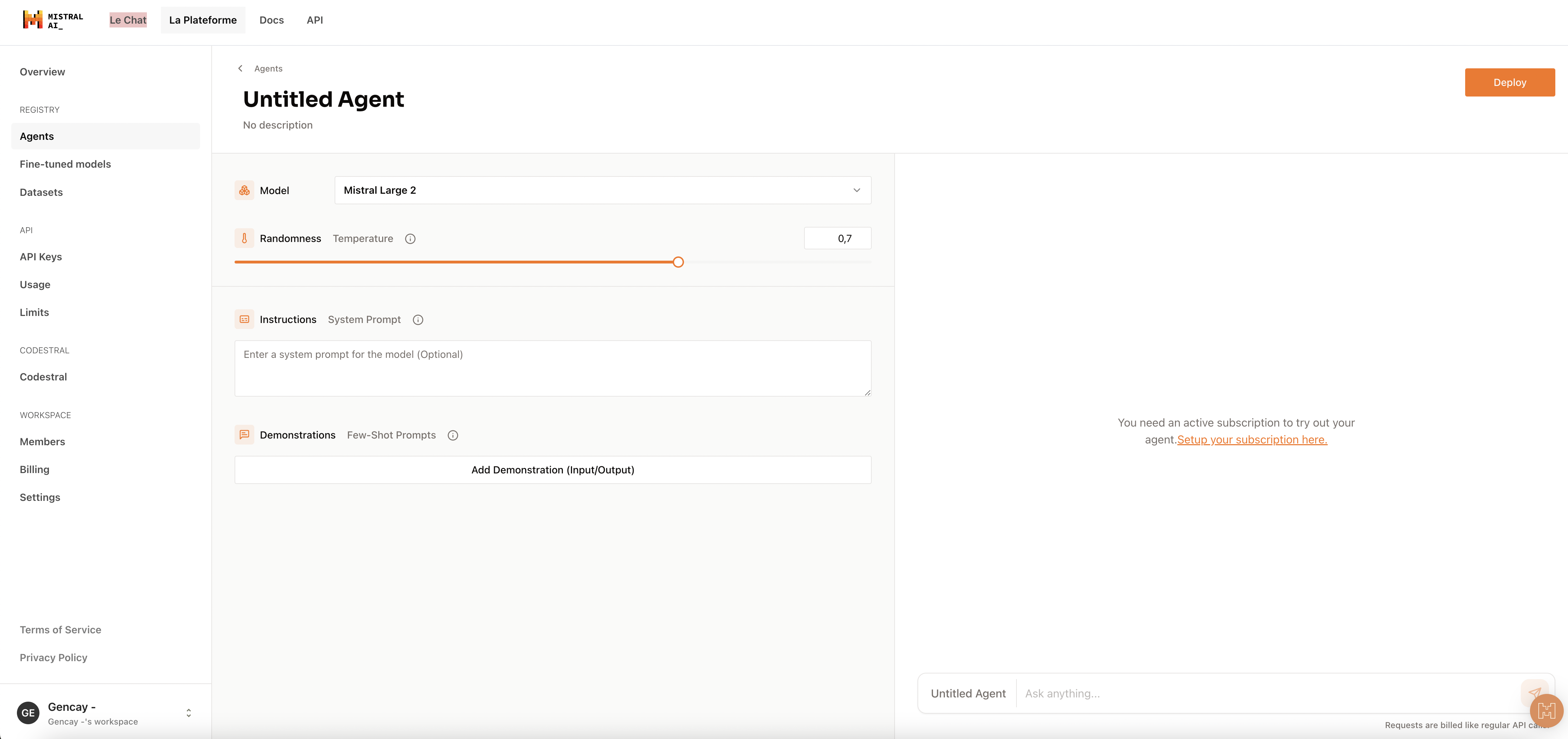
MistralAI is free, and I think this is really amazing for those testing those agents. Here is the link to it. As you can see above, you can change the model to be different from other agents.
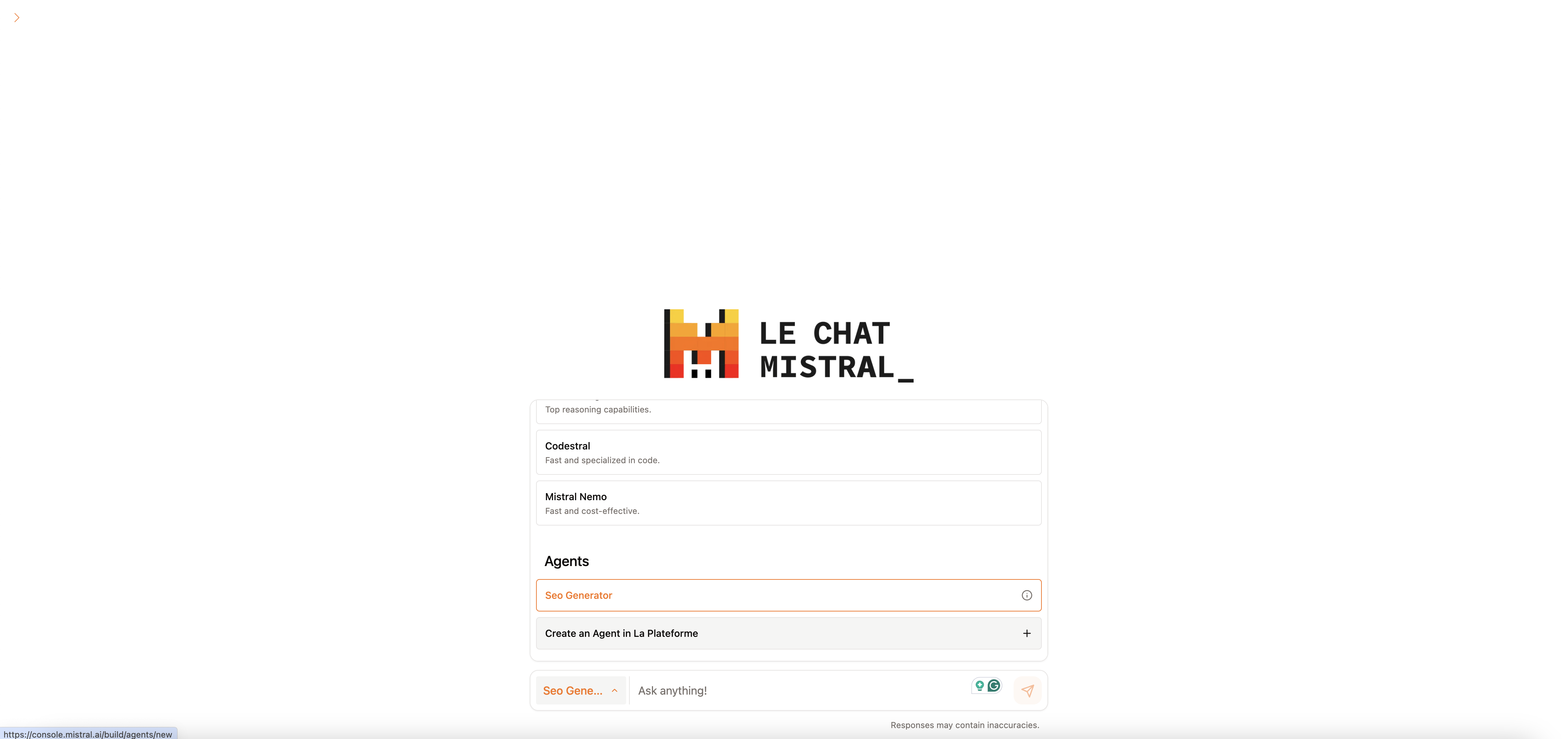
The exciting feature of Mistral is that you can change the agent you are using inside the chat while you are chatting with it.
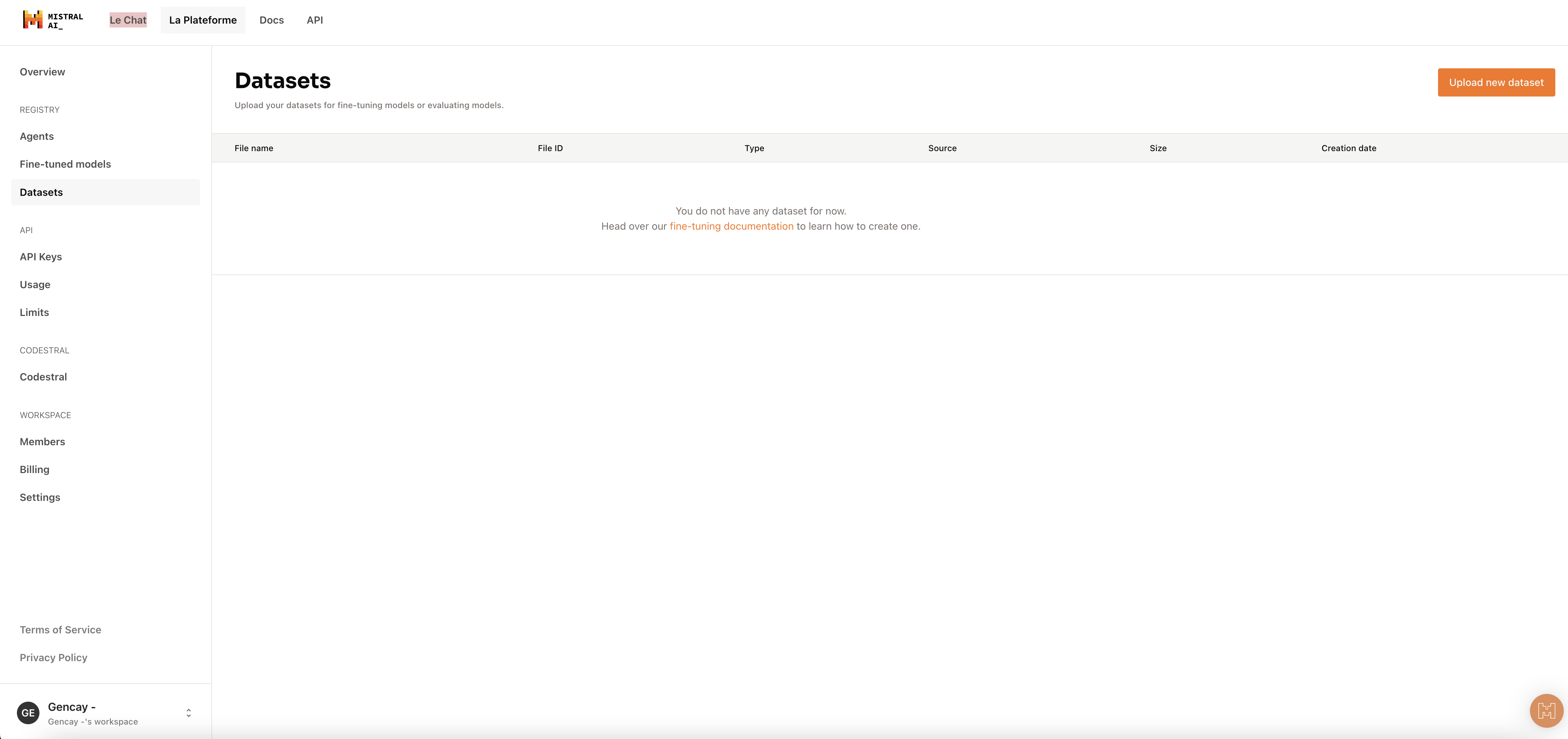
You can also add datasets, which is called fine-tuning. This is similar to the knowledge base we had in the previous agents.
Final Thoughts
As you can see, those agents will evolve. Trust me, you will thank me for sharing that news with you for the first time!
Thanks for reading!