Numerical Computing is a gateway to AI
By Gencay
Published: 2024-04-20
URL: https://www.learnwithmeai.com/p/5-numpy-tricks-you-should-know-as

\Created with Abidin Dino AI, to reach it, consider being a Paid subscriber to LearnAIWithMehere\
Do you know that doing the same operation on a 1000000 numpy array is 97% faster than a Python list?
In this 5th of the #LearnAI series, now it is time to discover what NumPy offers to AI experts.
But do you know which articles were published in this #LearnAI series? Let’s see. ( It is not too late to learn AI from the beginning)
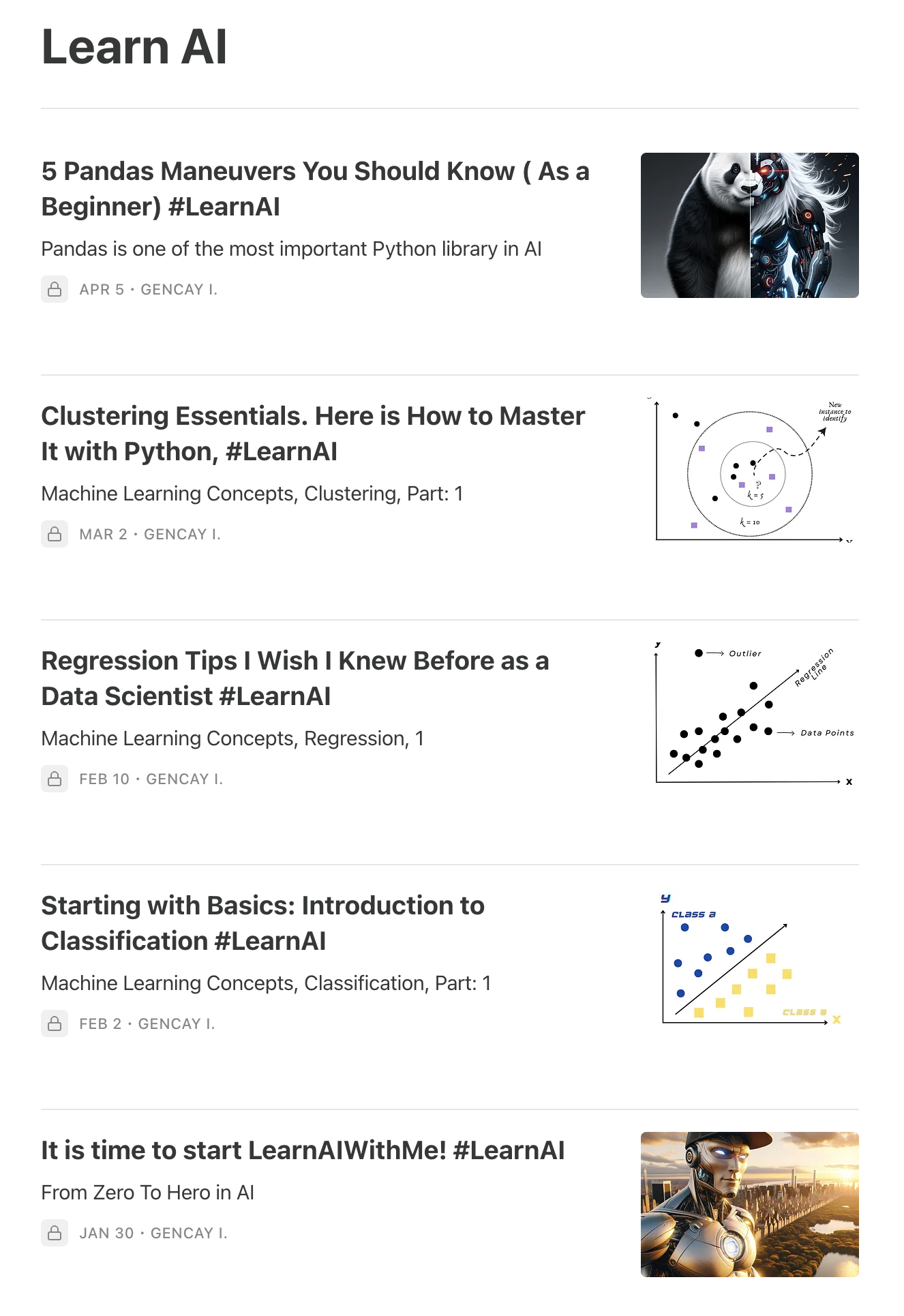
Here you can see the LearnAI series: https://www.learnwithmeai.com/t/learn-ai
Here is the link to LearnAIWithMe GPT.
NumPy: A Gateway to Data Handling

\Photo byLaila GebhardonUnsplash\
NumPy, a cornerstone library in Python, shows high-performance operations on large datasets. Now let’s see why AI Experts or Data Scientists use NumPy.
1. Efficient Memory Usage: NumPy arrays optimize memory consumption by storing data in a contiguous block, unlike Python lists with pointers to disparate memory locations.
2. Speed of Operations: Utilizing C-based operations, NumPy transcends Python's inherent slowness in loops, delivering a massive boost in processing speed, which is critical for handling large volumes of data typical in AI.
3. Broad Functionality: NumPy supports various numerical operations, including advanced broadcasting and vectorization, making it an invaluable tool for complex computational tasks.
Performance Comparison Example
To showcase NumPy’s superiority in performance, consider the following example where we add a constant number to each element in a large dataset using both a Python list and a NumPy array:
import numpy as np
import sys
from time import time
# Creating a large list and a corresponding NumPy array
size = 1000000
python_list = list(range(size))
numpy_array = np.array(python_list)
# Comparing memory usage
list_memory = sys.getsizeof(python_list)
array_memory = numpy_array.nbytes
# Timing the operation on the list
start_time_list = time()
list_sum = [x + 1 for x in python_list]
time_list = time() - start_time_list
# Timing the same operation on the NumPy array
start_time_array = time()
array_sum = numpy_array + 1
time_array = time() - start_time_array
# Calculating the percentage speed improvement
speed_improvement = ((time_list - time_array) / time_list) \* 100
print(f"Memory Usage: Python List vs NumPy Array")
print(f"Python List: {list_memory} bytes, NumPy Array: {array_memory} bytes")
print(f"Operation Time: Python List vs NumPy Array")
print(f"Python List: {time_list:.6f} seconds, NumPy Array: {time_array:.6f} seconds")
print(f"NumPy is {speed_improvement:.2f}% faster than a Python list in this operation.")
Now, let’s see the output.

As you can see, NumPy is 97.21% faster than a Python list. Now, you might be thinking that I can wait one more second and use lists; however, be careful. In the more complicated codes, this time duration can be increased to days or weeks.
NumPy Arrays: Manipulating Data with Ease

\Photo byJo SzczepanskaonUnsplash\
Now, let’s understand how NumPy arrays can be created and how you can manipulate them easily.
1. Creating Arrays: You can create NumPy arrays from Python lists or tuples using the np.array() function
2. Array Attributes: Once an array is created, several vital attributes help describe its layout and nature. These include:
ndim: the number of dimensions,
shape: the size of each dimension,
size: the total number of elements,
dtype: the data type of the elements,
itemsize: the size in bytes of each element,
nbytes: the total size of the array in bytes.
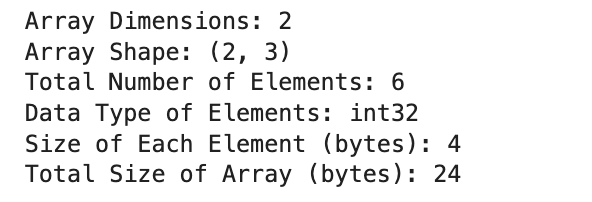
Example: Creating an Array and Accessing Its Attributes
Let’s create a NumPy array and explore its attributes to understand its structure better:
import numpy as np
# Creating a 2D array (matrix)
matrix = np.array([[1, 2, 3], [4, 5, 6]], dtype=np.int32)
# Accessing array attributes
print("Array Dimensions:", matrix.ndim)
print("Array Shape:", matrix.shape)
print("Total Number of Elements:", matrix.size)
print("Data Type of Elements:", matrix.dtype)
print("Size of Each Element (bytes):", matrix.itemsize)
print("Total Size of Array (bytes):", matrix.nbytes)
Here is the output.
Basic Indexing and Slicing
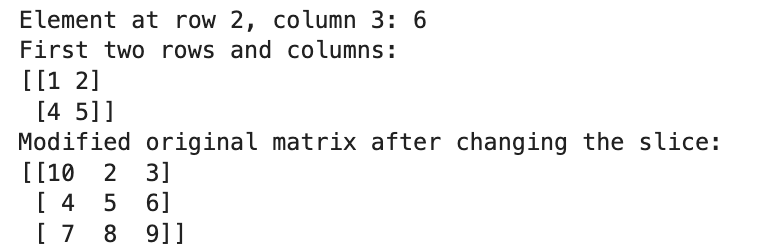
Let’s explore both fundamental indexing and slicing with a practical example:
import numpy as np
# Creating a 2D array (matrix)
matrix = np.array([[1, 2, 3], [4, 5, 6], [7, 8, 9]], dtype=np.int32)
# Basic indexing
print("Element at row 2, column 3:", matrix[1, 2])
# Slicing: Extract the first two rows and columns
sub_matrix = matrix[:2, :2]
print("First two rows and columns:")
print(sub_matrix)
# Modifying a slice
sub_matrix[0, 0] = 10
print("Modified original matrix after changing the slice:")
print(matrix)
Here is the output.
Advanced Array Manipulation for AI
\Photo byDan Cristian PădurețonUnsplash\
Now, let’s see mathematical operations in numpy.
1. Element-wise Operations: Thanks to NumPy's element-wise processing, you can perform operations like addition, subtraction, multiplication, and division on every element of an array without the need for loops.
2. Broadcasting: NumPy's broadcasting allows operations on arrays of different sizes by expanding the smaller variety to match the dimensions of the more enormous array, facilitating seamless arithmetic operations.
3. Matrix Operations: In addition to element-wise operations, NumPy supports matrix multiplication and other matrix operations, which are crucial in many AI applications.
4. Conditional Operations: These operations are performed on an element basis and are used to check conditions within an array.
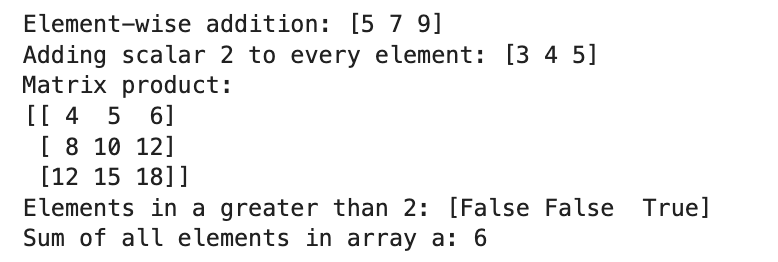
Example: Arithmetic, Matrix, and Conditional Operations
Let's illustrate these concepts through a comprehensive example:
import numpy as np
# Creating two arrays
a = np.array([1, 2, 3])
b = np.array([4, 5, 6])
# Element-wise addition
result_add = a + b
print("Element-wise addition:", result_add)
# Broadcasting: Adding a scalar to an array
result_scalar_add = a + 2
print("Adding scalar 2 to every element:", result_scalar_add)
# Matrix multiplication using the dot product
a_reshaped = a.reshape(3, 1)
b_reshaped = b.reshape(1, 3)
matrix_product = np.dot(a_reshaped, b_reshaped)
print("Matrix product:")
print(matrix_product)
# Conditional operation: Elements greater than 2 in array a
greater_than_2 = a > 2
print("Elements in a greater than 2:", greater_than_2)
# Aggregation: Calculating the sum of all elements
total_sum = a.sum()
print("Sum of all elements in array a:", total_sum)
Here is the output
Array Sculpting Techniques: Reshape, Stack, and Split for Dynamic Data Structures

\Photo byIlia ZolasonUnsplash\
Reshaping is highly important in NumPy, as it allows data to be organized in a manner suitable for specific analysis or computational tasks.
By reshaping, you can convert data between different dimensionalities, such as turning a one-dimensional array into a two-dimensional matrix, which is very important in Machine Learning.
1. Reshape: The reshape() method returns a new array with the same data but in a new shape without altering the original array.
2. Flatten: The flatten() method reduces a multi-dimensional array to a single dimension, simplifying data structures for certain types of analysis.
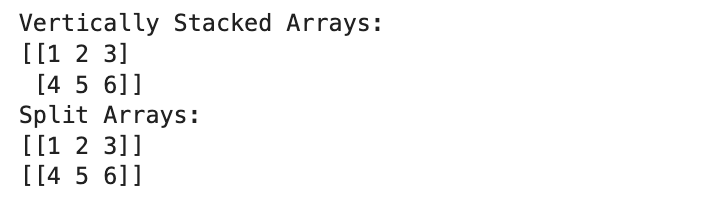
Example: Reshaping and Flattening Arrays
Here’s how you can reshape and flatten arrays effectively:
import numpy as np
# Creating two arrays
a = np.array([1, 2, 3])
b = np.array([4, 5, 6])
# Stacking arrays vertically
vertical_stack = np.vstack((a, b))
print("Vertically Stacked Arrays:")
print(vertical_stack)
# Splitting the vertically stacked array into 2
split_arrays = np.vsplit(vertical_stack, 2)
print("Split Arrays:")
for arr in split_arrays:
print(arr)
Here is the output.
Advanced NumPy: Vectorization and Universal Functions

\Photo byMichael DziedziconUnsplash\
Vectorization is a core feature of NumPy that allows for efficient computation by simultaneously applying operations to entire arrays or large blocks of data, rather than using slower Python loops.
Key Aspects of Vectorization:
- Efficiency: Operations are implemented in compiled code, providing a significant speed advantage over traditional loop-based Python code.
- Conciseness: Reduces the code length necessary to perform complex calculations, leading to cleaner, more maintainable code.
- No explicit looping: By avoiding loops, vectorization reduces the chance of bugs related to iterative operation management and improves code execution time.
Example: Using Vectorization for Complex Operations
Let’s show the power of vectorization with an example that performs a complex calculation across an array:
import numpy as np
# Create an array with a range of values
data = np.array([1, 2, 3, 4, 5])
# Perform a complex operation using vectorization
result = (data \* 2) + (data \*\* 2)
print("Result of vectorized operations on the array:")
print(result)
Here is the output

Universal Functions (ufuncs): Maximizing Efficiency and Flexibility
Universal functions, or ufuncs, are another critical NumPy feature designed to operate efficiently on arrays.
These functions provide a way to perform fast, element-wise operations and are built to leverage vectorization fully.
Key Benefits of Universal Functions:
- Performance: Ufuncs are implemented in C, which means they are incredibly fast compared to Python loops.
- Broadcasting: Ufuncs inherently support broadcasting, which allows them to work with arrays of different sizes and shapes.
- Type flexibility: They can handle different array data types, automatically promoting types when necessary to avoid data loss.
Example: Applying a Universal Function
Here’s an example using the np.sqrt() universal function to calculate the square root of each element in an array:
# Applying a universal function to calculate square roots
square_roots = np.sqrt(data)
print("Square roots of the array elements:")
print(square_roots)
Here is the output.

This example demonstrates how universal functions apply complex mathematical computations to each element of an array quickly and efficiently.
Learn NumPy with LearnAIWithMe GPT
All you have to do is use this prompt;
I want to learn numpy
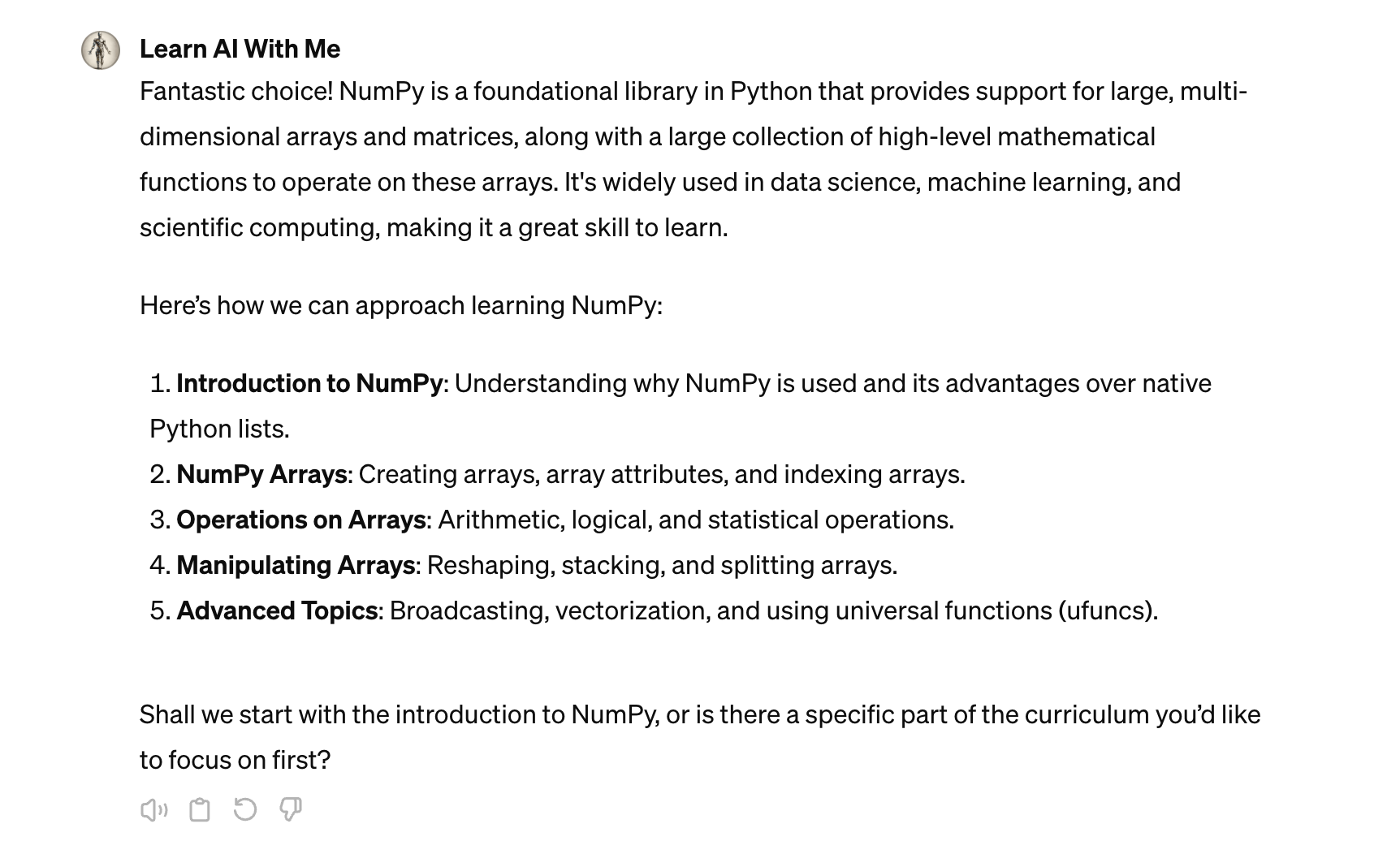
From there, you can select one topic to learn or start from the beginning, as we did in this one.
Final Thoughts
Now, this is the 5th article of the #LearnAI series. I hope you are enjoying learning AI and will go until the end.
Because, in a couple of years, it might be too late to learn!
Thanks for reading!