2024's Top Data Science Tools Reviewed: Essential Insights
By Gencay
Published: 2024-02-19
URL: https://www.learnwithmeai.com/p/no-more-outdated-tools-discover-2024s

\Created with Abidin Dino AI, to reach it, consider being Paid subscriber to LearnAIWithMe,here\
The only constant in the technology industry is change. Marc Benioff
In the constantly evolving field of data science, 2024 has introduced custom GPTs that are redefining efficiency and innovation.
I’ll guide you through the latest advancements, showcasing how these tools are transforming data analysis, predictions, and beyond.
Here is the dataset, we’ll use for this article. Let’s start with Data Exploration!
Data Exploration and Analysis
\Here is the link ;https://chat.openai.com/g/g-aXXQrf6wP-data-wizard\
Before doing data visualization, let’s explore this Data. I did not give more information about it, to make this step meaningful, let’s see.
Now, I sent a dataset, that includes my writing plan, with this prompt.

\SS of Data Wizard\
Now, since I am testing too many GPTs, I understand that it has great predefined prompts, that is why I used this prompt. Let’s see the result.
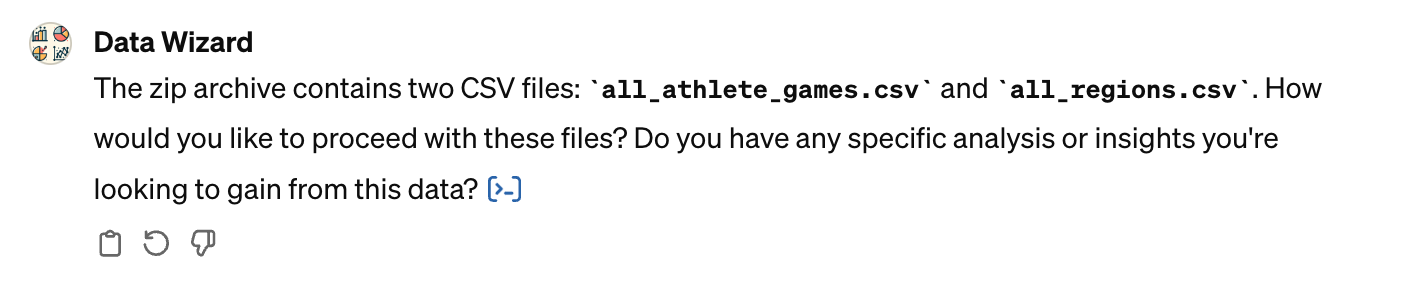
\SS of Data Wizard\
Let’s answer this.
Provide me info about those datas
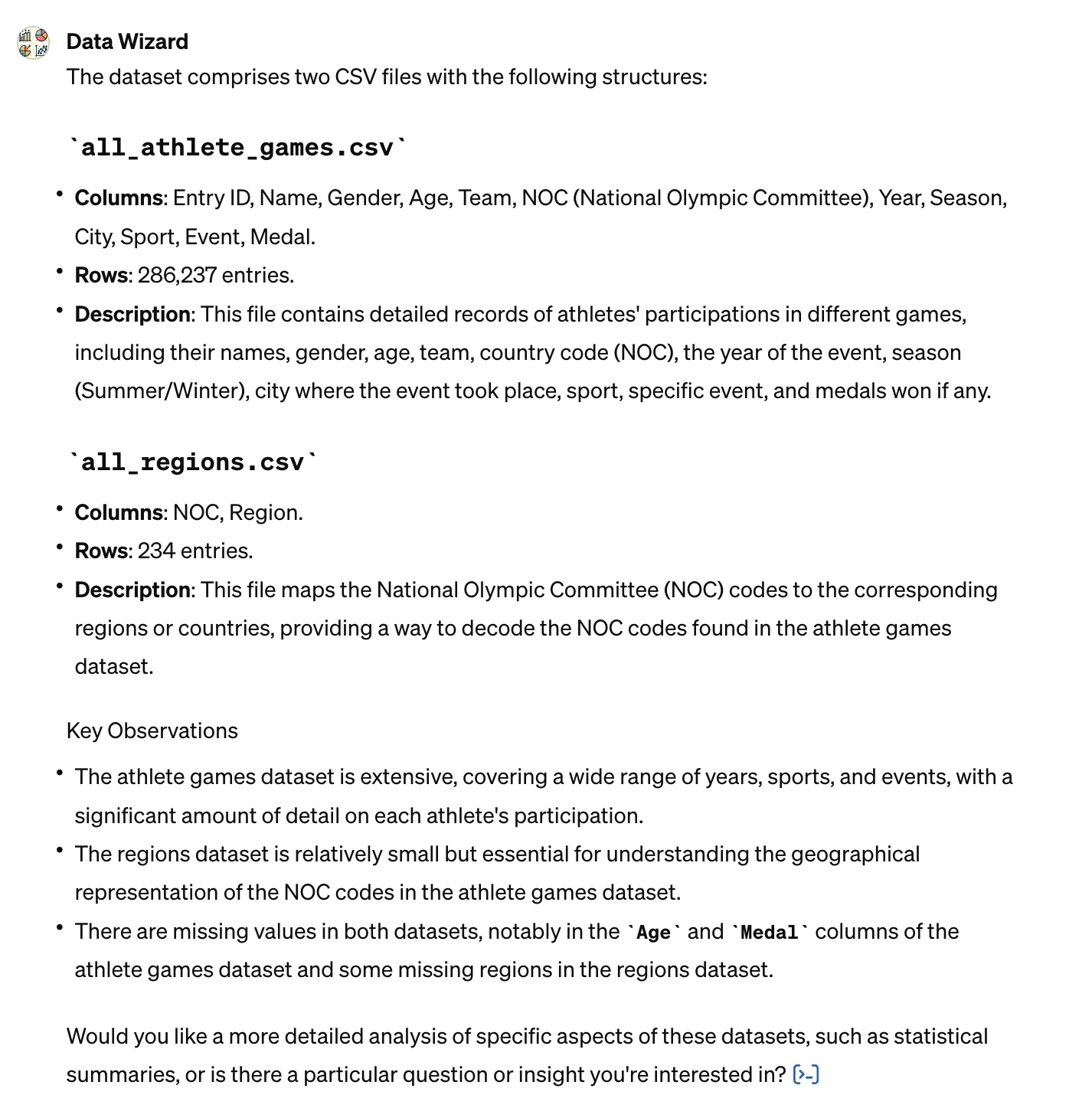
\SS of Data Wizard\
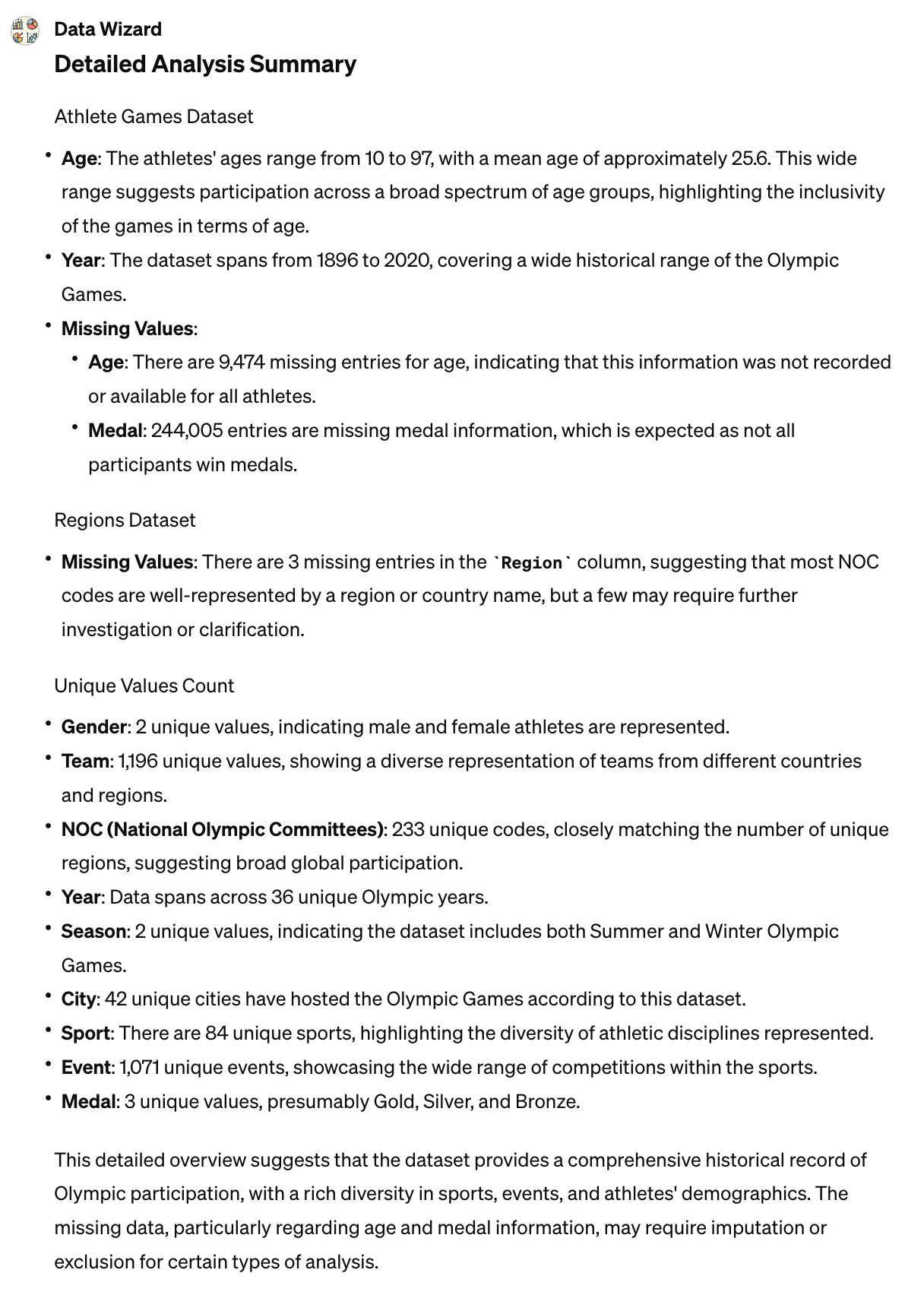
Good summary, let’s ask for more exploration.
\SS of Data Wizard\
It literally automates data exploration. Let’s see how we can automate data visualization.
Data Visualization

\Here is the link :https://chat.openai.com/g/g-szLI1DTZn-data-visualization-expert\
After loading our data to this GPT, with the following prompt:
Surprise me!
Let’s see the first part of the result.
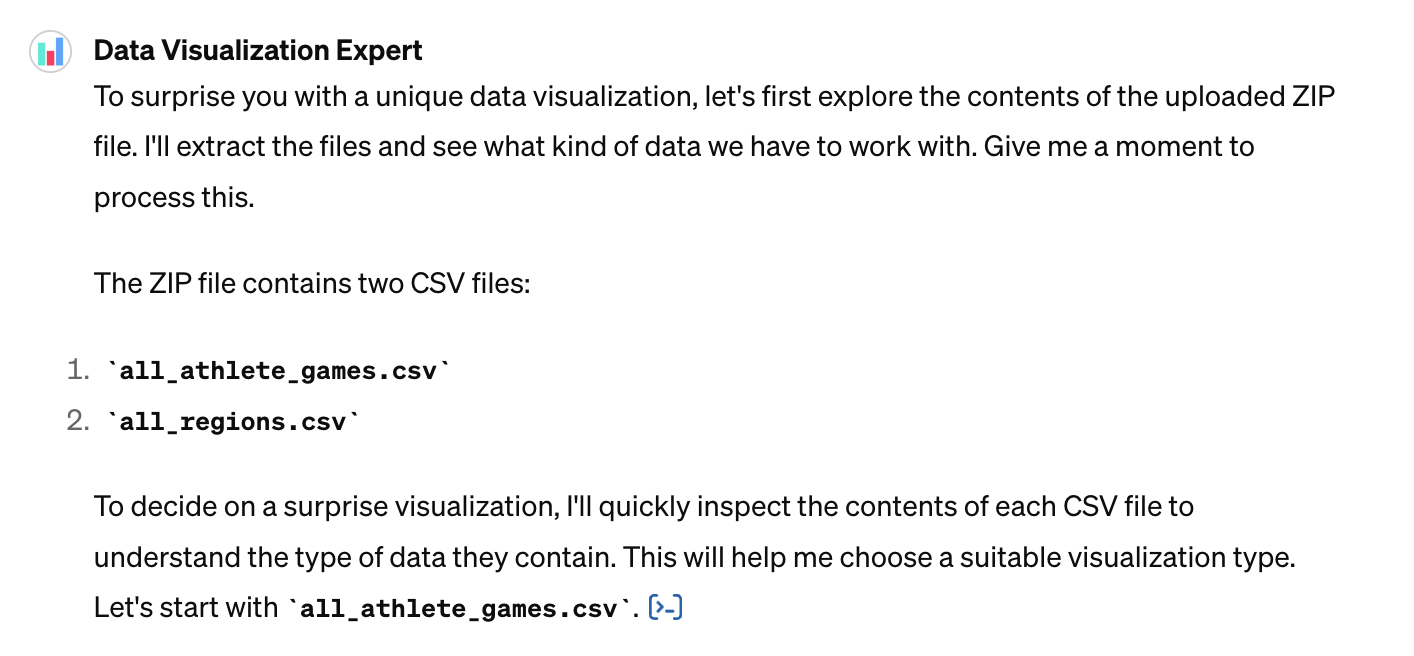
\SS of Data Visualization Expert\
Now, it deciphered the data that I sent, which was in a zip file. Let’s see the remaining part. So far, it works well.
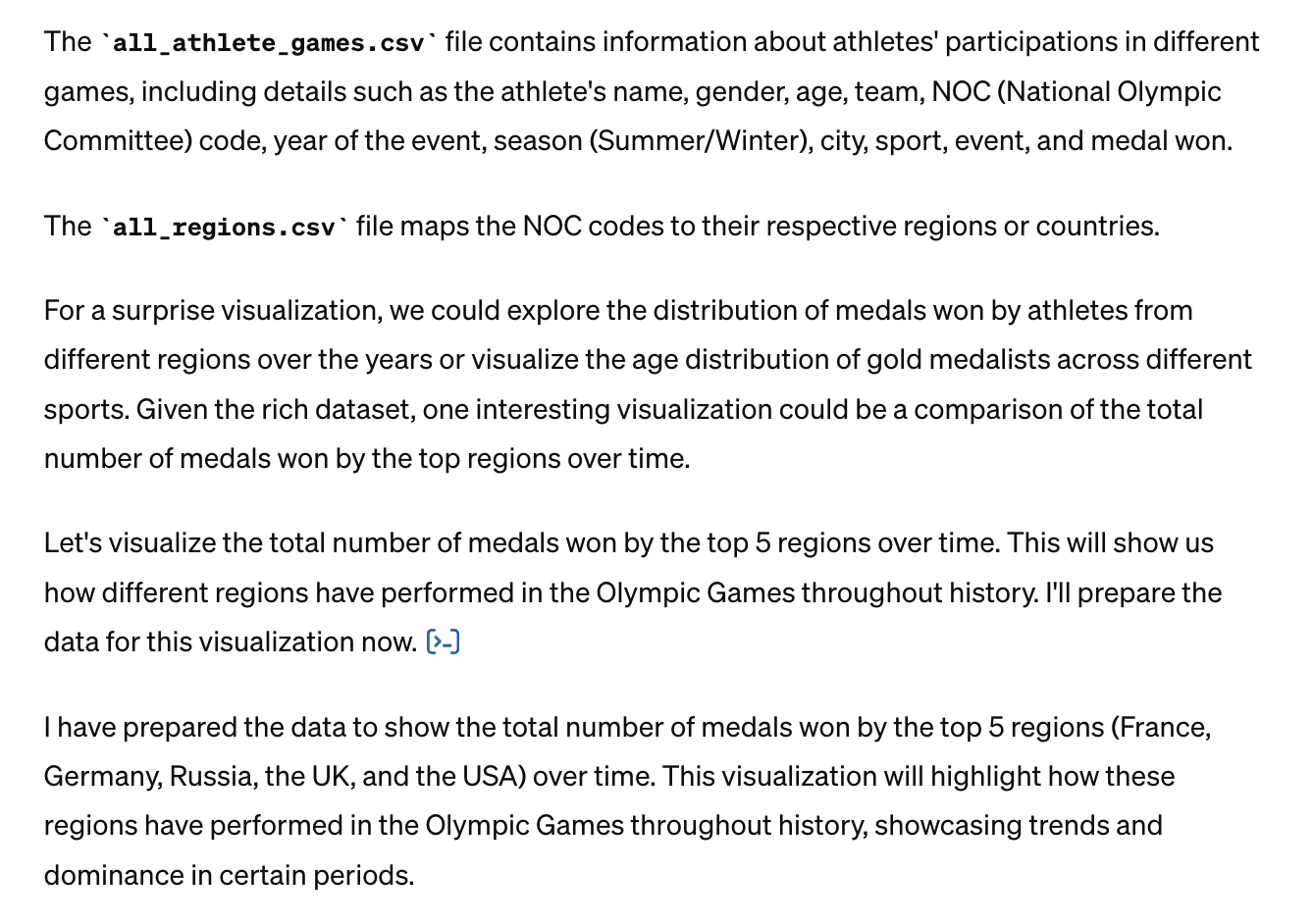
\SS of Data Visualization Expert\
Wonderful, now it decides on the data to do data visualization. Let’s see the visuals.
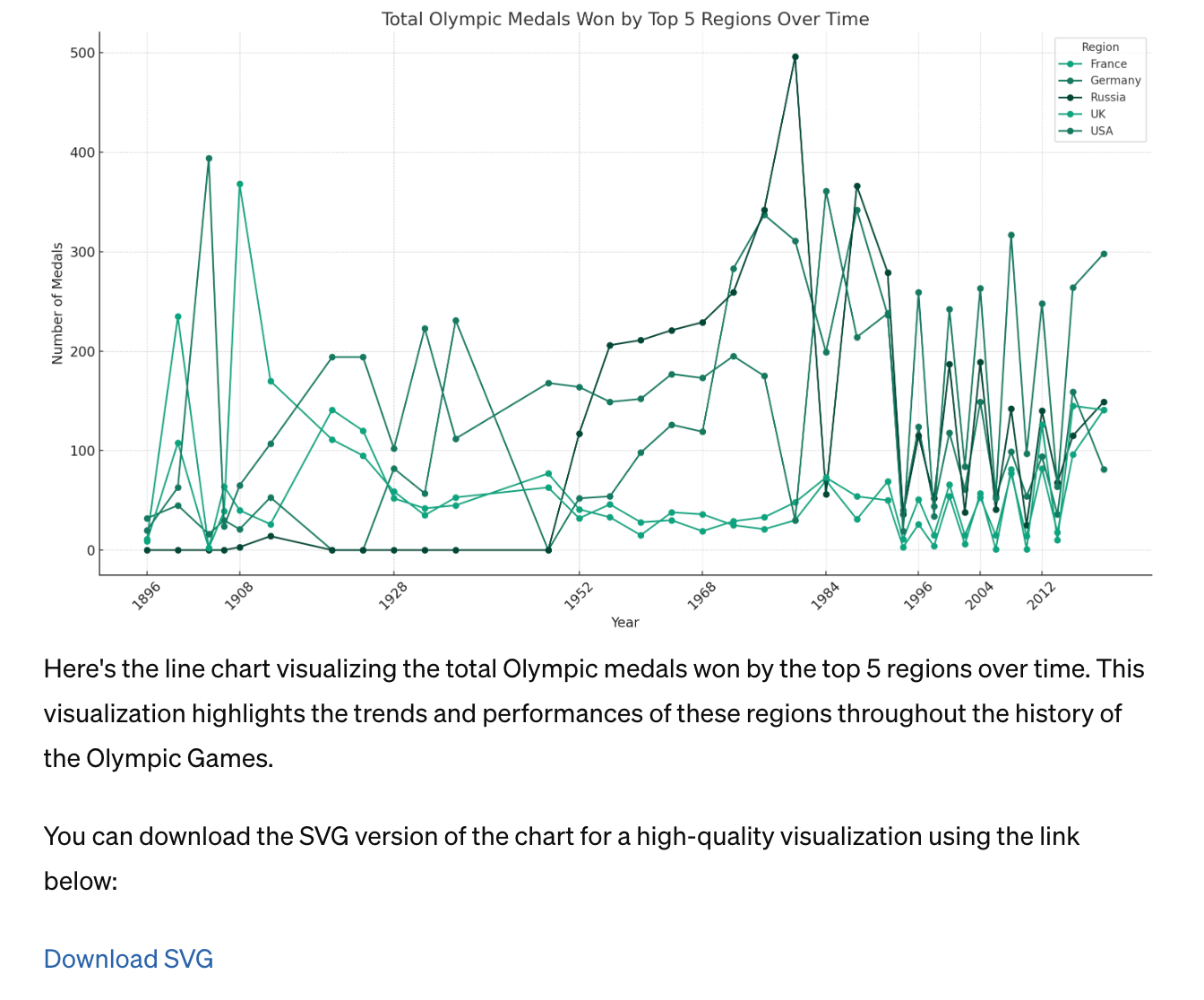
\SS of Data Visualization Expert\
Also, there is an option of downloading an SVG file, which is great.I like the result, but let’s see what we can see more.
Can you surprise me even more?
This time, I just pasted the image it outputs.
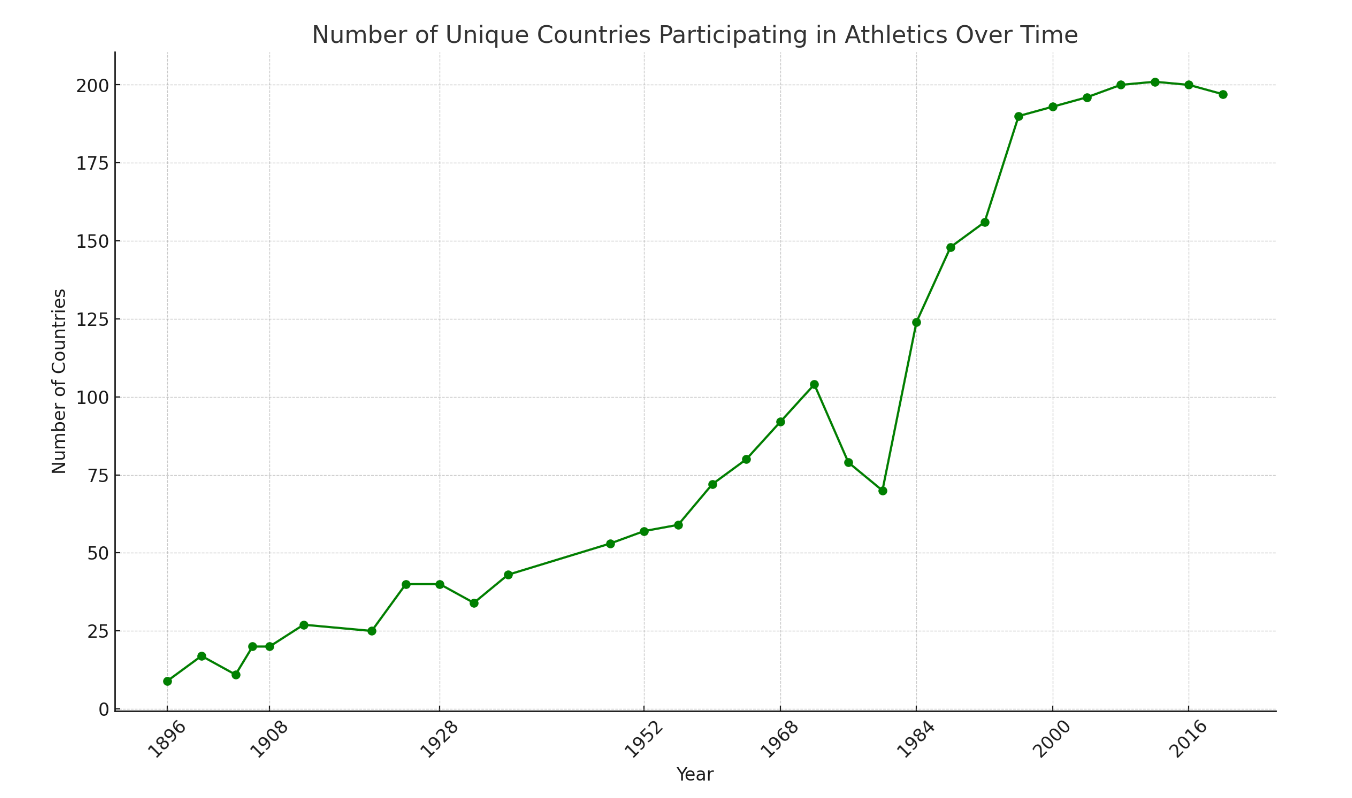
\SS of Data Visualization Expert\
Model in Production
\Here is the link :https://chat.openai.com/g/g-n7Rs0IK86-grimoire\
I noticed the Grimoire on the trending GPT list a few weeks back and made extensive use of it in my creations on our website.
If you are a beginner in front-end development, I suggest you use that one.
Here is the template I like for my website. I attached the image and used the prompt below;
Here is the template of the website I want you to recreate for me.
I want you to do it in Django
Now, I am amazed by the result. To explain better, I have divided this answer into three parts. The first part describes the image you attached, as follows:
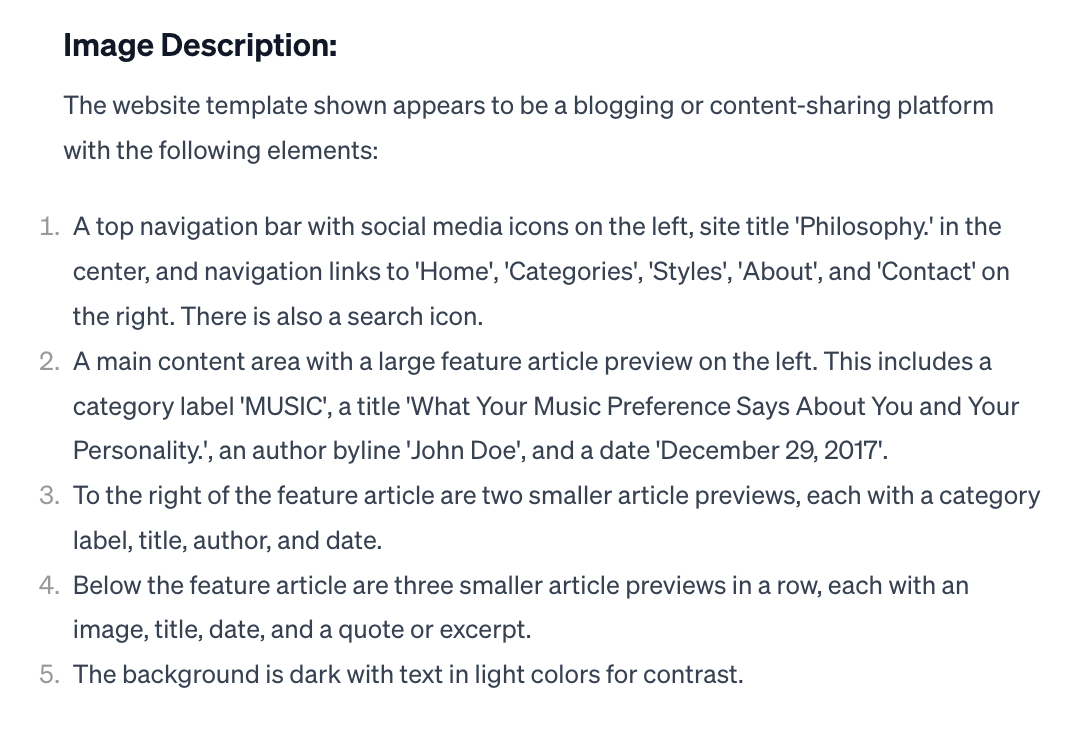
\SS of Grimore\
Next, it outlines the steps it plans to take, like this:
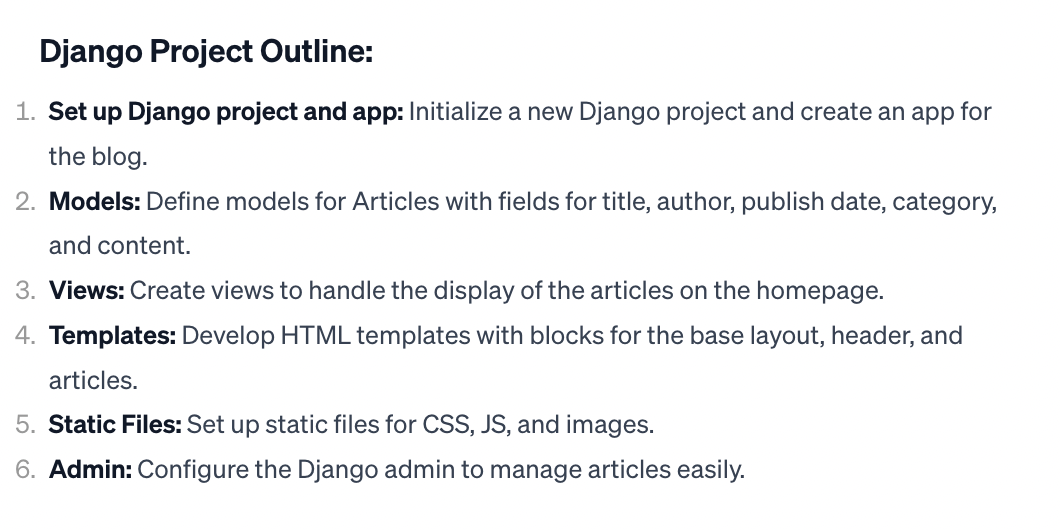
\SS of Grimore\
As a GPT developer, I really appreciate this structure. Next, it provides the code to execute the above steps.
# setup Django project
django-admin startproject philosophy_blog
cd philosophy_blog
python manage.py startapp blog
# models.py
from django.db import models
class Article(models.Model):
CATEGORY_CHOICES = [('MUSIC', 'Music'), ('MANAGEMENT', 'Management'), ...]
title = models.CharField(max_length=200)
author = models.CharField(max_length=100)
publish_date = models.DateTimeField()
category = models.CharField(max_length=50, choices=CATEGORY_CHOICES)
content = models.TextField()
image = models.ImageField(upload_to='articles/')
# views.py
from django.shortcuts import render
from .models import Article
def home(request):
featured_article = Article.objects.latest('publish_date')
other_articles = Article.objects.exclude(id=featured_article.id).order_by('-publish_date')[:4]
return render(request, 'home.html', {'featured_article': featured_article, 'other_articles': other_articles})
# urls.py
from django.urls import path
from . import views
urlpatterns = [
path('', views.home, name='home'),
]
# home.html (simplified structure)
{% extends 'base.html' %}
{% block content %}
<!-- Feature Article -->
<!-- Other Articles -->
{% endblock %}
Here, you can send your website’s views.py or models.py to make it more customizable. For the next steps, they develop a cute structure like this:
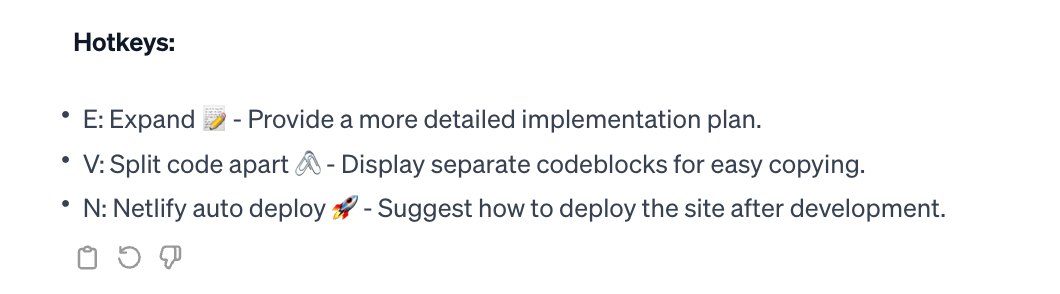
\SS of Grimore\
Bonus : Learning Concepts

\Here is the link :https://chat.openai.com/g/g-HxPrv1p8v-code-tutor\
I am really curious about this Code Tutor, which is why I also developed a code tutor named LearnAIWithMe. It aims to teach AI by dividing it into the following subsections:
Machine Learning Concepts
- Classification
- Regression
- Clustering
Machine Learning Libraries
- NumPy
- Pandas
- Sci-kit Learn
Statistics
AI Revolution
- From Historical Milestones in AI to Generative AI
I also started a new series called #LearnAI, which teaches AI by following the template above and using LearnAIWithMe GPT simultaneously. To know more about it, you can check my substack.
Now, let’s test Khan Academies AI Tutor. Here is the prompt I’ll use;
I want to learn AI from zero.
Can you provide me a curriculum?
Here is the answer.
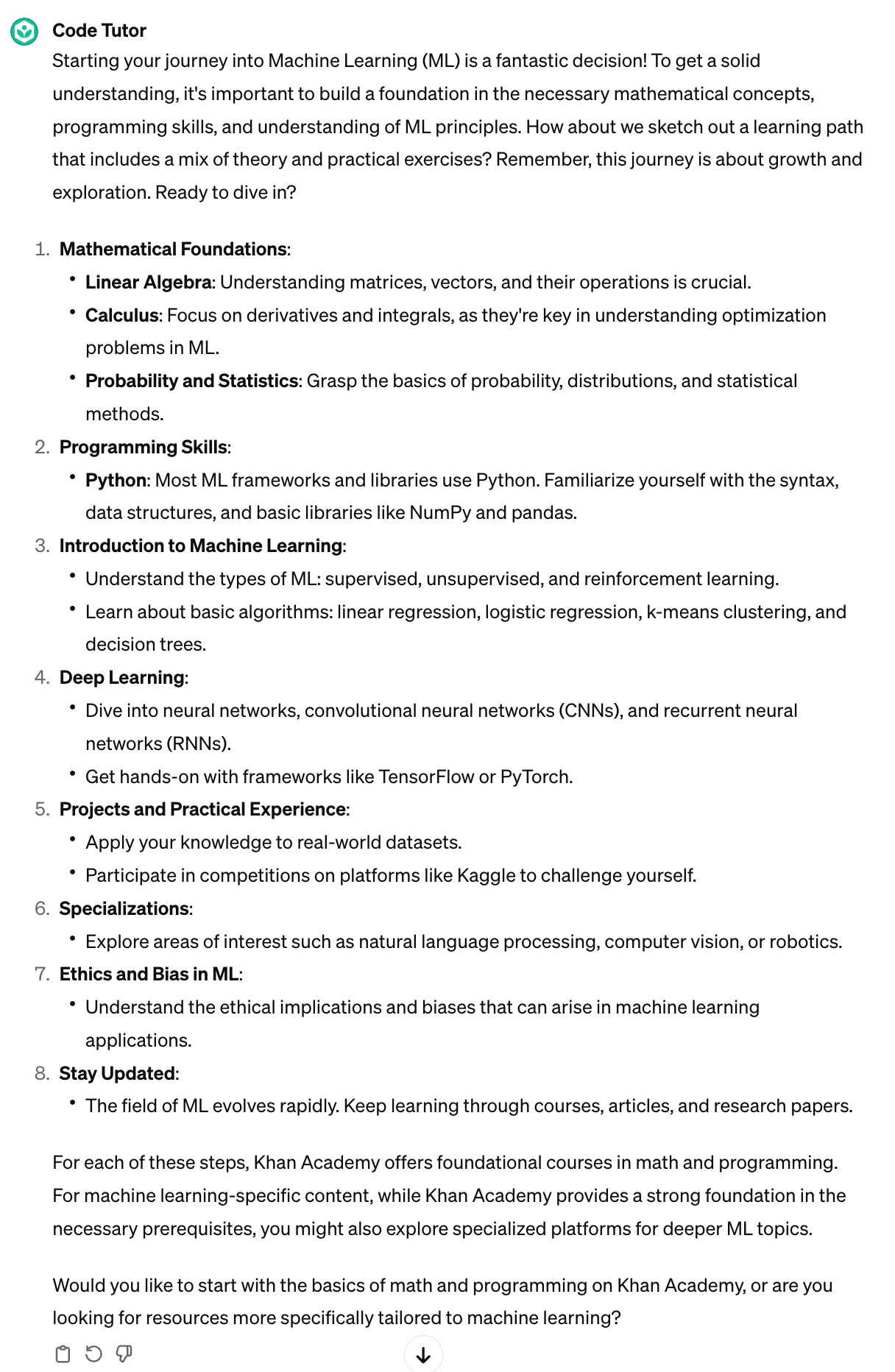
\SS of Code Tutor\
Let’s ask, it to start with Classification.
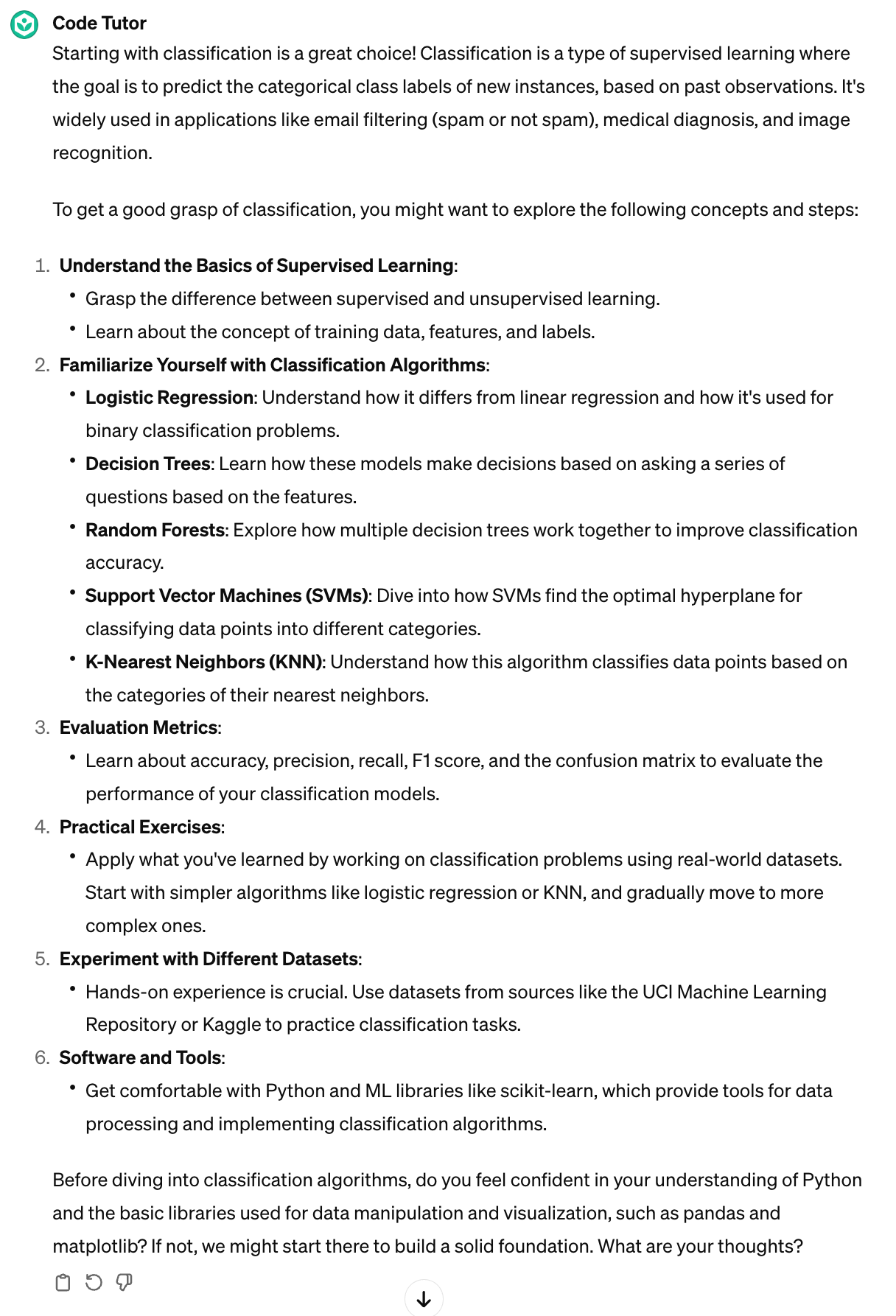
\SS of Code Tutor\
Final Thoughts
In this one, we will discover different GPT options for Data Science. This time, we have all been searching for the best GPTs for our fields, like we did when Plug-ins were popular.
Thanks for reading!
“Machine learning is the last invention that humanity will ever need to make.”
Nick Bostrom