Unlocking the Power of AI and Data Science with ChatGPT
By Gencay
Published: 2024-02-06
URL: https://www.learnwithmeai.com/p/here-are-3-customgpts-that-will-make

\Created with Abidin Dino AI, to reach it, consider being Paid subscriber to LearnAIWithMehere\
After ChatGPT Marketplace becomes available, we will all search for the best GPTs related to our fields. It’s a great way to enhance our work and accuracy.
I’ve discovered three GPTs that can be absolute lifesavers, especially when recalling my earlier days of learning concepts from scratch or applying them immediately.
In this article, we’ve tested these free GPTs. Let’s get started!
Grimoire
\Here is the link :https://chat.openai.com/g/g-n7Rs0IK86-grimoire\
I saw the Grimore in the trending GPT list a few weeks ago and took advantage of it too much while creating learnaiwithme.net.
If you are new to creating a website, I highly suggest you use it. To see an example. Here is the template I like for my website. I attached the image and used the prompt below;
Here is the website template I want you to recreate for me.
I want you to do it in Django
Now, I was amazed by the result. To explain to you better, I divided this answer into three parts. The first part, describes the image you attached, like below;
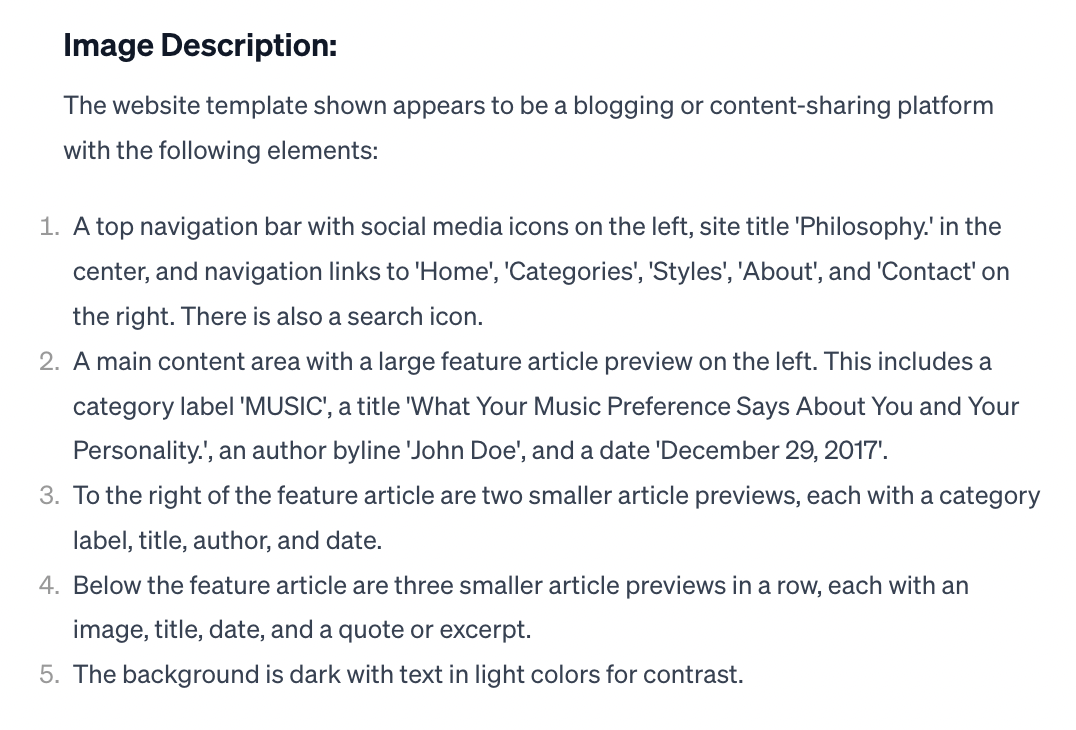
\SS of Grimore\
Next, it outlines the steps, it plans to take. Like this ;
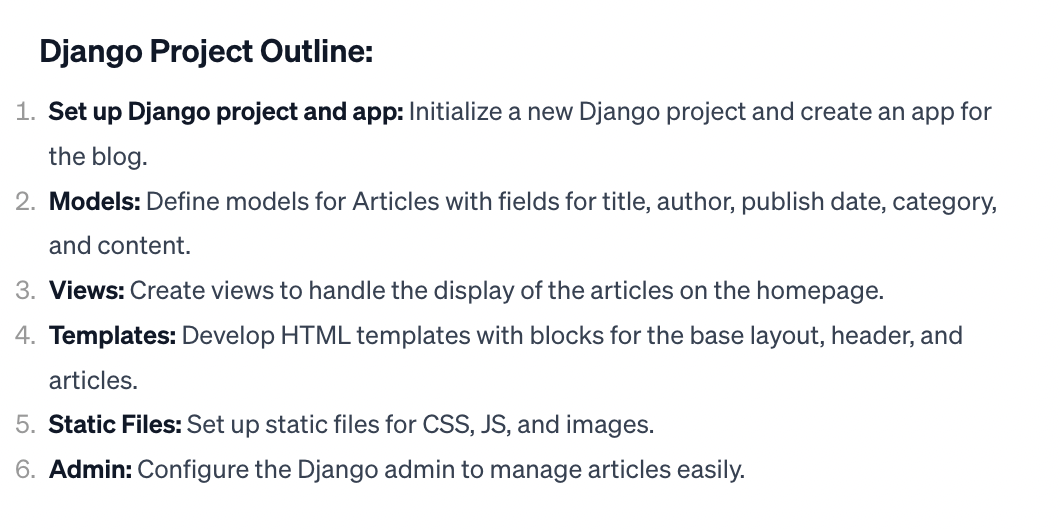
\SS of Grimoire\
As a GPT developer, I appreciate this structure. Next, it provides the code to do these steps above.
# setup Django project
django-admin startproject philosophy_blog
cd philosophy_blog
python manage.py startapp blog
# models.py
from django.db import models
class Article(models.Model):
CATEGORY_CHOICES = [('MUSIC', 'Music'), ('MANAGEMENT', 'Management'), ...]
title = models.CharField(max_length=200)
author = models.CharField(max_length=100)
publish_date = models.DateTimeField()
category = models.CharField(max_length=50, choices=CATEGORY_CHOICES)
content = models.TextField()
image = models.ImageField(upload_to='articles/')
# views.py
from django.shortcuts import render
from .models import Article
def home(request):
featured_article = Article.objects.latest('publish_date')
other_articles = Article.objects.exclude(id=featured_article.id).order_by('-publish_date')[:4]
return render(request, 'home.html', {'featured_article': featured_article, 'other_articles': other_articles})
# urls.py
from django.urls import path
from . import views
urlpatterns = [
path('', views.home, name='home'),
]
# home.html (simplified structure)
{% extends 'base.html' %}
{% block content %}
<!-- Feature Article -->
<!-- Other Articles -->
{% endblock %}
Here, you can send your website views.py or models.py to make it more customizable. For the next steps, they develop a cute structure like this;
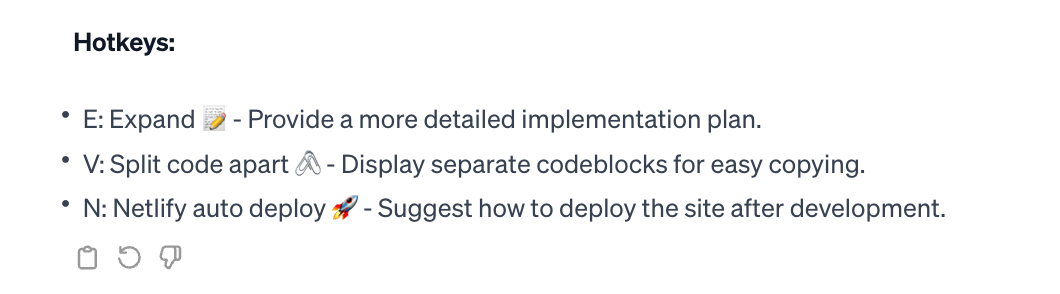
\SS of Grimoire\
Code Tutor
\Here is the link:https://chat.openai.com/g/g-HxPrv1p8v-code-tutor\
I am curious about this Code Tutor. Hence, I also developed a code tutor named LearnAIWithMe it aims to teach AI by splitting it into the following subsections;
Machine Learning Concepts
- Classification
- Regression
- Clustering
Machine Learning Libraries
- NumPy
- Pandas
- Sci-kit Learn
Statistics
AI Revolution
- From Historical Milestones in AI to Generative AI
I also started a new series of #LearnAI, which teaches AI, by following the template above and using LearnAIWithMe GPT simultaneously. To know more about it, you can check my substack ;
[
Learn AI With Me
Join the group of people, who are chasing the latest AI developments and want to take advantage of it.
By Gencay I.](https://www.learnwithmeai.com?utmsource=substack&utmcampaign=publicationembed&utmmedium=web)
Now, let’s test Khan Academies AI Tutor. Here is the prompt I’ll use;
I want to learn AI from zero.
Can you provide me a curriculum?
Here is the answer. It looks like it provides a detailed curriculum which I like it and found it similar to mine, here ;
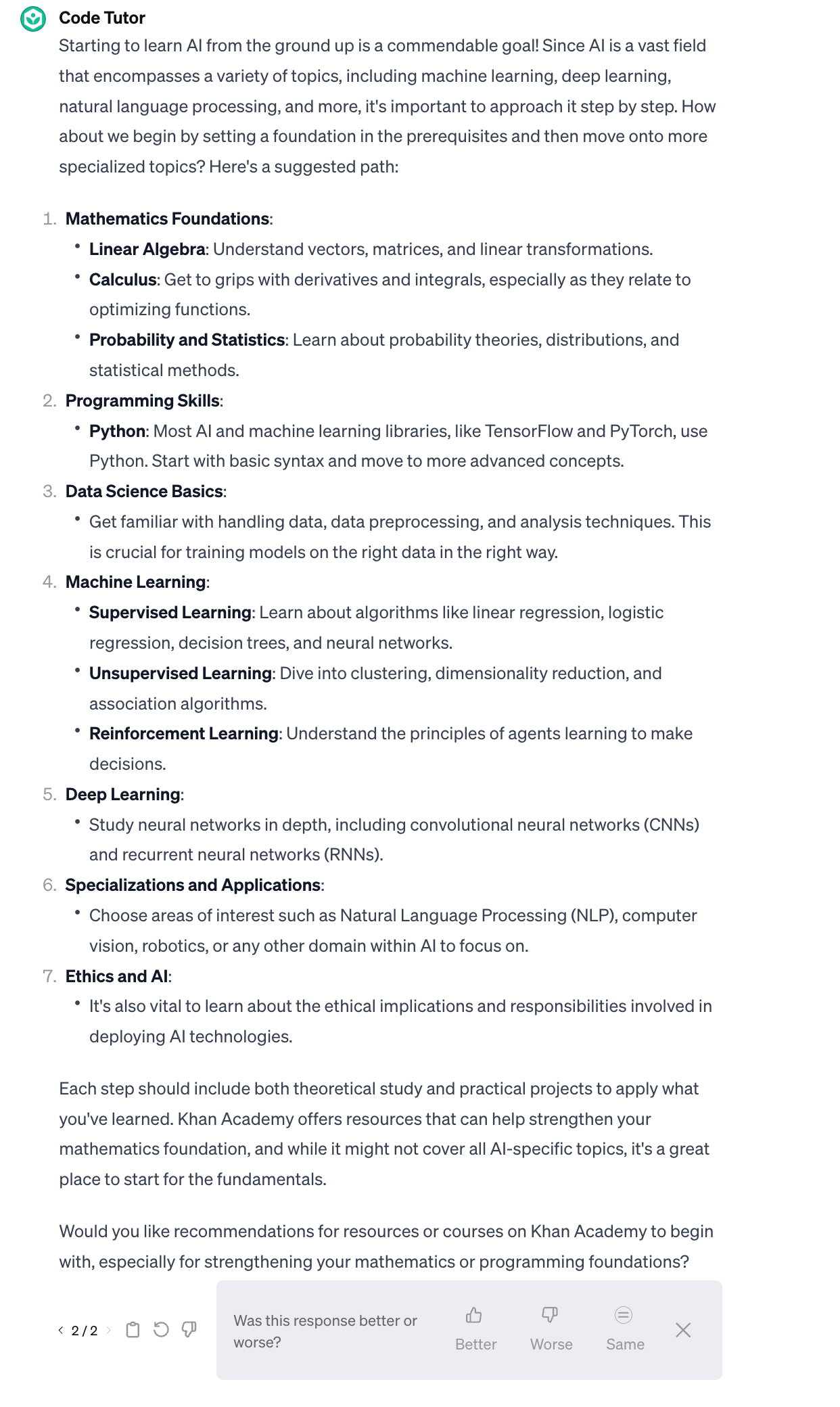
\SS of Code Tutor\
Let’s ask, it to start with Classification.
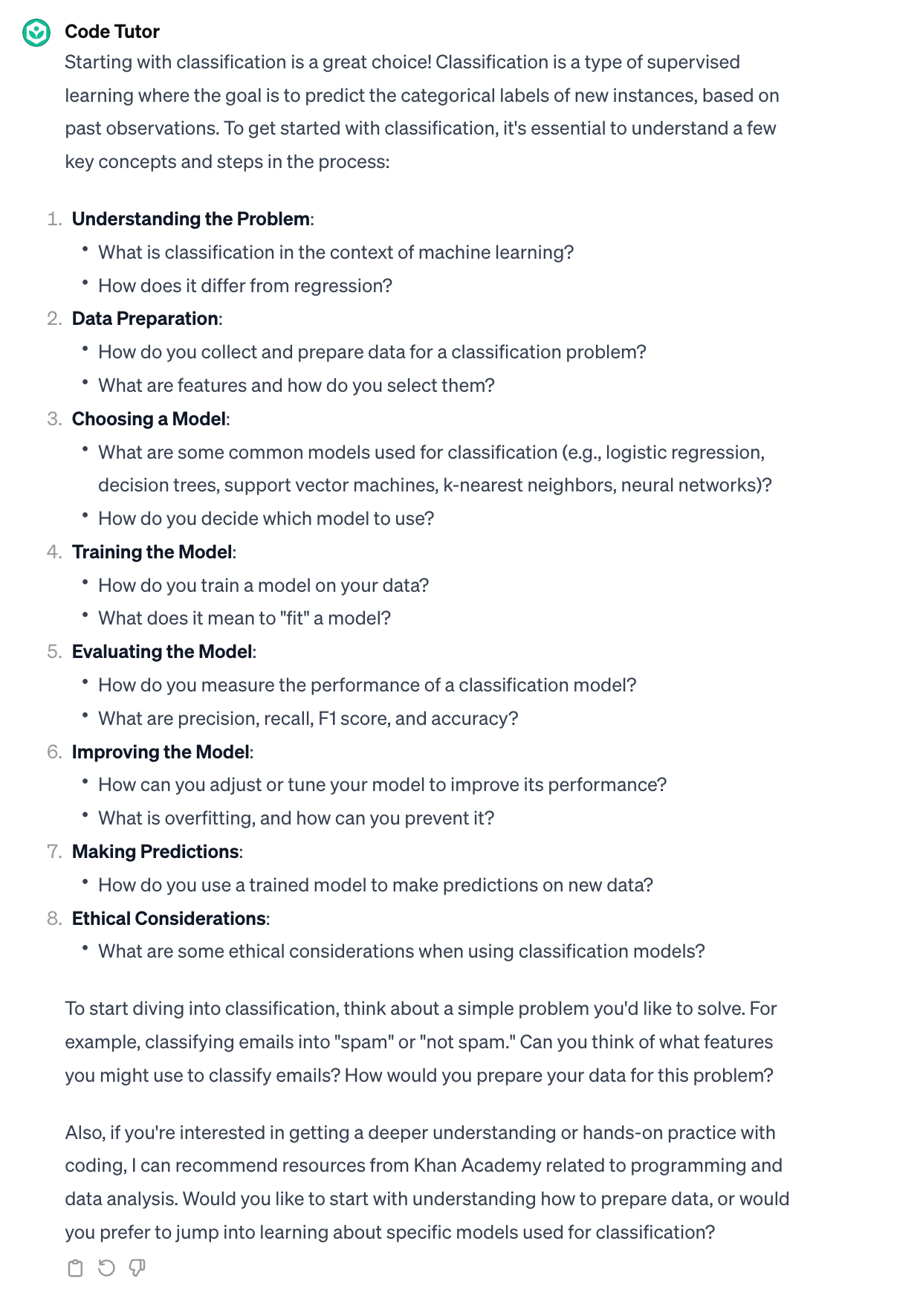
\SS Of Code Tutor\
I like it however, they approached it as a Machine Learning Model, I approached it as whole another topic, consists of basics of the Classification and more, however it looks fine to me, let’s continue to the next one.
Data Wizard
\Here is the link ;https://chat.openai.com/g/g-aXXQrf6wP-data-wizard\
I found this one, by using GPT Works. What is GPT Works?It is a GPT, by using that you can find more GPT’s about the topic you want. We’ll go on details in the next section.
Data Wizard, is like automated version of Code Interpreter, or should I say, Advanced Analysis, or GPT 4 simply. You may know code interpreter transforms a little bit more.
Now, I sent a dataset, that includes my writing plan, with this prompt.
You have to understand me as I am testing too much GPT’s and many of them you did not see, so I just prompt “do your thing” with dataset, let’s see how it goes.
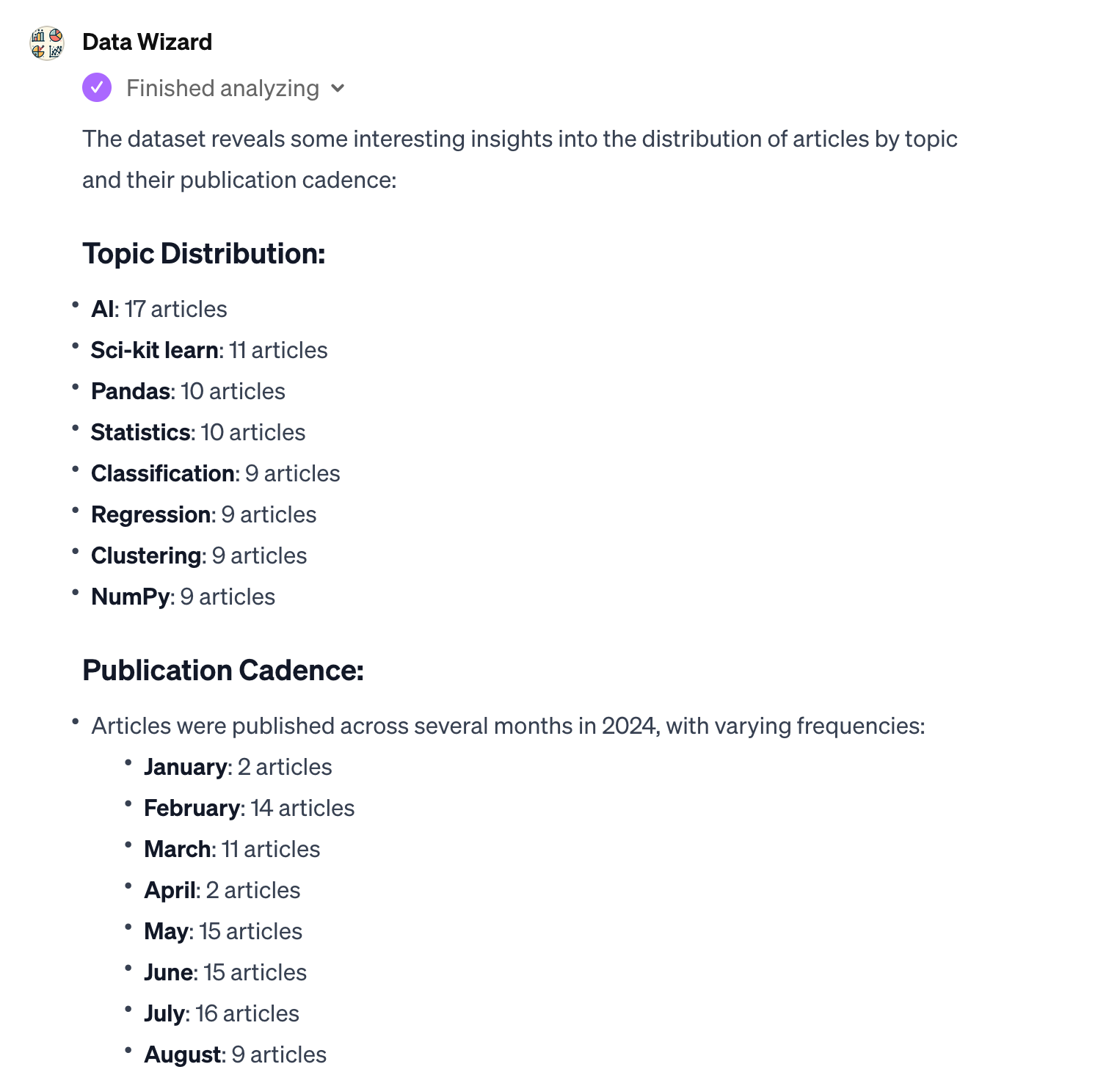
\SS Of Data Wizard\
As you saw, first it did a little bit descriptive analysis, which should be an initial part of data analysis. Then it continues with Data Visualization, as you can see below.
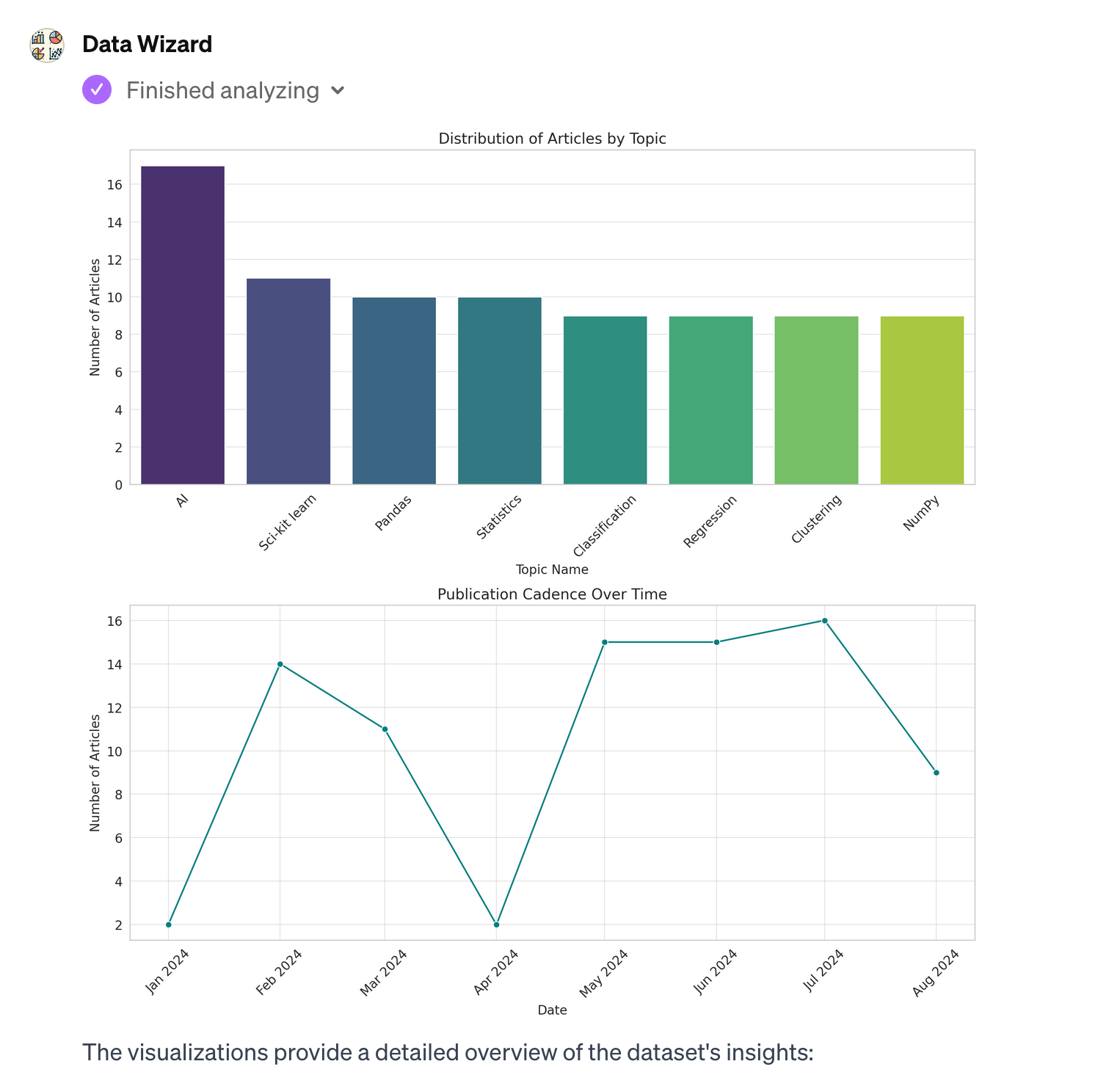
\SS of Data Wizard\
After this, I want more visuals, so I told it that and it provides really insightful visualization too.
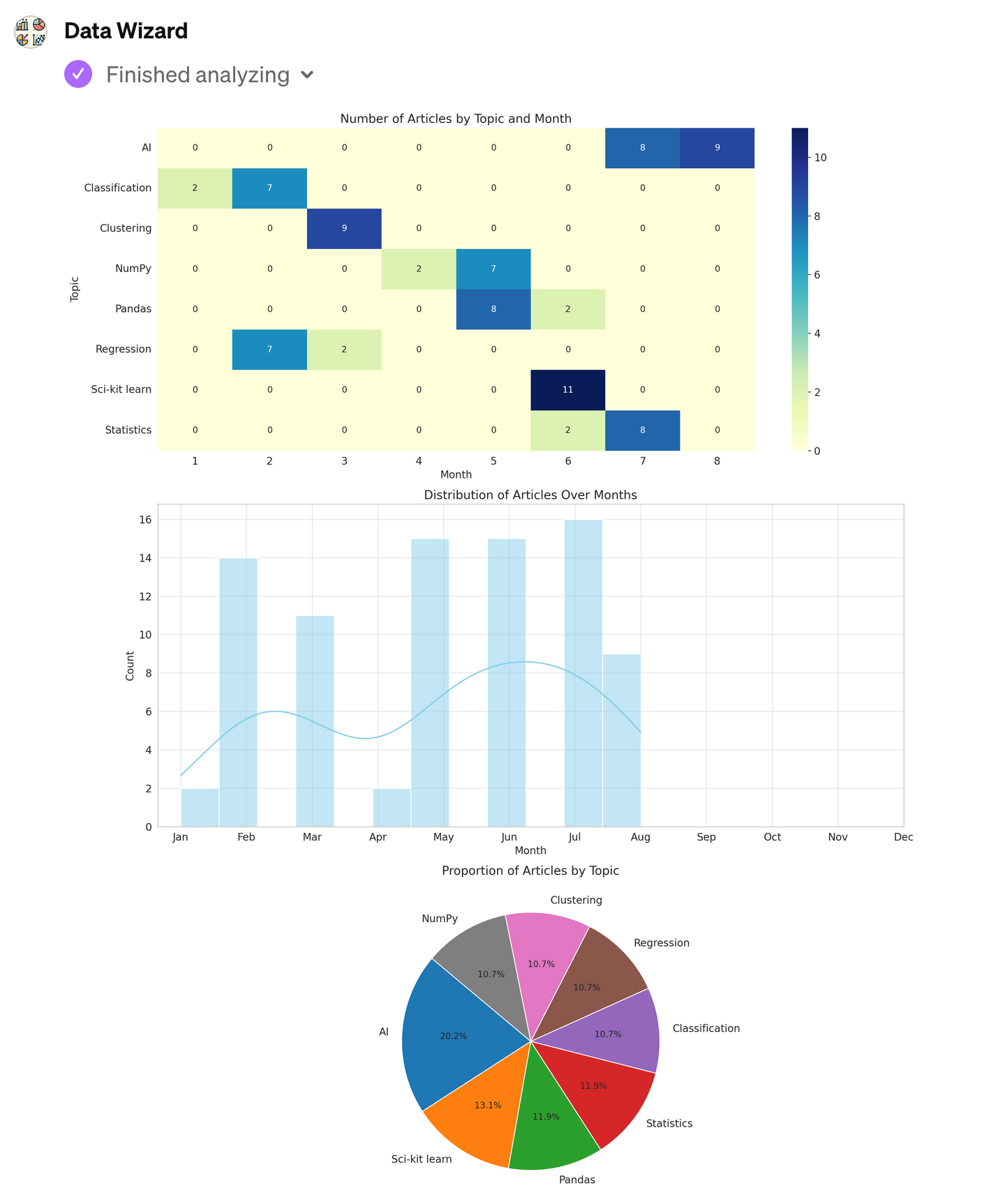
My opinion about this GPT is that it is evolved version of Code Interpreter and definitely, I added this one to my toolbox, to use it later.
Bonus : GPT Works
Here is the link : GPTs Works
<https://chat.openai.com/g/g-EBKM6RsBl-gpts-works/c/38d7ffc4-2c32-489b-b154-aa280561db0b>
Free GPT’s and Resources
Here are our free GPT’s and projects files you can take advantage.
- Staying Updated With Daily AI News- <https://chat.openai.com/g/g-35enG4y1L-ai-news>
- Staying Updated With ChatGPT News— <https://chat.openai.com/g/g-VQMLTd4SE-gpt-news>
- To write articles ; <https://chat.openai.com/g/g-GJdH0BxMk-phoneixink>
- To correct your articles vocabulary ; <https://chat.openai.com/g/g-KddNRhCNe-vocabulary-correcter>
Here is the ChatGPT cheat sheet.
Here is my NumPy cheat sheet.
Here is the source code of the “How to be a Billionaire” data project.
Here is the source code of the “Classification Task with 6 Different Algorithms using Python” data project.
Here is the source code of the “Decision Tree in Energy Efficiency Analysis” data project.
Here is the source code of the “DataDrivenInvestor 2022 Articles Analysis” data project.
“Machine learning is the last invention that humanity will ever need to make.” Nick Bostrom