why prompts aren't enough
By Nicolas Cole
Published: 2026-04-05
URL: https://writewithai.substack.com/p/free-computer-organizer-skill
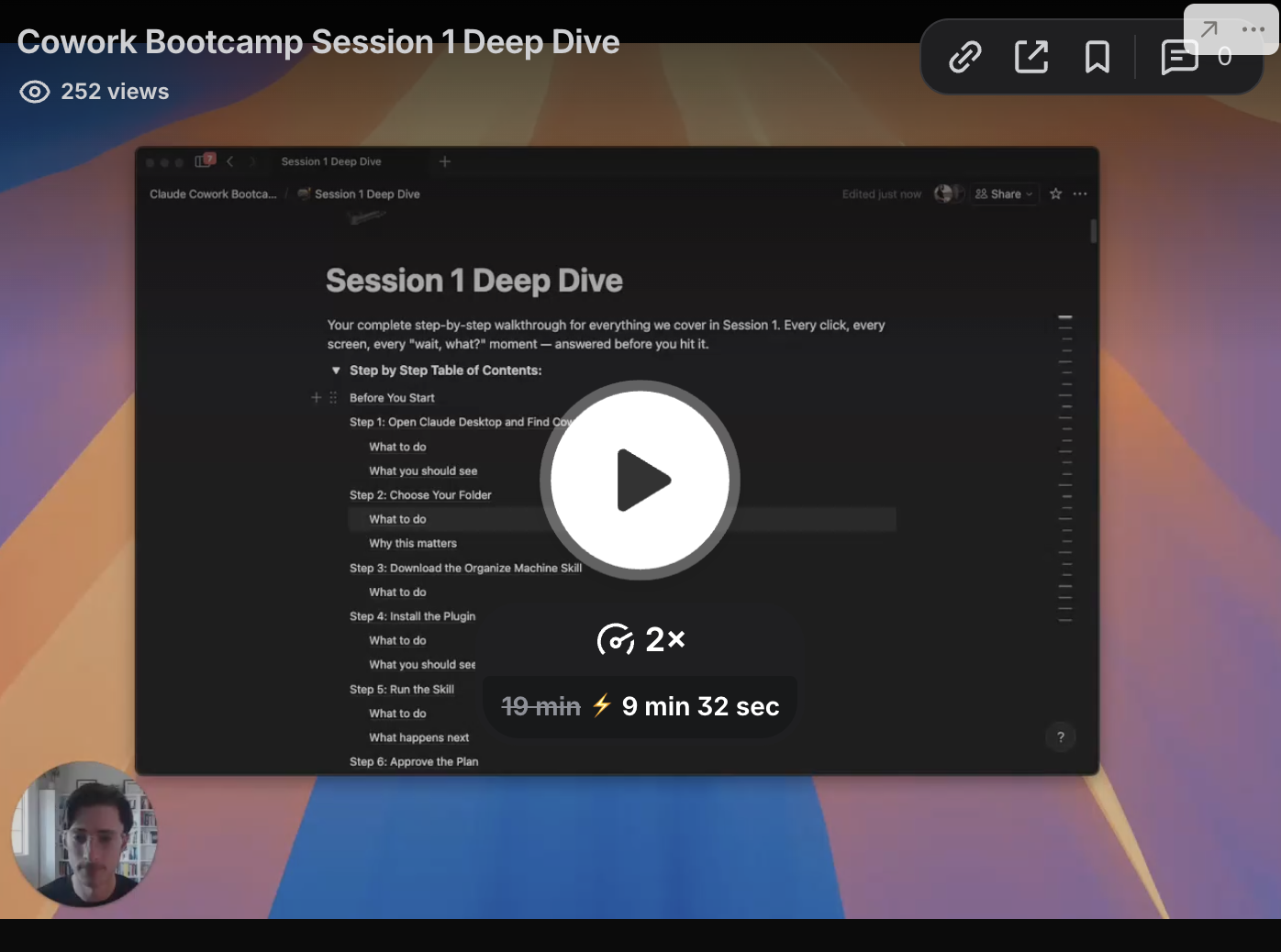
ICYMI, today is the last day to join Claude Cowork Bootcamp 2.0.
This is a 6-session live bootcamp that teaches you how to use Claude Cowork’s newest features. Including Scheduled Tasks, Dispatch, Skill Stacks, and more.
If you want to stay on the cutting edge of AI, automate your busywork, and save 5-10 hours/week, click here to join 176+ others already in the Bootcamp.
Doors close tonight at midnight.
99% of people use AI the same way:
- They type a prompt into a chat window
- They get a thoughtful response (maybe a numbered list, maybe some “best practices”)
- And everything stays in the text box
So today, I want to show you what happens when AI can actually touch your computer.
And at the end of this post, I’m giving you a free skill file so you can try it yourself.
But first, let’s talk about why prompts aren’t enough anymore.
Now, to be clear, we love prompts. Every great piece of writing you’ve produced with AI started somewhere in a prompt, and that stays true. But prompts have a ceiling. And most people hit it without knowing it.
It’s easier to show you than explain:
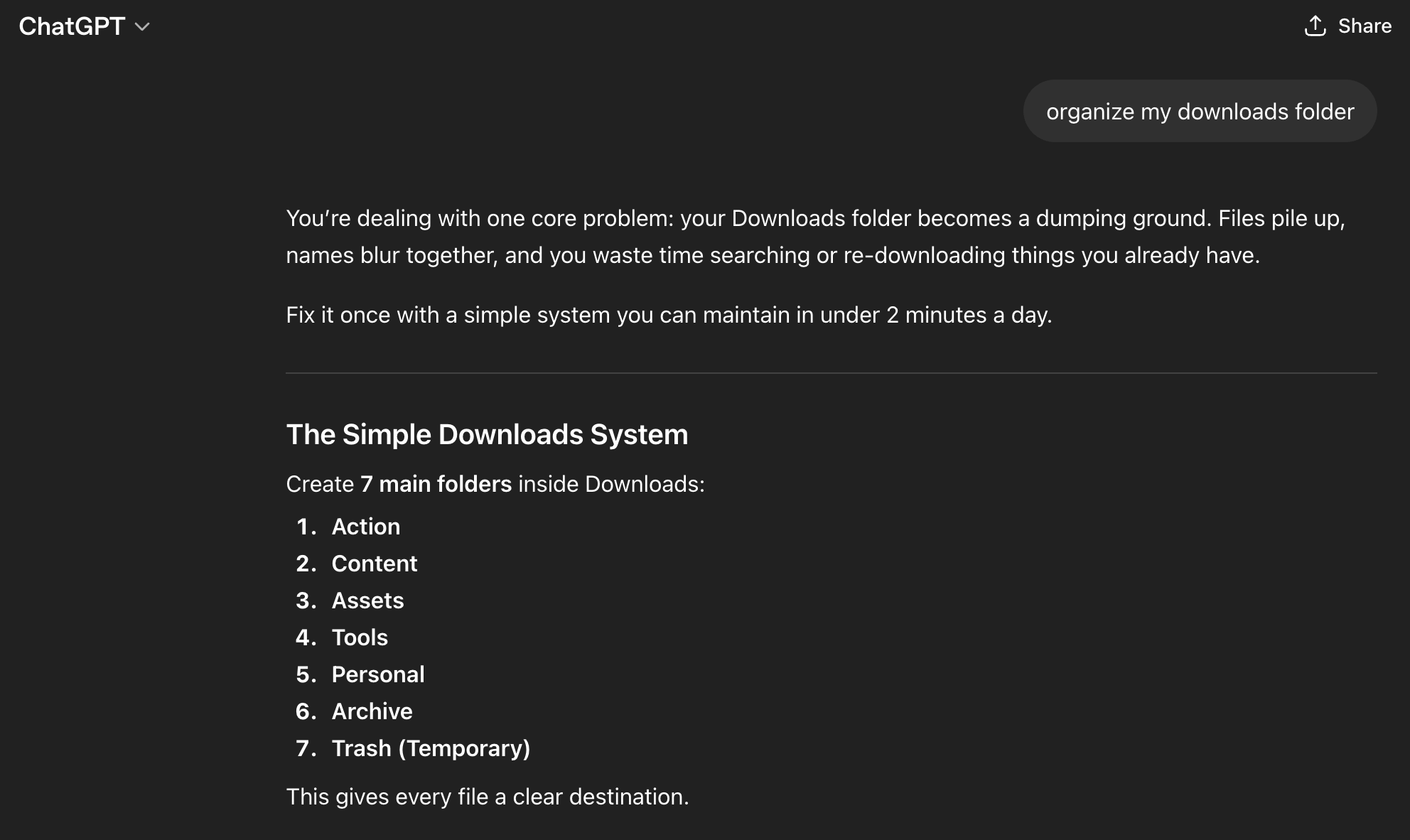
Open ChatGPT or Claude in the browser and try this prompt:
“Organize my Downloads folder.”
You’ll get a thoughtful reply with folder naming conventions and a numbered list of best practices. Maybe a section on how to maintain the system going forward.
All of it stays in the text box.
ChatGPT and web Claude live inside a conversation. Its whole world is your messages and its responses, and the loop closes there. It thinks about your files. The thinking stays on screen.
There are of course overlaps, with both companies allowing connected services, or “artifacts” (previews of apps, pictures, flowcharts, or other mini-softwares within the interface), but this Organization task is a great example of the limits of web AI chatbots.
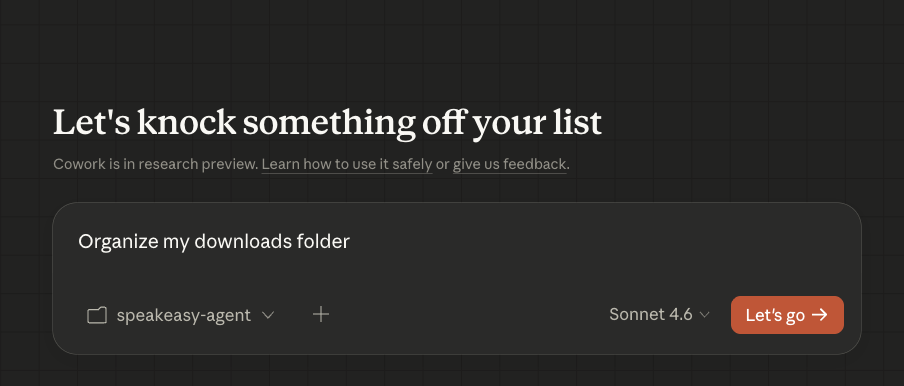
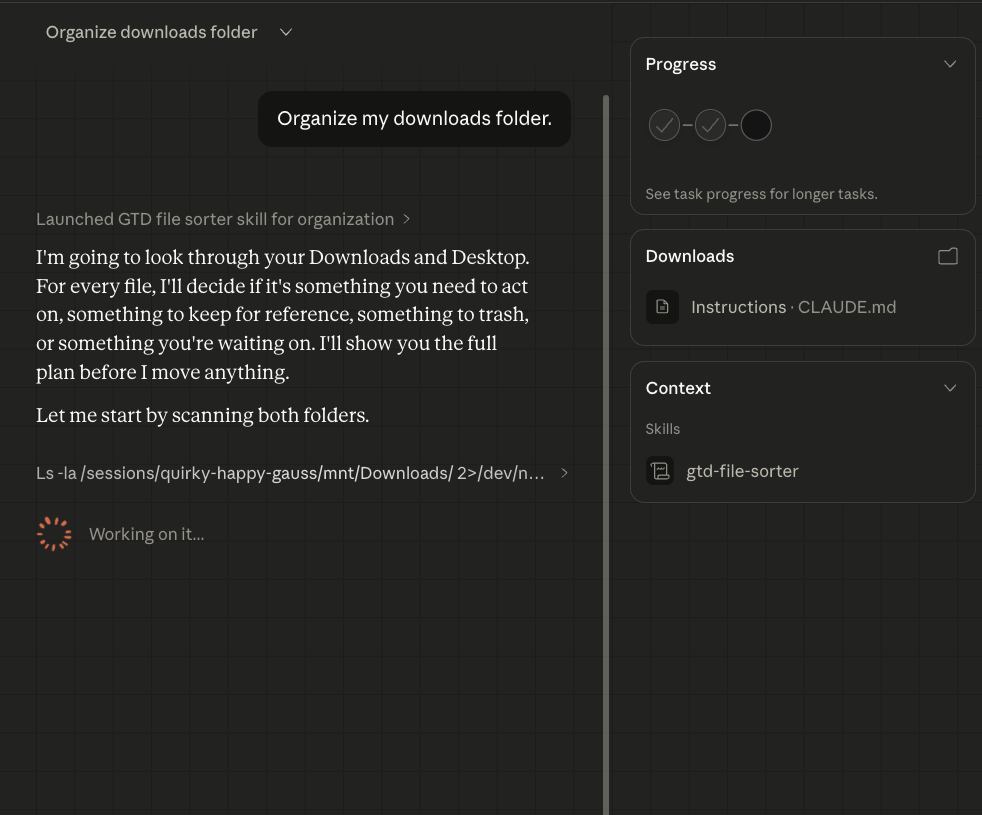
Now open the Claude desktop app, navigate to the Cowork tab, and select your Downloads folder from the dropdown menu.
Type the same thing in your Cowork task that you sent to the chat:
“Organize my Downloads folder.”
Cowork sees your actual downloads folder.
All 3,475 files.
- The screenshots from three years ago
- The PDFs you downloaded once and opened never
- The .dmg installers you fired up years ago and never touched again.
And then, with your permission, it starts moving them.
PDFs in one folder, images in another, screenshots grouped by date or month depending on how you asked.
Do you feel the difference?
“Cool party trick, but I’m a writer, not an accountant.“
I know what you might be thinking. “Why care about organizing your Downloads folder?”
Because clutter on your computer is clutter in your head.
And writers need their heads clear.
Think about how many times this has happened to you: you’re in the middle of a draft and you need that one stat you screenshotted last week. Or that PDF you downloaded from a research rabbit hole three weeks ago. Or the landing page template you saved “somewhere” on your Desktop six months back.
So you stop writing.
- You open Finder.
- You search and scroll.
- You open four wrong files.
- You lose the thread of whatever you were working on.
And 15 minutes later, you’re back to your draft and you’re forgot why you needed the document in the first place.
Every time your brain has to context-switch from “creating” to “searching,” you pay a tax. And that tax compounds across every single writing session you have.
A clean, organized machine means you can find what you need in seconds
If you can organize 3,000 files in less than 5 minutes with Cowork—what else can you do?
Every task you do manually right now can become something Cowork runs for you.
You describe what you want, and Cowork actually does it for you.
- Read your files
- Create documents
- Connect to your tools
- And deliver finished work.
The possibilities are endless.
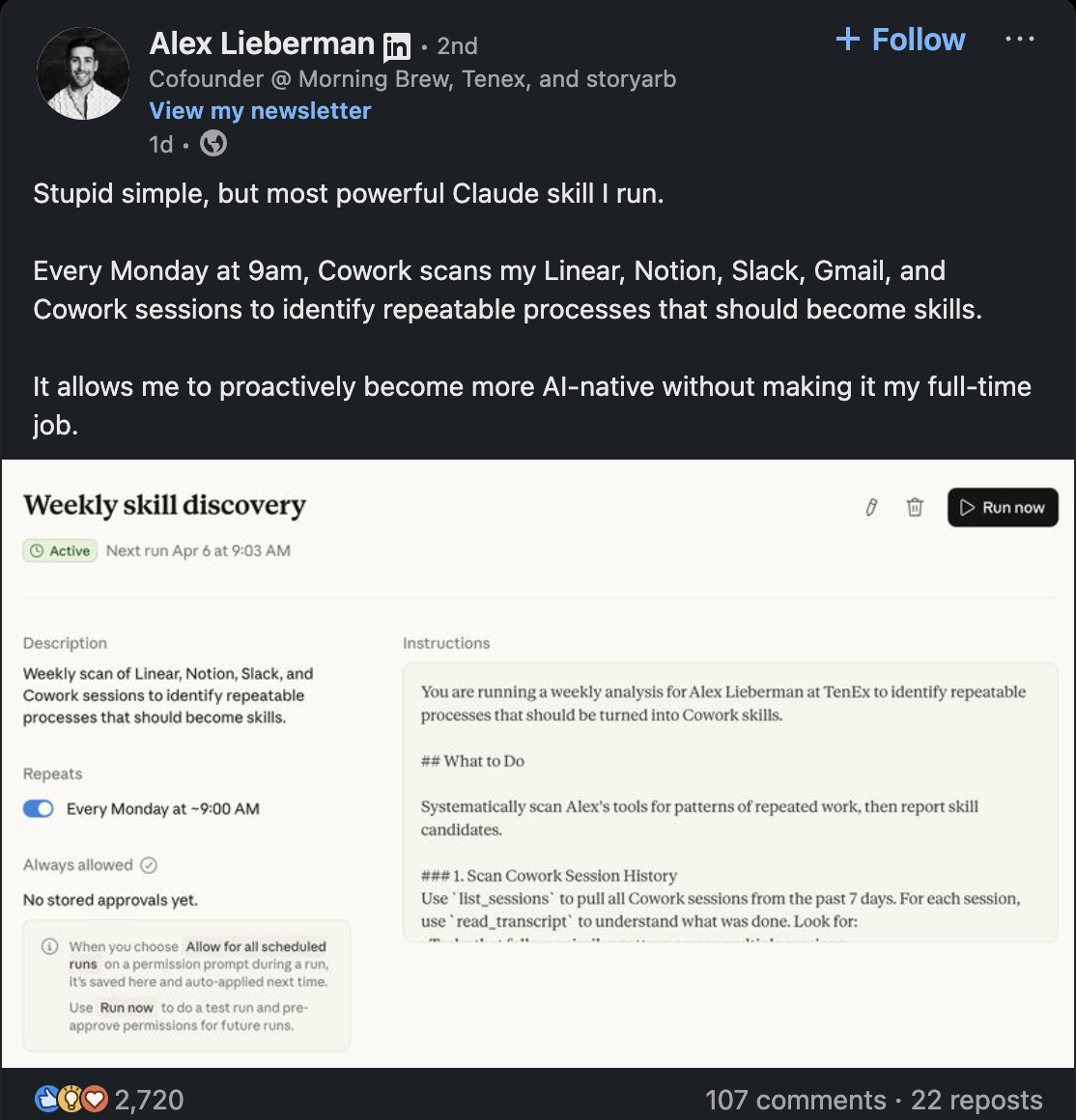
Alex Lieberman (co-founder of Morning Brew) has a skill that runs every Monday at 9am.
It scans his Notion, Slack, Gmail, and Cowork session history, identifies repeatable processes he keeps doing manually, and tells him which ones should become new skills.
He’s using AI to find more work to give to AI.
Pretty cool.
Now, imagine:
- A newsletter skill that reads your notes, writes a draft in your voice, formats it, and drops the finished piece into your Notion workspace. You review and publish. That’s it.
- A research skill that scans a folder of saved articles and PDFs, pulls out the key insights, and organizes them by topic so you never lose a reference again.
- A content repurposing skill that takes one finished newsletter and turns it into 10 social posts, an email teaser, and a blog version—all in your voice, all without you copy-pasting into a chat window.
- A weekly review skill that checks your content calendar, flags what’s due, and reminds you what’s still in draft.
Any one of these instantly gives you back hours that you currently spend on repetitive busywork instead of actual writing.
Give your AI Coworker skills so it can do work YOUR way
Even though Cowork moves files for you, it makes its best guess about what goes where, and it creates whatever folder structure feels right in the moment.
PDFs here. Images there. Maybe a folder called “Miscellaneous” that becomes a junk drawer within a week.
It’s smart, but it’s winging it.
And chances are if you ask Claude to organize your files tomorrow, it wont’t do the task the exact same way—or the way YOU want it to do the task.
It’s like hiring a brilliant assistant on day one and handing them zero onboarding materials. They’ll figure something out. And it’ll probably be fine. But “fine” is a low bar when you could have “perfect, every single time.”
And this is where most people stop. They use Cowork like a slightly fancier chatbot that can drag files around, and they never unlock the real power.
The real power is skills.
A skill is a text file with plain English instructions that tell Cowork exactly how you want something done.
But don’t let the simplicity fool you.
The difference between Cowork with and without a skill is the difference between a temp worker on their first day and a trained employee who’s been with you for years.
For example, we built a Computer Organizer skill.
The skill classifies every single file into one of four “Getting Things Done (GTD)” buckets—Action, Reference, Trash, or Waiting—using a specific set of questions:
- “Will I touch this file in the next 7 days?” If yes, it’s Action.
- “Is the next step someone else’s job?” If yes, it’s Waiting.
- “Would I be annoyed if I deleted this and needed it later?” If yes, it’s Reference.
- “If this file disappeared, would I ever notice?” If no, it’s Trash.
Every file gets asked the same questions in the same order and gets sorted into the same buckets, whether you run it today or six months from now.
The GTD framework has been around for over 20 years. Millions of people use it. And now, instead of you manually applying those principles to your files, you hand the framework to Cowork and it applies them for you.
Plus it flags things a normal Cowork session would miss.
Any file over 100MB gets called out specifically. Duplicates get flagged (you know, report.pdf, report (1).pdf, report(2).pdf). It keeps you in the loop before it makes a decision so you don’t accidentally delete all your tax documents.
And it remembers.
The Organize Machine skill also includes a weekly review.
When you prompt Cowork with “weekly review,” it checks a log file, knows exactly when you last ran it, scans only the new files since then, and sorts just those.
Without the skill, you’d have to re-explain your entire system every single time. With the skill, the system is the instruction set. It runs the same way on Monday that it runs on Friday that it runs six months from now.
The Bigger Picture
Organizing files feels small.
But the feeling of “the AI just touched my actual computer” compounds in ways that may take a few days to fully absorb.
And for writers, the real unlock isn’t a clean Downloads folder. It’s realizing that every tedious thing you do on repeat—formatting newsletters, sorting research, repurposing content, prepping your content calendar—can become a skill that runs while you do the work that actually matters.
Chat soon,
‚—Dickie, Cole, & Mitch
Ready to give the Computer Organizer Skill a try?
Click the link below to download the skill file so you can start cleaning up the digital clutter that’s slowing down your writing.
This is just one of the many skills we share inside the Claude Cowork Bootcamp that we use to make our $8,000,000+ portfolio companies 2-3x more efficient.
Here’s the organizer skill: 👇
Click here to try the Computer Organizer Skill.