Dictation, writing sprints, mind maps, AI interviews, and folded paper
By Jeremy Caplan
Published: 2026-10-09
URL: https://wondertools.substack.com/p/5-writing-tools-for-getting-unstuck
The hardest part of writing is the first 10 minutes. Get past that, and momentum kicks in.
Once you start scribbling a few sentences, you’re on your way.
Having gotten stuck and unstuck a lot over the past 325 weeks of writing this newsletter, I’ve found a few tricks that help. Pick one to try, and leave a comment to share what you do to get unstuck.
As a little experiment, I’ve made an Unstuck Studio page to accompany this post and to help you get unstuck playfully.
As explains, starting comes first.
“Action precedes motivation, not the other way around.”
When I’m stuck, I dictate rather than battle my inner critic.
The critic assumes there’s a better word for whatever I’m typing. It urges my fingers to stop and wait. When I’m rambling with my voice, the critic is quiet.
We call an idea freeze writer’s block, not talker’s block. When we speak informally, ideas just flow. Because spoken words disappear into air, it’s easier to avoid self-editing. In a dictated draft, clunky first words are OK because they get us closer to what we’re trying to convey.
Tools I use for dictating first drafts
-
Google Docs voice typing works in more than 100 languages. In English you can add punctuation verbally or say things like “new paragraph.” See more of my favorite Google Docs tips and tricks. Free.
-
Letterly works well on mobile or desktop. In addition to transcribing, it can give you a summary, or format your text. (It’s now a free perk for paid Wonder Tools subscribers.) Free with limits, or $80/year.
-
Wispr Flow lets me dictate into any app or site on my laptop or phone. It works surprisingly well even if I whisper, which helps around other people. I just double-tap my Mac function key and start talking. Free to start; $12/month for pro features.
-
Lispr.ai is a reliable Mac option. It can also translate your dictation. Free.
Simple alternatives: iOS Voice Memos and Notes transcribe your speech for free. On Android, try Google Keep.
Sponsored Message
Your New Teammate Set Up in 5 Minutes
UFO is an AI operating system for work and code, built to help smaller teams automate daily workflows across Slack, GitHub, and Google Workspace.
Automate administrative tasks across your team’s existing tools.
Start Your Product Trial Today
The Most Dangerous Writing App erases your words if you stop typing before your timer ends. Choose a three or five minute sprint, or set a word target. Once you get the hang of it, your hands will keep moving. Edit later. Free
Ilys is an even more challenging way to force yourself to keep writing. It shows your typing just one letter at a time. When your session is over, you can review and edit your words.
Free for basic use. Sessions are capped at 808 words, which is more than enough for freewriting. A subscription is $11/month, but I don’t need the extras.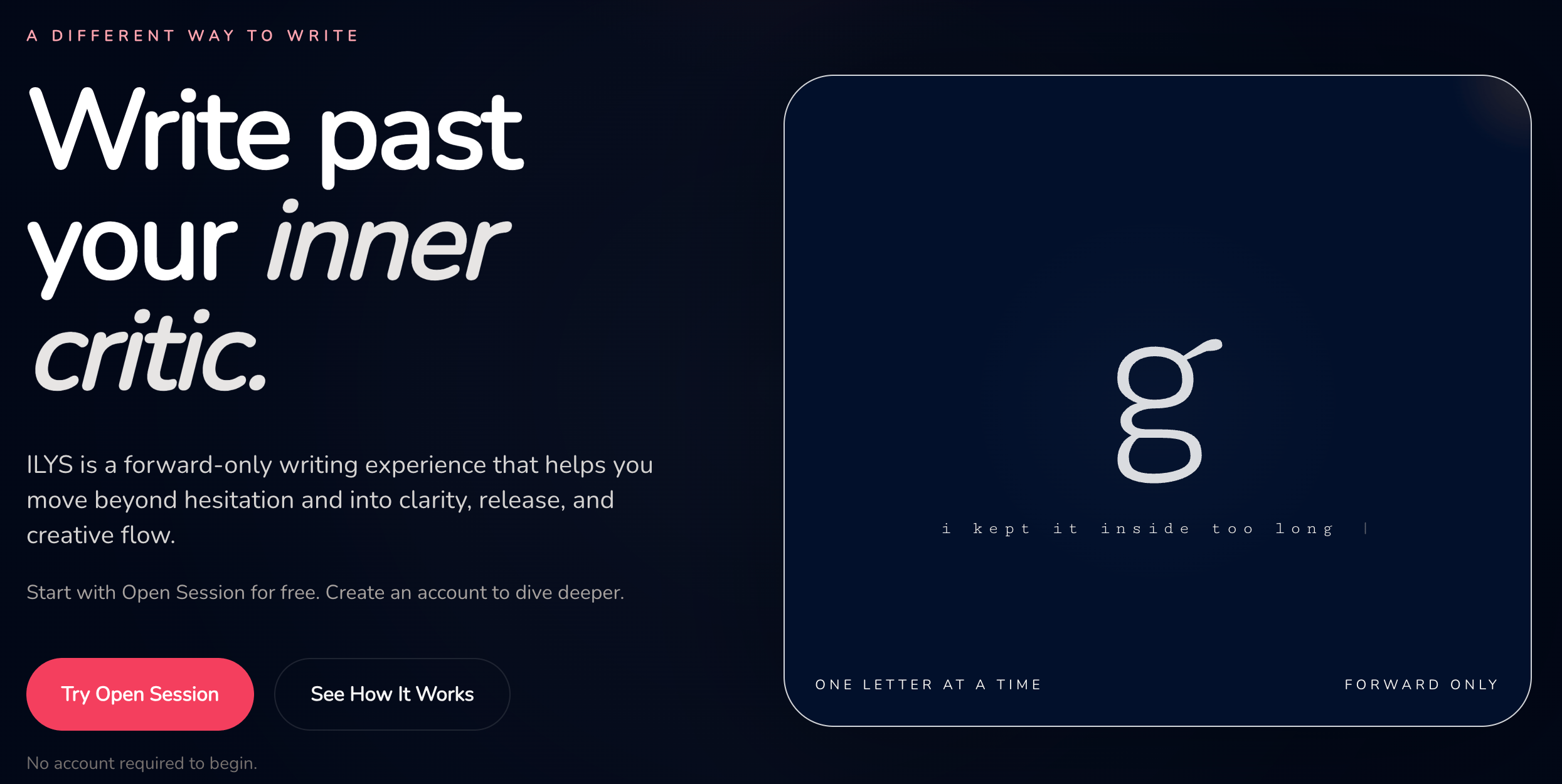 Ilys nudges you to keep typing. You can’t go back to edit until a session ends.
Mind maps help you focus on concepts and ideas, rather than piling words onto the page. Connect your ideas to one another visually. Put one word down. Add a picture if you want. Pretty soon you have an outline to build on.
When I’m writing something complex or juggling lots of ideas, mind mapping allows me to assemble the bones of a piece efficiently. Use Apple’s free Freeform app on iOS or Mac. Or try simple apps like Mindmup or Bubbl.us. Both are free for up to three maps. Miro and Mural, which offer more advanced design features, also give you three free boards. 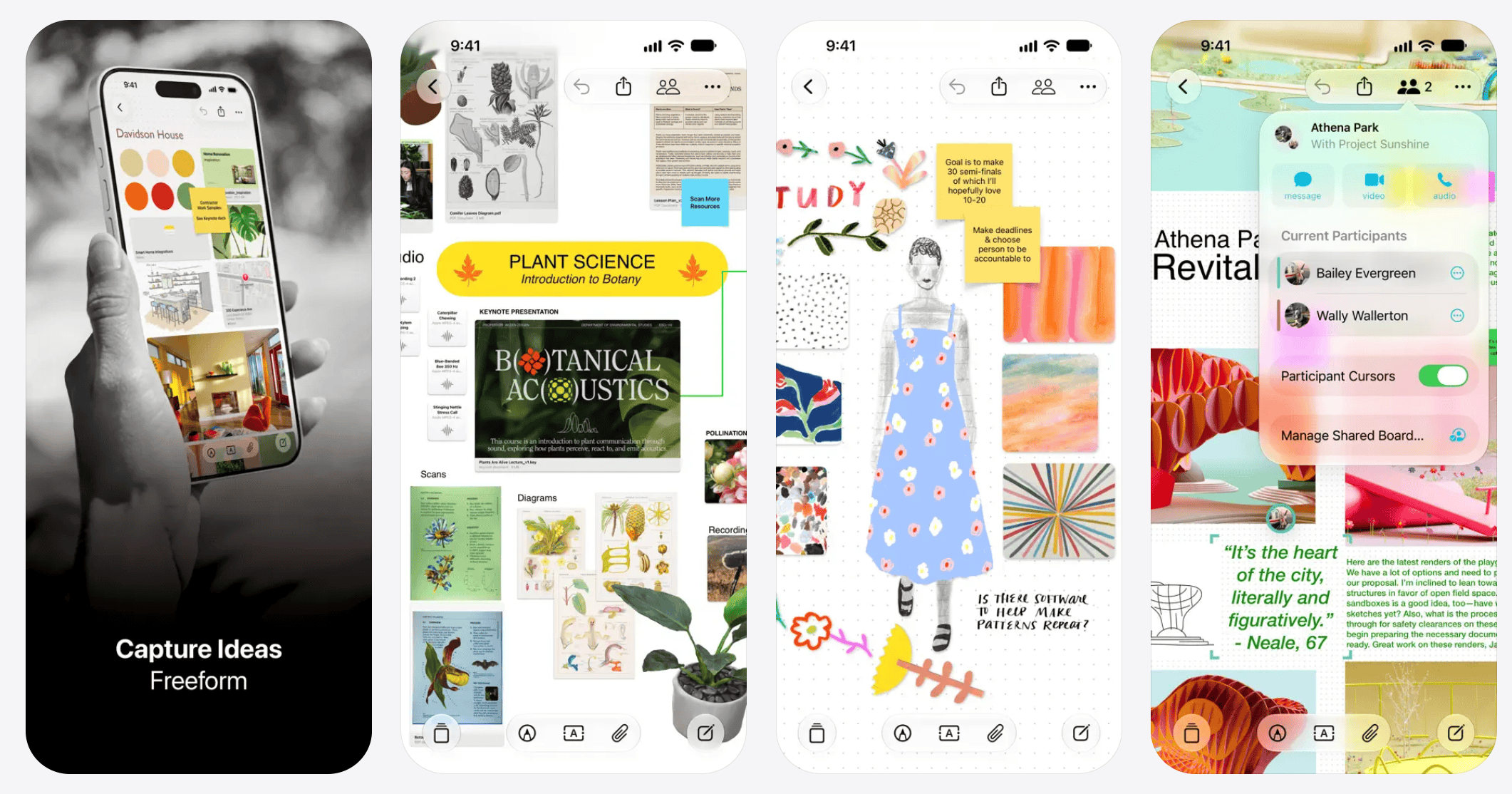 Freeform gives you a blank visual canvas to start on. Here’s why Apple launched it.
Rather than using AI to write, ask it to interview you. Or push it to provoke you. I find that helps me surface my own thoughts.
Prompts to try
-
“Interview me about this. Ask one question at a time. Push me for depth.”
-
“Provoke me. Give me a controversial statement to respond to.”
-
“Push me to sharpen my viewpoint by pointing out potential blind spots in the ideas I’m starting to write about.”
-
“Ask me five intriguing questions about this. Don’t answer any of them.”
-
“Act as a tough mentor. Give me five unconventional writing prompts to pick from ….”
-
“Ask a surprising question I’ve not heard before …. Include a feasible writing target to complete in the next 10 minutes.”

This last tactic is tech-free.
-
Grab a piece of blank paper.
-
Fold it in half three times. You now have 8 rectangles.
-
Challenge yourself to put one sentence or phrase into each of the boxes. Set a timer to repeat every minute. Move to the next box each time it rings. Eight minutes later, you have a bunch of sentences to build on.
 Turn a blank page into an organized canvas for freewriting sentences. Fold it length-wise, then width-wise, then length-wise again. Use the eight rectangles to capture raw sentences, ideas, and drawings.
Slogans tell us that discipline propels people toward accomplishments. That sounds logical. But when I’m staring at a cursor, discipline alone doesn’t clear the fog. These tactics do. What helps you get unstuck? Leave a comment. 👇