LEARN HOW TO BUILD A FULL JARVIS SYSTEM THAT RUNS TASKS CALENDAR AND NOTES AUTOMATICALLY !!
By Mr V
Published: 2026-08-14
URL: https://useaitowrite.substack.com/p/i-created-the-ai-assistant-we-all
Hello everyone.
BUILD YOUR JARVIS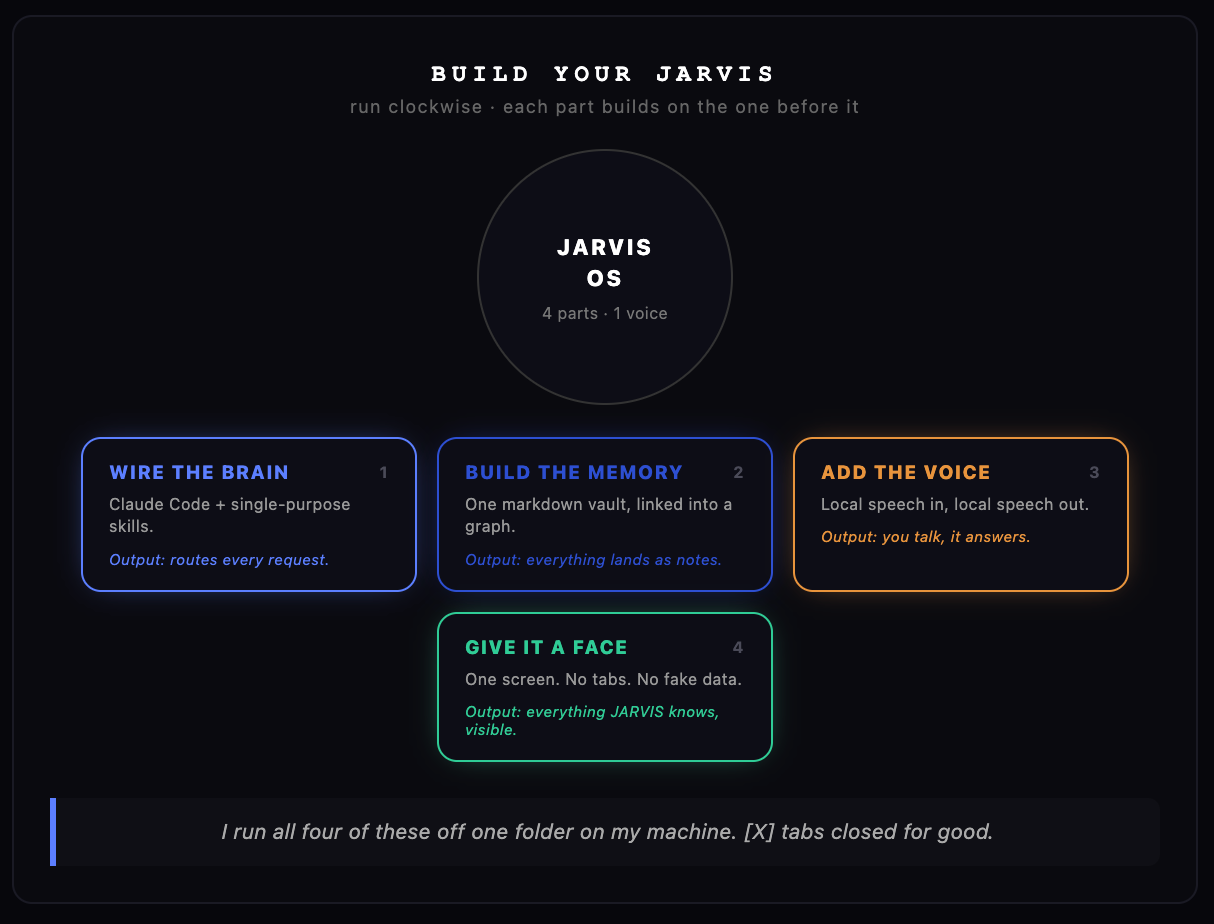 A 4-part build for an AI assistant that actually does something, not just one that looks like it does.
Today I’m going to teach you how to build your own Jarvis from scratch with AI (Without-Code)
Here’s the 5-part system I ended up with, plus how I made it mine.
Instead of switching between six apps to plan your day, track your metrics, and remember what you said last Tuesday, you get one voice you talk to.
-
It routes the request, ✅👍
-
Runs the right skill, ✅👌
-
Answers you back out loud ✅👍
-
Everything it does or learns lands in a file you can read forever ✅👍
(not a database only the app understands.)
WHY THESE “JARVIS” BUILDS GET MOCKED (AND HOW TO NOT BE ONE)
I’ve built enough of these, and rebuilt enough of them, to know exactly why some land and some get torn apart.
Huge Time saver:
→ Mine saves me serious hours, mostly on the boring stuff, reading through long documentation and pulling out the one paragraph I actually need.
That’s the bar I hold every part of the build.
Not whether it looks like JARVIS — whether it actually does the job.
Problem:
-
I didn’t get stuck on the tools when I built mine (AI models are good at making features like this.)
-
I got stuck on not knowing what I actually wanted it to do, and I burned time building features around a job I’d never named.
So before you build anything, answer this in one sentence:
What’s the one thing you want it to handle first? Not “everything.”
One specific thing. You add the rest later.
5-STEPS TO BUILD YOUR OWN JARVIS
❶ WIRE THE BRAIN 🧠
This is a small, single-purpose skill brain that beats one giant prompt trying to do five jobs badly.
So when building the brain I started with the thing that costs me tons of hours:
-
Reading long, dense material and handing back the one part I need.
Skills with Brain: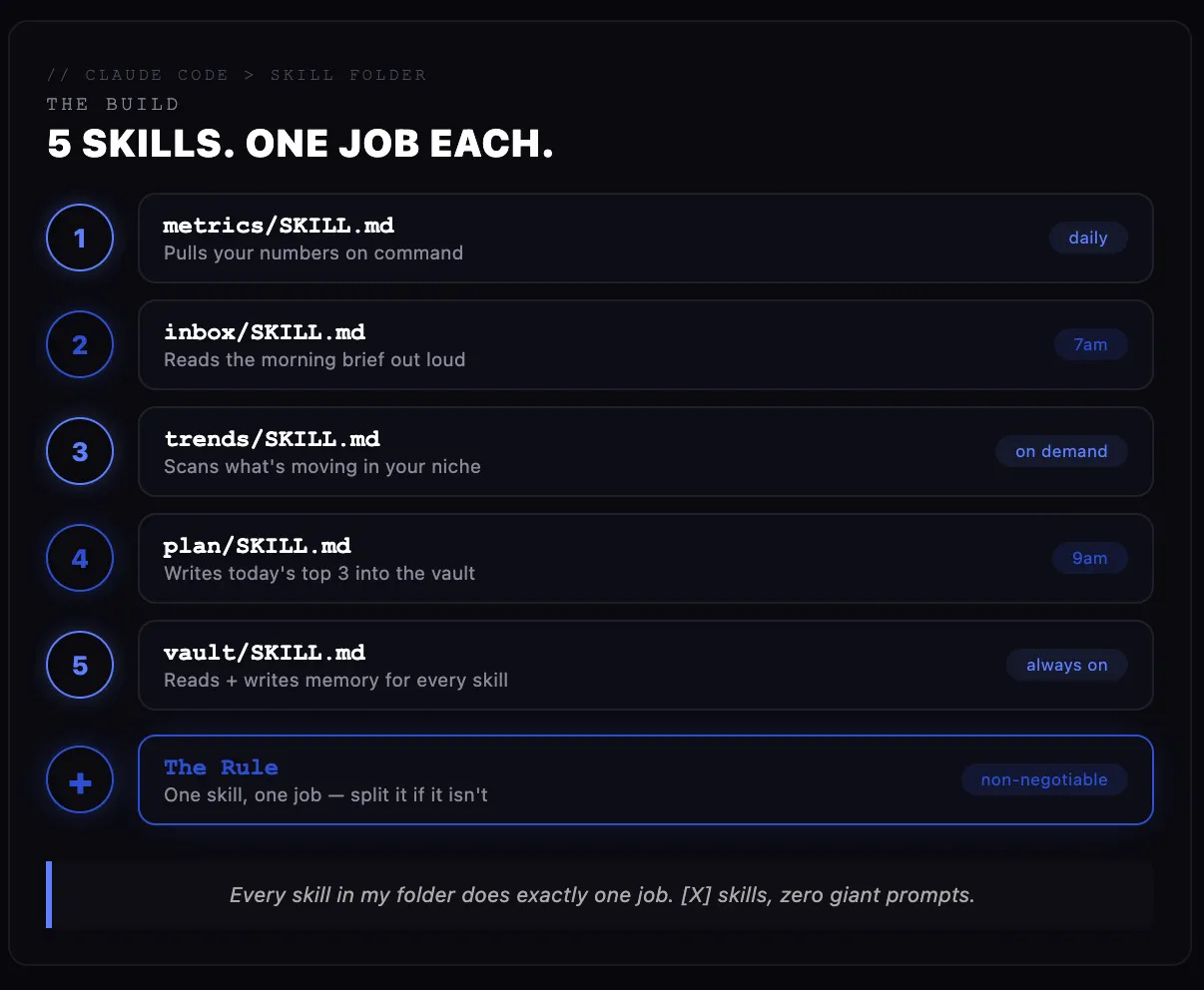 What it is: Claude Code plus a folder of skills. Each skill is one file that describes one job. It only gets pulled in when you need it, not every time you open the thing up.
Skills with Brain Prompt:🧠
Paste this inside claude code:
“You are helping me turn a real task into a single-purpose skill for my AI assistant.
The task is: [DESCRIBE ONE TASK, e.g. ‘read a long article or document and pull out only the parts relevant to what I’m working on’].
Write instructions for this skill that include: one line describing exactly when it should run, exactly what information it needs from me to do its job, and exactly how it should format its answer, structured, not a wall of text.
Add one rule that stops it from doing anything outside this single task. If the task I described is actually two separate jobs, tell me and split it into two skills instead of one.”
Note: Treat Skills as the brain cells of your Jarvis.
Why It’s a Game-Changer
-
Before: you re-explain the same task to a chatbot from scratch, every single time.
-
After: you say one phrase, the right skill already knows exactly what to do with it. (Thats the best part about this)
Watch Out For
-
1/ Building a skill that just repeats what a search engine gives you in two seconds.
Simple example:
Bad skill:
“Search the web and give me 10 articles about AI.”
→ Google already does this extremely well.
Useful skill:
“Take 50 articles, remove duplicates, identify recurring ideas, compare disagreements, extract customer complaints, classify them into themes, and produce a structured research brief.”
→ That involves enough processing, judgment, synthesis, and repeated work that automation becomes valuable.
If a skill isn’t doing something you couldn’t do faster by hand, it’s not worth building.
-
2/ Generic Context: Try to speak your mind with as much context as needed.
(The hours it saves you are well worth the few minutes you spend explaining yourself.)
❷ BUILD THE MEMORY 🗂️
This is the part that turns a chatbot into something that actually knows you.
-
I dump notes into mine the way other people dump thoughts into a journal, except mine can find them again in half a second.✅
Prompt to use:
The Memory Architect:
“You are helping me design a note system for my AI assistant to read and write to.
I want to remember: [WHAT YOU WANT TO REMEMBER, e.g. ‘daily numbers, meeting notes, and ideas as they come to me’]. Give me three folders: one for everything captured with no editing, one for anything I’ve turned into a fact or belief I’d actually stand behind, and one for anything I’ve shipped publicly.
For each folder, tell me exactly how to name the files and what small piece of information every note needs at the top so they can link to each other automatically. Do not suggest a database, a special app, or anything besides plain text files.”
Example Diagram: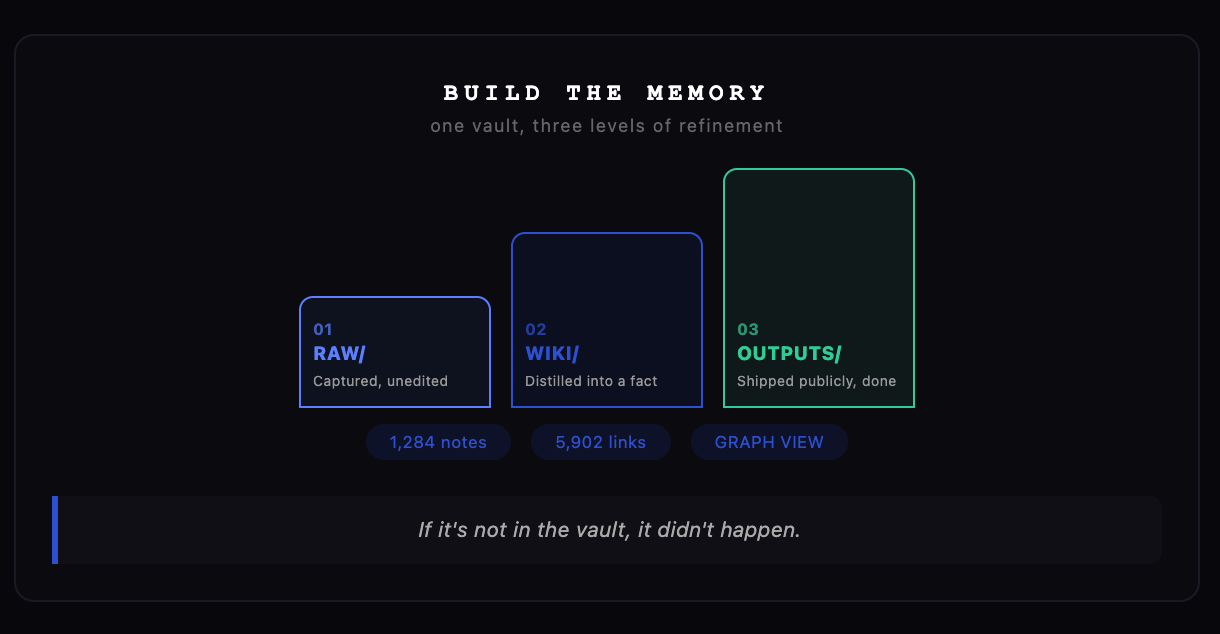
Template:
notes/
├── raw/       → everything you capture, unedited
├── wiki/      → what you've turned into a fact you trust
└── outputs/   → everything you've actually shipped

1,284 NOTES · 5,902 CONNECTIONS BETWEEN THEM
What it is (output):
AI gives you one folder of plain text files.
No database, no plugin doing something clever behind the scenes that you can’t see. Every file opens and reads on its own, no special app required, ever.
Why It’s a Game-Changer
-
Before: the same idea lives in four different apps, half-finished, in none of them.
-
After: one folder, everything connected, and you can open any note on any device with nothing technical installed.
Watch Out For:
-
Watch out for trusting it completely. A good memory system is still not a fact-checker.
If it hands you back a number or a claim from your own notes, treat it as a strong first draft, not something to repeat without a second look.
-
Don’t let the folder sit empty and then judge the system by that. (An empty notebook has never been impressive either.)
❸ ADD THE VOICE 🎙️
This is the part that matters the most. (because you’ll actually enjoy talking to it, or hate it.)
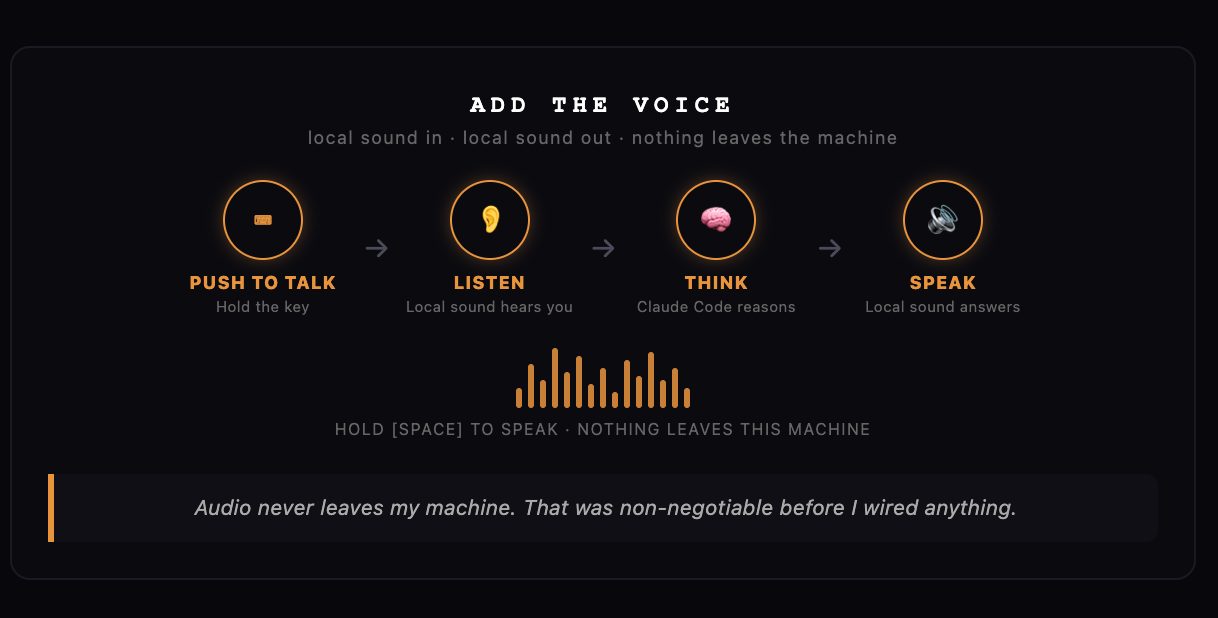 A workflow that turns your voice into text, and the answer back into speech, both running on your own computer. You hold a key, you talk, it answers back.
I tried testing and searching for different local voices that match my taste. (I didn’t really enjoy most of them),
Eventually, I tried a Morgan Freeman voice, and I loved it.
Prompt: The Voice Loop.
“You are helping me set up a voice loop for my AI assistant on my computer. I want to hold down a key to talk, have my voice turned into text on my own machine, no cloud service involved, and hear the reply read back to me out loud within [X] seconds. My operating system is [YOUR OS]. Walk me through the exact tools to install and the commands to run.
Flag anything that requires an account, an API key, or sends my voice anywhere outside this computer. I don’t want that.”
Why It’s a Game-Changer
-
Before: you type out a request, wait, read the reply.
-
After: you say it out loud while your hands are full, and you hear the answer while you keep working.
Watch Out For.
-
Watch out for adding voice just because voice looks cool. Add it when speaking is actually better than typing.
-
If your voice assistant is just:
You: “What’s the capital of France?”
Assistant: “Paris.”
You haven’t created much value. You added a voice interface to something Google can answer almost instantly.
Save voice for the moments talking genuinely beats typing:
Hands full, driving, thinking out loud, or wanting the answer read to you instead of read by you.
-
Check, before you install anything, whether your voice actually stays on your machine.
A lot of these builds quietly route audio through a cloud service. If privacy matters to you, that’s five extra minutes of reading worth doing first.
-
And don’t feel obligated to keep the name JARVIS. Half the fun of building one is deciding who you actually built.
❹ GIVE IT A FACE 🖥️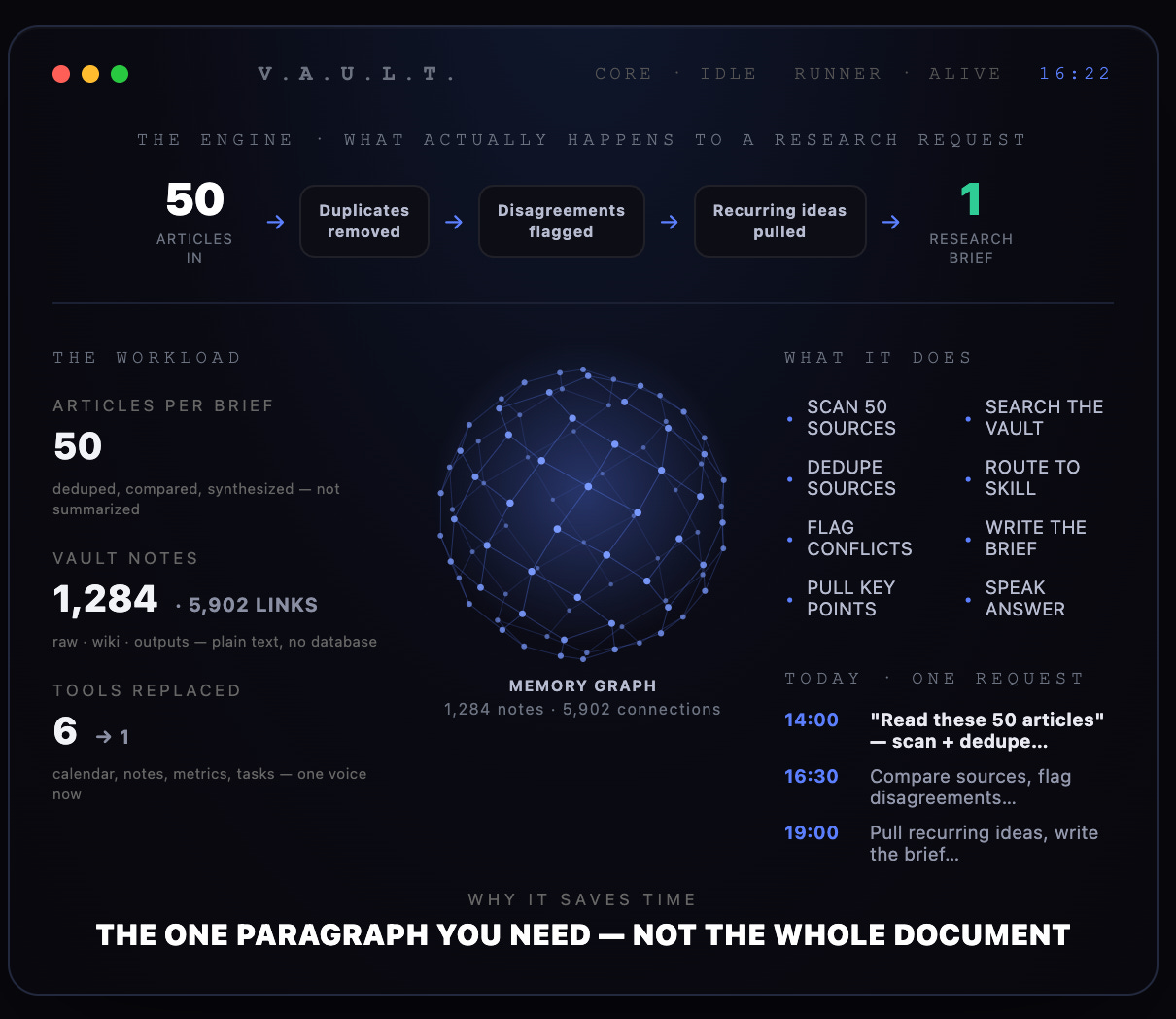
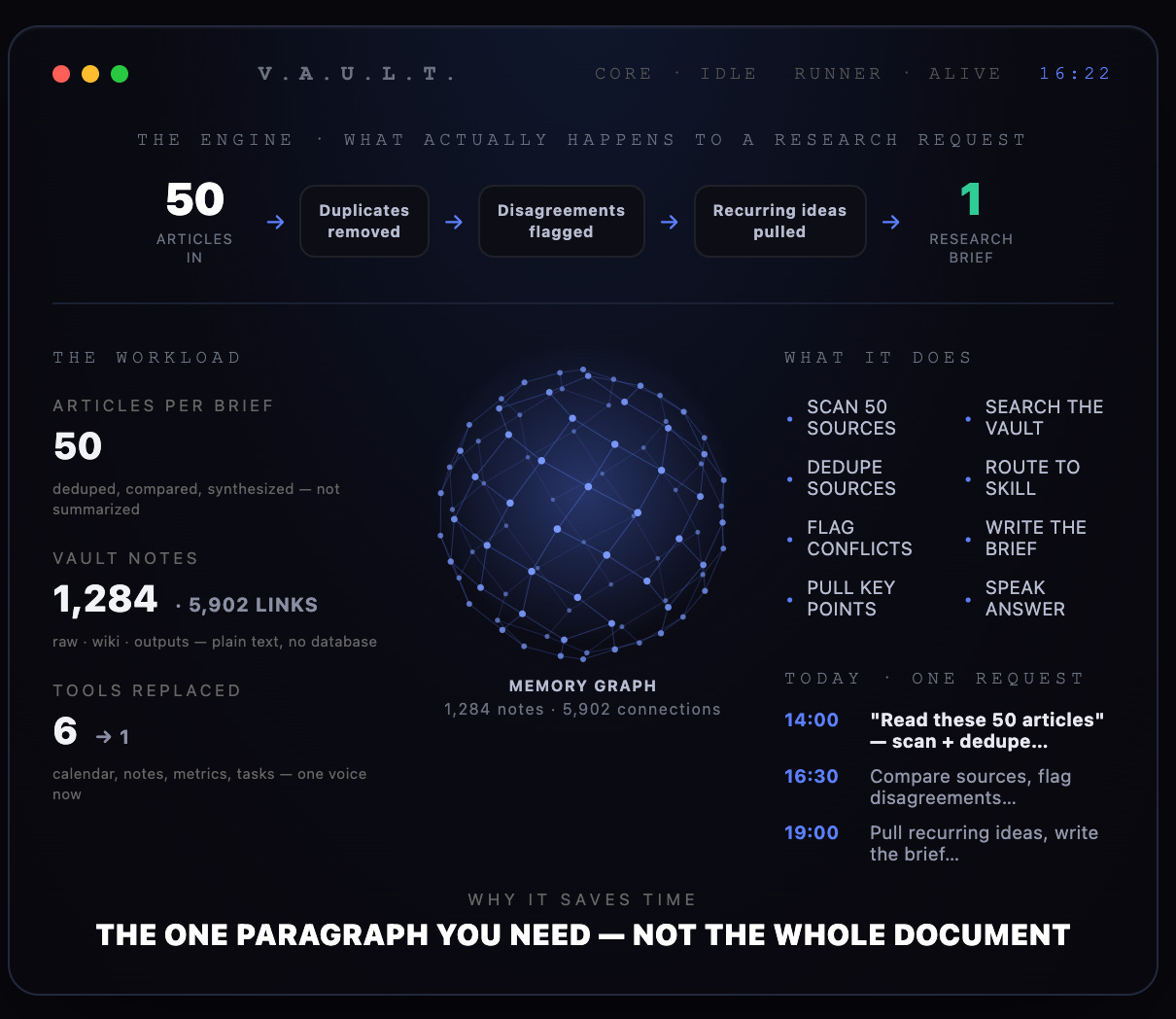
I’ll be honest, this is the part where it’s easy to go overboard.
The flashy dashboard is half the reason these builds go viral in the first place, and it’s also half the reason they get accused of being more hype than substance.
(Mine’s boring on purpose.)
Prompt: The Screen Builder
“You are helping me design one screen that shows everything my AI assistant knows about my day.
Build it as a single, simple webpage that shows: my key numbers, pulling these: [LIST YOUR METRICS], a list of commands linking to the tasks my assistant handles, and today’s schedule.
One screen, nothing you have to scroll to find.
Every number on it has to come from [YOUR DATA SOURCE, e.g. my notes folder]. If a number isn’t available yet, show a placeholder that says so honestly instead of making one up.”
Why It’s a Game-Changer
-
Before: six tabs, none of them agreeing with each other, all of them slightly stale.
-
After: one screen you actually trust, because nothing on it is decoration.
Watch Out For
-
Watch out for building something that looks great in a screen recording and does nothing the rest of the day.
If a number on your screen isn’t wired to something real yet, make it say so instead of faking it. That one rule is the entire difference between a dashboard and a prop.
-
Resist adding a boot animation before you’ve added a single working feature.
Build the substance first. The polish is allowed to come second.
❺ THE DAILY LOOP
This is the skill that actually ties the other four together. Without it, you’ve built four separate tools that happen to share a folder.
The Prompt: