The 6 Claude Code Skills I Would Install First
By Youssef Hosni
Published: 2026-06-05
URL: https://todatabeyond.substack.com/p/the-6-claude-code-skills-i-would
Claude Code skills are often presented as shortcuts, but their real value appears when they are used to solve the recurring problems that show up in serious projects.
Claude can write code, inspect files, run commands, and help with implementation, but it can also move too quickly, lose useful context during long sessions, forget previous project decisions, and produce code or interfaces that still need careful review. Skills and plugins become useful when they add structure around these weak points.
In this article, I walk through six essential Claude Code skills that I would install or build first for real project work. The focus is not only on what each skill does, but on why it matters in practice. Skill Creator helps turn repeated prompts into reusable workflows.
A planning skill prevents Claude from editing files before understanding the task. Context management keeps long sessions usable by reducing noisy tool output. Memory helps Claude carry project knowledge across sessions. Review skills treat the generated code as a draft that still needs verification. Frontend design skills make visual output more intentional, usable, and consistent.
The main idea is simple: the best Claude Code setup is not the one with the most tools installed. It is the one where each skill solves a specific workflow problem. When skills are used this way, Claude Code becomes less about prompting and more about building a reliable process for planning, implementation, review, memory, and user-facing output.
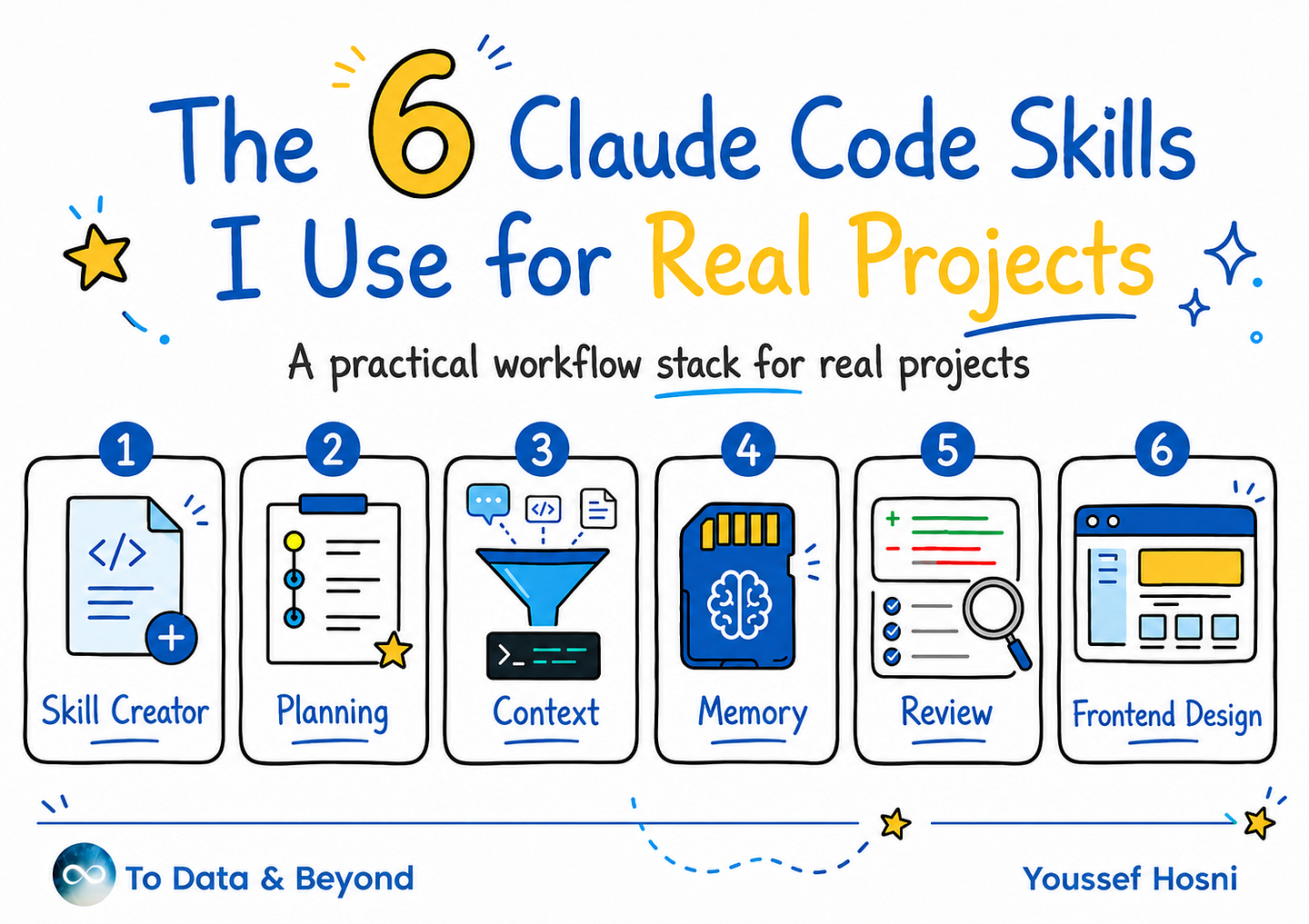
Table of Contents:
- Skill Creator: The Skill That Turns Repeated Prompts into Reusable Workflows
- Planning Skill: The Skill That Stops Claude from Coding Too Early
- Context Management Skill: The Skill That Keeps Long Sessions Usable
- Memory Skill: The Skill That Helps Claude Remember the Project Across Sessions
- Review Skill: The Skill That Treats Claude’s Code as a Draft
- Frontend Design Skill: The Skill That Makes Claude’s UI Output Less Generic
Want to Learn Claude Cowork in a Practical Way?
I’m hosting a live 1.5-hour workshop: Hands-On Claude Cowork: From Prompts to Deliverables & Automated Workflows
We will cover how to use Claude Cowork to move from simple prompts to real deliverables, structured workflows, and practical automation.

1. Skill Creator: The Skill That Turns Repeated Prompts into Reusable Workflows
The first skill I would install is not the one that writes the best code, reviews the largest pull request, or builds the most polished frontend component. It is the skill that helps you create other skills. This may sound like a small detail at first, but it becomes important once you start using Claude Code for more than one-off tasks.
Most serious work with Claude Code eventually becomes repetitive. You review similar files, follow the same project conventions, apply the same testing strategy, write the same documentation format, or ask Claude to follow the same implementation process again and again. If you keep writing these instructions manually every time, you are not really building a workflow. You are just repeating long prompts.
A useful Claude Code skill is not just a prompt saved somewhere. It is a reusable process that teaches Claude how a specific job should be done.
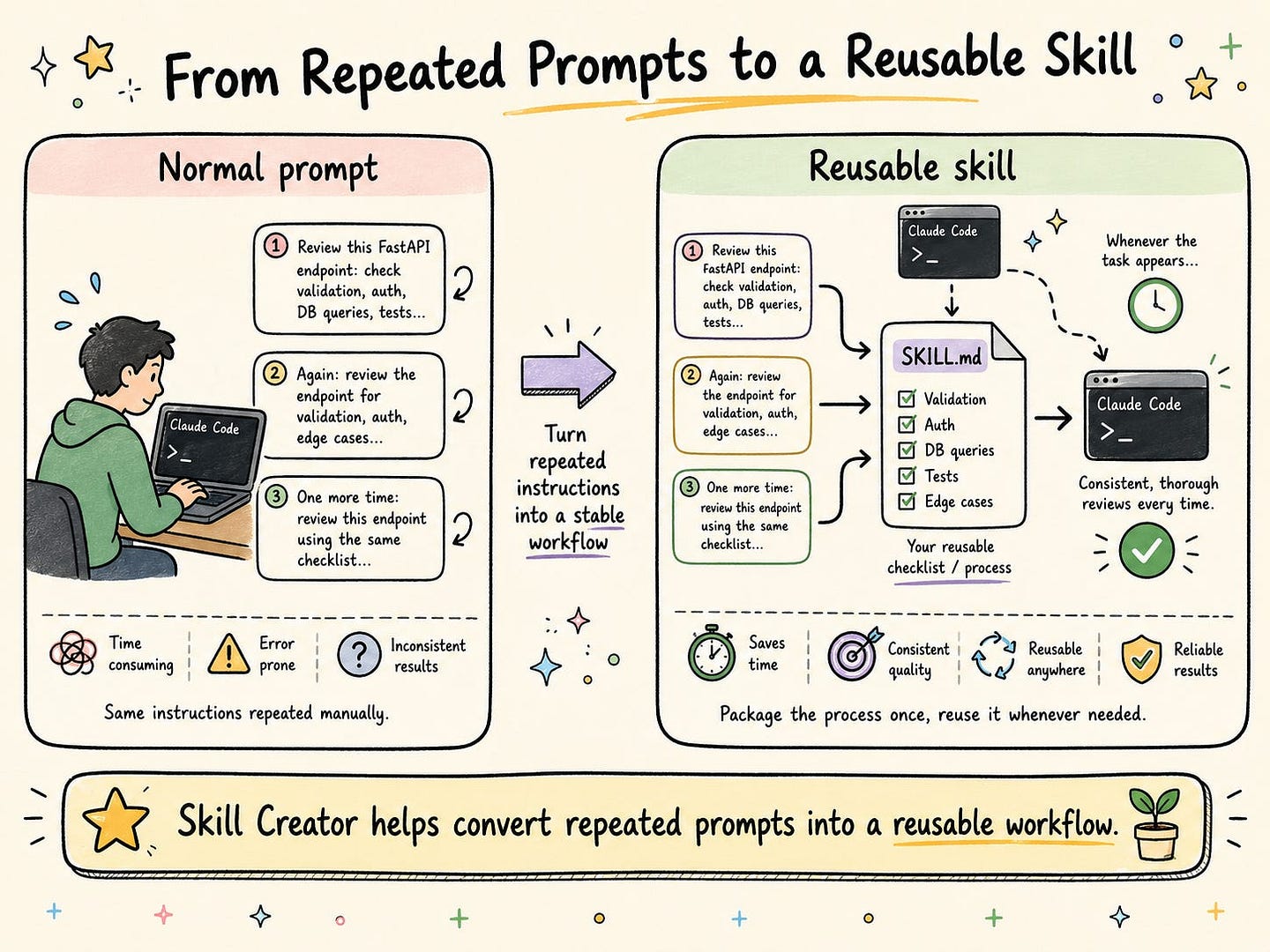
Skill Creator is useful because it reduces the gap between “I know how I want Claude to behave” and “Claude consistently behaves that way.” In many projects, the problem is not that Claude cannot do the task. The problem is that you need to remind it of your process every time.
You might need to tell it how to review a FastAPI endpoint, how to update tests, how to write migration notes, how to generate a clean pull request summary, or how to follow your documentation style. Skill Creator helps you capture that process once and turn it into a skill that can be reused across future sessions.
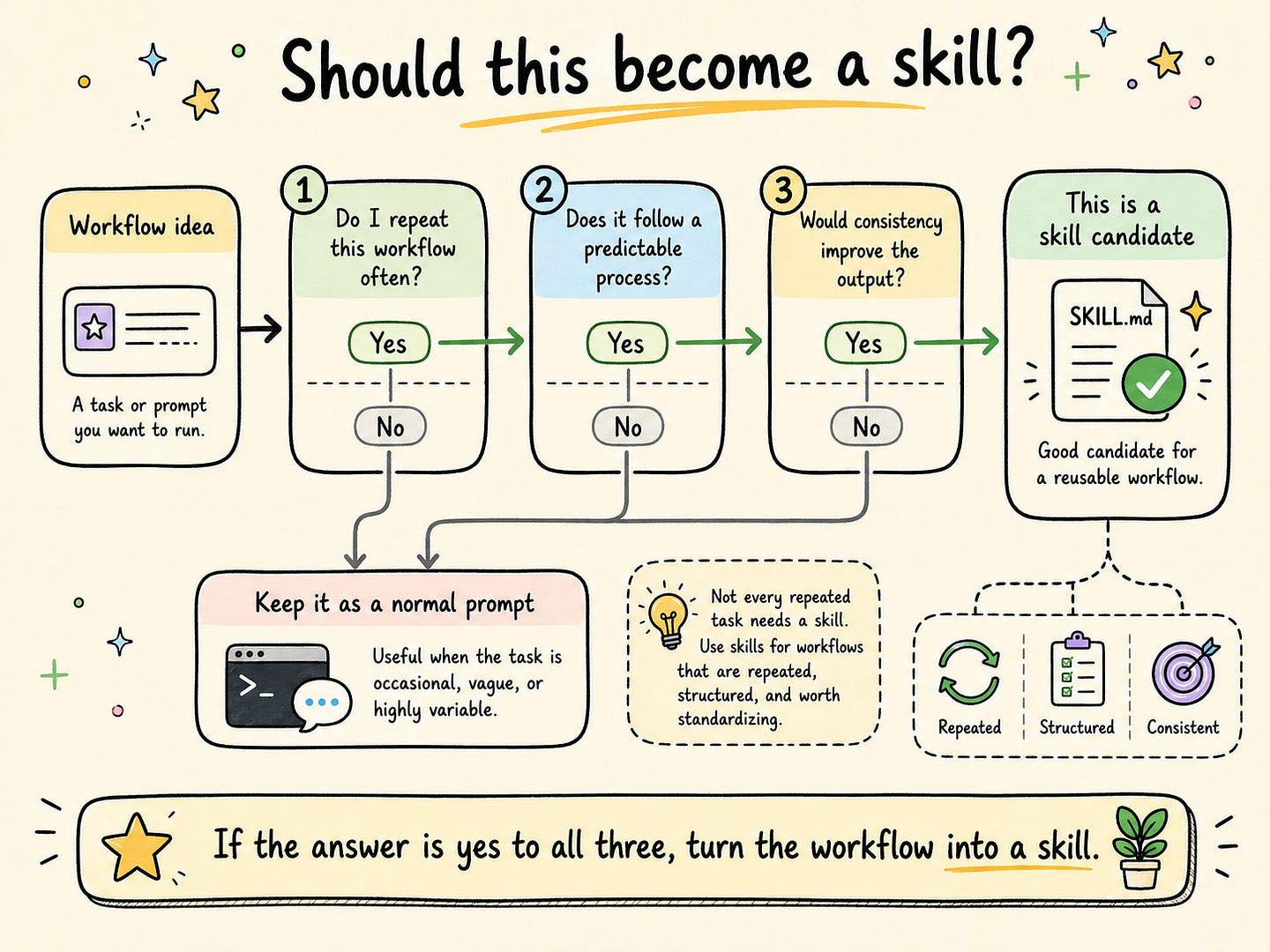
A practical way to think about it is this: whenever you notice yourself writing the same prompt for the third or fourth time, that prompt is probably becoming a candidate for a skill. For example, imagine you often ask Claude Code to review backend changes before merging.
A normal prompt might include a long checklist: check request validation, error handling, authentication, database access, response schema, test coverage, and edge cases. This works once, but it is easy to forget one part of the checklist next time. With a dedicated review skill, the checklist becomes part of the workflow itself. Claude does not need you to remember every detail because the skill already contains the process.
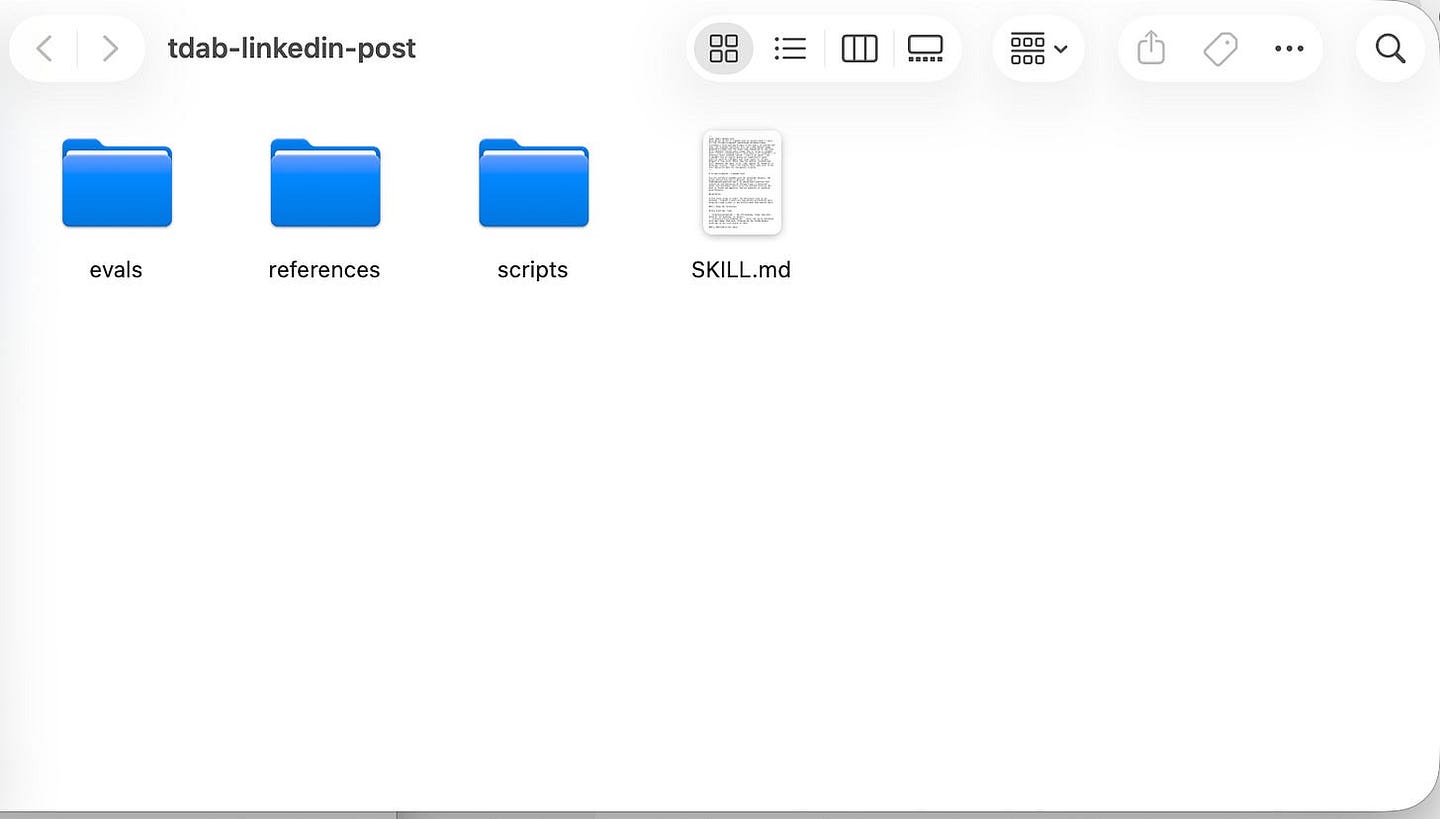
This is where Skill Creator becomes especially useful for people who do not want to manually write and maintain skill files. Instead of thinking about the exact structure of a skill, you can describe the workflow in plain English and let Claude help package it properly.
You can give it a rough process, an internal SOP, a checklist, or even a messy prompt you already use often. The skill then becomes a more structured version of that process. In practice, this makes skill creation less about formatting and more about process design.
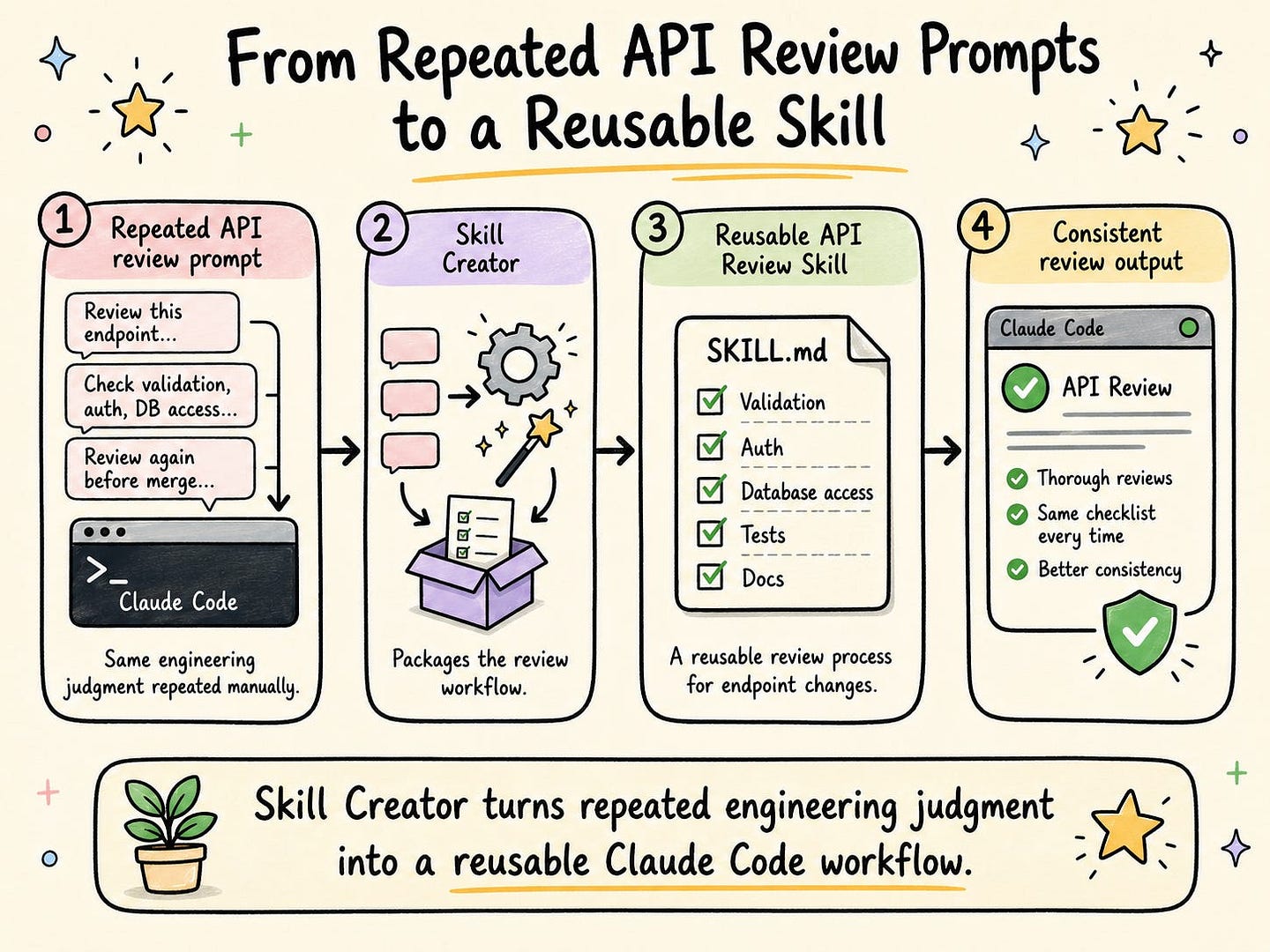
For example, let’s say you are working on a project where every new API endpoint should follow the same review pattern. You want Claude to check whether the endpoint validates inputs correctly, handles missing records properly, uses the right authorization layer, avoids leaking internal errors, includes tests for success and failure cases, and updates the API documentation when needed.
Instead of asking for this manually every time, you can create a reusable API endpoint review skill. Once created, this skill can be used whenever Claude detects that you are adding or modifying an endpoint.
The same idea applies outside pure software engineering. If you are a technical writer, you can create a skill for turning rough notes into a structured blog section. If you work with data, you can create a skill for exploratory data analysis that follows the same steps every time: inspect the schema, check missing values, identify duplicates, summarize distributions, detect outliers, and produce a clean report.
If you work with client projects, you can create skills for onboarding a new codebase, generating release notes, preparing demo scripts, or creating implementation summaries. The value is not limited to one domain. The value comes from standardizing any process that you repeat often.
One serious mistake to avoid is creating skills too early. Not every task deserves a skill. A task becomes a good skill candidate when it is repeated, structured, and important enough that consistency matters. If the task is vague, changes every time, or depends heavily on one specific conversation, it may be better handled as a normal prompt.
A good skill should have a clear purpose, a clear trigger, and a clear output. Otherwise, your Claude Code setup can become crowded with skills that sound useful but rarely improve the actual workflow.
For me, Skill Creator belongs at the start of the Claude Code setup because it changes how you think about the rest of the system. You stop seeing skills as things you only install from someone else’s GitHub repository, and you start seeing them as a way to encode your own workflow.
That is the real benefit. The best Claude Code setup is not only about having powerful public skills. It is also about turning your own repeated processes into reusable instructions that Claude can follow consistently.
If you are just starting, I would not try to create ten skills on the first day. Start with one workflow that you already repeat. A good first candidate is usually a review checklist, a testing workflow, a documentation workflow, or a codebase onboarding workflow.
Build one skill, use it in a real project, improve it after seeing where it fails, and only then create the next one. This keeps your setup practical instead of turning it into a collection of tools you do not fully use.
Practical takeaway: Skill Creator is essential because it helps you move from manual prompting to reusable workflows. Use it when you have a repeated process that needs consistency, but avoid turning every small task into a skill. The goal is not to create more files. The goal is to make Claude Code follow your process more reliably.