A step-by-step brand setup guide, plus the three specific designs that actually grew my Substack
By Timo Mason🤠
Published: 2026-08-27
URL: https://timomason.substack.com/p/claude-design-for-substack
Howdy, Wealth Writers🤠
Today is about how to use Claude Design to pimp up your Substack, so I brought the number one Substack design expert along with me…
Write Your Way To Wealth is a reader-supported publication. To receive new posts and support my work, consider becoming a free or paid subscriber.
Pinkie from (what an honor, right? :D).
She’s about to walk you through exactly how Claude Design works and how to get started, then I’ll take over with the three specific designs I built with it that actually move the needle on my Substack.
What you'll learn in this article:
✓ How to teach Claude Design your brand in one go
✓ The exact 6 things to prep before you touch the tool if you're starting from zero
✓ Why Claude Design doesn't replace Canva, and how to use both together
✓ How to create a custom welcome page visual with social proof
✓ How to turn your best reader comments into a testimonial collection
✓ How to create one branded divider and reuse it with a single click, forever
Let's goo! 🤠
Meet Claude Design (Pinkie)
Hey, I’m Pinkie. Over on AI Meets Girlboss I build visual brand systems with AI, and since April I’ve spent more hours than I’ll admit inside Claude Design, Anthropic’s design tool.
It’s still in research preview, which means Anthropic is actively refining it, but the core idea already works: you teach it your brand once, and it applies that brand automatically to everything you build after in your chat, Cowork or Claude Code: slide decks, landing pages, one-pagers, prototypes.
How the First Session Actually Goes
To start using Claude Design, you’ll need to set it up and teach it your brand first.
You land on a setup screen with one field: tell it about your company or brand, and attach whatever design resources you have.
That single field does a lot of work. Claude reads what you upload, extracts the rules, and spends about 30 minutes building a first version of your system. When it’s done, it shows you the result and asks a direct question: does this look right, or does it need work?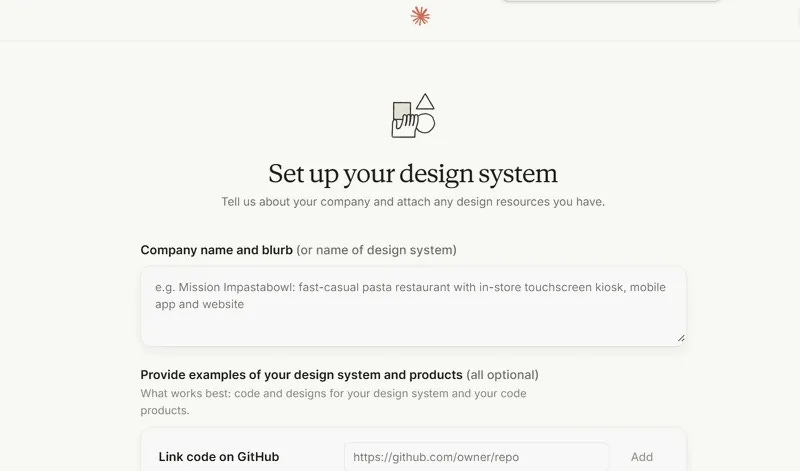
That check-in matters. Don’t approve on autopilot. I’ve built Claude Design systems for 20+ clients and never has Claude got it right not even with the most detailed brand guidelines attached.
Look at your colors, your typography, the overall feel, and if something’s off, say so specifically. Claude refines, shows you version two, and once you approve that, the system locks in. Every design you make after this point inherits it automatically.
Which Track Are You On?
It’s SOO easy to land on something totally generic with AI in branding. AI defaults to average and generic. So it’s extremely important, that you put in the foundational work before you start building in Claude Design.
To make this simple, I am going to explain this to you in two tracks. Decide which one fits you.
Do you already have a brand? A guide, a logo, consistent colors, a Substack that looks like you. Upload the guide, the logo, your URL, and your hex codes if they’re not already in the guide. That’s it. You’re in the workspace in half an hour.
Are you starting from zero? Don’t open the tool yet.
You need to do these six things first:
-
one specific sentence on what you do and who it’s for,
-
three brand colors,
-
two font names
-
your logo
-
one style sentence in the shape of “[style] with a [mood], always [what you want], never [what you don’t],” or a brand reference sheet
-
and your URL to your website of Substack page.
Five minutes of prep is the difference between a system that’s yours and one that isn’t.
And this is just a very basic way to approach this. If you want to build a proper brand, that takes systematic work. But that’s not why we’re here today.
Don’t overdo the brand brief
I’ll be honest about the mistake I made the first time I built in Claude Design.
I had a very well-developed brand and so was very happy with myself uploading my whole image library and 30 page brand guide on setup, thinking more context would help.
It didn’t. It burned through ALL my tokens before Claude finished building.
Stick to the guide, the logo, the URL, and the hex codes. Nothing else.
“But I Already Use Canva…”
I hear this one a lot, and it’s a fair question, not an objection to talk you out of.
Canva is where you execute. Templates, drag, drop, publish. Claude Design sits upstream of that, it’s where you decide what the system even is. Right now, without it, you’re probably re-deciding your brand by hand every time you open a fresh Canva doc, which color, which font pairing, does this still look like you. Claude Design remembers those decisions once and applies them going forward.
And you don’t have to choose a side. Once your system is set up, you can export straight into Canva, and it stays fully editable there. So the real answer isn’t “replace Canva with this.” It’s “use this to write the brief you’ve never had time to write, then hand it to Canva for the parts Canva’s genuinely good at.”
The honest tradeoff: it’s still a research preview, it uses real tokens, and it will not invent a brand you haven’t defined. If you skip the track-2 checklist and just start typing, you’ll get something generic and blame the tool. Strategy first, every time.
I’ve got the full five-step checklist, the exact setup prompt, and the brand-board generator prompt I used, ready to copy and paste, over on my page: Claude Design Just Launched. Here’s Your Brand Setup Guide From Scratch.
AI Meets Girlboss’ Claude Design Basics
-
Diagnose your track before you touch the tool. Does your brand already exist? Upload the brand guide, logo, and a URL. But if you’re starting from zero, you’ll need to do some brand foundational work: write your blurb, colors, fonts, and style sentence first. Full checklist and copy-paste prompts here.
-
Don’t give too much context if you don’t want to burn through all your tokens. If you do ave a well-developed brand, adding everything you have feels helpful, but it actually isn’t, it burns tokens before the system finishes building. Upload your brand guide, logo, URL, hex codes, nothing more and refine from there.
-
Review the first draft like a critical client would. Be specific about what’s off before you approve. Vague feedback gets you a vague second pass.
-
Let Claude Design write the brief, let Canva do the daily work. If you’re already using Canva, build the system once in Claude Design, then export into Canva for everyday drag-and-drop. You keep your workflow, you just stop starting from zero every time.
My 3 Claude Designs (Timo Mason🤠)
I’m not a big design guy, that’s why I brought along to get you started on Claude Design.
But there are a few specific use cases where I use Claude Design, and it works really well.
The designs I’m showing you today aren’t a “if you’ve got some free time and want to make your Substack pretty, go do this” kind of thing.
No, for that, there are other Substack gurus who cover that. :)
I’m showing you my 3 Claude Designs that actually help me grow and stand out. :)
1. The Welcome Page Visual
For a long time, the visual on my welcome page was just my profile picture.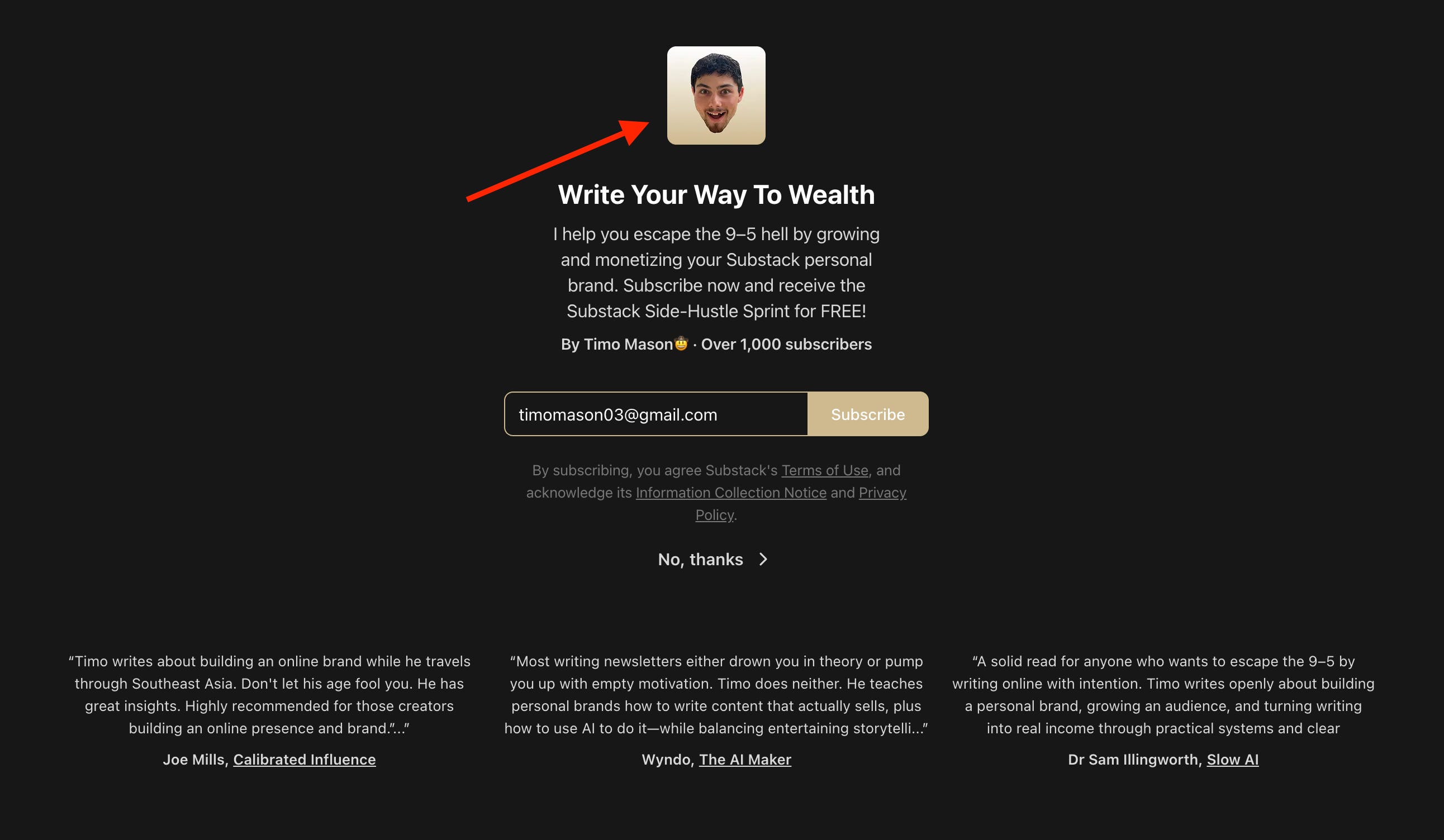
It works, but a visual with a description of your publication + social proof will increase your visitor-to-subscriber conversion rate more, so I created this👇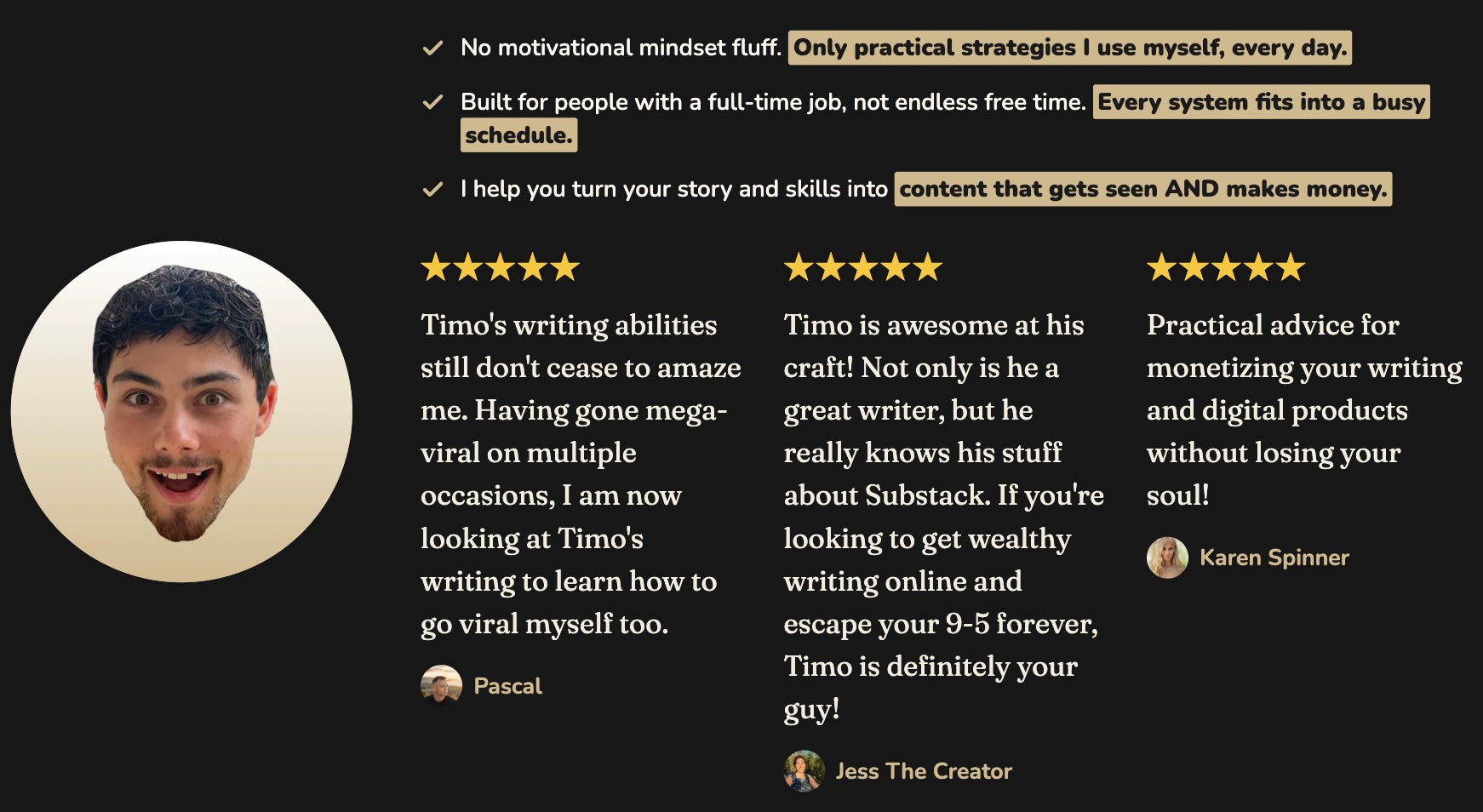
I just fed Claude design with these awesome testimonials from , , and , and the copy for the bullets.
Coming up with killer copy for the bullets can be a little bit tricky, so here’s a prompt that will do the job for you…
Paid subs see the full publication-bullet prompt here. Upgrade Now to get access to the prompt and many more paid subs benefits.
🚧Disclaimer🚧
When you create the design and put it on the welcome page, make sure all the text is big enough to be easily readable.
When I put the first version on my welcome page, the whole text with the bullets and testimonials was just too small, but this was easily fixable by just telling Claude Design: “Increase the size of the text to improve readability”.
2. The Testimonial Collection
You already have a bunch of comments that say your articles are great, and maybe some testimonials as part of the recommendations you gathered.
I put all of mine inside a Notion database, gave Claude Design the link to the database, and told it to display them visually.
It came out with this wonderful testimonial collection👇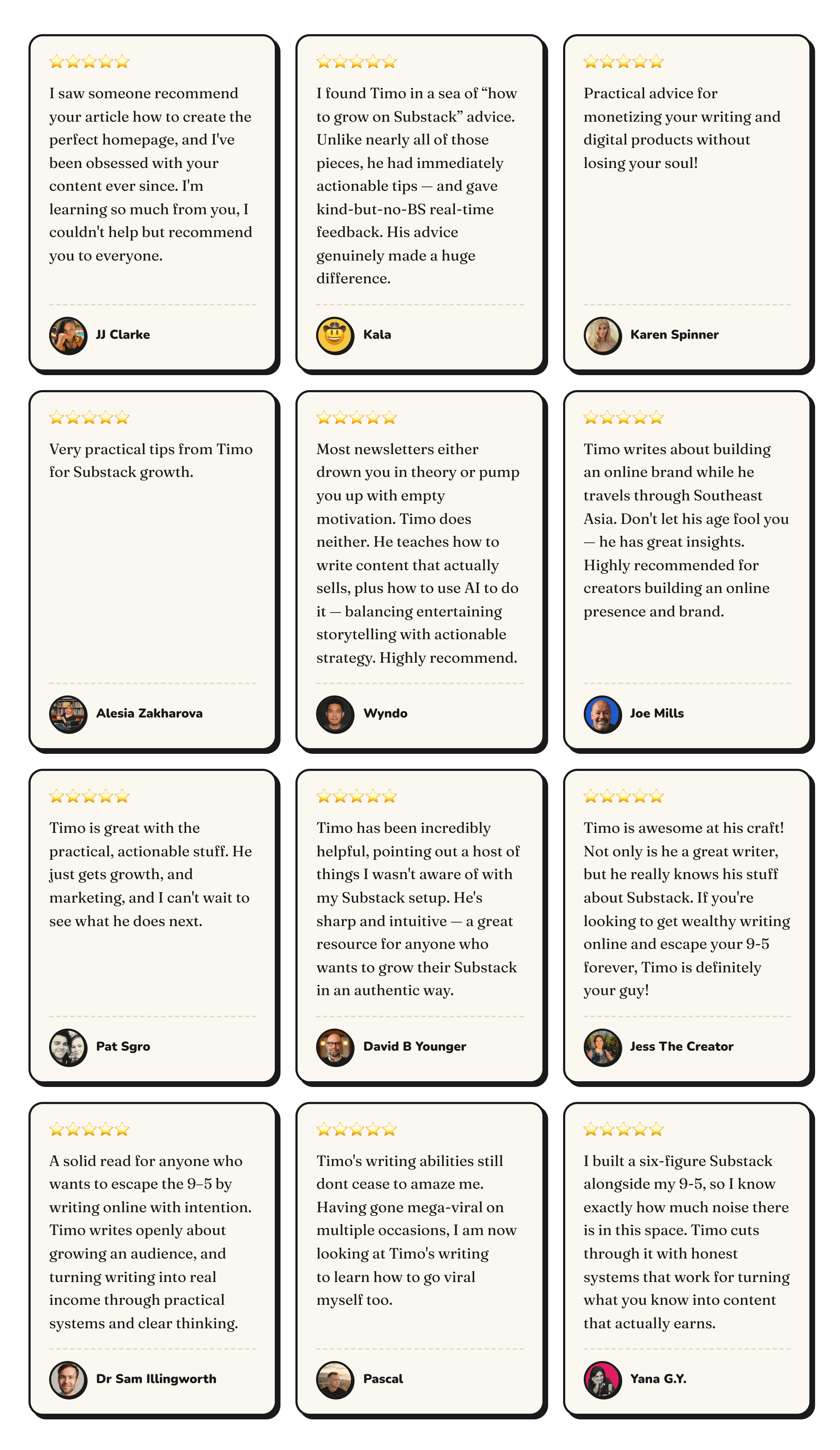
I use the result on my Start Here page & in my welcome mail, you can use it basically anywhere you want to display social proof.
3. The Custom Divider
A custom divider is a one-time setup and adds a bunch of personality so I told Claude Design to create one for me👇
Now, format-wise, this divider counts as an image and not as basic text formatting or an actual divider.
I would find it clunky to always manually insert the divider “image” into each article multiple times, so I set it up as an easy one-click template.
Now I never have to search my files for it again.
The divider is a small thing, but it's a nice accent of personality and professionality, and it's a one-time setup.
Your Action Plan
-
Diagnose your track: if you already have a brand, upload your guide, logo, URL, and hex codes, if you’re starting from zero, write your one-line blurb, colors, fonts, and style sentence first
-
Keep the brief lean: upload just the guide, logo, URL, and hex codes, nothing more, to avoid burning tokens before the system finishes
-
Let Claude Design write the brief, let Canva do the daily work: build your system once, then export into Canva for everyday drag-and-drop
-
Welcome page: swap your profile photo for a visual that shows proof, not just a face
-
Testimonials: gather your best comments into a Notion database, then hand it to Claude Design to build a testimonial box for your Start Here page and welcome mail
-
Divider: create one branded divider image with Claude Design and save it as a reusable Substack template
Go check out Pinkie's newsletter, AI Meets Girlboss, for more breakdowns like the one she just gave you.
Upgrade now to access The Substack Biz Bootcamp, my weekly AI Prompt Drop, The Classified Intelligence Vault and a 1-on-1 strategy call with me
See you next week, Brian :)
Timo Mason🤠
Write Your Way To Wealth is a reader-supported publication. To receive new posts and support my work, consider becoming a free or paid subscriber.