Skills were local. FastMCP makes them portable.
By Alejandro Aboy
Published: 2026-04-23
URL: https://thepipeandtheline.substack.com/p/why-skills-and-mcp-work-better-together
Hi there! Alejandro here 😊
Subscribe if you like to read about technical data & AI learnings, deep dives!
Enjoy the reading and let me know in the comments what you think about it 👨🏻💻
📝 TL;DR
- FastMCP ships with vendor providers for every major platform (Claude, Cursor, Gemini, Codex, Copilot). Skills become portable across clients.
SkillsDirectoryProviderturns yourSKILL.mdfiles into MCP resources that any AI client can discover and use.
- Client utilities let you discover, download, and sync skills from any MCP server. Domain expertise becomes a distributable package.

This article is sponsored by OpenXData
If you’re a data engineer figuring out how your pipelines, models, and metadata actually serve AI systems in production, OpenXData is running a free virtual conference built around exactly that.
April 29, 9am–3pm PT.
Technical sessions and workshops that go beyond design slides to what holds up in production. From engineers at Uber, Meta, Booking, Snowflake, Anthropic and many others.
The kind of problems we talk about here every week, discussed by the teams solving them at scale.
Why Expose Skills Through MCP
If your skills live as local files, only YOUR client benefits.
Publishing them through MCP makes that knowledge available to every connected client, on any platform.
For example, this is how Claude looks with Substack Author MCP:
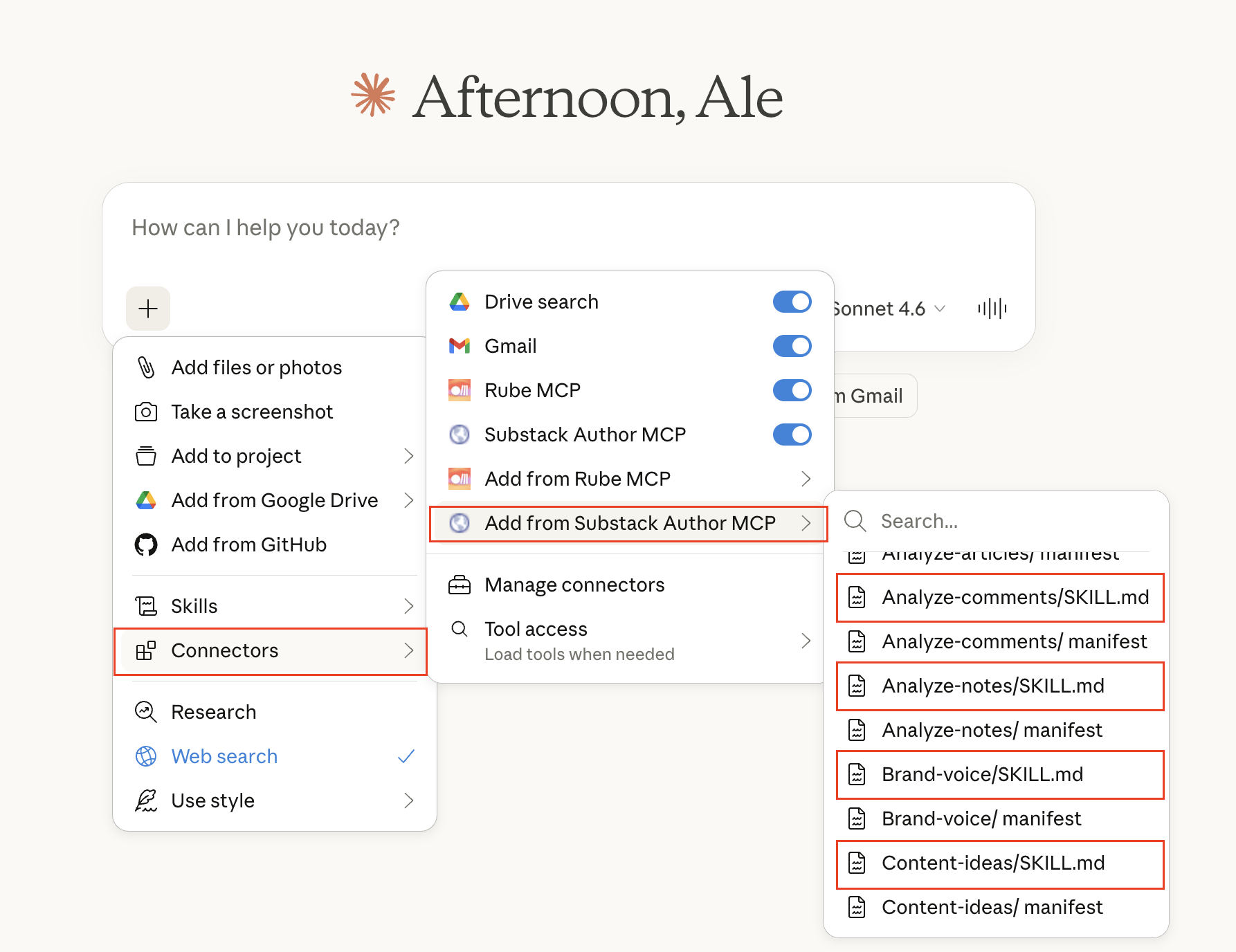 \This is how Claude allows you to load skills that come from the MCP server. The manifest files are exposed config files that are coming from FastMCP but don’t need any interaction to work.\
If you want more context around SKILLs and the MCP server I built for Substack, feel free to take a look below.
Recommended:
- MCP
- Skills
The Server (Brief Context)
The server runs on FastMCP. Python functions become MCP tools with decorators, type hints become JSON Schema automatically, and one line starts the HTTP transport.
What matters for this article: substack-author-mcp currently exposes 8 tools and 5 skills. Any MCP client connects and gets both.
Here’s the repo structure:
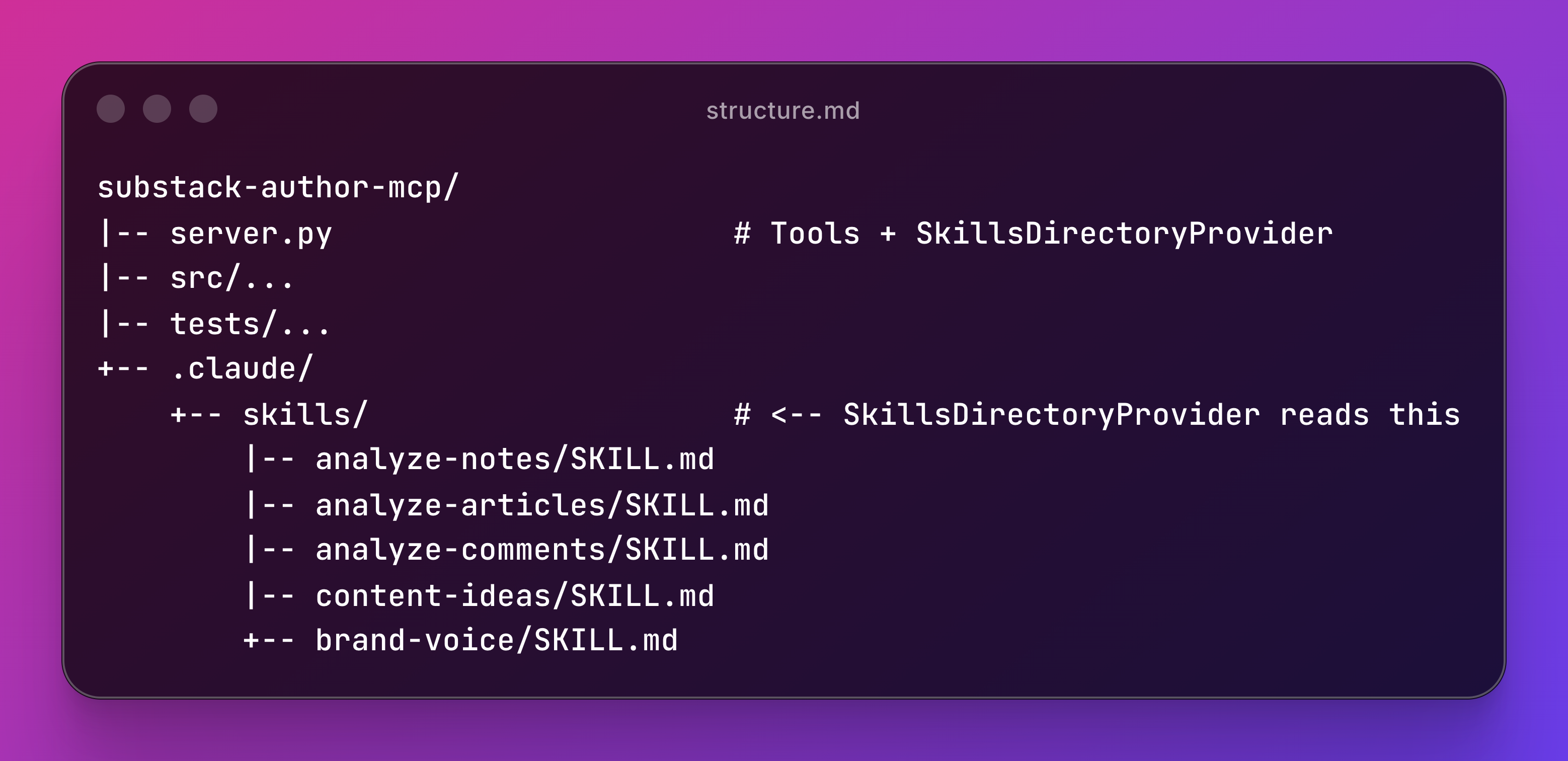
server.py registers the tools AND points SkillsDirectoryProvider at .claude/skills/. Both get exposed through the same MCP endpoint.
And this is how it looks when you use them:
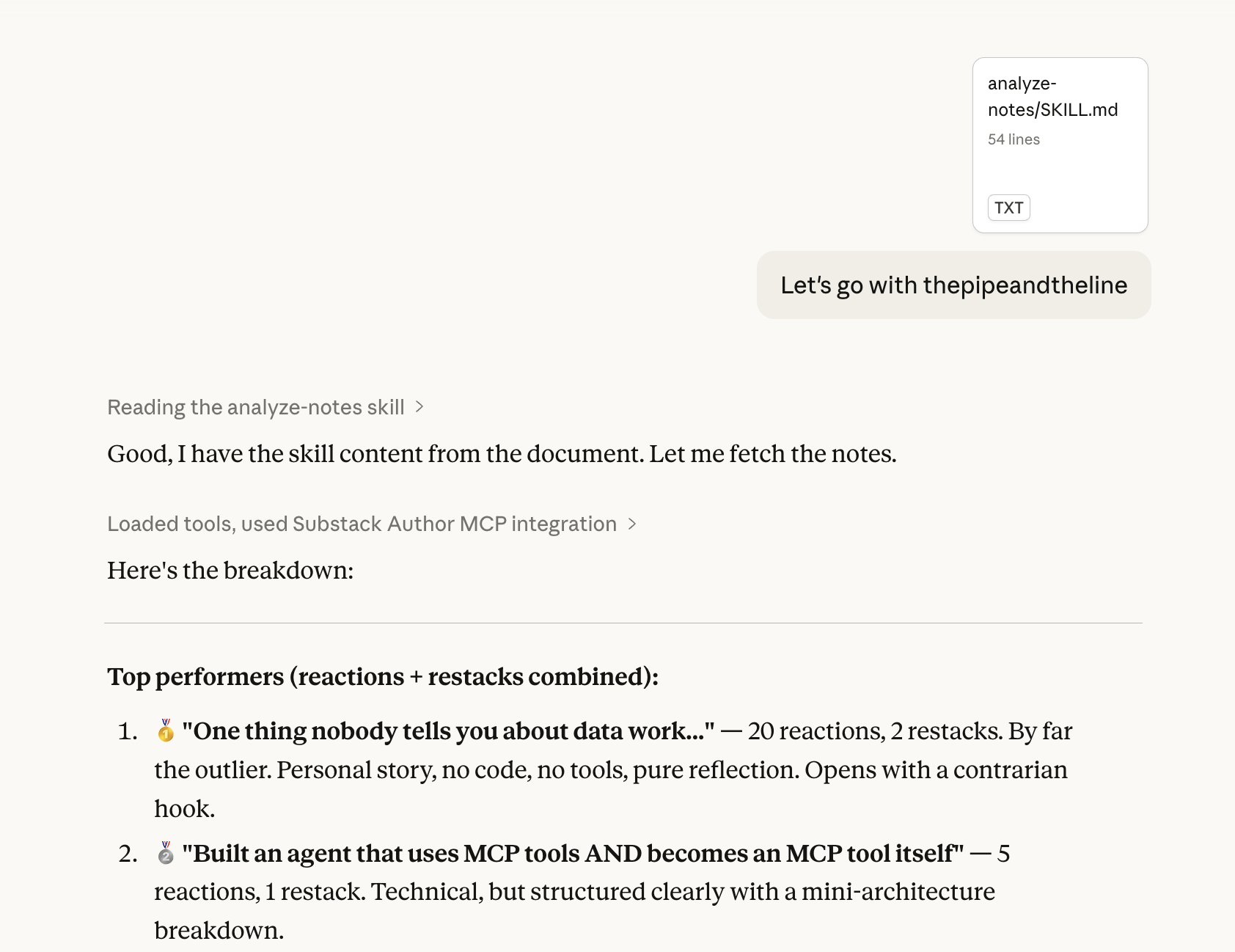 \You can see how Claude loads the skills and uses the MCP tools to get the data.\
SkillsDirectoryProvider: Expose, Discover, Download
This is the whole point. Two lines on the server side:
from fastmcp.server.providers.skills import SkillsDirectoryProvider if settings.skills_path.exists(): mcp.add_provider(SkillsDirectoryProvider(roots=settings.skills_path))
SkillsDirectoryProvider scans the directory (in this case .claude/skills/ is configured as settings.skills\_path), finds every SKILL.md file, and registers each one as an MCP resource with a skill:// URI. Any MCP client can then:
- Call
list\_resources()to discover available skills
- Call
read\_resource("skill://analyze-notes/SKILL.md")to read the full instructions
- Read the manifest (
skill://analyze-notes/\_manifest) to discover supporting files
The same SKILL.md files I use locally in Claude Code are now exposed as accesible resources.
On the client side, FastMCP provides utilities to consume those skills programmatically:
from fastmcp import Client from fastmcp.utilities.skills import list_skills async with Client("http://skills-server/mcp") as client: skills = await list_skills(client) for skill in skills: print(f"{skill.name}: {skill.description}")

# Download one skill

path = await download_skill(client, "pdf-processing", Path.home() / ".claude" / "skills")

# Or download all skills

paths = await sync_skills(client, Path.home() / ".claude" / "skills")
list\skills() discovers what’s available. download\skill() pulls one skill locally. sync\_skills() downloads everything.
You point a client at your MCP server and it gets the tools AND the instructions for how to use them, there’s no need to share prompts, that’s so 2024 🤣
Resources: FastMCP Skills Provider | FastMCP Skills Utilities
Vendor Providers: Skills Across Platforms
FastMCP ships with vendor-specific providers that already know where each platform stores skills on their filesystems:
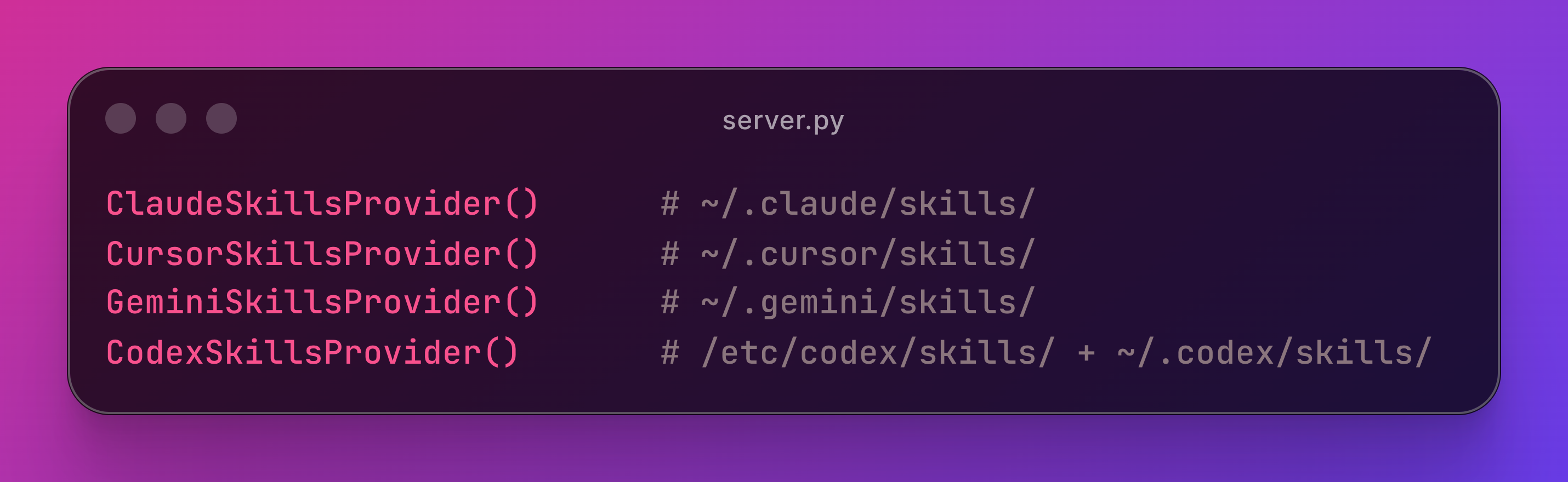
Skills aren’t locked to one platform. FastMCP treats them as MCP resources regardless of origin. You could serve Claude skills to Cursor clients, or Gemini skills to a custom agent with the same format: a directory with a SKILL.md file.
This is the real play. Skills were born inside Claude Code, but the format is just markdown in a folder. FastMCP makes that format a protocol-standard resource that any MCP client can consume.
Resources: FastMCP Vendor Providers
Try It
The server is live at https://substack-author.fastmcp.app/mcp. Point your AI client at it and see what tools and skills it exposes.
The Build to Launch collab covered the journey. The Hands-On article shows the agent layer on top. This article showed you what connects them.
If you enjoyed the content, hit the like ❤️ button, share, comment, repost, and all those nice things people do when like stuff these days. Glad to know you made it to this part!

Hi, I am Alejandro Aboy. I am currently working as a Data Engineer. I started in digital marketing at 19. I gained experience in website tracking, advertising, and analytics. I also founded my agency. In 2021, I found my passion for data engineering. So, I shifted my career focus, despite lacking a CS degree. I’m now pursuing this path, leveraging my diverse experience and willingness to learn.