Another AI feature to test that is already super hyped by Linkedin gurus. But is it really worth it? I think it can shift how we perceive System Prompts and AI Tooling in a really good way.
By Alejandro Aboy
Published: 2026-02-12
URL: https://thepipeandtheline.substack.com/p/whats-the-real-deal-about-skills
Hi there! Alejandro here 😊
Subscribe if you like to read about technical data & AI learnings, deep dives!
Enjoy the reading and let me know in the comments what you think about it 👨🏻💻
📝 TL;DR
- SKILLs are reusable prompts that agents load on demand — not at startup. This fixes context rot from massive system prompts.
- Progressive disclosure: agents see a short description of each skill, then only load full instructions when they need them.
- The real power is telling agents HOW and WHEN to use their tools.
- Combine SKILLs with MCP to keep system prompts lean while giving agents deep capabilities on demand.
The Journey Before SKILLs
Over the last 3 years since ChatGPT was born, we talked about Prompt Engineering as the skill of the future.
Then RAG showed up as a way of giving LLMs external context beyond their training data.
Recommended: RAG for Data Engineers: LLM Limitations, Fundamentals, Alternative before RAG
With MCP in the mix, LLMs started to have tool to get that context when needed. But that had other challenges as well.
Recommended: Behind Substack Author MCP
But after all this time, the greatest challenge is the context window.
Context Rot: The Unavoidable AI Issue
We have more and more ways of improved AI Agents and Workflows, but every new capability we add just makes them more fragile.
Adding 70 tools, 5 MCP connections (which include 20 tools each), RAG capabilites for 5K documents and 7 pages system prompts it’s the formula for disaster.
And if you don’t have Observability in place, you will go blind on all the silent failures the Agent is experiencing.
Recommended: Behind the Scenes of AI Observability in Production
Following this path just makes context rot the constant.
Then we wonder why after a couple messages AI starts not giving a f\\\* about the instructions we gave it and it goes YOLO mode with the hallucinations.
But now we have SKILL.md. Yeah, with all caps 🤣
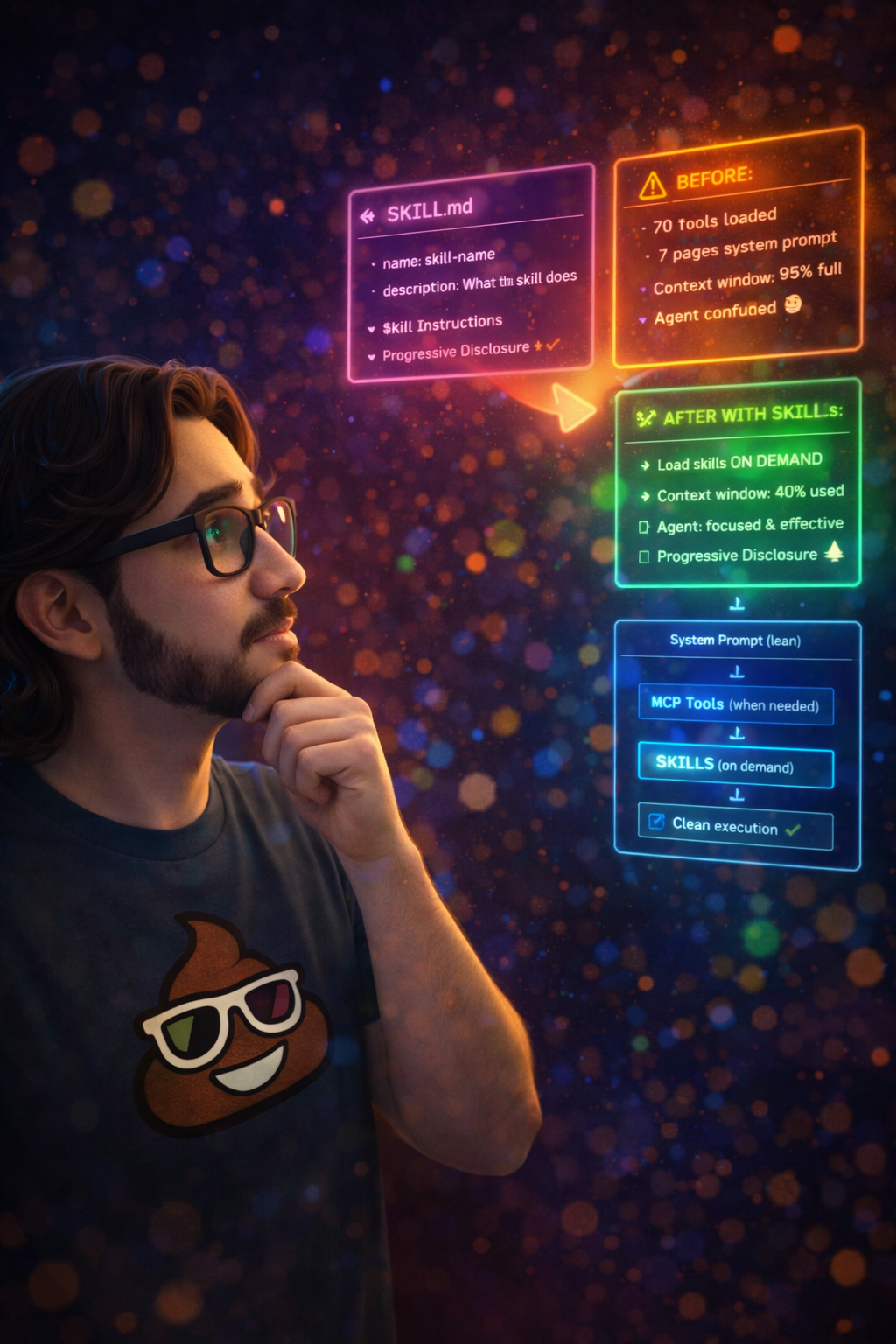 \Image generated by ChatGPT.\
The Pipe & The Line is a reader-supported publication. To receive new posts and support my work, consider becoming a free or paid subscriber.
What are SKILLs?
Don’t get too excited. They are prompts. Many of us already used this concept for a while.
The only difference is how they impact on AI systems, and that’s the key advantage that most gurus out there are not really explaining on LinkedIn AI generated posts.
As mentioned, Agents are normally loading HUGE system prompts with long tool lists on runtime, making them easily confused if instructions are not well curated.
I experimented with XML Tags, detailed Markdown syntax and other quick wins on context engineering that made my agents better. It would improved them a lot, but the context rot was still a challenge.
Recommended: Learning From 1 Year of Building AI Agent
In simple words, SKILLs are reusable prompts that Agents can load ON DEMAND.
This means that they will pick up SKILLS when needed for a specific tasks, not load them every single time.
Let’s break down the specific advantages.
Anatomy & File Structure
This is how it looks from a file structure perspective:
folder-with-skill-name/SKILL.md
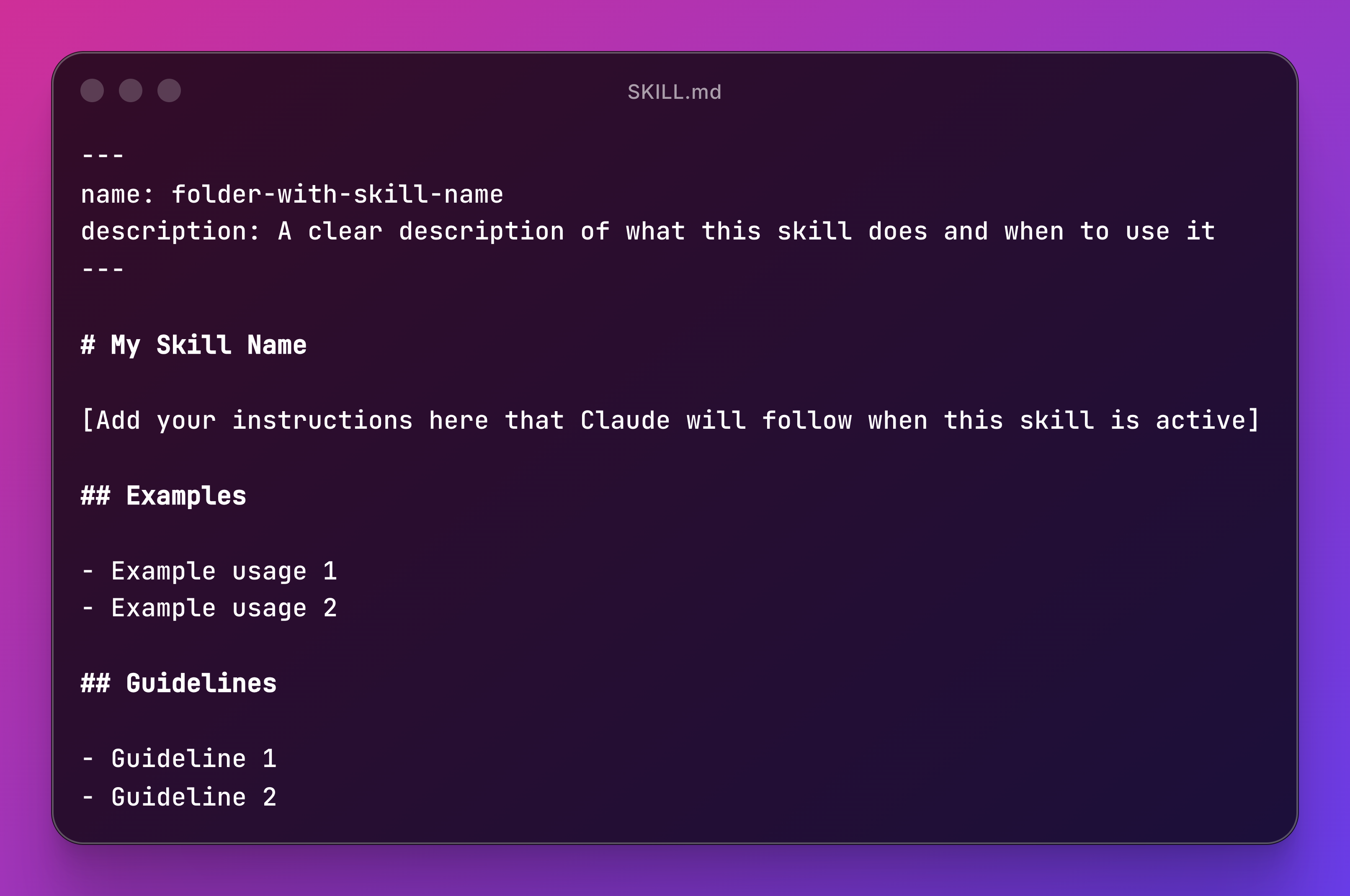
Note that the skill name should match the folder where it lives.
They usually consist of a frontmatter (first section between “-—-”) with name and description, then whatever comes afterwards is SKILL content.
But you can go fancy and add:
references: extra markdown files for the skill to reference if needed. e.g. if you have a skill to write like you, a reference could be patterns of your writing style.
scripts: any code your skill should run to achieve a task, which can be in python, javascript or any other language compatible with your AI.
folder-with-skill-name/ |-- references/ | INFO.md |-- scripts/ | something.py SKILL.md
Key Benefits From SKILLs
You can compress capabilities into well written descriptions frontmatters and make sure they are called only when the right use case requires them.
This organizes any AI project into easy to search file systems with clean Markdown files.
Also avoid Agents going crazy because conversation history and memory starts getting polluted too fast.
Your system prompt now becomes the identity and sitemap of what your Agents can do, and SKILLs are guidance to execute certain actions.
They use Progressive Disclosure to only load metadata first and only bring in the rest of the instructions when required.
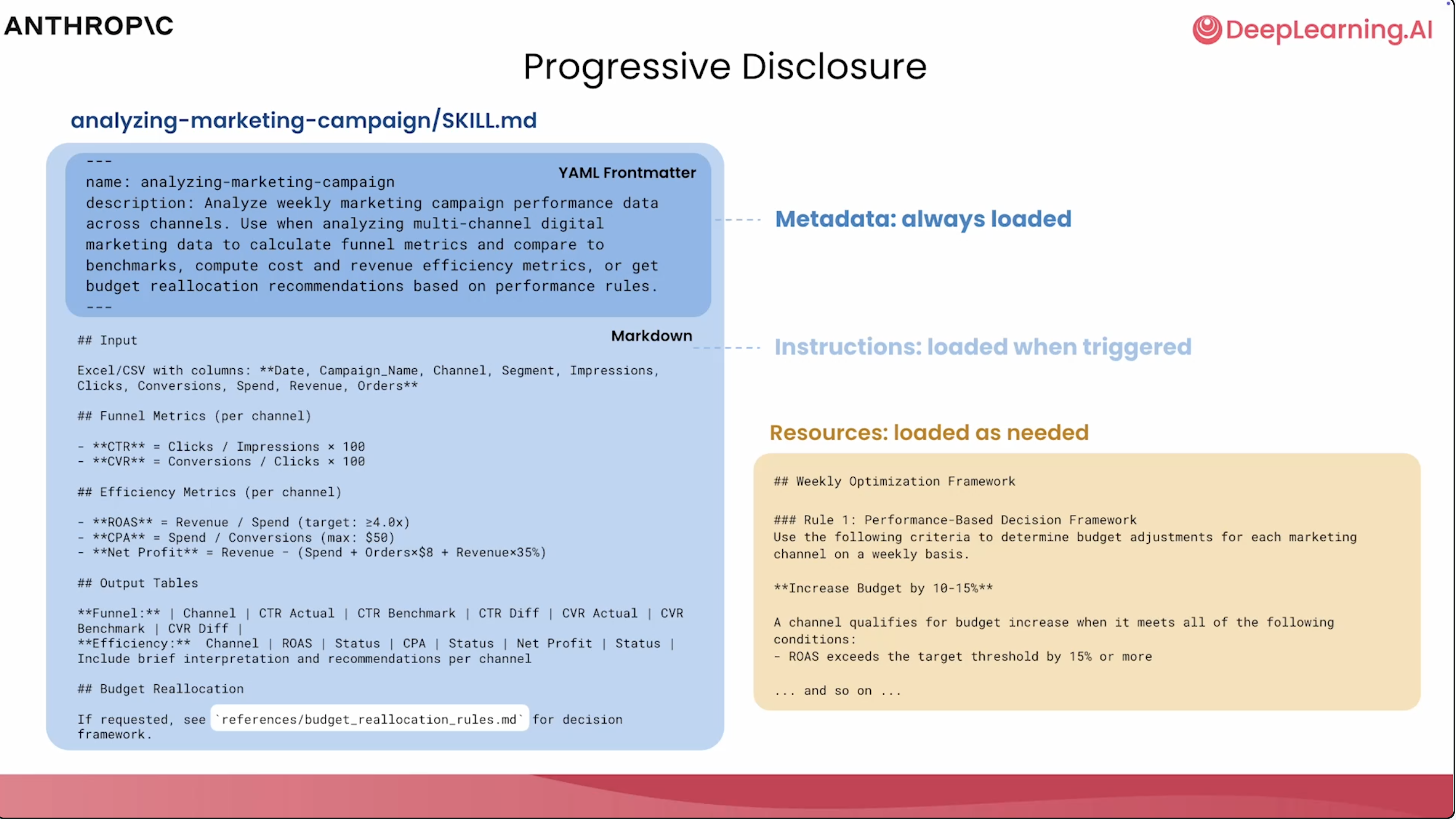 \Extract from DeepLearning Anthropic Course on Skills\
So let’s take a look. We normally configure the System Prompt and list a bunch of capabilities of what the Agent can do, things to consider, some guardrails and other identity/role specifics.
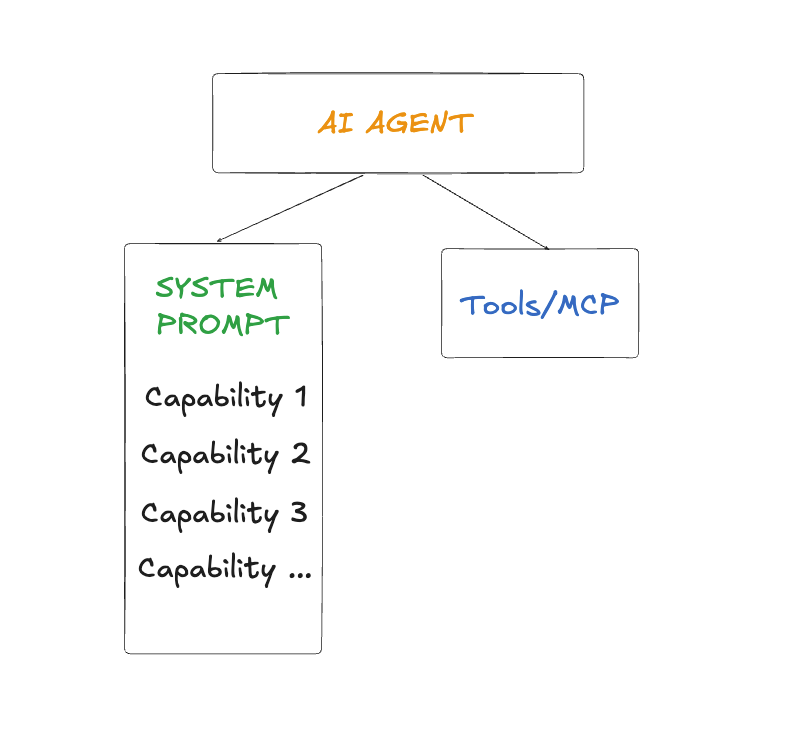
But does the Agent need to consider ALL of this on every single message? You get the point.
MCP & SKILLS - The Cure for Context Rot and Long System Prompts
SKILLs are not coming to replace anything. You can combine SKILLs with RAG or even MCP.
You can use to get a much more effective approach to Agent behaviour, like this:
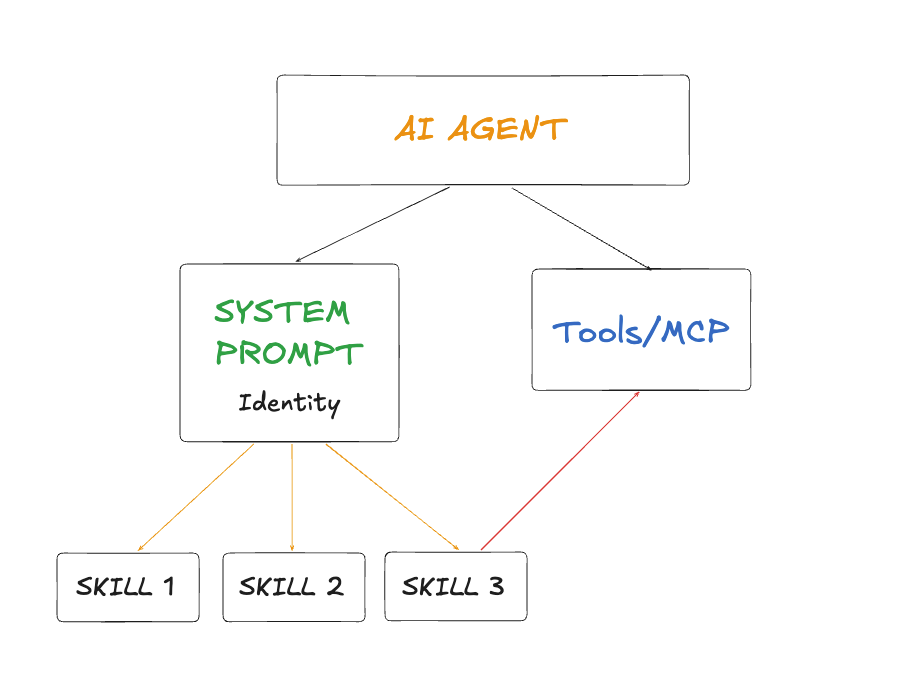
The most powerful thing is not the prompt reusability itself, but the fact that skills can tell the agent how to use tools.
You can configure a tool and specify what the tool does, but a skill can tell the agent how and when to use.
For many use cases these days, AI Systems like Claude Code or Cursor are super powerful to follow logic wrapped into SKILLs or slash commands.
Recommended: The Non-Coder’s Guide to Claude Code
If you take the time to see how to put all these tools available, you will get the best out of AI.
The greatest challenge here is being really good at describing what the skill does and in which situation should be invoked by the Agent. Failing to explain that properly will take all the advantages from these assets.
But don’t limit your thinking by falling back to only one thing when you can explore what’s best for your use cases.
For example, I have a bunch of Claude Code SKILLs inside my Obsidian Vault folder, and I use them with Claude Code and a connection to Substack Author MCP to tailor my content use cases (Creating Repos, writing Notes, Repurposing and Brainstorming content) with Substack Author MCP Tools to scan all my articles and notes on demand and get the best out of both.
🔎 Coming Soon: The Substack Author Agent (MCP & Skills)
How To Learn & Find About SKILLs
Do the Deep Learning Anthropic Course. It’s the only thing you need.
Recommended: Deep Learning - Agent Skills With Anthropic
Before you have to accidentally find someone on LinkedIn, Reddit or Substack sharing a prompt that you would copy-paste and probably forget about it unless you have a good document system to save all your stuff or use any vibe coded tool out there that helps you store and reuse prompts.
Here are the most known places to find ready to use skills:
Recommended: Official Anthropic Skills
Inside Claude Code you can run:
/plugin marketplace add anthropics/skills
Or you can install directly with:
/plugin install document-skills@anthropic-agent-skills /plugin install example-skills@anthropic-agent-skills
These skills are pre installed in claude.ai for you to use.
Recommended: Claude Code Templates
The biggest marketplace of Claude Code agents, commands, MCPs and hooks you can find for your Claude Code setup.
You can copy paste and install a skill super fast by pasting it in your terminal:
npx claude-code-templates@latest --skill=creative-design/frontend-design --yes
Want to create your own?
Use skill-creator, which as skill... that creates skills. It follows Claude best practices on formatting, packaging and setup to make the best out of your skill config.
📝 Final Words
This might lead to better agentic interactions, less multi turn conversations to achieve tasks and better user experiences, but also new challenges in micro prompting and context engineering.
The challenge right now is prompting good SKILLs descriptions for the agent to pick them up when its supposed to.
But Context rot will feel relief since we won’t flood the context window with things that we don’t need, specially if your agent is meant to do multiple things, now it can just reason through the context and decide when to deep dive to pick up the SKILL and execute it accordingly.
If you enjoyed the content, hit the like ❤️ button, share, comment, repost, and all those nice things people do when like stuff these days. Glad to know you made it to this part!

Hi, I am Alejandro Aboy. I am currently working as a Data Engineer. I started in digital marketing at 19. I gained experience in website tracking, advertising, and analytics. I also founded my agency. In 2021, I found my passion for data engineering. So, I shifted my career focus, despite lacking a CS degree. I’m now pursuing this path, leveraging my diverse experience and willingness to learn.