How do make our data ready for RAG? How do we optimise the process to improve our retrieval process?
By Alejandro Aboy
Published: 2025-08-30
URL: https://thepipeandtheline.substack.com/p/rag-intro-for-data-professionals-a82
Hi there! Alejandro here 😊
Suscribe if you like to read about technical data & AI learnings, deep dives!
Enjoy the reading and let me know in the comments what you think about it 👨🏻💻
Back in part 1, we talked about LLM limitations, RAG definitions, how to decide if you need RAG, and what you can do before fully committing to it.
We ended by discussing embeddings, which as numerical vector representations that capture semantic meaning, allowing similar concepts to be geometrically close.
Check it out:
Table of Contents
-
🏠 Vector Databases, the house of your embeddings
-
🔎 How do we use embeddings to prepare data for RAG?
-
📝 How do I save my embedded documents in the database?
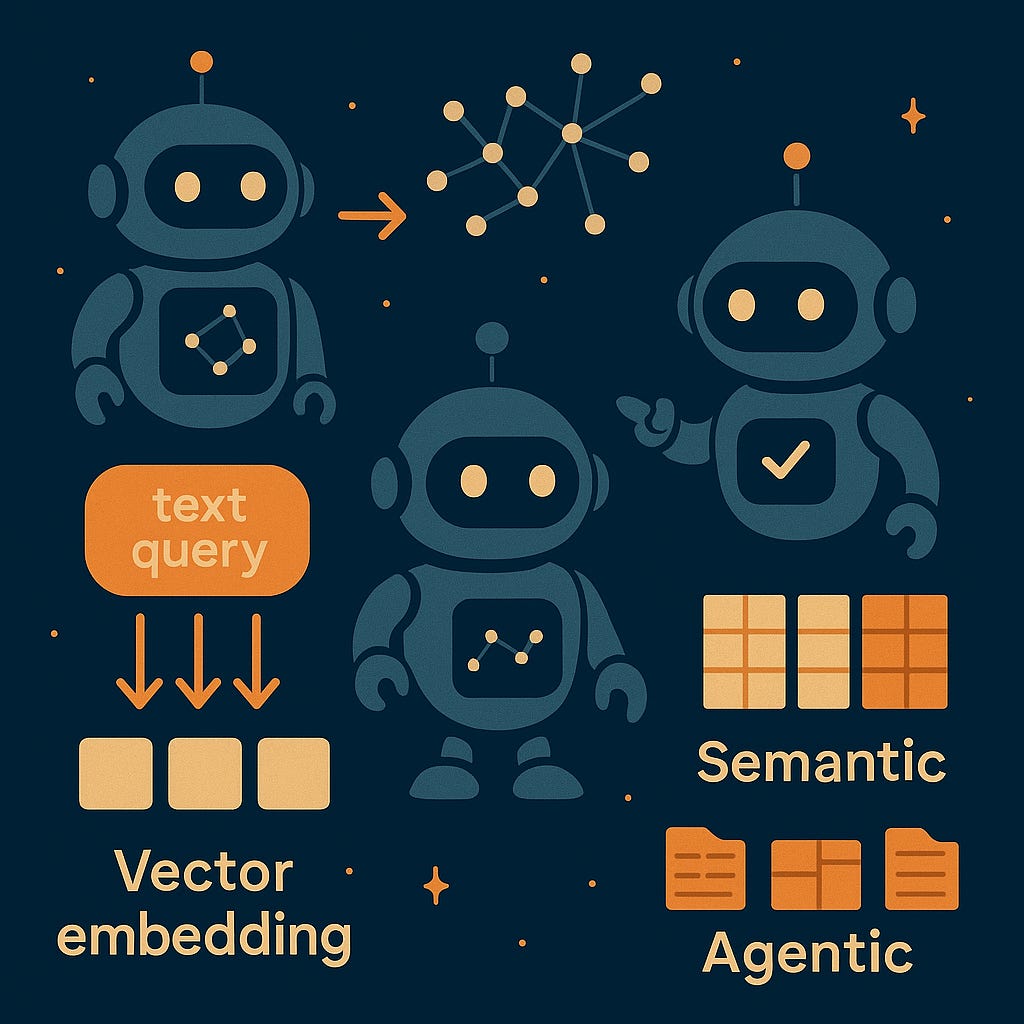 Generated by ChatGPT
🏠 Vector Databases, the house of your embeddings
A vector database is the destination of all your documents chunk and embeddings.
Databases like Weviate or Pinecone don’t work the same way as relational or non-relational databases:
They run queries based on vector similarity, finding the closest “neighbors” for their searches.
Vector databases are queried based on the ANN (Approximate Nearest Neighbor) principle, that’s why they are suitable for LLMs since they can scan embeddings properly for RAG use cases.
These are the basics for vector databases, but there are other concepts such as indexing and handling metadata (See Part 2 of this series) that can take the implementation to the next level.
Luckily, you don’t have to jump to a native vector database to get started. You can use Atlas (MongoDB) or the Postgres extension pgvector that allows us to implement RAG within your regular SQL or NoSQL database without the learning curve of implementing a native vector database from scratch.
Also, Supabase has a really smooth pgvector integration that you try across many other interesting features for vector search:
Recommended read: pgvector Tutorial: Integrate Vector Search into PostgreSQL
🔎 How do we use embeddings to prepare data for RAG?
Every time we receive a user query, the LLM vectorizes that text to find semantically similar content to the query, thereby extending its context.
Embedding models have two angles:
-
Embed documents in a vector database. E.g., your company’s API documentation or internal docs for Q&A.
-
Embed the user’s query so it can be searched within the vector database. E.g., a developer asking a question about an API endpoint.
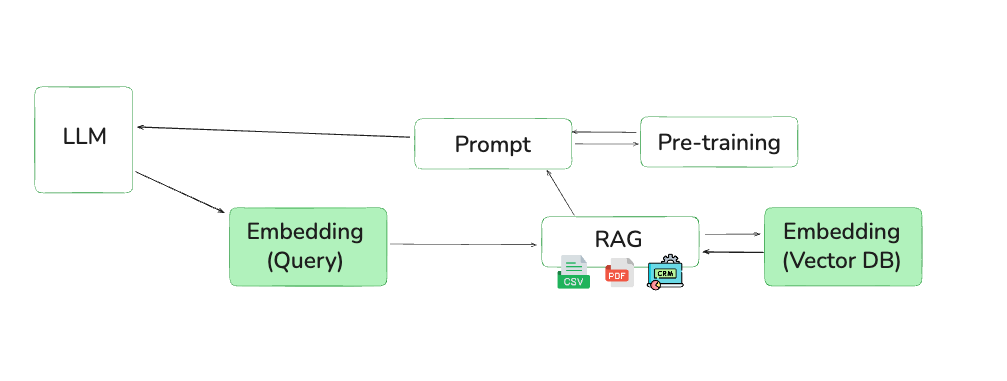 Image generated by the author.
Thanks for reading The Pipe & The Line! Subscribe for free to receive new posts and support my work.
For this, it uses embedding models, here’s an example for OpenAI text-embedding-3-small:
from openai import OpenAI

client = OpenAI()

response = client.embeddings.create(
input="RAG is really cool",
model="text-embedding-3-small"
)

print(response.data[0].embedding)
Output: *[0.012345;-0.003210;...]*Each embedding is a vector, a list of numbers—where the number of elements (dimensions) determines how much information it can hold.
By default, models like text-embedding-3-small use 1536 dimensions, but other powerful models such as text-embedding-3-large can go up to 3072.
Higher dimensionality can capture more nuanced information, potentially leading to better performance in complex tasks, but it will not be as efficient.
For most use cases, small embedding models with 1536 dimensions will suffice.
Recommended read: OpenAI - Vector Embeddings
📝 How do I save my embedded documents in the database?
Split or chunk them.
Yes, chunking is the process of separating content into smaller parts.
This helps LLMs know which chunk to search when running knowledge retrieval.
Simply passing all the historical content to create embeddings will eventually exceed the context window of an embedding model.
You have different strategies to do this:
-
Semantic-Topic: Groups similar content using similarity thresholds; this is ideal for the most common use cases.
Chunk 1: Dogs are loyal and playful animals. They enjoy going for walks and playing fetch.

Chunk 2: Cats are independent and curious creatures. They love climbing and watching birds from the window.
-
Paragraph-Sentence: Uses natural text breaks to preserve meaning, but might separate meaningful content that should stay together.
Chunk 1: Dogs are loyal and playful animals.

Chunk 2: They enjoy going for walks and playing fetch.

Chunk 3: Cats are independent and curious creatures.

Chunk 4: They love climbing and watching birds from the window.
-
Fixed/Sliding Window: Splits by token count limits, which may cut off sentences without any fallback.
Chunk 1: Dogs are loyal and playful animals. They enjoy

Chunk 2: going for walks and playing fetch. Cats are

Chunk 3: independent and curious creatures. They love

Chunk 4: climbing and watching birds from the window.
-
Agentic: Uses an LLM to find natural division points.
As mentioned earlier:
⚠️ Check your embedding model max tokens window before passing the context to it!
This will likely cause it to break, for example, OpenAI text-embedding-3-large can only tolerate up to 8,192 tokens nowadays.
It’s a good practice to check Hugging Face benchmark to know more about different options for embedding models and make the best decision possible on what to use.
Thanks for reading The Pipe & The Line! Subscribe for free to receive new posts and support my work.
You need to pre-split the documents to make sure they are ready for chunking.
Yes, pre-chunking.
You can use packages like chonkie for this, which simply helps you apply different specifications to get the chunks the way you need: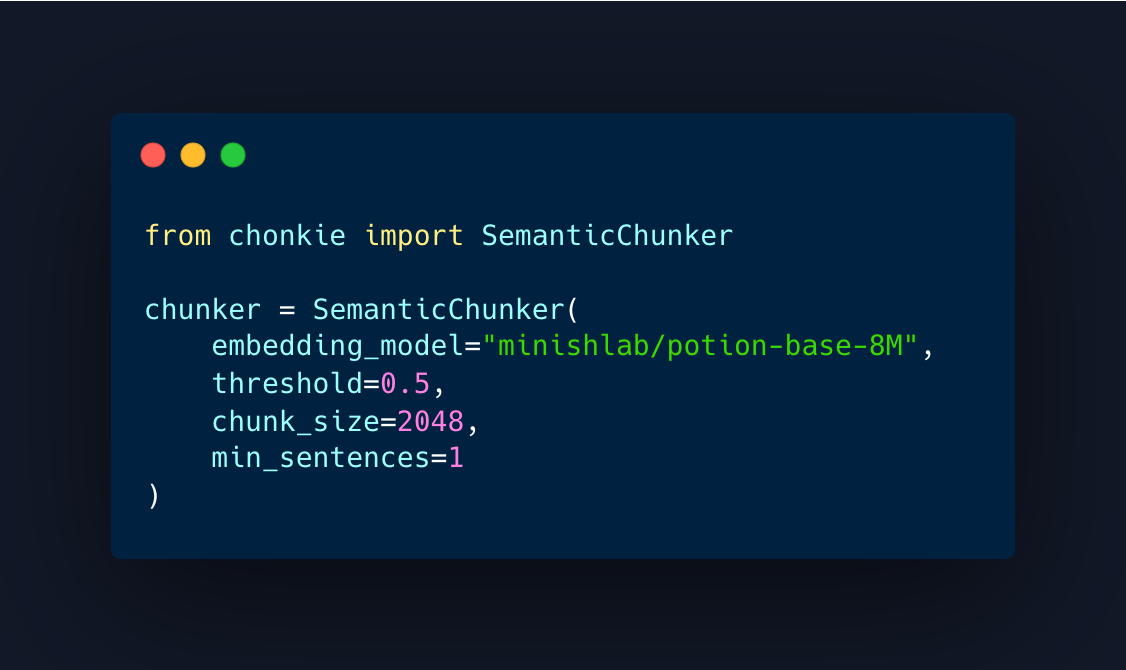
And here is an example of a PostgreSQL database using the pgvector extension after chunking a Zendesk article:
Having an optimal cleansing-ingestion strategy and document categorization is non-negotiable for this process.
📝 TL;DR
-
🏠 Vector Databases, the house of your embeddings
-
The place where all the embedded documents of your company will live, ready to be retrieved after comparing vector distances against each other.
-
🔎 How do we use embeddings to prepare data for RAG?
-
Embed your documents and save them into the Vector Database-
-
Pick your embedding models based on dimensions and your use case.
-
Embed user queries to enable RAG process and fetch the closest documents using similarity search.
-
📝 How do I save my embedded documents in the database?
-
Find your ideal chunking strategy
-
Split your documents using packages like chonkie
In part 3, we will cover Similarity Search, Prompt Template, Metadata filters and Challenges about RAG
If you enjoyed the content, hit the like ❤️ button, share, comment, repost, and all those nice things people do when like stuff these days. Glad to know you made it to this part!

Hi, I am Alejandro Aboy. I am currently working as a Data Engineer. I started in digital marketing at 19. I gained experience in website tracking, advertising, and analytics. I also founded my agency. In 2021, I found my passion for data engineering. So, I shifted my career focus, despite lacking a CS degree. I'm now pursuing this path, leveraging my diverse experience and willingness to learn.