Understanding the Three Pillars of Data Architecture
By The Coding Gopher
Published: 2026-07-04
URL: https://thecodinggopher.substack.com/p/file-block-and-object-storage-explained
Deconstructing how modern infrastructure organizes, stores, and retrieves data.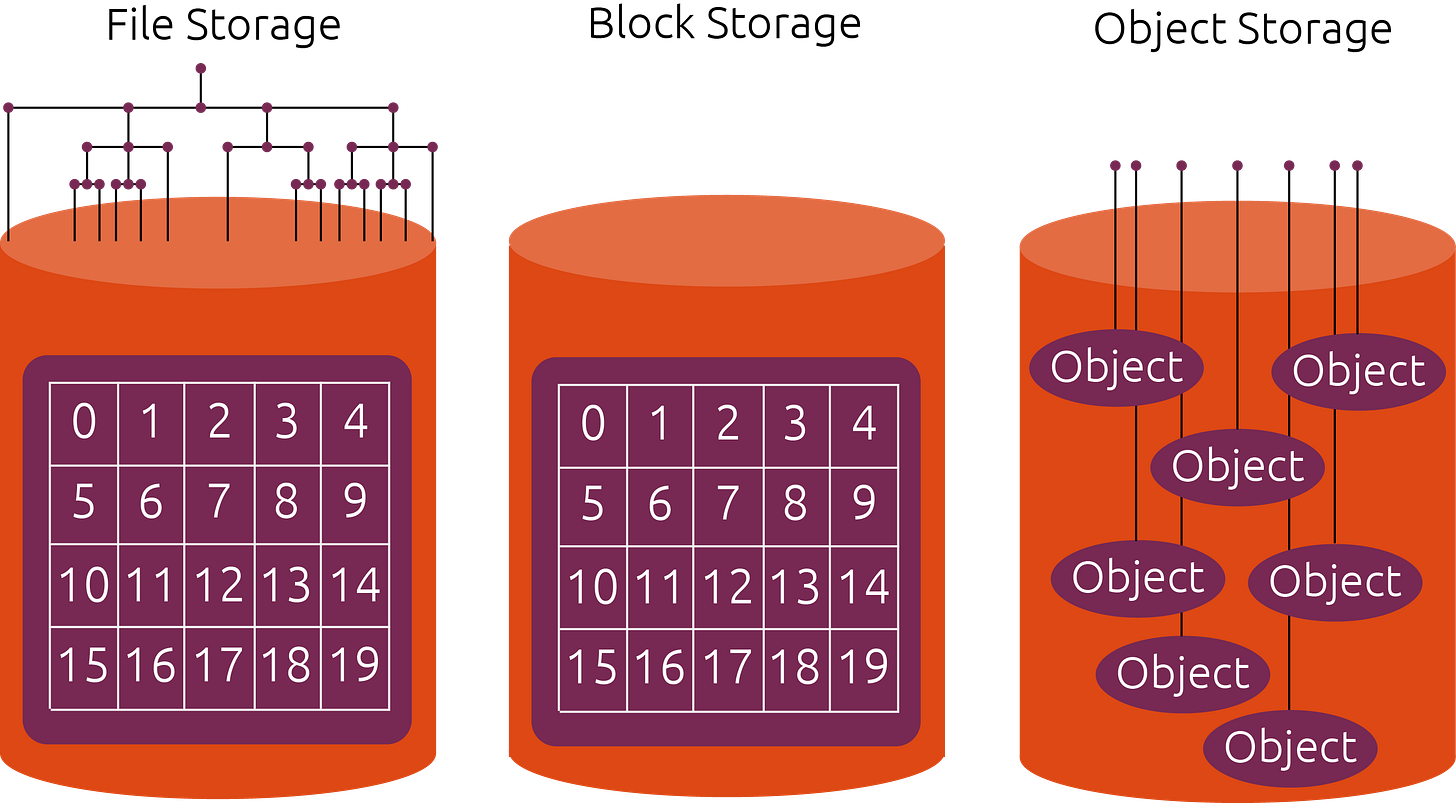 Block, File, and Object Storage are the three primary architectures used to store and manage data. Each organizes and retrieves data differently, making them suited for specific use cases depending on the need for speed, hierarchy, or scalability.
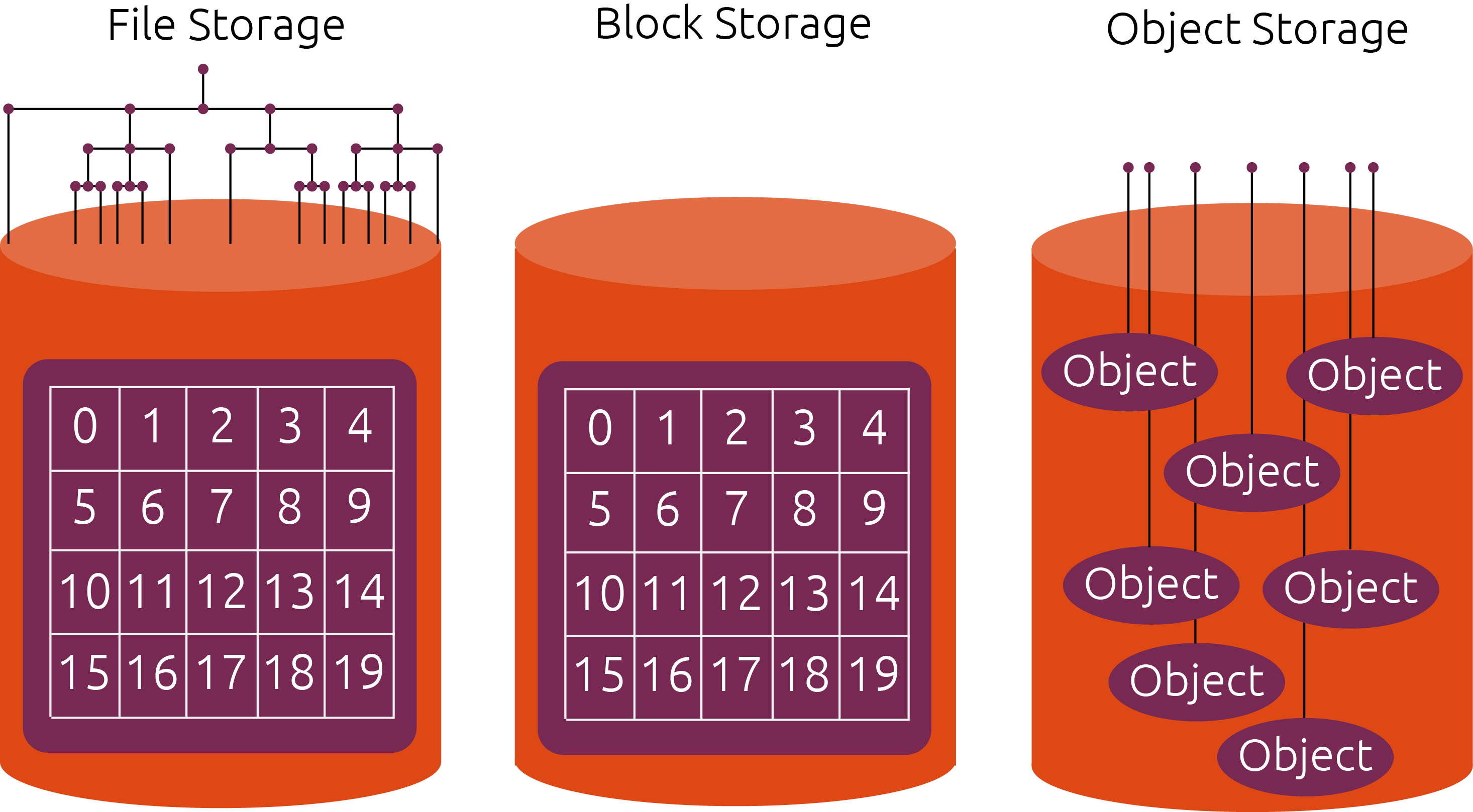
When architecting a system in the cloud, you cannot just “save a file to the hard drive.” The way data is logically organized and physically accessed dictates the speed, scale, and cost of your entire application.
Modern cloud providers (like AWS, Google Cloud, and Azure) abstract physical hardware into three distinct storage architectures. Each serves a radically different engineering purpose.
1. File Storage: Hierarchical Organization
File storage is the architecture you are already most familiar with. It is how your personal laptop organizes data.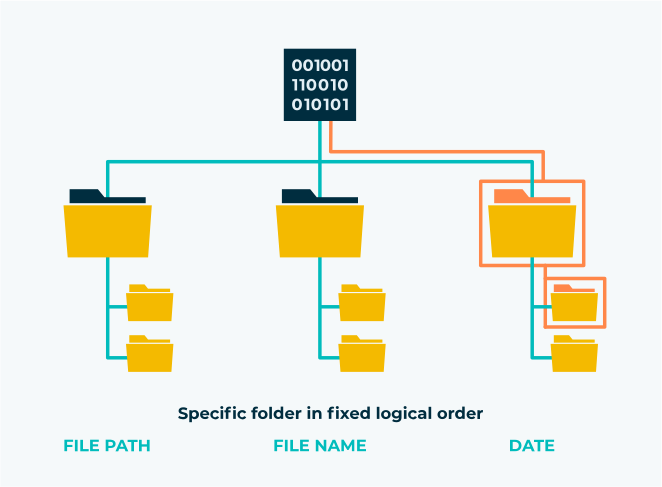 File storage (also known as file-level or file-based storage) organizes data in a hierarchical structure of files and folders. It acts like a digital filing cabinet, where data is stored as complete units and located using specific file paths (e.g.,
Documents/Work/Report.docx).
The Reality
Data is stored as a single piece of information inside a logical hierarchy. You have a root directory, which contains folders, which contain sub-folders, which eventually contain the file. To find a specific piece of data, the system must traverse the exact path (e.g., /var/www/images/profile.jpg).
In the cloud, this is provided as Network Attached Storage (NAS), such as Amazon EFS. Multiple different servers can mount the same file system over the network and read/write to it simultaneously, just like a shared office drive.
The Bottleneck
Because the system must parse the directory tree to find data, File storage breaks down at massive scale. When a single directory contains millions of files, the compute overhead required just to list the directory contents or traverse the path creates unacceptable latency.
2. Block Storage: High-Performance Raw Data
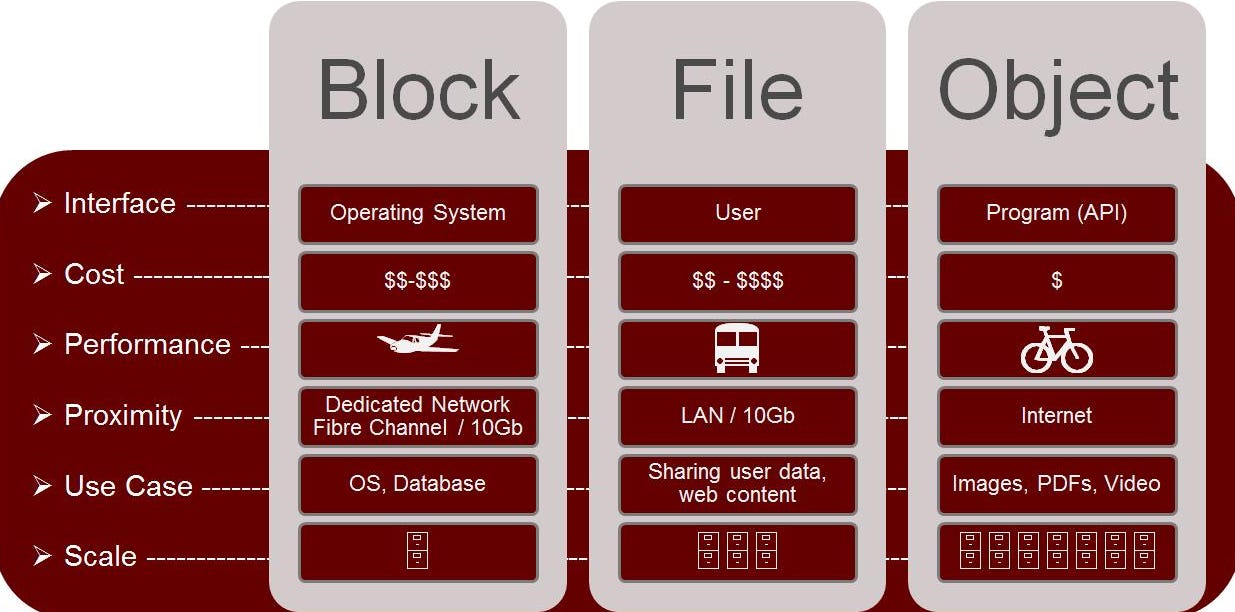
If File storage is a structured filing cabinet, Block storage is the raw metal. This is the architecture used to boot operating systems and run high-traffic transactional databases.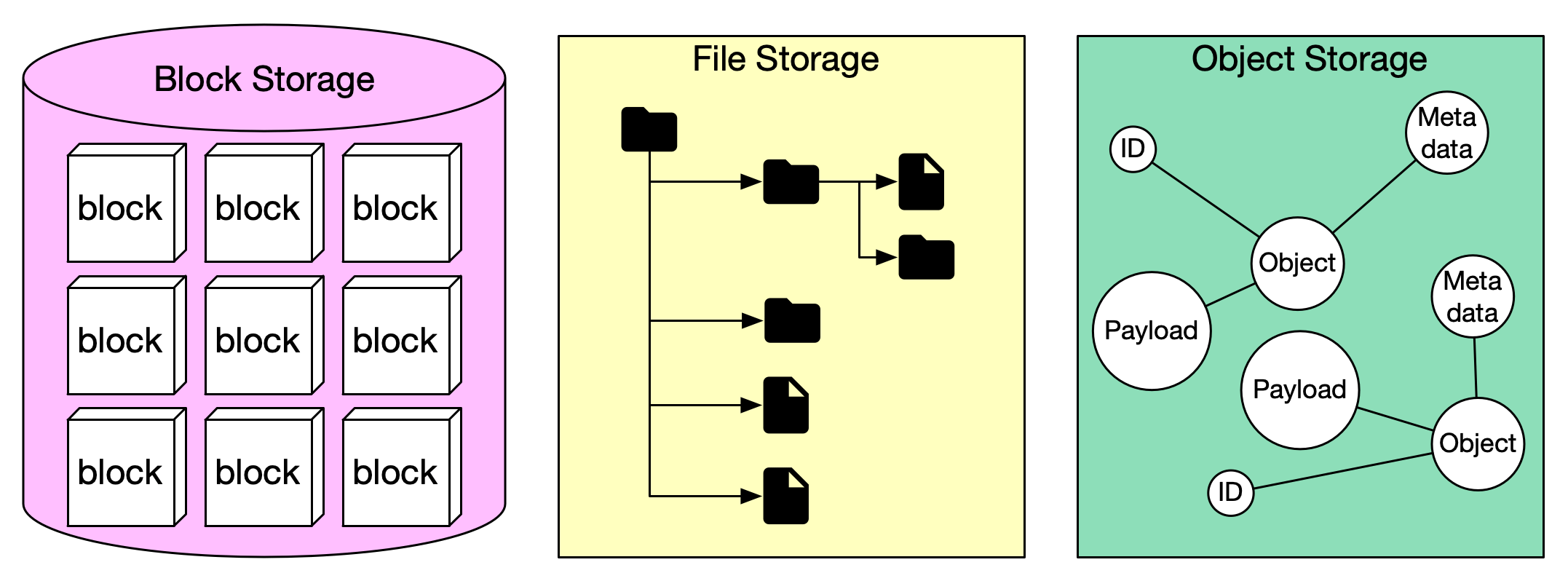 Block storage is a high-performance, low-latency data storage method that divides files or database entries into fixed-sized blocks. Each block receives a unique identifier and is stored across underlying hardware for maximum efficiency, making it the standard choice for databases and virtual machines.
The Reality
Block storage strips away the concept of folders and files completely. Instead, a storage volume (like Amazon EBS) is attached directly to a single server via a high-speed network.
When the server saves a large file, the storage system chops that file into equal-sized, raw pieces called “blocks” (e.g., 4KB each). Each block is given a basic address and written to the physical disk. There is no metadata (no creation dates, no file owners).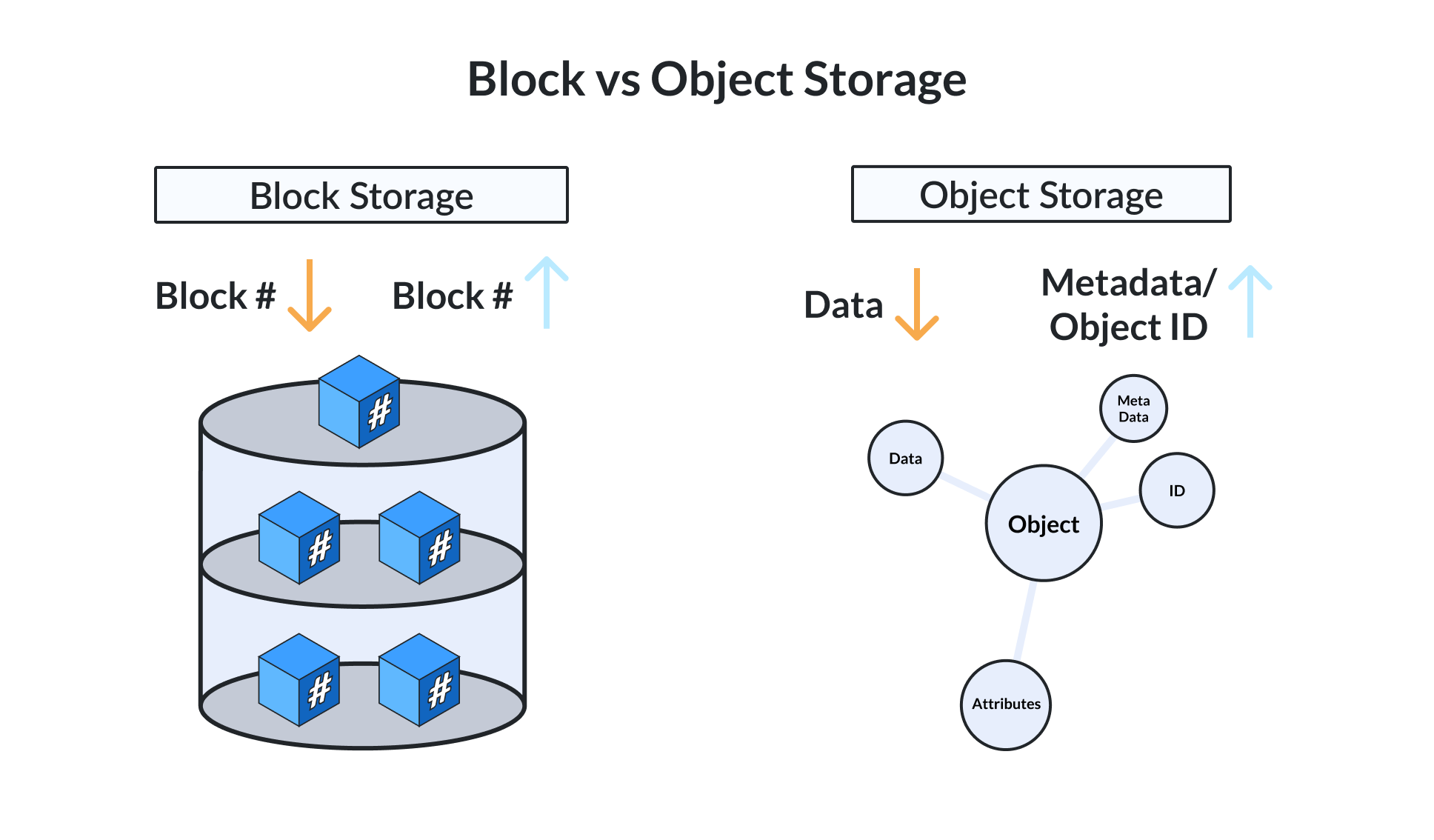 Block storage splits data into fixed-size chunks (blocks) to be mounted as hard drives. Object storage packages entire files into flat "objects" bundled with metadata and accessed via API calls.
The Advantage
Because there is no hierarchical overhead or metadata to process, Block storage provides ultra-low, sub-millisecond latency. Furthermore, if you change one small character in a massive 10GB database file, the system only overwrites the single 4KB block containing that character. In File or Object storage, the system would have to rewrite the entire 10GB file. This makes Block storage mandatory for databases.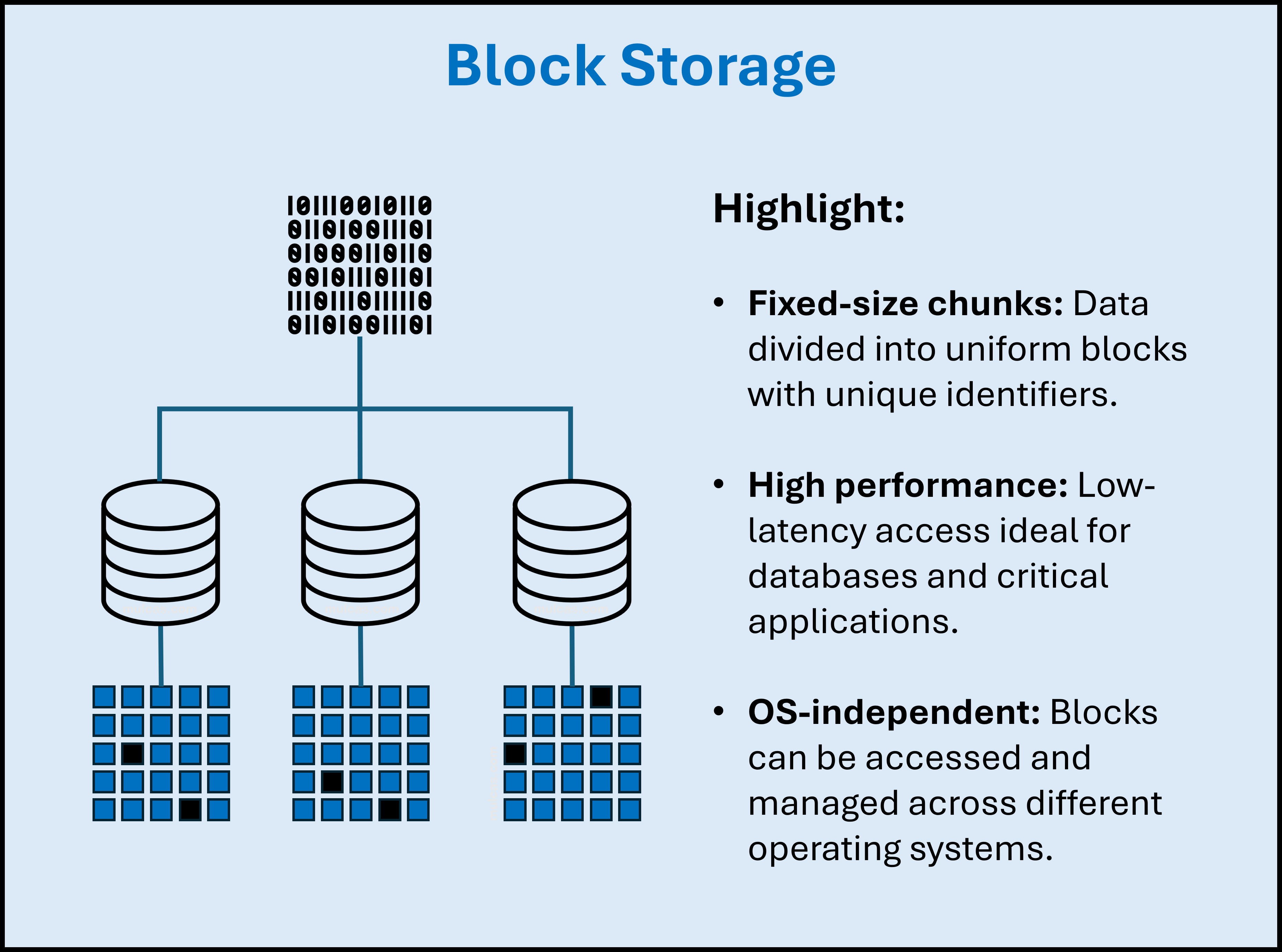 Block storage divides data into evenly sized chunks (blocks), each with a unique address, which bypasses traditional file systems to deliver raw, low-latency performance. It is the premier choice for demanding, transaction-heavy workloads like databases and virtual machines.
𝐋𝐞𝐚𝐫𝐧 𝐭𝐨 𝐛𝐮𝐢𝐥𝐝 𝐆𝐢𝐭, 𝐃𝐨𝐜𝐤𝐞𝐫, 𝐑𝐞𝐝𝐢𝐬, 𝐇𝐓𝐓𝐏 𝐬𝐞𝐫𝐯𝐞𝐫𝐬, 𝐚𝐧𝐝 𝐜𝐨𝐦𝐩𝐢𝐥𝐞𝐫𝐬, 𝐟𝐫𝐨𝐦 𝐬𝐜𝐫𝐚𝐭𝐜𝐡. Get 40% OFF CodeCrafters: https://app.codecrafters.io/join?via=the-coding-gopher
This Substack is reader-supported. To receive new posts and support my work, consider becoming a free or paid subscriber.
3. Object (Blob) Storage: The Flat Namespace
As the internet exploded, engineers realized that storing billions of user-uploaded photos, videos, and backups in a hierarchical file system was impossible. They needed an architecture that could scale infinitely. The solution was Object storage (often referred to as Blob storage—Binary Large Object), pioneered by Amazon S3.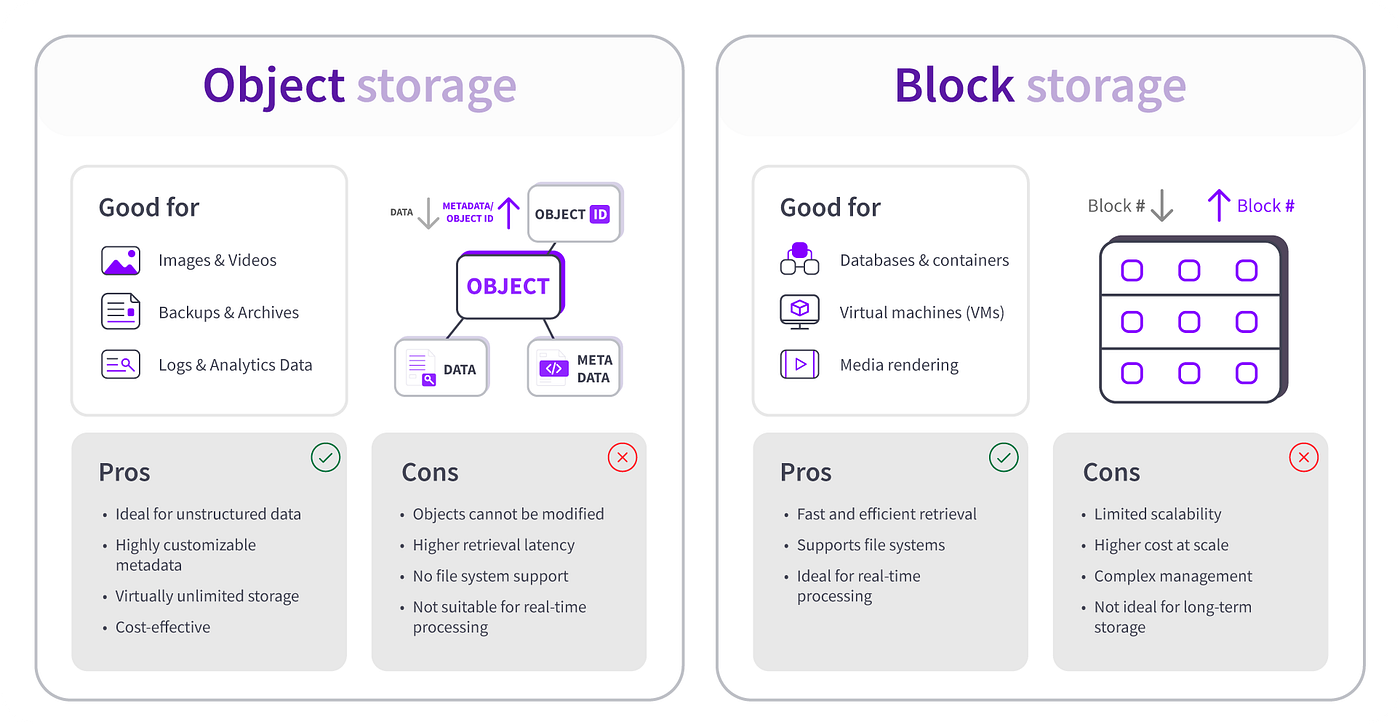
The Reality
Object storage completely abandons the directory tree. It uses a massive, flat namespace (a “Bucket”).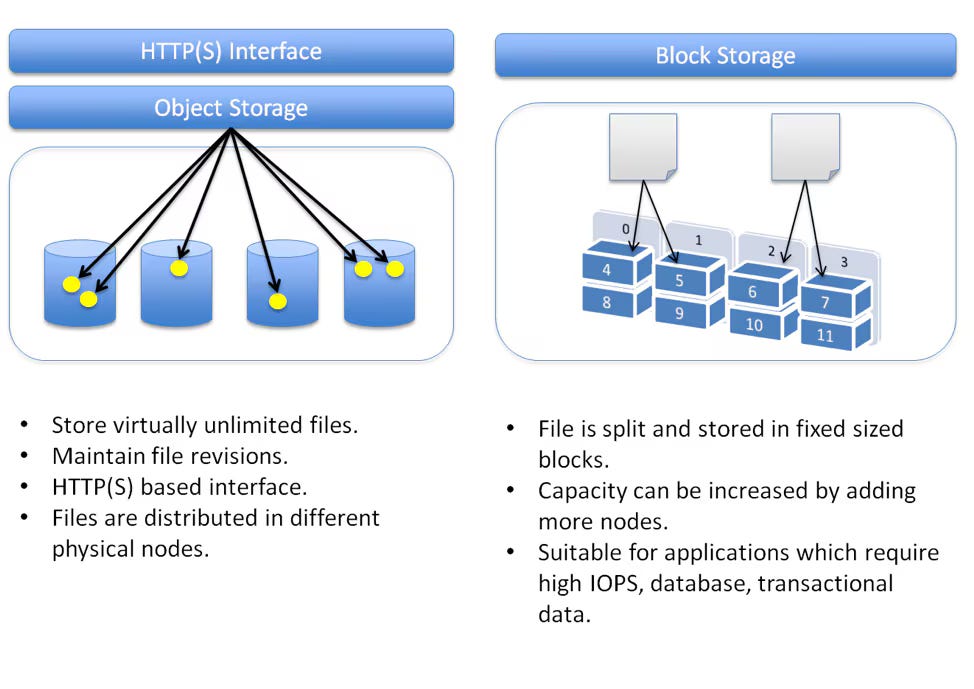 Object storage is better for massive scalability, cost-effectiveness, and managing unstructured data (like photos, videos, or AI/ML datasets). Unlike block storage, which relies on rigid file hierarchies and fixed-size chunks, object storage groups data into independent "objects" with rich, custom metadata and a unique ID.
When you upload a file, the system does not chop it into blocks. It saves the entire file as a single discrete Object. Crucially, it attaches two things to this Object:
-
A Unique Identifier: A long, cryptographic hash or explicit key string.
-
Rich Metadata: Customizable tags attached directly to the object (e.g., author: user_123, content-type: video/mp4).
To retrieve the data, the application makes a standard HTTP REST API call asking for that exact unique ID.
Object storage uses REST APIs because its flat architecture rejects hierarchical file systems in favor of global, web-native data access. Traditional file systems rely on "chappy" operating system protocols (like POSIX) that require direct, low-latency hardware connections. Object storage is designed to manage billions of unstructured files distributed across the globe, making standard web communication a necessity.
The Trade-offs
Because it sits behind a web API and handles massive files as single objects, Object storage has high latency. You would never run a database on it. However, because the structure is perfectly flat, you can store 10 objects or 10 trillion objects in the exact same bucket without any degradation in search speed or performance. It is infinitely scalable and incredibly cheap.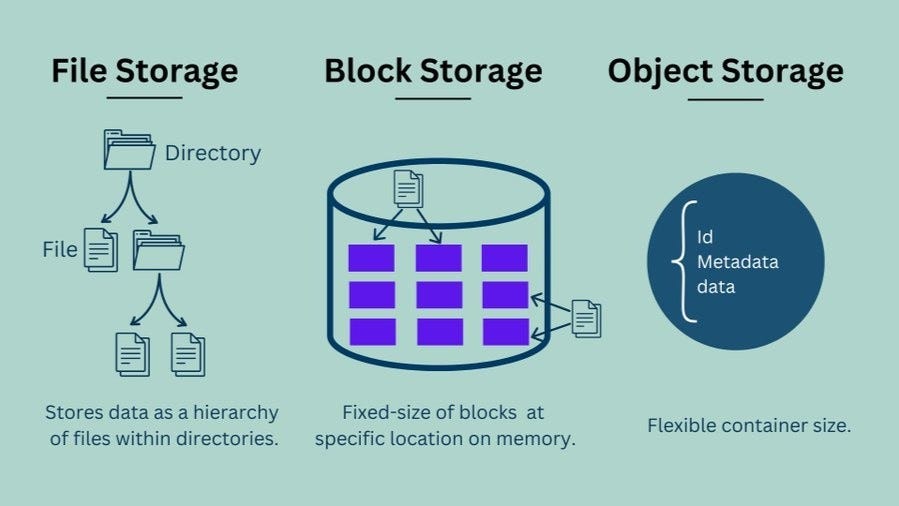 File, block, and object storage are three distinct ways data is organized, stored, and retrieved. File storage organizes data in a hierarchical folder structure. Block storage chops data into raw, equal-sized chunks. Object storage flattens data into distinct items paired with custom metadata and an ID.
This Substack is reader-supported. To receive new posts and support my work, consider becoming a free or paid subscriber.
Thanks for reading! This post is public so feel free to share it.