Understanding why the size of your database matters less than the speed of your forklift
By The Coding Gopher
Published: 2026-06-04
URL: https://thecodinggopher.substack.com/p/byte-storage-vs-io
Deconstructing the engineering difference between holding data at rest and moving it under load.
When designing backend infrastructure, a common mistake is conflating how much data a system can hold with how fast it can access that data. Buying a massive 20-Terabyte drive does not mean the server can handle a high-traffic database. Capacity and I/O measure two completely different dimensions of computing: static volume and active performance.
Byte storage and I/O (Input/Output) represent two fundamentally different aspects of computing: what is being held versus how it is being moved.
- Byte Storage: The physical or virtual capacity used to hold digital data (measured in bytes, e.g., megabytes or terabytes).
- I/O: The physical or logical process of transferring data between the CPU/memory and an external storage medium or network device.
Byte Storage: Static Capacity
Byte storage is a strict measure of volume. It dictates exactly how much digital information can be physically persisted on the drive’s internal components.
Note: A byte is the fundamental unit of digital data, consisting of 8 bits. It represents the basic building block of memory and file sizes, typically holding enough information to store a single text character.
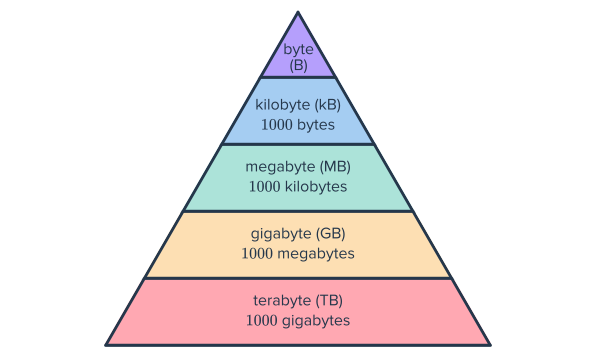
Measured in Gigabytes (GB) or Terabytes (TB), capacity has absolutely no impact on speed. A system with a 10 TB drive will not load an operating system or execute a database query any faster than a system with a 1 TB drive. Storage is simply the square footage of a digital warehouse; it dictates how many boxes you can fit inside, but it tells you nothing about how fast you can get those boxes out the door.
I/O: Active Performance
I/O (Input/Output) measures the movement of data. Whenever a CPU requests data from the drive (a Read) or saves data to the drive (a Write), it performs an Input/Output operation.
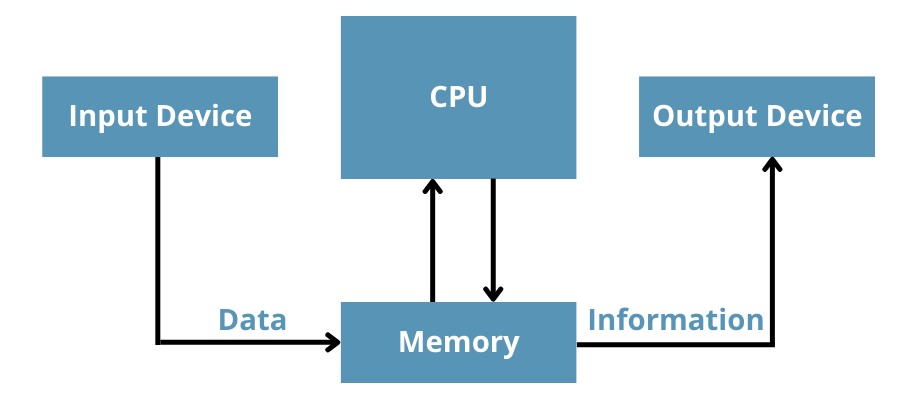 \I/O(Input/Output)refers to the communication between a computer system and the outside world. Inputs are signals or data received by the system (e.g., from a keyboard), while outputs are data sent out (e.g., to a monitor).\
I/O is the true bottleneck of any storage system, and it is measured in two distinct ways to account for different types of software workloads:
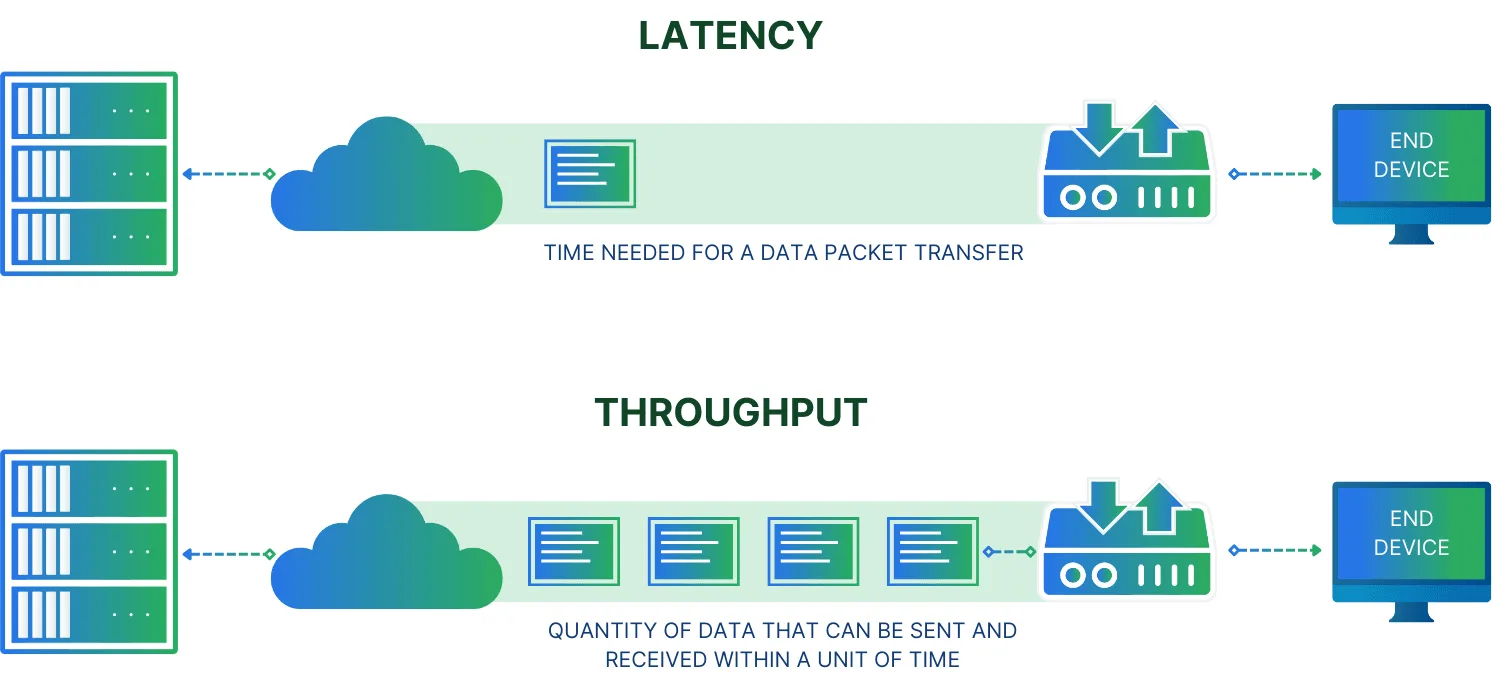 \I/O throughput isthe volume of data a system can successfully read, write, or transfer over a given period, typically measured in Megabytes per second (MB/s) or Gigabytes per second (GB/s). It measureshow much real datamoves through the storage system.\
Throughput (Volume Over Time)
Throughput measures the total volume of data the drive can transfer per second. Measured in Megabytes per second (MB/s) or Gigabytes per second (GB/s), it is critical for moving large, continuous blocks of data. If you are rendering a 4K video file or copying a 500 GB database backup, the operation relies heavily on throughput. It represents the physical width of the data pipe connecting the drive to the motherboard.
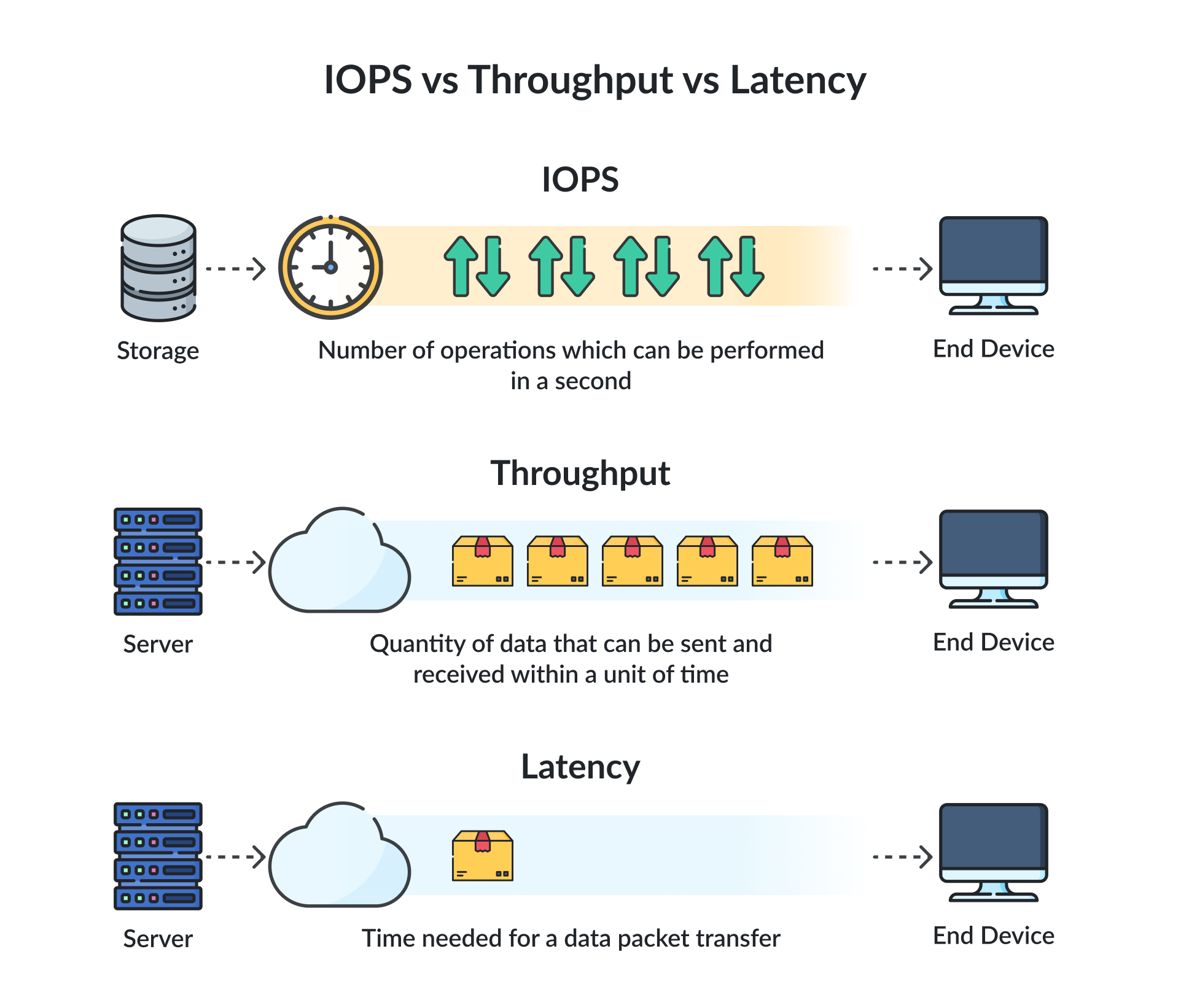 \IOPS (Input/Output Operations Per Second) isthe standard metric used to measure the performance of storage devices like HDDs, SSDs, and SANs. It quantifies how many individual read or write tasks a system can handle in one second, making it a critical indicator of system responsiveness.\
IOPS (Input/Output Operations Per Second)
IOPS measures how many individual, distinct read or write commands the drive can process in a single second. This metric is critical for handling thousands of tiny, fragmented requests. If a database is processing 5,000 concurrent user logins, it doesn’t need to move large files; it needs to rapidly find and read 5,000 tiny 4-kilobyte records scattered across the drive. Throughput is completely irrelevant here.
The system is entirely bottlenecked by IOPS—the number of individual internal operations the drive can execute simultaneously.
𝐋𝐞𝐚𝐫𝐧 𝐭𝐨 𝐛𝐮𝐢𝐥𝐝 𝐆𝐢𝐭, 𝐃𝐨𝐜𝐤𝐞𝐫, 𝐑𝐞𝐝𝐢𝐬, 𝐇𝐓𝐓𝐏 𝐬𝐞𝐫𝐯𝐞𝐫𝐬, 𝐚𝐧𝐝 𝐜𝐨𝐦𝐩𝐢𝐥𝐞𝐫𝐬, 𝐟𝐫𝐨𝐦 𝐬𝐜𝐫𝐚𝐭𝐜𝐡. Get 40% OFF CodeCrafters: <https://app.codecrafters.io/join?via=the-coding-gopher>
This Substack is reader-supported. To receive new posts and support my work, consider becoming a free or paid subscriber.
Designing for the Bottleneck
Engineers must strictly separate these concepts because modern applications will starve a drive of I/O long before they fill up its byte capacity.
If you host a heavily trafficked transactional database on a cheap, high-capacity drive, the database data might only take up 50 GB of the drive’s 4 TB limit. However, if that drive can only handle 500 IOPS, incoming user queries will quickly exhaust the drive’s ability to process individual commands. The database engine will lock up and crash from I/O starvation, even though 98% of the drive’s byte storage sits completely empty.
This is why cloud providers (like AWS EBS or Google Cloud Persistent Disk) charge separately for storage capacity and provisioned IOPS. You must explicitly architect for both the static volume of your data and the velocity at which your application needs to access it.
Provisioned IOPS (Input/Output Operations Per Second) is a storage performance feature that allows you to guarantee a specific, predictable level of read/write performance for your applications. Instead of relying on baseline performance, you pay for dedicated I/O capacity to prevent lag and throttling.
This Substack is reader-supported. To receive new posts and support my work, consider becoming a free or paid subscriber.
Thanks for reading! This post is public so feel free to share it.