How Adobe's productivity agent and PDF Spaces answer questions, generate content, and follow up in your voice
By TechTiff
Published: 2026-05-06
URL: https://techtiff.substack.com/p/adobe-acrobat-ai-agent-pdf-spaces
You sent the document. Three days later, they texted you a question it already answered on page two.
Back in January I told you Adobe gave Acrobat an AI upgrade and your files got promoted.
Adobe just added a productivity agent, and PDF Spaces now acts more like a portable workspace than a shared attachment: a mix of files, links, notes, and brand assets that opens without an account, updates live, and includes a configured assistant that speaks in your voice when you’re not in the room.
You stop sending files and start sharing a system that intelligently understands them instead.
The Second Job You Were Already Working
The work wasn’t just sending the file, it was everything that came after. The messages asking where to find it. The follow-ups asking what it meant. The extra context you kept retyping because nobody read the original carefully enough to stop texting you about it later.
You sent the link to the group chat and still ended up explaining the same thing individually to three different people. You shared the research with your partner and then summarized it again over dinner because opening the document somehow felt like more work than asking you directly. You forwarded the instructions, attached the forms, highlighted the important part, and still got the email asking where the information was.
You didn’t just send something, you were responsible for explaining the context after it left your hands.
The file went out once. The explanation kept coming back to you. That’s the part Acrobat just took off your plate.
Adobe Just Hired the File
The Acrobat productivity agent runs across the whole document toolkit. It edits documents through chat. It answers questions about what you wrote and what you uploaded. It also generates editable summaries and audio walkthroughs, so someone can understand the material before opening the full document.
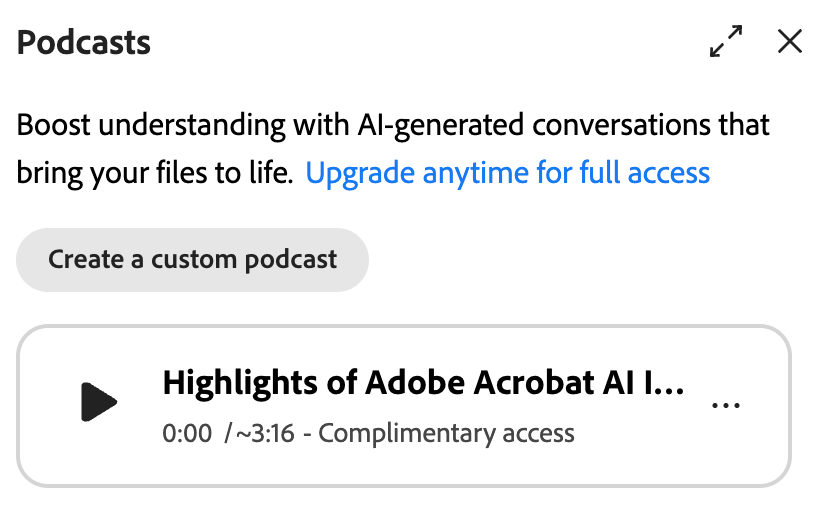 \Acrobat can also turn documents into AI-generated podcast-style walkthroughs so someone can listen to the material before opening the full file.\
PDF Spaces is where the agent does its best work. You combine documents, links, notes, and brand assets like your logo and color palette into one workspace. You share that workspace with anyone, no account required to view, and the workspace updates live whenever you change something inside.
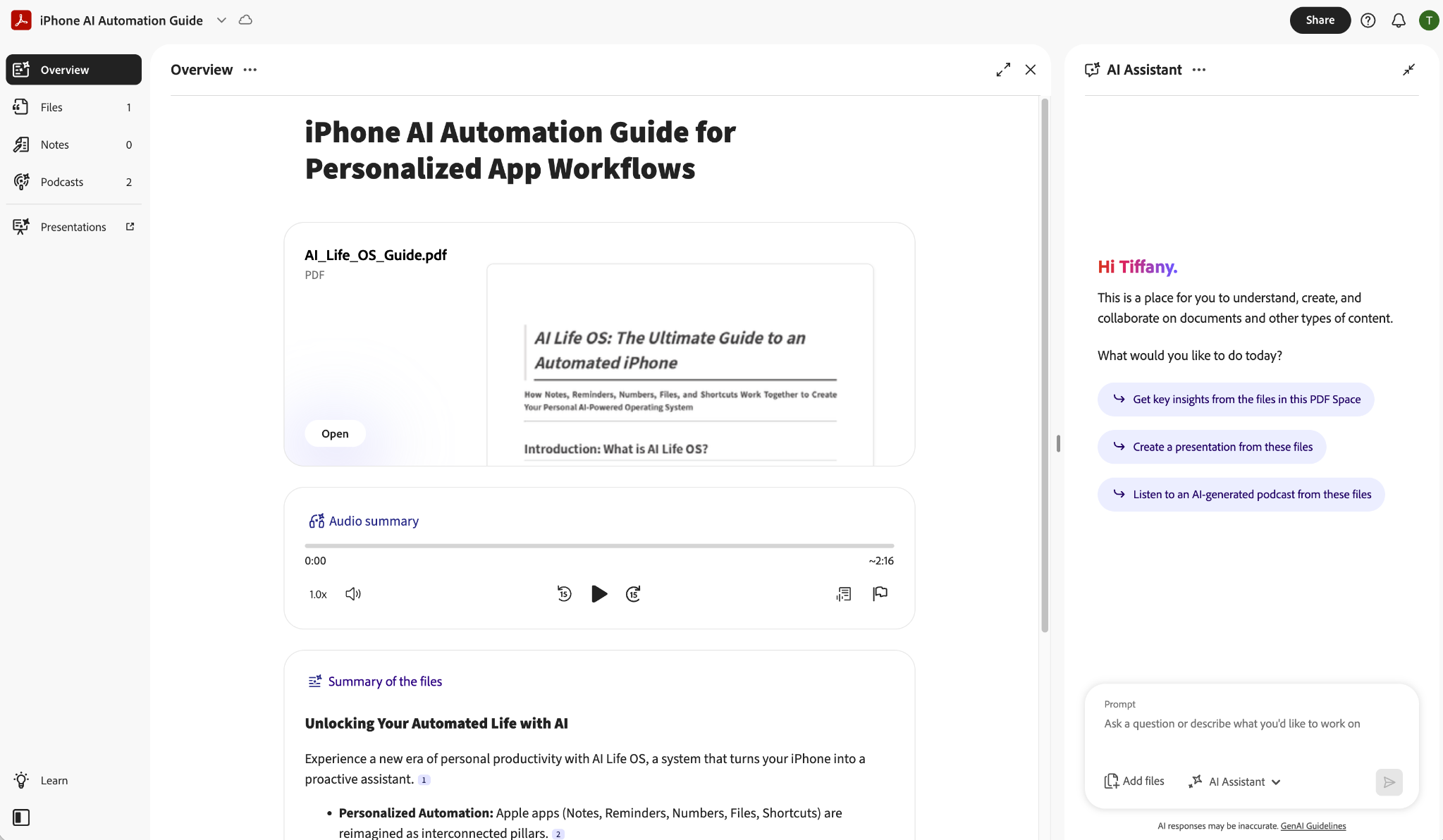 \PDF Spaces combines documents, summaries, audio walkthroughs, and a configurable AI assistant into one live workspace that keeps answering questions after the file is shared.\
When someone asks a question inside the space, the assistant can point directly back to the source material with clickable citations tied to the original documents. You tell it your goals and what the recipient is trying to do.
You can also configure the assistant itself. Add custom instructions about what the share is for, who it’s meant to help, how the assistant should respond, and what kind of guidance it should prioritize.
The tone adapts to the situation, whether the space is helping a student study, walking a client through a proposal, or answering questions for a team.
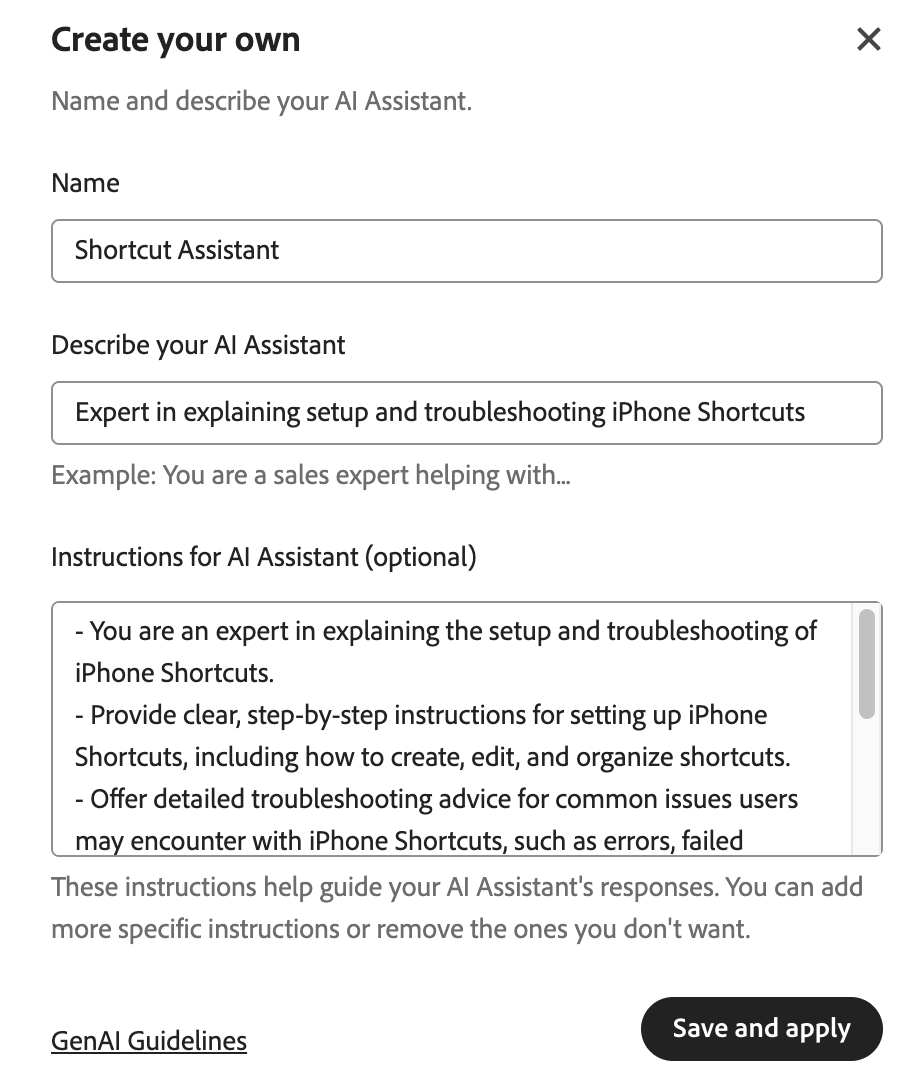 \PDF Spaces lets you configure the assistant directly inside the share. You can define the role, instructions, tone, and type of guidance the assistant should provide before anyone opens the workspace.\
Then you share the space, and the assistant goes along with it.
Two new tiers wrap all of this. Acrobat Express bundles the document insights and generation tools at the entry point. Acrobat Studio is the full kit: every PDF tool, PDF Spaces, the AI Assistant, and Adobe Express Premium in one subscription.
The productivity agent itself is an expanded rebrand of what used to be called Acrobat AI Assistant.
Your Assistant Goes Where the File Goes
Up until today, every file you sent arrived flat. The recipient opened it and got the words. They didn’t get your tone, your reasoning, the question you wished they’d ask, or the answer you’d give if they texted you at 11 p.m.
The configured assistant inside PDF Spaces is the version of you that goes with the file. You tell it what you’re trying to accomplish with the share. You tell it what the recipient’s trying to do. You set the personality, the tone, and the limits of what it should address. You hand off your knowledge once.
Then it answers in your voice every time someone opens the space and asks a question, whether you’re asleep, at dinner, or handling the next thing on your list.
You went from “I hope they read it” to “I sent something that can answer for it when they don’t.”
Where This Actually Shows Up
The document didn’t fail. The handoff did. People don’t read first, they ask first. Adobe built for that.
Files get forwarded without context and the follow-up lands back on you.
PDF Spaces changes what happens after you send something.
The space holds the documents, links, notes, and live updates together in one place and the assistant handles the context that normally disappears the moment you hit send. You configure what the share is for, what people are trying to figure out, and how the assistant should respond.
Then the follow-up work stops bouncing back to you every time someone misses a detail.
The file stopped being a static attachment and started acting more like an active workspace that can explain itself.
Run It Against Your Real Life This Week
Pick one thing you regularly send by email or text attachment. The thing where you always end up answering questions on the back end. Maybe a doc, maybe a folder of files, maybe a write-up with links inside it.
Build it as a PDF Space. Put the documents in, add the links, and drop in any notes you’d usually verbally add when you handed it over. Then configure the assistant with three things: what you’re trying to accomplish with this share, what you want recipients to come away with, and the three questions people always ask you about this kind of thing.
Share the space with a couple of people and watch the engagement insights for a week. Note where readers drop off, what they re-read, and what questions the assistant was asked that you didn’t see coming.
If the system handled a question you didn’t have to, the workflow earned its place in your week.
Your Second Shift Just Got Filled
Back when you sent files, your work showed up flat. Now your work shows up prepared, consistent, and ready to answer for itself when you’re not there.
The version of you that explains the work is the version of you that got tired. That version was working a second shift this whole time. It’s the one writing the follow-up emails, taking the extra calls, and answering the same question across five different conversations.
Adobe just gave that version a desk inside the document.
You handle the strategy, the judgment, and the work that only you can do. The assistant handles the part where someone asks what the file means, and that’s where the workflow shifted today.
The future of work is less about prompting and more about building systems that can explain, organize, and carry context for you. Subscribe if you want to stay ahead of that curve.
If you want systems that carry the work for you instead of sending you back into it, that’s what we build inside AI Flow Club.