Book2: Vibe Coding For Non-Technical Builders: A practical framework for moving from chatting with AI to building & shipping production-ready software products.
By SheWritesAI
Published: 2026-06-25
URL: https://shewritesai.substack.com/p/ai-everywhere-author-interview-27-jenny-ouyang-farida-khalaf
Welcome to the next She Writes AI interview episode covering our second book collaboration for the AI Everywhere series.
In this new cohort, we’re exploring the personal journeys and professional expertise of 31 authors from 18 countries worldwide who are redefining our relationships with machine intelligence.
This is the 4th episode in our interview series with book2 chapter authors.
If you’re new to , welcome! We’re a free, inclusive community of 750+ women and nonbinary writers in 60+ countries worldwide, with a focus on AI and data. Allies of all genders are welcome.
Learn more: About | Books | Categories | Directory | Digests | Donate | Herstory | Join | Subscribe | Updates | Welcome | World Map
For more insights from interviewer , see her Lights On by Farida newsletter or youtube.com/@faridakhalaf25.
About My Guest: Jenny Ouyang
Today I () am joined by . Representing the Builder perspective, her chapter addresses a major hurdle for the “non-technical” majority: the gap between getting an AI to generate a cool demo and actually shipping a product that works for real users. Jenny, the creator of the best-selling Build to Launch newsletter and the VibeCoding.Builders directory, brings the hard-won perspective of someone who has successfully shipped sixteen products in just eighteen months without a traditional computer science degree.
Jenny brings a deeply practical and managerial lens to this conversation. She moves beyond the “vending machine” mental model of AI, where you simply put in a prompt and wait for a finished app, and introduces “Vibe Coding” as a disciplined process of direction and judgment. Through her four-part framework, she explores how to scope a build before touching a tool, how to use constraint prompts to prevent the AI from breaking its own work, and how to audit for “invisible” failures like security holes and technical debt.
In this interview, Jenny reveals that the future of building belongs not to those who can code from scratch, but to those who can manage AI effectively to turn their unique problems into scalable solutions.
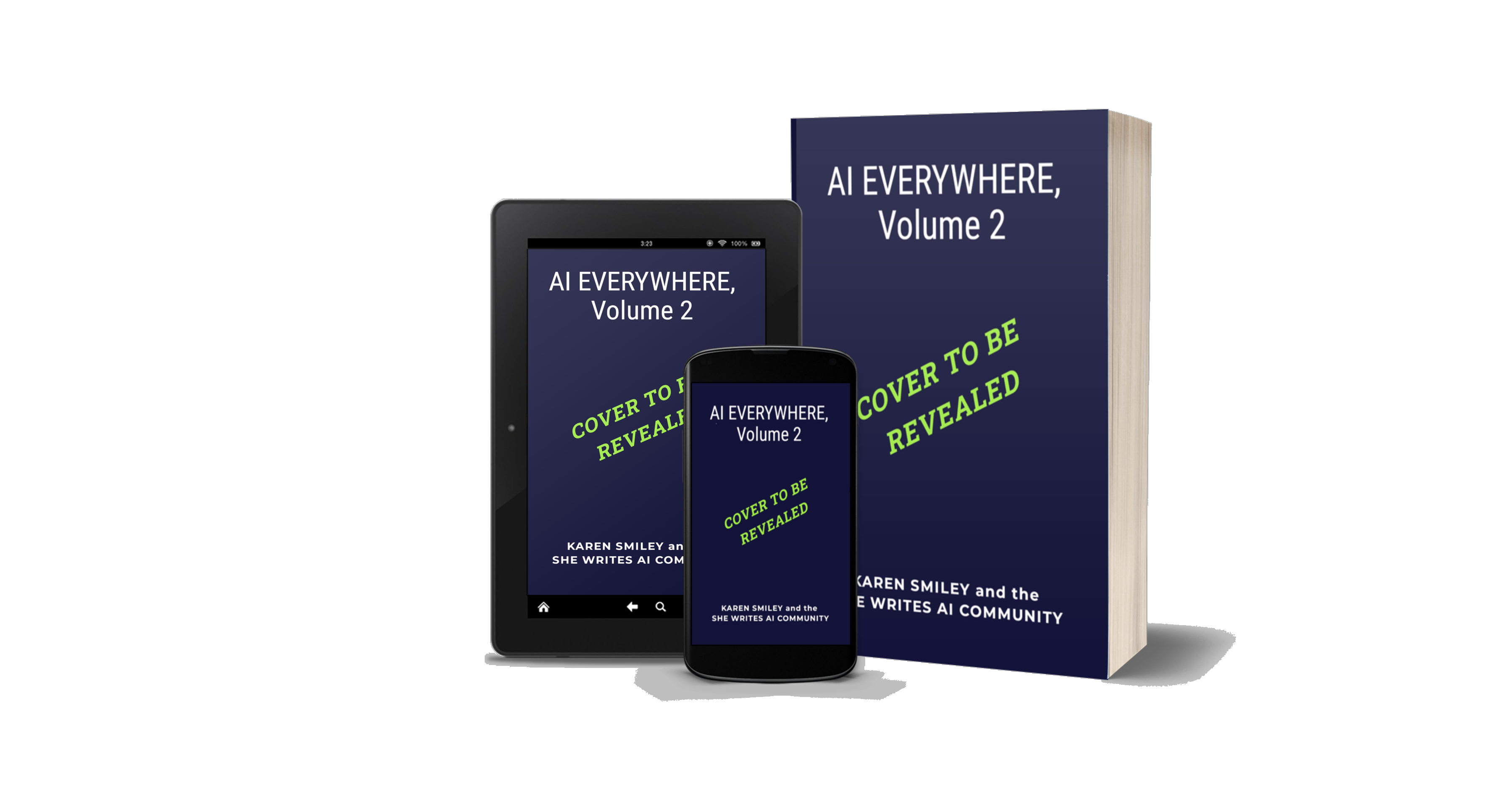 \Covers for these new volumes will be revealed this summer. Stay tuned!\
In this 4th interview for our second book collaboration, explores her framework for “vibe coding,” where non-technical builders can ship real software by combining intuition with structured judgment. She breaks down the shift from demos to production, emphasizing the importance of defining what “done” looks like, setting constraints like scope lock and surgical changes, and treating AI not as a vending machine but as a fast contractor you actively manage. She also highlights the hidden risks, security gaps, fragile architecture, and endless patch cycles, and offers practical systems like pre-tool prompts and “patch resets” to stay in control.
Whether you’re a writer, teacher, or founder building your first product, Jenny’s approach shows how to move from idea to working software, without losing ownership of the decisions that actually matter.
Interview With: Jenny Ouyang
Below is ’sfull interview response to ’s questions on her chapter: Vibe Coding for Non-Technical Builders.
Intended Audience: For women who use AI tools daily and want to go from "chatting" to building real products, specifically those with a clear idea who often find themselves stopping before a project actually ships.
Part 1: Foundations and the "Vibe" Shift
The “Password Secret”: You open your chapter with a vulnerable story about discovering your first app was storing passwords in plain text. Why is “vibe coding” more than just getting an app to run, and what did that experience teach you about the difference between a “working demo” and a “production product”?
Jenny: The strange part was that the app actually worked, and that was the problem. My first product was an image search tool, people were signing up to use it, and the whole time every password was sitting in the database as plain text, completely readable, exactly the way each person had typed it in. I only found out because I happened to glance at the data one night.
That right there is the gap between a demo and a real product. A demo runs on your machine and does the thing once, and that part is genuinely fast. A real product has to survive other people using it, with real data and real fallout when something leaks. Vibe coding made the building the quick part, and the working app needs stress tested for many realtime edge cases.
Judgment over CS Degrees: You cite research showing that 65% of people building with AI aren’t engineers, and you argue that “judgment” is learnable faster than a CS degree. What is the specific kind of judgment a non-technical builder needs most?
Jenny: That stat surprised me at first, but now it makes sense. A lot of the builders using AI right now don’t think of themselves as engineers, and that might be part of why they move faster than they expect. They come in with a real problem, not a blank app idea, so they can tell when the output is close and when it missed the point.
The judgment you need most is knowing what “done” looks like. What should happen when someone clicks the button, what should never happen, what the output should look like, where the edge cases are. The better you can describe that to the AI, the better the build gets. And I do think the people with years of domain experience have a real edge here, because they know the work well enough to catch what the AI doesn’t know.
“The build is the fast part. The judgment is the whole job.“
- Jenny Ouyang
Part 2: The Pre-Tool Framework
The Three Questions: You say the most common mistake is starting before defining what “done” looks like. Can you walk us through the three sentences every builder should write down before they open an AI tool?
Jenny: This is the part I wish more builders did before opening the tool. I write three sentences in plain language. Who is actually going to use this? And honestly the answer is almost always one person, usually me. What is the one thing it really has to do? Not the whole wishlist of features, just the single core thing. And what does success look like? Something I can point to, like when I do this, it gives me that, in this exact format.
That’s the whole spec, and it takes maybe five minutes, but it’s the difference between the AI building what you actually meant and the AI just guessing. I learned that the hard way. One time I just typed “build me a daily AI digest app” with none of that written down, and what I got back ran and looked about 80% right, but the same article kept showing up five different times because I never told it not to, and the database was set up in a way where I couldn’t even add the one feature I actually needed.
The code wasn’t bad. I just hadn’t told it enough to go on.
The CLAUDE.md File: You introduce a specific file called CLAUDE.md that you keep at the root of your project. Why is the “Don’t change” section of this file often the most critical part for a beginner to maintain?
Jenny: The “don’t change” section sounds small until it saves you. CLAUDE.md is just a plain text file that sits at the root of your project, and Claude reads it automatically at the start of every session, so it basically becomes the project’s memory between conversations. It has a few sections in it: what’s working, what’s still in progress, and one called “don’t change.”
That section is the one people almost never write until it’s already cost them something. Picture spending an hour getting a template exactly right, and then a few sessions later you ask the AI for something completely unrelated, and it very helpfully tidies that template up into something different, because it had no idea you wanted to keep it the way it was. So that section is really you drawing a line the AI can’t see on its own, and early on, that’s the one that saves you the most pain.
Part 3: Technical Process: Prompting for Production
The “Vending Machine” Fallacy: Many people treat AI like a vending machine, put in a prompt, get out a finished app. Why does this mental model cost builders months of time, and what is the better way to view the AI’s role?
Jenny: I understand why people think that way, because the first demo can feel magical. You put in a prompt, something appears, and for a minute it really does feel like a finished app should be one more prompt away. Then it breaks, or the login flow doesn’t hold, or the database shape is wrong, and you start thinking either the AI is broken or you’re not cut out for this. That is where people lose months.
What’s worked better for me is thinking of it like a really fast contractor. It can build almost anything you describe, but it still needs you to define what you expect, with the constraints. And point out what matters most, and tell it specifically when something’s off. What you get out really does track what you put in, and the management part is still your job.
Constraint vs. Expansion Prompts: Most tutorials focus on adding features, but you emphasize “constraint prompts.” How do techniques like “Scope lock” and “Surgical change control” prevent the AI from breaking parts of the app that were already working?
Jenny: This is the point where prompting turns into management. A lot of tutorials are about expansion prompts, where you describe a feature and you get a feature, and that’s fine when you’re playing around. But in production, the prompts that really save you are the ones that tell the AI what \not\ to do.
Scope lock is one of them. I’ll say something like “only add what I describe, and if you notice some unrelated thing that looks like an improvement, don’t make it, just list it in a comment instead.” That keeps the AI from helpfully “improving” code that was already working and breaking it in the process.
The other one is surgical change control, which is basically “only change this one file, don’t touch the others.” Without that, it’ll go edit files it didn’t need to go near, and suddenly something that worked is broken and you have no idea where to even start looking. They feel restrictive the first time you use them, and honestly that’s the whole point.
The “Patch Reset”: Every builder eventually hits a loop where fixing one bug creates two more. How does your “Patch Reset” prompt help a builder stop the cycle and find a clean implementation?
Jenny: Anyone who’s built anything knows this loop. You fix a bug, it breaks something else, you fix that, and then the original bug comes right back in a slightly different form. An hour and a half later nothing’s actually moved and you’re ready to throw the whole thing out.
What I do is stop and reset it. I’ll literally tell it, “you’ve been patching this same thing three times now, so stop, list every file you’ve changed and your current best guess at the real root cause, and then give me one clean fix instead of patching on top of the patches.” That forces it to actually name what’s wrong instead of just stacking band-aids on top of each other.
And if even that clean fix won’t hold, that’s usually my signal that it’s not really a bug at all, it’s an architecture problem.
"The most common mistake in vibe coding isn't a bad prompt. It's starting before you've defined what 'done' means”.- Jenny Ouyang
Part 4: Security, Technical Debt, and Growth
The 40% Vulnerability Stat: You mention research showing that 40% of AI-generated code in high-risk scenarios contains vulnerabilities. Since AI optimizes for “working” rather than “secure,” how can a non-technical person audit their own codebase?
Jenny: That number comes from research on Copilot, where in high-risk security situations close to half of the code it generated had real vulnerabilities in it. And it’s not that the model is careless, it’s that correctness and security are two different goals, and the training mostly rewards correctness. So the AI writes code that works, not code that’s safe.
The good news is you don’t have to read every line to catch a lot of it. I put the security requirements right into the spec up front, things like “passwords hashed, secrets in environment variables, no API keys on the client side.” And then once it’s built, I turn it back on its own work and say “find every security problem in here and fix it,” and it can usually spot what it wrote as long as you actually ask.
The other thing is just not hand-building the risky parts at all, so I use Supabase for auth and Stripe for payments, and I never let the AI anywhere near anything cryptographic.
Skill Atrophy and Architecture: You mention that over-relying on AI can lead to “imposter syndrome on steroids.” Should a non-technical builder try to learn to code everything, or is there a specific “subset” of structural knowledge that is enough to stay in charge?
Jenny: I’ve shipped sixteen products in eighteen months while I’m still new to lots of the frameworks I used.
The thing that changed wasn’t that I mastered everything, it’s that the old bottleneck for a writer or a teacher or a consultant used to be “can you actually build it,” and now the bottleneck is “do you even know what’s worth building,” which domain experts have always been better at than anyone.
So the role that’s showing up isn’t really “developer plus AI.” It’s more of a manager-builder, someone with enough of an architecture sense to steer it, enough security awareness to catch what it misses, and enough domain knowledge to know what actually matters. There’s research showing you actually get meaningfully more done, not less, when a human stays in the loop, and that’s the whole thing, it’s not AI replacing you, it’s you directing it.
The door just stops being gated by whether you can write syntax and starts being gated by judgment.
Part 5: The Future of the "Builder"
The Manager-Builder: You’ve shipped 16 products in 18 months using this method. How does “vibe coding” redefine the career path for people like writers, teachers, and consultants who used to be limited by their lack of technical skills?
Jenny: VibeCoding.Builders is a directory of people shipping real things with AI. The AI handled basically everything people assume is the hard part, the database schema, the search, the filtering, the forms, the layout, and it all came together over a weekend.
The part that actually needed me was everything the AI couldn’t have known. Like what makes a builder worth listing in the first place, how to group the categories so someone lands and immediately finds their kind of person, where to set the quality bar so the whole directory actually means something. None of that was a coding decision, it was all about why the thing should exist at all.
And that’s the split on every single build I’ve done, the AI does the construction and I do the deciding. The construction got really fast. The deciding is still the job.
“The future doesn’t belong to people who can code without AI, and it doesn’t belong to people who trust AI blindly. It belongs to people who can manage AI effectively.“ - Jenny Ouyang
[ Build to Launch
Stop chatting with AI, start building with it. Practical AI building with exact prompts and steps. Finish something real today.
By Jenny Ouyang](https://buildtolaunch.substack.com?utmsource=substack&utmcampaign=publicationembed&utmmedium=web)
Why This Matters
’s perspective is a reminder that AI should amplify your creative flow, not interrupt it.
- Judgment over Degrees: Jenny highlights that with 65% of AI builders identifying as non-engineers, the primary requirement for building today is a clear problem and the judgment to direct the tool, rather than a technical background.
- The Spec-First Rule: She introduces the CLAUDE.md strategy to close “gaps” in AI assumptions, ensuring the machine understands what should remain stable and what is currently in progress.
- Constraint vs. Expansion: Her framework shifts the focus from “expansion prompts” (adding features) to “constraint prompts” (Scope Lock, Surgical Change Control, and Patch Resets) to maintain production-quality code.
- Security and Technical Debt: She provides a critical reality check on AI’s tendency to optimize for “working” code over “secure” code, offering strategies to audit for vulnerabilities like plain-text passwords and leaked API keys.
- Breaking the 80% Wall: She offers a roadmap for escaping the “fix-break loop” through session handoffs and architectural resets, helping builders cross the finish line to a live launch.
Thank you,, for providing such a clear and empowering roadmap for the next generation of creators. For every professional who has felt limited by their lack of “technical” skills, her chapter in AI Everywhere is the definitive guide to claiming the title of Builder.
reminds us that "vibe coding" isn't about removing the human from the process; it's about shifting the human into the role of the strategic manager. Her final message is a call to agency: don't just hand over your vision and hope for the best; stay in the loop and provide the judgment layer that only you can bring.
I personally highly recommend her "Scope Before You Open The Tool" rule as the ultimate time-saver for anyone ready to turn their ideas into real-world products, and her “Build to Launch” substack Newsletter, where she demonstrates practical AI project building with clear prompts and step-by-step guidance, so you can finish something real today.
And if you’re interested in more conversations like this, consider subscribing to She Writes AI. I’ll continue sharing insights from the voices shaping the future of AI, including contributors from new chapters in AI Everywhere where 31 women from across five continents explore how artificial intelligence is changing the world we live in, and how we can change it for the better.
References
For more insights on the book, see aiEverywhereBooks.com - our beautiful book series website created by (now updated with previews for book2):

Where To Buy, How To Read and Listen, Ways To Review
- Buy Volume 1 (now in ebook and print on Amazon, Gumroad, Lulu, Ingram Spark, and many reading platforms)
- Look for our upcoming abridged audiobook edition in July!
- Tips from our publisher on how to buy an Amazon ebook from a country that isn’t a ‘KDP marketplace’, and how to read the ebook without a Kindle device (free)
- Review links (we’re on Amazon, Goodreads, and Storygraph)
Ways To Support
To help cover book-related costs (ISBNs, proof copies, etc.) as well as other community services, we follow the Wikipedia model. We are now accepting donations via paid subscriptions and can also now accept one-time tips through Stripe (‘digital ink’).
All donation sizes are welcome and help keep these book authoring opportunities free for She Writes AI Community members worldwide! Patrons and Sponsors are acknowledged on our book site. Read more.
Thanks as always for your support in every form. We appreciate it all. Hearts, shares, restacks, and comments are awesome!