How I write a newsletter to 994,381 subscribers with Claude Code & GitHub (and how to set up yours):
By Ruben Hassid
Published: 2026-10-27
URL: https://ruben.substack.com/p/292481-words
This is the most transparent newsletter I have ever written.
And (by far) the most technical setup I have ever shared.
How I write a newsletter to 994,381 people, with Claude Code & GitHub. At this rate, I will cross 1 million subscribers by November.
It’s called “How to AI”, so how do I write this newsletter?
Claude Opus 5.5 (Medium) wrote 2,303 words of my last issue.
I kept 438 of them word for word. (I asked Claude; I didn’t count).
So I do cut 8 words out in 10.
Every word I cut teaches Claude what I want next. All of it happens on GitHub. Every rule came from an edit, and Claude checks each new draft against them.
And you can build the same thing, even if you never wrote a line of code. I never did. By the end of this guide, your Claude will tell you where it needs you.
Two things before we start:
-
Save this guide & set up yours this week.
-
Send it to the friend who swears they “never use AI to write”.
PS: This newsletter grows from your shares. And I keep hitting 1,000+ shares! It’s my weekly north star. Sharing is free & helps me stay laser-focused on mastering AI for you.
1. Still me.
I write the newsletter. It’s still me, for four reasons:
-
I pick every idea. I am the impulse. A conversation I had. A thought. Something I read. I share it with my upgraded Claude; it researches, brainstorms, and goes down rabbit holes with me.
-
The opinions are mine. Writing is like fashion: you can’t wear everyone’s clothes if you want to be trendy. So I can’t ask AI, “Hey, what’s the next best newsletter, and then write it for me.” It won’t work. You can do it. Anyone can do it. I do it differently. Claude and I only discuss my opinions.
-
I rewrite most of it. About 80%.
-
Writing is thinking. You can’t outsource your thinking.
Let me give you an example.
The first sentence is the most important one (think about it, everyone reads the first line). For my last issue, Claude’s opened with: “Anthropic deleted 80% of Claude Code’s prompt.” I sent it back: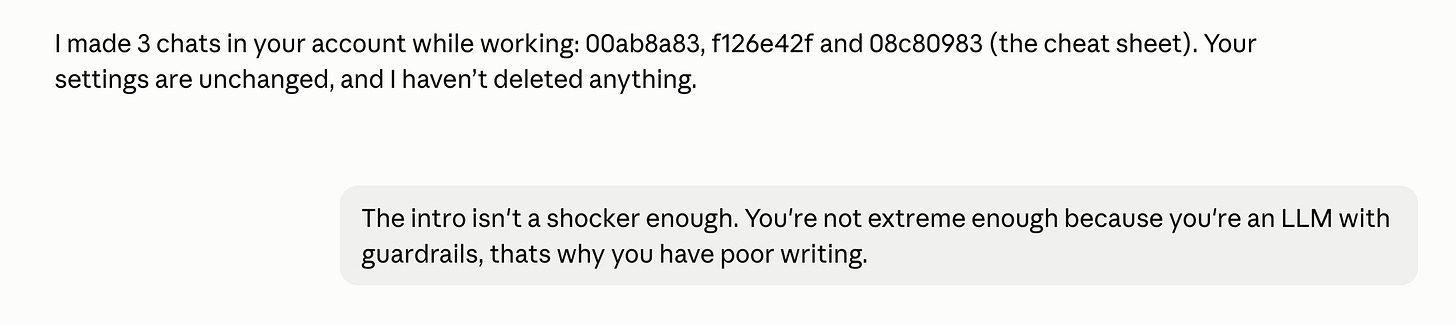 I sometimes just write frustrated prompts.
I tried to make it better. Claude failed. So I wrote the first lines myself: “Claude Cowork is gone:”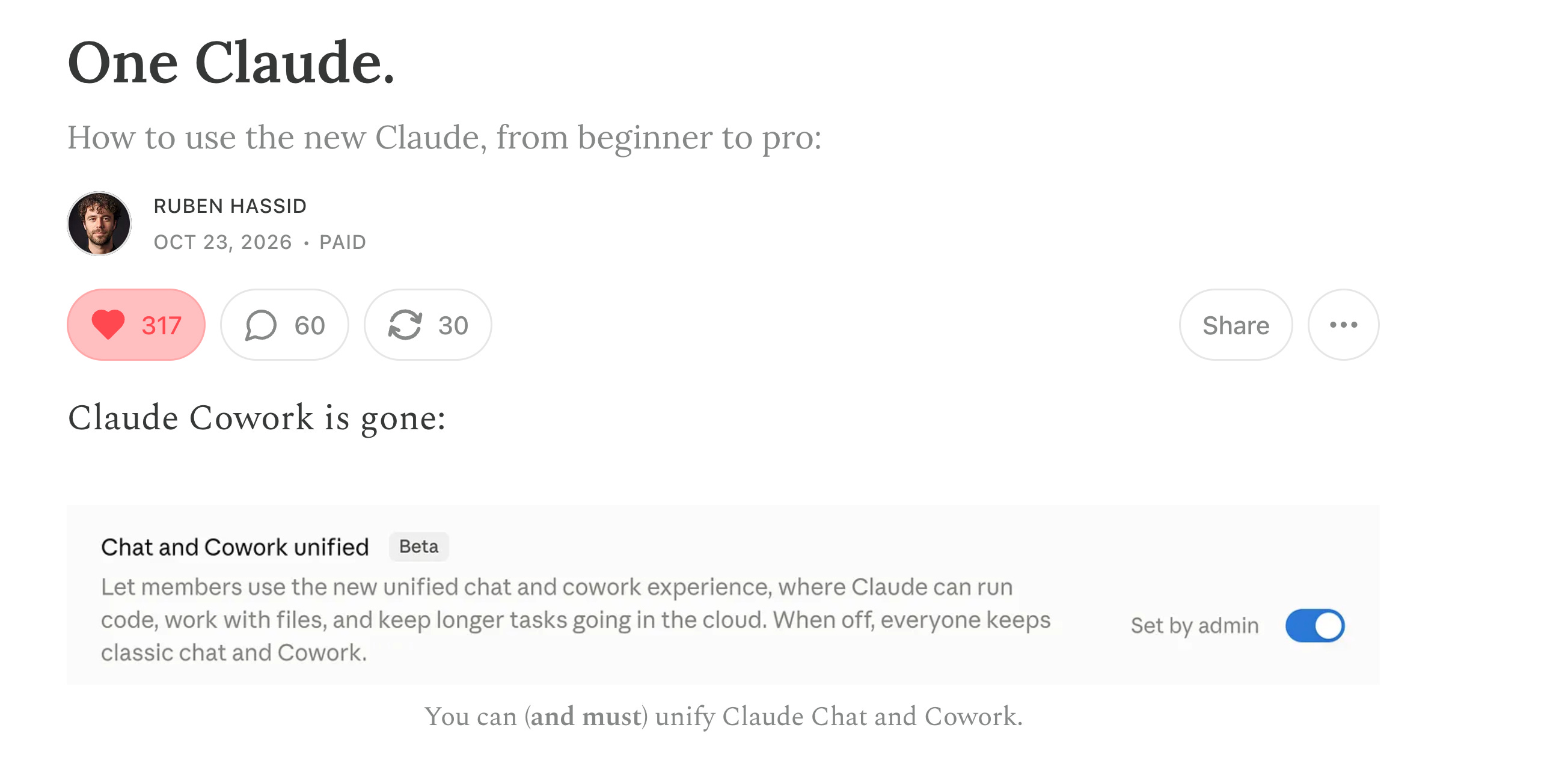 From my newsletter One Claude.
I did it myself. I corrected Claude and asked him (her?) to make it a rule. Claude understood my style.  This is now a golden rule of my GitHub setup.
Claude can’t judge my writing. It can only learn from my edits.
Here’s how it works:
2. My GitHub.
My edits go into one mega setup, on GitHub.
I didn’t invent it. I mixed what the best AI labs found about writing with AI:
→ Meta (September 2026): AI judges pick AI writing over expert writing 63.5% to 84.6% of the time (Meta FAIR). So my checker learns from my edits, never from Claude’s taste.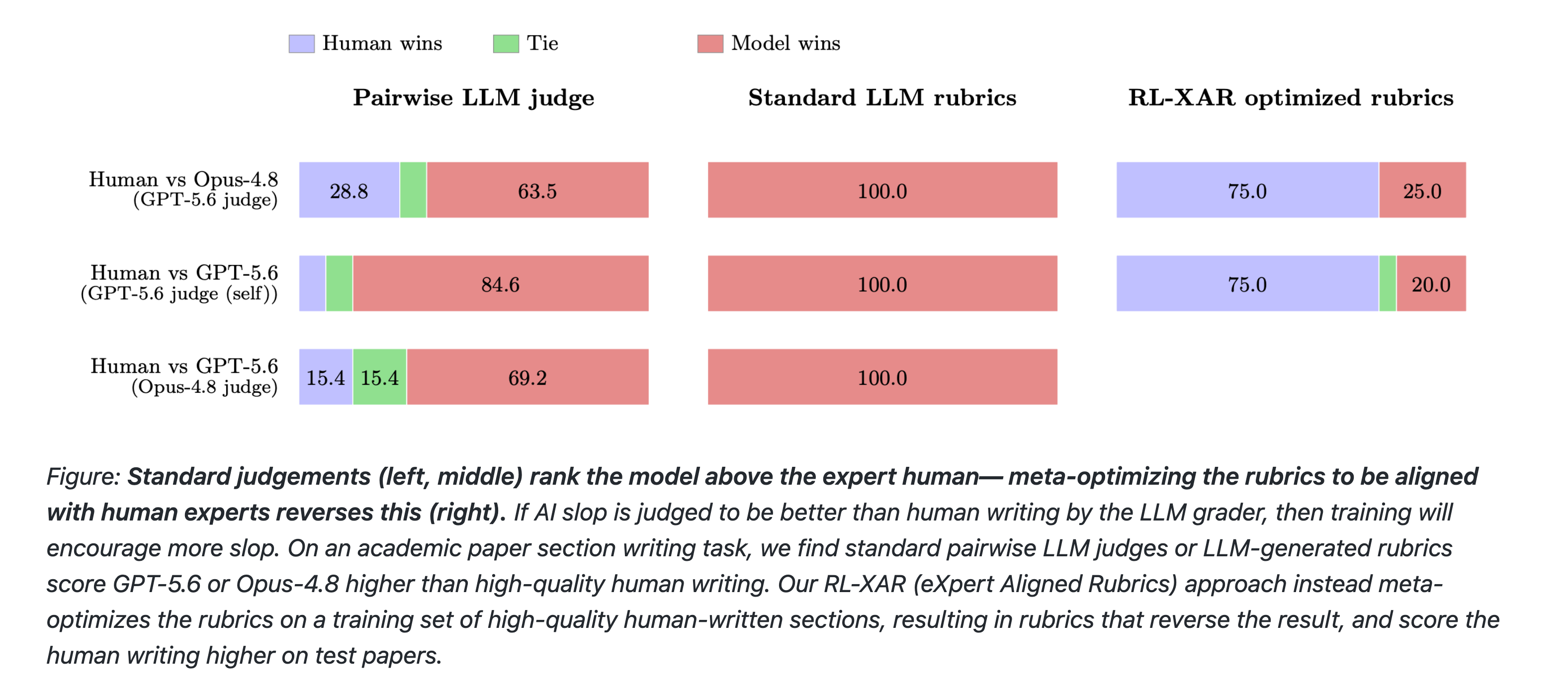 Towards RL for Superhuman Text: Unslopping AI.
→ Cerebras (April 2026): one AI writes, separate AIs check. “Models today have very little taste,” they wrote (Cerebras). So one Claude drafts, and a second Claude checks.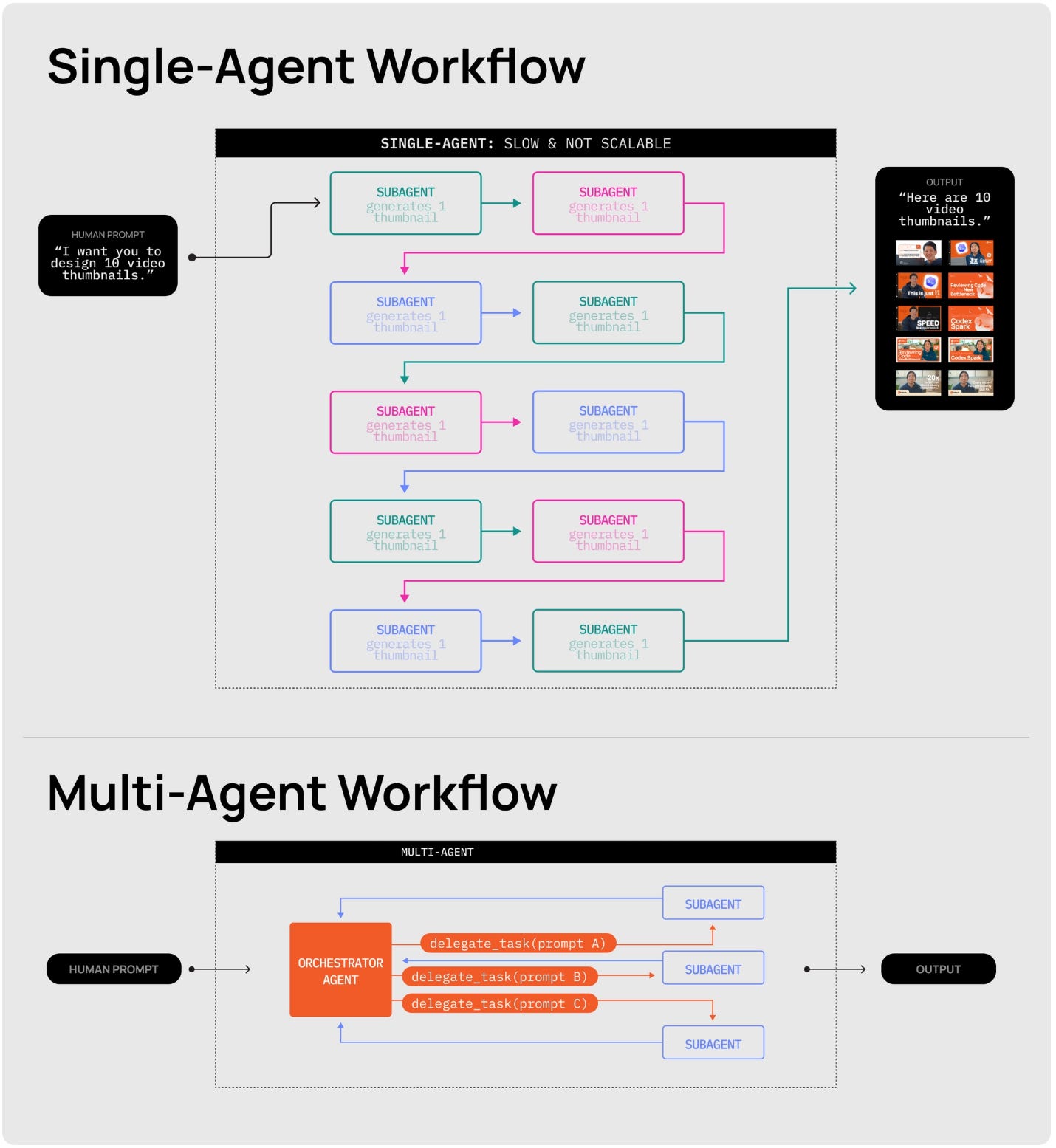 Lessons learned from building multi-agent workflows.
→ Apple (2025): an AI learns your style best from your own pieces, plus a few rules drawn from your edits (Apple). So Claude reads my past issues, and my edits become rules. It’s a bit old, I’ll give you that. But I picked some stuff.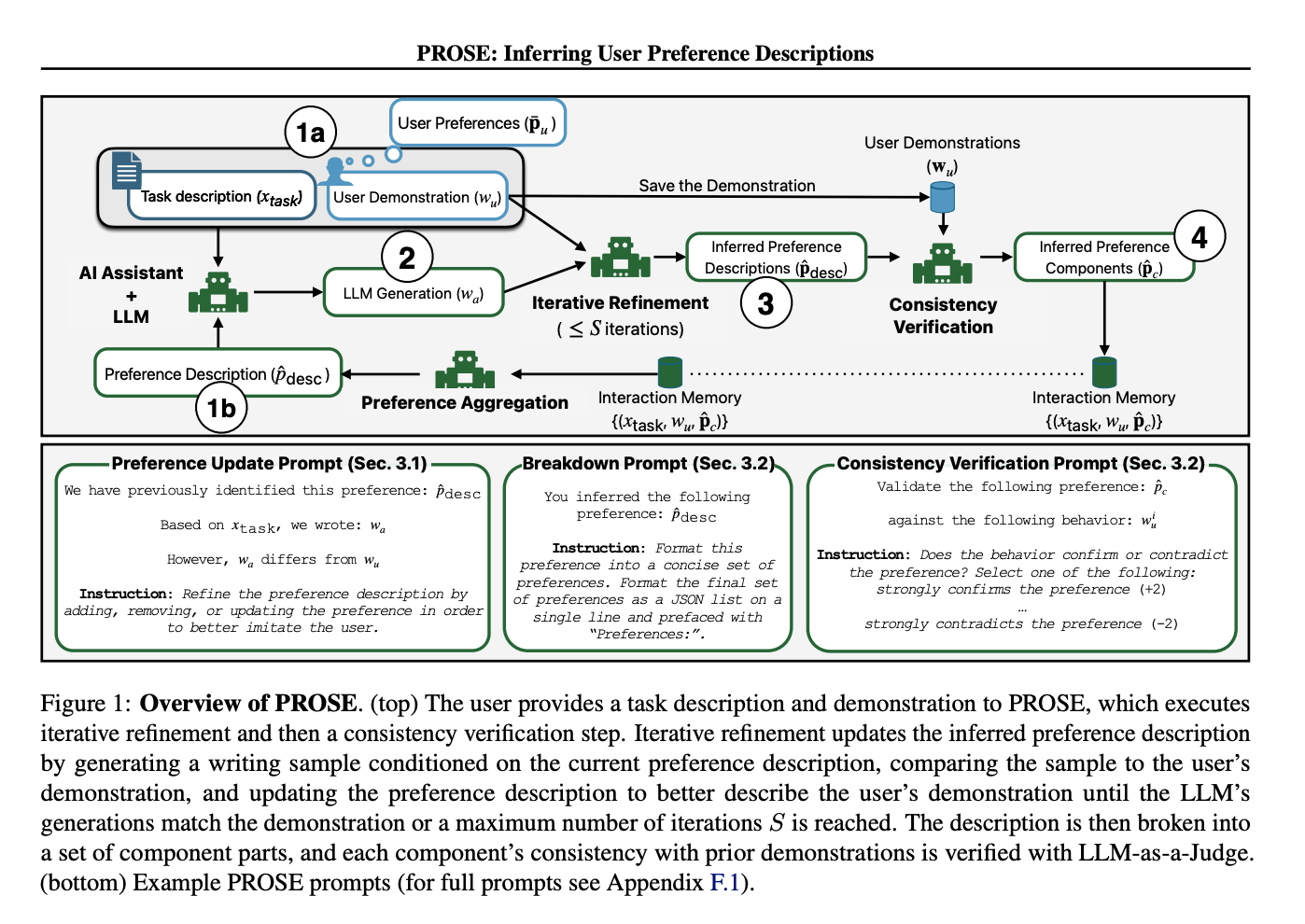 Aligning LLMs by Predicting Preferences from User Writing Samples
→ Anthropic: Boris Cherny, who created Claude Code, says to delete your setup files every 6 months. So mine are tiny: the instructions Claude reads every time fit in about 200 words.
Here’s how it all fits together: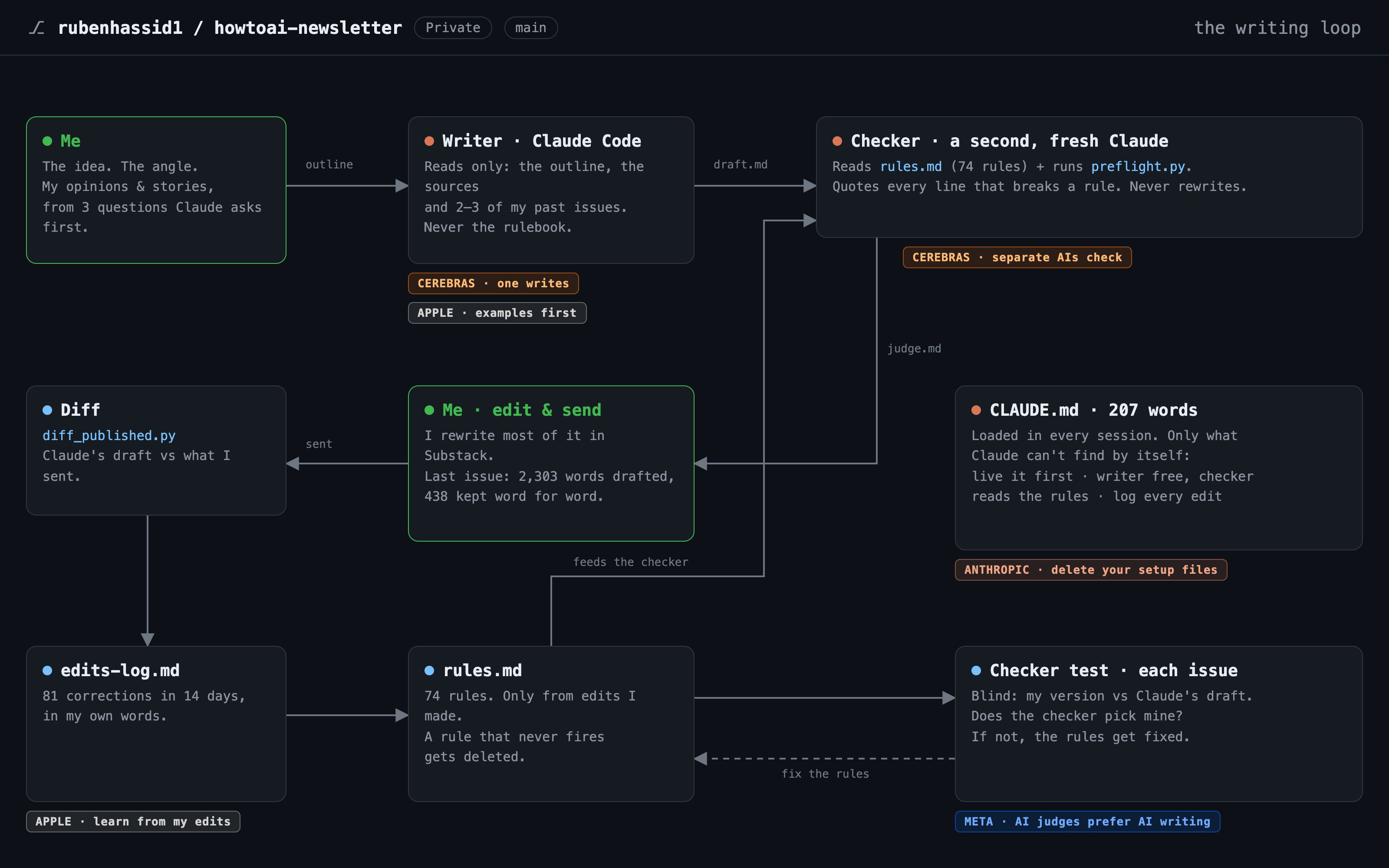 My setup on GitHub: one Claude writes, a second one checks, and my edits become rules.
GitHub is a private folder online. Every version of every file is saved, so nothing is ever lost. It’s private: only you can see it.
I never open it. GitHub is connected to my Claude. I talk to Claude, and Claude files everything there.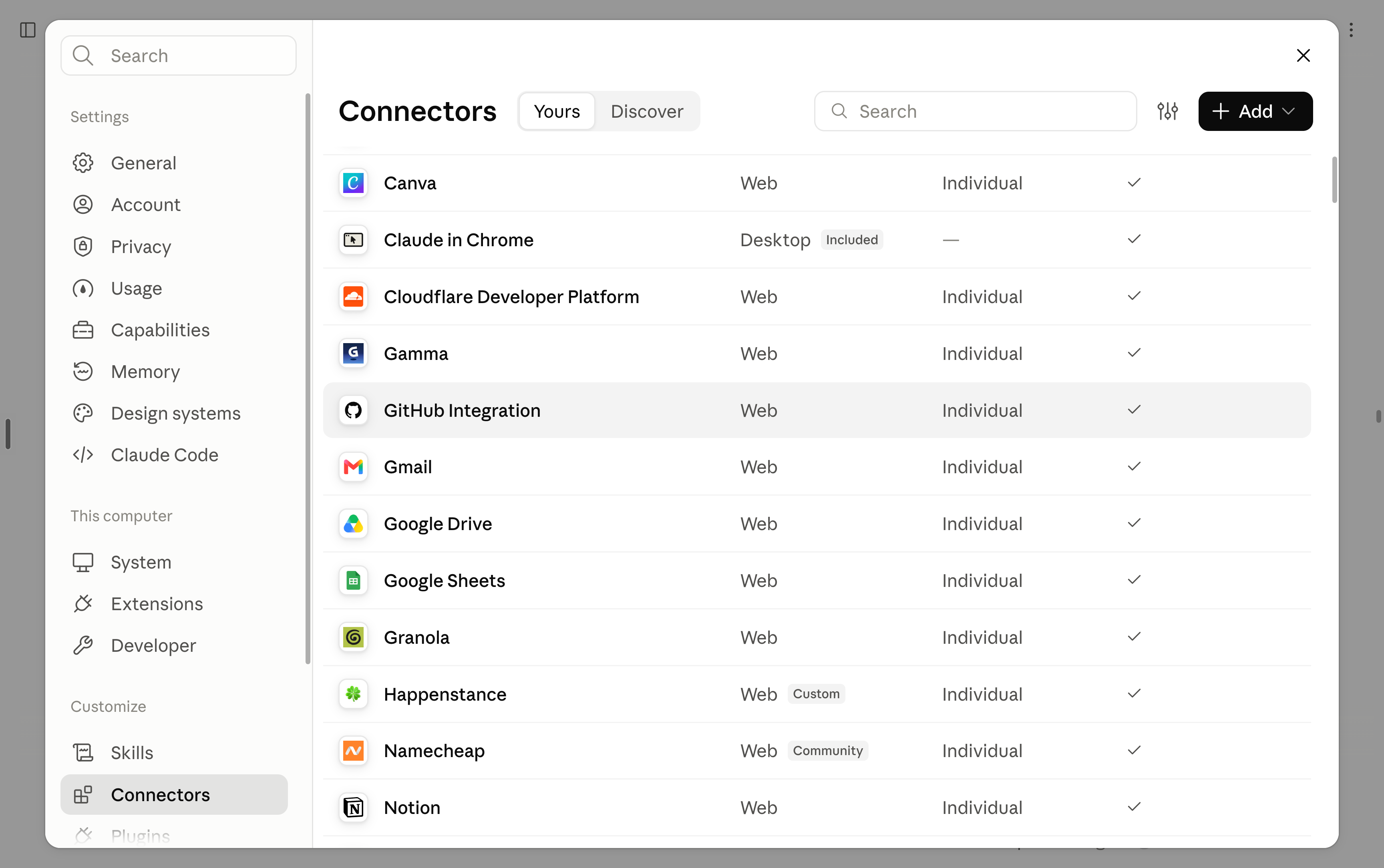 Settings → Connectors → GitHub Integration.
Here’s what’s inside:
-
Every issue I ever sent, with its numbers.
-
Every correction I gave Claude, in my own words.
-
The rules they became. “Be extreme in the first lines.” “Never start a sentence or a title with ‘No’.” “Cut right before the prompt.”
-
A checker. Before I see a draft, a second Claude reads it against my rules.
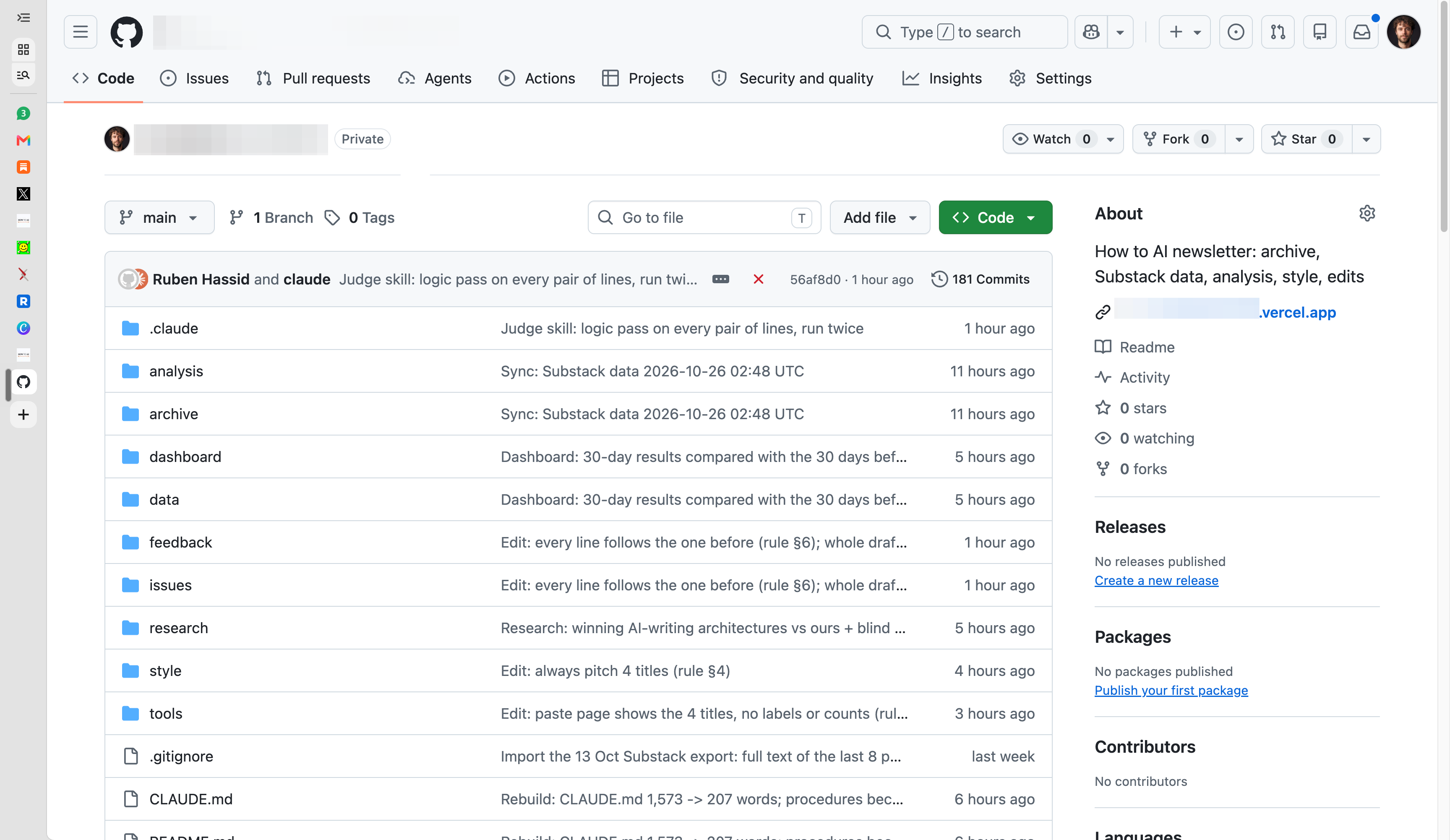 REMINDER: I never open GitHub. Only Claude.
And I built a quick website with Vercel (using Claude Code) to see the changes easily in one live website (with a password):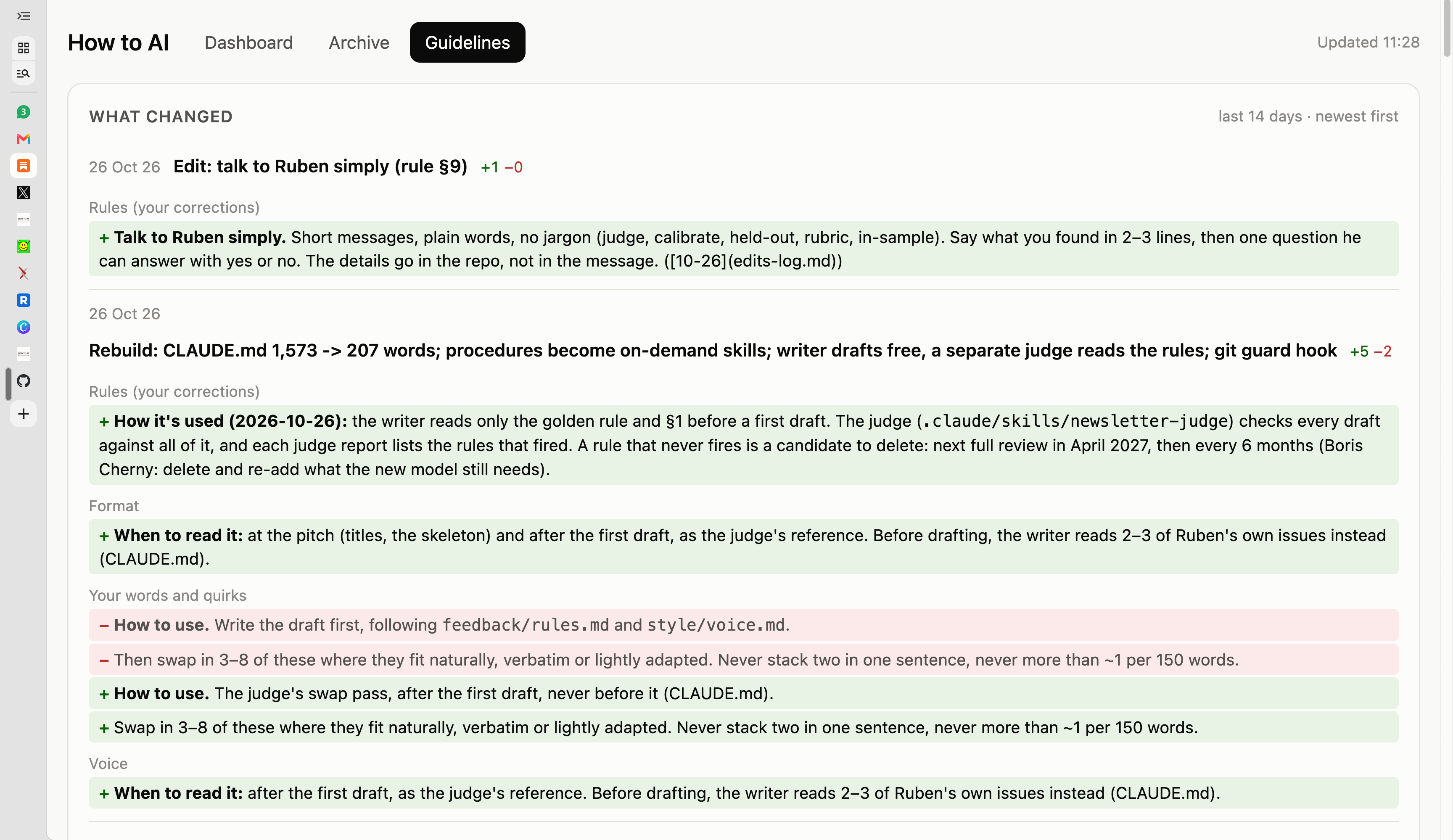 I only change rules directly inside Claude Code. But it shows here.
Now my Claude is kind of like a new hire: they learn my taste from my red pen. GitHub keeps everything stored.
There’s no about-me file in there. Claude learns my style from my 127 issues, never from me describing myself (that’s too hard to describe how you write, much easier to correct it and turn it into a rule).
I run Claude live workshops every week for my paid community. Upgrade today.
Now here’s how to build yours:
3. Build yours.
You need two things: Claude Code (in the Claude desktop app, on a paid Claude plan) and a free GitHub account.
Step 1: Create a free GitHub account.
GitHub is where your website’s code lives online. Think of it as a Google Drive for code. You don’t need to pay. The free plan is enough.
Go to github.com. Click Sign up (right in the middle).
Add your email. Pick a username. Create a password. Done. The sign-up is free.
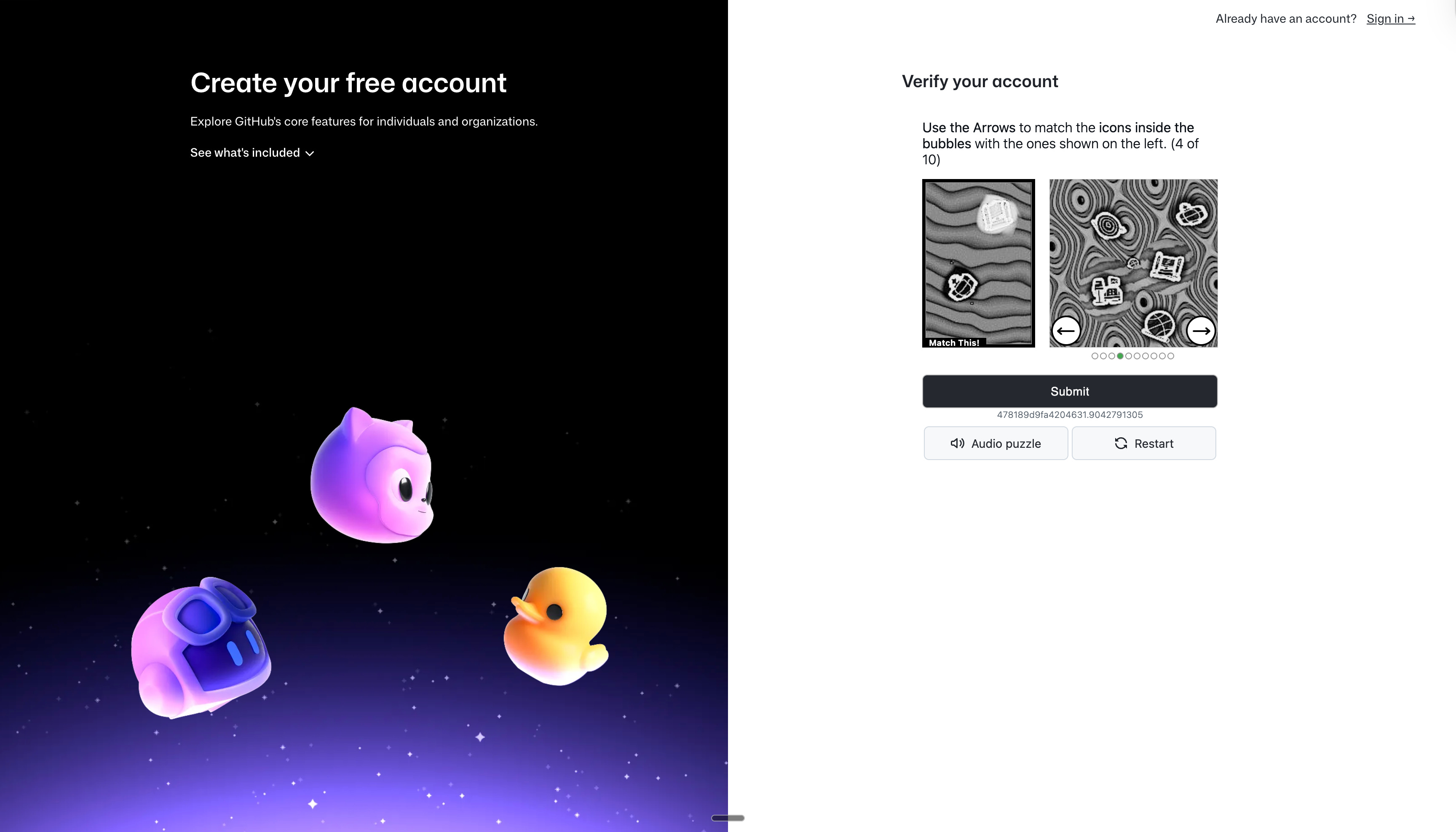 Funny enough, I’ve never seen an “Are you a robot?” puzzle so hard… super annoying. And it’s 10 questions (!!!), sorry for that.
Step 2: Paste this prompt.
Open Claude Code in a new, empty folder. Pick Auto.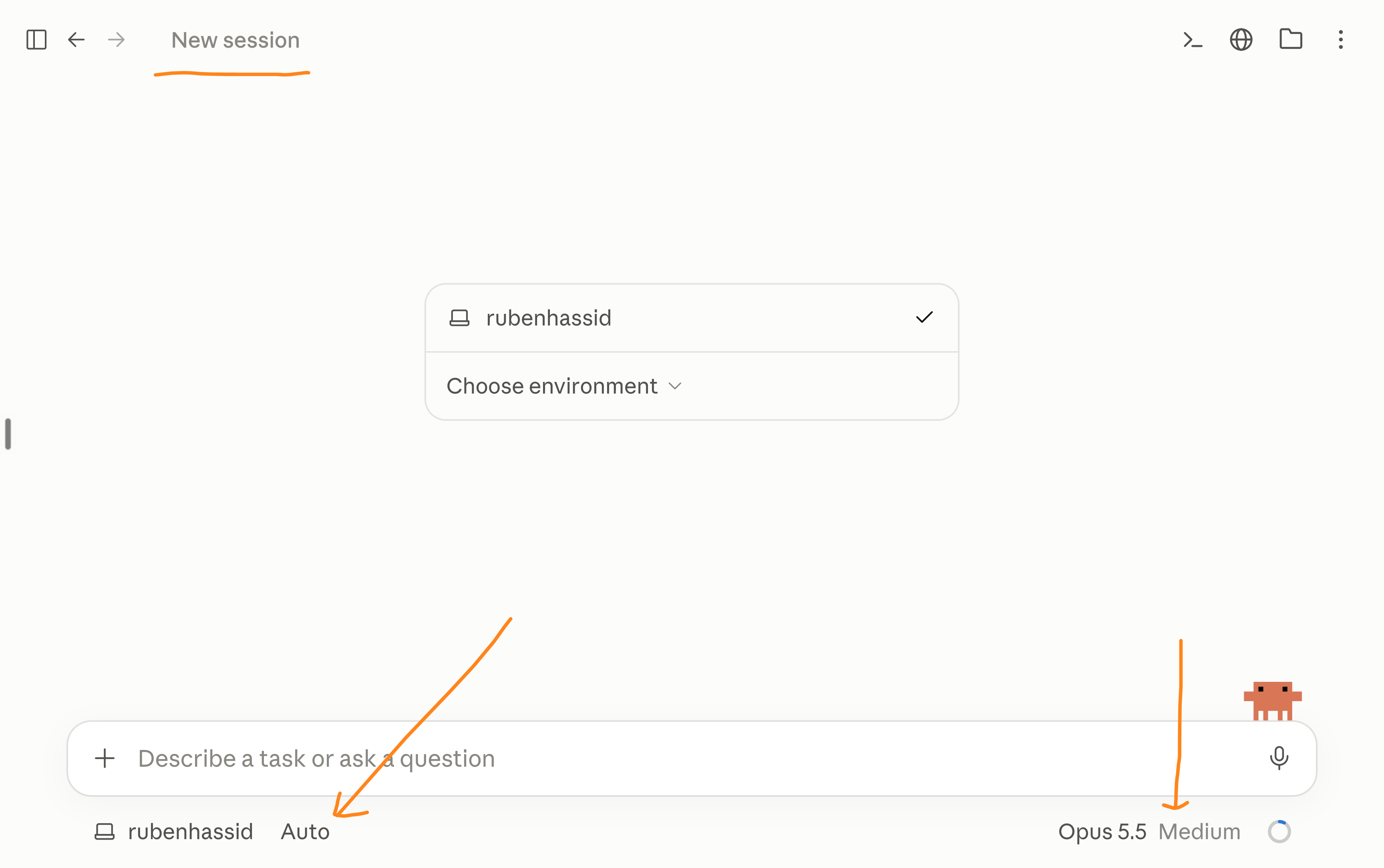 It starts like this, with GitHub connected to Claude Code.
Then paste this exact prompt: