You don't need to read me anymore.
By Ruben Hassid
Published: 2026-06-14
URL: https://ruben.substack.com/p/i-replaced-myself
My job is to teach you 'how’, of AI.
And I just replaced myself for you.
- You just have to download my Claude skill I just built - called /how-to.
- And Claude helps you go from A → Z for whatever task you need to do with Claude.
- Even if you have no idea how to get there.
It looks like this once you set it up:
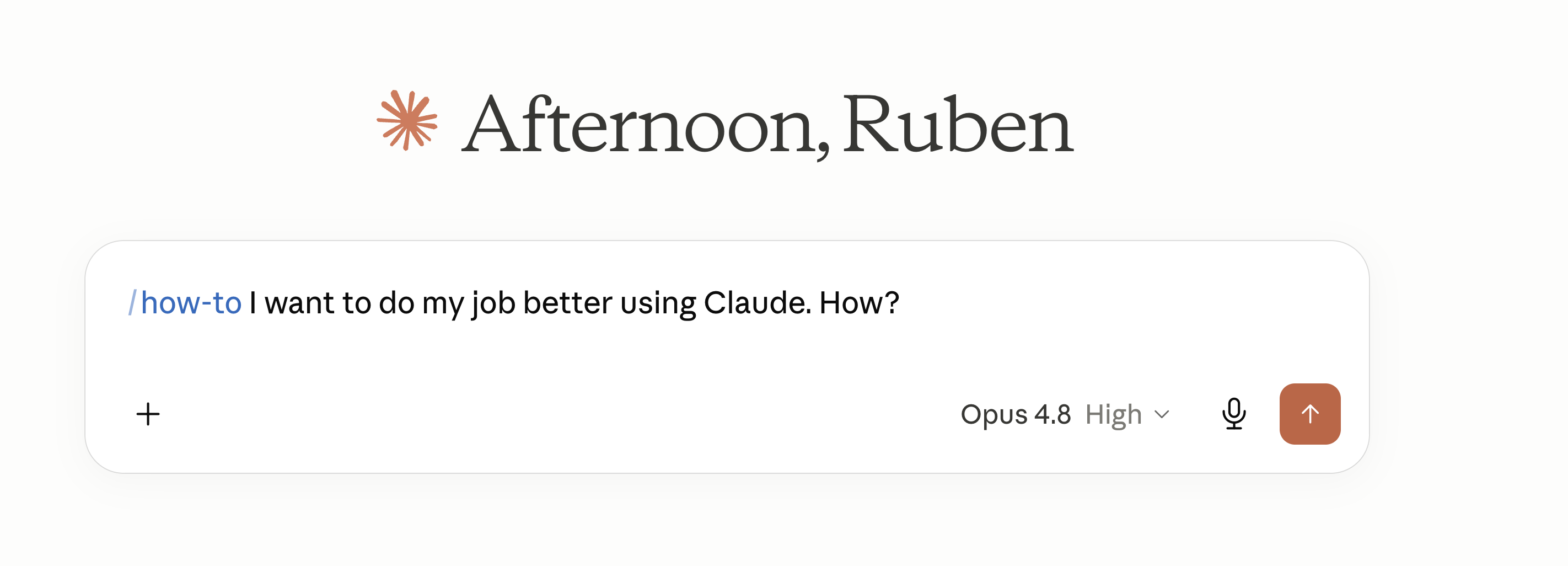 \I start with the simplest prompt. And the magic skill/how-to.\
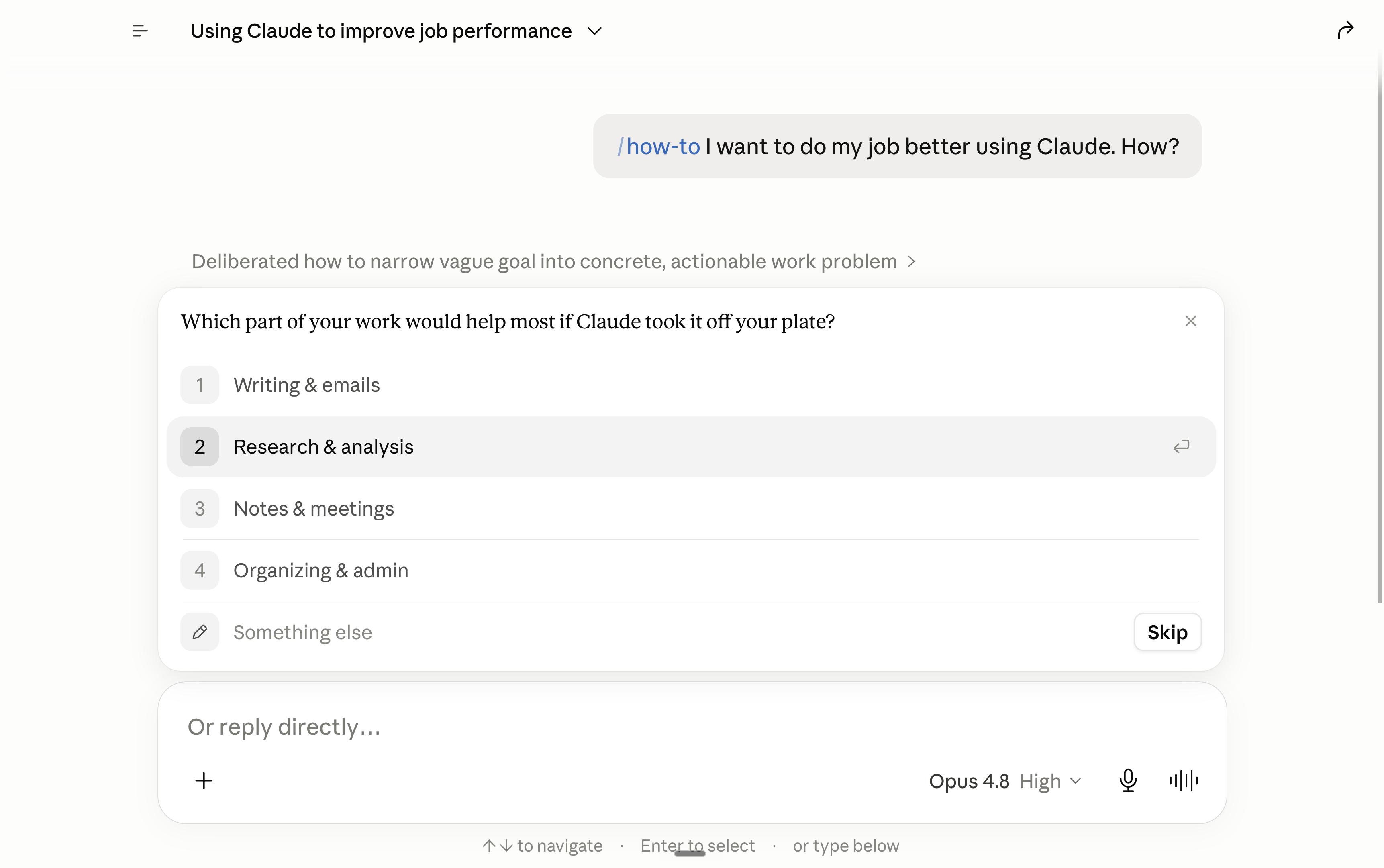 \Claude goes through myskill, and asks me the rightquestions.\
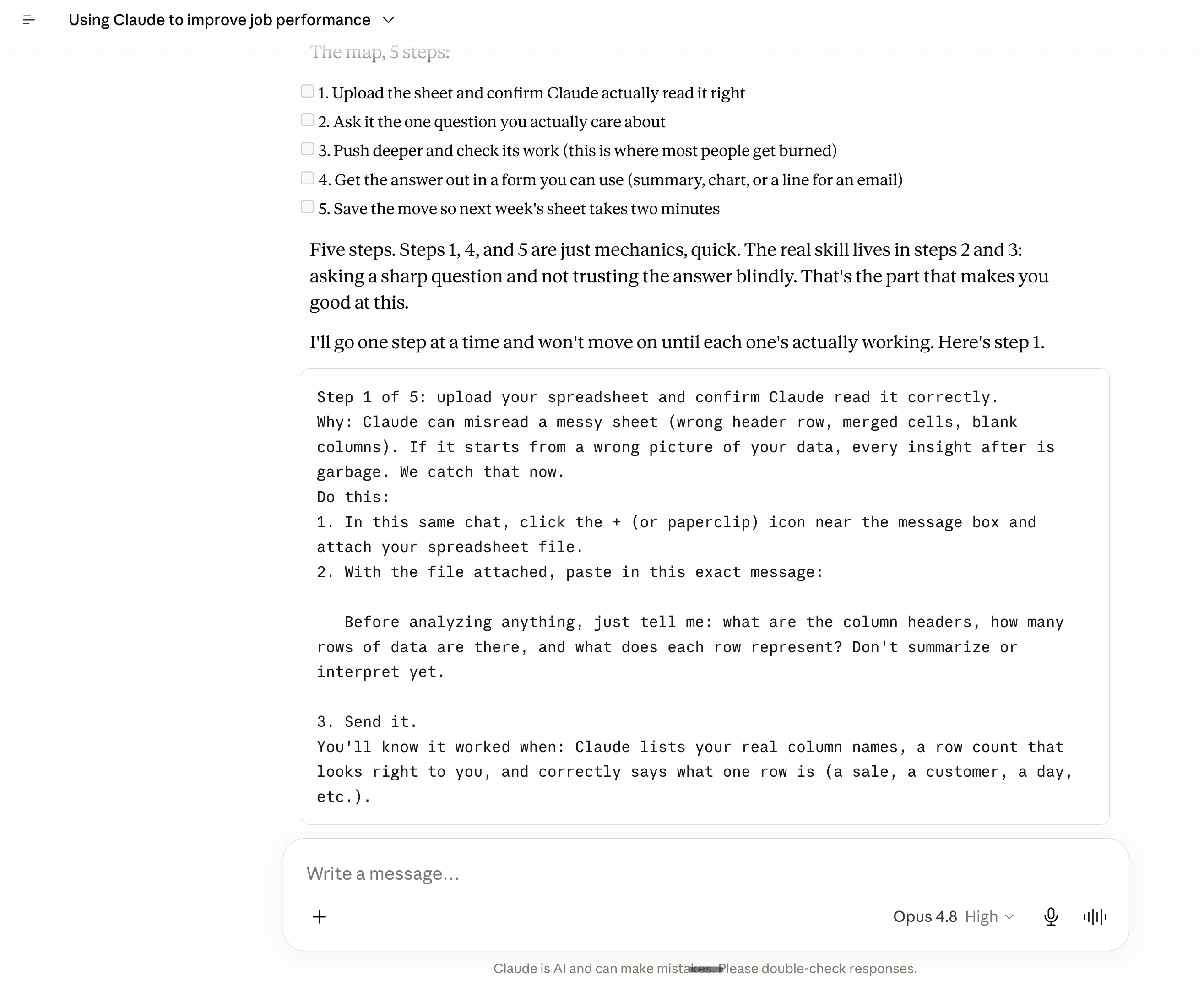 \I have an entire plan + how-to step by step guide, to do anything with Claude.\
Take a deep breath. I will exactly show you how you can do it too - maybe one last time?
Two things before we start:
- Save this guide. Block 10 min this week to set up your Claude.
- Send it to anyone who has never tried Claude (& still thinks it’s a guy’s name).
PS: This newsletter grows from your shares. And I keep hitting 1,000+ shares! It’s my weekly north star. Sharing is free & helps me stay laser focused on mastering AI.
Step 1: Download my skill.
A Claude “skill” is a pre-made prompt that teaches Claude how to do things without you having to repeat yourself.
I wrote extensively here, for free.
- Go to my Dropbox link: <https://www.dropbox.com/t/xwYFCcdpuzTQiOYu>.
- Use the password “I-dont-need-Ruben-anymore”. It works.
- Download the skill for free. You need it for step 2.
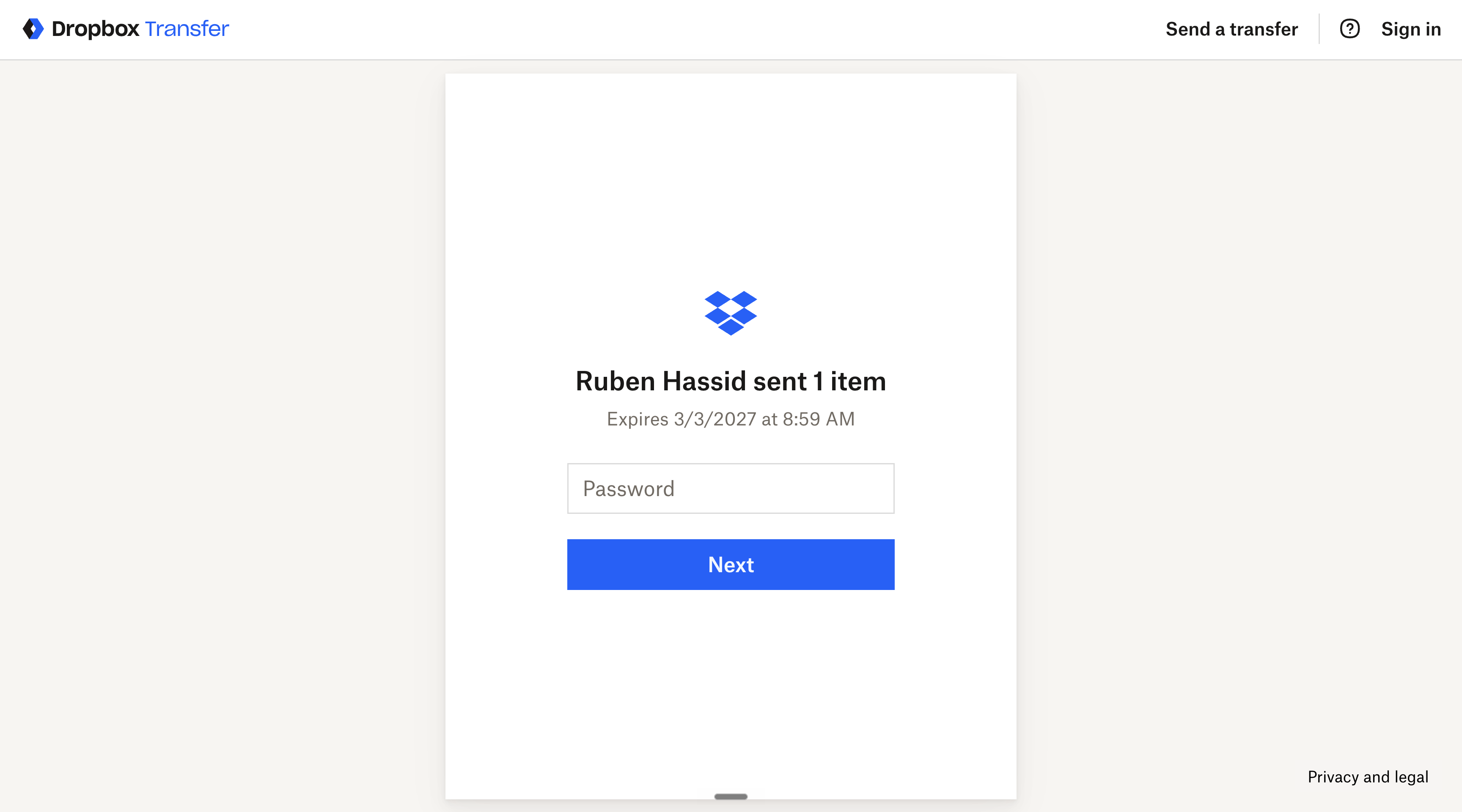 \#1: go to the Dropbox link →https://www.dropbox.com/t/xwYFCcdpuzTQiOYu.\
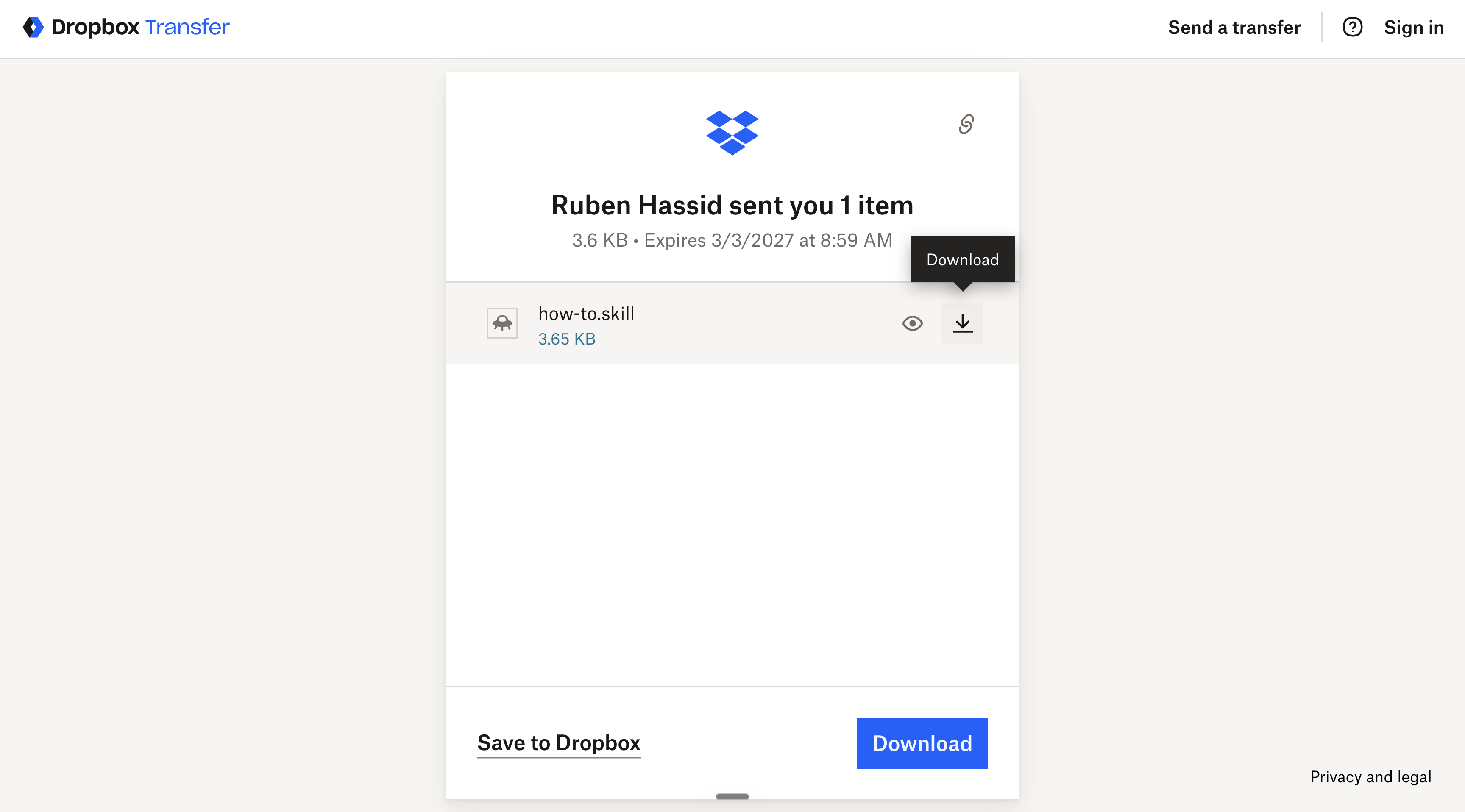 \#2: Click on “Download”.\
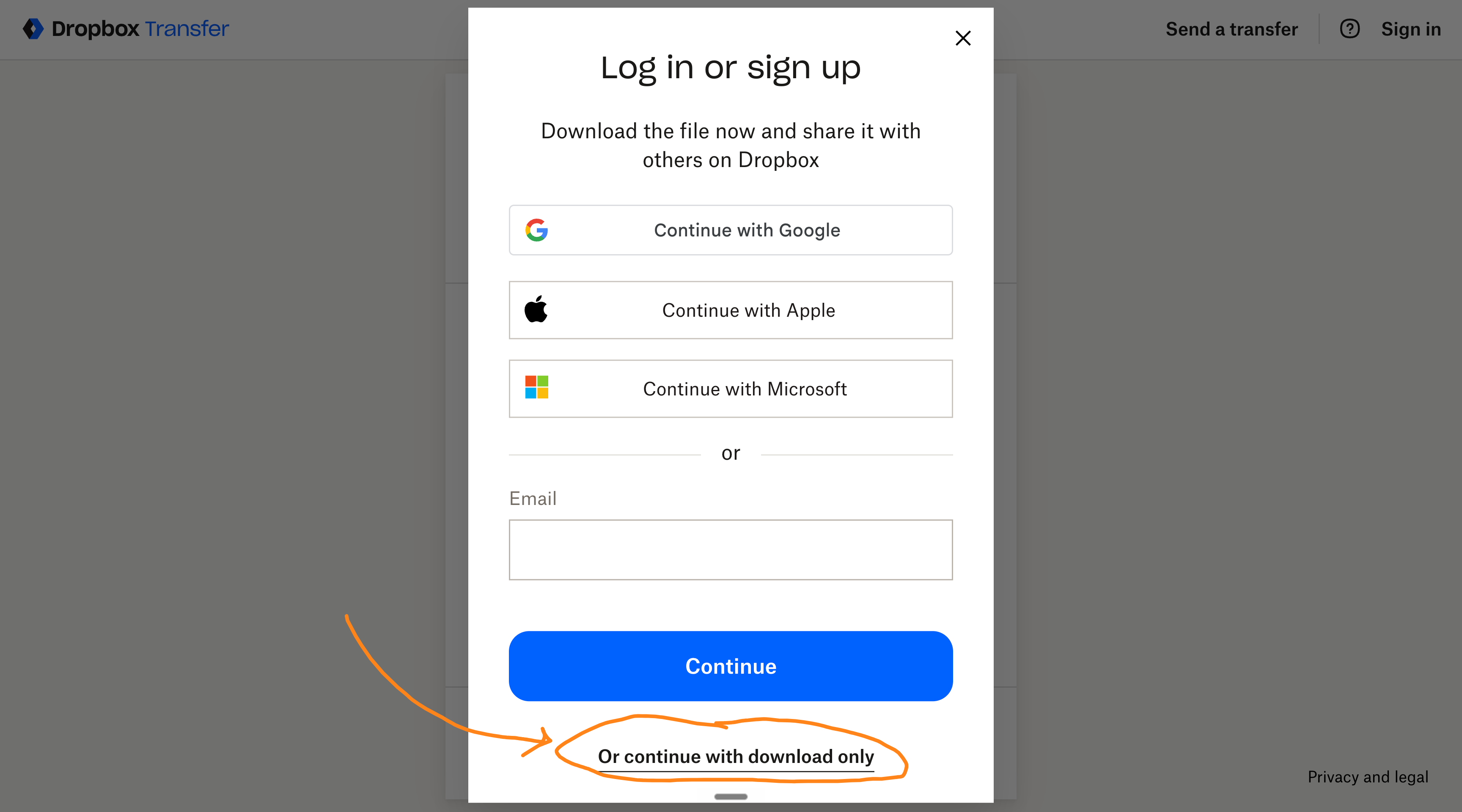 \#3: You don’t need to create an account. Click here.\
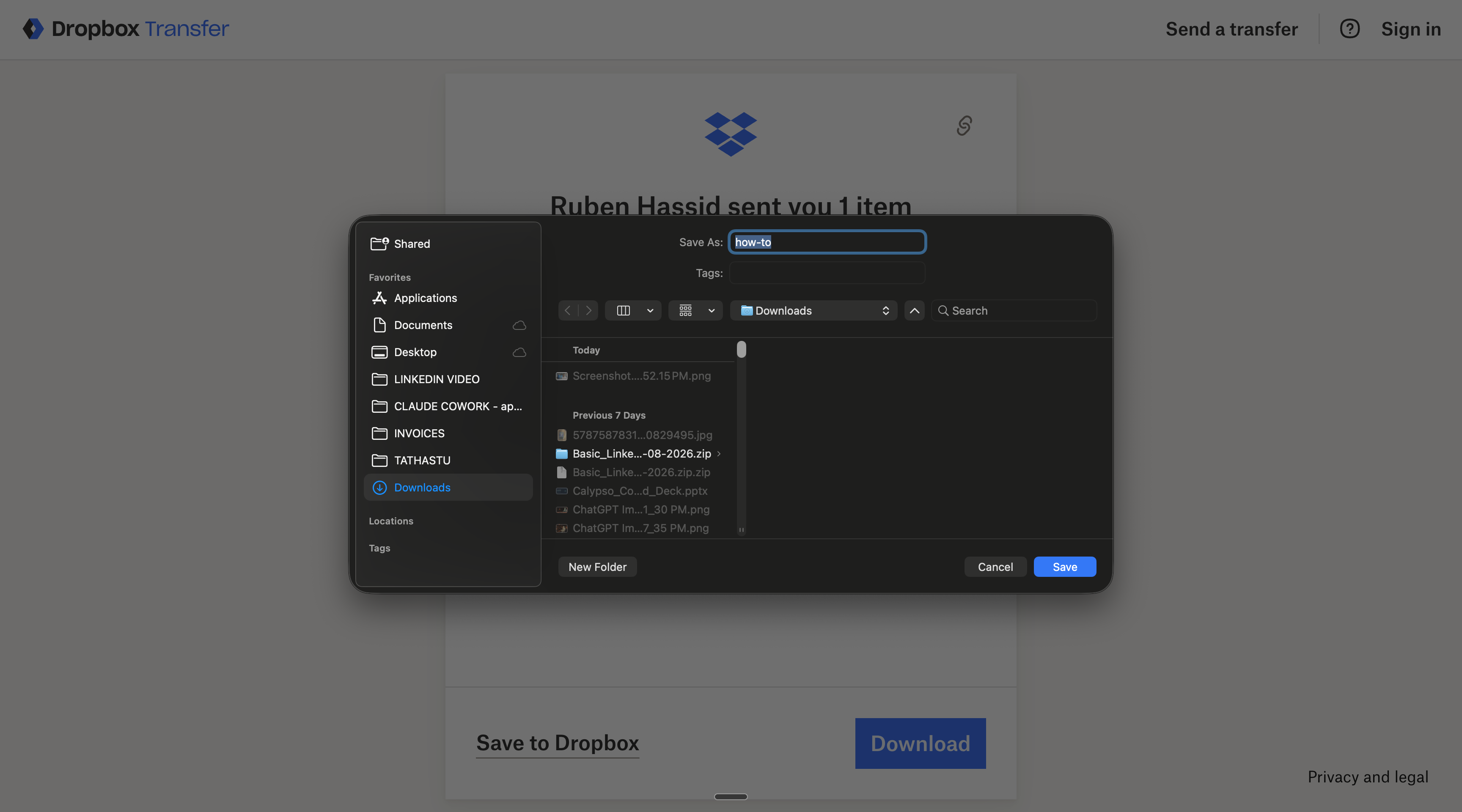 \#4: Save it anywhere on your computer.\
You can now move to step 2.
Step 2: Upload my skill.
Claude skills can be easily imported from anywhere, but also shared with your entire team. That’s how I actually make most of my money: I make enterprise adopt Claude faster, and build custom skills & tools for them.
Send me a message on Linkedin if your team needs it.
- Go to Claude. The app on your computer is better.
- Left side menu → Click on “Customize”.
- Click on “Skills” → the “+” → then “Create skill” → “Upload a skill”.
- Select the skill you just downloaded from me.
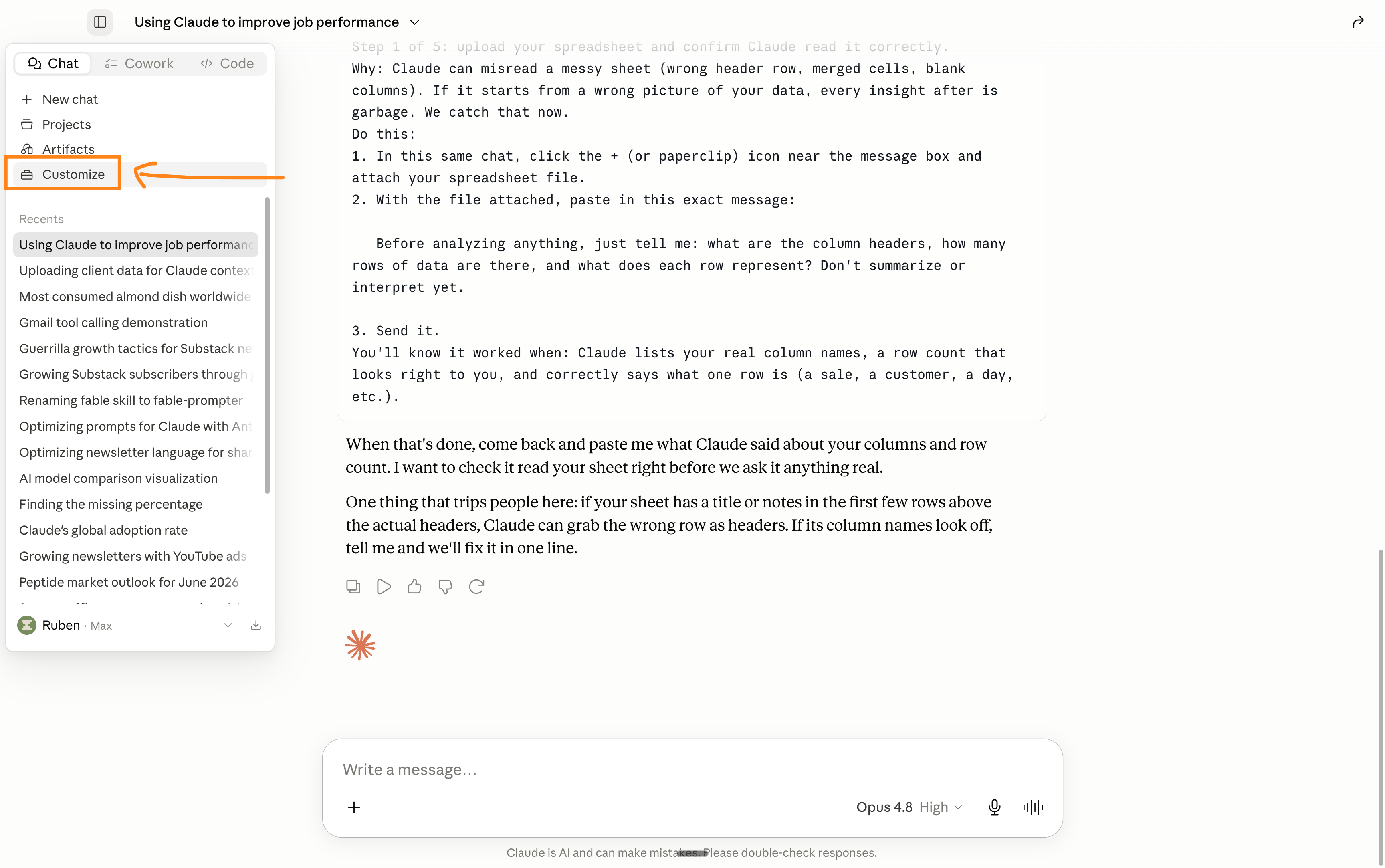 \#1: Inside the Claude app, find “Customize”.\
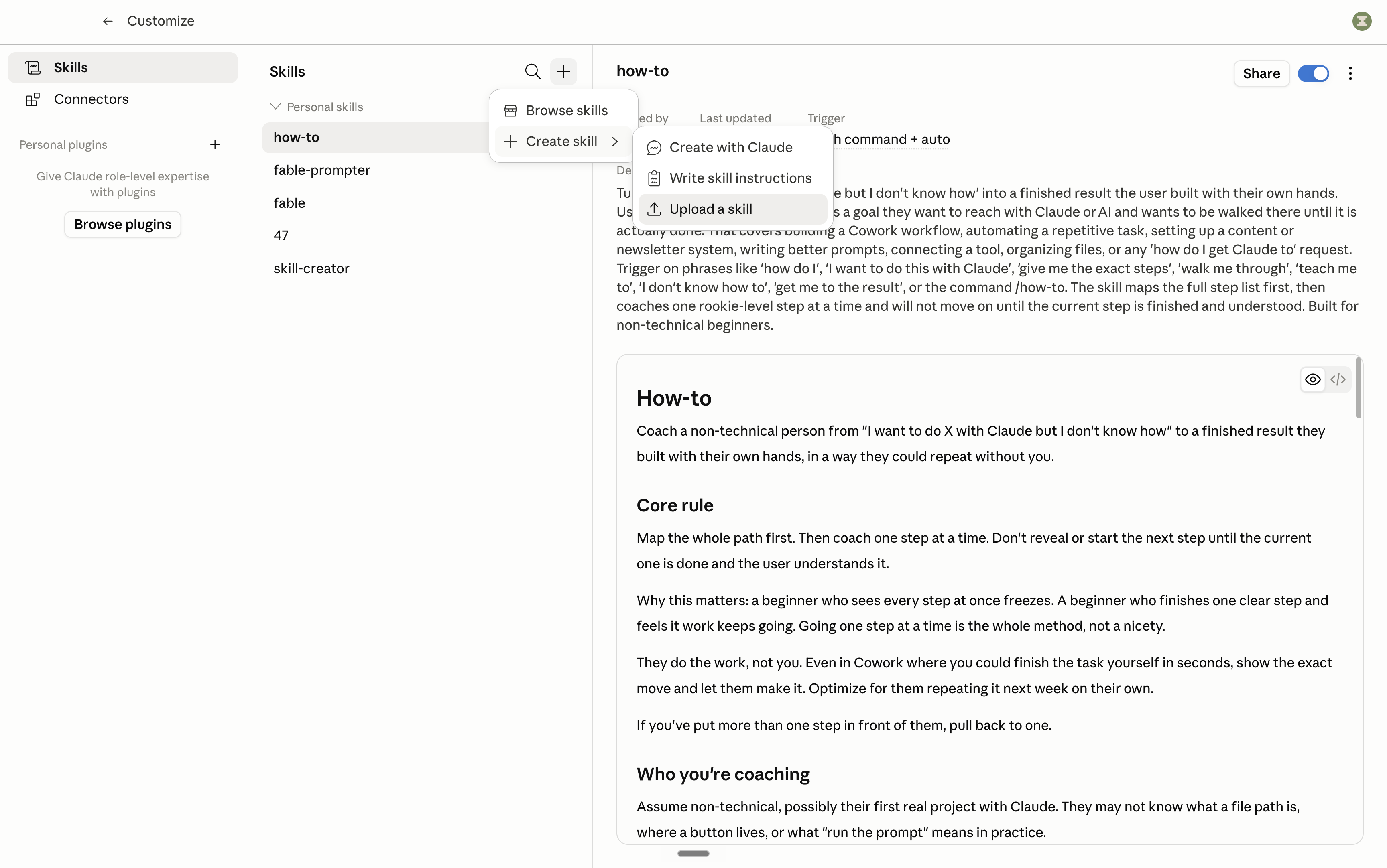 \#2: Skills → the + → Create skill → Upload a skill.\
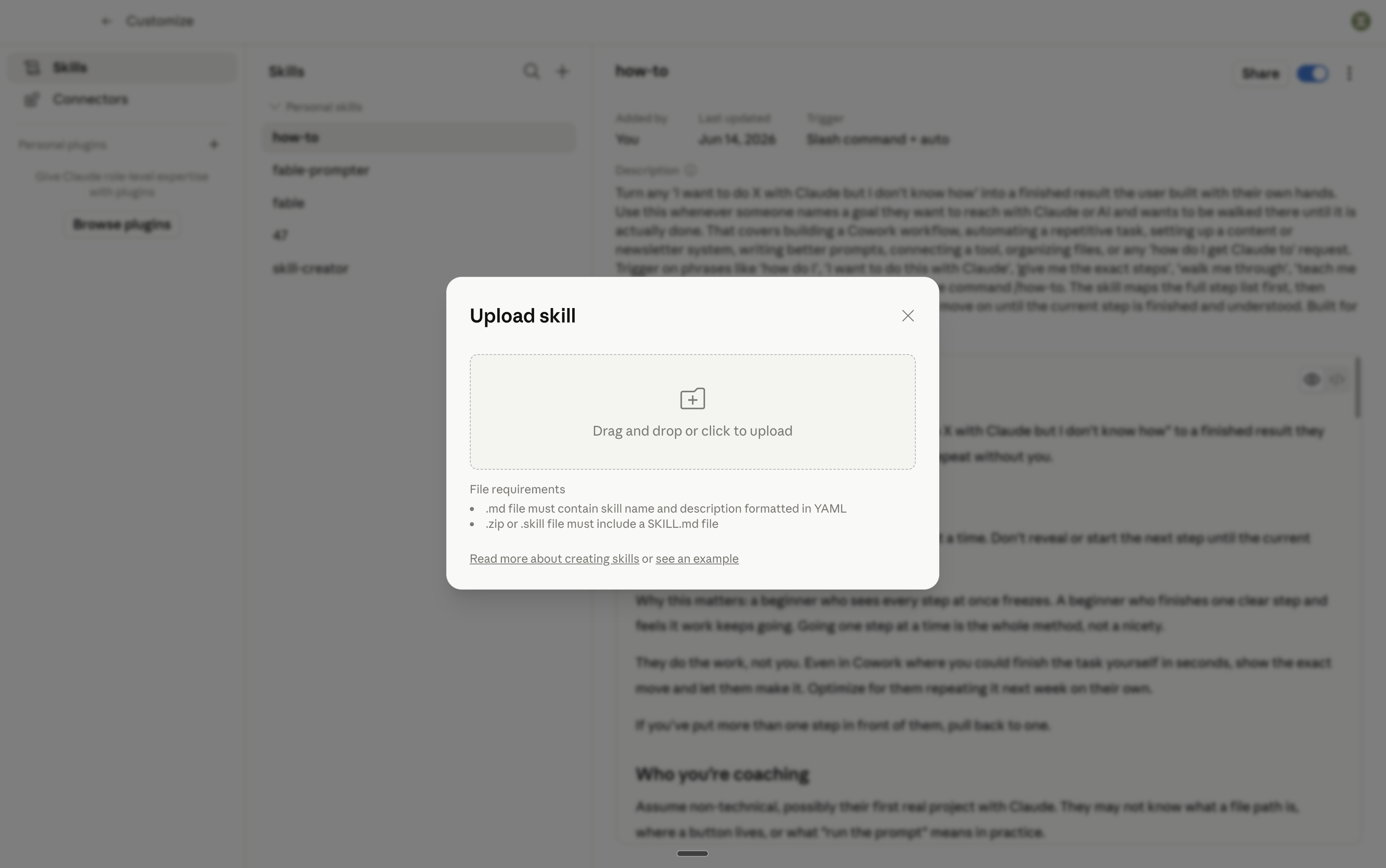 \#3: Upload the skill you just downloaded from me.\
You are now ready to test my skill.
Step 3: Test my skill.
A Claude skill is activated with a command (the slash “/”) + the name of the skill. So here you just start with /how-to to turn on the skill.
- Open a new chat with Claude.
- Type the command /how-to, and you should see my skill.
- Then add whatever you wish to do with Claude, but don’t know how.
- Tada! Et voilà.
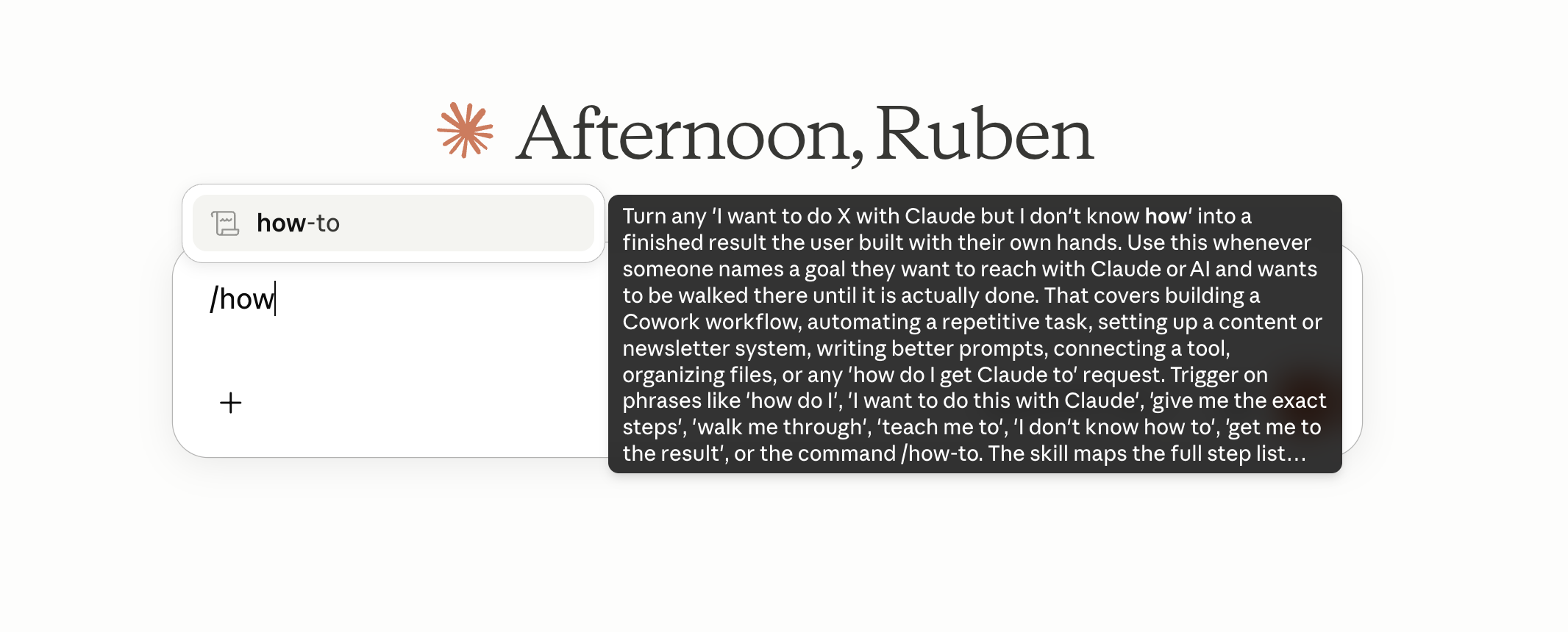 \#1: Open a new chat. Press slash / and “how” and you should see it. Click on it.\
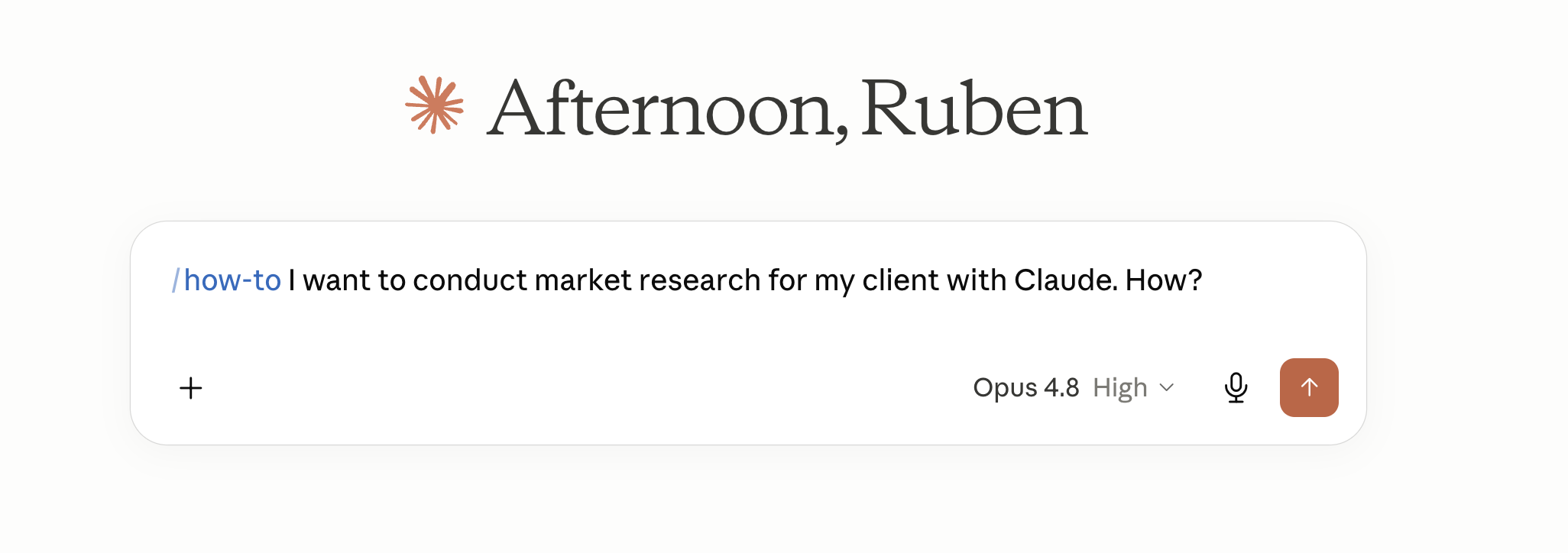 \#2: Simply say what you need. You’ll see an active skill when it’s blue.\
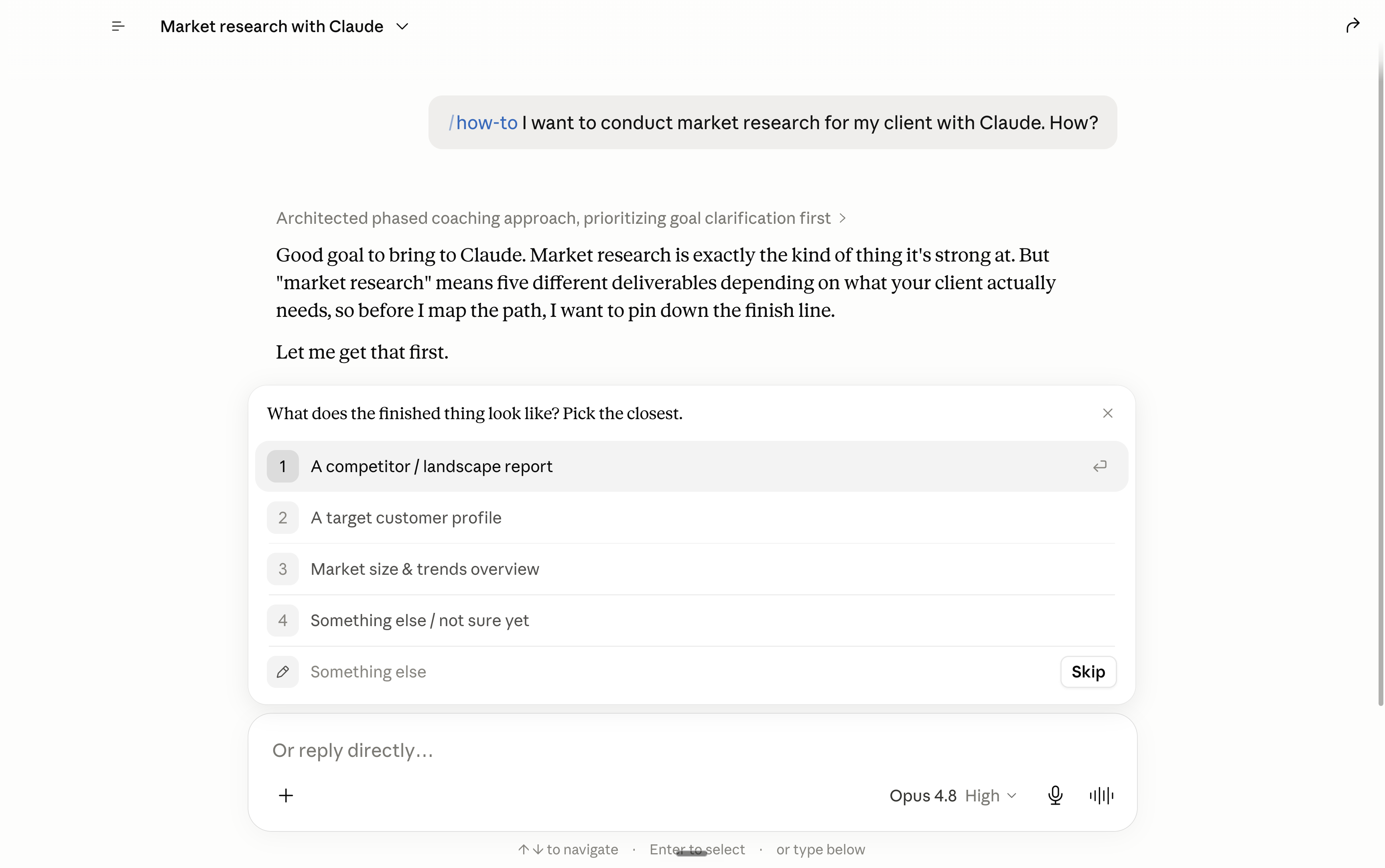 \#3: Claude will ask you questions. Answer.\
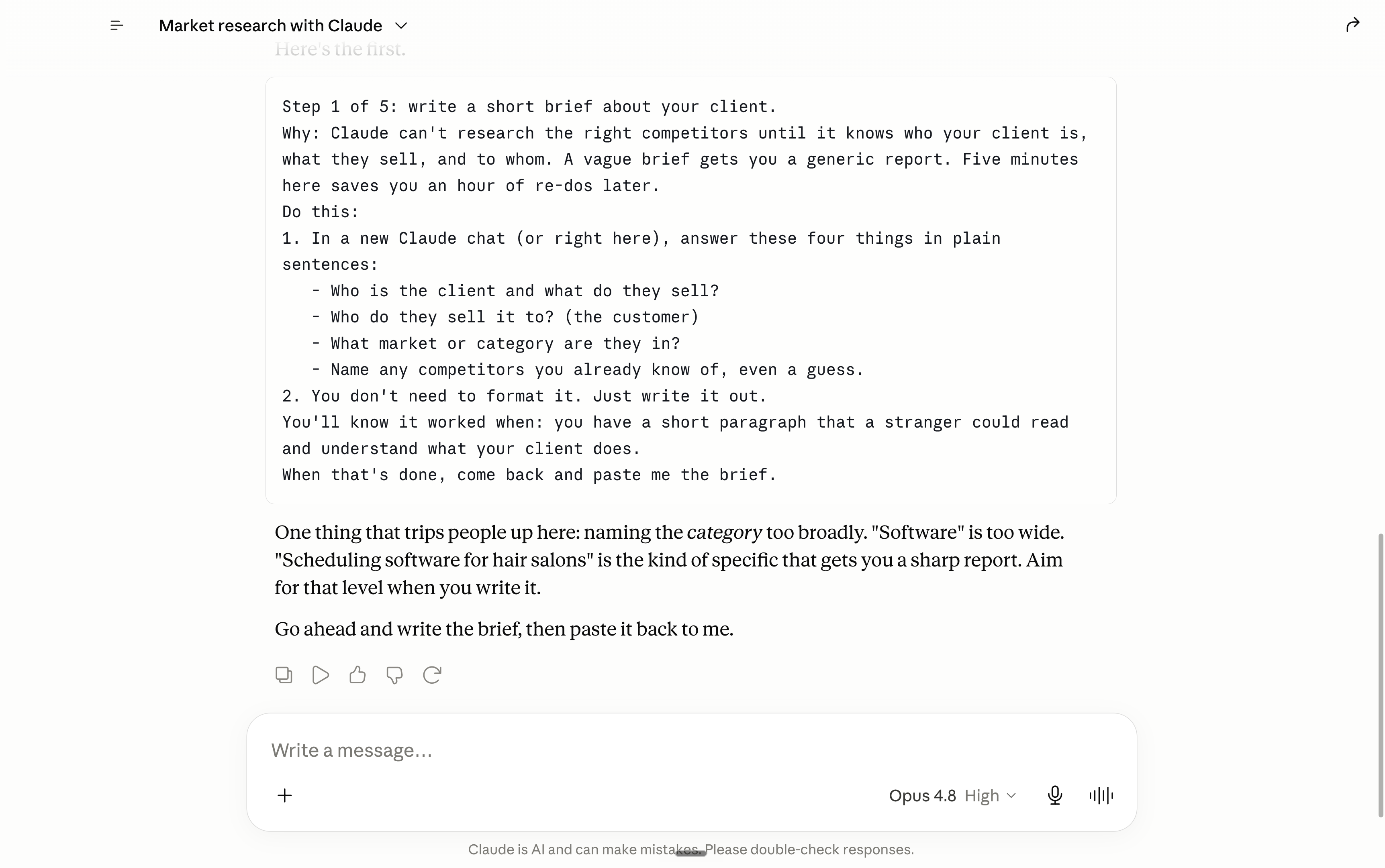 \#4: It laid out a plan. Just follow it and do your best.\
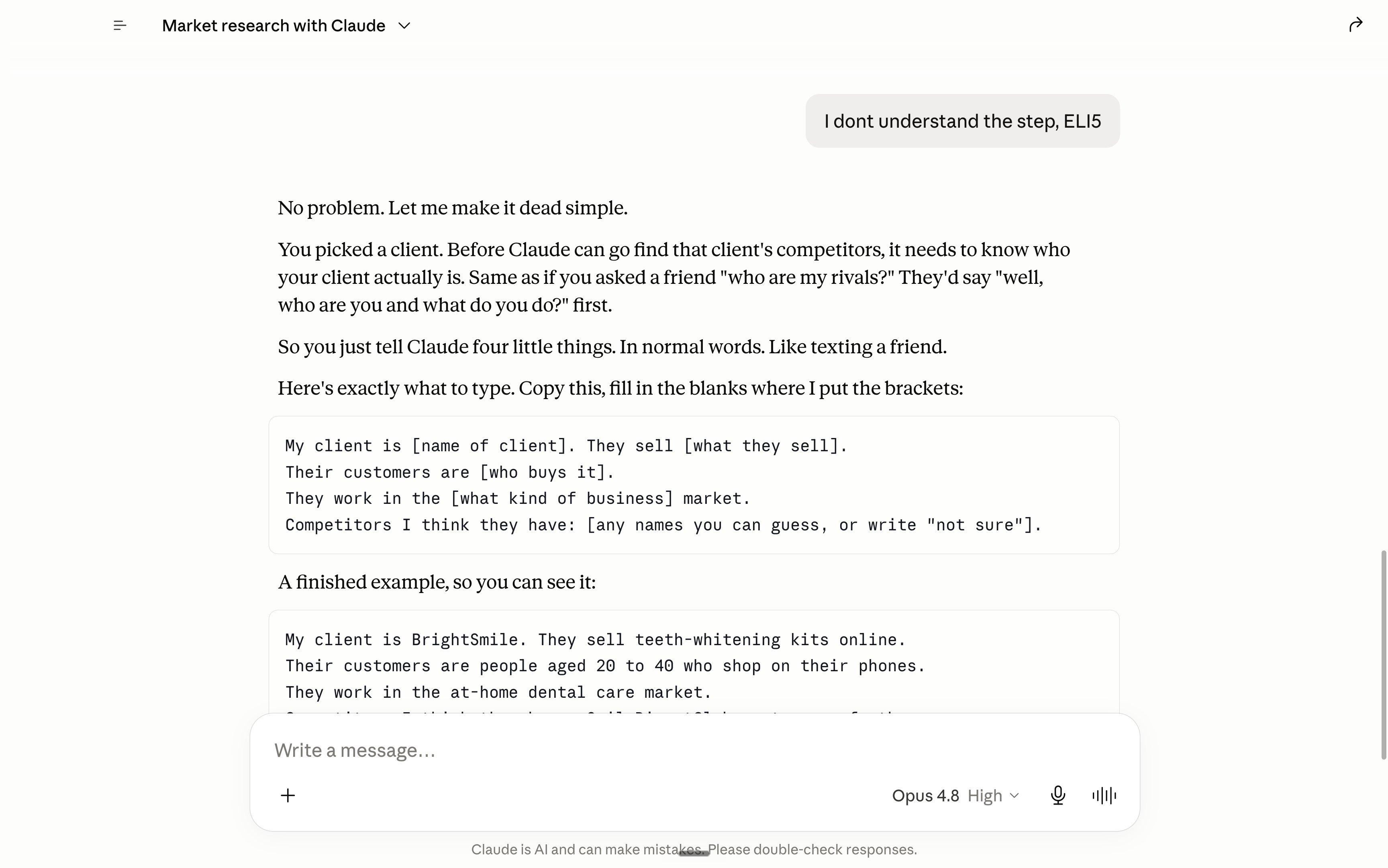 \#5: If you can’t make a step, say you can’t and addELI5.\
ELI5 = Explain like I’m 5. Claude understands this well.
You can go until the end and do pretty much anything.
I added an extra step if you want to use it even better.
Step 4: Use my skill even better.
This is not necessary. But this is how I use the Claude skill.
- I prefer using Claude Cowork.
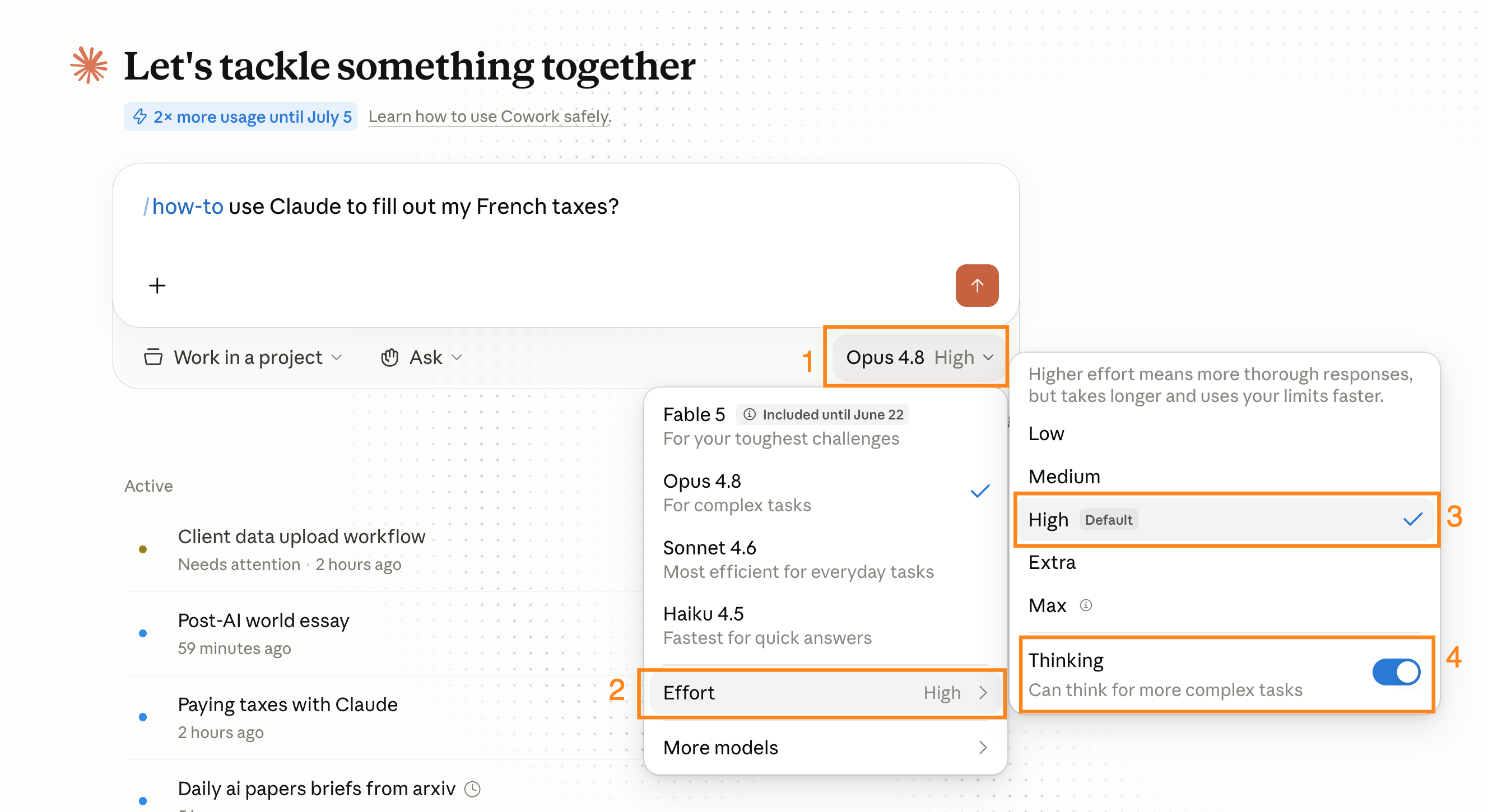
- If we had access to Fable-5, use it on “Low” effort.
- Because we don’t, prefer using the model “Opus 4.8” + “High effort”.
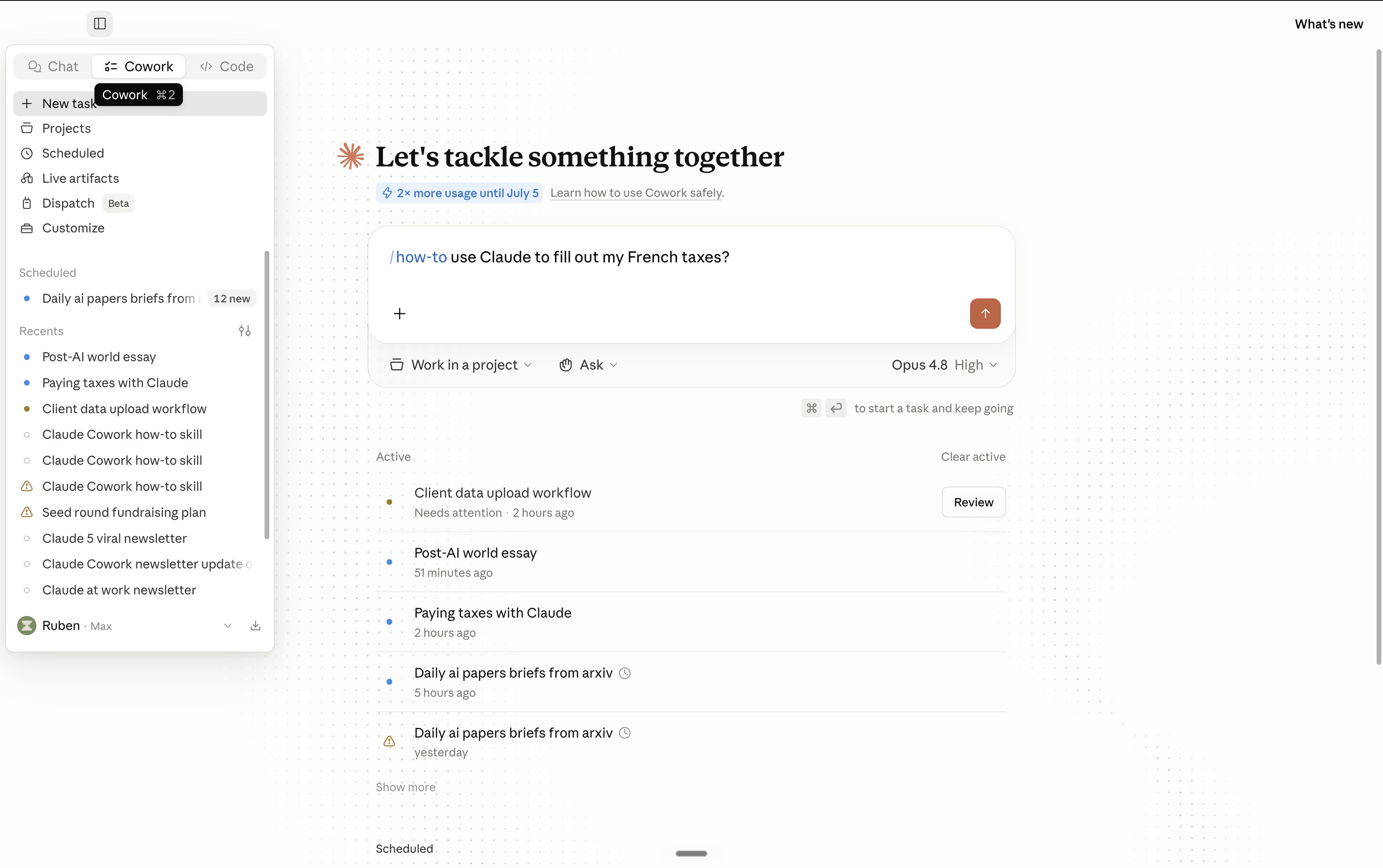 \1.Cowork2.The skill3.Opus 4.84.High effort.\
If you don’t know how to select a model, it’s here:
Claude Cowork is a better version of Claude. It’s even better if you know how to set up its folder and your files inside it.
I wrote a guide here if you want to learn how.
Or guess what… You can now ask your new skill!
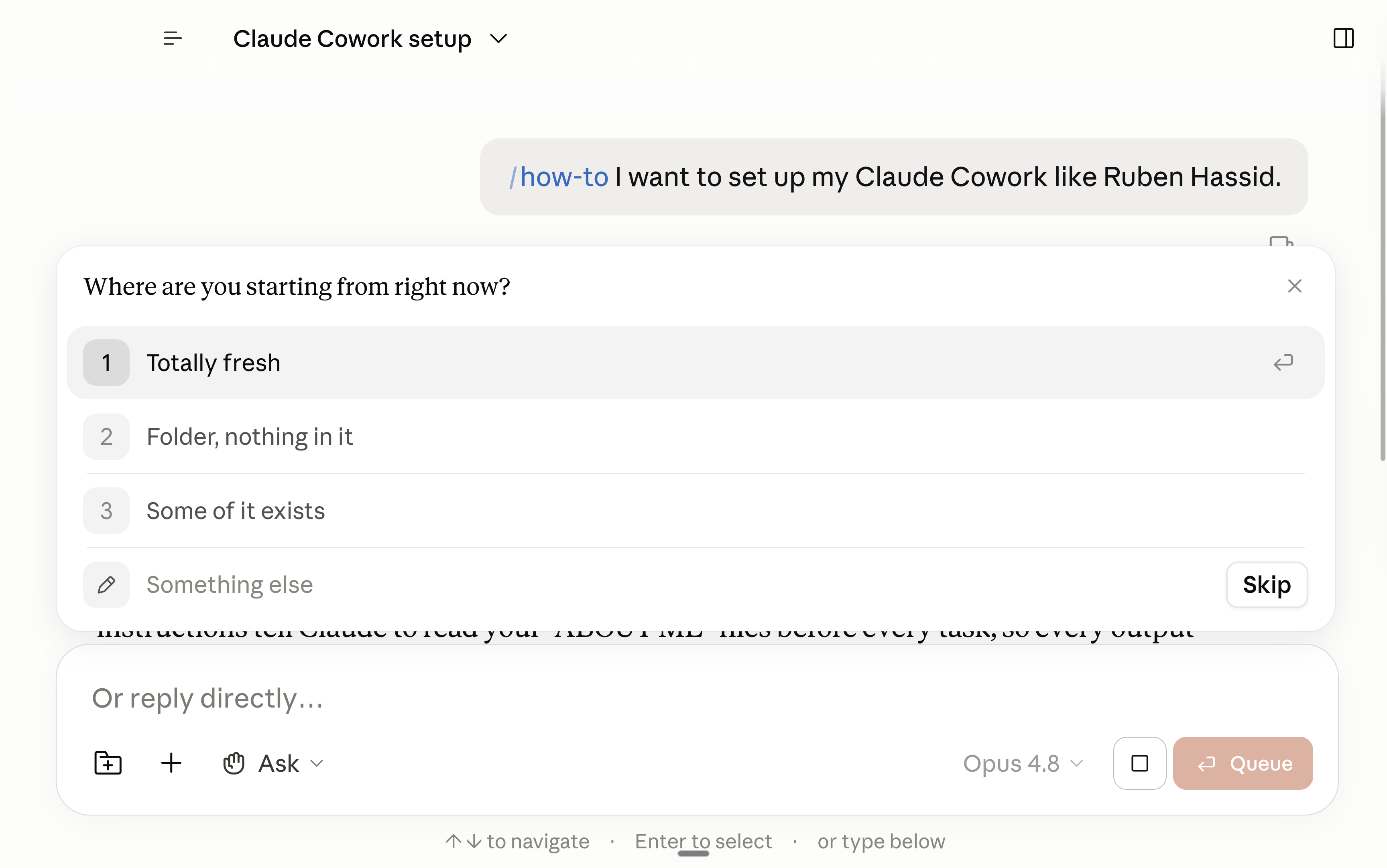 \If Claude does not know my name, I will be very mad.\
OK, so now you replaced me. You don’t read my newsletter anymore.
I have just been replaced by Claude.
I guess there was no reason for so many people to read me.
But wait. Why do people read me?
But wait. Why do people read me?
Because I do a bloody good job at explaining how to do things.
700,000 people read my “how-to” guides twice a week.
 \And I live in Tel Aviv, a city of 600,000 people. Pretty crazy.\
But the how-to is the easy half of the job.
The new Claude skill gives you that now, clean, step by step.
You come back for the other half. The mess.
- The button that doesn’t click.
- The moment it breaks & you have no idea why.
- The hours I burned on making it easier to follow.
- The times I tested something for 2 days, but it didn’t work.
I test far more than I send you. Right now, I have 12 newsletters sitting in drafts.
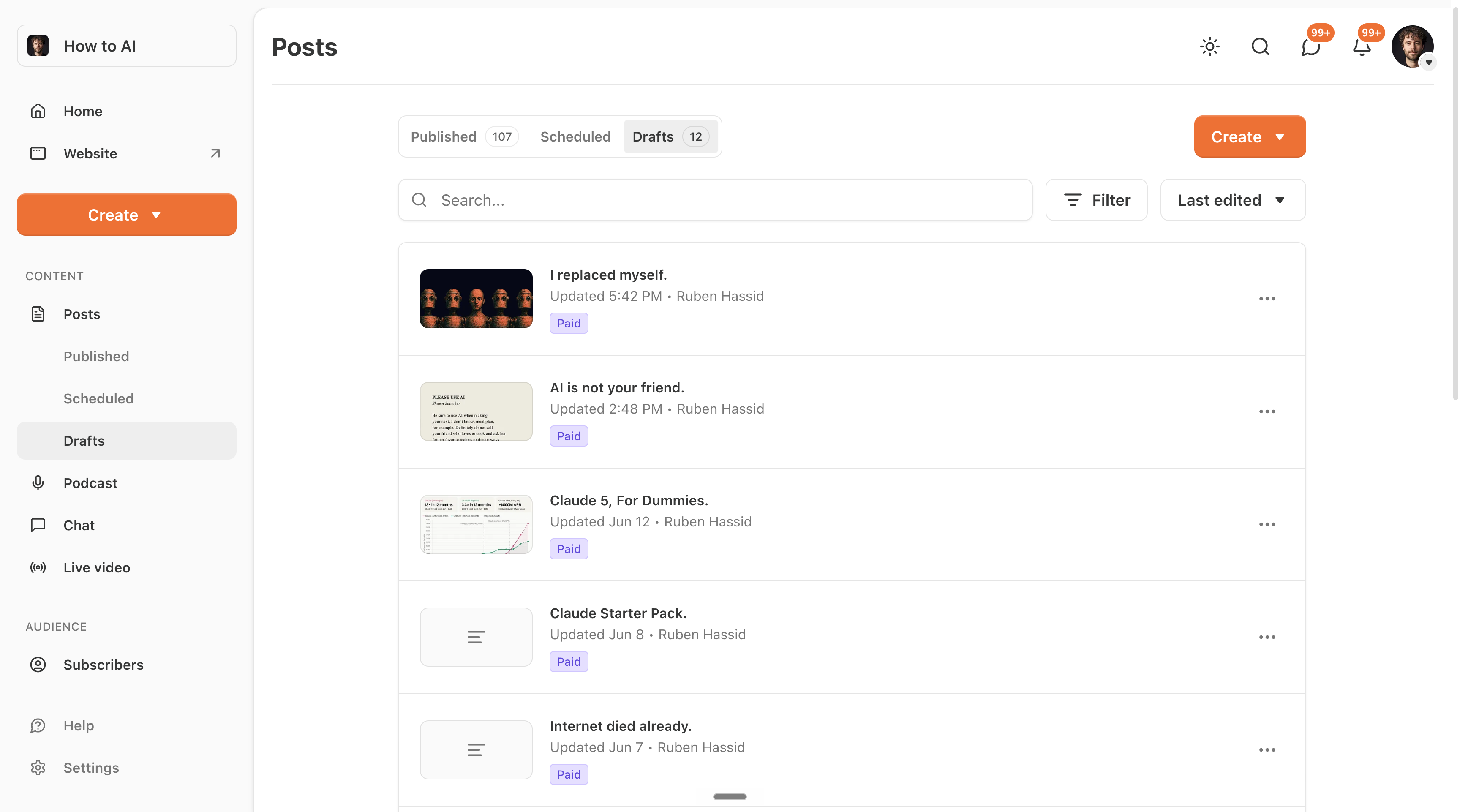 \I even finished my newsletter on the new Claude-5-Fable… but then the US governement decided to block it.\
I write them from a question someone asked me at a coffee shop, or a moment I caught myself thinking, “wait, I could actually build that.”
I only hit send when it’s worth your time.
This I’m afraid Claude can’t download. The skill is me. The newsletter is me.
And the only reason this one reached you today? Someone sent it to you.
Or you found me once, and now you keep reading me for free.
This thing grows one share at a time.
You know the person who needs it more than me. The one who’s afraid to be behind on AI. They won’t say it out loud. But you can feel it on them: the guilt, and that daunting panic of being the last one who hasn’t figured it out.
You can be the reason they start.
It’s free. One click. Share this with them.
Be that person for someone.
PS: If you are that person, welcome. I’ll send you a gift in my welcome email.
You can make sure never to miss the next one by subscribing.