Mods change everything around Claude, and almost nobody is using them yet. Here’s how to install them, build your own, and 20 ready-to-build mods.
By Ilia Karelin
Published: 2026-10-11
URL: https://prosperinai.substack.com/p/claude-code-mods-guide
Hey Brian,
Anthropic already gave us a great deal of flexibility with Claude.
Artifacts, Skills, Hooks, Scheduled Tasks, Remote Control, Connectors and Plugins. All of these are a way to interact with Claude in a different way.
A lot of these things were a game-changer, especially Skills. I’ve shared a bunch of skills in my writing and in Prosper Repository, and a lot of other people share their knowledge through Skills as well.
But they recently released something even more powerful: Mods.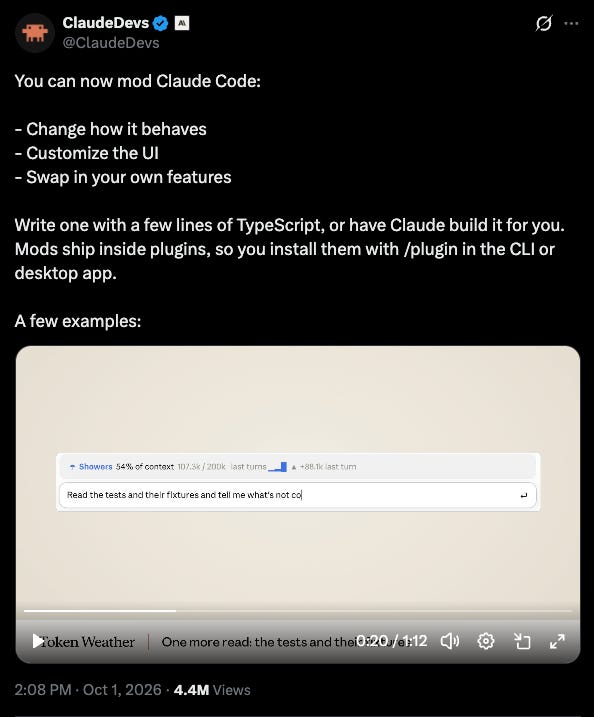
What are Claude Mods?
Mods are the first thing that really allow you to change the Claude Code or App itself.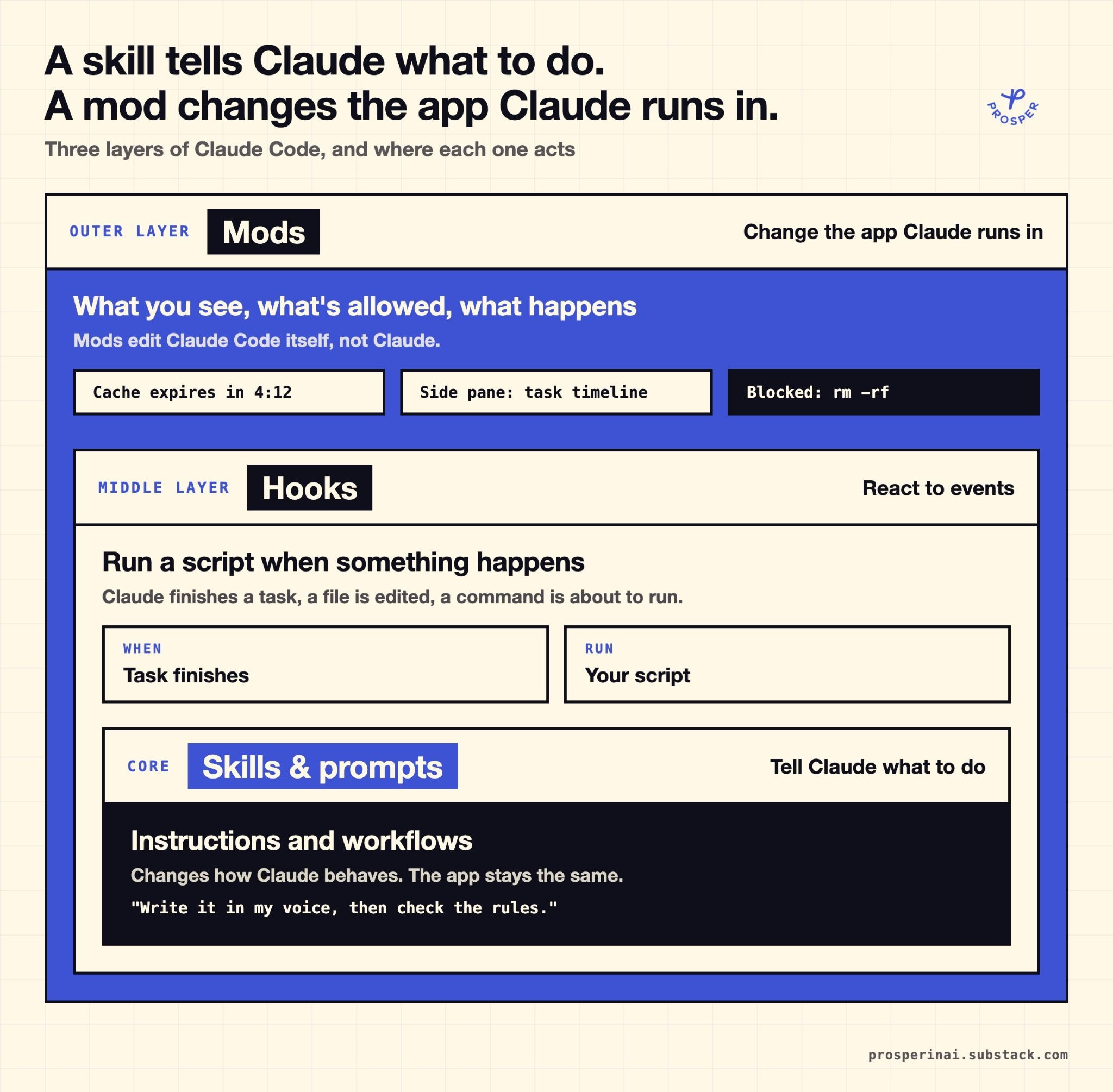
For example, if you noticed, a lot of AI companies are making their cache reads/writes very cheap, and I wanted to make sure that I always have the chance to complete my tasks within those cache increments to extend my usage limits.
What I did is I built a mod that shows me how much time I have left in 5m and 1hr windows, and I built it for both CLI Claude Code and App, like this: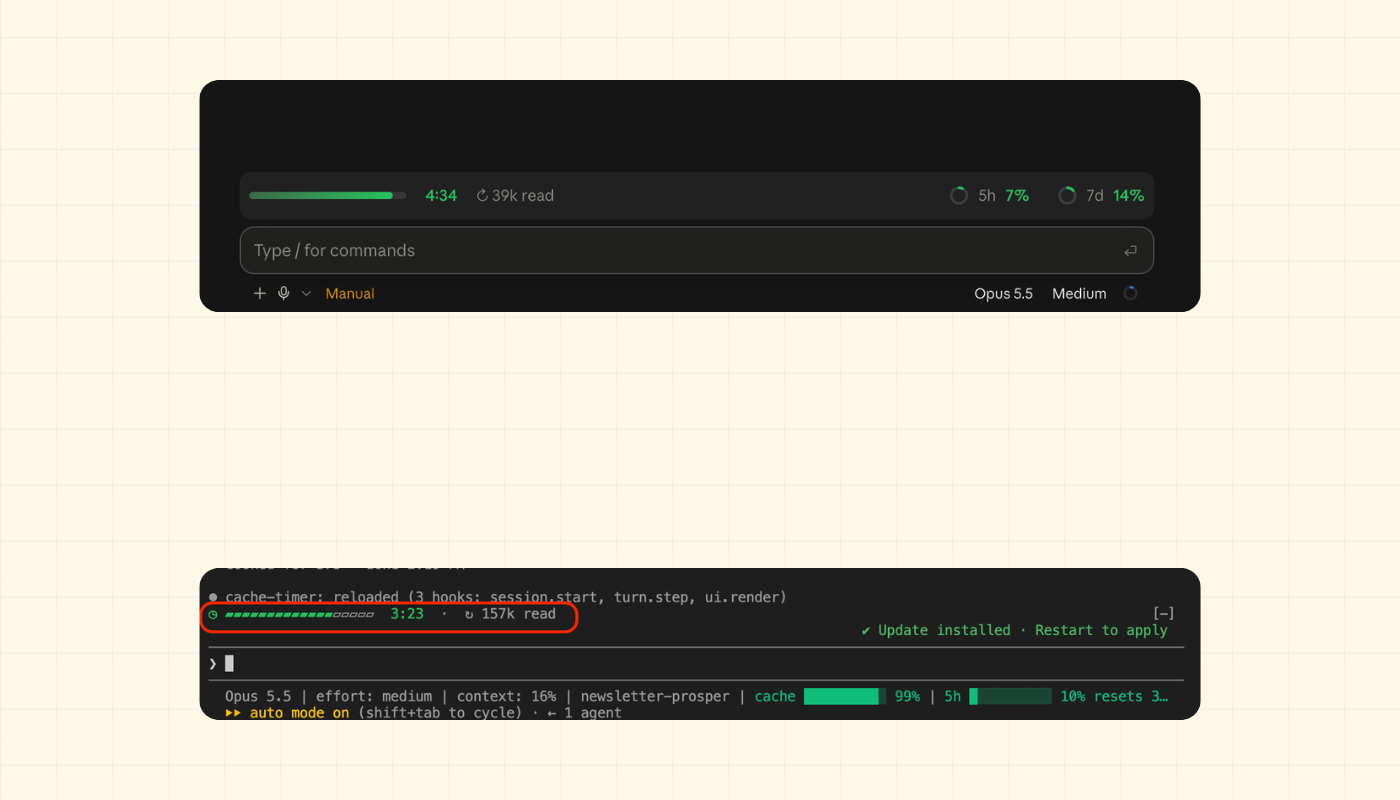
Looks pretty awesome, right?
Claude Mods can customize your Claude Code quite a bit in different spots: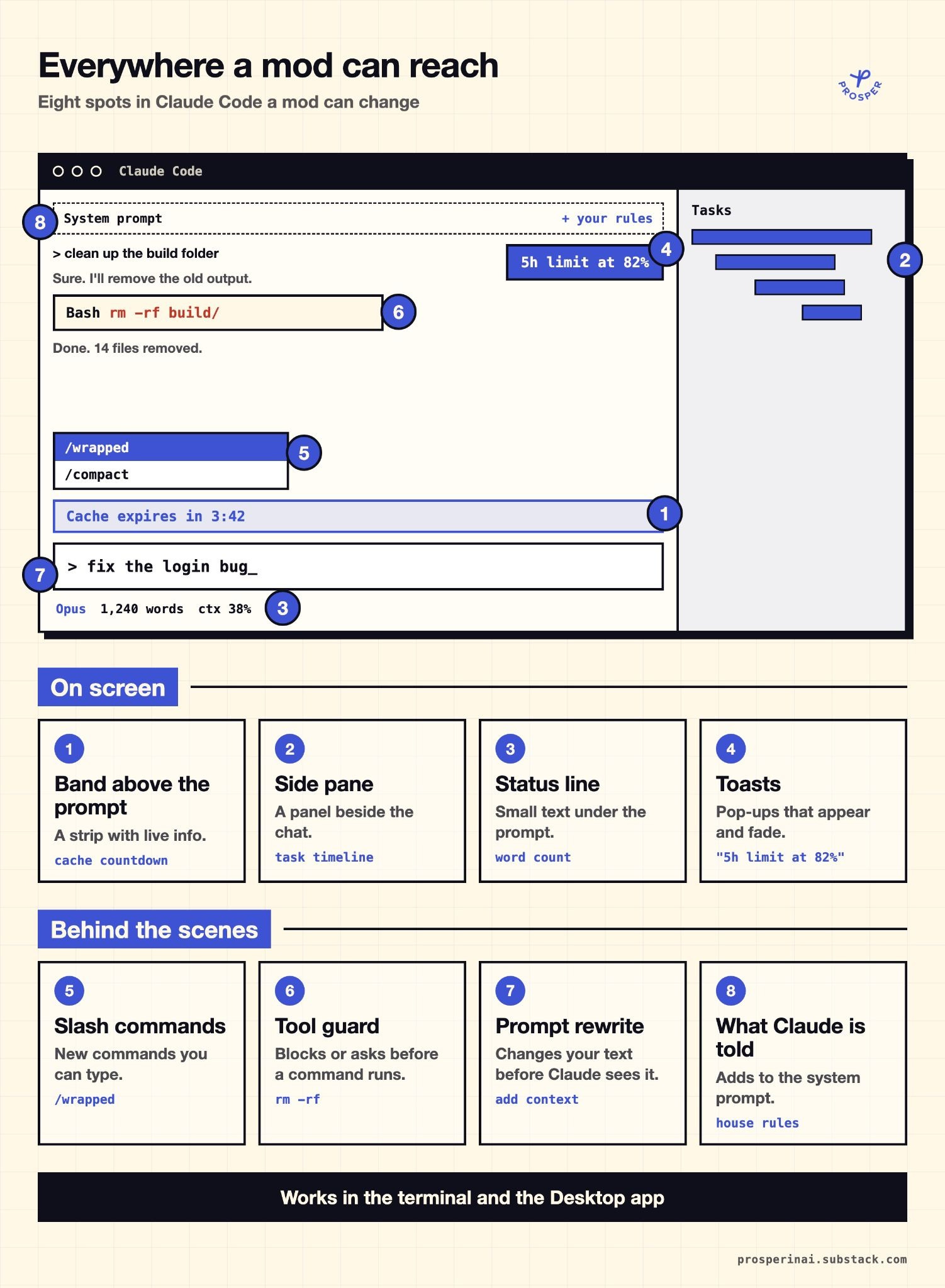
In this post, I want to share how to build mods and share ideas with you. After the paywall, you will get:
- How mods work under the hood, with the code behind the examples
- A copy-paste prompts to build your first mod + the steps to install it
- 20 ready-to-use prompts to build your own mods, including the examples used in this post
Really quick before we continue…
I launched my consulting agency and if you are:
-
Struggling setting up AI for yourself
-
Need an app
-
Need a website
-
Need a SaaS
I would love to help you! Head over to my website or email “[email protected]” and let’s chat!
How to install Claude Mods
First of all, if you use Claude Code in your terminal, you will need the 2.1.287 version or later.
There are 3 ways to install them: you either use built-in mods or you install someone else’s mod, or you build your own.
With built-in mods, for example, I installed the “you-should-know“ mod. It’s Anthropic’s mod that reminds you what you might miss with bigger tasks.
You can simply ask Claude: “Install the you-should-know mod.”, and then you will need to start a new session for it to work. You can find your mods in /plugin command (Claude Code CLI) in here: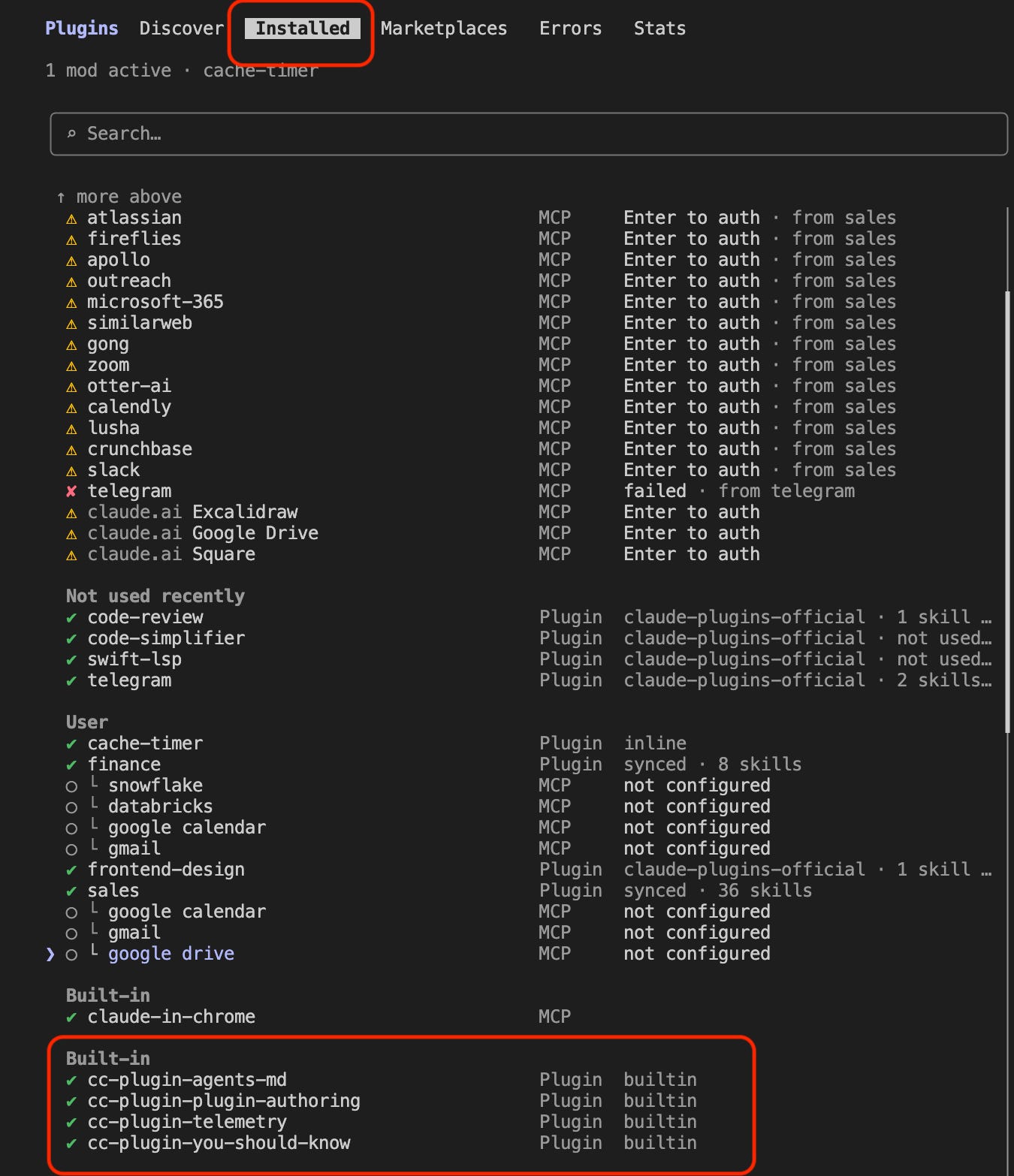
If you are installing someone else’s mod, you will need to get the GitHub link to it. One thing to note here - make sure to check the mod before installing it. Give the link to Claude and ask it to tell you everything about that mod. Mods can read and write your files, run commands, and other things, so don’t skip this step. If it looks safe, you can install it, then start the new session and it should be there.
The third way - it’s your way.
And this is where you can get creative.