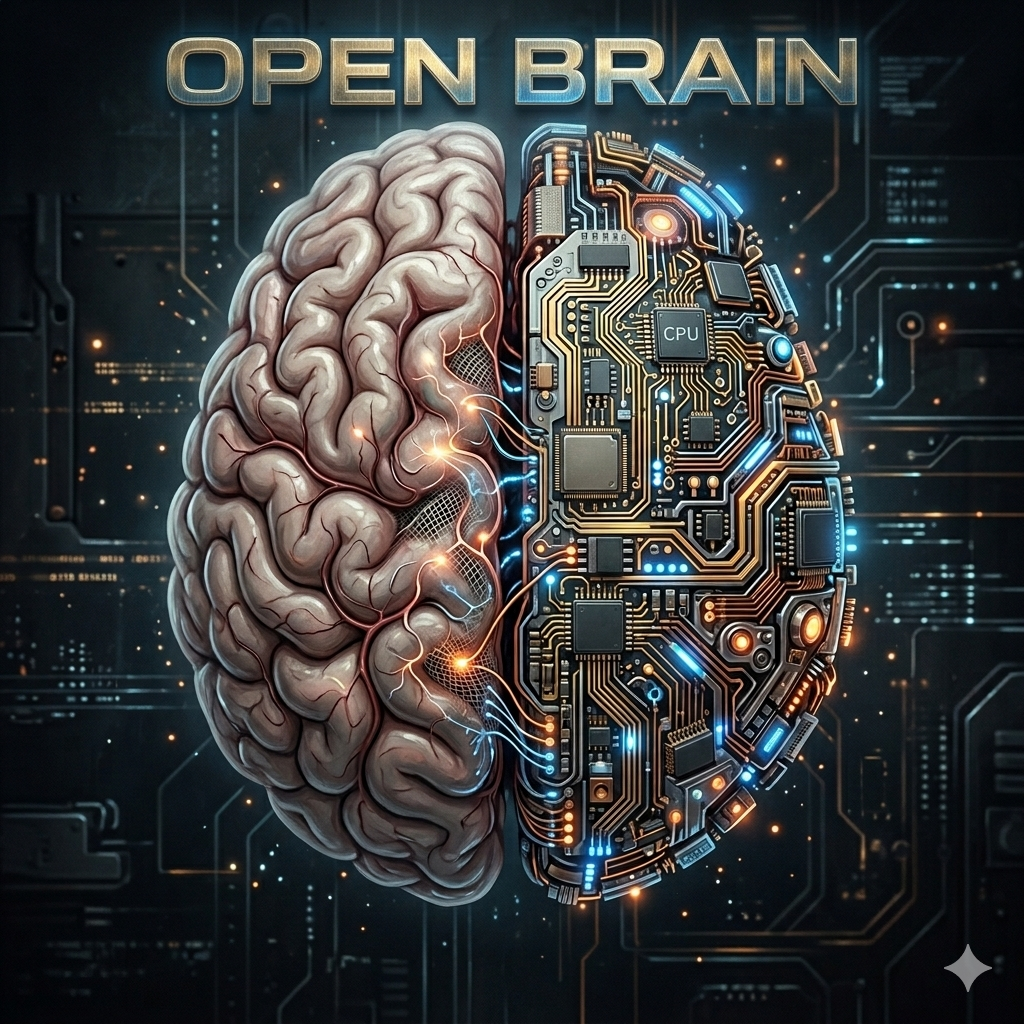
Allow me to introduce you to Open Brain.
By Nate
Published: 2026-03-02
URL: https://natesnewsletter.substack.com/p/every-ai-you-use-forgets-you-heres
Every time you open a new chat window, your AI starts from zero. Every tool switch costs you minutes of re-explaining context that should already be there. That’s not a prompting problem — it’s a memory problem, and it’s quietly capping everything you do with AI.
This post makes the case for the Open Brain: a database-backed, MCP-connected knowledge system you own outright, where any AI you use — Claude, ChatGPT, Cursor, whatever ships next month — can query your accumulated context through a single open protocol. Type a thought in Slack, and five seconds later it’s embedded, classified, and searchable by meaning from any tool you touch. No SaaS middlemen. No per-tool silos. Roughly $0.10 to $0.30 a month to run.
The companion guide walks through the complete 45-minute setup — copy-paste, no coding. The prompt kit gives you four prompts to make the system actually compound: migrate your existing AI memories into it from day one, discover how it fits your specific workflow, build the daily capture habit, and run a weekly review that surfaces patterns and forgotten threads.
Here’s what’s inside:
- Why the “memory problem” is the real bottleneck in your AI workflow — not your prompts
- How platform memory silos create compounding switching costs as you move between tools
- Why your current note-taking apps were built for the human web, not the agent web
- The Open Brain architecture: one Postgres database, one MCP server, every AI
- A step-by-step setup guide that goes from zero to working system in 45 minutes
- A Memory Migration prompt to frontload your brain with context your AI already knows about you
- An Open Brain Spark prompt that generates your personalized “First 20 Captures” list
- Quick Capture Templates optimized for clean metadata extraction from day one
- A Weekly Review prompt that synthesizes your week and surfaces what you missed
The architecture is simple. The advantage it creates is not.
Subscribers get all posts like these!
Update as of March 4, 2026:
If you hit a wall during setup, I want to be really clear: you are not on your own with this. I put together a FAQ that covers the most common gotchas people run into, and it's worth checking there first because a surprising number of the "I'm stuck" moments turn out to be the same three or four things.
But I also went a step further. I built dedicated AI assistants that know this system inside and out, one for each major platform: a Claude Skill, a ChatGPT Custom GPT, and a Gemini Gem. They can walk you through any step, help you troubleshoot connection issues, and answer questions that are specific to your setup. Just use whichever one matches the AI tool you're already working in.
Happy building.
LINKS: The prompt kit + guide
I’ve put together four prompts that cover the full lifecycle.
The Memory Migration. Run this right after setup. It extracts everything your AI already knows about you — from Claude’s memory, from ChatGPT’s memory, from wherever you’ve accumulated context — and saves it all into your Open Brain. Every other AI you connect starts with that foundation instead of zero. Run it once per platform.
The Open Brain Spark. An interview prompt that discovers how the system fits your specific work. It asks about your tools, your decisions, your re-explanation patterns, your key people — then generates a personalized “Your First 20 Captures” list organized by category. Use it when you’re staring at the Slack channel wondering “what do I type?”
Quick Capture Templates. Five sentence starters optimized for clean metadata extraction. Decision captures, person notes, insight captures, meeting debriefs, and AI saves. Each one is designed to trigger the right classification in your processing pipeline. After a week of capturing, you won’t need them — you’ll develop your own patterns. But they’re useful for building the habit early.
The Weekly Review. End-of-week synthesis across everything you captured. It clusters by topic, scans for unresolved action items, detects patterns across days, finds connections you missed, and identifies gaps in what you’re tracking. Five minutes on Friday afternoon. Becomes more valuable every week as your brain grows.
The Memory Migration gets you off the ground with context you’ve already built. The Spark shows you where your brain fits into your life, not someone else’s. The templates build the daily habit. The weekly review closes the loop.
The companion guide is the other half: a 45-minute, copy-paste walkthrough that takes you from zero to a working Open Brain — database, embeddings, MCP server — without writing a line of code. The prompts don't work without the system underneath them.
A note if you're wondering what to build:
If you haven't built either system yet, skip straight to the Open Brain. Don't start with the old guide — start here. If you already built the Second Brain from last month, that work isn't wasted. The simplest migration path is to feed the current post and your existing system to Claude and ask it for a migration plan — there are a number of patterns that can move your content into a SQL database, and most of them are more straightforward than you'd expect.
The reason I built the Open Brain the way I did is the point I made at the top: it's agent-readable. If you want your AI tools and agents to actually use your knowledge — not just you browsing it in a Notion page — you'll need to make it headless at some point. There are other ways to get there, but what I describe here is about the simplest.
Your second brain is closed. Your AI can’t use it. Here’s the fix.
Last month I published a guide called “Build Your AI Second Brain.” It was one of the most popular things I’ve ever written. Thousands of you built it. And the single biggest piece of feedback I got was this: it’s not for agents.
You were right. The system captured your thoughts, stored them in Notion, wired together with Zapier. Great for you. But your agents couldn’t use it. And that guide was designed before agents jumped into the mainstream. Before OpenClaw hit 190,000 GitHub stars — its users reportedly spawning over a million autonomous agents in weeks. Before Sierra hit a $10B valuation, Cursor hit $29B, Cognition’s Devin went from $1M to $73M ARR in nine months, and the agent market crossed $7.8 billion growing at over 45% a year. Before MCP went from Anthropic side project to Linux Foundation standard with adoption by OpenAI, Google, and Microsoft. The infrastructure layer that makes an agent-readable brain possible simply didn’t exist when I wrote that guide. That’s how fast this is moving — not in months, in weeks. Meanwhile, some of you learned what software sustainment actually costs. Zapier changed its API tiers. A Notion integration shifted. The whole chain needed patching. The system I gave you was built on middlemen, and middlemen always move.
What I’m going to lay out here is the architecture for what I’m calling an Open Brain — a database-backed, AI-accessible knowledge system you own outright, with no SaaS middlemen that can break, reprice, or disappear. One brain that every AI you use — Claude, ChatGPT, Cursor, whatever ships next month — can plug into via MCP. You type a thought in Slack, and five seconds later it’s embedded, classified, and searchable by meaning from any AI tool you touch. Total cost: roughly $0.10 to $0.30 a month. Setup time: 45 minutes.
But this isn’t just a tutorial upgrade. The companion guide handles the step-by-step. This piece is about why the architecture matters more than the tools, why the “memory problem” is secretly the bottleneck in everything you’re doing with AI right now, and why the people who solve it first will have a compounding advantage that widens every single week.
The memory problem hiding inside your prompting
If you’ve been reading this newsletter for a while, you know I keep coming back to one idea: the quality of AI output depends entirely on the quality of the human’s specification. Not a nice-to-have principle. The whole game. I laid out the full framework in last week’s piece on the four disciplines of prompting — from prompt craft through context engineering, intent engineering, and specification engineering. The hierarchy is real, and the people who are 10x more effective than their peers have built context infrastructure that does the heavy lifting before they write a single prompt.
But here’s what I missed for a long time: specification isn’t just about prompting skill. It’s about memory.
The best prompt in the world can’t compensate for an AI that doesn’t know what you’ve been working on, what you’ve already tried, what your constraints are, who the key people in your life are, or what you decided last Tuesday. And right now, that’s exactly what most of us are dealing with. Every time you open a new chat, you start from zero. Switch from Claude to ChatGPT to Cursor, and you lose everything.
Think about how much of your prompting is just catching the AI up. “I’m working on a project where...” “My team uses...” “The background here is...” You’re burning your best thinking on context transfer instead of actual work. A Harvard Business Review study found that digital workers toggle between applications nearly 1,200 times per day. Each switch is small. Collectively, they’re devastating. And when every switch to a new AI tool means rebuilding context from scratch, that devastation compounds.
I watched this play out concretely. Two PMs, same requirements task. PM #1 used ChatGPT for everything. Forty-five minutes, extensive revisions needed. PM #2 decomposed the work: customer quotes to one model, technical constraints to another, user stories to a third, acceptance criteria to a fourth. Thirty-five minutes, minimal revisions. But PM #2 couldn’t have made those routing decisions without weeks of experimenting across models and observing what each one does well. That kind of fluency requires freedom to move between tools without losing your context every time you switch.
The specification problem is a memory problem. And memory architecture determines agent capabilities more than model selection does. I’ve learned this the hard way working with teams building agents: design the memory system wrong, and nothing downstream works. Skip it entirely, and you’re re-explaining yourself forever.
Here’s the connection most people miss. Context engineering was the second discipline, the one where the industry’s attention is focused right now. Anthropic defines it as curating the entire information environment an agent operates within. Harrison Chase at LangChain was blunter: “Everything’s context engineering.” The prompt you write might be 200 tokens. The context window it lands in might be a million. Your 200 tokens are 0.02% of what the model sees. The other 99.98% is context engineering.
Now think about what happens when you open a new chat window. That 99.98% resets to zero. Every bit of context engineering you did in the last session — the project files, the conventions, the constraints — gone. You’re not just losing a chat. You’re losing the entire information environment you spent time constructing. And when you switch tools entirely, you lose the accumulated memory too.
The people who are 10x more effective with AI than their peers aren’t writing 10x better prompts. They’ve built 10x better context infrastructure. But almost all of that infrastructure is trapped inside one tool. The Open Brain is what happens when you make context infrastructure portable.
Five sticky notes on five separate desks
Yes, Claude has memory now. ChatGPT has memory. These features are getting better all the time. But think about what they actually give you.
Claude’s memory doesn’t know what you told ChatGPT. ChatGPT’s memory doesn’t follow you into Cursor. Your phone app doesn’t share context with your coding agent. Every platform has built its own walled garden of “memory,” and none of them talk to each other. A whole new category of products — AI Context Flow, MemSync, Mem0, OneContext — has emerged in early 2026 specifically because the platforms refuse to solve this. The problem is real enough to spawn an industry.
So you’ve got five AI tools, each with a thin, siloed layer of context that only works inside that one product. That’s not memory. That’s five separate sticky notes on five separate desks.
And now add autonomous agents to the picture. The agent category didn’t just grow — it detonated. OpenClaw went from weekend project to 190,000 GitHub stars. Devin went from demo to $73M ARR. Sierra, Glean, Cursor — billions in funding, all building agents that act, not just advise. But an agent that acts without memory is an agent that acts without context. The guy whose OpenClaw agent negotiated $4,200 off a car purchase while he slept? That worked because the agent had context about what he wanted, what his constraints were, what his budget looked like. An agent without that context doesn’t negotiate. It guesses. And an agent that guesses with access to your email, your calendar, and your bank account is how you get the stories about agents sending 500 random messages to someone’s wife.
And here’s the part that should bother you more: it creates lock-in through accumulated context. You’ve spent months building up history with one tool, and now you want to try the latest Gemini or the new Grok? You lose everything. Not because the new model is worse. Because your context is trapped in the old one. You’re paying a switching cost every time you experiment, and in a market where new models drop every few weeks, that cost adds up fast.
Your knowledge shouldn’t be hostage to any single platform. But right now, for most people, it is.
Why your note-taking tools were built for a different problem
You might be thinking, “I already have a second brain. Can’t I just connect it to my AI?”
You can try. But you’ll run into a structural mismatch that most people haven’t noticed yet, because it explains why the current generation of note-taking tools needs a different layer underneath it.
The internet is splitting in two: the human web — fonts, layouts, what you’re reading right now — and the agent web — APIs, structured data, built for software. That fork happened to your notes, too.
Your Notion workspace is built for human eyes. Pages, databases, views, toggles, cover images. Beautiful for you. Useless for an AI agent that needs to search by meaning, not by folder structure. Your Apple Notes are locked in an ecosystem. Your Evernote has a decade of accumulated clutter with no semantic structure. Your bookmarks are a graveyard of things you meant to read.
I’ll go first: mine was a mess. I am generally bad at notes. I was bad at notes before AI. I’ve tried a lot of note-taking apps, and I’ve abandoned most of them. Evernote, Obsidian, Apple Notes — I have hundreds of notes buried by Apple’s terrible search. The apps weren’t the problem. The architecture was.
These tools were built for the human web. Designed for you to browse, organize, and read. Never designed for software to query. And the apps adding AI features are mostly doing it wrong. They’re bolting a chatbot onto the human interface. “Chat with your notes!” Great. Now you have one AI that can kind of search one app. What about the other five AI tools you use every week? What about the coding agent in your terminal? What about the model that doesn’t exist yet but will next month?
You’ve traded one silo for another.
The PKM space has been building toward this moment for years. Tiago Forte’s CODE method gave people a framework. Obsidian gave people local-first files. Notion gave people beautiful databases. These tools solved the human problem brilliantly — capturing, organizing, and retrieving knowledge for human eyes. But none of them were designed for the agent problem: making your knowledge queryable by meaning, across tools, through a standard protocol that any AI can speak.
Every “second brain” app was reaching for something that required a different layer entirely — infrastructure built for the agent web, not the human web. That’s what we’re adding today. Not replacing your notes. Giving them a voice that AI can hear.
What v1 got right — and where the world moved
The original guide used Notion as the database, Zapier as the glue, and a chain of SaaS tools to make it all work. For capturing and organizing human-readable knowledge, it was genuinely good. A lot of you built real systems that changed how you work. Building v1 taught you the value of persistent context — you felt the difference when AI had something to work with beyond a blank chat window.
But every service in that stack is a middleman with its own roadmap, its own investors, its own growth targets. When you chain five of these services together, you’re stacking five companies’ priorities on top of each other. Every shift costs you time you should be spending on actual work. And none of it was designed for the world we’re in now — a world where autonomous agents are the fastest-growing software category, where the web is forking into a human layer and an agent layer, and where your knowledge needs to be readable by software that never opens a browser.
The lesson: when you find something that works, move it to primitives. Databases. APIs. Open protocols. The stuff that’s been stable for decades because nobody’s trying to monetize it with a Series B. That’s v2.
The Open Brain
Here’s what the alternative actually looks like.
Instead of storing your thoughts in an app designed for humans, you store them in infrastructure designed for anything. A real database. Vector embeddings that capture meaning, not just keywords. A standard protocol that any AI can speak.
I’m calling it an Open Brain, because the architecture is the point.
Open to any AI. Not locked to Claude, or ChatGPT, or whatever’s winning this week. You build it once, and any MCP-compatible client can plug in. Claude Desktop. Claude Code. ChatGPT. Cursor. VS Code Copilot. The agent framework that launches next month. All of them access the same brain. New model drops on a Tuesday? Plug it in. Your entire context is already there. Zero switching cost. You can experiment with every new model without sacrificing a single piece of your accumulated knowledge.
This is possible because of MCP — the protocol shift I mentioned above. What started as Anthropic’s open-source experiment in November 2024 is now backed by OpenAI, Google DeepMind, Microsoft, and the Linux Foundation. It’s not a bet on one company. It’s infrastructure — the way HTTP is infrastructure, the way USB-C is infrastructure. One protocol. Every AI. Your data stays in one place, and every tool that speaks MCP can read it.
Open architecture you own. Your thoughts live in a Postgres database you control. Not someone else’s proprietary format. Not a SaaS that could shut down, change pricing, or get acquired. A database. The most boring, reliable, battle-tested technology in software. Nobody’s deprecating Postgres to chase a growth metric.
Open to meaning, not just keywords. Every thought you capture gets converted into a vector embedding — a mathematical representation of what it means. When you ask “what was I thinking about career changes?”, it finds your note about Sarah considering consulting, even though you never used the word “career” in the original thought. Semantic search. A different universe from Ctrl+F.
What this actually looks like
I type a thought into a Slack channel:
“Sarah mentioned she’s thinking about leaving her job to start a consulting business. She’s been unhappy since the reorg.”
Five seconds later, the system has stored the raw text, generated a vector embedding of its meaning, extracted metadata — people mentioned, topics, type, action items — and filed all of it in a real database.
Now any AI I’m working with can find this. I’m in Claude working on a coaching framework? “Search my brain for notes about people considering career transitions.” Found it. I’m in ChatGPT drafting an email? Same search, same result. I’m in Cursor building a tool and I need to remember a decision I made last week? It’s there.
One brain. Every AI. Persistent memory that never starts from zero.
The architecture has two parts.
Capture runs through Slack — the tool you already have open. You type a thought, it hits a Supabase Edge Function that generates an embedding and extracts metadata in parallel, stores both in a Postgres database with pgvector, and replies in-thread with a confirmation showing what it captured. The whole round trip takes under ten seconds.
Retrieval runs through an MCP server that connects to any compatible AI client. Three tools: semantic search (find thoughts by meaning), list recent (browse what you captured this week), and stats (see your patterns). Claude Desktop, Claude Code, ChatGPT, Cursor, VS Code Copilot — any of them can query your brain through the same interface.
The companion guide walks through the complete setup — copy-paste, no coding. The total cost of running this system for month on the free tiers of Slack and Supabase is less than you will spend on coffee this morning.
The compounding advantage
Here’s why this matters beyond the tactical “build a cool tool” level.
We are in the middle of a massive shift in how AI integrates into daily work. The models keep getting better. Opus 4.6 shipped three weeks ago. The agent market crossed $7.8 billion and is growing at over 45% a year. OpenClaw hit 190,000 stars, its users reportedly spawning over a million autonomous agents. Cognition’s Devin is writing production code. Sierra is handling enterprise customer service at a $10B valuation. Sixteen AI agents coded a C compiler in two weeks. Three-person engineering teams are outproducing teams ten times their size. Erik Brynjolfsson wrote in the Financial Times last month that US productivity grew roughly 2.7 percent in 2025, nearly double the decade average, and attributed it to a small cohort of power users who compress weeks of work into hours by automating end-to-end workstreams with AI agents. McKinsey found that 91% of employees surveyed now use generative AI for work. Separate research puts the per-hour productivity gain from AI use at roughly 30 to 40 percent, depending on the task. These numbers are real and they’re accelerating.
But the people getting the outsized results aren’t just using better models. They’re restructuring their entire workflow around AI as a primary collaborator. You cannot collaborate with something that has no memory of you.
Think about the difference between these two workflows. Person A opens Claude, spends four minutes explaining their role, their project, their constraints, and the decision they’re trying to make. Gets a decent answer. Opens ChatGPT for a second opinion, spends another four minutes re-explaining everything. Hops to Cursor for implementation, re-explains the architecture. Twelve minutes of context transfer across three tools, and each tool still has a partial picture.
Person B opens Claude. It already knows her role, her active projects, her constraints, her team members, and the decisions she made last week — because all of that lives in her Open Brain, and the MCP server loaded it before she typed a word. She asks her question. Gets an answer informed by six months of accumulated context. Switches to ChatGPT for a different perspective. Same brain, same context, same answer quality. Moves to Cursor. Same brain. Zero context transfer. Each tool has the full picture.
Same three tools. Same Tuesday. Person B saves twelve minutes per tool switch, gets higher quality output because of richer context, and — this is the part that matters — the advantage compounds. Every thought Person B captures makes the next interaction better. Every decision logged, every person noted, every insight saved adds another node to a growing knowledge graph that every AI can access. Person A starts from zero every time. The gap between them gets wider with every passing week.
The gap between “I use AI sometimes” and “AI is embedded in how I think and work” comes down to context infrastructure. Microsoft’s 2025 Work Trend Index identified what they call “Frontier Firms” — organizations where AI is deeply integrated into workflows. Seventy-one percent of leaders at these firms say their company is thriving, versus 37% globally. Employees at Frontier Firms are more than twice as likely to report capacity to take on more work. The difference isn’t the model. It’s the infrastructure around it.
The people who build persistent, searchable, AI-accessible knowledge systems will have AI that gets better at helping them over time, because it has more context to work with. Every thought you capture makes the next search smarter, the next connection more likely to surface. That’s a compounding advantage.
The people who keep re-explaining themselves in every new chat window will wonder why AI still feels like a party trick.
Same technology. Wildly different outcomes. The variable is infrastructure.
The MCP server isn’t just for retrieval
Here’s what I haven’t emphasized enough: the MCP server works in both directions.
The companion guide uses Slack as the capture interface because it’s simple and you already have it open. But MCP means you can write directly into your brain from anywhere. Claude on your phone. ChatGPT on your desktop. Claude Code in your terminal. Any MCP-compatible client becomes both a capture point and a search tool. You’re not locked into Slack for input. You’re not locked into anything. That’s what “open” means.
So think about what you can build on top of this. A dashboard that visualizes your thinking patterns over time. A daily digest that surfaces forgotten ideas based on what you’re working on today. An agent that cross-references your captured thoughts with your calendar, your email, your project management tool. Custom metadata schemas for specific domains — sales calls, research notes, product decisions, coaching sessions. You own the database. You own the protocol. The ceiling is wherever you decide to stop building.
The metadata extraction isn’t perfect. The LLM makes its best guess with limited context, and sometimes it’ll misclassify a thought or miss a name. Doesn’t matter much. The embeddings handle the heavy lifting. Semantic search works even when the metadata is off.
The one real requirement is that you actually use it. The system compounds. Every thought you capture makes the next search smarter, the next connection more likely to surface. But it needs input. Build the habit. Dump your thinking into the system and let it do the rest.
The fork in your future
When something works, something happens that’s hard to describe until you experience it. Your AI starts to know you. Not in the creepy, corporate-surveillance way. In the “hey, you were thinking about this last week and it’s relevant to what you’re asking me right now” way. The way a great colleague remembers what matters.
Every AI you use gets better. Not because the model improved. Because it finally has context.
The fork is simple. On one side: people who build persistent, open, AI-accessible context infrastructure. Their AI gets better every week because it has more to work with. Their switching costs between models are zero. Their prompting improves because the context does the heavy lifting. They stop re-explaining themselves and start doing actual work.
On the other side: people who keep opening new chat windows and typing “I’m working on a project where...” for the 400th time.
Same models. Same subscriptions. Same Tuesday morning. The gap between these two groups is already wide, and it compounds daily.
The second brain you built — whether it was the Notion workspace, the Obsidian vault, or the system from last month’s guide — was always reaching for this. A place where your thinking lives, searchable by meaning, accessible to any tool you use. Those tools solved the capture problem. They solved the organization problem. What they couldn’t solve was the protocol problem — making your knowledge available to the agent web, not just the human web. The Open Brain adds that layer. Not by replacing what you built. By giving it infrastructure underneath.
A database. A protocol. Your thoughts. Every AI you’ll ever use.
Build it this weekend. Your future AI will thank you for every thought you capture starting now.
I make this Substack thanks to readers like you! Learn about all my Substack tiers here and grab my prompt tool here