Anthropic quietly shipped the non-coder expansion while everyone watched OpenAI. Here's everything you need to catch up, plus a complete workflow guide and a set of guiding principles to get started.
By Nate
Published: 2025-12-22
URL: https://natesnewsletter.substack.com/p/the-complete-wait-i-can-use-claude
Claude Code shouldn’t be named Claude Code.
The name makes non-technical people run the other way.
But what Anthropic shipped in December has almost nothing to do with writing software! They released browser automation, Slack integration, mobile delegation, and organizational workflow tools—all hiding behind a name that screams “developers only.”
Matt Yglesias figured this out by accident. He tweeted this weekend that he was shocked to hear that Claude Code is NOT just for developers and has some of Claude’s most powerful features.
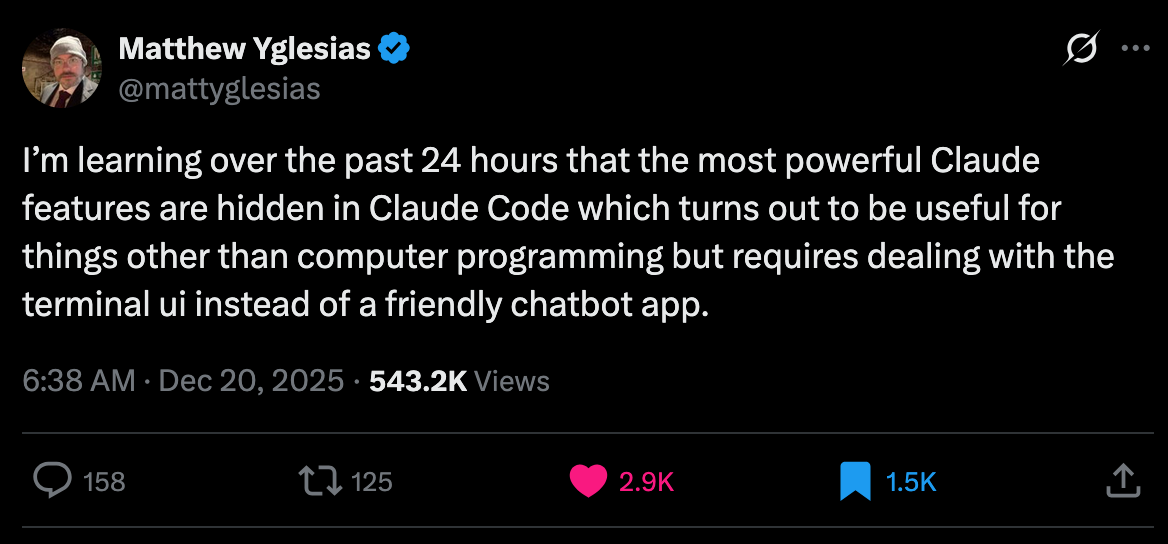
He’s right, and he’s not alone in being surprised.
And Claude keeps shipping to make it EASIER for non-technical people to use Claude.
The December releases specifically focused on “AI that actually does things,” tackling everything from clicking buttons to filling forms, organizing files, and navigating your browser alongside you. And like Matt, most of us didn’t notice!
Sidebar: Why do these companies keep shipping in late December? Last year we had the 12 days of OpenAI. This year OpenAI, Google, and Anthropic have all shipped major releases in December. I guess AI is not slowing down lol
I guess the good news is that Claude Code is SO easy to get started with that you can do it when you’re bored on the 26th or trying to kill time before official break starts on the 22nd. I know how it goes :)
Anyway, when we DO notice Claude, most coverage focuses on capability comparisons.
I think that’s REALLY unhelpful. Claude versus GPT versus Gemini is not going to get you a better workflow this week. Neither will benchmark scores. Or context windows.
But YOU can get better workflows, and getting there saves you literally hours. To borrow an example from this guide: organizing your files with Claude can save you hours. So can processing your meeting minutes. Claude can do WAY more than chat, and giving Claude tools means YOU get hours back.
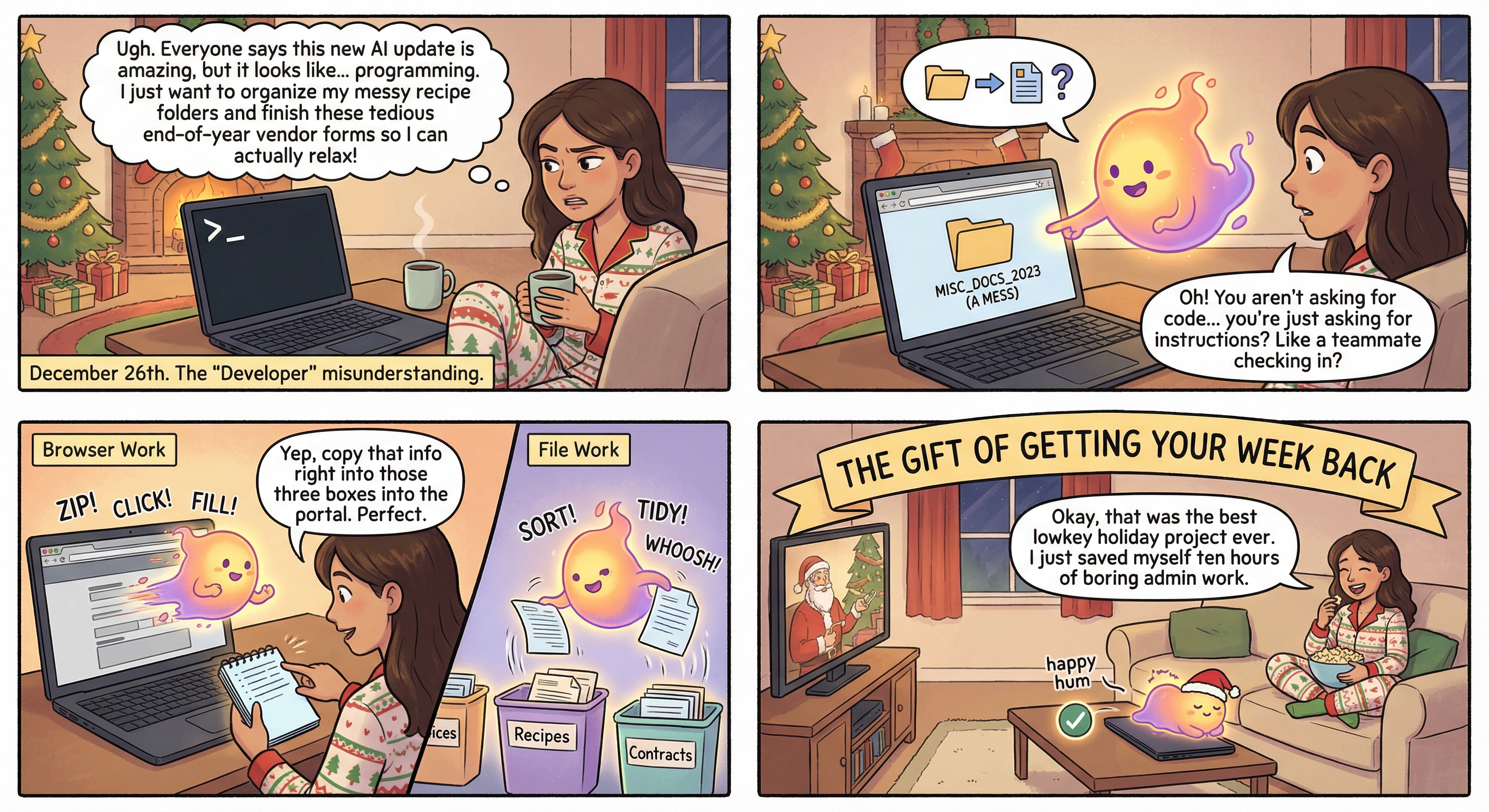
Basically, Anthropic made a bet about how humans and AI should work together. Not full delegation where you hand off a task and hope for the best, but iterative collaboration with frequent checkpoints. Work together, verify together, ship together.
I think that model works pretty well for the level of comfort most people have with agents right now. Not total trust, but let’s go one step at a time.
Things move fast. In a few months, everyone will understand that Claude Code isn’t a coding tool because Anthropic is going to keep shipping stuff to make that incredibly obvious (I have some insights into what’s next down below).
So by 2026 there will be consultants and workshops and obvious best practices.
But right now, while everyone else thinks this is for developers, right now you can start using Claude Code as your secret non-code super power.
It has never been easier to get Claude Code going for non-coders, but it’s still not obvious to many of us.
So I’m solving that for you.
I’ve put together a COMPLETE treasury—two companion guides plus the full analysis—so you can go from “what is this?” to running real workflows this week.
Here’s what’s inside (yes ALL this—I really went all out for you guys here—should have called this Christmas Claude lol)
The strategic picture
- What actually shipped in December — Browser automation, Slack integration, mobile initiation, organizational Skills, and why these releases form a coherent strategy rather than a feature grab bag
- The interaction model bet — Why Anthropic is betting on iterative collaboration (Claude checks in frequently) while OpenAI’s Codex bets on delegated autonomy (hand it off and walk away), and what that means for how you work
- Competitive landscape analysis — Honest assessment of how Claude Code compares to Cursor, Copilot, and Codex, including where each wins and where I’m genuinely uncertain about outcomes
- The productivity numbers, with appropriate skepticism — What Anthropic’s internal research shows (60% of work done with Claude, 50% productivity boost), plus the haircut you should apply to headline claims
- Where this is probably going — The unified work queue that’s likely coming, the lifecycle integration that will differentiate, and what I expect to be true by late 2026
The complete setup guide (29 pages)
- Pick your path — Two clear tracks: browser-only (no terminal required) or full capability (copy-paste commands), so you can choose your comfort level
- Claude in Chrome setup — Five-minute installation for browser automation, with the critical “Ask before acting” safety configuration explained
- Claude Code installation — Step-by-step for Mac, Windows, and Linux, including the specific commands to verify it worked and what to do when it doesn’t
- Chrome integration — How to connect terminal sessions to your browser so Claude can verify work in real pages, inspect DOM elements, and catch console errors
- Skills configuration — How to create reusable workflow templates that activate automatically, with the exact markdown structure and deployment options
- Slack and mobile setup — Configuring Claude Code routing so threads become prompts and status updates post back automatically
Ten production workflows (step-by-step)
- Form filling (supervised and batch) — Vendor intake, CRM updates, procurement requests with verification steps that catch errors before submission
- Competitive research — Pricing extraction across multiple sites with source URLs, confidence flags, and the specific prompts that prevent hallucinated data
- Meeting processing — Transcripts in, decisions and action items out, with quote-backed verification so you can trust the extraction
- Meeting prep — Attendee research, agenda generation, and the ten sharp questions you should be ready to ask or answer
- File organization — Invoice sorting, document renaming, and the dry-run pattern that prevents disasters
- Expense categorization — Transaction exports transformed into categorized analysis with confidence flags for manual review
- Research synthesis — Notes that compound over time instead of accumulating in chaos, with automatic deduplication and change tracking
- Decision logs from Slack — Messy threads transformed into structured records with decisions, rationale, and next steps
- Document analysis — Contract clause extraction, risk identification, and the critical caveat about what this isn’t (legal advice)
The mental model guide (how to actually get good)
- Delegation, not conversation — The core shift from “what do you think about X?” to “go do X and show me what you did,” and why vague instructions produce wrong actions
- The dry-run pattern — Why “show me your plan before you do anything” saves hours of cleanup, with the exact phrasing that works
- Scoping small — The failure mode of asking for too much at once, and how to build toward complex workflows one verified piece at a time
- Checkpoints for long tasks — How to catch errors before they compound, with the prompt structure that keeps sessions coherent
- Interrupting and redirecting — What to do when Claude is doing something wrong, and when to start fresh instead of fixing
- The verification habit — Building justified trust instead of blind faith, with the specific checks that matter
Ten example prompts (copy-paste ready)
- Dry-run file organization — The complete prompt for proposing a renaming plan without touching anything, including the proof step that catches edge cases
- Scoped browser extraction — Competitive pricing extraction with explicit rules for what to do when data isn’t disclosed
- Checkpoint-based batch processing — Invoice categorization in batches of five with approval gates between each batch
- Exploratory tasks — When you know the goal but not the method, and how to get Claude to propose options
- Specific output with verification — Meeting summaries with exact section structure and quote-backed verification
- Browser form filling with verification — The complete flow from field mapping to pre-submit checklist to final approval
- Recovery prompts — What to say when something went wrong, including the “show me exactly what happened” pattern
- Building toward Skills — How to capture a working workflow as a reusable specification
- Debugging unexpected output — Getting Claude to walk through its reasoning so you can find where things went wrong
- Scoping big tasks — Breaking “clean up my entire Documents folder” into phases that won’t overwhelm
The practical framework
- Categories of work that transfer — Browser-based work, meeting workflows, document analysis, file operations, and work that starts in Slack, with specific patterns for each
- The JIORP structure — Job, Inputs, Output, Rules, Proof: the five-part framework that turns vague requests into executable tasks
- Vague versus useful — Side-by-side examples showing exactly how to make instructions specific enough to work
This is everything I’d teach in a two day workshop, packaged so you can grab it and go at your own pace. The main article gives you the strategic picture. The setup guide gets you running. The principles guide makes everything after that 10x more effective.
Start with the setup guide to try one workflow end-to-end. Then read the principles before your second session. The first session teaches mechanics. The principles teach you how to think.
This is everything I wish I could teach you 1:1 about Claude Code. Jump in and get going (yes, it’s a great lowkey Christmas week project so you get set up for the new year).
Subscribers get all these posts!
Grab the (lots) of tools—multiple links below
Most people will read this article, nod along, and never actually set anything up. Six months from now they’ll still be using Claude as a chatbot while their competitors have agents filling forms, processing invoices, and extracting competitive intelligence.
I don’t want that to be you. So I built two guides—one for setup, one for mindset—that turn everything in this article into work you can actually do this week.
THE WORKFLOW GUIDE — Use this to get set up and running
This is the complete walkthrough: Claude Code installation on Mac, Windows, and Linux. Claude in Chrome setup. How to connect them together. How to create Skills that make workflows repeatable. Slack integration. Mobile delegation.
But the real value is the workflow library. Step-by-step implementations for the tasks that actually eat your time:
- Form filling (supervised and batch mode)—vendor intake, CRM updates, procurement requests
- Competitive research—pricing extraction, feature comparison, with verification steps
- Meeting processing—transcripts in, decisions and action items out
- File organization—invoice sorting, expense categorization, document renaming
- Research synthesis—notes that compound instead of accumulate
Each workflow includes: when to use it, what you need, exact prompts to copy, what “done” looks like, and how to verify it worked.
If you can copy and paste text, you can use this guide. Start with the “Pick your path” section—you might not even need the terminal.
THE PRINCIPLES GUIDE — Use this to actually get good
Setup gets you access. This guide teaches you how to think.
The core problem: Claude Code isn’t a chatbot. It’s a capable agent that will try to do whatever you ask. Vague instructions produce wrong actions. The mental model matters more than any specific prompt.
What’s inside:
- The dry-run pattern—why “show me the plan before you do anything” saves hours of cleanup
- Scoping small—the failure mode is asking for too much at once, and how to avoid it
- Checkpoints for long tasks—how to catch errors before they compound
- “Do this” vs. “Figure out how to do this”—two different prompts for two different situations
- The verification habit—how to build justified trust instead of blind faith
- Recovery patterns—what to do when something breaks (because it will)
Plus 10 example prompts that demonstrate these principles in action—file organization, browser extraction, batch processing, form filling, debugging unexpected output. Each one is deliberately thorough so you can see what “actually rigorous” looks like, then adapt to your context.
The skill that compounds isn’t any particular prompt. It’s learning to see work as something you can hand off with clear instructions and verify the results. This guide teaches that.
My recommendation: Start with the Workflow Guide to get set up and try one workflow end-to-end. Then read the Principles Guide before your second session. The first session teaches you the mechanics. The principles make everything after that 10x more effective.
The Read
AI capability differences are shrinking, so what matters now?
Here’s the thing that most coverage of AI tools misses: the capability differences between frontier models are shrinking. Claude, GPT, Gemini—they’re all remarkably good at reasoning, writing, and analysis. The gap that used to feel like a generation is now more like a preference. Pick your favorite; they’ll all do most tasks well.
What’s not converging is how you work with these systems. And that’s where Anthropic is making a bet that’s genuinely different from what OpenAI or Google is doing.
I’ve started calling it the “interaction model” because I don’t have a better term. It’s the difference between an AI that takes your task, disappears for twenty minutes, and returns with a final answer—versus an AI that works alongside you, shows what it’s doing, checks in when it’s uncertain, and builds toward an outcome incrementally.
Claude Code is designed for the second model. It’s iterative by default. It asks before taking risky actions. It shows you diffs before applying changes. It maintains a conversation while it works rather than going dark. The experience feels less like delegating to an autonomous system and more like working with someone who happens to be very fast and very patient.
I don’t know if this is the right bet. OpenAI’s Codex is betting on the opposite—long-running delegated execution where you hand off hard problems and trust the system to figure it out. There’s a real case that as these systems get more capable, you want them to just go do the work without checking in constantly. The checking-in might be a transitional behavior that disappears as trust builds.
But here’s what I think is true right now: the iterative model has a lower trust threshold for adoption. You can start using it in production sooner because the feedback loops catch problems before they compound. You don’t have to trust the system completely; you just have to trust it for the next step. That’s an easier ask, organizationally.
The December releases are Anthropic expanding that iterative model across surfaces. They’re not just adding features—they’re making the same interaction philosophy available in more places.
What Anthropic actually shipped in December
Let me lay out what came out in the last two weeks. Individually these look like feature updates. I think they’re something more coherent than that.
Claude in Chrome expanded to all paid plans on December 18th. This is Claude operating in your browser—not summarizing pages, but actually navigating sites, clicking buttons, filling forms, managing tabs. It integrates with Claude Code so you can build something in the terminal and have Claude verify it works in the actual browser, inspecting the DOM and reading console logs.
The safety engineering here matters more than it might seem. Browser agents are uniquely vulnerable to prompt injection—websites can contain instructions designed to hijack the agent’s behavior. Anthropic claims they’ve reduced prompt injection success from 23.6% to 0% in testing. I can’t verify that number, but the fact that they’re publishing it suggests they’re serious about making browser automation deployable, not just demo-able.
Claude Code in Slack is in beta. You tag @Claude in a thread, it creates a session using that thread as context, and it posts status updates back as it works. The thread becomes the prompt. You don’t have to copy context out of Slack, translate it into another tool, and bring results back.
This sounds minor. It isn’t. One of the biggest friction points in getting value from AI is the translation step—taking the context you have in one place and reformatting it for the AI interface. When the agent enters your existing communication flow, that friction disappears.
Claude Code on Android launched in research preview. You initiate tasks from your phone, the work runs in the cloud, and you review results later. The phone isn’t doing the compute—you’re delegating.
Command line upgrades shipped across multiple releases: async subagents for background tasks, faster context compaction, session naming, usage stats, syntax-highlighted diffs, prompt suggestions, and a plugins marketplace. The async subagent piece is worth understanding—you can spawn a background task to monitor logs or re-run tests while you continue working in your main session. Parallelism without losing track of what’s running.
Organization Skills brought team-level workflow standardization to Team and Enterprise plans. Skills are packaged instructions that Claude activates automatically when relevant. You can provision them centrally, share them across your organization, and browse partner-built skills from Notion, Figma, Atlassian. Anthropic also published Agent Skills as an open standard—OpenAI confirmed they’re adding support. That matters for portability.
Agent SDK updates added 1M-token context windows, sandboxing for filesystem and network isolation, and a simpler TypeScript interface for building agents.
What ties all these releases together
If you organize this by surfaces rather than features, a pattern emerges.
They touched the browser because that’s where SaaS tools live. Dashboards, admin panels, forms, the messy reality that doesn’t fit into a prompt. If Claude can’t operate there, there’s a ceiling on what it can accomplish.
They touched Slack because that’s where work starts for a lot of teams. Bug reports, customer feedback, the “get this done now” message from your VP—these show up in threads, not in structured task systems. Capturing that context natively matters. I’ve watched too many organizations lose valuable context in the translation between “where the conversation happened” and “where the work gets done.” Slack integration is an attempt to close that gap.
They doubled down on the terminal because developers already love the execution experience there, and the command line is where you can run long sessions with persistent state. The upgrades are operational infrastructure—enabling multi-step work without context blowouts.
They added mobile because delegation doesn’t wait for you to be at your desk. Work arrives at inconvenient times. The agent layer has to travel with you.
And they pushed Skills because teams don’t scale on individual prompting expertise. Standardized workflows, governance, organizational defaults—that’s what makes deployment real rather than experimental.
The throughline: meet work where it begins, operate where it happens, execute where it ships. That’s a different strategy than “build the best model” or “win the IDE.”
The competitive landscape isn’t what you think
I’ve thought a lot about how Claude Code compares to Cursor, Copilot, and Codex. My honest view is that they’re not competing on the same axis, which means there might be multiple winners. But I want to be careful here—this is pattern-matching from public signals, not insider knowledge.
Cursor wants to be the AI-native IDE. Everything flows through the editor. If you’re a developer who lives in your code editor and wants AI capabilities integrated directly, Cursor has executed well on that vision. The experience is polished. The integration is tight. Developers I respect swear by it.
The limitation is that work doesn’t only happen in the editor. Slack threads, browser testing, mobile notifications, the context that arrives at 2pm on a Saturday—these don’t fit the IDE-centric model. Cursor is optimizing for one surface extremely well. Anthropic is trying to be adequate across many surfaces. Those are different bets, and I genuinely don’t know which is right.
There’s an argument that “do one thing brilliantly” beats “do many things adequately.” There’s also an argument that as AI becomes more agentic, the value shifts from the tool to the workflow—and workflows span surfaces. I’ve watched this debate play out with other technology shifts, and the answer is usually “both win, in different contexts.”
GitHub Copilot has distribution locked in through the Microsoft ecosystem. Millions of developers have easy access through VS Code. The gravitational pull of existing workflows is real—”good enough AI in the tool you already use” is a powerful proposition.
But Copilot is becoming a feature of a platform rather than a platform itself. GitHub keeps getting pulled into Microsoft’s broader strategy in ways that create friction. The recent pricing rollout was messy. Enterprise sales cycles get complicated by Microsoft relationships. They’re not executing crisply. That said, distribution advantages are hard to overcome. Being the default matters even if you’re not the best. I’ve seen enough enterprise software adoption to know that “already there” wins against “better” more often than technologists want to admit.
OpenAI Codex is betting on something philosophically different. Delegated autonomy. Hand it a hard task, walk away, get a final output. This plays to OpenAI’s strengths in inference compute and reasoning at scale.
The interaction model is the key distinction. Codex says: trust the system, delegate fully, review the output. Claude Code says: stay in the loop, work together, ship incrementally. Codex optimizes for correctness on hard problems where you don’t want to babysit. Claude Code optimizes for throughput on iterative work where catching problems early matters.
I’ve been turning this over for weeks and I don’t have a confident answer about which wins. Here’s what I think might be true:
The iterative model has advantages for adoption. Lower trust threshold—you don’t have to believe the system will get everything right, just that it’ll get the next step right. Faster feedback loops—problems get caught before they compound. Broader applicability—you can use it for work that’s exploratory, not just well-defined tasks.
The delegated model might win as systems get more reliable. If the AI can actually handle hard problems end-to-end without supervision, the interaction overhead of checking in becomes unnecessary friction. Senior engineers might prefer a team of Codex agents that can execute complex tasks autonomously over a Claude that keeps asking for approval.
The honest answer is that both models probably have futures. They’re optimizing for different contexts. The question is which contexts grow faster and which contexts have more value.
What I do think is that Anthropic is carving out a specific position: the workflow fabric. The agent that shows up where work begins, operates where it happens, and executes where it ships. They’re trying to be the connective tissue between messy human context and finished outcomes, with humans staying meaningfully in the loop. Whether that’s the right bet depends on whether humans want to stay in the loop—or whether they’d rather just delegate and walk away.
What this unlocks if you don’t code
Here’s where Yglesias’s discovery matters beyond developers.
The capabilities in Claude Code aren’t limited to writing software. They’re limited by whether you can describe what “done” looks like. That’s a different constraint entirely, and it applies to anyone who can articulate a task clearly.
I’ve put together a companion workflow guide with detailed setup instructions and step-by-step implementations for the categories below. What follows here is the idea—what becomes possible. The workflow doc has the how.
Browser-based work. Claude can navigate your browser with your supervision. Form filling and data entry—vendor request forms, procurement intake, onboarding paperwork. Email and calendar management—archiving, filtering, scheduling, the repetitive clicks you do every week. Competitive research—visiting sites, extracting pricing, taking screenshots, synthesizing. CRM hygiene—updating fields, drafting follow-ups, pulling notes from dashboards. The pattern: any workflow where you’re clicking through web interfaces or doing the same sequence of actions repeatedly.
Meeting workflows. Pre-meeting prep: attendee research, agenda generation, background synthesis. Post-meeting processing: transcript in, decisions and action items out with owners and deadlines, summary drafted. Four meetings a day, ten minutes of processing each, three hours a week recovered.
Document work. Claude’s context window handles roughly 150,000 words. Contract review—clause extraction, risk identification, compliance checking. Financial analysis—10-K extraction, cross-quarter comparison, material change identification. Research synthesis—notes that compound over time rather than accumulating in chaos.
File operations. Invoice and document sorting—read contents, rename to consistent formats, move to appropriate folders. Expense categorization—transactions in, structured analysis out. Knowledge management—notes that get organized, tagged, and synthesized automatically.
Product and content work. Decision logs from messy Slack threads—structured output with decisions, rationale, open questions, next steps. Release notes in multiple formats from the same source material. Research compilation without being the one clicking through sources.
The companion workflow guide covers setup for each surface (Chrome extension, CLI, Chrome integration, Skills, Slack routing, mobile), exact prompts with verification steps, and the gotchas that will otherwise waste your time.
Skills matter more than you might think
I want to spend a moment on Skills because they’re easy to overlook and strategically important.
A Skill is a markdown file with instructions that Claude activates automatically when relevant. Unlike manually selecting a custom GPT or copying instructions into each prompt, Skills engage without you doing anything. Build once, applies whenever the context matches.
Two things matter here.
First, consistency. If you’ve built a workflow that works—meeting summarization, contract review, competitive analysis—you want it to work the same way every time. Skills encode standards. Junior team members produce output that matches senior work because the Skill defines what “good” means.
Second, compounding knowledge. Sionic AI runs 1,000+ ML experiments daily using Skills. After debugging a problem, Claude writes a retrospective capturing what worked and failed. Future experiments surface relevant past learnings automatically. The system gets smarter over time.
You can chain Skills. Brand guidelines plus financial reporting standards plus presentation formatting, all activated simultaneously for a single task.
For teams, organizational provisioning makes this deployable. Admins provision approved Skills centrally. Users toggle individually. Governance without bureaucracy.
The productivity numbers, with appropriate skepticism
Anthropic published research on their own employees’ Claude usage. The numbers are striking, though I want to be careful about generalizing from a company where everyone is presumably motivated to use the product.
60% of work done with Claude, up from 28% a year ago. 50% productivity boost on average, up from 20%. 27% of Claude-assisted tasks wouldn’t have been attempted without AI—work that exists because AI made it feasible.
That last number deserves attention. It’s not just “work done faster.” It’s work that happens because the activation energy dropped low enough. Documentation that would have been skipped. Exploratory analyses that weren’t worth the effort. Quality-of-life improvements that fell below the threshold of what people would invest in. The category they call “papercuts”—small things that improve life but never rise to priority—suddenly become tractable.
I think this is the most underrated effect of capable AI tools. Not the headline productivity gains, but the expansion of what’s worth attempting. When the cost of trying something drops, you try more things. Some of those things turn out to matter.
The trajectory matters too. Doubling the productivity gain in one year (from 20% to 50%) suggests the value compounds as people learn to use the tools better. Early usage patterns are probably not representative of what’s possible. The people I know who’ve used Claude Code daily for six months work differently than the people who started last month. The tool rewards sustained investment in learning how to use it.
External case studies show similar patterns, though enterprise data is always messier than internal studies. TELUS reports 500,000+ staff hours saved across 57,000 employees. They’ve created 13,000+ AI-powered tools internally. Newfront cut document-processing costs by 60%—their HR teams reclaim over a month per year in administrative time. Zapier has 800+ internal Claude agents with 89% adoption and 10x year-over-year growth in Claude-powered task completion.
Anthropic’s analysis of 100,000 conversations found tasks completed 80% faster on average. Average task duration dropped from 90 minutes without AI to 18 minutes with AI. Healthcare assistance showed 90% time savings. Hardware troubleshooting showed 56%.
The caveat matters: those estimates don’t account for refinement time, verification, or multi-session iterations. Real productivity gains are probably 40-50% rather than 80%. That’s still enormous—but you should apply a haircut to the headline numbers. Anyone telling you they’re 10x more productive with AI is either doing very specific narrow tasks or selling something.
Here’s the pattern I think matters most: the gains are real, but they’re not automatic. Organizations that build infrastructure for delegation—clear task specifications, verification workflows, permission structures—get disproportionate value. Organizations that just buy seats and hope people figure it out get expensive chat.
The tools are available. The capability is real. The constraint is whether you can build the organizational muscle to use them.
Where this is probably going
If I draw a line forward from the December releases, the obvious missing piece is a unified work queue. You have Slack invocation, browser action, terminal execution, mobile initiation—but they’re separate surfaces. The session naming, the status callbacks, the verification loops all point toward something more integrated.
There are rumors that a unified queue is in alpha. I can’t confirm it. But the architecture suggests a future where Claude Code is less like a tool you open and more like a teammate with an inbox. Tasks route, resume, escalate, and audit across surfaces. You start something from your phone, it runs in the background, status updates arrive in Slack, you review and approve from your laptop.
This is the “always-on execution layer” vision that several companies are chasing. The question is who gets there first with something that actually works reliably. Being early but unreliable is worse than being late but solid in enterprise contexts.
The competitive frontier shifts to lifecycle integration. Claude Code becomes differentiated not because it writes code, but because it’s where teams run tests, interpret failures, update branches, respond to reviews. The iterative interaction model—checking in frequently, working alongside humans—enables faster cycles and potentially broader adoption beyond engineering.
Here’s what I expect to be true by late 2026, though I hold these predictions loosely:
Agentic capabilities will be broadly available. The gap between frontier models will shrink further. Multiple vendors will offer long-running agents, parallel execution, background tasks. The capability itself won’t differentiate. Everyone will have it.
The differentiator will be delegation throughput. Not how many agents you have or what model powers them, but how much real work your organization can hand off and get back as finished outcomes. The organizations pulling ahead won’t be the ones with the fanciest tools—they’ll be the ones where work is structured for operability, where people know how to specify tasks, where the culture permits delegation.
Most organizations will still be stuck in chat mode. Because building the infrastructure for real delegation is hard. Because the mental model of “AI is a chatbot” is sticky. Because organizational incentives often punish new ways of working. The gap between leaders and laggards will widen.
The interaction model question won’t resolve cleanly. Both iterative (Claude) and delegated (Codex) approaches will have wins. The question of how much human involvement is optimal doesn’t have one answer—it depends on the task, the stakes, the organizational context, and how much people trust the systems.
I suspect this is the bet Anthropic is making: that the right relationship between humans and AI isn’t full delegation yet. It’s partnership with frequent touchpoints. And the surface expansion is what makes that partnership possible at scale. But I want to be honest—I don’t know if that bet is right. The market will tell us.
Why the safety work matters
I want to address something that sounds like marketing but isn’t.
Browser agents operating in hostile environments face real risks. Any website Claude visits can contain instructions designed to hijack its behavior. Prompt injection, data exfiltration, unintended actions—the attack surface is large.
Anthropic’s claim of reducing prompt injection success to 0% matters if it holds. The approach includes confirmation requirements for high-risk actions, site-level permissions, admin controls for organizations. This is what makes “let Claude click buttons in production” viable at enterprise scale.
Safety isn’t a compliance checkbox. It’s the capability that unlocks deployment. If you can’t trust the agent in hostile environments, you can’t use it for anything important.
Google has published more detailed work on agent control planes than Anthropic has shipped publicly. I suspect that’s the direction—role-based access control, orchestrated permissions, machine-readable policy. The foundation is being laid.
What to do with this
I’ve put together a companion playbook with detailed setup instructions for every surface—Chrome extension, CLI, Chrome integration, Skills, Slack routing, mobile—plus step-by-step implementations for the use cases below. What follows here is how to think about what’s possible. The playbook has the how-to.
The question isn’t whether you’re technical. It’s whether there’s work in your life that follows a pattern you could describe to someone else.
Most people haven’t thought about their work this way. We do things. We don’t decompose them into steps and outputs and verification criteria. But that decomposition is exactly what unlocks delegation—to humans or to AI.
Let me give you some categories that might spark recognition.
Work that lives in your browser. You open the same five tabs every morning. You check the same dashboards. You fill out the same forms with slightly different data. You copy information from one system into another because they don’t talk to each other. You click through approval workflows that require the same sequence of actions every time. You update CRM records after calls. You check competitor pricing pages monthly. You pull data from admin panels into spreadsheets.
If any of this sounds familiar, you have browser work that Claude can now do with you watching. Not instead of you—the confirmation steps matter—but alongside you, handling the clicking and copying while you verify the results.
Work that follows meetings. Every meeting generates obligations: action items that need tracking, decisions that need documenting, follow-ups that need sending. Most of this work is predictable. The transcript exists. The structure of what needs to come out is knowable in advance. The difference between doing it well and doing it poorly is usually time and attention, not judgment.
This is exactly the kind of work that compounds when automated. Ten minutes saved per meeting doesn’t sound like much until you multiply it by four meetings a day, five days a week. That’s three hours. Every week. Permanently.
Work that involves documents. You review contracts and need to find the same clauses every time. You analyze financial filings and extract the same categories of information. You synthesize research from multiple sources into summaries. You compare versions of documents to identify what changed. You maintain notes that should build on each other but instead accumulate in chaos.
Claude’s context window handles book-length documents. The question isn’t whether it can read them—it’s whether you’ve articulated what you’re looking for clearly enough that it can find it consistently.
Work that involves files. Your downloads folder is a disaster. Your invoices are named whatever the sender decided to name them. Your expense receipts need categorizing. Your research notes are scattered across apps. Your project files need organizing before you can find anything.
File operations are tedious precisely because they’re repetitive and rule-based. “Read this, rename it according to this pattern, put it in the right folder” is exactly the kind of instruction Claude Code can execute while you watch.
Work that starts in Slack. Bug reports with reproduction steps. Feature requests with context. Customer feedback with specifics. Decisions that happened in threads but never got documented. Questions that got answered but the answers aren’t findable anymore.
The context is already there. The problem is that it’s trapped in a format that doesn’t connect to where work actually happens. Claude entering that flow—turning threads into structured outputs, turning discussions into documentation—closes a gap that most teams have learned to live with.
Work that compounds. Competitive intelligence that should update quarterly. Knowledge bases that should reflect what you’ve learned. Research notes that should synthesize into insights. Decision logs that should capture rationale, not just outcomes.
This is where Skills matter. Build the workflow once, and it runs the same way every time. The consistency compounds. The knowledge accumulates. The quality of your outputs stops depending on whether you remembered all the steps.
Here’s the framework for turning any of this into something Claude can help with:
Job: What outcome do you want? Not “help me with X” but “produce Y in Z format.”
Inputs: What can the agent use? What sources, what documents, what context? And equally important: what’s off-limits?
Output: What does done look like? Columns, sections, file types, specific formats. The more concrete, the less guessing.
Rules: What must it do? What must it not do? Constraints matter as much as goals.
Proof: How will you verify it worked? What evidence should it provide? What can you check against?
The difference between vague and useful:
Vague: “Research competitors.”
Useful: “Research the top 5 competitors to [Company] in [Industry]. For each, provide company name, founding year, estimated revenue range, key differentiator in one sentence, and source URL. Output as CSV. Do not include companies outside [Geography]. If you can’t find revenue data, write ‘Not disclosed’ with a note explaining what you searched.”
The second version isn’t harder to write. It just requires you to think about what you actually want before you ask for it. That thinking is the work. The AI execution is the leverage on that thinking.
Start with something low-stakes. Something you do regularly. Something where getting it wrong doesn’t matter much but getting it right would save you time. Feel what it’s like to describe work clearly enough that something else can do it. That feeling—of delegation actually working—is what changes how you think about everything else.
The bet
Here’s what I think is true, though I hold it loosely:
Anthropic is betting that the future of AI work isn’t the system that disappears and returns with perfect output. It’s the system that works alongside you—present across surfaces, interactive by default, safe enough to trust with real actions.
The December releases are infrastructure for that bet. Browser access, Slack integration, mobile initiation, organizational Skills, session management—all of it supports a model where Claude meets you where you are and stays in the loop while working.
The metric that matters isn’t benchmark performance. It’s whether this system converts messy context into finished work, repeatedly, with appropriate safety, without adding burden to the humans involved.
That’s a high bar. But I think it’s the right bar.
The capability to use these tools isn’t technical. It’s the willingness to articulate what you want clearly enough that someone—or something—else can deliver it. That’s always been the skill that scales. AI just makes it scale faster.
I make this Substack thanks to readers like you! Learn about all my Substack tiers here and grab my prompt tool here