By Nate
Published: 2025-12-06
URL: https://natesnewsletter.substack.com/p/grab-the-4-accessibility-prompts
Two years ago, my spouse asked an early version of Copilot to draw a picture of a mom with one eye, hearing aids, and glasses with her kids. Simple request. The AI produced something vaguely Picasso-esque and then apologized to her for being blind. It kept apologizing. Every time she mentioned her disability, the model treated it as something to be sorry about.
Elsa Sjunneson is deaf-blind. She’s spent 16 years doing disability advocacy that has increasingly intersected with tech. And she’s been running experiments on AI systems since before most people had heard of ChatGPT.
What she’s discovered reveals something every AI builder should understand: if your training data doesn’t include someone, your model can’t reason about them. And roughly 1.3 billion people worldwide—about 16% of the global population—live with disabilities. In the US alone, it’s 1 in 4 adults.
If you’re shipping AI products, buying AI systems, or advising on AI adoption, this piece is for you.
Here’s what’s inside:
- The apology problem and what fixed it. Why AI models stopped treating disability as tragedy, and what that shift reveals about training decisions you’re making right now.
- When human help is the bigger risk. The Be My Eyes case study and why AI as an independence tool reframes how you should think about assistance features.
- Training data that erases whole populations. MIT’s Moral Machine didn’t include wheelchairs. That wasn’t an accident, and the pattern extends to your systems.
- Model selection matters. Which models actually understand disability policy—and which ones will write you inaccessible code while confidently telling you it’s fine.
- The audit framework. Four prompts matched to different decision points, from pre-commit checks to vendor evaluation.
Let’s get into it.
Subscribers get all these newsletters!
Grab the prompts.
Most accessibility audits happen too late, catch the wrong things, or live on one IC’s task list where they die quietly. These four prompts match different decision points: a 5-minute pre-commit check before you ship, a comprehensive audit for quarterly reviews, a vendor evaluation framework for procurement decisions, and a remediation planner for when an audit surfaces 47 issues and you need to figure out what to fix first. They exist because my spouse has spent two years testing AI systems against use cases most builders never consider—and watching the same preventable failures repeat across teams that thought they’d “fix accessibility in post.” If you’re shipping AI products, buying AI systems, or advising on adoption, these are the prompts I’d hand you before you made expensive mistakes.
Field Notes: What Two Years of Testing AI Against Disability Actually Reveals
I’ve watched a lot of conversations about AI ethics over the past two years. Most of them operate at a level of abstraction that makes them useless for actual decision-making.
This conversation was different because Elsa has been running concrete experiments and tracking specific changes over time. When she says something has improved or gotten worse, she has receipts.
The shift that matters
Two years ago, every time Elsa mentioned being deaf-blind to an AI, it apologized. “I’m so sorry you’re blind. I’m so sorry you’re deaf.” The models treated disability as inherently tragic—something requiring condolences rather than acknowledgment.
Today, Claude asks about language preferences. Whether you prefer person-first or identity-first language. That’s a sophisticated understanding of a genuine debate within the disability community. The fact that Claude knows to ask rather than assume represents real progress in how these models are trained.
The image generation shift is equally dramatic. When Elsa tried the Renaissance selfie trend two years ago, the AI kept “correcting” her blind eye into two matching eyes. It couldn’t render her body as it actually exists.
This wasn’t isolated. In October 2025, BBC News reported that Paralympic swimmer Jess Smith spent months trying to get AI image generators to depict her accurately. Smith is missing her left arm below the elbow. The models kept giving her two arms, or a metallic prosthetic, or something else entirely.
When Elsa tested again this month, the models rendered her cataracted eye and hearing aids accurately. They stopped trying to make her non-disabled.
What changed? The honest answer is we don’t have full visibility into the training decisions that drove this improvement. But Elsa’s hypothesis—informed by conversations with researchers at the Allen Institute and elsewhere—is that consistent public pressure about disability representation has started to shift how companies approach training data and RLHF.
The actionable point: if your AI keeps apologizing for something, or keeps “correcting” something, that’s not a personality quirk. It’s a training problem. Someone made choices about what “normal” looks like, and those choices propagate through everything the model produces.
Go test it explicitly. Ask your model to generate images of disabled bodies. Ask it questions about disability policy. See what it apologizes for. If it treats disability as tragedy, you have a bug in your reward functions.
When Human Help Creates the Risk
Be My Eyes launched in 2015 with a genuinely helpful premise: connect blind users with sighted volunteers who can help them see through their phone cameras. Read a prescription bottle. Navigate an airport. Check an expiration date. The service now reports over 750,000 blind and low-vision users and more than 8.3 million volunteers worldwide.
Elsa never used it.
“I am well known enough in the disability community that I did not want to go on an app where somebody could see my name and where I was.”
The scenario she described stuck with me: asking a stranger to help navigate an airport while traveling alone, or having someone read your credit card. The privacy and safety implications are significant, and they’re worse for anyone with any kind of public profile.
Be My Eyes recognized this themselves. In March 2023, they introduced Be My AI, an AI-powered visual assistant that eliminates the human volunteer from the equation. By 2025, this feature is serving millions of requests per month. The AI can read prescription bottles, identify objects, describe scenes—all without a stranger knowing your location, your medications, or your financial information.
This reframes something I see in a lot of AI adoption conversations. We talk about AI “replacing” human connection as though human assistance is inherently better. But human assistance comes with costs that aren’t always visible: privacy exposure, judgment, scheduling dependencies, awkwardness.
When Elsa asks an AI to read something for her, she doesn’t have to wonder if the person on the other end is trustworthy. She doesn’t have to be “grateful” or manage someone else’s feelings about helping. She just gets the information.
This isn’t about AI being “better” than humans. It’s about recognizing that human assistance has costs—social, privacy, scheduling, emotional—that AI can eliminate for certain use cases. Disability activists have known this for decades. It’s why “independence” is such a core value in the disability rights movement. AI, done right, is an independence tool.
Audit your own support workflows: where are you forcing users to expose identity, location, or finances to human agents when an AI layer could sit safely in between?
Training Data That Erases Whole Populations
In 2019, MIT’s Moral Machine project collected tens of millions of crowdsourced judgments about autonomous vehicle decision-making. The classic trolley problem, scaled globally: who should the car save when a crash is unavoidable?
The researchers included elderly people, children, criminals, executives, dogs, cats. They analyzed preferences across cultures, genders, economic status.
They did not include wheelchairs. They did not include white canes. They did not include any disabled bodies.
Elsa has been raising this problem for years. The issue isn’t just that one study had a blind spot. It’s that training data gaps propagate forward. Every model trained on data that excludes disability inherits that exclusion. Every system built on top of those models carries the same assumption: disabled people don’t need to be reasoned about.
The Moral Machine example is particularly stark because it’s literally about deciding who lives and who dies. If your autonomous vehicle’s ethical training never considered disabled pedestrians, what does that mean for how the system behaves when it encounters someone moving differently, using assistive technology, or not conforming to the “normal” pedestrian the training data assumed?
Pull a sample of your training data, your test cases, your user research participants. Literally ask: where is disability? Not underrepresented—completely absent. Those absences aren’t neutral. They’re decisions about who your system can reason about.
AI as Accommodation, Not Productivity
Disability law has a concept called “reasonable accommodation”—modifications that enable qualified people with disabilities to participate in programs, jobs, or services, unless providing them would impose undue hardship.
Elsa framed AI’s accessibility value through this lens, and I think it’s the right mental model for AI adoption broadly.
The frame matters because it shifts the question from “how do we make humans more productive” to “how do we remove barriers that shouldn’t exist in the first place.”
Most barriers disabled people face aren’t inherent to tasks—they’re artifacts of systems designed for a narrow range of bodies and minds. Stairs exclude wheelchair users, but the building could have been designed with ramps. Small print excludes low-vision users, but the document could have been designed with flexible sizing.
AI can remove barriers without changing the person. Elsa uses AI to read things she can’t see far away—take a picture, ask the AI to read it, get large print back. That’s not about making her “more productive.” It’s about removing an obstacle that was only an obstacle because visual information was presented in a way she couldn’t access.
The “productivity” framing feels increasingly hollow to me. It implies the baseline is already fair, and AI just makes things faster. The “accommodation” framing is more honest: the baseline was never neutral, and AI can remove barriers that were artifacts of design choices that centered certain bodies and minds.
When you pitch AI features internally, try reframing them as barrier removal rather than productivity enhancement. It changes which use cases you prioritize and which users you design for first.
Curb-Cut Effects Inside AI Products
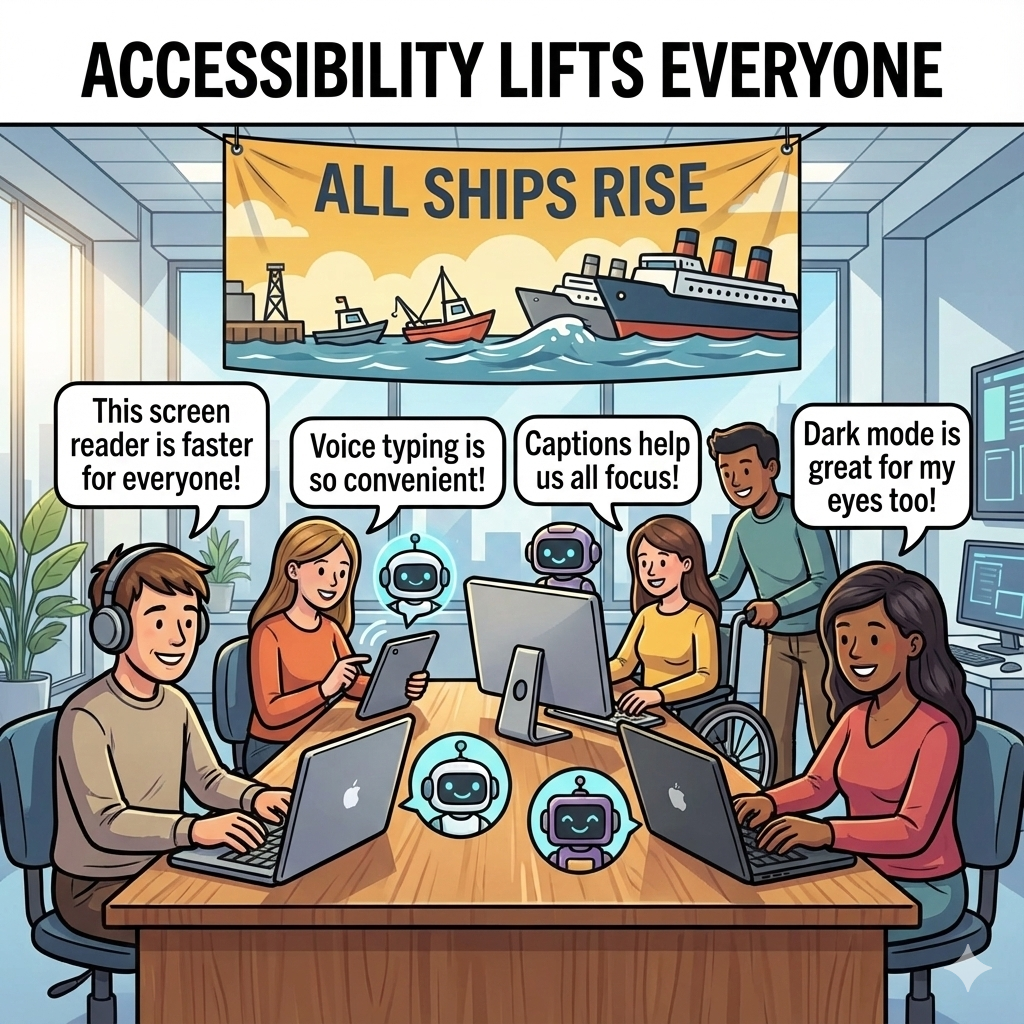
Sidewalk curb cuts were mandated for wheelchair users. Today, they’re used by parents with strollers, delivery workers with hand trucks, travelers with rolling luggage. The accommodation designed for a specific disability became infrastructure that benefits everyone.
Closed captions follow the same pattern. They were mandated for deaf and hard-of-hearing viewers. Today, a 2024 YouGov survey found that 63% of Americans aged 18-29 use subtitles when watching content in their native language—compared to under 30% of those 45 and older. Only about 7% of adults 18-34 report any difficulty hearing. The accommodation has become mainstream viewing infrastructure.
The AI applications are emerging along the same lines. Voice assistants began as accessibility tools. Text-to-speech started as a screen reader feature. AI summarization helps people with reading difficulties and also helps everyone drowning in information overload.
Stop treating accessibility as a compliance checkbox. The features you build for disabled users have a tendency to become the features everyone wants.
Elsa put it directly: “If we don’t envision disabled people in a future thinking world, we’re not envisioning disabled people at all.”
I’d extend it: if you’re not designing for disabled users, you’re probably not designing as well as you could for anyone.
Why Screenshots Won’t Catch It
I asked Elsa if she’d ever handed a screenshot to an LLM and asked for an accessibility critique. She had. The results were mixed in ways that reveal structural limitations.
The LLM understood contrast. It could see whether colors had sufficient differentiation. But because it was looking at a screenshot rather than the underlying page, it couldn’t catch whether links were properly accessible. It couldn’t determine if the page would work with a screen reader. It couldn’t test keyboard navigation.
This is a structural limitation, not an intelligence one. LLMs looking at screenshots can only evaluate what’s visually present. But accessibility is about interaction, not just appearance. Can you navigate with a keyboard? Does the screen reader announce elements correctly? Are focus states visible?
Automated tools like WAVE, axe, and Lighthouse face similar constraints. Their own documentation acknowledges they only cover a subset of WCAG requirements. They can’t guarantee a site is actually usable with assistive technology.
This is where agentic browsers get interesting. An agentic browser can interact with a live site, test keyboard navigation, examine how elements behave on focus, check whether interactive states work as expected.
Claude in Chrome, currently in research preview, enables this kind of live site interaction. People are starting to use it for QA testing. Accessibility auditing is a natural extension—if the agent can navigate a site the way a user would, it can identify barriers that static analysis misses.
The tooling isn’t fully mature yet. But the structural advantage is clear: agents that can interact beat agents that can only observe.
Why Overlays Are Accessibility Theater
Elsa was direct about a pattern she sees repeatedly: “Tech debt for accessibility is very real. People will often say, we’ll just fix it in post. And that’s how you end up with massive tech debt.”
As of 2023-2024, annual U.S. digital accessibility and ADA web lawsuits number roughly 3,500 to 4,600 cases per year, with concentrations in New York, California, and Florida.
The “quick fix” overlay products have not prevented this litigation. Organizations that add accessibility widgets on top of fundamentally inaccessible code continue to face lawsuits. The overlays don’t actually fix the underlying problems—they paper over them in ways that often create new barriers.
Elsa’s framing connected this directly to AI: “AI layovers are not accessibility. The way that the user may use accessibility as a LLM tool, that’s the accessibility is the user making that choice. But you can’t force a user to adapt using LLMs.”
If your product is inaccessible and you tell users they can use AI to work around it, you’ve shifted the burden to users rather than actually making the product accessible. That’s not accommodation—it’s avoidance.
Every “we’ll fix it later” decision compounds. The longer you wait, the more expensive the fix, and the more lawsuits accumulate in the meantime.
Model Selection Matters
Elsa made an explicit claim worth examining: Claude is better trained on WCAG and disability policy than ChatGPT, and she’s noticed this through direct comparison.
“I’ve noticed that that particular model is well-trained on disability and accessibility. Claude even knows disability policy. I can go into Claude and ask it questions about disability language choices and Claude will say, ‘I know person-first language. I know identity-first language. Which one do you like?’”
This isn’t just perception. Claude’s public model card notes that Anthropic added a constitutional principle encouraging respect for disability. In their Collective Constitutional AI work, a disability-specific principle appears among the publicly proposed constitutional rules: choosing responses that are adaptable and accessible to people with disabilities.
Elsa’s advice was specific: “Don’t trust ChatGPT to write perfectly accessible code. Please double check it. It makes mistakes.”
That’s not a condemnation of ChatGPT as a whole. It’s an observation that different models have different strengths based on training emphasis. If you’re generating code that needs to be accessible, test your model explicitly on disability scenarios before committing to it.
Platform Responsibility, Not User Responsibility
Tools like Lovable and Bolt are enabling non-developers to build apps through natural language prompts. This is genuinely democratizing. But it creates a specific accessibility problem.
“I do think that things like Lovable need to be thinking about that,” Elsa said, “because if you start building it in on a base level with that kind of a product, it opens the door for people like vibe coders to learn accessibility versus relying on every single vibe coder to do the right thing.”
The issue is that vibe coders inherit the patterns their tools generate. If Lovable produces inaccessible templates, every app built on those templates will be inaccessible.
Replit publishes a web accessibility statement referencing WCAG. Lovable and Bolt currently lack equally detailed public accessibility commitments for their builders or the apps those builders generate.
Accessibility specialists have started raising alarms about vibe coding and AI-assisted builders mass-producing inaccessible interfaces—polished UIs that pass superficial automated checks but remain unusable with assistive technology.
If you’re building AI tooling that generates code or interfaces, you’re shaping entire ecosystems. Accessibility needs to be a platform-level feature. If you’re using these tools, push your vendors on what accessibility checks they’re running before code ships.
Who Counts?
The conversation kept circling back to a question I don’t think the AI industry has adequately answered: who counts?
When MIT ran the Moral Machine, disabled people didn’t count—they weren’t in the data set. When early image generators tried to draw Elsa, her actual body didn’t count—it got “corrected” into something more normative. When apps required human volunteers to provide assistance, privacy and safety for well-known disabled users didn’t count.
Each of these exclusions reflects choices someone made, often without realizing they were making them. And those choices compound.
The progress Elsa documented—AI that stops apologizing, image generators that can render disabled bodies, models that understand disability policy—didn’t happen automatically. It happened because people pushed.
What to Do Now
Run the audit prompt with your team. Test your models against disability scenarios—ask them to generate disabled bodies, ask about accessibility policy, see what they apologize for. Check whether your AI “corrects” things it shouldn’t.
Stop relying on overlays and “fix it in post” plans. Push your vendors on accessibility in their training data.
Calling an AI “general purpose” when it can’t see disabled users isn’t a limitation. It’s a design decision.
Right now, you’re making it.
Go Deeper
Elsa’s book Being Seen: One Deafblind Woman’s Fight to End Ableism combines memoir with media criticism to show how representation shapes everyday ableism and exclusion. It’s the best thing I’ve read on how disabled people experience being portrayed—and erased—in media.
Her next book, Dear Blind Lady, is coming fall 2026.
I make this Substack thanks to readers like you! Learn about all my Substack tiers here and grab my prompt tool here