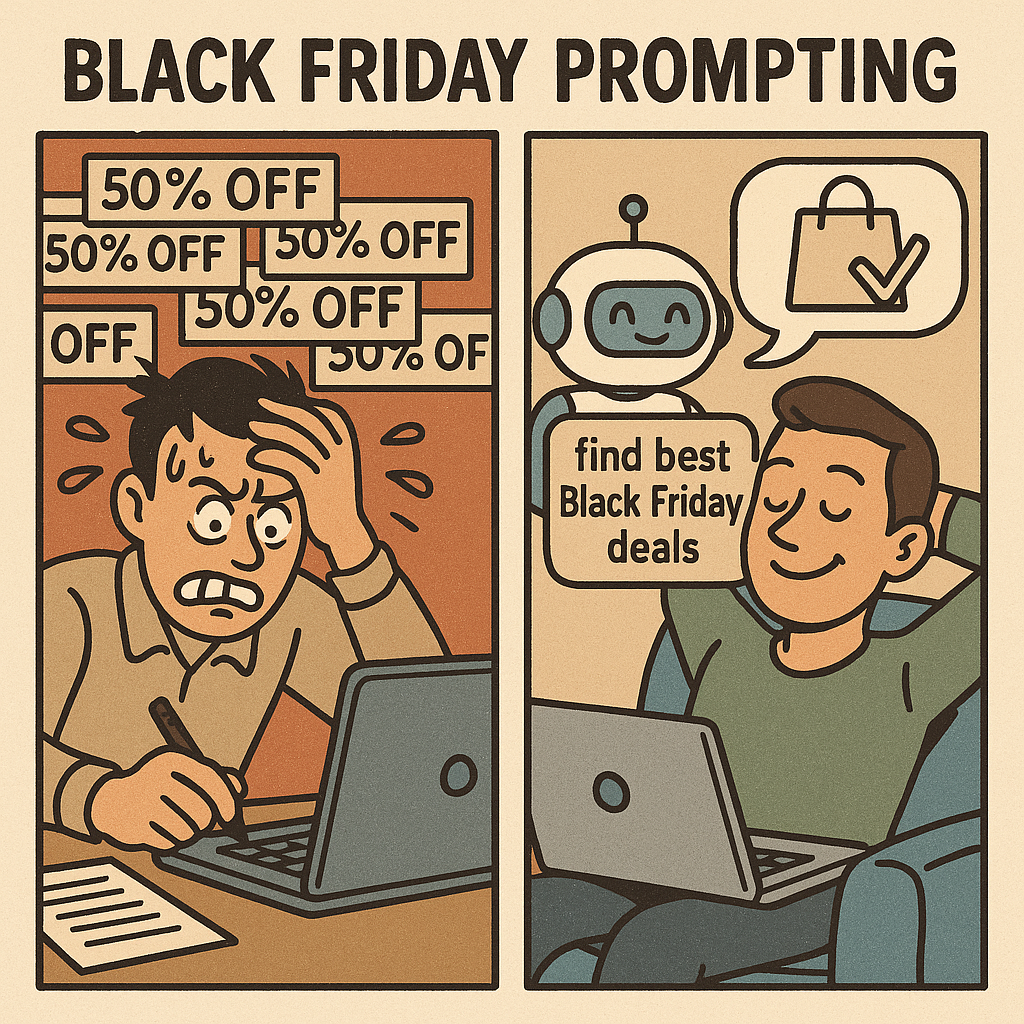
Can AI's actually help with Black Friday shopping? I put five to the test, and I ladder up my findings here, plus 6 prompts to help you zero in and hunt for Black Friday deals with the power of AI
By Nate
Published: 2025-11-28
URL: https://natesnewsletter.substack.com/p/i-tested-5-ais-on-black-friday-shopping
Look I’ll start with the big stuff first: the AI prompts here can make your Black Friday if you’re shopping for real deals.
When I was a kid, Black Friday was all about not getting crushed busting through the door to get TV deals.
AI prompting wouldn’t have helped me get through the doors at Walmart, but thankfully these days I can stay on the couch.
Now that we shop online, the game is less about tug-of-war over Nintendo 64 systems and more about opening a dozen browser tabs, googling “best Black Friday deals on [preferred object],” wading through seas of bad SEO listicles, etc. and all the while you are hoping you didn’t miss something better on a site you forgot to check.
It’s tedious. It’s time-consuming. And you’re never sure you got it right.
And this year, I wanted to know: can AI actually do this work for you?
Can you give an AI system a real shopping task—like finding a good sectional couch on Black Friday—and get back something more useful than what you’d get from an hour of Googling?
Can AI really work this way?
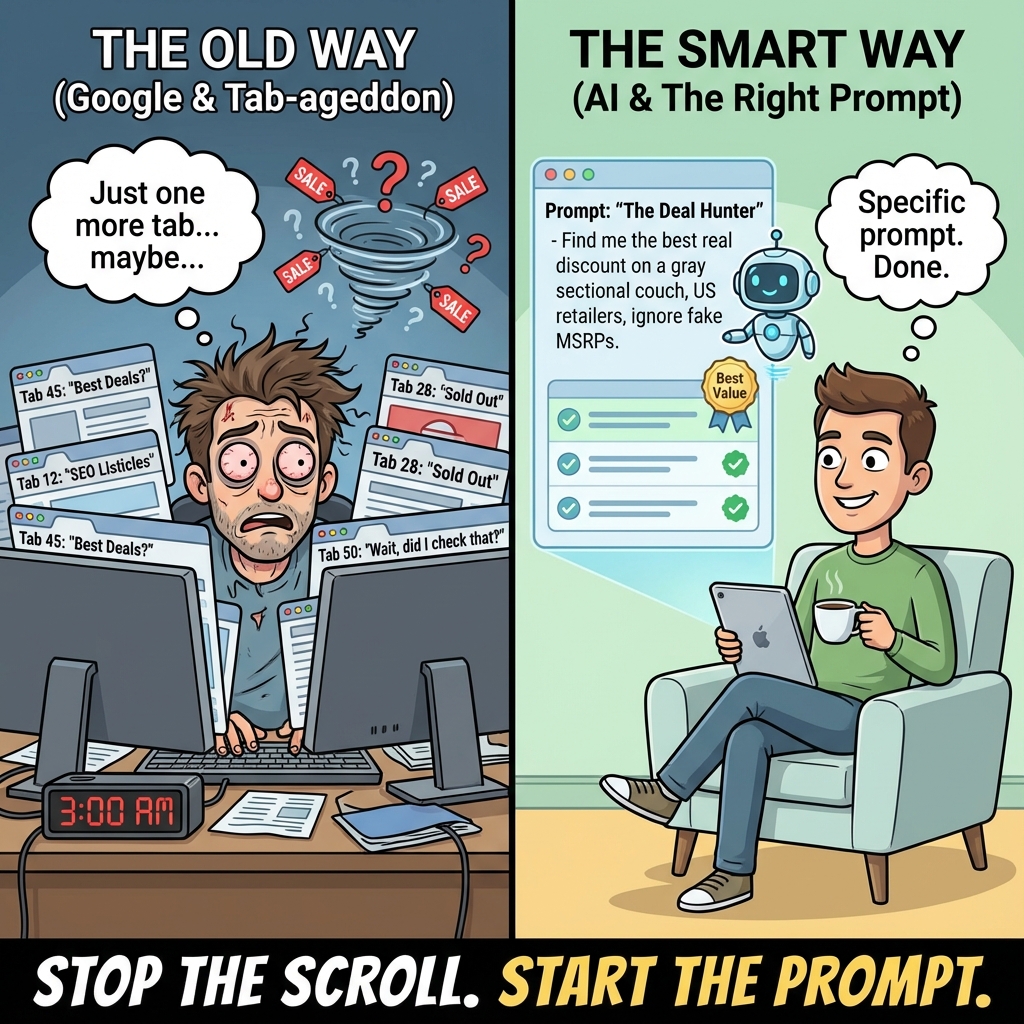
Well, I ran the test. Five AI systems, same task, side-by-side.
- ChatGPT 5.1
- Gemini 3
- Claude Opus 4.5
- Perplexity Comet
- ChatGPT Atlas
The results taught me something I wasn’t expecting—not about which model is best (although I found that out as well) but about why most people get mediocre results from AI shopping assistance in the first place.
The short version: “find me Black Friday deals” isn’t one job. It’s five different jobs hiding behind one sentence. And unless you tell the model which one you’re doing, it picks for you—usually wrong.
- The Deal Hunter — “Help me save real money.”
Use this when the priority is getting the lowest price on a good product.
Why it matters: This prompt forces the AI to check multiple retailers, ignore fake discounts, and surface the real savings — something humans almost never have time to do well.
- The Style Match — “Find something that actually fits my room and taste.”
Use this when color, size, vibe, or layout matter more than squeezing every dollar.
Why it matters: Without this prompt, AI guesses — and that’s how you end up with the wrong color, wrong orientation, or a couch that doesn’t fit your space.
- The Quick Compare — “I’m looking at this right now — is there a better option?”
Use this when you already have a product page open and want a fast check.
Why it matters: This prompt compares the exact item (or close matches) across retailers and catches the “same thing, cheaper elsewhere” scenarios people miss constantly.
- The Exact Item Checker — “I know the product. Just find me the best place to buy it.”
Use this when the decision is made and you want the best retailer, price, and policies.
Why it matters: This prompt protects you from bad return policies, inflated MSRPs, long shipping delays, and retailers that quietly charge extra.
- The Easy Button — “Don’t make me think. Just get me something good.”
Use this when you don’t want to fill out details or overanalyze.
Why it matters: This prompt has the AI make reasonable assumptions, show them to you, and deliver a clean “good / better / best” shortlist without friction.
- The Prompt Picker — “I’m not sure what I want. Ask me a few questions.”
Use this when you need help figuring out which of the above fits your situation.
Why it matters: It saves you from picking the wrong prompt and getting results that look right but solve the wrong problem.
Basically, I built prompts for each way people actually shop. One for saving real money, one for matching your space and taste, one for quick comparisons, one for checking the exact item across retailers, one for when you don’t want to think, and one that helps you figure out which of those modes you’re in.
Match the prompt to the way you’re thinking, and the AI suddenly gets a lot better at doing the economic work you wanted in the first place.
Below is the breakdown of the test, what failed, and why the right prompt shape matters more than people realize.
Subscribers get all these newsletters!
Grab the Black Friday Prompt Pack
The pack includes six copy-paste-ready prompts—one for each shopping mode—plus a conversational picker you can paste into ChatGPT that helps you figure out which one fits your situation. The picker interviews you, diagnoses your job-to-be-done, and loads the right prompt automatically.
Below is the full breakdown: what I tested, what failed, what I learned about prompt architecture, and the design logic behind each of the five prompts.
The Test
I wanted to answer a specific question: can AI do the economic work of Black Friday shopping better than you can do it yourself?
Not “can AI talk about shopping” or “can AI generate a listicle.” Can it actually find products, compare prices across retailers, identify genuine discounts versus fake MSRPs, and surface options you wouldn’t have found on your own—faster and more completely than an hour of manual Googling?
To find out, I picked a commonly discounted item category: sectional couches. I chose this deliberately. Couches are expensive enough that the stakes feel real. They have enough variation (size, configuration, color, material, style) that the AI has to navigate real constraints. And Black Friday couch deals are everywhere, which means the signal-to-noise problem is genuine—there’s a lot of junk to wade through.
I tested five systems:
Three LLMs with web search: ChatGPT 5.1, Claude Opus 4.5, and Gemini 3. These models can browse the web, but they don’t see the page you’re on—they only see what you type.
Two agentic browsers: Atlas and Comet. These are AI-powered browsers that can see the page you’re currently viewing and use that context to help you. The promise is that you don’t have to describe everything in text—the browser already knows what you’re looking at.
I ran two parallel tests:
For the LLMs, I used a detailed prompt specifying what I was looking for: a sectional couch, reasonable price sensitivity, US-based shopping. I left some fields deliberately vague (like color) to see how the models would handle ambiguity.
For the browsers, I started on a specific product page—a gray sectional—and used a shorter, more natural prompt. The theory was that the browser already had rich context from the page, so I shouldn’t need to restate everything.
Then I watched what happened.
What went wrong (and what it taught me)
The failures were instructive:
Intent gaps killed accuracy. When I was on a gray sectional page in Comet, the browser didn’t infer I wanted gray—because I never said “gray.” Any detail you don’t specify, the model will fill in with its best guess. Those guesses are often wrong in ways that quietly cost you money.
Architecture matters. The browsers (Atlas, Comet) have page context but respond to casual prompts. The LLMs (ChatGPT, Claude, Gemini) have no page context but respond well to detailed prompts. Using a 500-word prompt in a browser can actually hurt performance—the system’s attention drifts from the DOM to your essay.
Generic outputs dominate. Atlas gave me generic “Best Black Friday Sectional Sofas” listicles instead of actual products with prices and links. If the prompt doesn’t demand specificity, you get SEO content, not shopping intelligence.
Fake discounts went unchallenged. Several systems surfaced “50% off” deals where the “regular price” was clearly inflated. Unless the prompt tells the model to call out suspicious MSRPs, it won’t.
The core insight: shopping is five jobs, not one
Here’s what the test made clear: “find me Black Friday deals” isn’t one task. It’s at least five distinct jobs hiding behind one sentence:
- Maximize value — biggest real discounts across retailers
- Match my constraints — right look, right size, right color, then best deal
- Cross-shop this page — I’m already looking at something; find it cheaper or find close alternatives
- Compare retailers for one item — I know what I want; who has the best price and policies?
- Just find something decent — I don’t want to fill out a form; make reasonable assumptions
If you don’t tell the model which job you’re doing, it picks one for you. That’s how you end up with results that feel plausible but don’t actually serve your goal.
The results: who won?
ChatGPT 5.1 came out on top for detailed deal-hunting. Given a well-structured prompt, it returned specific products, real prices, percentage-off calculations, and visual comparisons. The value density was noticeably higher than the others.
Comet was the second-best overall experience—pleasant UI, specific products, verified links—but it struggled with price accuracy and leaned heavily toward a few retailers (Walmart dominated the results). It performed better with shorter, page-aware prompts than with detailed instructions.
Claude Opus 4.5 returned useful categories but often linked to retailer homepages instead of specific products. The groupings (budget tier, mid-range tier) didn’t always make sense—a $270 couch and a $989 couch in the same “budget” bucket.
Gemini 3 gave detailed prose but no links at all. It surfaced some of the same products as others but with no way to actually buy them.
Atlas failed outright—generic articles, no specific SKUs, nothing actionable.
How to pick the right one
One thing the test made unavoidable is how little we understand our own intent when we shop.
Most people treat “find me a Black Friday deal” as if it’s a clean, singular request. It isn’t. It’s usually an emotional tangle disguised as a shopping task: a desire not to overpay, not to pick the wrong thing, not to commit too early, not to be fooled by fake discounts, not to regret the purchase when the box shows up.
AI models don’t understand that tangle unless you name it. They can’t. So they do what systems always do under uncertainty: they make a confident choice on your behalf. And the choice they make is almost always the one with the highest statistical likelihood, not the one that maps to your internal constraints. That’s why you can ask for help finding a couch and get back something that technically fits the words you wrote but violates the thing you actually care about—the color, the size, the vibe, the delivery window.
So the real work here isn’t picking a prompt. It’s clarifying which tension you’re trying to resolve.
When I examined the failures across the five systems, what jumped out wasn’t that the models were “wrong.” It was that each system implicitly assumed a different job, because I hadn’t specified one. ChatGPT assumed “optimize value.” Comet assumed “show me similar products.” Claude assumed “summarize the category.” Gemini assumed “write a prose analysis.” Atlas assumed “give me SEO-friendly shopping content.” None of them were malfunctioning. They were responding to an underspecified request.
That was the turning point: realizing that the prompts aren’t variations on a theme—they’re scaffolding for five different decision modes, each of which aligns with a different psychological stance:
- Optimizer — Show me the best economic outcome.
- Identity matcher — Make the thing match the rest of my life.
- Sanity checker — Confirm I’m not missing something obvious.
- Risk minimizer — I’ve already chosen; tell me where the traps are.
- Satisficer — Reduce friction. Give me something good enough.
Once you see that, a single “best prompt” becomes the wrong question. It’s not that you need the right instructions for the model—you need the right frame for the cognitive work you want the model to perform.
Here’s how that maps to the prompts:
The Deal Hunter is the optimizer. This is the mode where you care about value density—real discounts, credible regular prices, and cross-retailer comparisons. When people say they want “deals,” this is often what they mean, even if they don’t say it out loud. The prompt forces multi-retailer comparison, filters out inflated MSRPs, and prioritizes genuine savings over marketing claims.
The Preference-First Shopper is the identity matcher. This is the mode where you will not compromise on color, orientation, or aesthetic. You want the thing to fit the room, the vibe, or the mental picture you’ve already committed to. Value matters, but only inside the constraints. The prompt locks in your non-negotiables first, then searches for deals within that envelope—producing fewer but higher-integrity picks.
The Smart-Browser Scout is the sanity checker. You’re already looking at something specific. The question is: “What else in the universe looks like this, and is any of it better?” This is cross-shopping as a guardrail—making sure you’re not about to overpay for something that can be had cheaper or better-configured elsewhere. Short prompt, high precision, built for browsers that can already see the page you’re on.
The Cross-Shop Exact Item is the risk minimizer. The decision is done. You’ve chosen the product. Now the goal is to avoid being punished by a bad retailer, bad return policy, or bogus discount narrative. This is the prompt that protects you from regret, not the prompt that finds you new options. It normalizes the product, searches horizontally across retailers, and surfaces the catches you might otherwise miss.
The Lazy Shopper is the satisficer. This is the mode where cognitive load is the enemy. You want the system to infer your likely preferences, surface its assumptions, and hand you something good—not perfect, not optimized—without forcing you through a questionnaire. You give almost nothing; the AI states what it’s assuming, then delivers a “good, better, best” stack for a typical buyer in your range.
None of these are better or worse. They’re simply different. And your outcome will be dramatically better if you know which mode you’re in before you ask the system to act on your behalf.
The picker prompt I built tries to help with that. Not by routing you to a tool, but by forcing a micro-moment of self-honesty: What am I actually optimizing for right now? Once you answer that, the rest is mechanical—the model can do the work, and the prompt can constrain it to the right frame.
Choosing the wrong prompt doesn’t look like a catastrophic failure. It looks like plausible output that quietly misses your actual goal—the worst kind of failure, because you don’t notice it until the couch is in your living room and doesn’t fit the way you hoped.
Think of the prompts as lenses. Pick the one that matches the way you’re thinking, not the thing you’re buying. The results will feel different because the system is executing the right cognitive stance instead of guessing.
What the prompts try to do
I want to be clear about the design logic, because it came from watching failures—not from theory.
Concrete over generic. Every prompt bans listicles and demands specific products, prices, and links. This seems obvious, but without it, models default to the kind of content that ranks well on Google rather than content that helps you buy something.
Assumptions out in the open. When you don’t specify something, the model must say what it’s assuming before it proceeds. This matters because silent assumptions are where the mismatch happens. You think you asked for one thing; the model interpreted another.
Smaller, higher-quality lists. A dozen disciplined options beat fifty random ones. The prompts push for fewer, better-ranked candidates. More is not better when you’re trying to make a decision.
Commentary, not just numbers. The prompts ask for reasoning: why is this a good deal, why did you avoid that one, what patterns emerged. This is partly for transparency, but it also forces the model to do actual analysis rather than just retrieval.
Explicit handling of traps. Inflated MSRPs, skewed retailer coverage, bad reviews hidden behind big discounts—all called out as things the AI must identify and address. Without this, models tend to take marketing claims at face value.
Tool-awareness. Detailed prompts for LLMs that only see your text. Shorter, page-aware prompts for browsers that already have context. Over-specifying in a browser can actually hurt—the system’s attention drifts from the page to your essay. Under-specifying in an LLM leaves too much room for silent guessing.
The larger point: AI is crossing into real economic work
I want to step back from the specifics for a moment, because this test was never really about couches.
OpenAI talks about “GDP value”—the idea that AI should eventually do economic activity that’s genuinely useful. Most of what we’ve seen so far has been creative work, knowledge work, coding. But shopping is economic activity too. Americans move billions of dollars on Black Friday. Finding a better deal, avoiding a fake discount, not overpaying for shipping—these are real economic outcomes that affect real households.
For years, “AI for shopping” meant recommendation engines that optimized for the retailer, not the buyer. It meant chatbots that couldn’t actually help. The systems weren’t capable of doing the work.
That’s changing. This is the first year I could plausibly put five AI systems in front of the same shopping task and get results that were—at least in one case—genuinely better than what I’d have assembled myself in an hour of tab-switching. Not magic. Not perfect. But useful in a way that translates directly to money saved.
The constraint has moved. The models are now good enough that the bottleneck isn’t capability—it’s task definition. Give a model a vague job and you get vague results. Give it a well-architected job and you get something that would have taken you significant time to replicate manually.
This matters beyond shopping. The pattern I saw—where a single underspecified request hides multiple distinct jobs—shows up everywhere. “Write me a strategy doc.” “Help me with this code.” “Analyze this data.” Each of these is actually several different jobs, and unless you specify which one you’re doing, the model picks for you.
The skill that’s emerging isn’t “how to use ChatGPT.” It’s how to decompose fuzzy requests into well-defined jobs that models can actually execute. That’s a transferable skill. It works across models, across domains, across whatever new system launches next week.
I think we’re at the beginning of AI participating in ordinary economic activity—not just knowledge work, but the mundane stuff that makes up daily life. Shopping is one example. Scheduling, logistics, comparison shopping, deal-hunting, price monitoring—all of these are economic activities that AI is starting to do meaningfully.
The question isn’t whether AI can help. It’s whether you can define the task clearly enough to let it.
What’s next
These prompts are useful for this year. I expect to revise them as the models improve and as I learn more about where they fail. The browsers in particular are evolving fast—what worked poorly for Atlas today might work well in three months.
But the framework—decomposing “find me deals” into five distinct jobs, each with its own cognitive stance—that I expect to hold up. It’s not about the specific prompts. It’s about recognizing that underspecified requests produce underspecified results, and that the work of getting good output is often the work of clarifying your own intent before you ask.
Use the prompt that fits. And tell me what deals you find!
I make this Substack thanks to readers like you! Learn about all my Substack tiers here and grab my prompt tool here