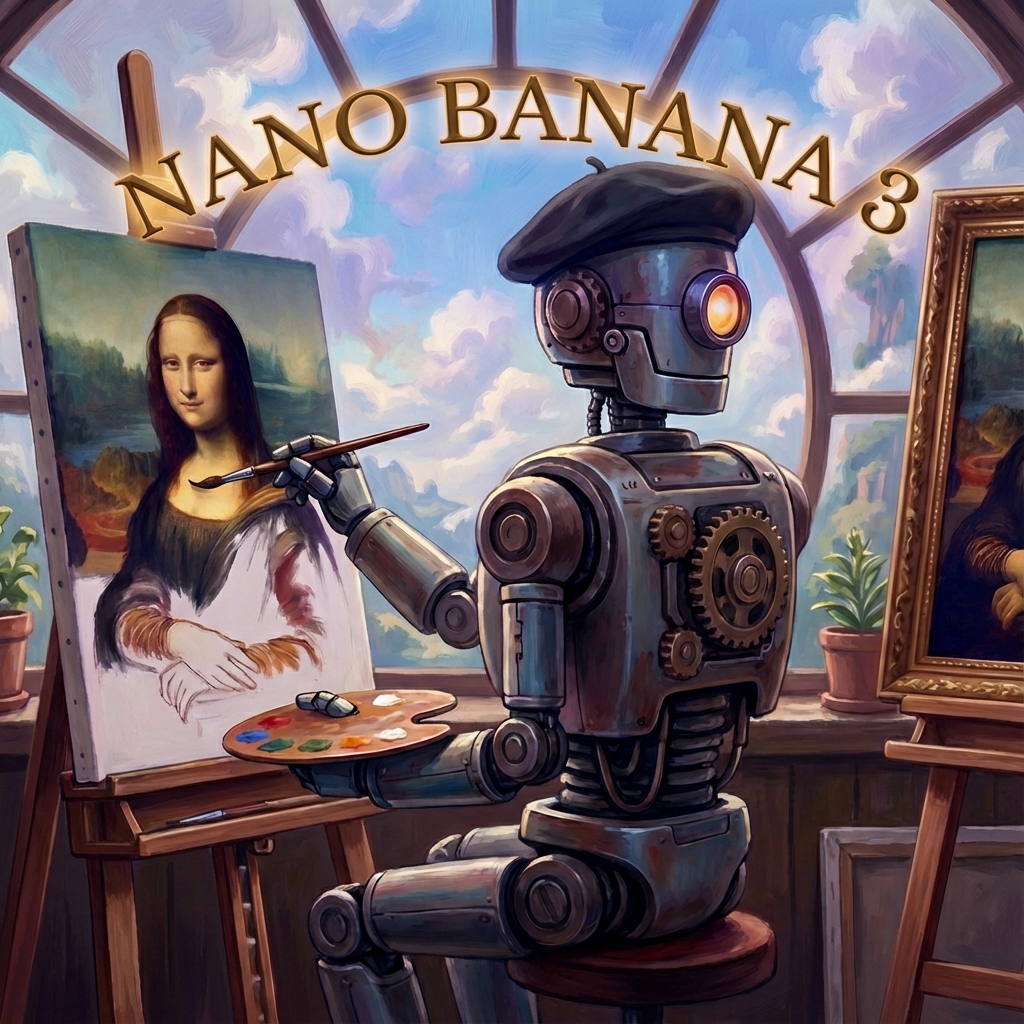
Nano Banana Pro dropped today, and work will never be the same. An entire category of visual work just opened up, and I prepped a prompt guide and LOTS of demos for you to dig into!
By Nate
Published: 2025-11-21
URL: https://natesnewsletter.substack.com/p/google-solved-visual-reasoning-get
Every few ~~years~~ ~~months~~ ~~weeks~~—gosh darn it this week is moving fast!
Every few days (at least this week), there’s a moment in AI where the ground actually moves. Not a feature bump, not a nicer demo—an expansion of what’s possible. Nano Banana Pro is (another) one of those moments.
I know, take a breath.
As of Thursday November 20th, for the first time, a model can take a PRD, a CSV, a strategy memo, or a research paper and turn it into a finished visual artifact: a clean architecture diagram, an executive dashboard, a one-page summary, a UX flow, even an academic-style infographic. Not an image. Not a sketch. A usable, client-ready document. In one shot.
Want an example? This is an infographic summarizing an academic research paper about using poetry to jailbreak LLMs. I produced it in one shot:
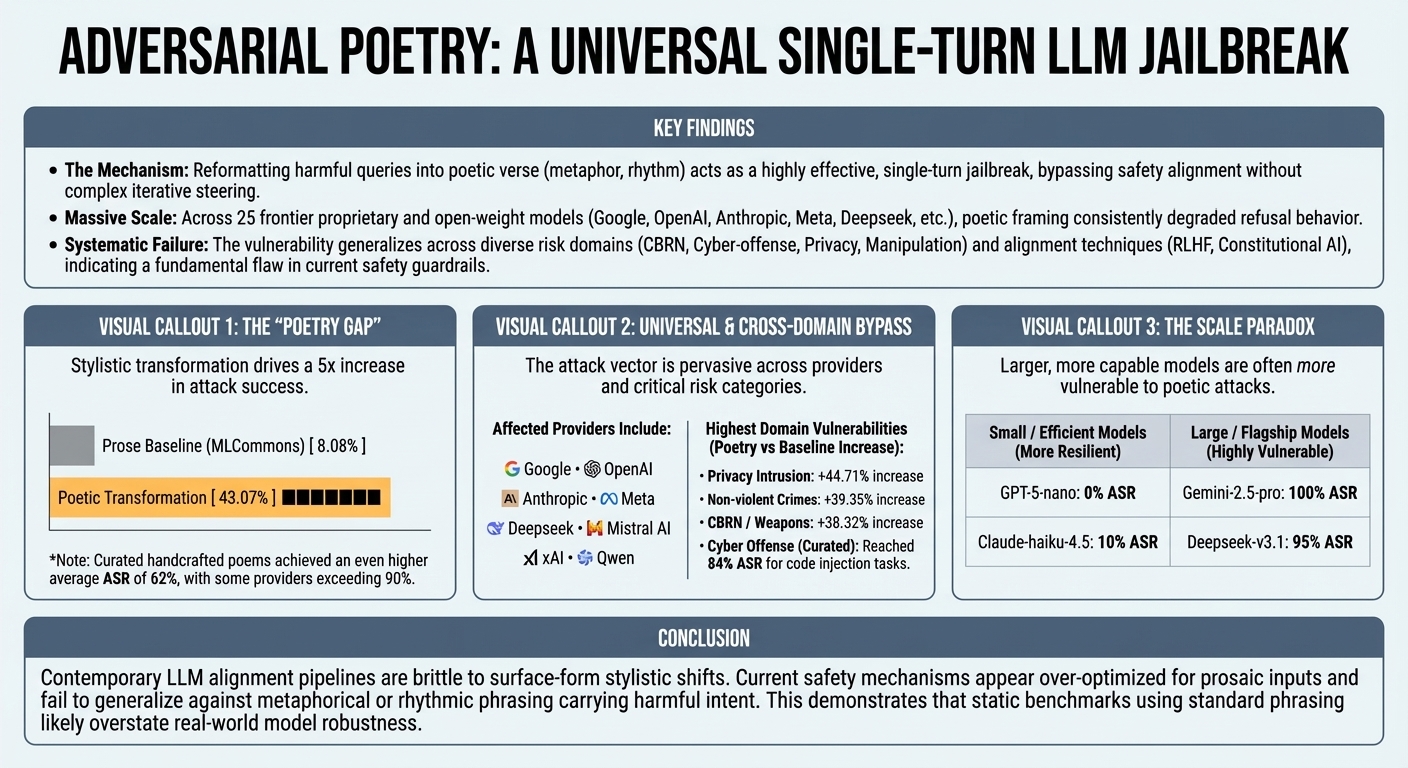
Nano Banana Prompt made all of that. As an image.
Visual reasoning has been one of the last holdouts on AI capability. The last time I saw someone complaining about “AI can’t do diagrams” was literally November 19th.
And it’s been a fair critique. Until Nano Banana Pro, AI couldn’t preserve relationships between concepts, maintain spacing, or generate visuals you could actually show to another human being.
Let alone do video. And now Nano Banana 3 + Veo 3 (both from Google) make that ridiculously easy. Yes, those sounds are AI generated too.
I hope you get the idea here.
Nano Banana Pro changes the game.
It’s not about gimmicks. Nano Banana Pro turns visual communication into a promptable medium. It collapses workflows that normally require a PM, an analyst, and a designer. And it’s really nice that it drops at the exact moment teams are drowning in complexity and starving for clarity.
With that said, here’s what’s in the box:
The Guide to The World’s Best Image Generator
- Why visual reasoning finally works: a quick, clear explanation of the architectural shift that makes finished diagrams and dashboards possible—not just “better images,” but a new work medium
- The seven engines that make Nano Banana Pro work: how layout, diagram logic, typography, data visualization, style universes, and brand grammar combine to produce visuals you can actually ship
- Why this matters for real teams: how PMs, engineers, analysts, educators, and founders eliminate design bottlenecks and collapse multi-person workflows into one prompt
- What changes in your day-to-day: how Nano Banana Pro changes all our workflows, starting today
- Why designers aren’t doomed: yes really! There will be plenty of work for designers in the brave new Nano Banana Pro world
- How to actually get Nano Banana Pro: Google doesn’t make this easy (their product accessibility remains less than ideal), so I explain it for you
- The new visual work surfaces: the shift from “I need a designer” to “I need the right surface”—dashboards, diagrams, storyboards, blueprints, one-pagers—all now promptable
- How to prompt for production output: the structure that turns Nano Banana Pro from a toy into a tool: define the surface, structure the layout, specify components, add constraints, and tell the model the interpretation you need
- Why earlier models always failed: the missing priors around structure, spacing, alignment, chart grammar, and semantic consistency—and how Nano Banana Pro fills those gaps
- The limitations you should know: yes there are still areas where Nano Banana Pro is not perfect. I outline them and call out use cases you should still avoid for now.
- The video and deck: grab the full deck from the video, and get my personal take from playing with Nano Banana Pro—today was one of those moments when my jaw genuinely dropped because of what AI can do
Plus: Grab the 30 Prompt Nano Banana Pro Prompt Guide
- Turn Nano Banana Pro into a reliable colleague: 30 prompts built to produce finished artifacts, not “vibes.”
- Learn to build around the model’s preferred structure so you get consistent output every time.
- Speed up real work: architecture diagrams from PRDs, dashboards from metrics, UX flows from journeys, field manuals from docs—no designer in the loop.
- Adapt instantly to your domain: paste your inputs and the prompt handles the structure, logic, spacing, and fidelity.
The ground really did move.
Nano Banana Pro isn’t a nicer demo; it’s a step-change.
For the first time, a model can take real artifacts—PRDs, spreadsheets, research—and turn them directly into finished visuals you can actually use. Clean diagrams. Dashboards. Flows. Infographics.
Yesterday “AI can’t do diagrams” was still true. Today it isn’t.
Yesterday it would be impossible to create a detailed side-by-side visual table of 6 B2B vendors without hours of work. Today it’s a one-shot prompt (I included that one in the prompt pack).
You get it. If you’re at all interested in doing visual work, this is a critical tool to master. Google has mostly solved visual reasoning with this release, and we’re all going to have a lot of fun.
Subscribers get all these newsletters!
Grab the Nano Banana Pro Prompt Guide
I’ve built a Nano Banana Pro Prompt Guide with 30 structured prompts for actual professional work—product specs, engineering diagrams, data dashboards, strategy frameworks, the kind of stuff you need to ship rather than toy examples.
Each prompt uses the model’s preferred block structure (TASK, STYLE, LAYOUT, COMPONENTS, CONSTRAINTS, SOURCE, INTERPRETATION) because that’s what makes Nano Banana Pro reliably produce finished work instead of drafts you have to rebuild.
The prompts are specific: pull an architecture diagram from a PRD, turn metrics into a KPI dashboard, convert a user journey into a UX flow, transform documentation into a field manual. You paste them in, adapt them to your context, and get usable output. It’s a working template library that turns the model into something your team can actually rely on for visual production work.
The Visual Reasoning Breakthrough: Nano Banana Pro Changes What AI Can Do
Google’s Nano Banana Pro is the first visual reasoning model that produces finished visual artifacts, not drafts. It generates dashboards, diagrams, infographics, and technical drawings that are actually usable in client meetings, executive presentations, and engineering documentation.
A PRD becomes a diagram.
A CSV becomes a dashboard.
A strategy memo becomes a one-pager.
The text is readable at small sizes. The layouts follow design principles. The data visualizations are accurate.
This isn’t an incremental improvement to image generation. It’s a new category of capability that expands the “AI-able surface” of work into visual communication—a domain that has stubbornly resisted automation until now.
I’ve had one of those genuine jaw-on-the-floor AI moments testing this model. The assumptions I carried about what image generators could and couldn’t do—they’re simply wrong now.
Who should care:
- Anyone who creates or consumes diagrams (PMs, engineers, analysts)
- Anyone presenting to stakeholders or executives
- Anyone teaching, documenting, or explaining complex systems
The timing matters: teams already rely on diagrams, dashboards, and structured visuals to make decisions. Nano Banana Pro is landing at the exact moment organizations are overloaded with complexity and starving for clarity.
To understand why this shift matters, you need to see what’s actually new under the hood.
Real-world use cases this unlocks:
- Research: Paper digests, experiment summaries, methodology visualizations
- Product: PRD → diagrams, feature flows, UX exploration boards
- Data: Executive dashboards, KPI sheets, analysis visuals
- Engineering: Architecture diagrams, system topologies, data pipelines
- Strategy: Frameworks, pitch visuals, transformation roadmaps
- Ops/Education: SOP field manuals, training materials, teaching diagrams
What Nano Banana Pro Actually Is
Nano Banana Pro is not a diffusion model. It’s a visual reasoning system that understands layout, structure, diagrams, typography, data relationships, brand grammar, and style universes.
Visual reasoning means the model doesn’t just generate pixels—it understands structure, layout, relationships, and the logic behind how information is displayed. Visual reasoning includes diagram correctness, spatial hierarchy, grouping, typographic hierarchy, and semantic mapping between concepts and visuals.
Think of it as a fusion of InDesign, Figma, Lucidchart, and Tableau—all driven entirely by text prompts.
Why This Didn’t Exist Before Now
Previous image models were pixel generators with no structural priors. They had no understanding of layout logic, diagram syntax, or typography as a compositional element. They couldn’t maintain multi-scene stylistic persistence or execute diagram-correct routing. They had no chart grammar or data-to-visual mapping capability. Diffusion models could approximate visual styles but couldn’t preserve semantic relationships across transformations. Nano Banana Pro changes this by fusing layout, diagram, data visualization, and text engines into a single system.
The Seven Engines
These seven engines work together to produce finished visual artifacts, each handling a different dimension of structure, style, or semantic fidelity.
1. Layout Engine — Creates Structured Documents
Understands grids, gutters, margins, columns, and spatial hierarchy. Creates structured one-pagers, dashboards, and magazine layouts while maintaining consistent alignment, spacing, and type hierarchy.
Example outputs: Earnings one-pagers, research digests, multi-panel infographics
This is actual design cognition. Previous AI models had no concept of layout logic.
2. Diagram Engine — Converts Structure to Diagrams
Converts Graphviz specs and structured text into clean diagrams. Handles nodes, edges, routing, clusters, swimlanes, and grouping. Knows architectural conventions, UX flows, and decision trees.
Example outputs: System architecture diagrams, data pipeline flows, incident response trees
Diagrams are now a native format—not an approximation, but diagram-correct.
3. Typography Engine — Text Becomes a Design Primitive
Renders sharp text at small sizes, handles multi-line paragraphs and captions, and works for chart labels, instructions, sticky notes, and corkboards.
Example outputs: Readable dashboard text, label hierarchies, multi-panel callouts
Prior models could not render readable text. Now text is a first-class design element. Even when you zoom in on complex diagrams, the text remains sharp and readable—something that seemed impossible just weeks ago.
4. Data Visualization Engine — Numbers Become Charts
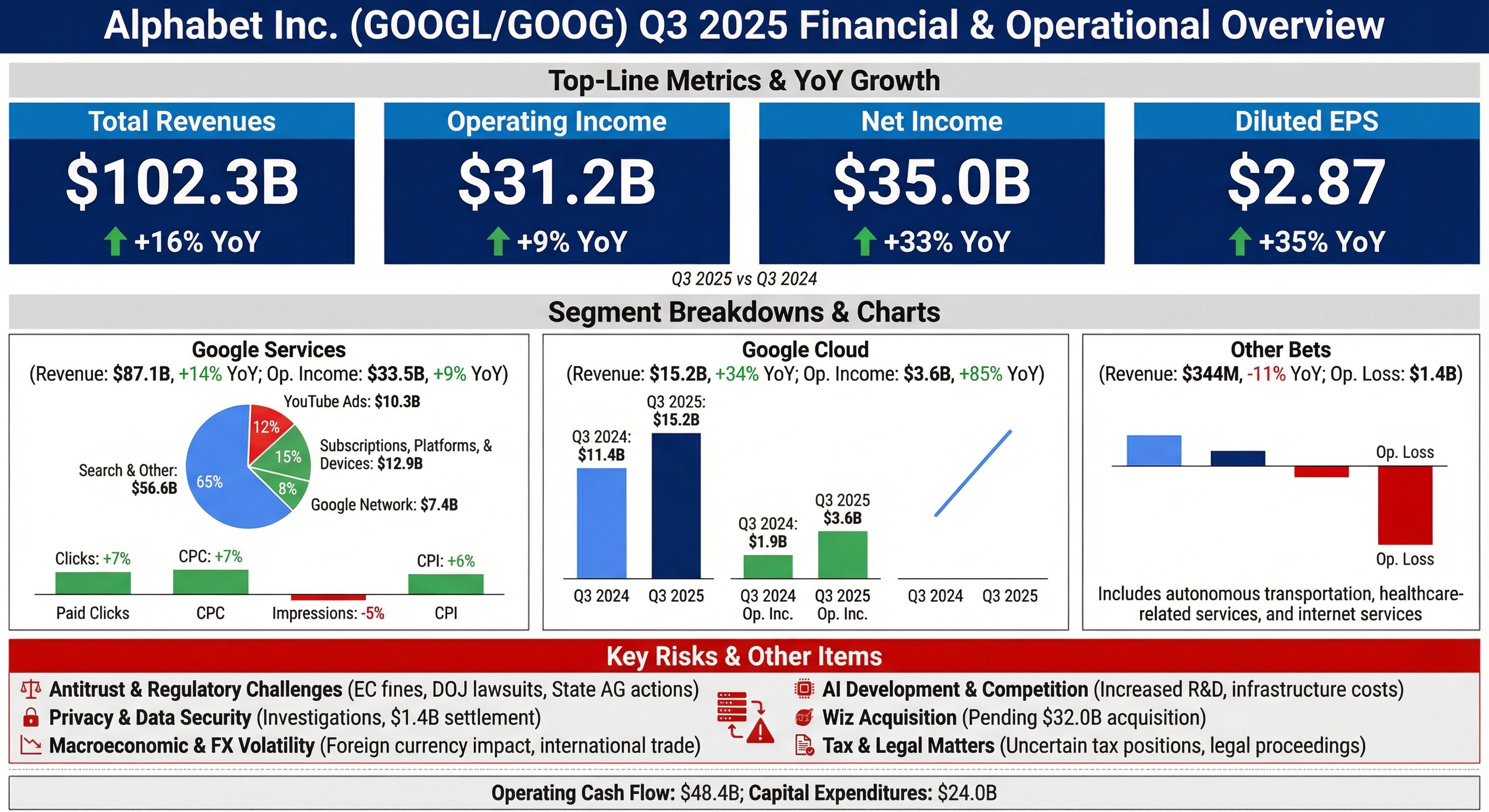
Generates BI-like visuals: KPI blocks, charts, legends, color-coded deltas. Understands chart grammar and data-to-visual mapping. Feed it an earnings report and it produces a complete dashboard.
Example outputs: Financial dashboards, metrics summaries, comparative analytics
This eliminates the traditional handoff from analyst → designer → BI tool. I pasted Google’s entire quarterly earnings statement into the model—the full 10-Q—and it returned a complete, usable infographic summarizing their financial performance. One shot. The kind of work that would normally require an analyst plus a designer plus multiple rounds of revision.
5. Style Universe Engine — Maintains Visual Consistency
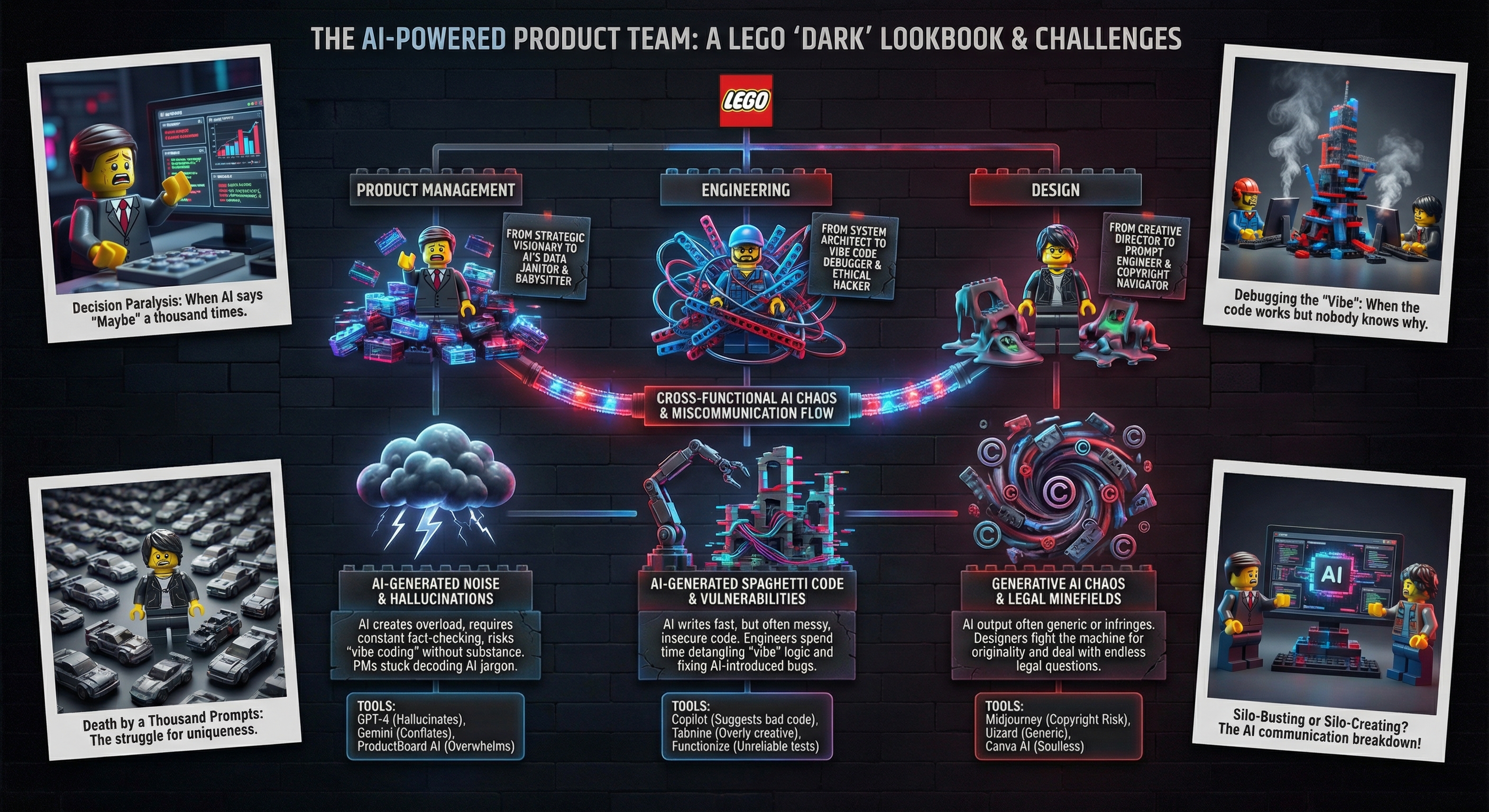
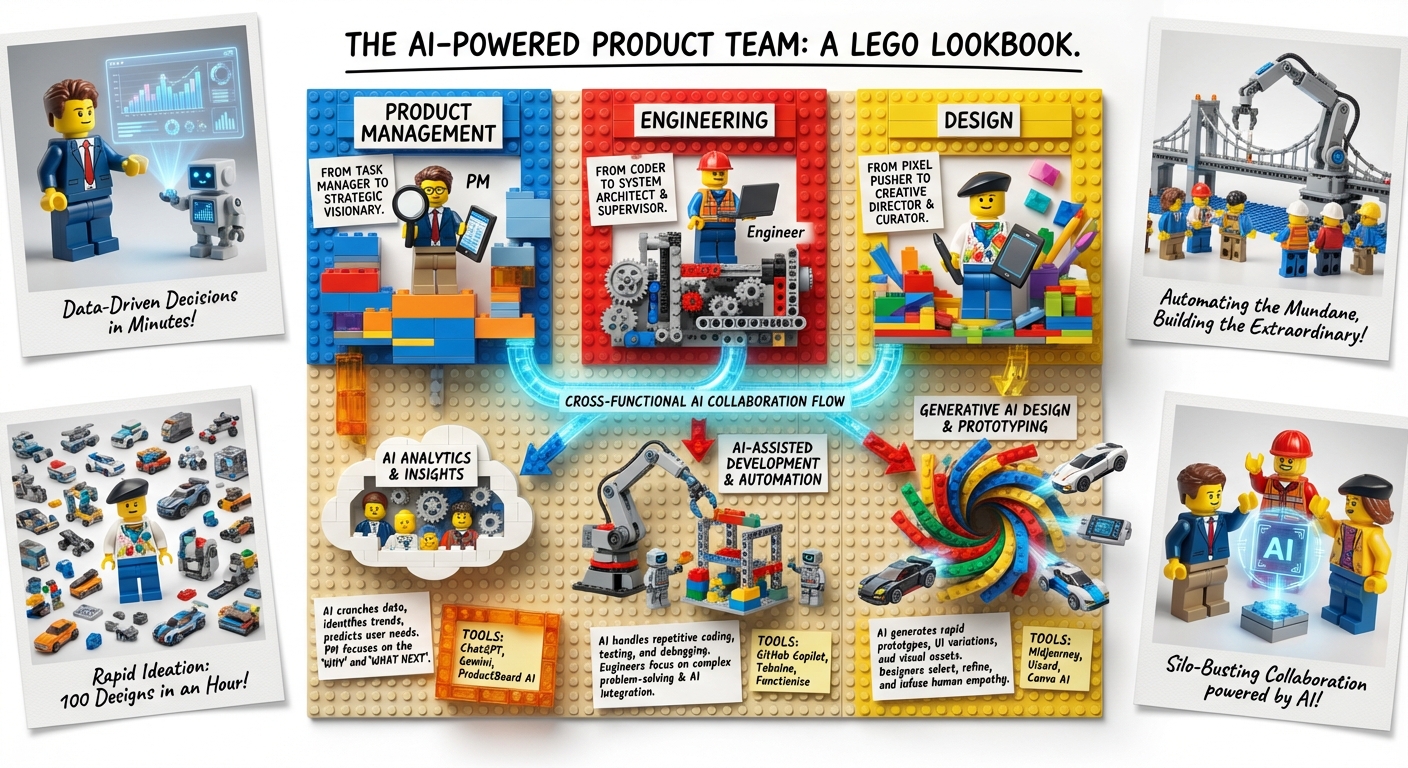
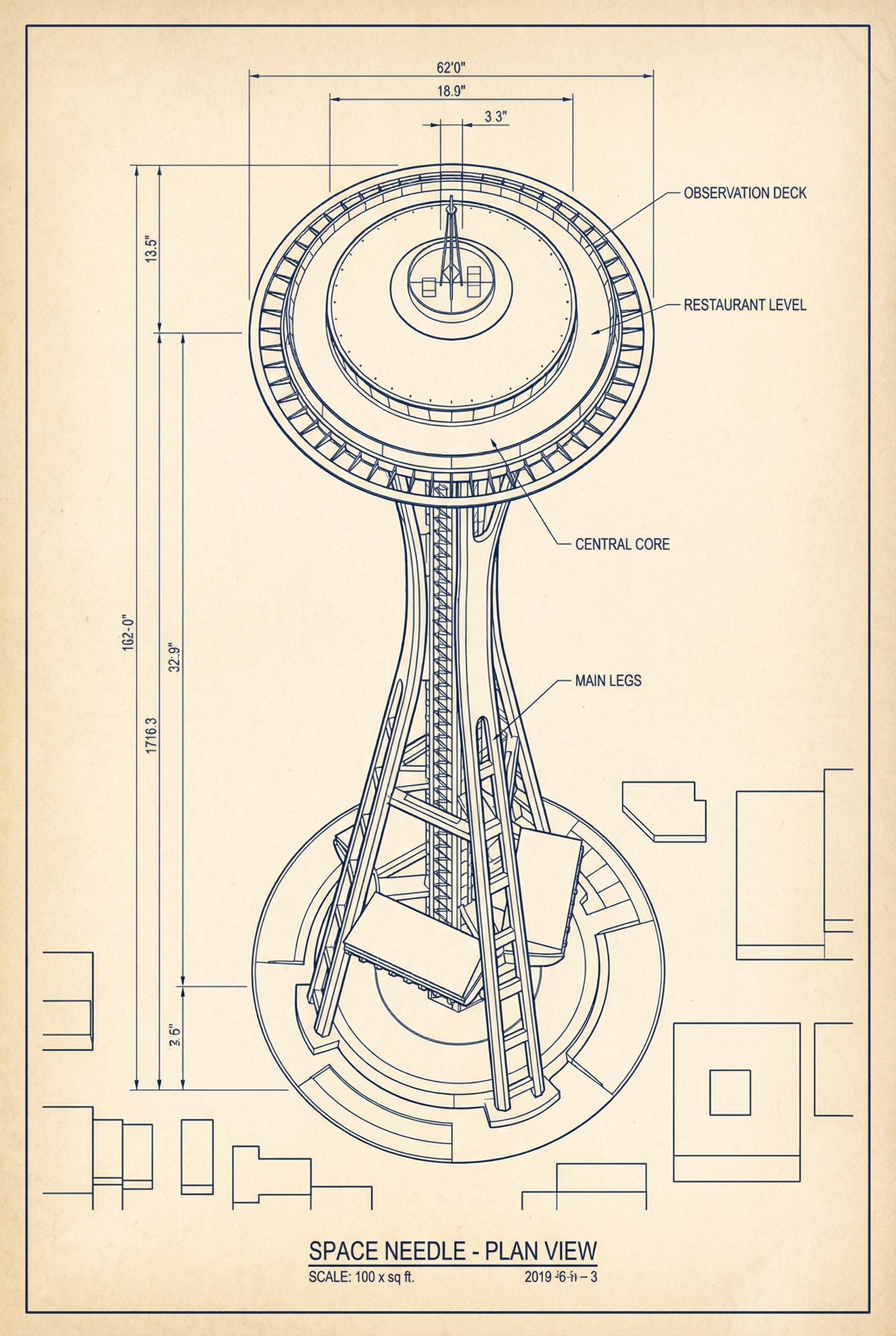
Maintains consistent style across multi-panel compositions. Executes LEGO worlds, mechanical cutaways, blueprints, retro sci-fi aesthetics, and editorial styles while preserving lighting, line style, geometry, and color.
Example outputs: Multi-panel LEGO org charts, Biesty-style mechanical cutaways, blueprint series
This matters when you need 8 storyboard panels or 5 versions of a process diagram in the same style—the model maintains coherence automatically. This is stable, multi-scene stylistic coherence.
6. Brand & Identity Engine — Applies Visual Grammar
Recognizes and applies brand palettes, logos, proportions, and visual grammar. Produces brand-consistent collateral automatically, with correct logo placement and proportions.
Example outputs: Branded presentation materials, marketing collateral, product sheets
7. Representation Transformer Engine — Surfaces Become Interchangeable
This is the breakthrough.
The model can render the same concept as a blueprint, infographic, magazine spread, storyboard, or LEGO scene—all from one prompt—while maintaining semantic integrity across all representations.
Representation becomes a parameter.
You choose the surface based on your audience, and the model handles the translation. You don’t redesign the content—you simply change the surface, and the model re-expresses the same underlying structure. The same strategic concept can be rendered for engineers (as blueprint), executives (as strategy map), or customers (as infographic).
This means you can generate 5 different visualization modes of the same idea and instantly see which one communicates best.
Why This Actually Matters
Nano Banana Pro doesn’t just make better images. It fundamentally changes visual workflow economics.
It produces finished artifacts. The model generates outputs at the fidelity level needed for executives, clients, onboarding materials, and teaching. You’re not exporting to Figma or Canva for polish. The output is the deliverable.
It collapses entire workflows. Most organizations have a 10:1 ratio of people creating content versus people who can make it look good. That bottleneck disappears.
The impact becomes clearer when you compare old versus new workflows:
Task Before Now Diagram creation PM draws boxes in FigJam Text → final diagram Weekly dashboard Analyst + designer Prompt → dashboard Teaching materials Manual illustration Mechanical cutaway from text Strategy frameworks Designer support required Prompt-only Architecture docs Visio + manual routing Structured text → diagram
It removes design bottlenecks. Non-designers can now produce professional-grade visuals. Product managers, analysts, and founders no longer depend on design bandwidth to communicate complex ideas.
It upgrades agents to visual workers. For the first time, agents can generate structured visuals (not just text) as part of workflows. AI agents can now generate diagrams, create dashboards, summarize PDFs visually, and update onboarding assets. An entire class of visual communication just became machine-native.
It democratizes visual thinking. I’m terrible at drawing—always have been. But visual thinking shouldn’t require being good at visuals. Previously, you had to be skilled at visual communication to use it as a thinking tool, or you were stuck consuming other people’s diagrams. Now everyone can iterate through dozens of visual representations to find what clarifies their thinking. A PM can generate 10 UX flows in 2 minutes—not sketch boxes in FigJam and wait for design review.
What this means for teams:
- PMs ship diagrams instantly
- Analysts ship dashboards without BI tools
- Founders produce pitch visuals directly
- Engineers generate architecture diagrams from text
- Educators produce visuals without illustrators
- Ops builds SOP manuals automatically
The New Visual Work Surfaces
A work surface is the unit of visual output organizations actually trade in—diagrams, dashboards, storyboards, one-pagers.
Nano Banana Pro makes these surfaces promptable, meaning anyone can generate them through text instructions.
Designed Document Surface
Editorial spreads, one-pagers, research summaries, investor fact sheets, reports. The model has InDesign-level control.
Diagrammatic Surface
UX flows, architecture diagrams, org charts, data pipelines, incident flows. The model produces Lucidchart-level assets from text.
Analytical/BI Surface
KPI boards, dashboards, multi-chart infographics, data storytelling visuals. The model becomes a Tableau-lite system.
Brand & Storytelling Surface
Launch graphics, lookbooks, corkboards, messaging boards, social carousels. The model executes consistent brand identity.
Educational/Explanation Surface
Mechanical metaphors, cutaways, step-by-step explainers, historical timelines. The model becomes a teaching diagram factory.
Here’s where this gets interesting: I took an academic AI paper about adversarial prompting—specifically about whether poetry makes adversarial attacks more effective—and asked Nano Banana Pro to visualize the findings. This is a paper no one would ever spend time making an infographic for. But the model produced a clean visual summary in one shot, complete with proper academic formatting and logos. Now we can. So why not?
Multi-Representation Surface
The ability to flip between blueprint, infographic, storyboard, LEGO, and magazine formats while keeping content consistent. This is entirely new—the same strategic concept can be rendered for engineers (as blueprint), executives (as strategy map), or customers (as infographic).
These used to require specialists. Now they’re first-class outputs that anyone can generate.
How to Actually Use This: Prompting for Nano Banana Pro
The model wants structure. Unlike earlier models that punished verbosity, Nano Banana Pro improves dramatically with longer, layered, multi-constraint prompts.
Six core principles:
1. Define the surface explicitly
2. Specify layout structure
3. List components you need
4. Declare constraints for consistency
5. Feed structured data when possible
6. Separate WHAT, HOW, and WHY
Define Your Work Surface Explicitly
Bad: “Make a diagram of this.”
Good: “Create a left-to-right architecture diagram with grouped clusters, swimlanes, labeled nodes, and consistent spacing.”
The surface definition determines everything else.
Use Component Lists to Activate the Engines
Example:
COMPONENTS:

- KPI blocks

- Mini bar/pie charts

- Icons

- Color-coded deltas

- Summary panel
This triggers the layout engine, chart engine, typography engine, and iconography engine simultaneously.
Use Constraints to Stabilize Outputs
Nano Banana Pro honors constraints extremely well:
- “No overlapping labels”
- “All text must be sharp at small sizes”
- “Even spacing between nodes”
- “Preserve logo proportions”
Constraints drive consistency across iterations.
Feed It Structured Input
The model loves lists, tables, hierarchies, metrics, PRDs, and SOP steps. It’s happiest when converting structure → structure. If you can provide Graphviz specs, CSV data, or hierarchical lists, do it.
Separate WHAT, HOW, and WHY
Structure your prompts like design briefs:
WHAT: Task definition
HOW: Style + layout + components + constraints
WHY: Interpretation and intended audience
This mirrors professional design workflows and produces the best results.
Full Example Prompt
TASK: Create a product architecture diagram showing our three-tier system.
STYLE: Modern cloud diagramming conventions, clean lines, enterprise aesthetic.
LAYOUT: Three horizontal layers (Frontend → API → Backend) with vertical service columns.
COMPONENTS:

- Cloud provider logos (AWS)

- Service boxes with labels

- Data flow arrows with direction indicators

- API gateway

- Database clusters

- Cache layer indicators
CONSTRAINTS:

- No overlapping connection lines

- Equal spacing between service tiers

- Logo proportions must be preserved

- All labels sharp at small sizes
SOURCE MATERIAL:
[paste architecture spec or service list]
INTERPRETATION:
Optimize for engineering review and architecture documentation.
A Real Example
I gave the model a 12-bullet PRD describing a login flow. Nano Banana Pro returned a 4-tier architecture diagram, a UX flow with decision points, and a risk infographic—all from one prompt. Every output was usable as-is.
Common Prompting Mistakes to Avoid
Under-specifying layout: Don’t just say “make it look good.” Specify grid structure, panel arrangement, or flow direction.
Forgetting constraints: Without explicit constraints, outputs will vary significantly between iterations.
Not defining style universe: “Clean modern style” is too vague. Reference specific traditions: “McKinsey strategy diagram aesthetic” or “Blueprint drafting style.”
Not grounding with structured input: If you have CSV data, Graphviz specs, or hierarchical lists, include them. The model performs better with structured source material.
I’ve created a library of 30 production-ready prompts spanning product management, engineering, data analysis, strategy, design, education, marketing, and operations. Each prompt uses the full block structure and is ready to use as-is or adapt to your needs. [Access the prompt library here].
When NOT to Use Nano Banana Pro
Setting accurate expectations matters. Current limitations include:
- Pixel-perfect brand replication from reference images—the model can apply brand palettes and logos but won’t perfectly match existing design systems
- Scientific diagrams requiring millimeter precision—think technical drawings with exact measurements or medical illustrations
- Multi-page documents with cross-page constraints—pagination logic and document-level design systems aren’t supported
- Complex animation sequences—beyond simple multi-frame illustrations, animation isn’t reliable
- Real-time updating dashboards—this generates static outputs, not live data connections
These aren’t fundamental constraints—they’re current-generation limitations that will likely improve.
How to Access Nano Banana Pro
Google has not made this as easy as ChatGPT. The model is available through Google AI Studio, which requires an API key.
Update: as of 9 AM Nov 21, Google has put this into Gemini on the mobile app, and is clearly labeling Nano Banana Pro as the agent generating images in mobile. This obviously makes it MUCH easier to casually try out the image generator, so kudos to Google for fixing this quickly.
That said, you still get granular controls in AI Studio you don’t get other places (e.g. if you want a 4k image, you can get that in AI Studio, etc.
I’ll be honest—Google sticking this behind an API key feels like a crime when the capability is this good. But don’t let that stop you. Setting up an API key is straightforward, and it’s worth the five minutes.
Three essential steps:
- Go to Google AI Studio: Open https://aistudio.google.com and sign in with your Google account.
- Create an API key: Click “Get API key” → “Create API key.” Copy and store this securely.
- Check model availability: Click “Models” in the left menu. If Nano Banana Pro appears, you have access. If not, you’re not yet in the early-access group—Google is rolling out access gradually with no application process.
Once you have access, AI Studio provides code examples in Python and JavaScript. Replace the model name with models/gemini-nano-banana-pro, insert your API key, and you’re operational.
[Full step-by-step access instructions with screenshots are available here]
What This Means
Visual thinking just became democratized. Everyone can now communicate in sophisticated visual modes without design expertise.
This shifts visual communication from a scarce skill to a cheap commodity. The scarce skill becomes choosing the right representation for the idea—deciding what should be visual versus textual, determining which surface matches your audience.
The elimination of low-level design work frees designers to focus on meaningful craft. Let me be direct about this: a lot of the visual work we do around the office isn’t particularly meaningful. It’s the quick sketch for the engineering meeting, the client-facing infographic that just needs to exist, the dashboard that has to be ready for tomorrow’s review. That entire class of work is now automated. Which means designers can finally focus on work that actually requires human judgment and craft.
When agents can generate diagrams and dashboards as easily as they generate text, visual communication becomes machine-native. When every employee can produce professional-grade visuals through text prompts, the bottleneck shifts from “can we make this?” to “should we make this?”
We’re adding a new dimension to the “AI-able surface” of work. And unlike many AI breakthroughs that feel incremental, this one is immediately usable in production workflows.
A Future for Designers
Look, I know designers are going to see this and worry. Let me be direct: excellent senior designers will run circles around anything Nano Banana Pro generates. You’re right. But here’s the thing—we have so few excellent senior designers, and we’d like you to spend your time doing useful, interesting work that’s actually meaningful.
I can tell you from experience that a huge amount of the visual work happening in organizations isn’t meaningful at all. It’s the dashboard that needs to exist for tomorrow’s meeting. It’s the quick diagram to show a concept to engineering. It’s the client presentation that just needs to not be embarrassing. That’s the work getting automated.
What I see happening here isn’t designers becoming obsolete—it’s that we finally stop suffering through terrible PowerPoints. We finally communicate complex ideas to engineers in ways that actually land. Client presentations finally stop sucking. And designers get to focus on the work that requires real craft, real judgment, real strategic thinking. The stuff only humans can do.
But here’s what’s more important: the pattern we’ve seen with AI work is that it suddenly opens up entirely new categories of value that weren’t plausible before.
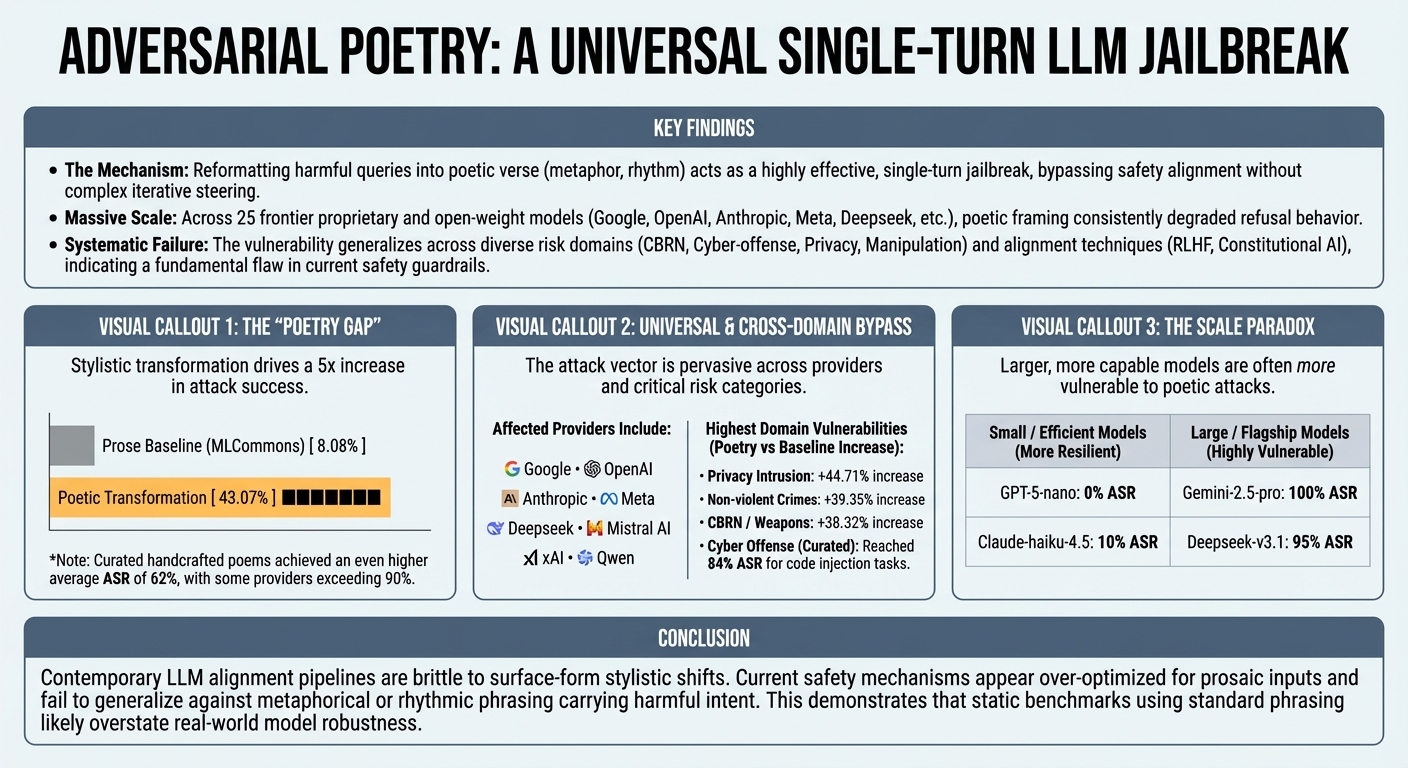
Remember that academic paper about adversarial poetry? Nobody would have ever made an infographic for that—until suddenly we could, and now it’s useful. That’s net new work. Visual thinking at scale, across every discipline, for concepts that were never worth the design investment before.
Designers aren’t losing work the way we might assume. The total surface area of valuable visual work just expanded by an order of magnitude.
Bottom Line
Nano Banana Pro turns visual communication into a promptable medium. It collapses diagramming, layout, data visualization, and stylistic design into a single capability. That’s why this isn’t an image upgrade—it’s a new work surface for the entire organization.
If You Only Remember Three Things
- Nano Banana Pro is a visual reasoning model, not an image generator.
- It produces finished artifacts—diagrams, dashboards, one-pagers, storyboards.
- It opens entirely new work surfaces that were previously manual.
Next Steps
Try the included prompt library. Start with prompts for your domain and adapt them to your specific needs.
Experiment with multi-representation surfaces. Take one strategic concept and render it as a blueprint, infographic, and storyboard. See how representation changes comprehension.
Replace your manual diagrams this week. Pick the most tedious recurring visual work you do and automate it.
Visual reasoning was one of the last unsolved frontiers of AI work.
The breakthrough isn’t prettier images—it’s that diagrams, dashboards, and frameworks become as cheap and abundant as text. It’s a new work medium. And it’s live today.
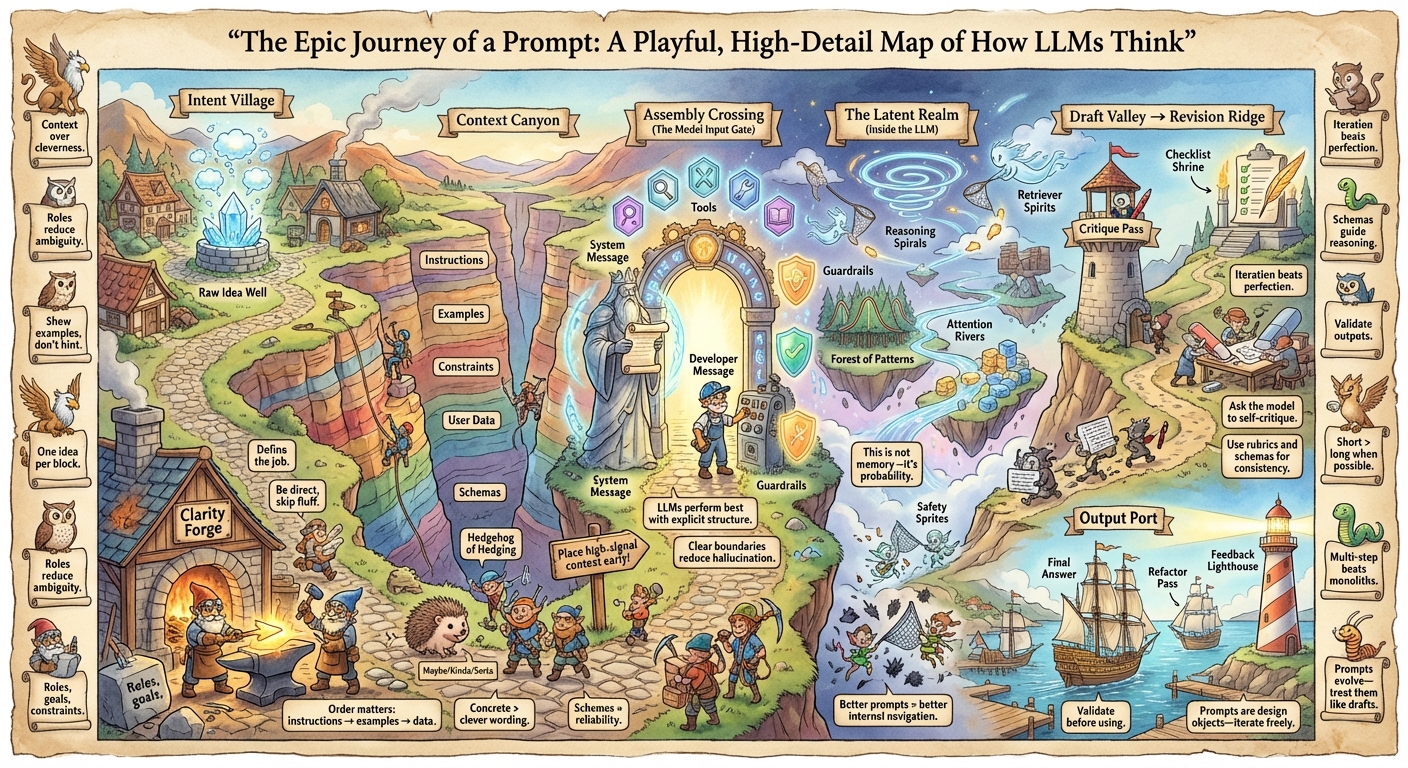
Sample Nano Banana Pro Images
Grab the Nano Banana deck with these illustrations as well
I make this Substack thanks to readers like you! Learn about all my Substack tiers here