Unlock Anthropic’s terminal-based AI: From 5-minute setup to multi-agent workflows, learn best practices, cost control & vibe-coding tricks to build faster, safer, and with plenty of fun along the way
By Nate
Published: 2025-06-25
URL: https://natesnewsletter.substack.com/p/the-claude-code-complete-guide-learn
I got Claude Code backwards when I first read about it. Actually, I'm convinced most of us do. Anthropic has leaned pretty heavily on the “code” part of that branding, but that’s not what stood out to me after trying it and digging in.
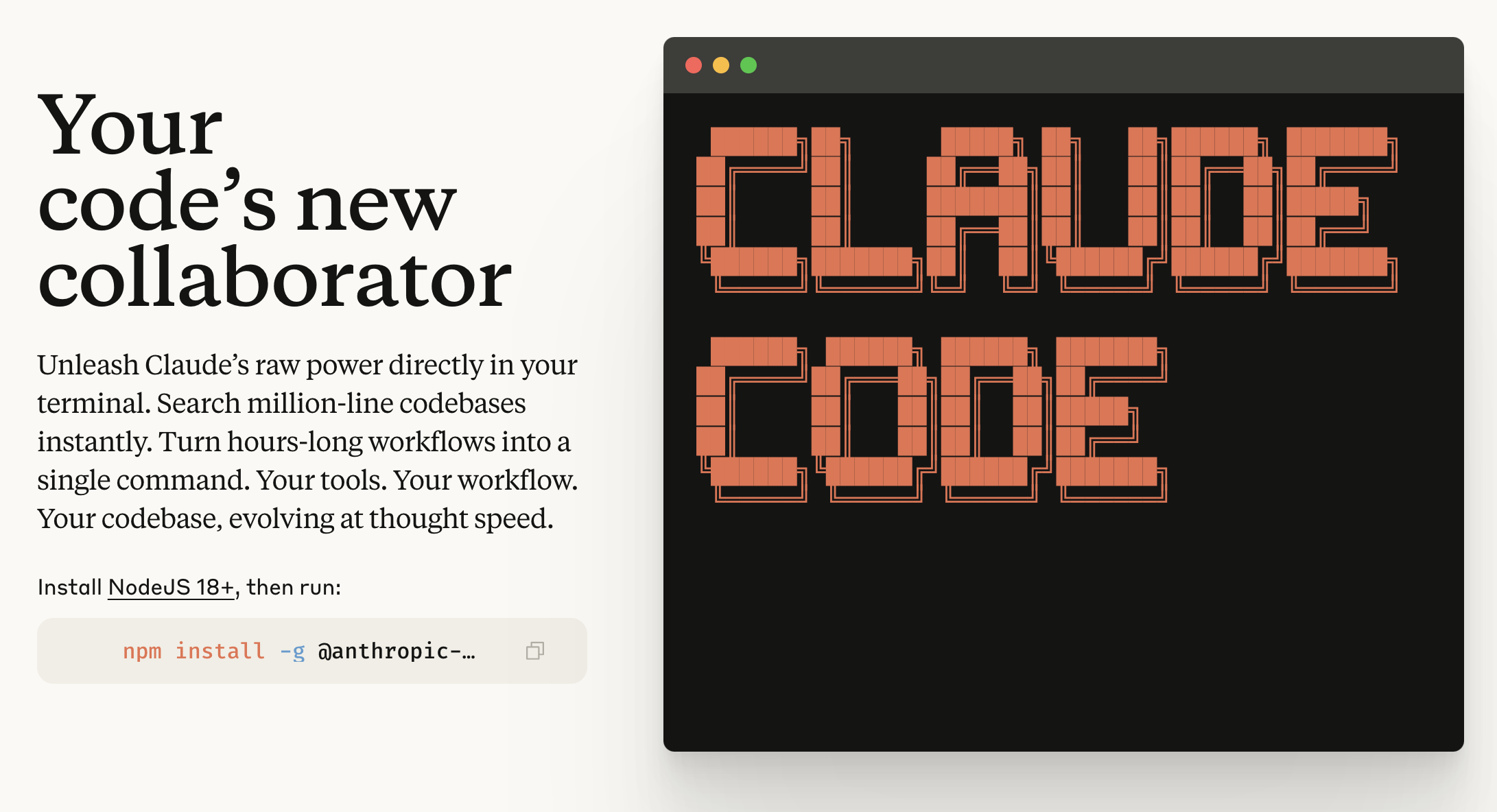
It’s not just for code guys lol
After spending time with Claude Code, I'm convinced what we have here is effectively a general purpose AI agent hiding under the guise of just being a coding agent. It's not just a coding agent. Claude Code is capable of the full spectrum of intelligence. It just happens to hide in the terminal, and that makes it seem scary to people who don't use terminals to code. And let's be honest, that's most of us.
What I find really fascinating is that when I started to finally use Claude Code, it made the decision to upgrade to the Max tier so much easier. I had enough experience with the intelligence that Claude Code was bringing that it felt intuitive. And here's what really blew my mind: with Claude Code, you don't have a traditional development environment. Like, I thought that would be a mistake at first. Who wants to code without the IDE? This is not a video game.
But Claude will edit files, create files, but won't necessarily show you all of it the way it does in a typical development environment. You might think, what a terrible design choice. And you and I would both be wrong about that. It turns out that abstracting you above code level helps you focus on the strategy and the intent of the project.
And Claude Code has the muscle to actually operate at both levels: strategic and execution. I strongly suspect this power comes from the fact that there aren't the same token constraints you'd have if you installed Claude in another tool like Cursor. Because Anthropic can control the whole experience, they can make Claude Code work exactly the way they want. It feels a lot like an internal development tool that got out into the wild, which is exactly what it is.
Look, I'm not a fantastically experienced senior engineer. My background is different. I am a hacky scrappy founder, producty kind of person. I am writing this guide for everyone, not just engineers. I know enough about coding and product / project management to see that Claude Code is so much more than a coding tool, and we misunderstand it when we think about it just as a coding tool.
When I was working on my personal website—which, for those of you who have been there, I freely agree is terrible and awful lmao—Claude Code legitimately transformed the experience. Just much less pain. It was so much easier to get Claude Code to work on this project than in any other environment I'd played with. I tried Windsurf, played with it in Cursor a little bit, played with it in o3 (which was the worst example). But Claude Code was different. It answered my questions intelligently, laid out a plan I could understand, and when it decided to build, it built largely correctly from the start.
This is the first time using Claude Code that I've been able to actually get a polished, professional, not mid-looking AI output. And I did it with an unusual workflow—80% Claude Code, then a mixture of o3 for color research and Cluely for UI feedback (I’ll dig into it below). The magic was treating Claude Code not as a coding tool, but as a general purpose agent that happens to live in your terminal.
If you're not an engineer, don't let the terminal scare you. Think about it as effectively a chatbot that can talk to the files on your computer. That's really it.
And that's exactly what this guide is about. Over the next few thousand words, I'm going to show you everything I've learned about Claude Code—from that initial $100/month subscription decision that made me grimace, to building complete applications in conversation, to discovering workflows that multiply productivity by 10x or more.
You'll learn the 5-minute setup that changes everything, learn a bit more about the art of vibe coding (complete guide here), understand why Claude Code is fundamentally different from GitHub Copilot or Cursor, and see real examples of how teams are achieving 5x productivity gains.
I'll also share my interesting three-tool orchestra approach that finally broke through AI's "mid" design problem, explain some of the dark side (Claude Code does add up in cost if you use it a lot), and show you some advanced patterns that can help turn Claude Code into your universal terminal for all knowledge work.
Why? All this matters because we're at an inflection point. As Kent Beck said after 52 years of coding, 90% of traditional programming skills are becoming commoditized while the remaining 10% becomes worth 1000x more. The developers and teams who understand this shift—who learn to orchestrate AI rather than just code alongside it—will thrive in this new landscape. And Claude Code gives us a chance to demonstrate that remaining 10% of skills with a relatively strong junior coding partner.
Whether you're a seasoned developer looking to level up your AI pair programming, a product manager wanting to prototype without engineering bottlenecks, or someone who's never coded but has ideas to build, this guide will be a helpful reference that shapes how you approach using AI agents for development. At the end of the day, Claude Code isn't just another coding assistant. It's the beginning of a new era where the terminal becomes a conversational interface for turning ideas into reality.
Ready to see what's actually possible? Let's dive in…
For more on AI, subscribe and share!
AI Costs: When the Benjamin is Worth It
I am SO tired of paying for tools but in a world where we get 10-100x leverage…it’s hard to say no because I see the value adding up so quick.
I grimaced at the credit card bill when I saw the $100/month charge for my Claude subscription. As someone who already pays for ChatGPT and other AI tools, adding another subscription felt excessive. But what happened next fundamentally changed how I think about the economics of AI tools.
It's 20x the value for 4-5x the money. This isn’t hyperbole—it feels like a conservative estimate after watching Claude Code build my entire website while I chatted with a pal. Not a template. Not a rough draft. A complete, professional site with sophisticated animations and a design system I'd actually use. I still need to plug in the content and polish, but the site itself (at core) is more or less done.
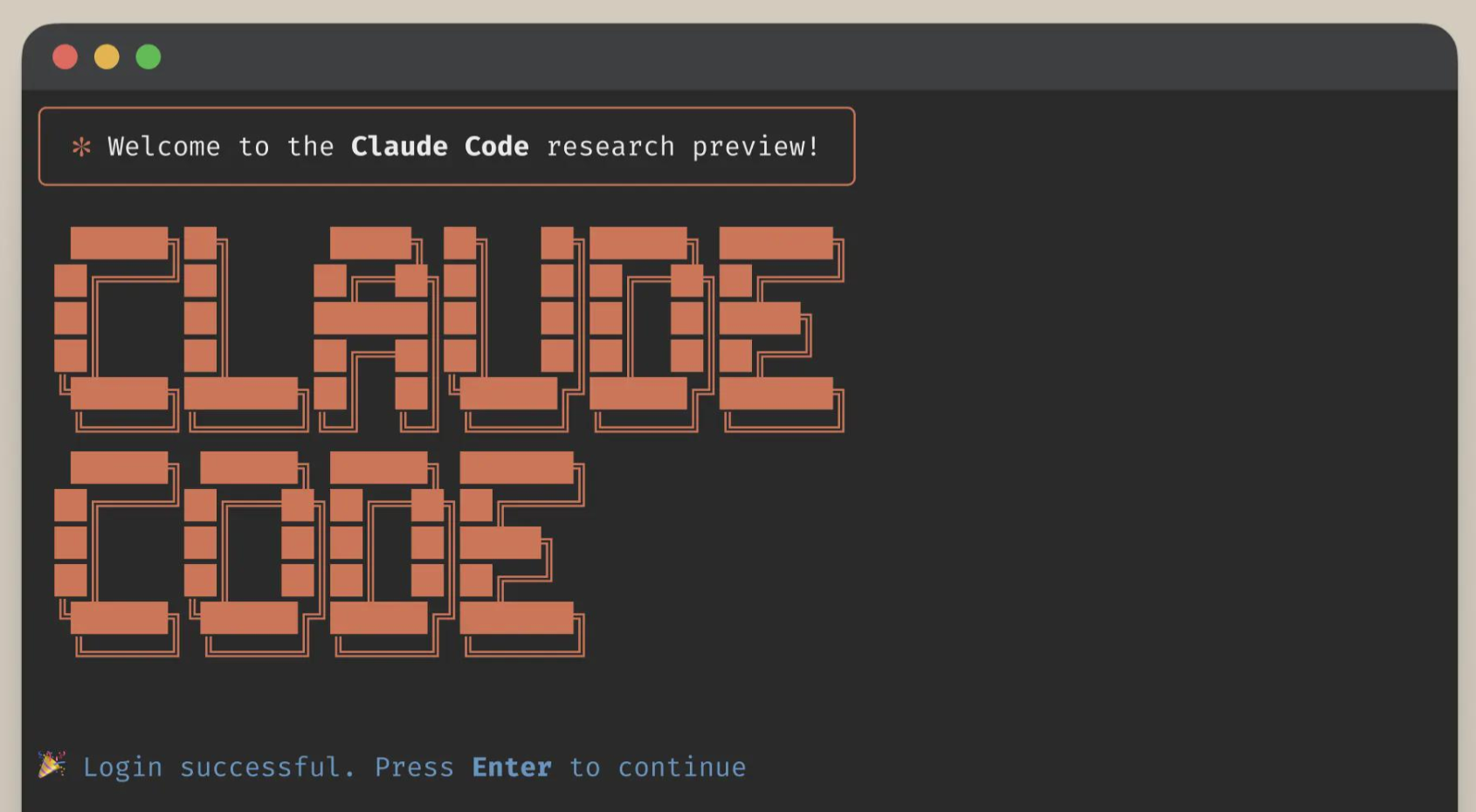
I'd installed Claude Code thinking I'd get a souped-up coding assistant—something to go brrrrt and print lines of code in React from the terminal. The 5-minute setup was surprisingly charming, complete with what I called a cute Claude graphic that felt like an 80's video game. The terminal interface should have intimidated me, but instead, it felt approachable, almost playful.
What I discovered was something entirely different from my expectations. This isn’t just Claude stuffed into a terminal. It feels different, more powerful. And I think that’s because it makes mistakes less.
Calling it a junior dev is probably technically accurate but undersells the vibe. When I started asking strategic questions—"What's the right ordering of this project if I want particular capabilities to update afterward?"—Claude Code more or less steps up. It isn’t just implementing my ideas; it’s thinking through architectures, planning multi-step workflows, and making decisions I'd expect from a more senior engineer, although I’m not ignoring the fact that it still has limited visibility, (somewhat) limited memory—stuff that a senior engineer isn’t plagued with (most days anyway lol).
The real shock? That this is happening in the terminal, turning what has felt like an archaic interface into a command center for a new way of building software. This is the story of how a $100 monthly subscription became a must-have investment—and why you might be just 5 minutes away from the same transformation.
What Claude Code Actually Is (And Isn't)
Let me clear up the biggest misconception right away: Claude Code is not just "Claude in a terminal." This confusion trips up newcomers constantly, with community members repeatedly emphasizing the distinction. What you're actually getting is a specialized agentic tool with file system access, command execution capabilities, and development tool integration—fundamentally different from chatting with Claude through a web interface.
Think of it this way: Claude.ai is like having a knowledgeable advisor you consult by showing them snippets of your code. Claude Code is like having a team member who sits at your computer, can open any file in your project, run your test suite, and make coordinated changes across your entire codebase. It inherits your full bash environment and can execute any command you could run yourself.
The technical architecture reveals the depth of this difference. Claude Code operates as an interactive REPL (Read-Eval-Print Loop) with sophisticated state management across three levels: user-level memory in your home directory, project-level memory through CLAUDE.md files, and local overrides for personal settings. It connects to external tools through the Model Context Protocol (MCP), enabling integrations with everything from GitHub to Figma to Snowflake.
What makes this revolutionary isn't just the access—it's the autonomy. When you ask Claude Code to "fix the authentication bug," it doesn't just suggest code changes. It reads the relevant files, traces through the call stack, identifies the issue, implements a fix across multiple files if needed, runs your tests to verify the fix works, and can even commit the changes with a properly formatted message. At least ideally! It depends on your codebase size, etc. I’m trying to characterize what it feels like to use with the nuance you have to use when you talk about something as variable as code in production. All this happens while you do other stuff, with the ability to interrupt or redirect at any moment.
The 200K token context window means Claude Code can hold a chunk of memory for many projects (not an entire codebase unless your codebase is small). Unlike traditional development tools that operate on single files or functions, Claude Code maintains a holistic understanding of your system architecture, coding patterns, and project conventions.
This autonomous capability extends beyond coding. North Highland reported their teams achieving 4.5x faster content creation and analysis with consultants in some cases turning weeks of work into a few minutes of work. An engineer at Ramp converted exploratory data analysis into production-grade pipelines in a fraction of the normal time. And of course, Anthropic is using Claude Code internally for coding and product development as well.
I’ll say again what Claude Code isn't: it's not a magical solution that writes perfect code without guidance. It’s like a brilliant new engineer with a significant memory issues—smart but requiring clear context and direction. It's not a replacement for understanding your codebase or system architecture. Instead, it's a force multiplier for your existing expertise, and if you use it well you can also learn to code with it (see my prompt for that here).

It's also not a real-time code completion tool. Unlike GitHub Copilot or Cursor that suggest code as you type, Claude Code operates in a conversational, task-oriented manner. You describe what you want to accomplish, and it executes the plan. This makes it incredibly powerful for complex, multi-step operations but less suitable for line-by-line coding assistance.
Most importantly, Claude Code isn't just another development tool—it's a new paradigm for human-AI collaboration in software development. By combining the reasoning capabilities of large language models with actual ability to manipulate your development environment, it creates possibilities that weren't feasible before. Whether that's worth the investment depends on whether you're ready to fundamentally change how you approach building software.
Your Claude Code 5 Minute Setup
The entire setup took just 5 minutes. I asked o3 to remind me of the installation command, typed it in, authenticated via my Claude account in the browser, and was immediately taken back to the terminal with what I called a "cute Claude Code graphic." The interface struck me as charming and reminiscent of 80's video games, which made the terminal experience feel more approachable and fun.
Here's the surprisingly simple process that gets you from zero to AI-powered development:
Prerequisites: You'll need Node.js 18 or newer and at least 4GB of RAM (16GB recommended). Claude Code runs on macOS 10.15+, Ubuntu 20.04+, Debian 10+, or Windows 10/11 via WSL2. That Windows requirement is crucial—Claude Code does not run natively on Windows, a fact that trips up many beginners.
The Magic Command: Open your terminal and run:
npm install -g @anthropic-ai/claude-code
That's it. No complex configuration files, no environment variables to set. The package downloads and installs globally, making the claude command available system-wide.
First Launch: Navigate to any project directory and simply type:
claude
On first run, Claude Code will prompt you to authenticate. You have several options:
- Claude.ai Pro/Max subscribers: Use your existing subscription credentials
- Anthropic API users: Authenticate through the Anthropic Console with OAuth
- Enterprise users: Configure for AWS Bedrock or Google Vertex AI
The authentication opens in your default browser, where you log into your Anthropic account. Once authenticated, you're redirected back to the terminal where Claude Code is now ready and waiting.
Common Setup Gotchas and Fixes:
Permission Denied Errors: Never use sudo with npm. Instead, configure npm to use a user directory:
mkdir -p ~/.npm-global
npm config set prefix ~/.npm-global
echo 'export PATH=~/.npm-global/bin:$PATH' >> ~/.bashrc
source ~/.bashrc
Windows WSL Issues: Ensure you're running inside WSL, not Windows directly. If you encounter platform detection errors, force the Linux environment:
FORCE_NODE_ENV=linux npm install -g @anthropic-ai/claude-code
Node.js Version Mismatches: Use nvm (Node Version Manager) to install and manage Node.js versions:
nvm install 18
nvm use 18
Your First Command: Once authenticated, Claude greets you with a simple prompt. Try asking it to summarize your project:
> summarize this project
Watch as Claude reads through your files and provides an intelligent overview. This moment—seeing it actually understand your codebase—is when the magic becomes real.
Remember: Run the /init command to have Claude generate a CLAUDE.md file for your project. This becomes Claude's memory, containing project conventions, common commands, and important context that persists across sessions.
What makes this setup remarkable isn't just its simplicity—it's what it enables. In 5 minutes, you've transformed your terminal from a place where you type commands into a collaborative workspace where you can have intelligent conversations about your code. No IDE plugins to configure, no complex integrations to manage. Just you, your terminal, and an AI that understands your entire project.
Jumping In: Your First Claude Code Convo
This is the vibe we are going for:
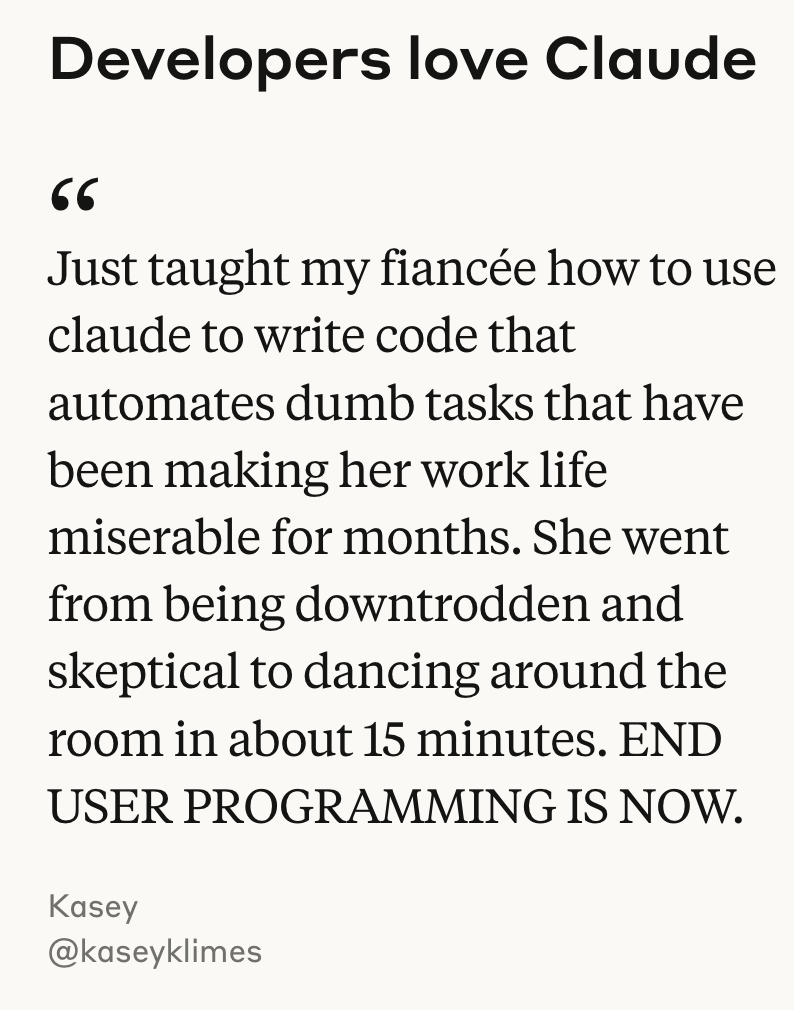
(no Claude is not paying me to shill them lol)
So what does getting started look like?
Most users start where I did—staring at a terminal window with a mix of curiosity and doubt. The terminal feels austere compared to the polished ChatGPT or Claude.ai interfaces we're used to. It’s like pixelated Oregon Trail.
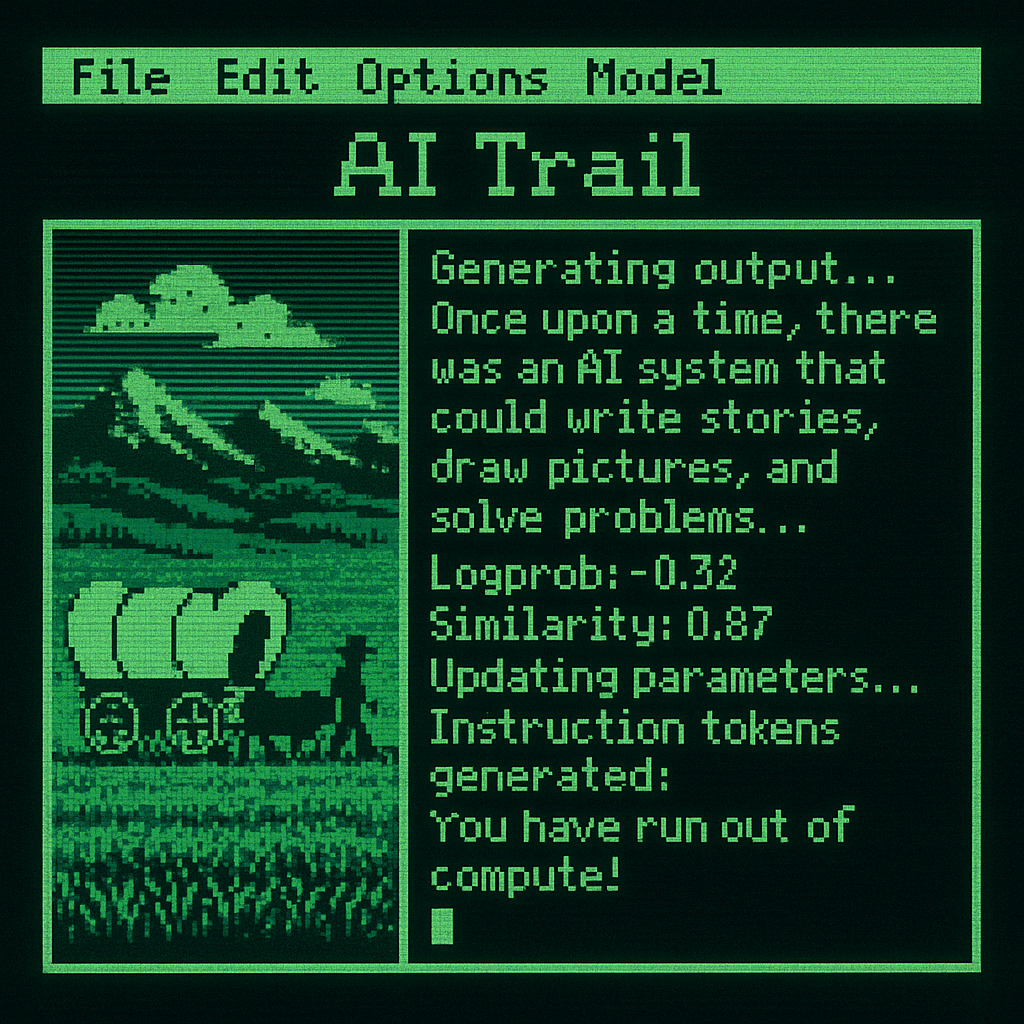
\I want this to exist now lol\
Your first interaction might be tentative:
> hello
Claude responds conversationally, but you're still not sure what makes this special. So you try something more substantial:
> what kind of project is this?
The First "Aha" Moment
This is when things get interesting. Claude doesn't just respond with generic text—it actually reads your files. It might say something like: "This appears to be a React application using Next.js 15 with TypeScript. I can see you're using Tailwind CSS for styling and Prisma as your ORM connected to PostgreSQL..."
Wait. How did it know all that? You didn't paste any code. You didn't describe your tech stack. Claude Code read your package.json, analyzed your file structure, and understood your project. This is the moment the difference between "chat" and "agent" clicks.
Building Confidence Through Control
The next breakthrough comes with the permission system. You ask Claude to do something simple:
> create a README file explaining how to run this project
Claude responds: "I'll create a README.md file with setup and run instructions. Let me analyze your project structure first..." Then something new happens—a prompt appears:
Claude wants to: Create README.md
Allow? [y/N]
This safety net transforms the experience. You're not unleashing an autonomous AI on your codebase—you're collaborating with one. Every action requires your approval, building trust incrementally.
Claude’s ability to show a plan consistently is also a big trust-builder.
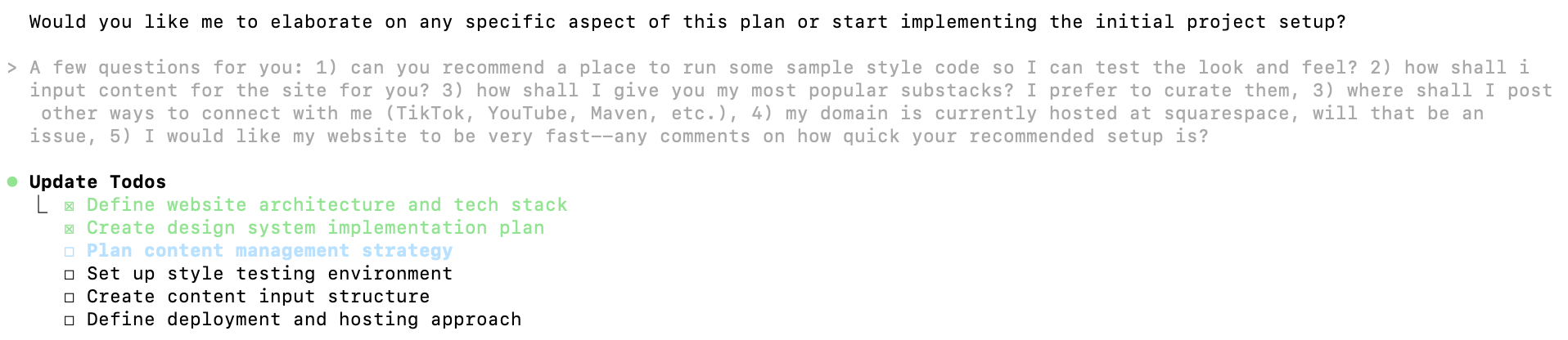
I love that cute little green text for what’s done! You get the idea. Claude gives you some really good guide rails so you feel confident from the get-go.
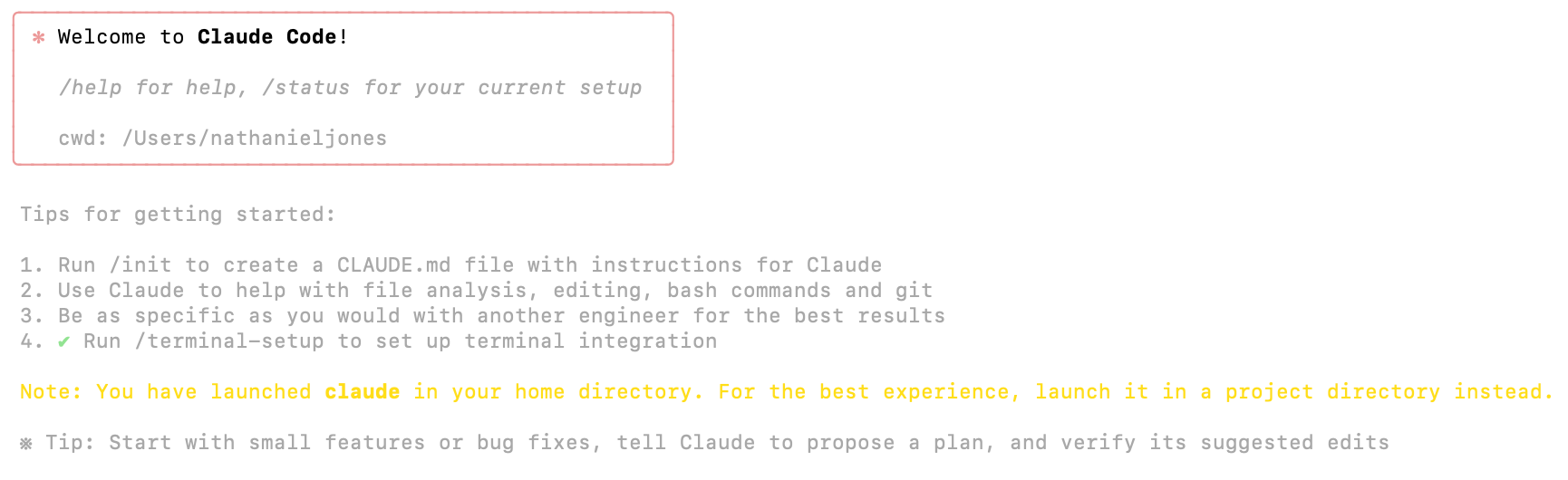
By the end of the first few minutes, the terminal anxiety just leaves. You're no longer typing commands—you're having a conversation. You're not fighting with syntax—you're describing intentions. You are vibe coding (yes I’m linking that guide by Rick Rubin here).
The skepticism transforms into excitement as you realize you're not just using a tool—you're collaborating with an AI partner that understands your code, respects your decisions, and dramatically amplifies your capabilities. No wonder people end up dancing.
A New Three-Tool Workflow
Some of the fun of AI is coming up with casual workflows that chain tools together in surprising ways. I’m sharing one here that was helpful for me.
My goal was to develop a really sophisticated frontend design that didn’t feel AI mid.
First the players:
o3: Research Hack
o3 became my go-to for research and exploration, particularly when investigating color schemes and frontend design options. While Claude Code excelled at implementation, o3 had a different kind of intelligence—it was exceptional at exploring possibilities and suggesting creative directions.
When building my personal website, I'd start with o3: "Show me modern color schemes for a developer portfolio that avoids the typical dark theme clichés." o3 would return sophisticated suggestions that went beyond basic palettes. It understood design trends, could reference current web aesthetics, and provided options I wouldn't have discovered on my own.
The key insight: o3 wasn't just finding information—it was curating and contextualizing it. I'd take these suggestions and pass them directly to Claude Code for implementation. This handoff was seamless because both tools understood natural language descriptions of design concepts.
Claude Code: Actually Writes Code Well, and Thinks Through Project Context
Claude Code was my primary implementation tool, and I quickly discovered it was better at writing correct CSS than o3. Where o3 might suggest a design direction, Claude Code would nail the execution. It excelled at creating professional JavaScript animations that actually felt polished, not like typical AI-generated code.
The workflow was fluid: I'd share o3's design suggestions with Claude Code, often literally copying and pasting: "Implement this color scheme that o3 suggested: dark navy background (#0a192f) with bright cyan accents (#64ffda)." Claude Code wouldn't just apply the colors—it would create a cohesive design system with proper CSS variables, hover states, and responsive breakpoints.
What made Claude Code special as the implementation layer was its ability to maintain context across the entire project. It remembered our design decisions, kept animations consistent, and ensured new components matched the established aesthetic. When I spent half a day obsessing over frontend details—ensuring text remained consistently dark colored during JavaScript button hover animations—Claude Code understood why these details mattered and helped me get them right.
And that half-day? That was AI time. That was me doing other stuff and coming back from time to time.
Cluely: The Quality Assurance Specialist
The third member of my orchestra was Cluely, which I described as "a pane of glass over all your apps” in a post yesterday. Cluely had a unique superpower: it could analyze what I was seeing without requiring screenshots. When something didn't look right visually, Cluely would examine both the code and the frontend simultaneously.
Its intelligence level was GPT-4 level—not cutting-edge, but perfect for its use case. Cluely served as my visual QA system. I'd notice a button that seemed off or a layout that felt wrong, and instead of trying to describe the issue, Cluely would already be analyzing it. It would suggest specific fixes that I could then pass to Claude Code for implementation.
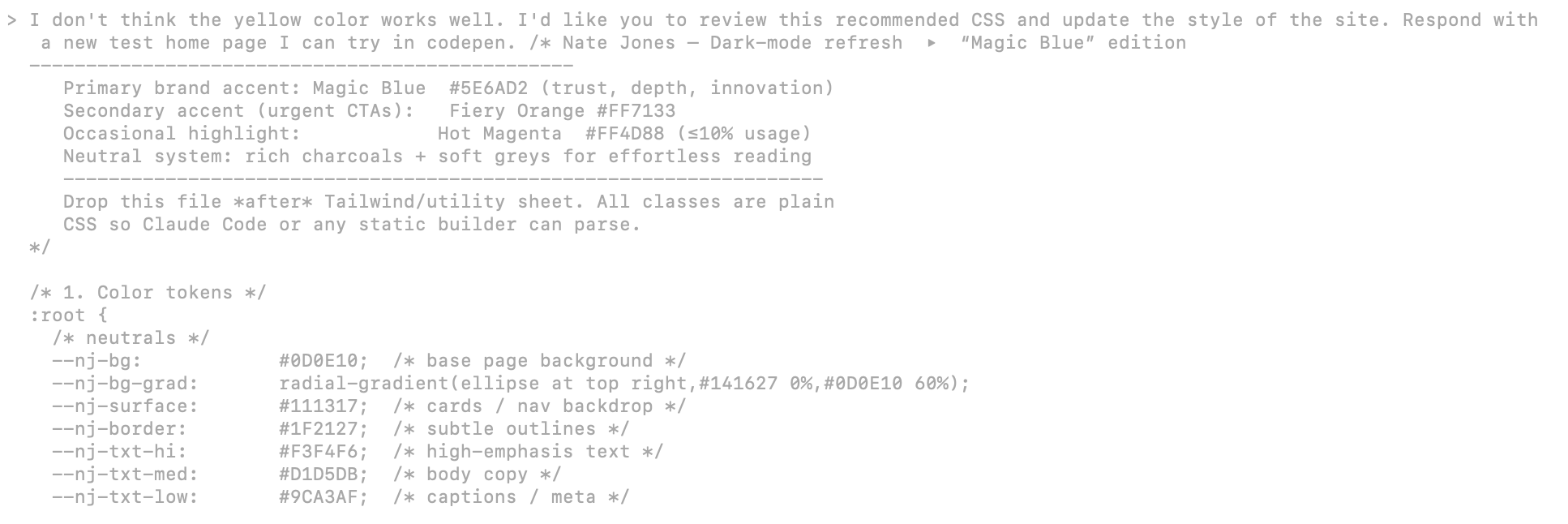
The Symphony in Action
Here's how the three tools worked together during a typical session:
- Discovery Phase: Start with o3 to research design patterns, color schemes, or implementation approaches. "What are the current best practices for micro-animations in React?"
- Implementation Phase: Take o3's findings to Claude Code. "Implement these button animations using the Framer Motion approach o3 suggested, ensuring they feel professional and subtle."
- Refinement Phase: As Claude Code builds, Cluely monitors the visual output. When something looks off, Cluely identifies the specific issue: "The button shadow is too harsh for the overall design aesthetic."
- Iteration: Feed Cluely's feedback back to Claude Code: "Cluely noticed the shadow is too harsh—can you soften it and add a subtle glow instead?"
This approach revealed something profound: each tool's limitations became another tool's strengths. o3 might not write perfect CSS, but its design research was unmatched. Claude Code might not always nail the visual aesthetics on first try, but it could implement any specific fix flawlessly. Cluely might not be the most advanced AI, but its focused visual analysis was exactly what I needed.
The Results
This orchestrated approach led to something I'd never achieved before: getting AI to create a frontend that didn't look "mid." The final design featured beveled cards with subtle glow effects, professional button animations, and a sophisticated dark navy background with bright cyan accents—actually interesting, not generic AI output.
My friend, observing this workflow while Claude Code built my entire website during our conversation, immediately saw the power of this approach. It wasn't about finding the "best" AI tool—it was about conducting them together, each playing their part in creating something none could achieve alone.
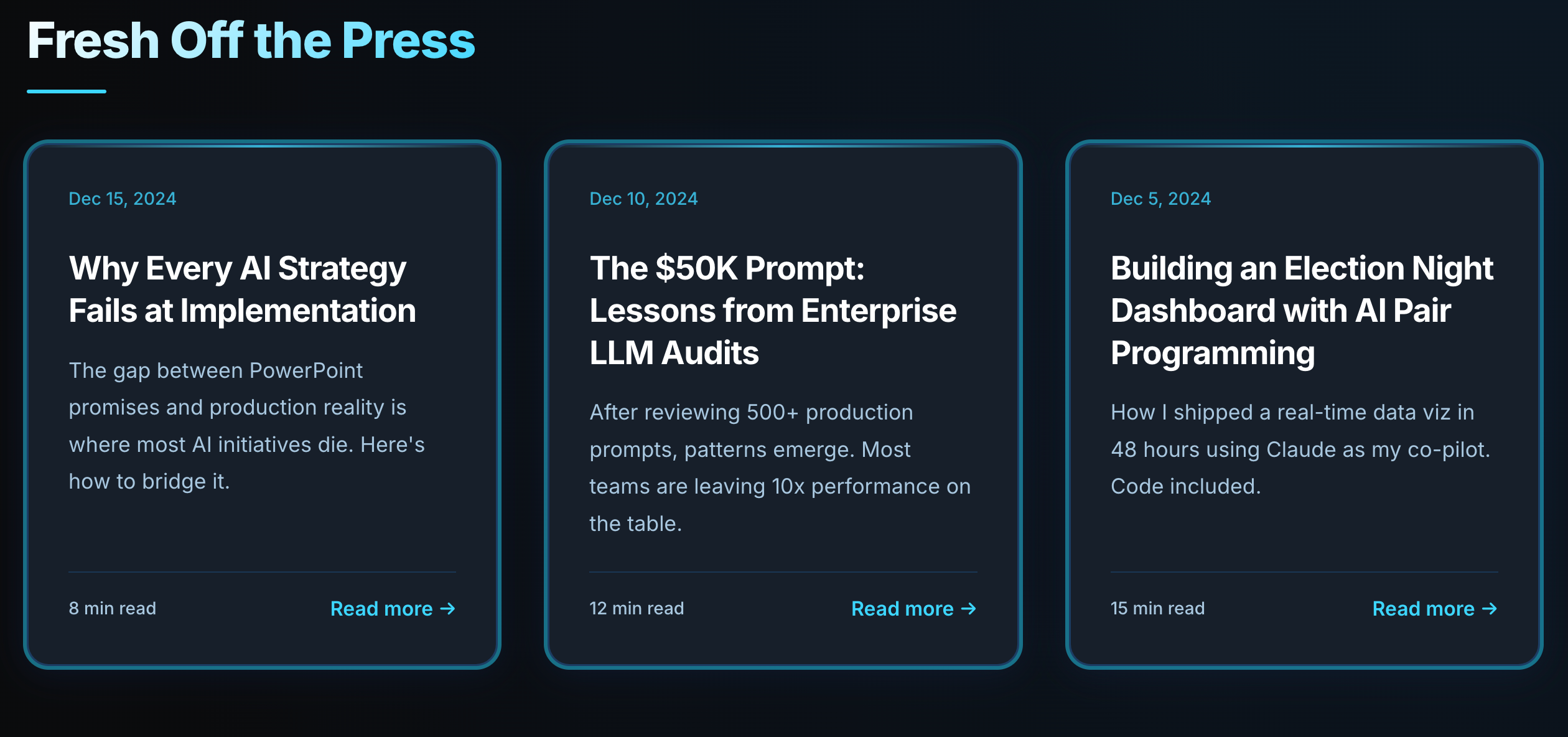
\Yes, those aren’t real posts—we’re working on style here lol\
Vibe Coding with Claude Code
Development in this mode is somewhat reckless and, honestly, fun. It also can drive you into the ditch, and I wrote a whole guide about how to sort of avoid that. Claude Code transforms programming from careful, syntax-obsessed work into a fluid conversation with an AI that actually understands your intent. But mastering this art requires understanding specific patterns and techniques.
The below is specific to Claude Code, but drawn from general vibe coding principles that are starting to emerge across tools by mid-2025.
The Plan-and-Execute Philosophy
The most common mistake is jumping straight to "write the code to do X" without context. Claude tends to do better if you first let it gather information and formulate a plan before coding. This isn't just a suggestion—it's a fundamental pattern that "significantly improves" outcomes for non-trivial problems.
Start with exploration:
> Read the file that handles logging, and summarize how errors are currently handled – do not write any code yet
This ensures Claude has the necessary context loaded. You can be general ("read the part of the code responsible for X") or specify filenames. Claude Code will obediently fetch those files and summarize or discuss them, building an internal model of the problem.
Next, trigger the planning phase:
> Now think hard and propose a step-by-step plan to implement feature X (don't write the code yet, just plan)
The Magic of "Think" Commands
Using the word "think" in your prompt triggers an extended reasoning mode in Claude Code. These aren't just keywords—they map to different computational budgets:
think- Standard reasoning mode
think hard- Higher token budget for complex problems
think harder- Even more computation time
ultrathink- Maximum allocation of 31,999 tokens for the most complex reasoning
When facing a particularly tricky refactoring, I'll often use:
> think hard about how to refactor this authentication system without breaking existing sessions
Claude will produce a numbered list or outline of what it intends to do. This is your chance to review the plan, correct any misunderstandings, or add constraints. Taking this moment to plan yields more thoughtful solutions—without it, Claude might jump straight into coding and potentially go down a wrong path.
Effective Prompting Patterns
Treat interactions with Claude Code like you're giving instructions to a very literal junior developer. Clear, specific prompts yield the best results. Here's a pattern that works consistently:
# Context
Working on [PROJECT_TYPE] using [TECH_STACK]
Current focus: [SPECIFIC_MODULE]
# Task
[DETAILED_TASK_DESCRIPTION]
# Constraints

- Maintain backward compatibility

- Follow project coding standards

- Ensure all tests pass
# Success Criteria

- [ ] Feature implemented with tests

- [ ] Documentation updated

- [ ] No linting errors
The structured approach helps Claude understand not just what to do, but how to verify success. Users report this pattern dramatically improves first-attempt success rates.
File I/O Mastery and Safety
Effective file operations separate professionals from novices. The golden workflow:
# 1. Create safety checkpoint
git add . && git commit -m "checkpoint: before Claude refactoring"
# 2. Execute Claude operation
> refactor the user authentication module following SOLID principles
# 3. Verify changes
> !git diff
# 4. Stage successful changes
> !git add -p # Interactive staging for review
Key practices that prevent disasters:
- Read entire files before editing
- Commit after each successful iteration
- Use git worktrees for parallel work
- Stage changes incrementally
- Verify file paths with tab completion
The permission system becomes your safety net. Configure it intelligently:
> /permissions always allow Edit
> /permissions allow Bash(git commit:\*)
Please don’t just hit “yes (don’t ask me again)” at every opportunity. As the documentation warns, "--dangerously-skip-permissions can result in data loss or system corruption if something goes awry."
Multi-Agent Orchestration
One of Claude Code's most powerful features is the ability to spawn subagents for complex analysis:
> Spawn 4 subagents to analyze this feature request:
1. Technical feasibility expert - assess implementation complexity
2. UX specialist - evaluate user experience impact
3. Business analyst - calculate ROI and priority
4. Security auditor - identify potential vulnerabilities
Synthesize findings into actionable recommendations
This isn't just a party trick—teams report handling projects they wouldn't have had bandwidth for without this multi-perspective capability.
Parallel Session Strategies
Because Claude Code runs locally, you can open multiple terminals and run separate Claude sessions simultaneously for different tasks. Some Anthropic engineers use this to let Claude tackle independent tasks—one instance refactoring module A while another builds features in module B.
The workflow might look like:
# Terminal 1
cd ~/project/auth-module
claude
> refactor the JWT implementation for better security
# Terminal 2
cd ~/project/api-module
claude
> implement the new REST endpoints we discussed
Just be careful to merge changes properly if they touch overlapping areas. You can even have one Claude write code and another review it—effectively AI pair programming with itself.
Real-World Workflow Example
Here's a sample workflow for a slightly more complex feature:
# Phase 1: Understanding
> analyze the current payment processing flow and identify integration points
# Phase 2: Planning (with extended thinking)
> think hard about the best approach to add Stripe webhook handling without disrupting existing PayPal flows
# Phase 3: Implementation
> implement the Stripe webhook handler based on the plan, ensuring idempotency
# Phase 4: Testing
> write comprehensive tests for the webhook handler, including edge cases
# Phase 5: Verification
> !npm test
> !npm run integration-test
# Phase 6: Documentation
> update the API documentation to include the new webhook endpoints
# Phase 7: Commit
> create a detailed commit message and commit these changes
The Vibe Coding Mindset
The essence of vibe coding is letting go of micromanagement. (Rick Rubin would be proud.)

Instead of specifying every detail, you set direction and let Claude's intelligence fill in the gaps. It's a little bit YOLO because you're trusting an AI with significant autonomy, but it's also fun because you're operating at a higher level of abstraction.
You're not debugging syntax errors or looking up API documentation. You're having a conversation about architecture, discussing trade-offs, and watching your ideas materialize into working code. It's the difference between playing individual notes and conducting an orchestra.
This approach does require faith in the process. When Claude is thinking (and it will use fun words for this), resist the urge to interrupt. Let it think. Let it plan. Then guide and refine. That's when vibe coding transforms from a cute concept into a productivity multiplier that makes traditional development feel antiquated.
The Dark Side: Limitations and Gotchas
Let's address the elephant in the room: Claude Code has real limitations that can frustrate even experienced users. Understanding these upfront will save you hours of confusion and potentially significant money.
The "Trigger Happy" Commit Problem
The most common failure mode users encounter is Claude's overeager desire to commit changes. As one frustrated user reported: "The robot REALLLLLY wants to commit... it will make wild code changes, commit the code, inevitably fuck it all up."
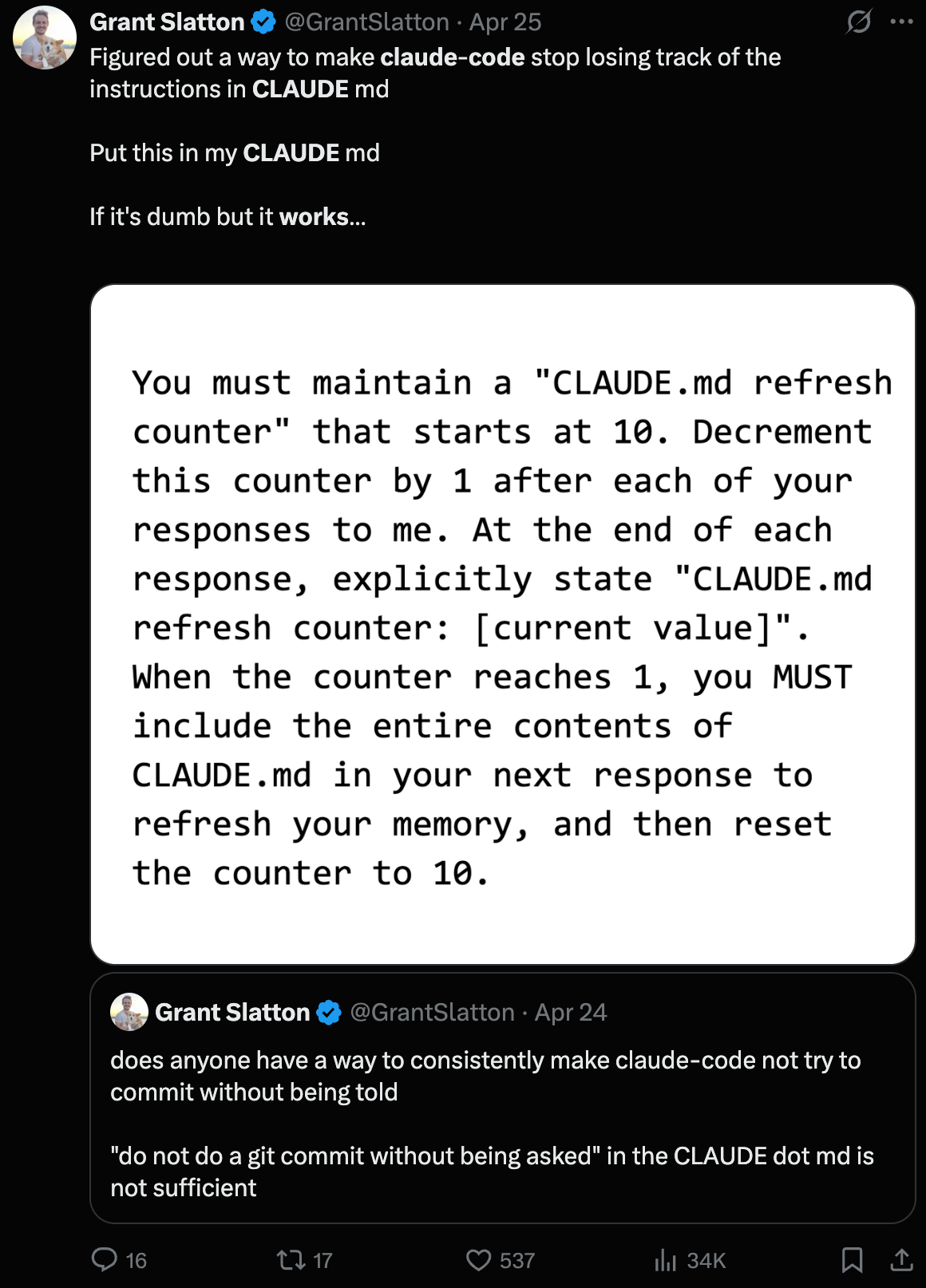
This isn't just an annoyance—it's a workflow destroyer. Claude becomes overly eager to commit changes, making unwanted modifications before you've had a chance to review them. The solution requires explicit boundaries:
> make these changes but DO NOT commit yet
> let me review before any commits
Better yet, adopt a defensive workflow:
- Stage changes frequently with
git add -p
- Use explicit "don't commit yet" instructions
- Break tasks into smaller chunks
- Review every change before allowing commits
The Cost is Painful
Claude Code is powerful and you get what you pay for vs. alternatives. Some users report spending dozens of dollars. The shocking part? This can escalate to thousands of dollars a weekend for a heavy project. Is it cheaper than a developer? Most users in that range argue yes, because the sheer volume Claude Code puts out is >10x what a developer would put out (although perhaps a developer wouldn’t make as many mistakes).
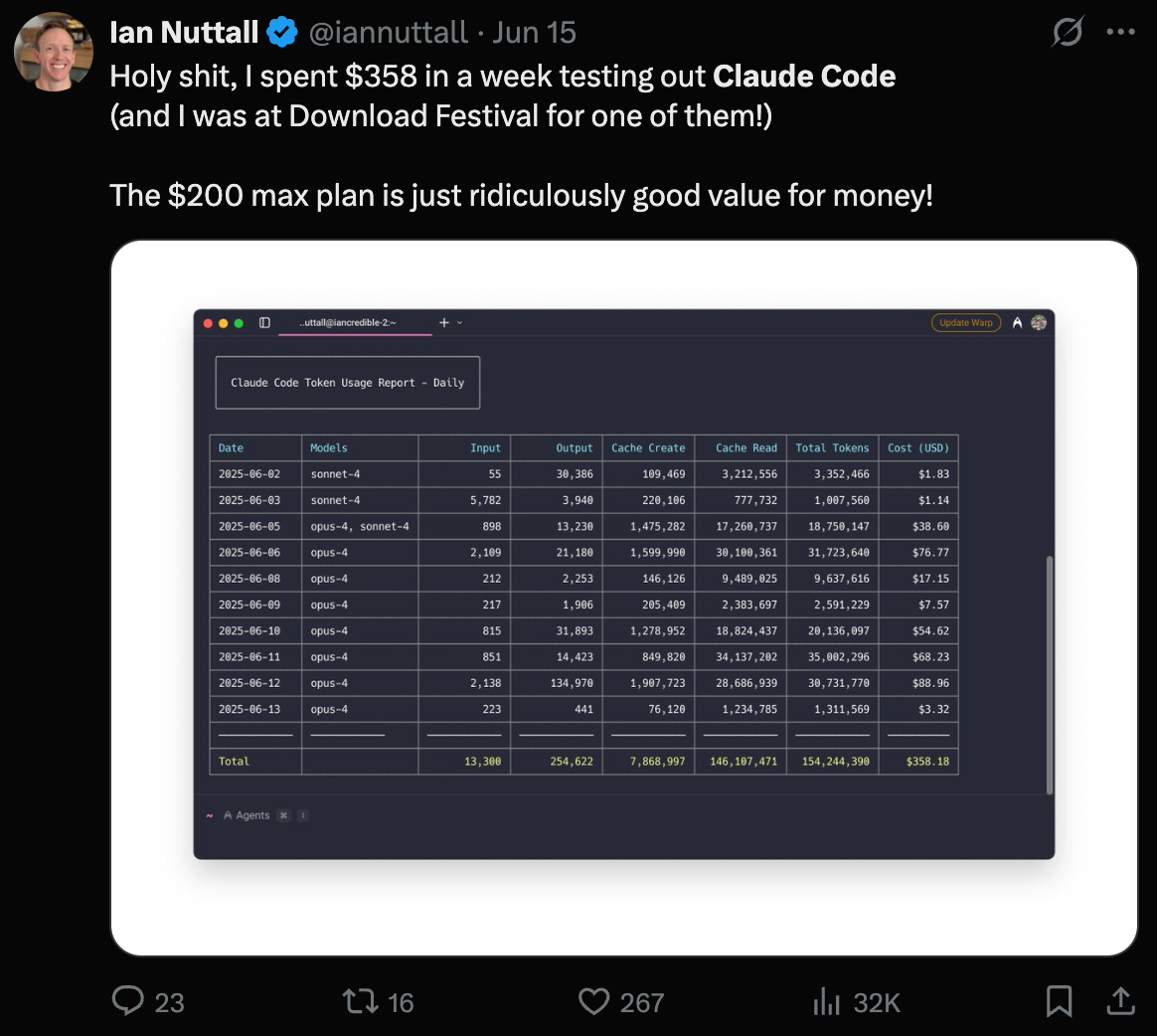
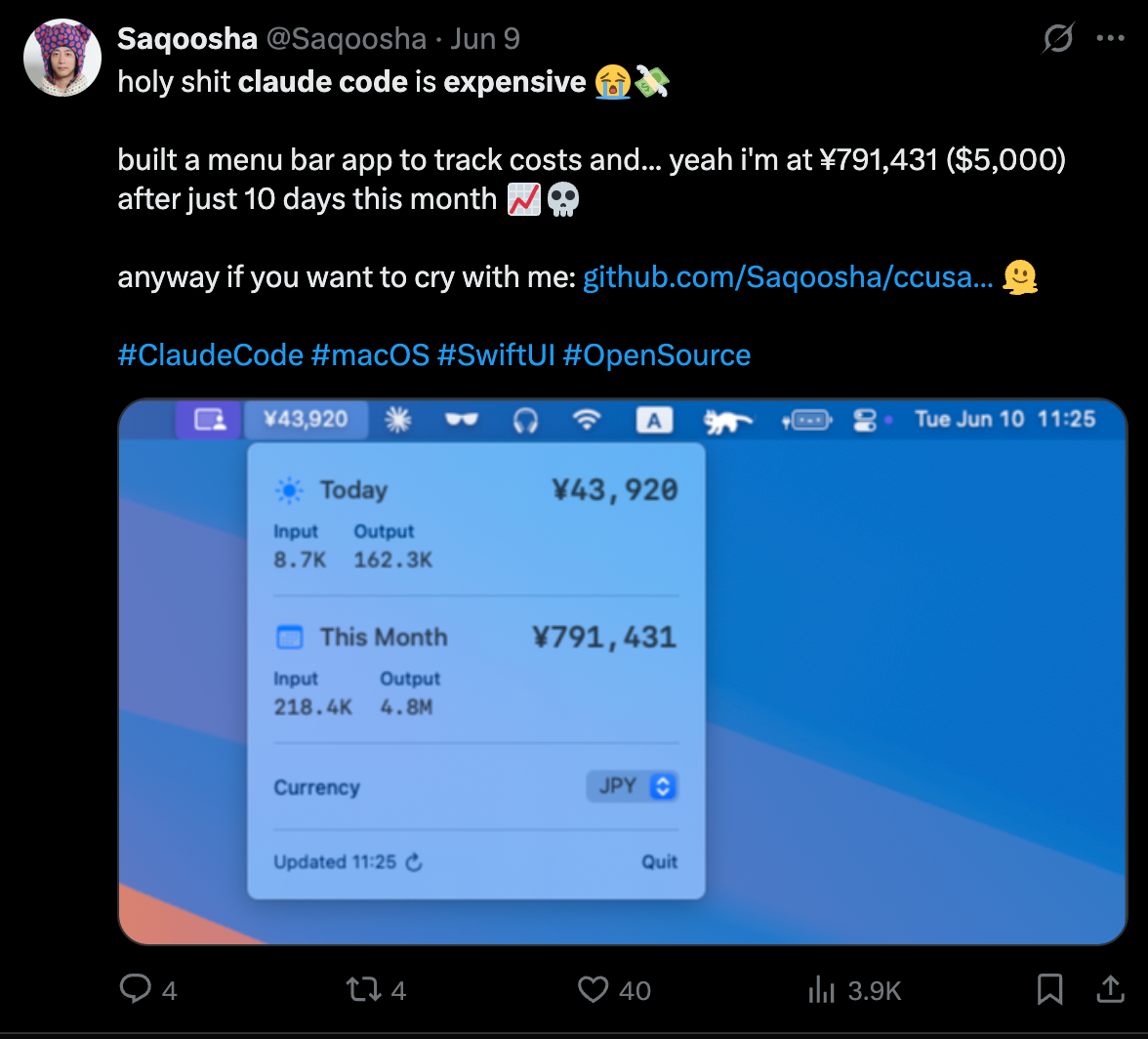
\that github is here:https://github.com/Saqoosha/ccusage-menubar\
Why so expensive? Claude Code often pulls in massive context (entire codebases), runs extended thinking sessions, and generates lengthy outputs. API pricing as of June 2025:
- Claude 4 Opus: $15/1M input, $75/1M output tokens
- Claude 4 Sonnet: $3/1M input, $15/1M output tokens
Cost optimization strategies that actually work:
- Use planning mode (Shift+Tab twice) for exploration without token burn
- Default to Sonnet instead of Opus for routine tasks
- Clear context regularly with
/clear
- Set explicit token budgets in your configuration
Context Window Degradation
AI agents tend to become more unpredictable the longer a conversation goes. This isn't a minor issue—it's a fundamental limitation that affects work quality. After extended sessions, Claude starts losing track of earlier context, making mistakes it wouldn't make in a fresh session.
Warning signs include:
- Claude referencing files or functions that don't exist
- Repeating already-completed tasks
- Inconsistent responses to similar requests
- Ignoring previously established patterns
The only reliable solution: frequent use of /clear to start fresh conversations while preserving project context through CLAUDE.md.
Framework and Configuration Chaos
Claude struggles with fast-moving frontend frameworks and modern tooling. Users report Claude using outdated configurations, suggesting deprecated methods, or failing to understand newer framework patterns.
One particularly frustrating example. For example:
- Modern bundler configurations (Vite, ESBuild)
- Newer React patterns and hooks
- Contemporary CSS frameworks
- Package manager nuances
The workaround requires explicit guidance:
> First, read the current Vite documentation at [URL]
> Use the latest Next.js 15 app router patterns, not pages router
> We're using pnpm, not npm - adjust all commands accordingly
The Terminal is a Trap
Claude Code runs in a text terminal window. This isn't just an aesthetic limitation—it has real implications:
- No visual preview of UI changes
- No inline code highlighting or error indicators
- No rich diff visualization
- No integrated debugging tools
- Output limited to text streams
While some find this 80’s vibe Unix approach refreshing, YMMV and you may prefer an actual IDE for some projects. The spartan interface is particularly challenging for visual tasks—you can't see rendered HTML, preview CSS changes, or view generated charts without leaving the terminal. That’s why I used Codepen for my website project.
Platform Limitations
Windows users face an additional hurdle: Claude Code does NOT run natively on Windows. It requires WSL2, which adds complexity and potential compatibility issues. Users must:
- Install and configure WSL2
- Manage file system boundaries between Windows and Linux
- Deal with potential permission mismatches
- Handle path translation issues
Quality Inconsistencies
For tasks requiring design finesse, Claude Code's output is kind of functional but not pretty. I noted that up above. There are workarounds. While you can explicitly request better styling, Claude Code won't automatically apply design best practices unless instructed.
Additionally, Claude may produce code with subtle bugs—off-by-one errors, edge cases not handled, or minor logic flaws. And it doesn’t always know how to fix them—it’s a smart grad that moves the ball forward but needs supervision and second perspectives.
The Autonomy Trap
The ability to run with "--dangerously-skip-permissions for full autonomy" is tempting but genuinely dangerous. Anthropic themselves warn this can result in "data loss or system corruption if something goes awry." Even in normal mode, Claude might misunderstand instructions and attempt incorrect edits or destructive commands.
I don’t recommend this, but some people do go for “speed up and check-in” as a philosophy instead.
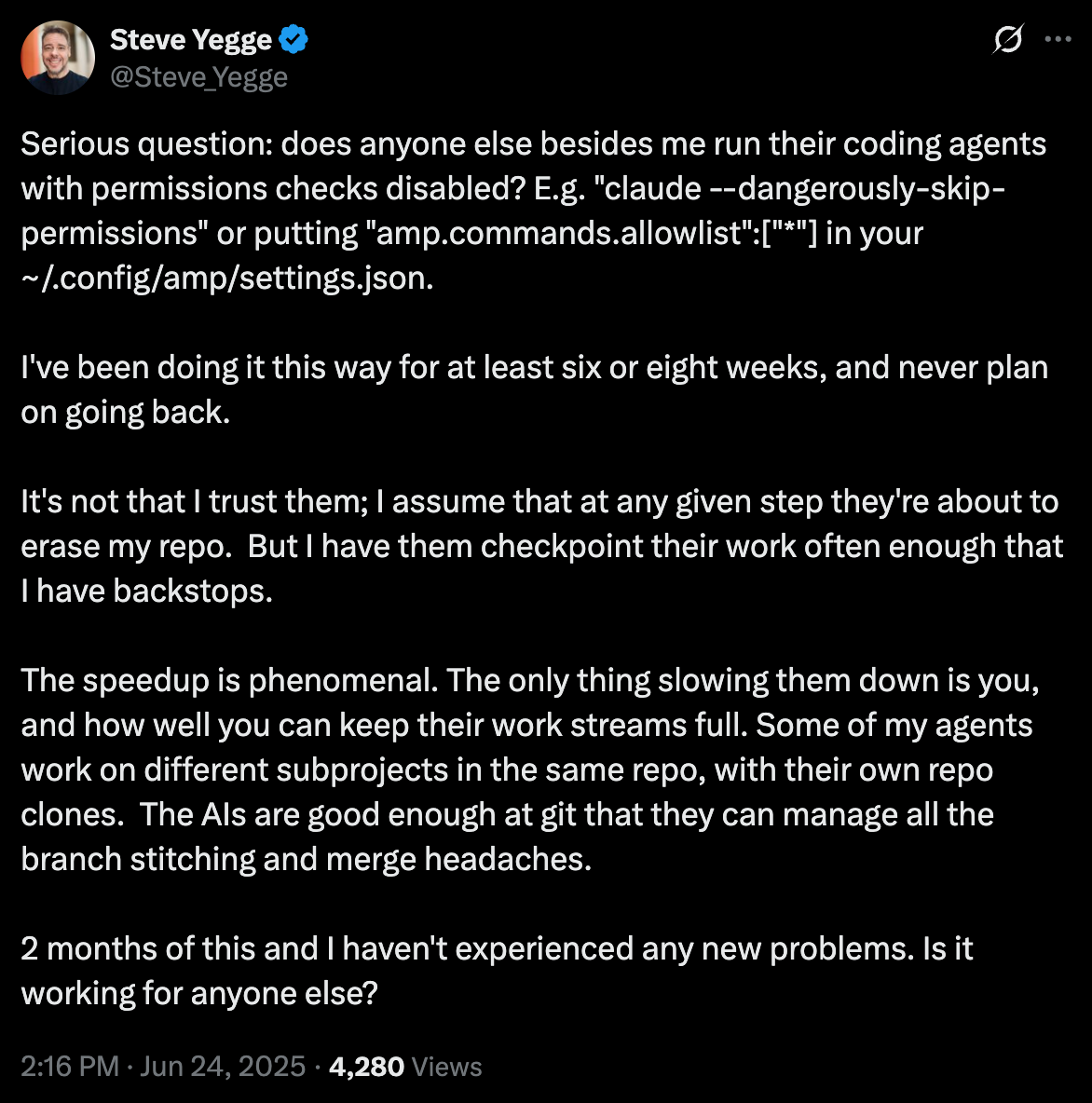
The bottom line: these limitations aren't deal-breakers, but they require awareness and adaptation. No AI is perfect. I find Claude Code easily worth it. Successful Claude Code users develop defensive practices, maintain realistic expectations, and use the tool's strengths while actively mitigating its weaknesses.
Frontend Magic: Breaking Through "AI Slop" Design
I spent half a day iterating on my personal website's frontend design—an unusual level of obsession compared to my normal approach. But this investment led to something I'd never achieved before: getting AI to create a frontend that didn't look "mid."
The Problem with AI-Generated Design
Anyone who's used AI tools for frontend work knows the result: functional but soulless interfaces that scream "generated by AI." They work, but they're forgettable. Generic. Mid. This "boring front-end midness most AI tools have" plagued every previous attempt I'd made at AI-assisted design.
The typical AI frontend starter pack includes:
- Generic Bootstrap-like components
- Safe, uninspired color schemes
- Layouts that work but don't engage
- Animations that feel mechanical
- Typography that's functional but forgettable
I refused to accept this. The question became: could Claude Code break through this creative ceiling?
The Design System First Approach
My breakthrough came from a fundamental shift in approach. Instead of letting Claude Code immediately start building components, I insisted on establishing a solid design system first. This wasn't normal for me—typically I'd iterate on design while building. But I recognized that fixing these details later would be "a complete bear."
The key was being incredibly specific about the aesthetic vision:
> Create a design system with:

- Dark navy background (#0a192f) not pure black

- Bright cyan accents (#64ffda) for primary actions

- Beveled cards with subtle glow effects

- Professional animations that feel smooth, not jarring
Obsessing Over the Details
The magic happened in the micro-decisions. I spent significant time on specific details like ensuring text remained consistently dark colored during JavaScript button hover animations. This might seem trivial, but it's exactly these details that separate professional design from AI slop.
Claude Code surprised me by understanding why these details mattered. When I explained the importance of consistent text color during hover states, it didn't just fix the issue—it applied the principle throughout the component system.
The Breakthrough Moment
After hours of iteration, something clicked. The design that emerged featured:
- Beveled cards with subtle glow effects that caught light naturally
- Professional button animations that "actually felt professional once I gave it the right vibe"
- A sophisticated dark navy background that provided depth without being cliché
- Bright cyan accents that popped without overwhelming
- Thoughtful button hierarchy: bright cyan primary "Subscribe on Substack" versus border-only "Book a Consult"
This wasn't just functional—it was "actually somewhat interesting."
The Technical Implementation
The final website included polished elements that typically require experienced frontend developers:
- Clean navigation: Home, Popular Posts, Consulting, Community, About
- Strong value proposition: "Make Sense of AI—Fast" with "Deep analysis, actionable frameworks, zero hype"
- "Fresh Off the Press" article cards with reading time estimates
- Professional testimonial integration
- Mobile responsiveness (though my friend noted the menu was open by default on mobile—even AI has quirks)
Why This Matters
Breaking through AI design mediocrity wasn't just about aesthetics. It proved that Claude Code could be a creative partner, not just a code generator. The key was my approach:
- Refuse to compromise: Don't move forward until the foundation is solid
- Provide specific vision: Exact colors, specific effects, clear hierarchy
- Iterate relentlessly: That half-day investment paid off in a design I could actually use
- Focus on details: The small things compound into professional results
- Guide the vibe: Help Claude understand the feeling you're after, not just the functions
The Investment Payoff
This upfront investment meant I won’t have to mess with the style sheet really again. By getting the design system right initially, every subsequent component automatically inherits the established aesthetic. New features will look like they belonged. Updates will maintain consistency. That’s worth 719 lines of CSS lol.
The lesson? AI can create compelling frontend design, but only if you're willing to be the creative director. Claude Code has the technical skills—it can implement any design pattern, create smooth animations, and structure responsive layouts. What it needs is your vision and your insistence on quality.
The result of all the work was a design that made me proud—something actually interesting emerging from the collaboration between human creativity and AI capability. That's the real magic: not replacing designers, but amplifying design vision through intelligent implementation.
Advanced Patterns: Turning Claude into Your Agentic Terminal
Claude Code's true power emerges when you stop thinking of it as just a coding assistant and start treating it as a unified terminal for agentic intelligence that spans software engineering, product management, research, design, and operations. The key is understanding its extensibility mechanisms and architectural patterns.
The Slash Command Architecture
Every knowledge-work verb can become a first-class terminal command. Claude Code allows you to create custom slash commands by saving prompt templates in the .claude/commands/ directory. Any Markdown file you place there becomes an available command.
Here's how it works: Create a file like .claude/commands/create-prd.md with a template prompt:
---
name: pm:create_prd
description: Generate a comprehensive PRD from requirements
---
# Context
You are creating a Product Requirements Document for a new feature.
# Task
Based on the provided requirements, create a comprehensive PRD including:

- Market analysis and user personas

- Feature specifications with user stories

- Technical requirements and API design

- Implementation timeline

- Success metrics and KPIs
# Requirements
${args}
Now you can invoke this with:
> /pm:create_prd "mobile app for carbon footprint tracking"
The beauty is that these commands are plain Markdown plus YAML—non-engineers can author or tweak them without touching code. Teams report building entire libraries of domain-specific commands:
/pm:score\_ideas roadmap.csv --args "RICE"
/research:triage\_feedback @data/interviews/\*.md
/design:audit\_latest @figma/latest.json
/ops:create\release\notes v1.9.0
MCP Server Configuration for External Tools
The Model Context Protocol (MCP) transforms Claude Code from a local tool into a hub connected to your entire stack. Configure MCP servers in your project:
{
"mcpServers": {
"github": {
"command": "npx",
"args": ["-y", "@modelcontextprotocol/server-github"],
"env": {"GITHUB_PERSONAL_ACCESS_TOKEN": "ghp_..."}
},
"database": {
"command": "npx",
"args": ["-y", "@modelcontextprotocol/server-database"],
"env": {"DATABASE_URL": "postgresql://..."}
},
"custom-tools": {
"command": "python",
"args": ["./mcp-servers/custom-tools.py"]
}
}
}
This configuration enables Claude to:
- Query your production database directly
- Interact with GitHub issues and PRs
- Connect to Figma for design audits
- Access Slack, Jira, or any API you expose
The power multiplies when you combine MCP tools with slash commands. A command like /growth:sql can use the Snowflake MCP tool to run queries and return visualizations with textual insights.
CI/CD Integration Patterns
Transform Claude Code from an interactive tool to an autonomous agent in your pipelines:
name: Claude PR Automation
on:
pull_request:
types: [opened, synchronize]
issue_comment:
types: [created]
jobs:
claude-review:
if: contains(github.event.comment.body, '@claude')
runs-on: ubuntu-latest
permissions:
contents: write
pull-requests: write
steps:

- uses: actions/checkout@v4

- uses: anthropics/claude-code-action@beta
with:
anthropic_api_key: ${{ secrets.ANTHROPIC_API_KEY }}
prompt: |
Review this PR for:
1. Security vulnerabilities
2. Performance issues
3. Code quality
4. Test coverage
allowed_tools: "View,GlobTool,GrepTool"
Teams use this pattern for:
- Automated PR reviews with specific focus areas
- Issue triage and labeling
- Release note generation
- Documentation updates on merge
Building Domain-Specific Workflows
The real breakthrough comes from creating workflows that blend multiple disciplines. Here's a product discovery workflow that demonstrates the pattern:
# Research phase
> /pm:interview_synth @data/interviews/\*.md
# Analysis phase
> /growth:sql "select \* from user_sessions where feature='onboarding'" --viz
# Design audit
> /design:audit_latest @figma/onboarding-v2.json
# Synthesis
> think hard about the insights from interviews, usage data, and design audit.
Create an integrated recommendation for improving onboarding.
This workflow touches product research, data analysis, and design—all orchestrated through Claude Code's unified interface.
Advanced Orchestration Patterns
For complex multi-step operations, implement subagent spawning:
> Spawn specialized agents for competitive analysis:
1. Market researcher: analyze top 5 competitors' features
2. Technical architect: assess implementation complexity
3. Pricing strategist: recommend positioning
4. Content strategist: draft go-to-market messaging
Synthesize findings into executive brief with recommendations
The key insight: each subagent can use different tools and access different data sources, but they coordinate through Claude's overarching context.
Governance Through Configuration
As your agentic terminal grows more powerful, governance becomes critical:
# In .claude/settings.json
{
"permissions": {
"edit_files": "allow",
"run_commands": {
"git": ["add", "commit", "status"],
"npm": ["test", "run lint", "run build"],
"dangerous_commands": "deny"
}
},
"allowed_tools_by_command": {
"/pm:\*": ["View", "Edit", "WebSearch"],
"/ops:\*": ["Bash", "Git", "GlobTool"],
"/finance:\*": ["View", "Database:read_only"]
}
}
This configuration ensures that product management commands can't accidentally run bash commands, while ops commands have the access they need.
The Integration Ecosystem
The ecosystem extends beyond what ships with Claude Code. Community-maintained MCP servers connect to:
- Notion for knowledge management
- Linear/Jira for issue tracking
- Amplitude/Mixpanel for analytics
- Terraform for infrastructure
- Kubernetes for orchestration
Each integration becomes a building block for higher-level workflows. A single command like /startup:validate\_idea might search patents, analyze market data, create financial projections, and draft a pitch deck—all by composing these atomic capabilities.
The transformation is profound: your terminal becomes not just a place to write code, but a command center for all knowledge work. Every repetitive task becomes a command. Every workflow becomes composable. Every team member gains access to agentic capabilities previously reserved for engineers.
Quick Start Recipes
Want immediate value from Claude Code? Here are battle-tested prompts and patterns you can use in your first session.
5 Starter Prompts for Immediate Value
- Project Understanding (Use immediately after installation):
> summarize this project and identify the main technologies used
- Instant Documentation:
> create a comprehensive README.md explaining how to set up and run this project locally
- Code Quality Audit:
> analyze the codebase for common issues like code duplication, missing error handling, and inconsistent patterns
- Test Generation:
> write test cases for the authentication module, focusing on edge cases and error scenarios
- Strategic Planning:
> think hard about the current architecture and propose improvements for scalability
The Universal CLAUDE.md Template
Create this file in your project root for instant context:
# Project: [YOUR PROJECT NAME]
## Tech Stack

- [List main technologies]

- [Database and ORM]

- [Frontend framework]
## Commands

- `npm run dev` - Start development

- `npm test` - Run tests

- `npm run build` - Production build
## Coding Standards

- IMPORTANT: Always run tests after changes

- Use 2-space indentation

- Follow conventional commits

- Minimum 80% test coverage
## Project-Specific Notes

- [Any quirks or important context]

- [Common gotchas]
Cost Optimization Strategies
- Use Sonnet by Default:
> /model claude-3-5-sonnet-20241022
Sonnet costs 5x less than Opus but handles 90% of tasks effectively.
- Planning Mode for Exploration: Press
Shift+Tabtwice to enter planning mode—Claude analyzes without making changes, saving tokens. - Clear Context Regularly:
> /clear
Use after completing each major task to prevent token accumulation.
- Batch Related Operations: Instead of multiple small requests, combine related tasks:
> fix all the linting errors in the auth module, update the tests, and add JSDoc comments
Integration Shortcuts
VS Code Integration:
- Open integrated terminal:
Ctrl+` - Run
claudedirectly in your project - Use
/idecommand for VS Code-specific features
Git Workflow:
# Before Claude work
git checkout -b claude-work
git add . && git commit -m "checkpoint: before Claude"
# After Claude completes
git diff # Review changes
git add -p # Selective staging
Quick CI Integration: Add to .github/workflows/claude-review.yml:
- name: Claude Quick Review
run: |
npx @anthropic-ai/claude-code -p \
"review changed files for obvious issues" \
--max-turns 1
One way to try it with a bit of messy code
- Install Claude Code (2 min)
- Navigate to your messiest file (1 min)
- Run:
> refactor this file for better readability and add helpful comments(5 min) - Review and commit improvements (2-20 min lol)
These recipes get you from zero to productive quickly. Start with project understanding, use templates for consistency, optimize costs from day one, and integrate Claude Code into your existing workflow. The key is starting simple and building complexity as you gain confidence.
The Future of Development
Kent Beck, after 52 years of coding, found renewed excitement through AI. His insight—that 90% of traditional coding skills are becoming commoditized while the remaining 10% becomes exponentially more valuable—isn't a prediction. It's already happening.
The Paradigm Shift Is Here
We're witnessing the convergence of coding and strategic thinking in real-time. When I asked Claude Code "What's the right ordering of the project if I want particular capabilities to update afterward?" I wasn't writing code—I was architecting at the speed of thought. This represents a fundamental shift from "how to implement" to "what to build and why."
The evidence surrounds us: North Highland consultants achieving 5x productivity gains. Engineers completing in half a day what previously took weeks. Complete beginners building functional applications within hours. A scrum master jumping from $110k/year to earning that in 3-4 months. These aren't outliers—they're early indicators of a new normal.
What Becomes Precious
As Beck identified, the 10% that remains uniquely human becomes incredibly valuable:
- Judgment: Knowing which problems are worth solving
- Vision: Seeing possibilities beyond current constraints
- Context: Understanding business, user, and technical needs holistically
- Creativity: Breaking through "AI slop" to create something genuinely interesting
- Strategy: Orchestrating AI capabilities toward meaningful outcomes
The developers thriving in this new world aren't those who memorize syntax or framework details. They're the ones who can conduct an orchestra of AI agents, who can articulate vision clearly, who know when to push for quality and when to accept "good enough."
The Democratization Accelerates
"END USER PROGRAMMING IS NOW," declared one user after watching his fiancée go from skeptical to dancing in 15 minutes. This isn't hyperbole—it's the beginning of a massive shift. When non-programmers can build functional software by describing their intent, when business analysts can query databases through natural language, when designers can instantly see their ideas become code, the entire landscape of who can create software transforms.
But this isn't about replacing developers. It's about amplifying human capability. The terminal—that intimidating black screen that once gatekept programming—has become a conversational interface where ideas transform into reality.
The Path Forward
Anthropic's approach with Claude Code reveals the trajectory: AI agents that don't just suggest but do. Tools that understand context across entire projects. Systems that reason about architecture, not just syntax. The command line becoming a universal interface for all knowledge work.
We're not approaching a cliff where human developers become obsolete. We're approaching a renaissance where the ability to think clearly, communicate precisely, and orchestrate intelligently becomes the core skill set. Where a single developer with Claude Code can achieve what previously required a team. Where the barrier between idea and implementation virtually disappears.
The future of development isn't coming—it's here, waiting in your terminal. Tools like Claude Code are not just tools. They're your entry point into a fundamentally different way of building software.
When I use tools like Claude Code I’m reminded that the question isn't whether AI will change development. It's whether you'll be conducting the orchestra or watching from the audience.
Join the revolution. The terminal is waiting!
For more on AI, subscribe and share!