30 Days of Claude Skills You’ll Actually Use. Day 4 is Skill Creator, the meta-skill that builds, tests, and improves your other skills for you.
By Matt Paige
Published: 2026-06-08
URL: https://mattpaige68.substack.com/p/day-4-of-30-the-one-claude-skill
Anything you do with Claude more than once should be a skill.
The catch is that “go build a skill” sounds like a chore. It sounds like a thing you’ll get to later, right after all the other things you’ll get to later.
So here’s the fix. There’s one Claude skill whose entire job is to build your other skills for you. You describe what you want, it does the rest. It’s free, it’s made by Anthropic, and it works wherever you use Claude. (The Claude Code plugin version alone has nearly 300,000 installs.)
This is Day 4 of 30 Days of Claude Skills You’ll Actually Use. It’s called Skill Creator. (Days 1 through 3 are at the bottom if you’re just joining.)
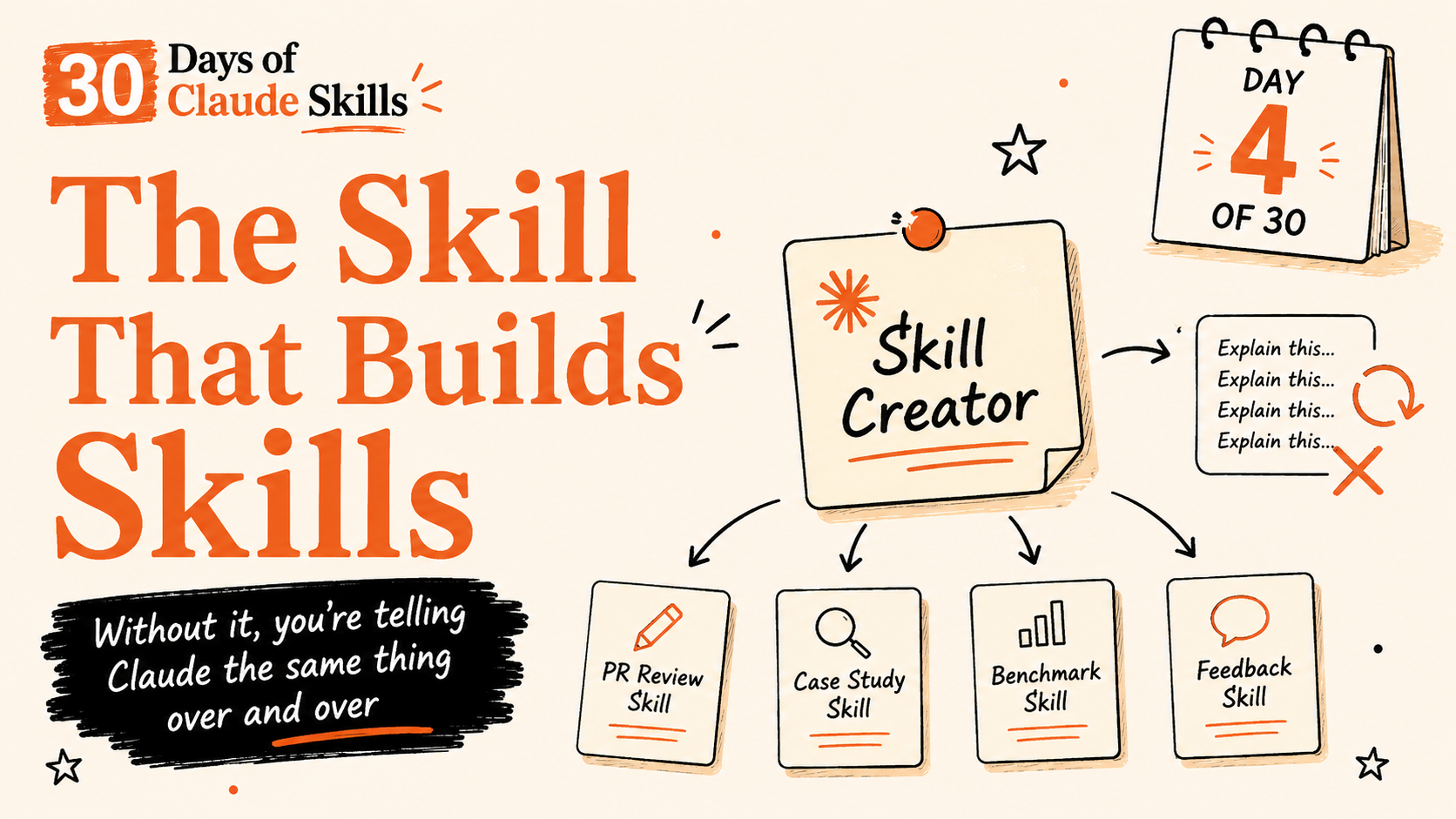
Funny enough, Skill Creator has quietly powered a lot of this series 😉
This Substack is reader-supported. To receive new posts and support my work, consider becoming a free or paid subscriber.
What Skill Creator actually does
A skill is a file that teaches Claude how to do one job your way, so it nails it the same way every time. Powerful, but writing a good one by hand takes know-how most people don’t have and don’t want to learn.
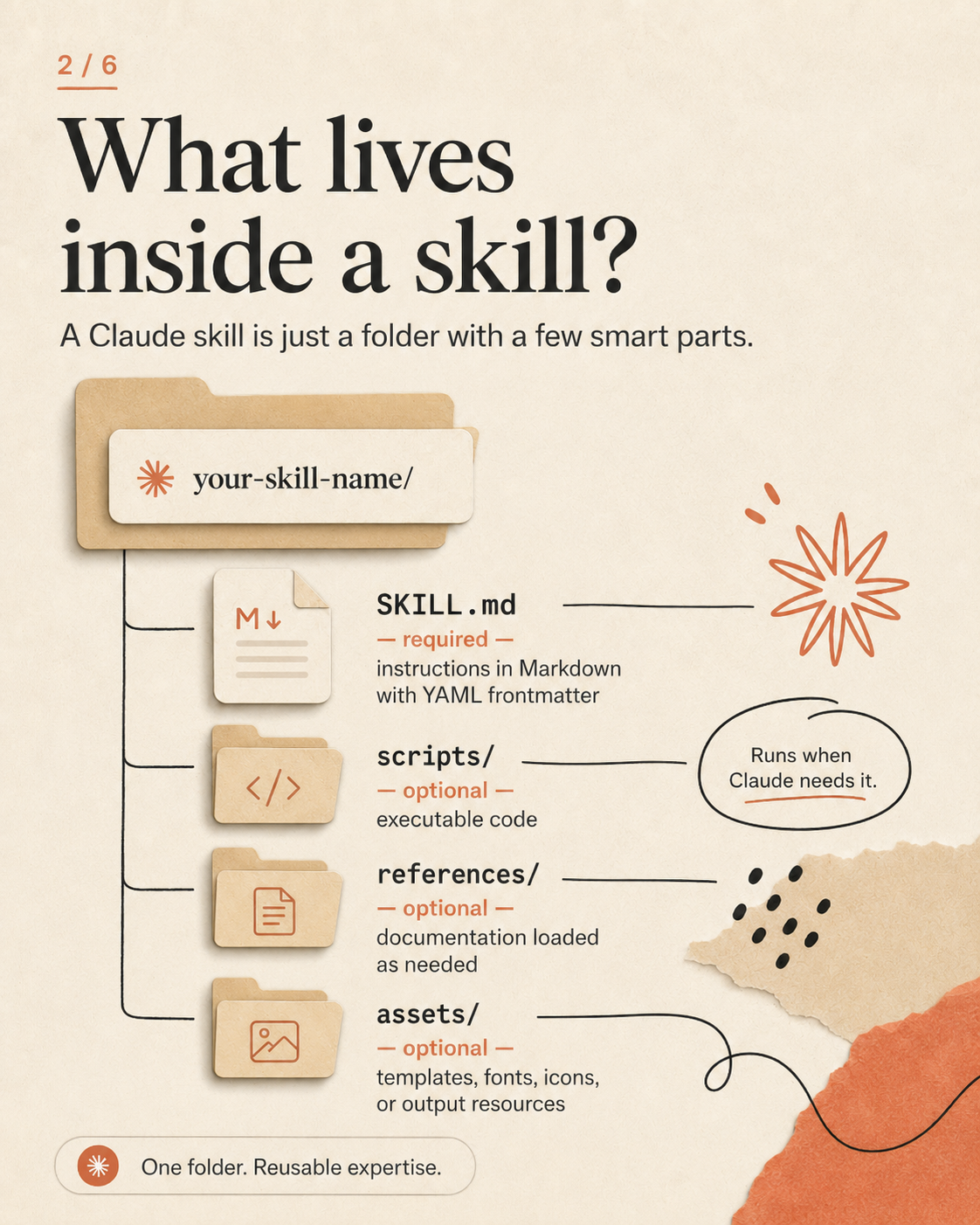
Skill Creator removes that burden.
It’s an Anthropic skill that handles the entire life of a skill: building it, testing it, and making it better over time. And it works wherever you use Claude. The web app, the desktop app, Cowork, and Claude Code. This is not just a Claude Code thing. It’s a Claude thing.
How to use it
Wherever you use Claude, the move is the same. You ask Claude to help you build a skill, and it walks you through it.
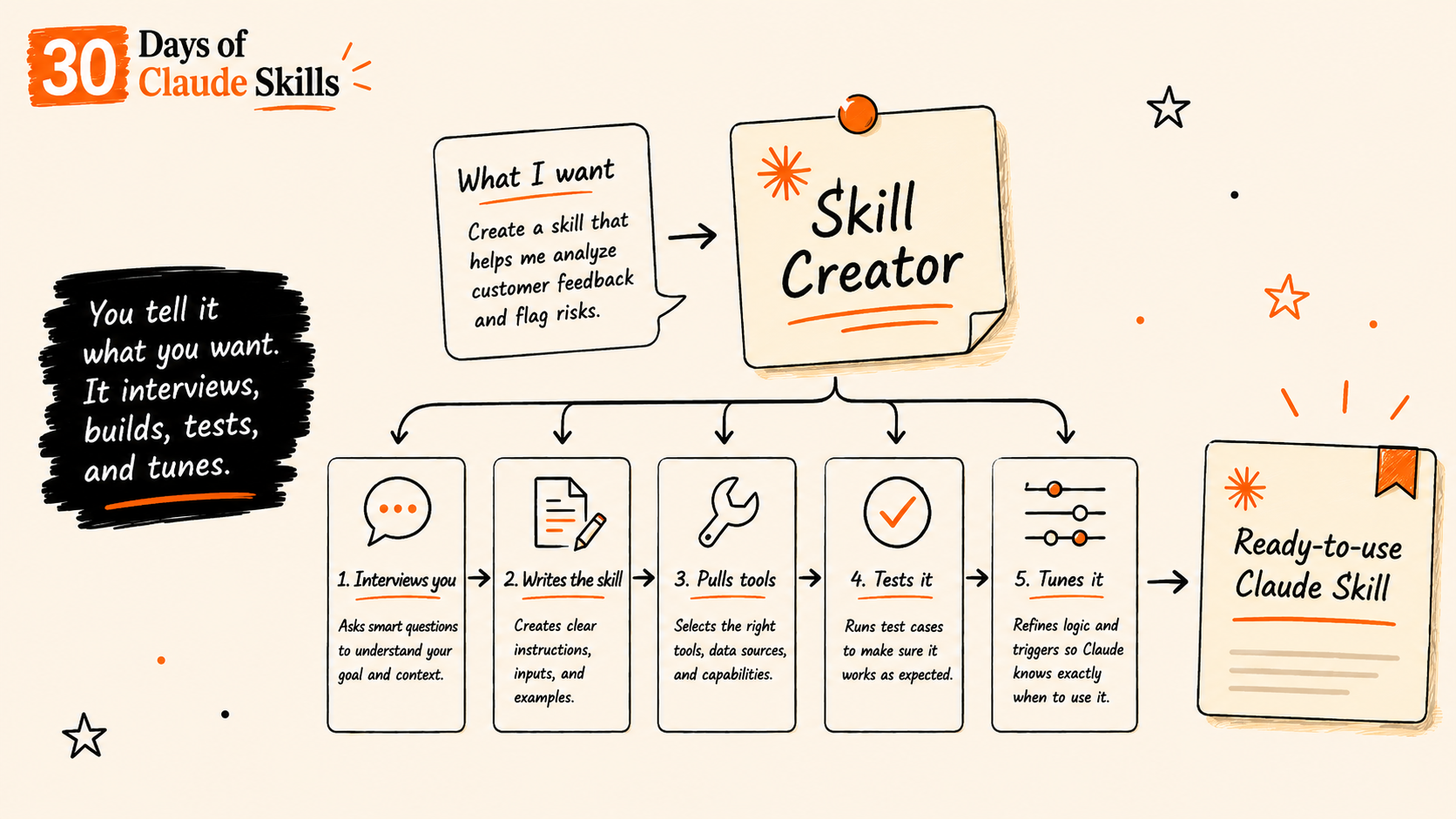
Invoking the Claude Creator Skill is easy.
Simply type /skill-creator, then then tell Claude what you want to create.
Claude will also auto run the skill when it is relevant, which means you can simply tell Claude you want some help creating a skill to activate it.
For context, here is the actual decription in Claude for the Skill Creator skill:
Skill Creator Description: Create new skills, modify and improve existing skills, and measure skill performance. Use when users want to create a skill from scratch, edit, or optimize an existing skill, run evals to test a skill, benchmark skill performance with variance analysis, or optimize a skill's description for better triggering accuracy.
Now the four ways to use it.
The four modes (the different ways to use it)
1. Create. Build a new skill from a sentence. Describe the skill you want and Skill Creator builds it. You can keep it as simple as “Create a new skill that reviews PRs for security issues.” It works out what the skill needs, writes the skill file, pulls in any tools or scripts, and tunes the trigger so Claude knows exactly when to fire it. You go from one sentence to a working skill without writing it yourself.
2. Eval. Prove it actually works. A skill that looks right and a skill that works are two different things. Eval runs your skill against test prompts so you can see what it really produces before you trust it on live work.
3. Improve. Make a skill you already have better. This is the one people sleep on. Already have a skill, yours or one you grabbed off GitHub? Point Skill Creator at it with a few test cases and it refines it. “Improve my deploy skill based on these test cases.” It finds the weak spots and fixes them.
4. Benchmark. Measure it like an engineer. Run your skill many times and Skill Creator shows you how consistent it is, variance and all. “Benchmark my skill across 10 runs and show variance.” If a skill is flaky, this is how you catch it before it embarrasses you in front of a client.
Most people will live in Create and Improve, which you get wherever you build skills. Eval and Benchmark are the power modes in the Claude Code plugin, for when a skill matters enough to test like software.
What to actually build with it
The blank page is the hard part, so here are skills worth creating today:
(The Ops & Knowledge Work ones are my favorite… 👀)