When you'd rather not be on the social media platforms (prompt included!)
By Kim Doyal
Published: 2026-09-21
URL: https://kimdoyal.substack.com/p/i-automated-my-instagram-carousels

*Note: The tool I’m sharing in this article is called Runable. They’ve sponsored some videos, but this isn’t a paid or affiliate post (YouTube is sponsored). This automation was so easy to set up; I knew I had to share it here.
Instagram turns sixteen next month.
I’ve been working online since 2008, which means I’ve been doing this longer than the app has been alive. That’s either a credential or a warning depending on how you look at it. (I wasn’t there at the start, for the record. It launched in October of 2010, and I showed up a few years later, when I felt like testing it out.)
And somewhere in those years, the part of me that found social media fun quietly packed a bag and said “Peace out!” 😉 Posting, engaging, showing up in the comments, feeding the algorithm its little snacks... It’s the work I put off the longest and resent the most.
You’ve probably seen me go a little quiet on platforms from time to time because, truth be told, feeding these platforms does my head in, lol.
But I keep the accounts alive, and the reason traces back to April of 2012.
That’s when Facebook bought Instagram. Thirteen employees, about thirty million users, no revenue, and a headline price of a billion dollars. (By the time the deal actually closed that September, the stock had slid far enough that the real number landed somewhere around $715 million.)
That purchase is the reason Instagram isn’t a photo app to me (although it’s hardly been a photo app for years).
It’s an ad surface.
It’s the other half of the machine I run paid traffic through, and the grid is what people see when an ad catches them, and they click the profile to find out whether there’s an actual human back there or just a landing page and a promise.
An empty Instagram attached to a running ad is its own kind of answer, and it’s not the one I want. So the account exists for continuity. It’s the “yes, she’s real, and yes, she’s been at this a while” proof that makes the rest of the spend work.
Which means I need to post consistently on a platform I have almost zero desire to touch (I stopped posting anything personal on the platforms a couple of years ago).
That’s the tension I’ve been sitting with for a long time, and it’s why building an Instagram carousel automation that genuinely runs without me got me so excited.
Hey, I’m Kim Doyal.
If you run an online business, you already know social media is part of it. If you’d also rather spend less time on the platforms and more time building the thing, we’re going to get along.
Building online since 2008. I write about apps, agents, systems, and revenue streams that don’t require you to perform for an algorithm every day. No hype, no “10X your productivity” lists. Just what it actually looks like when a midlife entrepreneur builds in a way that works for her.
What the Instagram carousel automation actually does
It’s a single scheduled task in Runable that runs every morning at 6 am, reads my Substack archive, picks a post, designs a carousel in my brand colors, writes the caption and hashtags, posts it to Instagram, and emails me when it runs.
That’s the whole description… There’s no second tool and no handoff.
I don’t approve anything anymore, and I don’t touch it, so the only part of this still in my calendar is reading the email the automation sent when it published successfully over coffee.
I’ve been building automations for a while now, starting with email sequences, then n8n workflows, then agents, then scheduled tasks running inside VS Code with Claude Code. None of that is required here, and that’s actually the point I want to make.
This one is different for a boring reason that turns out to matter a lot: I built the entire workflow and scheduled it in the same place, in about eight minutes. There was no creating something in one tool, exporting it, wiring it into a scheduler somewhere else, then debugging the handoff between the two.
You describe what you want, it does it once so you can look at the result, and then you hit schedule. That’s it.
The setup, step by step
Four steps, and only one of them happens outside the chat window. Total build time was about eight minutes, most of which was me reading the sample output.
1. Connect Instagram
Go to Plugins, type Instagram, connect, grant permission. A modal pops up and handles it. This takes about thirty seconds, and it’s the only “go do a thing in another window” moment in the entire build.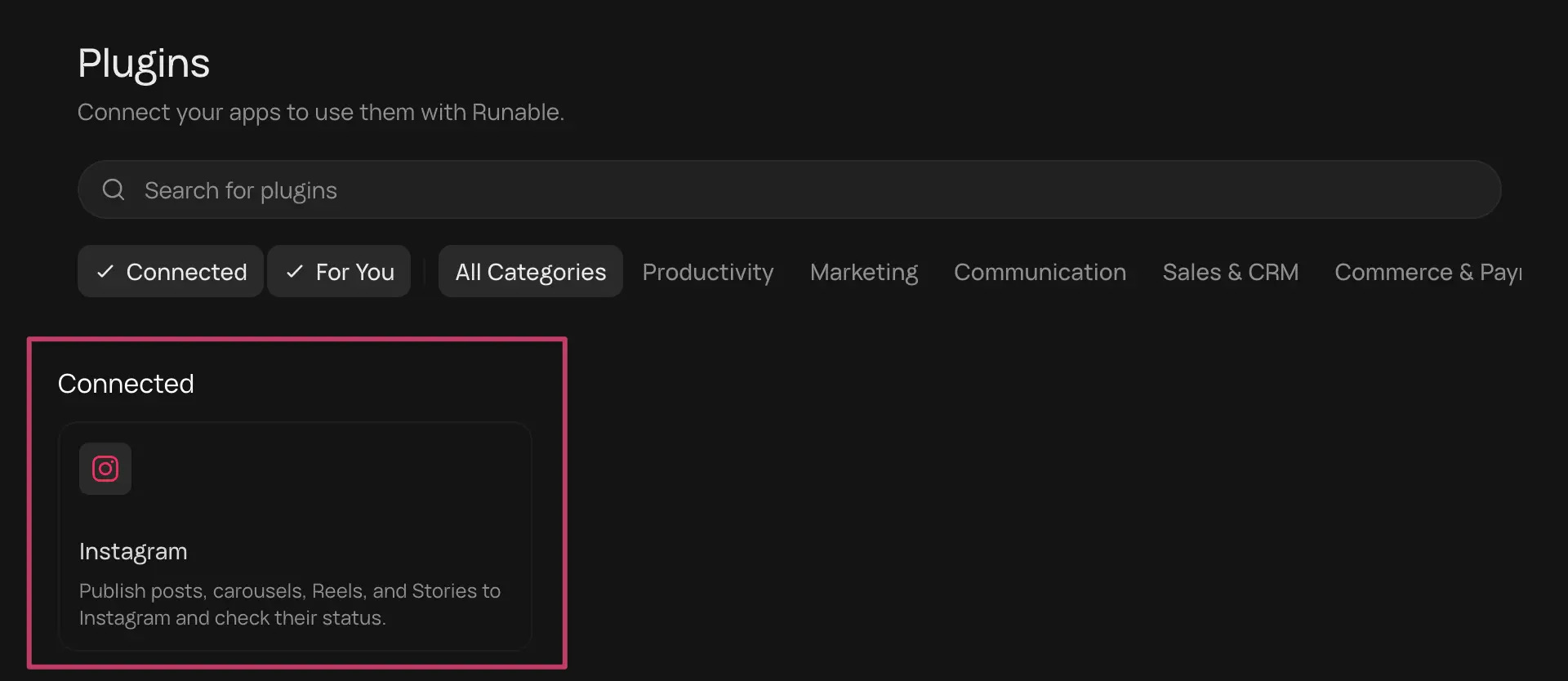 Once it’s connected, Instagram shows up under Connected on the Plugins page. That’s the whole handshake.
2. Feed it your brand
I already had my design system loaded into Runable as a skill file, which I’d originally built for Claude. That’s the version I’d recommend if you already have brand assets... upload the design system once and stop pasting hex codes into every prompt forever.
If you don’t have that, no problem. Put your colors, fonts, and tone directly in the prompt. It works either way, and the prompt below has a spot for it.
3. Point it at your archive, not your feed
This is the one decision I want you to actually think about, because it’s the difference between a carousel account that stays interesting and one that recycles the same five posts forever.
You can point it at an RSS feed, and that’s the obvious move. I pointed mine at my Substack archive instead, because the archive includes everything I’ve ever published. My content isn’t gated (I think there are two old test posts behind a paywall and that’s it), so the archive gives it a genuinely deep well to pull from.
If most of your good stuff is gated, the feed is the safer call. If it isn’t, use the archive. You can point this at a website feed too, so it doesn’t have to be Substack.
4. Write the prompt, check the sample, hit schedule
You paste the prompt, and Runable runs it once. Mine took seven minutes and eleven seconds, which sounds long until you remember what it’s doing: choosing which tools to use (Runable by default will choose the best model, but you can select something else), going out to the archive, reading the posts, picking one, designing the slides, and writing the caption.
The model selection is set to auto, so it picks for itself. You can override that and see token usage for each option if you want to be more selective, but I let it drive (and was super impressed).
Then it hands you a finished carousel to review before you commit, and the Schedule button appears underneath the result. Pick your time, pick your notification, pick your start date, save.
Mine runs daily.
You can set it to send you the carousel for approval first if you’re not ready to let it post unsupervised, and that might be a preferred way to start if you want to see things before they go out, but I was pleased with the initial output and remember… I’m not doing this to start DMing people on Instagram or trying to blow up my followers.
For me, this supports paid traffic when I turn it on.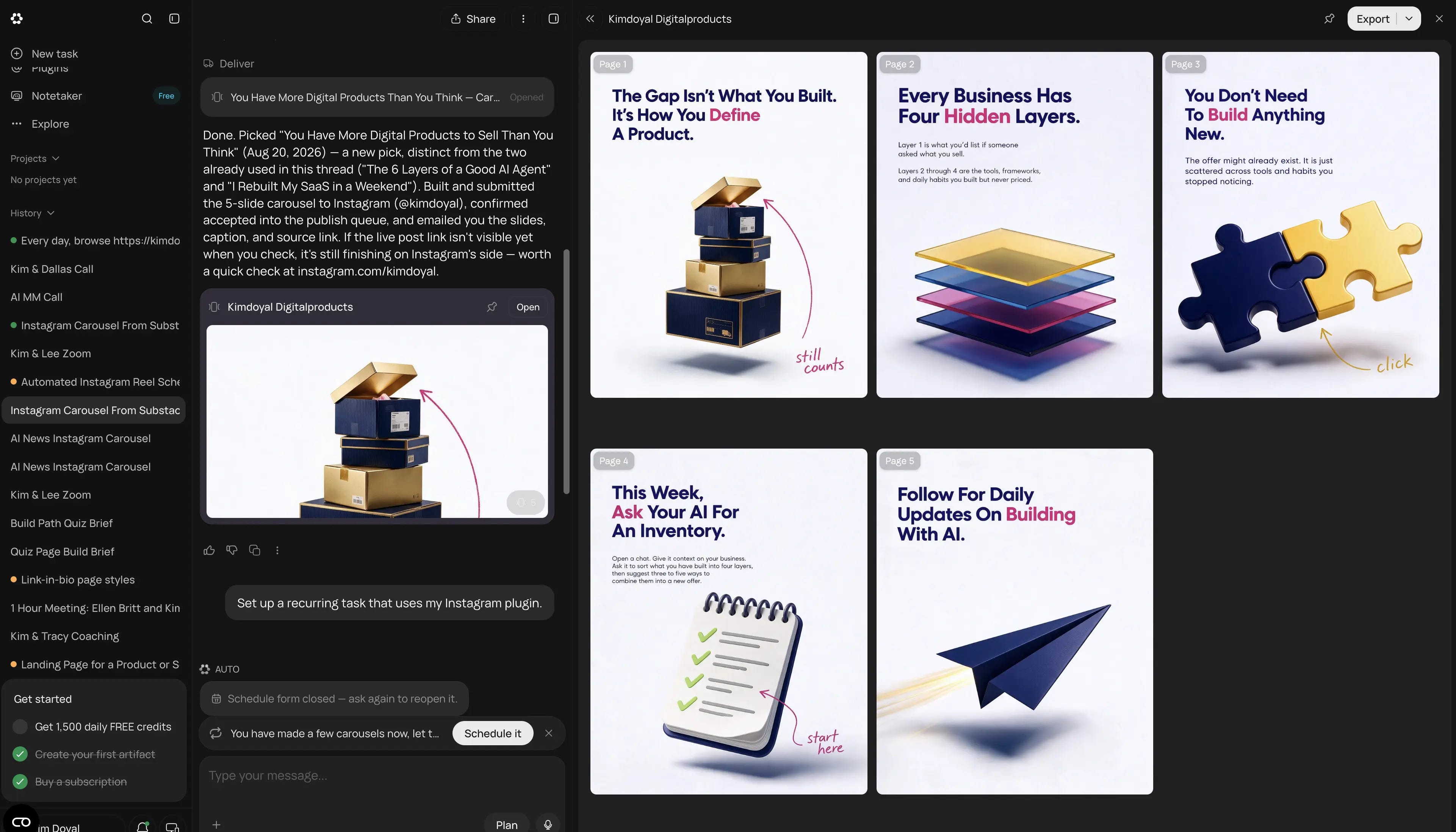 It hands back a sample before you commit to anything. Five slides, on-brand, built from a post I published in August, with the Schedule it button waiting underneath.
The prompt
Copy this, swap in your details, drop it into Runable. No opt-in, no gate.
Every day, browse [YOUR ARCHIVE URL] and pick ONE post to turn into an Instagram carousel.

SELECTION: check this chat for posts you have already used and never repeat one. Vary the pick across the whole archive; do not just work down from the newest. [ANY TOPICS TO INCLUDE OR EXCLUDE]

Build a 5-slide carousel, 4:5 portrait (1080x1350), drawn ONLY from what that post actually says. Do not add claims, statistics, examples, or stories that are not in the post.

Slide 1 = the post’s sharpest idea, stated as a claim.

Slide 2 = what it actually means, plain language.

Slide 3 = why it matters to [WHO YOU ARE TALKING TO].

Slide 4 = one concrete thing they could do this week.

Slide 5 = CTA, “[YOUR CALL TO ACTION]”.

WRITING RULES: write for [ONE SENTENCE DESCRIBING YOUR READER]. Every carousel must leave them with one thing they can act on. [YOUR VOICE RULES]. Never use the phrases [YOUR BANNED PHRASES].

BRAND RULES, follow exactly: background [BACKGROUND COLOR + HEX]. Set all type in [YOUR FONT]. Headlines [HEADLINE COLOR + HEX], very large, bold, top-left aligned, tight leading, 2-4 lines max. Accent [ACCENT COLOR + HEX] on exactly one emphasized word per slide and on any arrows, placed mid-headline, never on the last word. Secondary accents allowed: [YOUR OTHER BRAND COLORS + HEX]. Body copy [BODY COLOR], short lines, generous spacing, no paragraphs. Max 3 dominant colors per slide.

Each slide gets a single, clean 3D-rendered object floating with a soft shadow, filling the lower half of the frame so no slide feels bottom-heavy with empty space. On 2-3 slides, add one handwritten marker-style script annotation with a hand-drawn curved arrow in [ACCENT COLOR], bottom-right, pointing AT that object. No stock photos, no people, no characters, no UI screenshots.

Write the Instagram caption with 3-5 hashtags.

PUBLISH the finished carousel to Instagram with that caption. Then email me the carousel, the caption, the Instagram post link, and the source post title and URL.

If you cannot reach the archive, don’t publish anything or invent a post. Just email me saying so.
Two notes on that:
Attach your logo file when you paste the prompt. You don’t need to reference it by filename in the prompt text... it finds it.
And the slide count is a real variable, not a detail. I asked for six in the video and got five, because I’d edited the number in one place and not the other and didn’t catch it. (I also said “or nine” out loud mid-sentence, so the confusion was entirely mine.) Decide on your number, put it in once, and check it before you schedule.
Questions you might have
Do I need to be technical to build this?
No. You’re writing a paragraph of instructions and clicking a connect button. I build full-stack applications, and none of that skill was involved here, which is worth noticing.
What if my content is behind a paywall?
Point it at your public RSS feed instead of your archive. You’ll get a shallower pool to draw from, so you may want to specify a longer lookback or add more variety instructions to the prompt.
Do I have to let it post without approving each one?
No, and you shouldn’t at first. Set the schedule to notify you and hold the post for review. Run it that way until the output stops surprising you, then switch it to auto.
What if it picks a post I don’t want turned into a carousel?
Two things help. The prompt tells it to skip anything already used, and you can add exclusions directly (”skip anything tagged personal,” “only pull posts from the last two years”). Approval mode catches the rest.
*Can’t I just do this in Claude or ChatGPT?
Yes, you absolutely can. This is an alternative for those who don’t want to figure that out, are newer to automations, and want an easy workflow. Runable does a LOT (you can also use the MCP to connect to your own Claude or ChatGPT accounts).
What I’m changing next
I want to test my Pixar character in these. She lives in a custom Gemini gem right now, and Runable isn’t using Gemini for image generation, so the path is probably to upload reference images of her rather than expect a handoff between tools. That’s the next experiment... followed by testing whether Runable can create a Reel for me based on my brand and character, then post it as well (my gut tells me it can before I even jump in to try it).
The part that actually matters
This didn’t make me love social media, and I’m not going to stand here and tell you a tool changed how I feel about posting.
What it did was take a task I resent and take me out of it, while still producing something on-brand enough that when someone clicks through from an ad, the grid holds up. The Meta accounts do their job, and I do mine.
And notice what the tool didn’t decide.
It didn’t know that my Instagram exists to support paid traffic rather than to grow a following. It didn’t know to pull from the archive instead of the feed, that my content isn’t gated so the archive was safe, or which posts translate to a carousel and which ones need the full read to land. Every one of those calls came from having run this business long enough to know what that account is actually for. The automation executed a strategy I needed.
That’s the trade I’ve been trying to make for years, and the reason I kept not making it is that every previous version required me to maintain the automation itself, which is just a different job with the same amount of me in it. This one took about eight minutes to build and takes zero minutes a day to run.