Build the resize prompt into a skill once, and every post you write ends with one photo turned into every size you need. Start with a free prompt that makes 3 images.
By AI Meets Girlboss 🦩
Published: 2026-11-04
URL: https://aimeetsgirlboss.substack.com/p/resize-image-for-social-media
This post is part of The Branding Flock paid series. We're building a complete visual brand system from scratch, step by step, using AI tools. We’ve covered how to build your visual brand, and create social media posts. Check out the full series archive here.
TL;DR: The number one request in my Branding Flock DMs is “how do I post this everywhere without losing my whole afternoon to resizing.” I built a ChatGPT Images 2.5 prompt that turns one photo into platform-ready images, each at the right size, with the safe zones respected and text only where it helps. The free prompt below makes 3 of them (a Substack cover, a YouTube thumbnail and a LinkedIn carousel cover). Behind the paywall: the prompt generator, a master prompt that makes 8 for every platform at once, and the skill that hands you the prompt at the end of every draft.
Running one Substack already eats a real chunk of your week: writing the post, designing the cover, hitting publish, doing it all again next week. Adding Pinterest, Instagram, LinkedIn, and Facebook on top of that used to feel like a tax I couldn’t afford. Pinterest and Instagram were my first casualties. They got whatever energy was left, which was usually none.
But the truth is multi-platform isn’t optional anymore. I watch other creators pull real subscribers out of Pinterest, Instagram, and LinkedIn straight into their Substack. That’s traffic that never touches Google or the Substack app. It’s not theoretical. Distribution outside Substack itself is where a lot of growth is hiding.
So the question isn’t whether to show up on other platforms. It’s how to do it without it costing you the thing that was supposed to save you time.
I did what I always do: I stopped treating it as a willpower problem and built a workflow. My Pinterest and Instagram pages are the proof it runs. If you missed the prompt basics this builds on, they’re in ChatGPT Images: These 7 Prompts Are All Substackers Need, one of my best performing posts.
Hey, I’m Pinkie. I help creators build recognizable Substack brands that drive consistent subscriber growth. If you’re new to AI Meets Girlboss, welcome! This might be the best time to join. Start here or take the fast lane and build your visual brand in 1 hour! 🩷🦩

What You’ll Learn in This Post
-
Why cropping and resizing images, not rewriting captions, is what eats your Saturday when you post on every platform
-
How the two-step social media image resizing prompt works (ChatGPT reads your post and writes the headline, then builds the images from your photo)
-
A starter prompt that makes a Substack cover, a YouTube thumbnail and a LinkedIn carousel cover in one go
-
Where text on an image helps (YouTube thumbnails, Pinterest pins), where clean images win, and how to keep AI slop out of your set
-
The prompt generator artifact to tailor the prompt to your workflow and social media platform resizing needs (paid)
-
The master prompt (8 platform-sized images from one photo, for Instagram, Pinterest, YouTube, LinkedIn, Facebook and Substack) (paid)
-
A Claude and ChatGPT skill that hands you the prompt after every draft (paid)

The Bottleneck Of Posting On Multiple Platforms Is Sizing.
Everyone talks about repurposing like it’s a caption problem. Rewrite the hook for LinkedIn, shorten it for Instagram, done.
The the actual wall is the image though.
A cover built for Substack’s safe zone gets awkwardly cropped in a Pinterest pin. A square post looks squeezed as a Story. A LinkedIn preview crops a face clean off if you didn’t design for its ratio.
I hit this while building the Substack cover safe zone system with . In that post we solved cropping images for one platform, but now we’re about to solve it for nine.
Posting Everywhere Shouldn’t Mean Posting Slop.
Ask a model to illustrate your post and you get the average of every image like it: the same mug, the same sparkle, a book spine with a title nobody asked for. Readers spot that in about two seconds, and posting it on nine platforms only spreads the sameness.
That’s why every prompt here starts from your own photo and only recomposes it. No new scene, no labels, no text you didn’t ask for.
How ChatGPT Images 2.5 Resizes One Photo For Every Platform.
ChatGPT Images 2.5 can return up to 8 images from a single prompt. Eight different outputs, and all you need to do is tell it what each one is. I went deep on the prompting logic in How to Get Consistent Character Images in ChatGPT Images.
Every prompt in this post works in two steps.
-
ChatGPT reads your post link and writes the headline using my Triple-Threat Headline Generator prompt built in, which gives it three styles to pick from: bold and reputation-risking, cliffhanger, and polished and quote-worthy.
-
It builds the images from your photo, using only the text from Step 1. You never type a headline by hand.
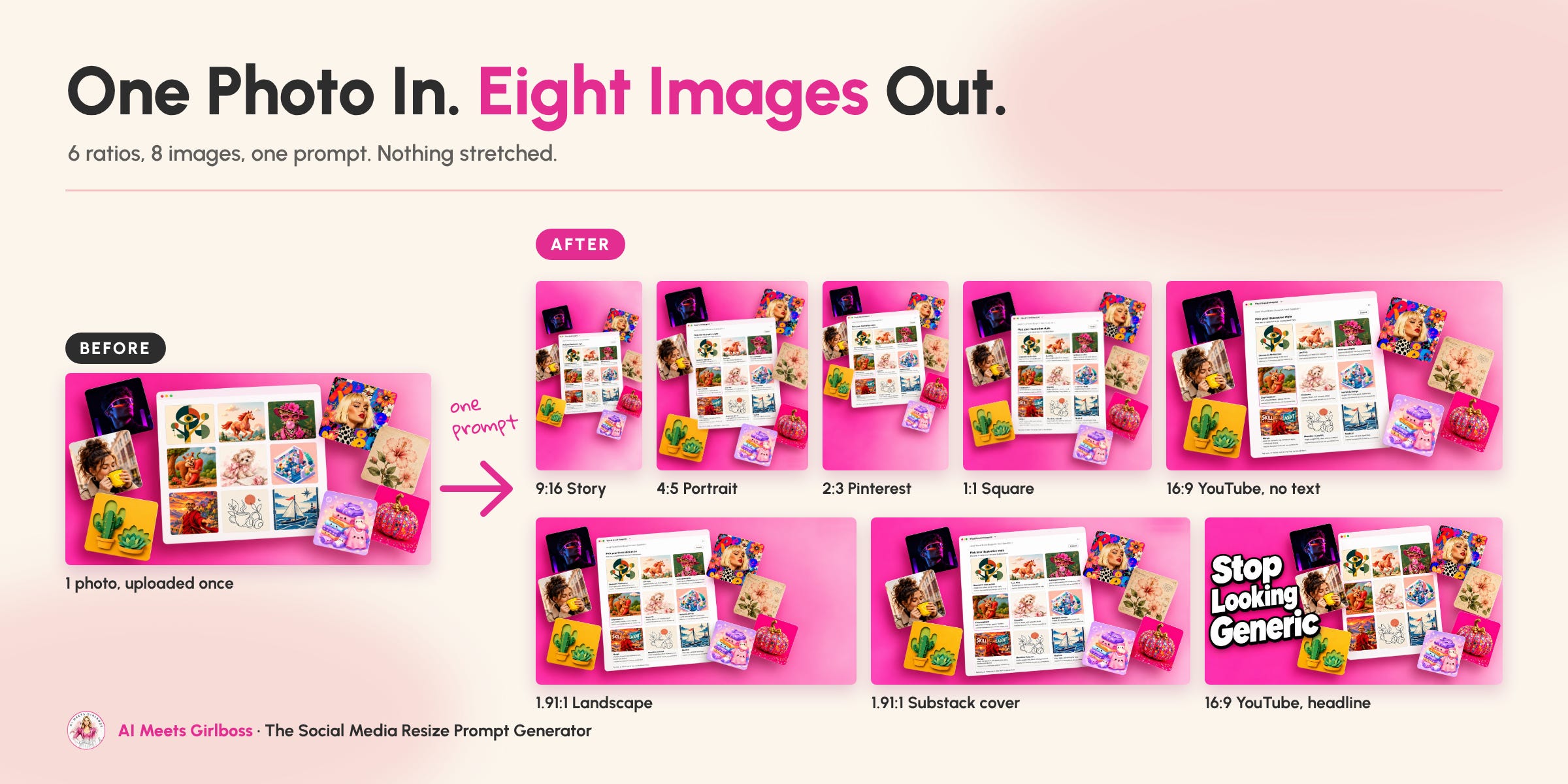 One photo in. Eight sizes out. Nothing stretched.
When Does Text On The Social Media Image Help?
You don’t want your images crowded with words, and neither does the data. So I created prompts that only put text where it earns its spot.
-
YouTube thumbnail: text always. 3 words max, bold sans-serif, thick outline, so it still reads at 168x94px.
-
Pinterest pin: text sometimes. One headline of up to 7 words that says what the reader gets and includes a word people search for.
-
Instagram, LinkedIn, Facebook, Threads, X: text is optional. Keep it short, under 15% of the frame. Clean versions often win.
-
Substack cover: text optional. Keep it inside the center 345x195px safe zone.
Resize Your Images with One Prompt Tailored to Your Social Media Platform Needs.
Here’s how I post to more than one platform without rewriting the prompt every time. I built a small prompt generator. You tell it where you post, and it writes the prompt for your photo.
Say you run a Substack, a LinkedIn page and an Instagram account. You want an Instagram feed image and a Story, a Substack cover, and a LinkedIn link preview or carousel. You tick those platforms and formats, pick how many images you want, and choose whether each one carries a headline, no headline, or a mix.
I also added a few optional extras in case I needed to spice things up or just want a variety of options. You can add your post link and ChatGPT reads the post and writes the headline for you. Pick the headline style: bold, cliffhanger, polished, or one of each. Set your text style and handle if you want them. Then the generator hands you a finished prompt. You paste it into ChatGPT with one photo, and the set is done.
The real time-saver though is if you only build this once and then add the prompt to a ChatGPT or Claude skill and ask your AI to give it to you at the end of every draft. You finish a post, the image resizing prompt is already waiting, and the images take a few minutes.
The generator is in the paid section below. Here’s a free prompt first, so you can see what it makes.
How To Make A Substack Cover, YouTube Thumbnail And LinkedIn Carousel From One Photo.
Here’s a free starter that makes three of the most useful ones in one go: a Substack cover, a YouTube thumbnail and a LinkedIn carousel cover. It takes about two minutes.
How to use it:
-
Upload your photo and paste the prompt in the same message (ChatGPT Plus or above, with image generation and browsing on).
-
Replace the [BRACKETS]: your post link and your text style. Your post link has to be public. If ChatGPT can’t open it, the prompt tells it to stop and ask you for a headline instead of guessing.
-
Check the spelling and the safe zones before you post. Image models still mangle a word now and then.
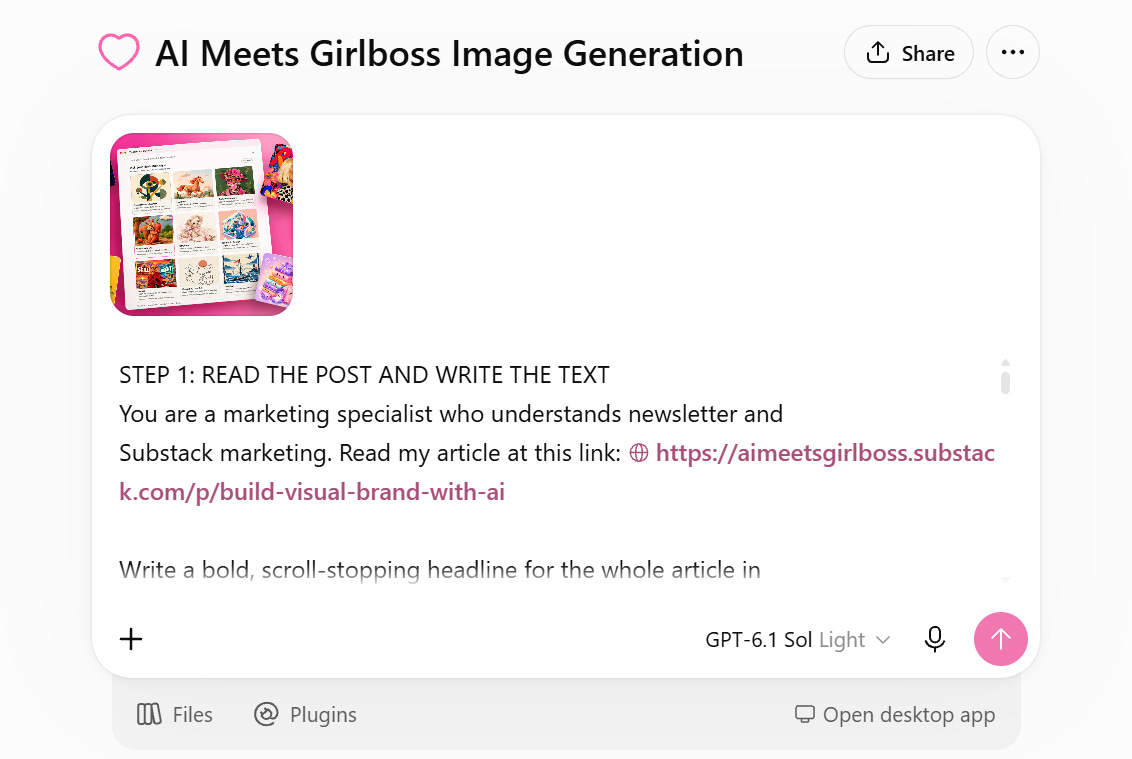 Upload one photo. Paste the prompt in the same message.
The Free Starter Prompt: Substack Cover, YouTube Thumbnail And LinkedIn Carousel Cover.
One prompt, three images, three sizes: a 1.91:1 Substack cover with no text, a 16:9 YouTube thumbnail with a 3-word hook, and a 4:5 LinkedIn carousel cover with a short headline.
STEP 1: READ THE POST AND WRITE THE TEXT
You are a marketing specialist who understands newsletter and
Substack marketing. Read my article at this link: [POST LINK]

Write a bold, scroll-stopping headline for the whole article in
three styles: a bold, reputation-risking title, a cliffhanger-style
title, and a polished quote-worthy title suitable for a Forbes.com
headline. Do not show me all three. Pick the one that fits best for
each of the two text images below, tell me the two lines in one
sentence each, then keep going without waiting for a reply.

If you cannot open the link, stop and ask me for the headline.
Do not guess what the article says.

YOUTUBE TEXT: 3 words max. A hook, not a summary.
LINKEDIN TEXT: 6 words max. Lean toward the polished style.

Text style: [e.g. bold sans-serif, white with thick dark outline]

STEP 2: CREATE THE IMAGES
Create 3 versions of the uploaded image, each recomposed for a
different platform. Use the uploaded photo as the only source. Keep
the subject, color palette, lighting and mood identical across all
three so they read as one cohesive set. Do not stretch, distort or
restyle anything. Only recompose.

RULES FOR ALL 3
- No labels, captions, platform names, numbers, pills, badges or
watermarks anywhere.
- The only text allowed is the Step 1 text, and only on images 2
and 3. Image 1 contains no text at all.
- Use the Step 1 words exactly, spelled correctly. Never add words.
- Text covers less than 15% of the image and never sits over the
subject's face. Same font and colors on both text images.
- No empty bands. If a format is taller or wider than the source,
extend the existing background naturally and scale the subject up
so the frame feels full. Space is kept clear only on images that
carry text.

FORMATS
1. SUBSTACK COVER, 1200x630px, 1.91:1. No text. Keep the focal
subject inside the center 345x195px safe zone.

2. YOUTUBE THUMBNAIL, 1280x720px, 16:9. Subject on one side,
unobstructed. TEXT: the YouTube text, huge, bold sans-serif with
a thick dark outline, on the side opposite the subject. It must
stay readable at 168x94px.

3. LINKEDIN CAROUSEL COVER, 1080x1350px, 4:5. Subject in the
upper-middle third. TEXT: the LinkedIn text in the lower third.

Match color grading and lighting exactly across all 3 outputs so
they look like one shoot, not three separate edits.
The generator behind the paywall builds the prompt for your own platforms, with up to 8 images per prompt.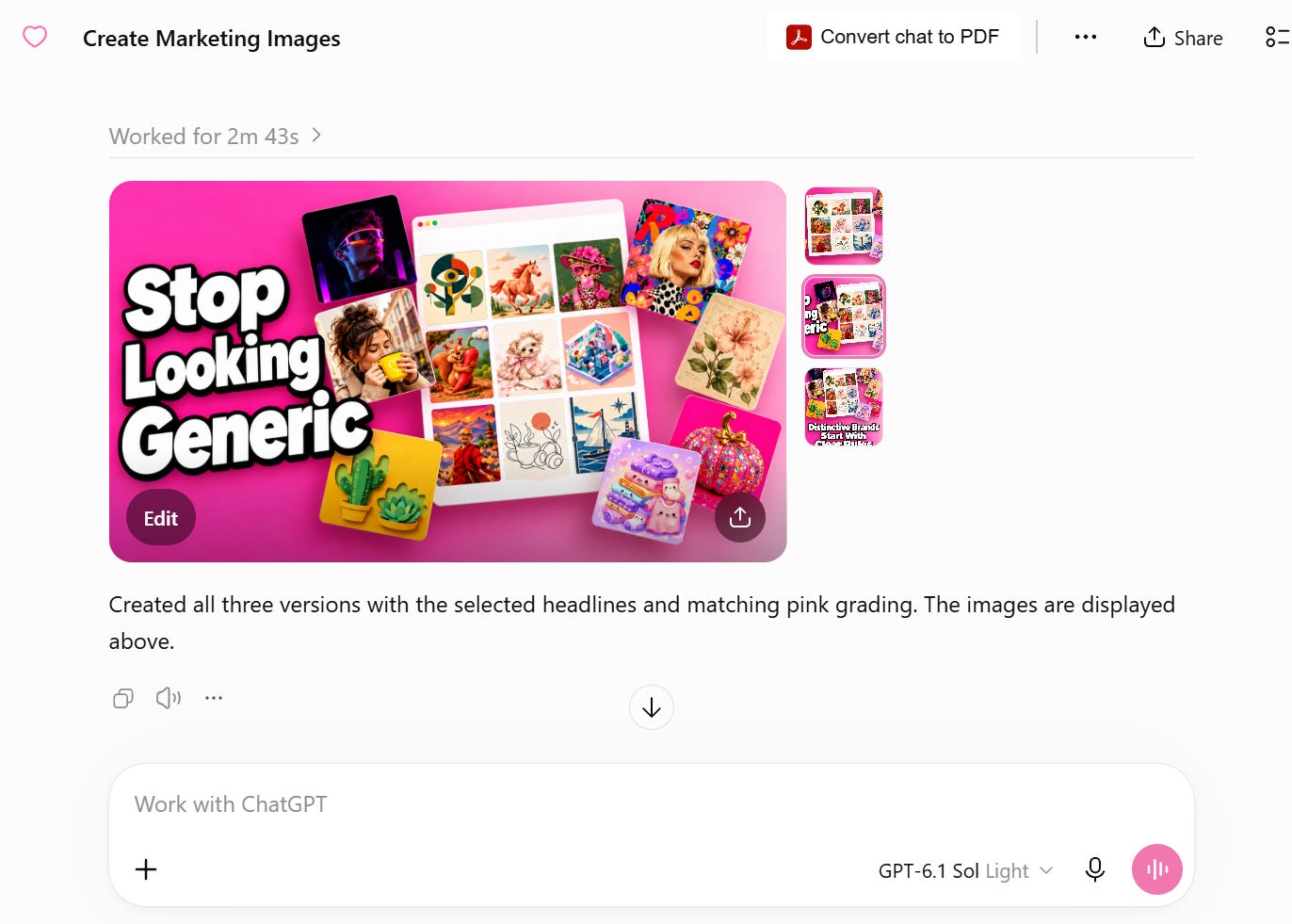 What the free starter returns: three images from one photo, headline written by ChatGPT.
No Visual Style Yet? Start Here.
Let’s take a step back. If you’re at the beginning of your online branding journey, you probably don’t have a visual style yet. No signature look, no colors you stick to, no rules for what goes in your images. That’s normal, everyone starts there. It matters here because one photo in means eight images out, and any gap in your look gets copied eight times.
That’s why I built the Visual Brand Blueprint with . It walks you through a brand interview, 55 hand-picked illustration styles and the Distinctiveness Test, and ends with a written visual brand (colors, style, rules) that you can feed into every prompt in this post. The photo I used for the screenshots here is a screen from it. I walked you through how the Visual Brand Blueprint works on its launch week.
What it gives you: images that look like you on every platform, without redesigning each one. My annual paid subscribers get 50% off the Visual Brand Blueprint, but it’s available to anyone through the link below.
Get the Visual Brand Blueprint
In the comments…
Which platform is your audience using? Do you post there? What is your time saving hack? And if not, what’s stopping you? Is it resizing, finding the right words, or just not knowing what to put there? Drop one line below. I’m reading every one, and it decides which pack I sharpen first.
What’s Behind The Paywall.
You just got a free 3-image starter. The paid section below is the whole set, in this one post you can bookmark and keep open while you post.
What you’ll get behind the paywall:
-
A 6-step workflow you can follow from your first prompt to a skill that does it for you: open the generator, pick your platforms and formats, paste into ChatGPT with your photo, check the set, use the master prompt, then turn it all into a skill
-
The prompt generator: pick your platforms, formats, image count and headline style, and copy a finished prompt for your photo
-
One master prompt that turns a single photo into 8 images for every platform at once (Square, Portrait, Story, LinkedIn preview, Substack cover, Pinterest pin, YouTube thumbnail, plus a text-free version)
-
The skill: a brief that makes your AI hand you the image prompt at the end of every draft
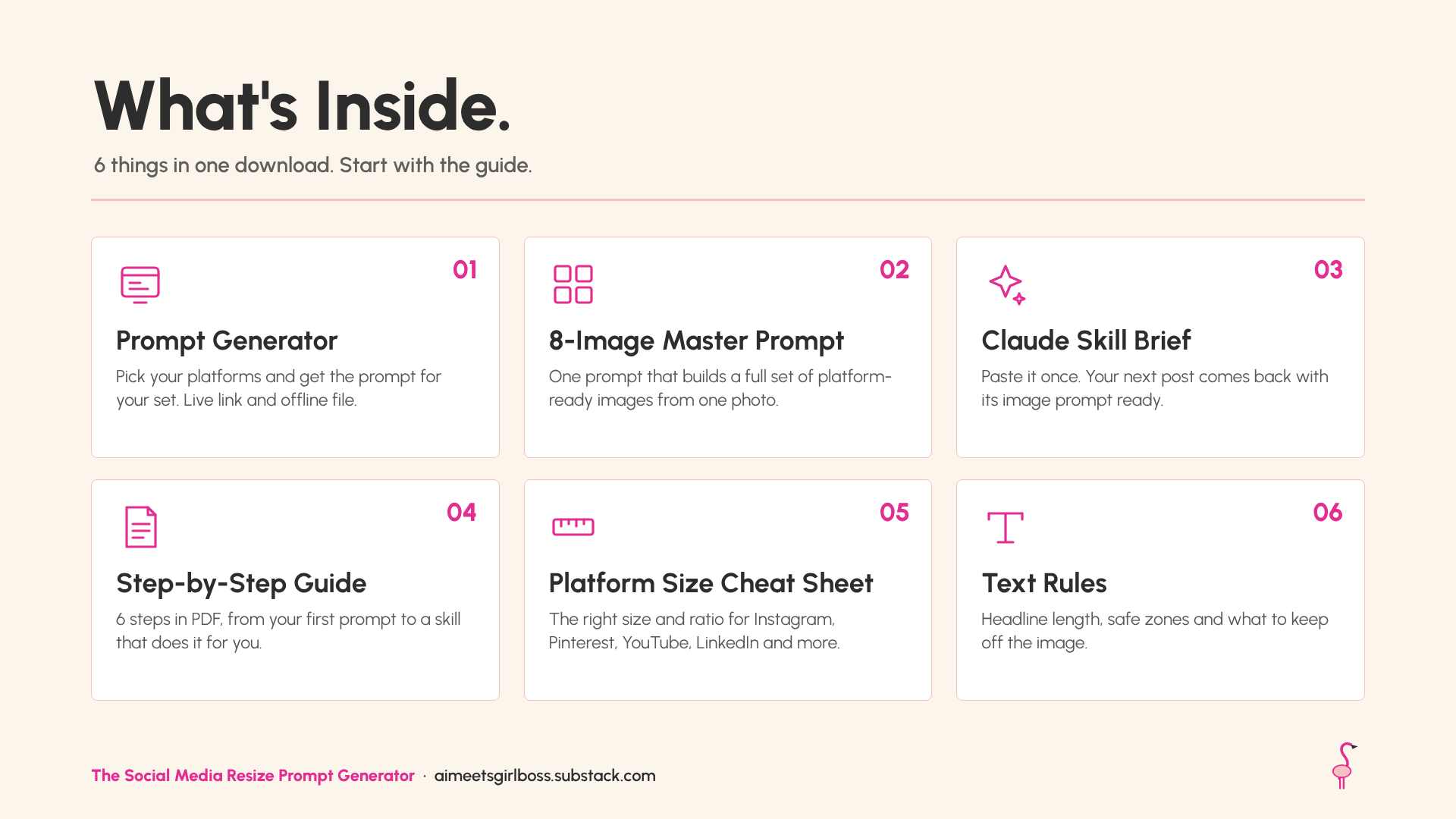
The 6-step workflow you can follow from your first prompt to a skill that does it for you.
Here’s the whole workflow, start to finish or download the Social Media Image Resizing Kit below. Run it once on a real post. After Step 6 you won’t do Steps 2 to 4 by hand again.
Buy the download resizing kit on Gumroad or upgrade to annual paid.