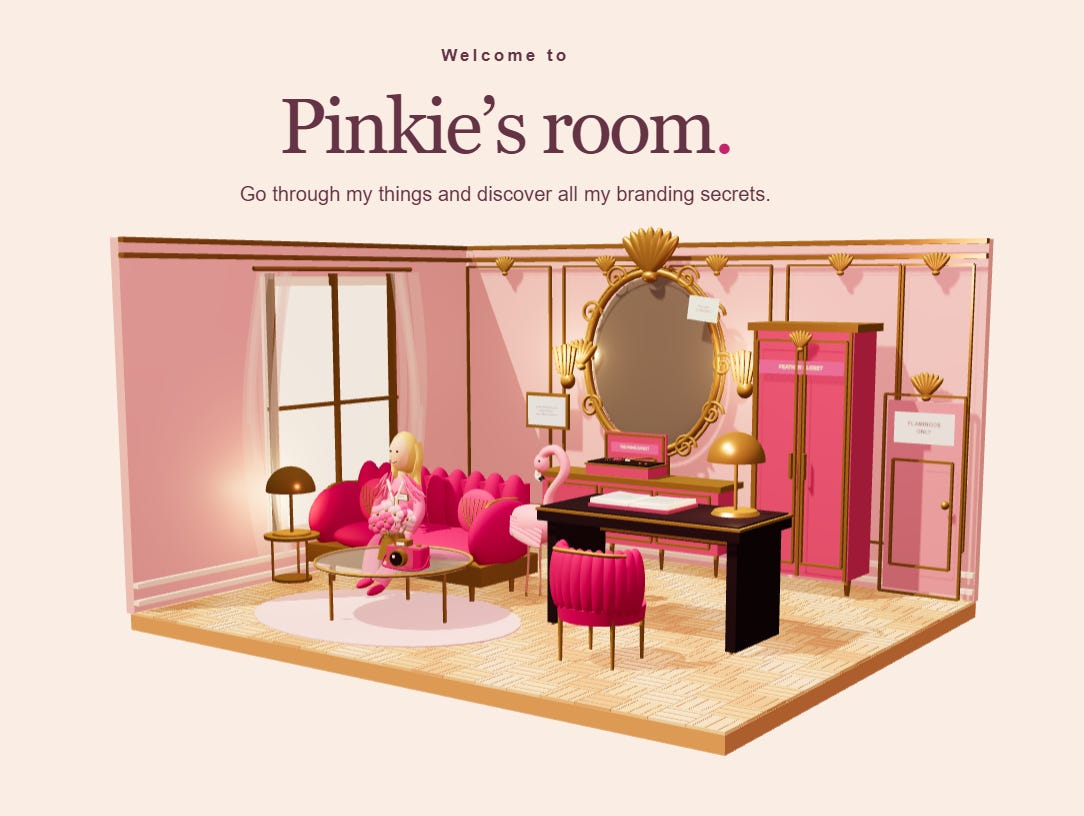
My honest review of Astra, the exact prompt I used to build mine in 7 minutes, and 15 ways to put it to work for your brand.
By AI Meets Girlboss
Published: 2026-09-08
URL: https://aimeetsgirlboss.substack.com/p/chatgpt-astra-branding-ideas
TL;DR: OpenAI dropped a new model called Astra two days before my biggest client presentation of the quarter, so obviously I dropped everything to test it. I used it to build an interactive 3D dollhouse of my own brand in about 7 minutes, in two very different styles. Here's my honest take on both. I also share 15 ways to use Astra for your brand organized, and a look at what it built inspired by three creators, , and . Plug-and-play prompts behind the paywall.
OpenAI Has Terrible Timing.
I have a major client presentation this Wednesday. The kind where you don't sleep much the night before, actually three nights before this time.
And of course, that’s the exact week OpenAI decides to drop Astra, their newest and apparently smartest model yet.
This isn’t new behavior from them. The last time it happened, I was deep in a Claude Design testing sprint when ChatGPT Images 2.0 quietly dropped and rearranged my whole week. I wrote about that one here.
So I did the responsible thing. I ignored my presentation deck for exactly one hour and opened Astra anyway.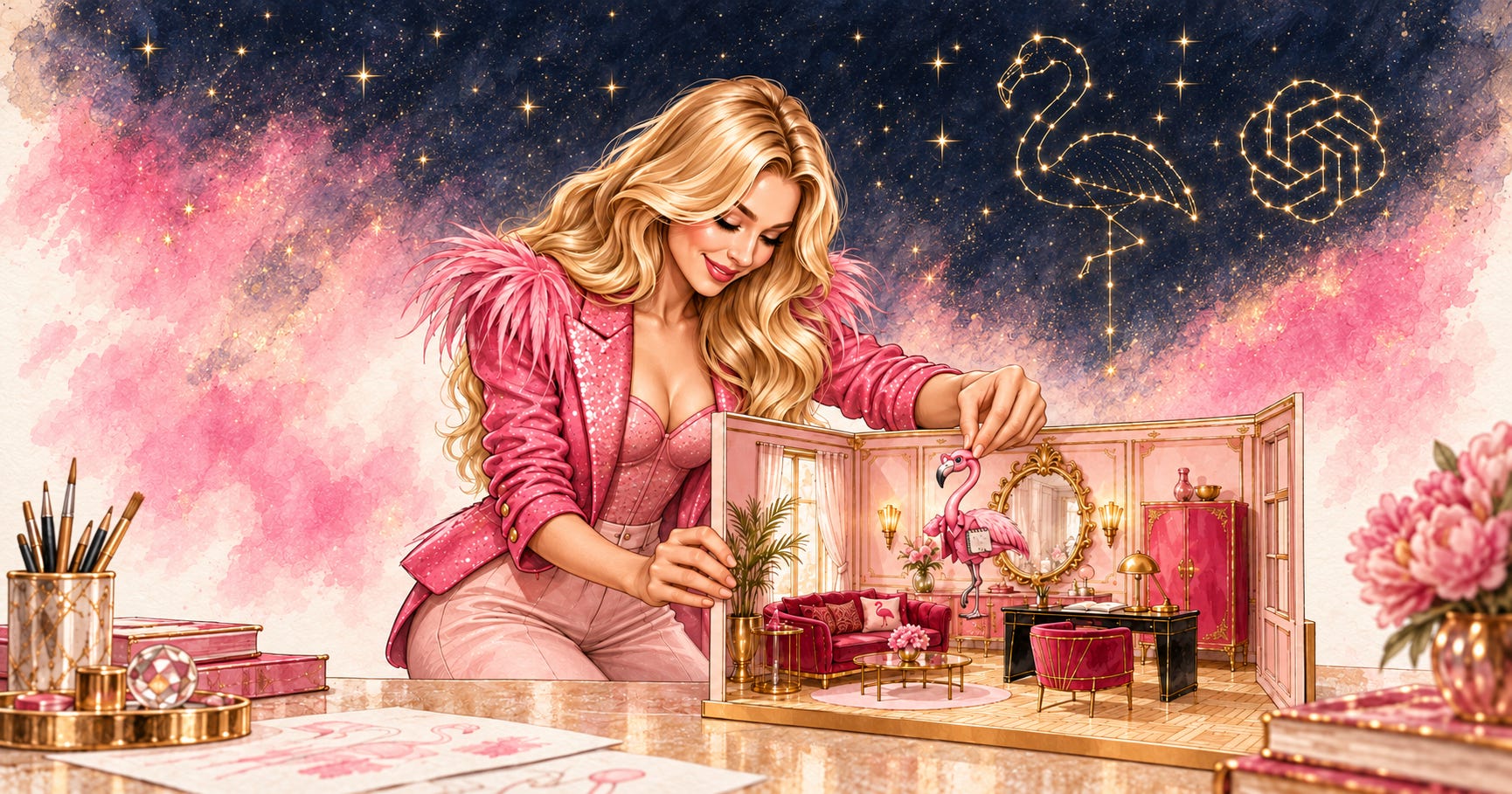
Hey, I’m Pinkie. I help creators build recognizable Substack brands that drive consistent subscriber growth. I share the branding systems, prompts, and workflows I use to transform ideas into distinctive, repeatable output. If you’re new to AI Meets Girlboss, welcome! This might be the best time to join. Start here! 🩷🦩

What you’ll learn in this post:
-
What GPT-6 Astra actually is, and where it’s hiding inside ChatGPT if you’re on Plus
-
My honest pros and cons after building the same dollhouse two different ways inspired by
-
A look at what else I built with it: a showroom for , an explainer for , and a branded game for The Branding Flock
-
15 plug-and-play prompts for your own brand, organized by goal (paid)

What Is Astra, Actually?
GPT-6 Astra is OpenAI’s newest flagship model, the one behind ChatGPT’s most advanced building tools.
The headline feature is something called computer use. Instead of writing you a code snippet and leaving you to run it, Astra actually operates the software itself. It opens Blender, builds the geometry, adjusts materials and lighting, and can hand the result off to a game engine, entirely on its own.
Here’s what that looks like when you go find it, if you’re on ChatGPT Plus: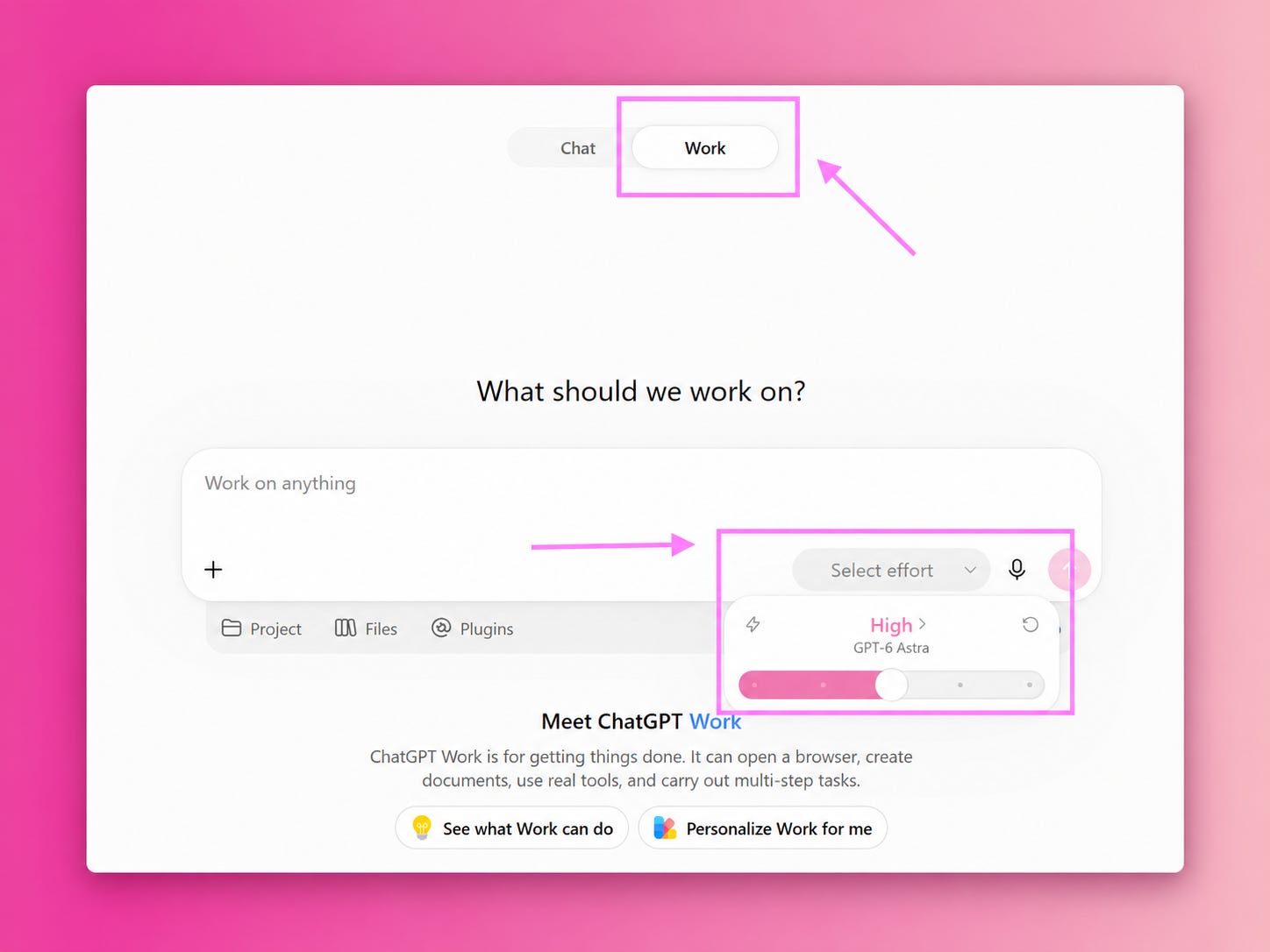 Screenshot: ChatGPT toggled to “Work,” with GPT-6 Astra selected in the model dropdown
That’s the part that trips people up. Astra doesn’t show up in your normal Chat tab if you’re on Plus. You have to toggle over to Work first, then pick Astra from the model selector. Once you’re there, it can build websites, apps, and 3D scenes directly from a single prompt.
That’s the exact feature I used to build my 3D interactive dollhouse.
The Ridiculously Easy Part.
I’d been putting off designing my own website for months. Not because I didn’t have ideas, because every idea felt like a whole separate project I didn’t have hours for. And this week wasn’t going to be the week I build my website. So I decided to do something fun instead that could also be a branding element for AI Meets Girlboss.
Then I remembered something. A while back, my dear friend at Neon White Interiors designed a gorgeous Rococo-meets-Art-Deco room for AI Meets Girlboss, just for fun. Her interior design work is stunning, go follow her. I figured this room deserved a second life.
Since easter eggs are already my whole brand personality, the idea clicked fast: what if I turned that room into an interactive dollhouse, and hid my best-performing posts and tools inside it?
Here’s how I actually did it, step by step:
-
I asked Claude to write the prompt. Claude already knows my brand inside out from working on AMG with me for months, so it understood exactly which posts and tools were worth hiding and why.
-
I fed everything to Astra at once. Dallas’s original room design, my brand reference sheet, and the links to the posts and tools I wanted hidden inside.
-
First run, done. One prompt and 7 minutes. No revisions needed to get something that works.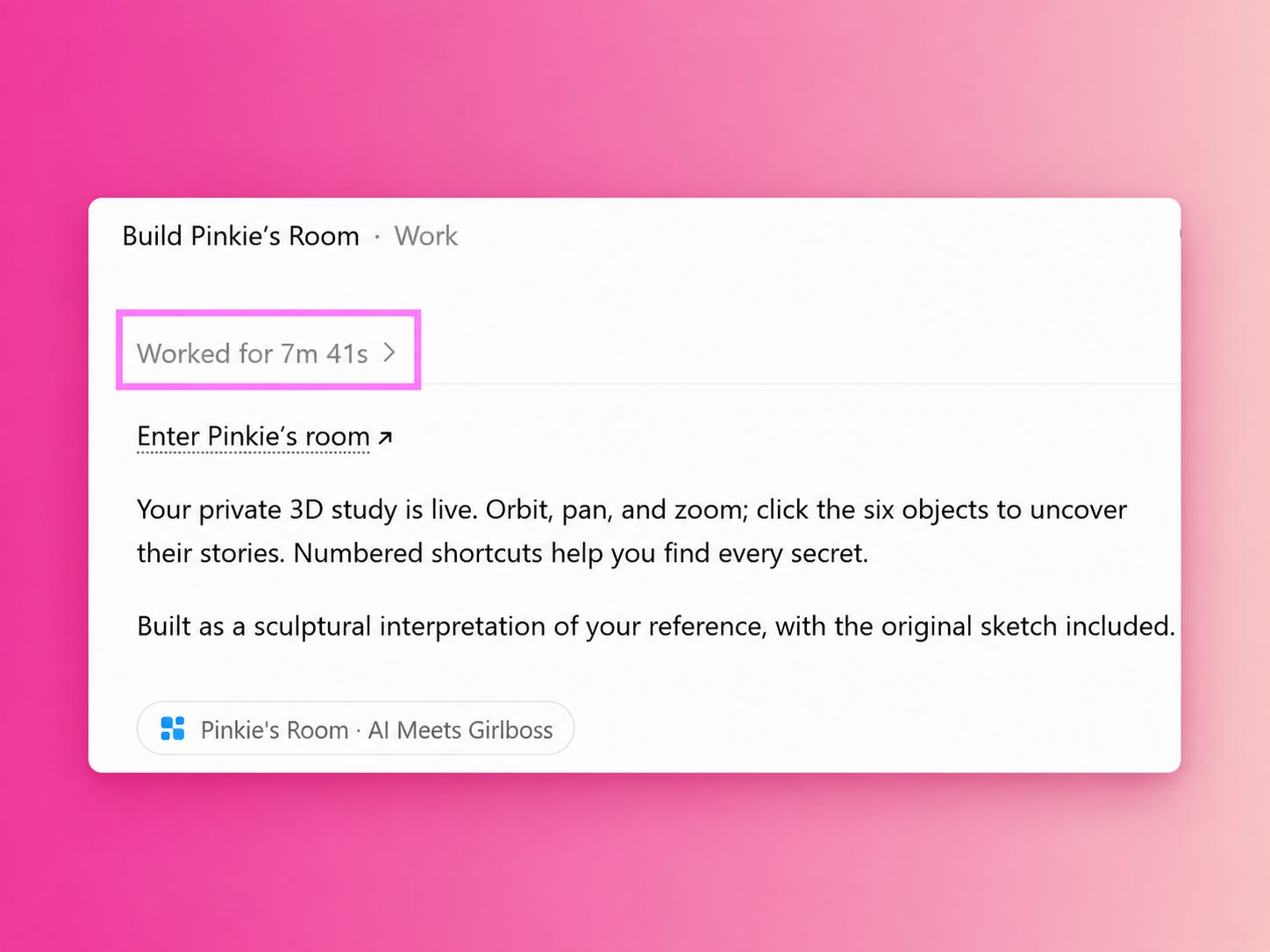
I liked it so much I got greedy and added four more hidden eggs, because apparently one perfectly good dollhouse wasn’t enough for me. That’s it. That’s the whole build process. 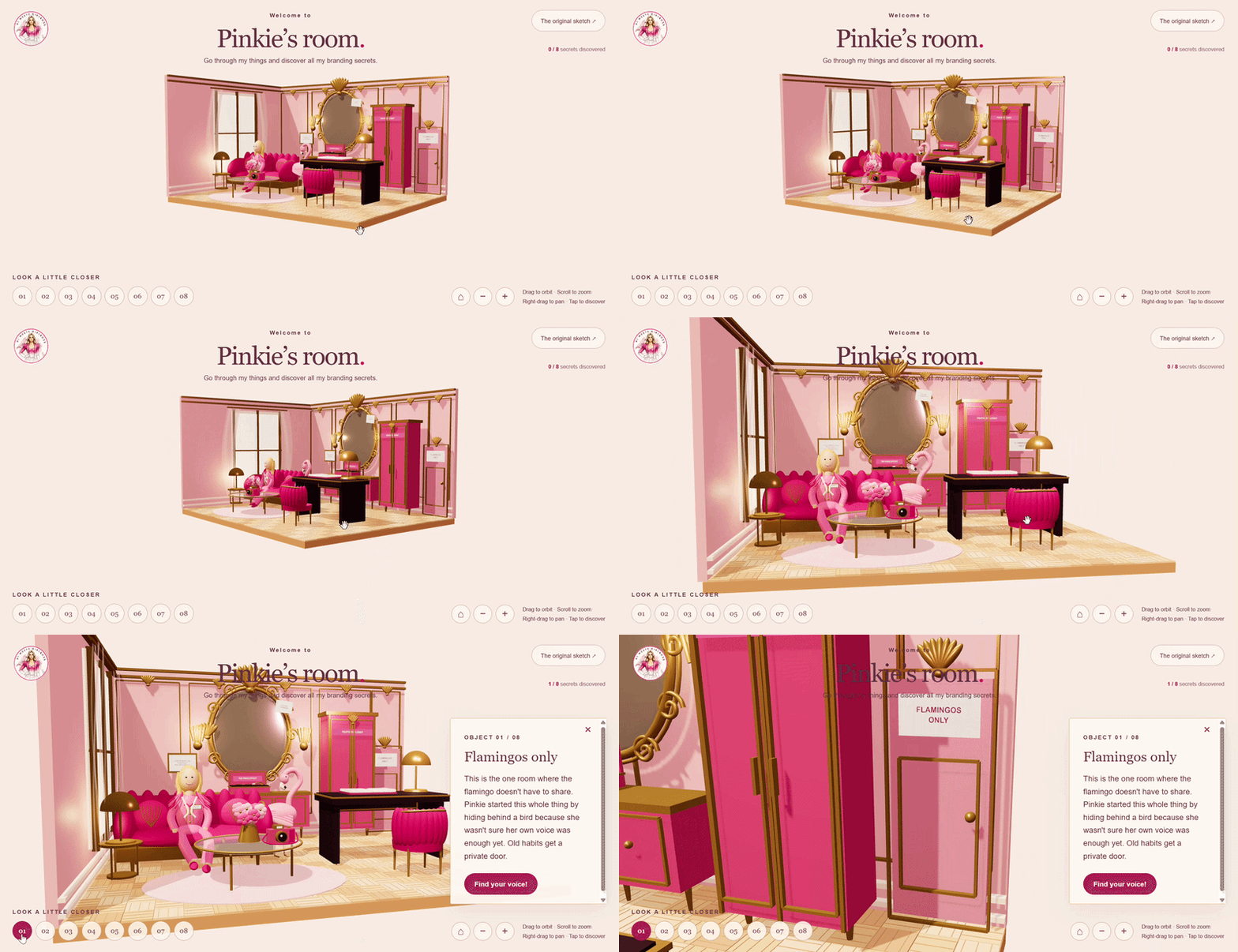

The Honest Pros and Cons.
I’m not about to pretend this thing is flawless just because it’s shiny and new. Here’s what I actually think, pros and cons, no sponsor to please.
What’s impressive:
-
Astra hands 3D and interactive design to people who’ve never touched a game engine, and I mean that literally, I had zero idea what I was doing beyond typing a prompt. One tester fed it a single photo of a house and got back a walkable, fully furnished 3D interior. That’s the same category of magic behind my dollhouse.
-
It’s also fast. People on TikTok are showing off entire drivable car games built from one prompt in minutes. Not remotely on-brand for me, but it tells you how much horsepower is sitting behind this thing.
What’s worth being skeptical of:
-
Left alone, Astra defaults to a specific “AI-made” look: flat layouts, an overused green palette, generic choices you have to actively fight against with detailed prompting. Even with Dallas’s amazing design and my brand colors, my first dollhouse render proved that point better than I wanted it to.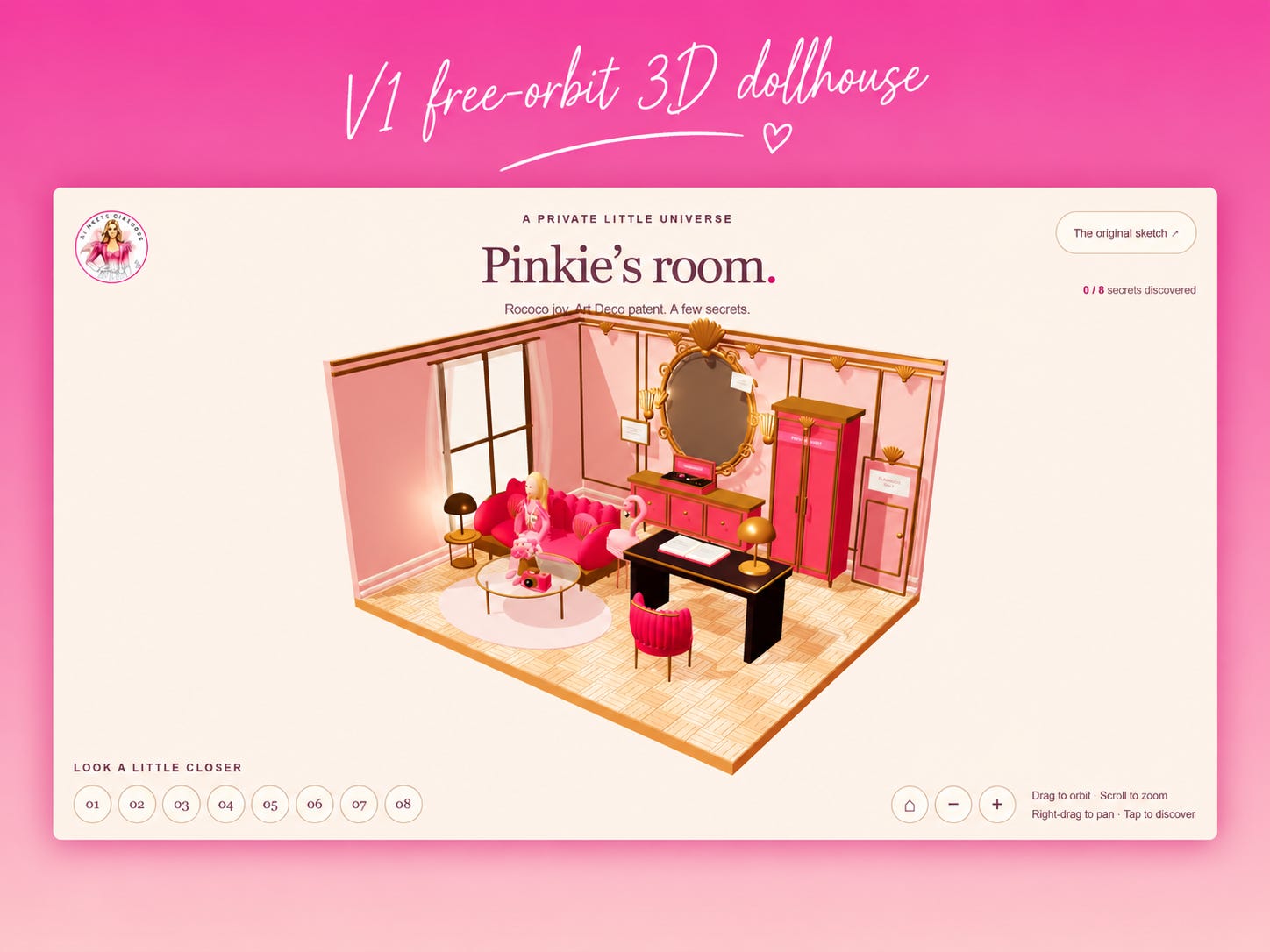 Screenshot: the v1 free-orbit 3D dollhouse, cartoonish render style
-
It's genuinely amazing for someone who doesn't understand the basics of building a 3D scene, which, again, is me. But look at the rest of my brand and that render doesn't belong there. Put it on my website header and it starts looking like Stardoll made a comeback in 2026. So I made a second version, photorealistic this time.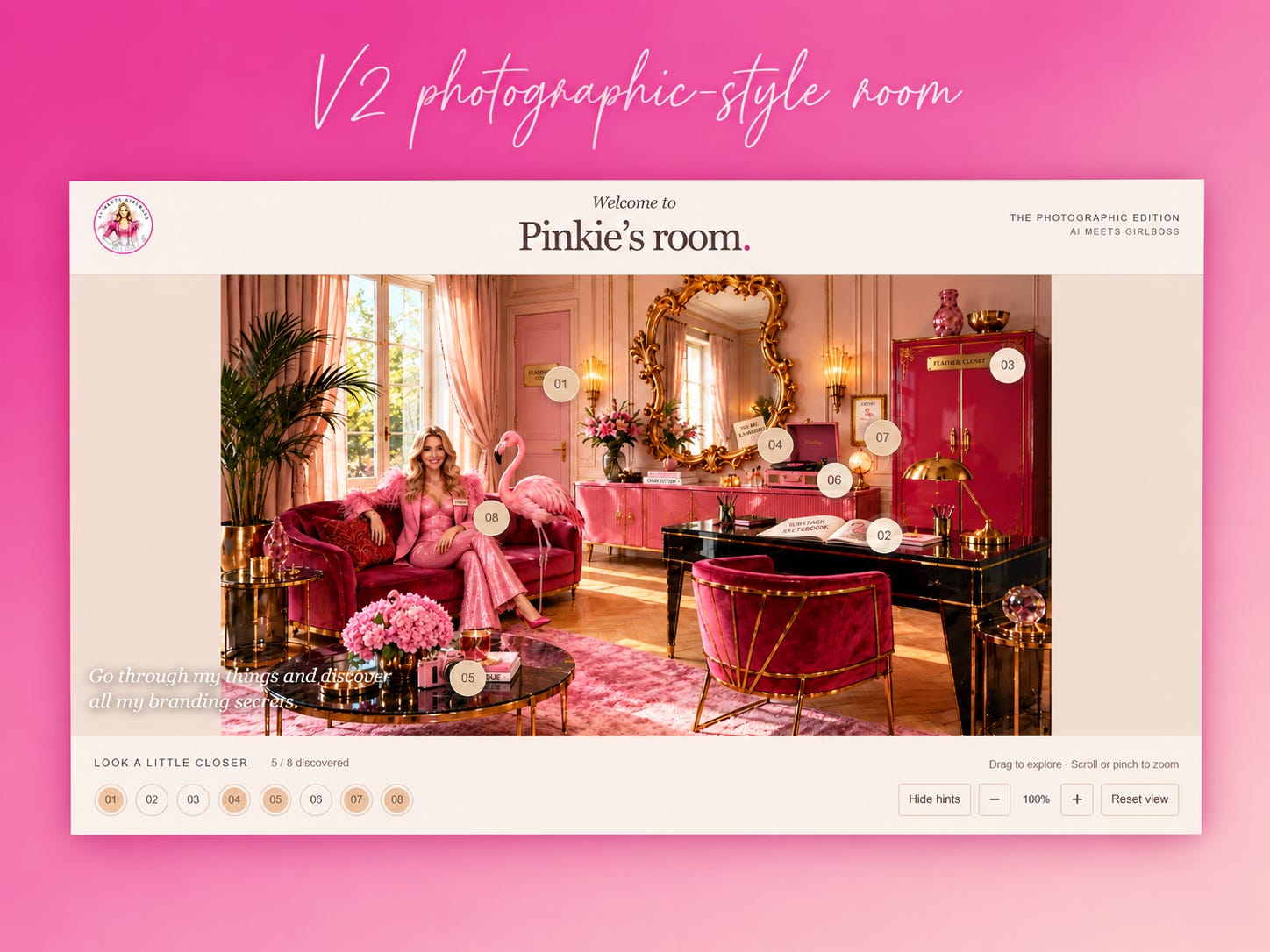 Screenshot: the v2 photographic-style room, same hidden brand secrets, flat but polished
-
Getting this meant giving something up. V1 had free camera orbit, but the exact "AI-made" cartoonish models I just described. V2 has the photographic look I actually wanted, but it's a flat image, not an explorable scene. A photograph only shows one angle. Free orbit needs the sides, backs, and hidden surfaces a single photo never captures.
-
To get both, a real architectural walkthrough with photorealistic materials and full camera freedom, you'd need detailed 3D models of every piece of furniture and every character, realistic materials for velvet, feathers, skin, glass, lacquer, and gold, and carefully built lighting and reflections optimized to run smoothly in a browser. That's not a prompting problem anymore. That's paid 3D models, external API costs, or extra subscriptions stacked on top of what Astra already gives you for free.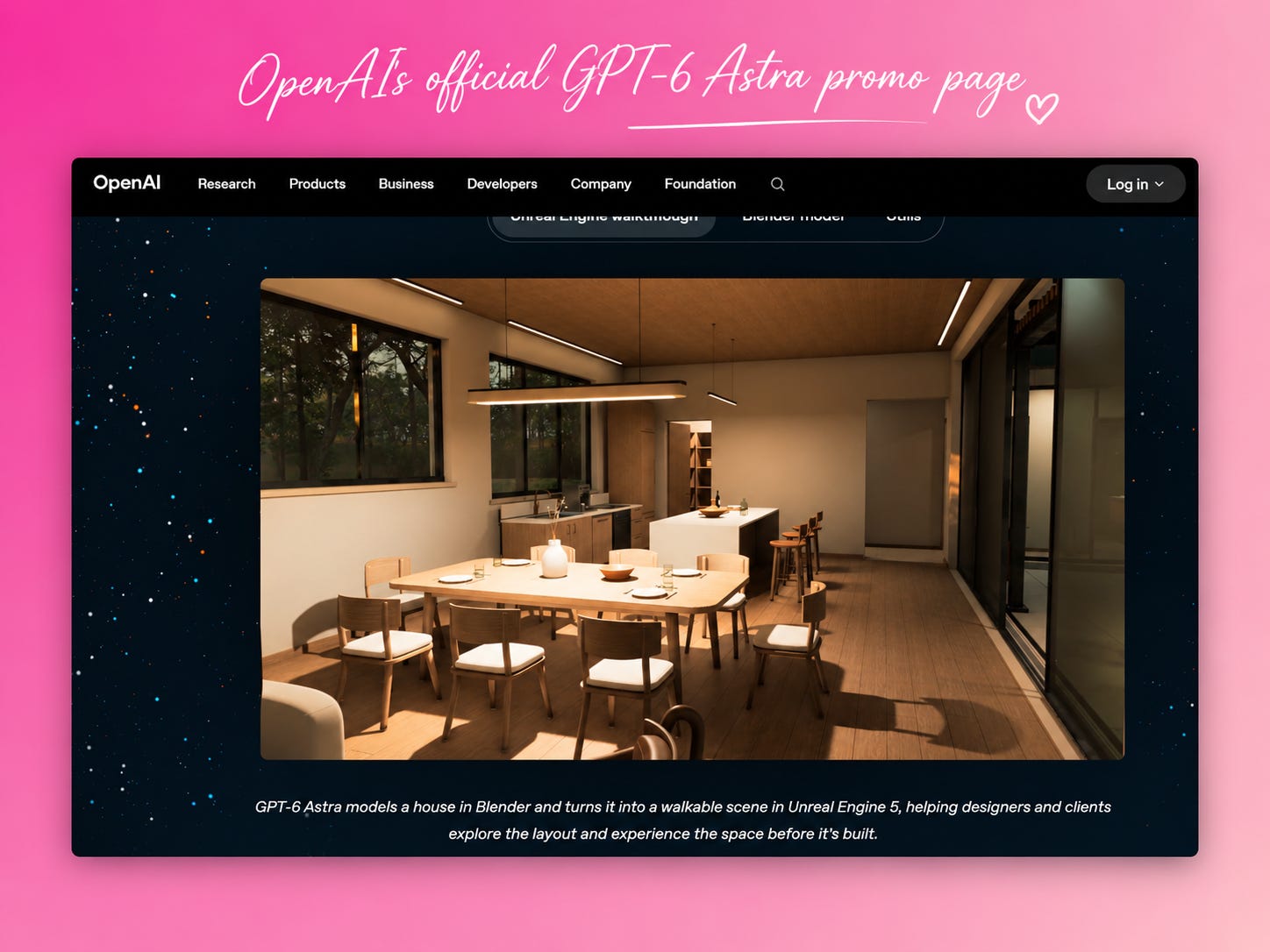 Screenshot: OpenAI's official GPT-6 Astra promo page, showing the Unreal Engine 5 architectural walkthrough of a house modeled in Blender
-
Big interactive builds can quietly burn through a lot of tokens behind the scenes. My dollhouse was a small, contained project. A bigger one would add up fast. Even OpenAI’s own promo page proves the point: the walkthrough they show off, a Blender model turned into a fully walkable Unreal Engine 5 scene, is exactly the paid pipeline I just described, not something one prompt hands you. To get what’s actually in that demo, you pay up for it.

15 Ways to Use Astra for Your Branding
I organized these around 3 branding goals. For each one, I’m giving you the actual prompt, so you can easily copy it and build something for your brand right away.
-
Branding Goal 1: Show Off Your Brand. Virtual showrooms, lookbooks, dollhouses, and rooms that let people explore your work instead of scrolling past it.
-
Branding Goal 2: Convert and Qualify. Configurators, quizzes, microsites, and explainers that turn interest into an email address or a sale.
-
Branding Goal 3: Play and Automate. Branded games, gamified onboarding, event spaces, and the one idea on this list that isn’t about being seen at all.
Here are three real things, built with the prompts you’ll find below.
-
A product showcase called “The reading room” to show off 's , ahead of our next Real Rebrands story. Click a book and it opens straight to one of her posts, including her genuinely great breakdown of building a paid tier on Substack.
-
A simplified onboarding flow for 's , so newcomers can start using her smart frameworks instead of getting overwhelmed by how much good thinking she's packed in there. ;-)
-
The Flamingo Run a branded mini game built for the Branding Flock, pure fun. You catch color palettes and brand books to grow from baby flamingo to junior to expert flamingo. Defo worth 10 minutes of your time.
In the comments:
If you built one interactive brand experience with a tool like this, what would it be? A virtual shop? A game? A quiz you turned into a room? Drop it below, I want to steal ideas.
Branding Goal 1: Show Off Your Brand
These turn something people would normally scroll past into something they explore. All of them are grounded in Astra’s actual 3D and Sites capabilities: building a scene from a prompt and hosting it as a live link.
1. Virtual Showroom
Best for: Product brands, makers, and anyone with a catalog worth browsing.
Why it works: People spend longer with a product they can walk around than one they scroll past, and that extra time is where trust actually gets built.
The prompt:
Build an interactive 3D showroom in [YOUR BRAND] style, showcasing [YOUR PRODUCT LINE].

ROOM DESCRIPTION:
[Describe the space: colors as hex codes, materials, mood, layout]

FEATURED PRODUCTS (each is a clickable/zoomable hotspot):
1. [Product name/description], displayed on [a pedestal/shelf/rack].
On click, reveal: the product name, a one-line description, and the price.
Button: "Shop this" → [PRODUCT URL]

[Repeat for each product, 4-8 is a good range]

TECHNICAL REQUIREMENTS:
- Fully navigable 3D scene (orbit/pan/zoom camera controls)
- Each product hotspot opens a popup with a description and a "Shop this" button linking out
- Maintain [YOUR BRAND COLORS] throughout
- Host as a live link I can share directly
Keep in review: Feed it real product photos, not just descriptions. The quality of the reconstruction depends entirely on what you give it to work from.
2. Interactive Lookbook
Best for: Fashion, beauty, and home brands with seasonal collections.
Why it works: It turns a static “shop this look” post into something worth revisiting next season, so you get repeat visits without publishing anything new.
The prompt:
Build an interactive 3D "lookbook room" for [YOUR BRAND]'s [SEASON/COLLECTION NAME] collection.

ROOM DESCRIPTION:
[Describe the space: colors as hex codes, mood, materials, styling]

FEATURED PIECES (each is a clickable/zoomable hotspot):
1. [Piece name/description], displayed [on a mannequin/rack/table].
On click, reveal: the piece name, fabric or material, and price.
Button: "Shop this piece" → [PRODUCT URL]

[Repeat for each piece, 4-8 is a good range]

TECHNICAL REQUIREMENTS:
- Fully navigable 3D scene (orbit/pan/zoom camera controls)
- Each hotspot opens a popup with the piece details and a shop link
- Maintain [YOUR BRAND COLORS] and collection mood throughout
- Host as a live link I can share directly
Keep in review: Update the collection name and pieces each season and treat the room as a template. You built the structure once.
3. A Pop-Up Experience for a Collab
Best for: Any two creators or brands co-launching something together.
Why it works: It’s a shared asset that lives on both your platforms at once, doing double the introducing-you-to-their-audience work of a normal shoutout post.
The prompt:
Build a shared 3D "pop-up" space for a collaboration between [YOUR BRAND] and [COLLABORATOR BRAND].

ROOM DESCRIPTION:
[Blend both brands' colors and styles, or split the room visually between the two, hex codes for both]

INTERACTIVE ELEMENTS (each is a clickable hotspot):
1. [An object representing your side of the collab].
On click, reveal: [what you bring to the collab]
Button: "Visit [YOUR BRAND]" → [YOUR URL]

2. [An object representing your collaborator's side].
On click, reveal: [what they bring to the collab]
Button: "Visit [COLLABORATOR]" → [THEIR URL]

[Add more hotspots for the actual collab offer or product]

TECHNICAL REQUIREMENTS:
- Fully navigable 3D scene
- Visually credits both brands equally
- Each hotspot links out to the correct brand's page
- Host as a live link both of you can share
Keep in review: Get sign-off from your collaborator on how their side is represented before you publish. Nobody likes finding out how they were portrayed after the fact.
4. A Dollhouse of Your Own Brand World (The Exact Prompt For Pinkie’s Room)
Best for: Any brand with a personality worth exploring and a backlog of good content nobody reopens.
Why it works: It turns your entire back catalog into something explorable instead of a scroll of old posts nobody reopens.